引言
在Flutter开发中,布局性能是影响应用流畅度的关键因素之一。Flex布局系统虽然功能强大,但如果使用不当,也会导致性能问题。本文将深入探讨Flex布局的性能优化技巧,帮助开发者构建高效、流畅的布局。
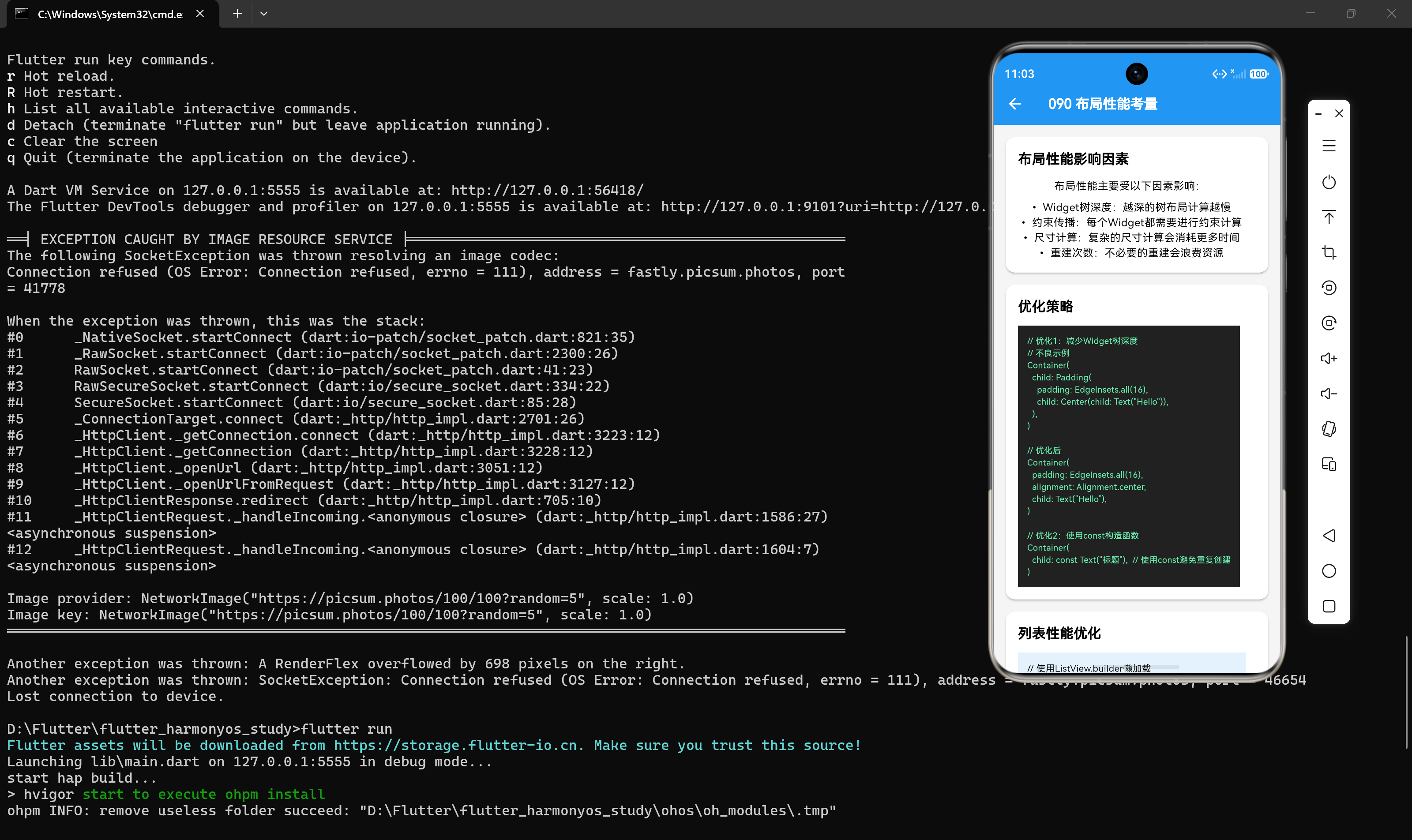
一、Flex布局性能影响因素
1.1 布局计算复杂度
布局计算复杂度是影响性能的主要因素:
- Widget树深度:越深的树布局计算越慢
- 约束传播:每个Widget都需要进行约束计算
- 尺寸计算:复杂的尺寸计算会消耗更多时间
- 重建次数:不必要的重建会浪费资源
1.2 渲染性能
渲染性能也会影响整体布局性能:
- 绘制次数:过多的绘制会消耗GPU资源
- 重绘区域:大面积的重绘会影响帧率
- 合成操作:复杂的合成操作会增加CPU负担
二、性能优化技巧
2.1 减少Widget树深度
避免过多的嵌套布局,减少布局计算复杂度:
dart
// 不良示例:三层嵌套
Column(
  children: [
    Row(
      children: [
        Column(children: [...]),
      ],
    ),
  ],
)

// 优化后:使用自定义组件
Column(
  children: [
    UserInfoCard(),
    ContentSection(),
  ],
)
2.2 使用const构造函数
对于不变的子组件,使用const构造函数避免重复创建:
dart
// 不良示例:每次重建都会创建新组件
Row(
  children: [
    Icon(Icons.home),
    Text("首页"),
  ],
)

// 优化后:使用const构造函数
Row(
  children: const [
    Icon(Icons.home),
    Text("首页"),
  ],
)
2.3 避免不必要的Expanded
只在需要弹性空间时使用Expanded:
dart
// 不良示例
Row(
  children: [
    Expanded(child: Text("短文本")),
  ],
)

// 优化后
Row(
  children: [
    Text("短文本"),
  ],
)
2.4 合理设置flex值
使用合理的flex值,避免过大或过小:
dart
// 不良示例:flex值过大
Row(
  children: [
    Expanded(flex: 100, child: Container(color: Colors.red)),
    Expanded(flex: 1, child: Container(color: Colors.blue)),
  ],
)

// 优化后:使用合理比例
Row(
  children: [
    Expanded(flex: 2, child: Container(color: Colors.red)),
    Expanded(flex: 1, child: Container(color: Colors.blue)),
  ],
)
2.5 使用RepaintBoundary
对于复杂的子组件,使用RepaintBoundary隔离重绘:
dart
Row(
  children: [
    RepaintBoundary(child: ComplexWidget1()),
    RepaintBoundary(child: ComplexWidget2()),
  ],
)
2.6 避免频繁重建
使用StatefulWidget时,避免频繁触发setState:
dart
// 不良示例:频繁触发setState
void updateState() {
  setState(() {
    count++;
  });
}

// 优化后:使用ValueNotifier
final count = ValueNotifier<int>(0);

void updateState() {
  count.value++;
}
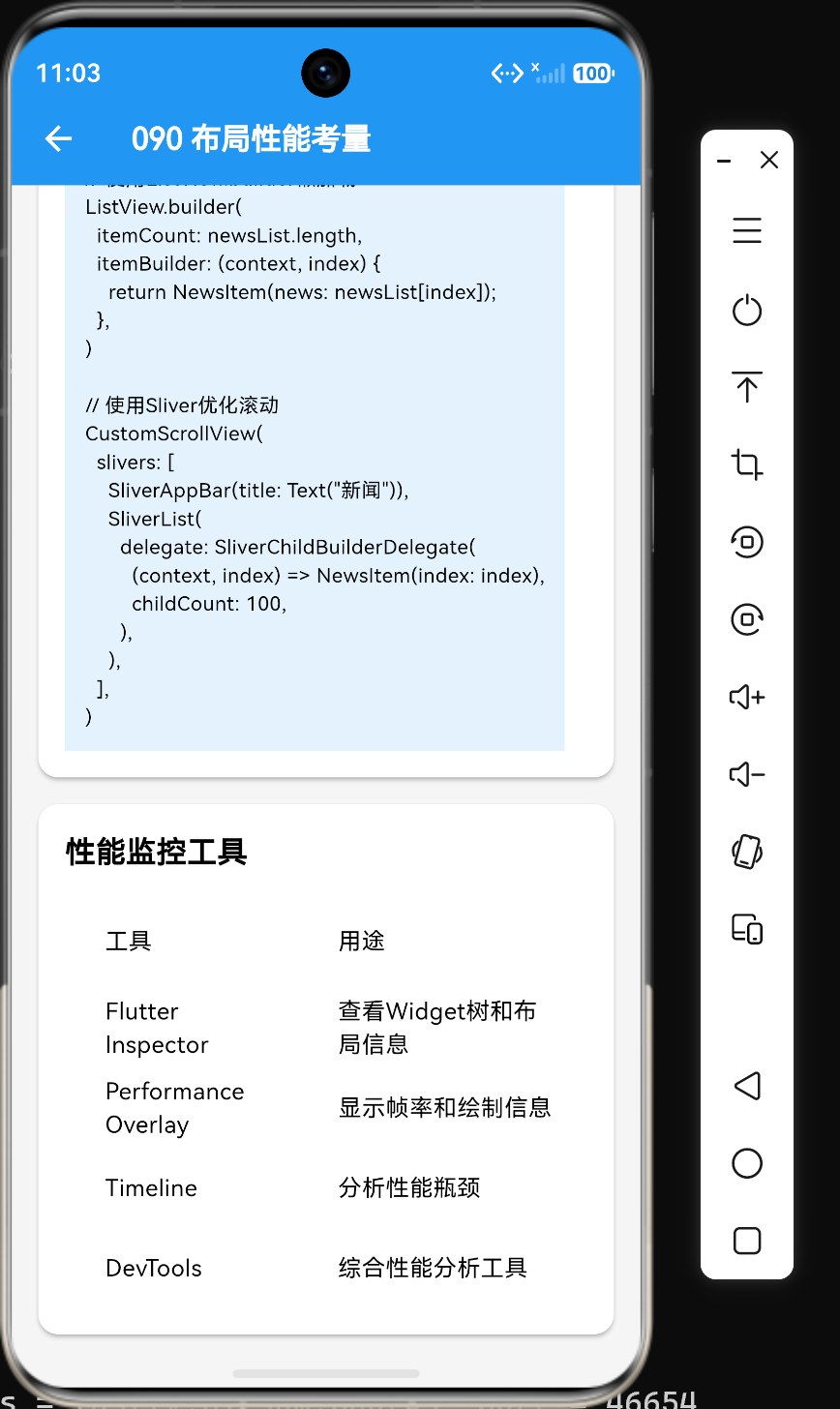
2.7 使用ListView.builder
对于大量子组件,使用ListView.builder懒加载:
dart
// 不良示例:一次性创建所有子组件
ListView(
  children: List.generate(1000, (index) => ListItem(index: index)),
)

// 优化后:懒加载
ListView.builder(
  itemCount: 1000,
  itemBuilder: (context, index) => ListItem(index: index),
)
2.8 使用Sliver组件
对于复杂的滚动布局,使用Sliver组件优化性能:
dart
CustomScrollView(
  slivers: [
    SliverAppBar(title: const Text("标题")),
    SliverList(
      delegate: SliverChildBuilderDelegate(
        (context, index) => ListItem(index: index),
        childCount: 100,
      ),
    ),
  ],
)
三、性能监控工具
3.1 Flutter Inspector
Flutter Inspector可以帮助查看布局信息:
- 打开DevTools
- 选择Flutter Inspector
- 点击"Select Widget Mode"
- 点击界面上的组件
- 查看布局信息
3.2 Performance Overlay
Performance Overlay可以显示帧率和绘制信息:
dart
MaterialApp(
  home: const MyHomePage(),
  showPerformanceOverlay: true,
)
3.3 Timeline
Timeline可以分析性能瓶颈:
- 打开DevTools
- 选择Timeline
- 点击"Record"按钮
- 执行操作
- 停止录制并分析结果
3.4 DevTools
DevTools是Flutter的综合性能分析工具:
- 打开DevTools
- 选择需要分析的应用
- 使用各种工具分析性能
四、性能优化最佳实践
4.1 合理使用布局组件
根据布局需求选择合适的组件:
- 简单布局:使用Row、Column
- 列表布局:使用ListView
- 网格布局:使用GridView
- 复杂布局:使用CustomScrollView
4.2 避免过度使用Container
Container是一个复合组件,会增加Widget树深度:
dart
// 不良示例:嵌套Container
Container(
  padding: const EdgeInsets.all(16),
  child: Container(
    color: Colors.red,
    child: const Text("内容"),
  ),
)

// 优化后:合并Container属性
Container(
  padding: const EdgeInsets.all(16),
  color: Colors.red,
  child: const Text("内容"),
)
4.3 使用布局常量
将常用的布局配置提取为常量:
dart
class LayoutConstants {
  static const MainAxisAlignment centerAlign = MainAxisAlignment.center;
  static const CrossAxisAlignment stretchAlign = CrossAxisAlignment.stretch;
  static const EdgeInsets cardPadding = EdgeInsets.all(16);
}

Column(
  crossAxisAlignment: LayoutConstants.stretchAlign,
  children: [
    Container(padding: LayoutConstants.cardPadding, child: const Text("内容")),
  ],
)
4.4 测试性能
在开发过程中测试性能:
- 使用不同设备测试
- 使用不同屏幕尺寸测试
- 使用性能监控工具分析
五、总结
通过本文的学习,我们掌握了Flex布局性能优化的核心技巧:
- 减少Widget树深度:避免过多的嵌套布局
- 使用const构造函数:避免重复创建组件
- 避免不必要的Expanded:只在需要弹性空间时使用
- 合理设置flex值:使用合理的比例
- 使用RepaintBoundary:隔离重绘
- 避免频繁重建:使用ValueNotifier等方式
- 使用ListView.builder:懒加载大量子组件
- 使用Sliver组件:优化滚动布局
性能优化是一个持续的过程,需要在开发过程中不断关注和改进。通过合理使用以上技巧,可以显著提升Flex布局的性能,让应用更加流畅。
参考资料
- Flutter官方文档:https://docs.flutter.dev/
- Performance Overlay文档:https://api.flutter.dev/flutter/widgets/PerformanceOverlay-class.html
- DevTools文档:https://docs.flutter.dev/tools/devtools