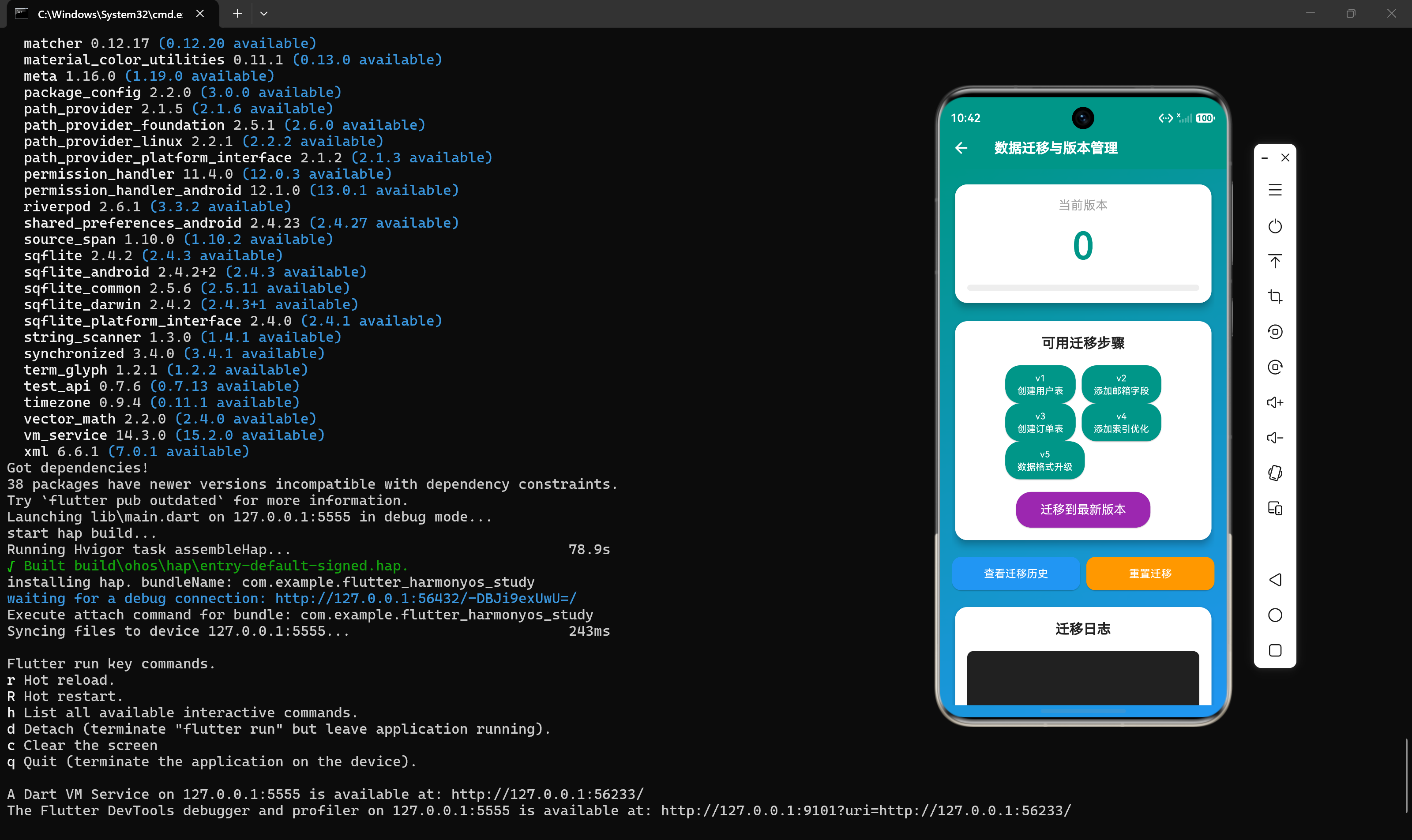
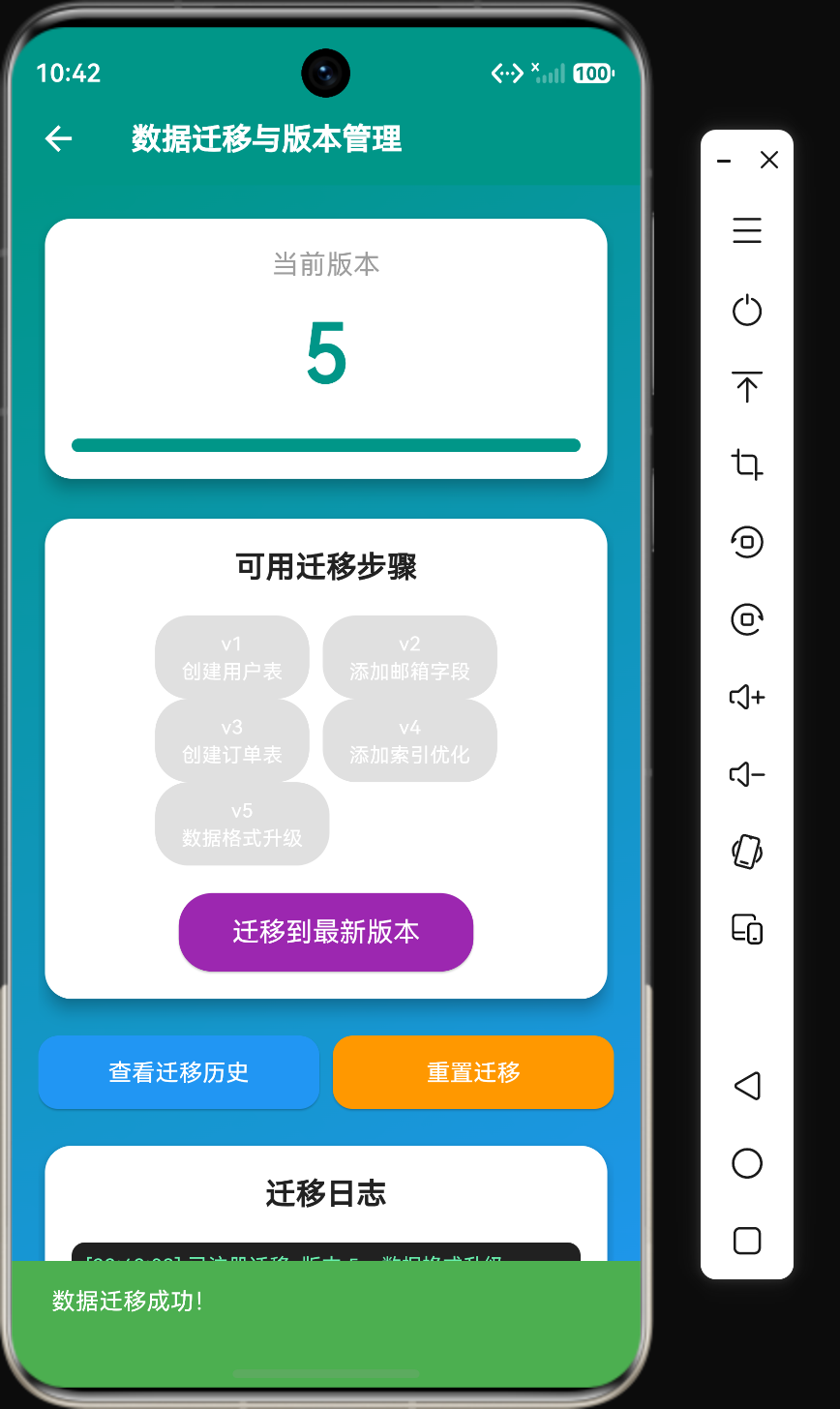
概述
在移动应用开发中,数据迁移是一项不可或缺的技术。随着应用版本的迭代,数据库结构和数据格式需要不断演进,如何安全地将旧版本数据迁移到新版本是每个开发者必须面对的挑战。
Flutter提供了多种数据库迁移方案,可以在鸿蒙平台上实现平滑的数据升级。本文将深入探讨数据迁移的核心概念、版本管理策略、实现方法以及在鸿蒙平台上的最佳实践。
核心概念
数据迁移流程
┌─────────────────────────────────────────────────────────────┐
│                    数据迁移流程                              │
├─────────────────────────────────────────────────────────────┤
│  应用启动                                                      │
│      ↓                                                        │
│  检测当前版本                                                    │
│  ┌───────────────────────────────────────┐                  │
│  │  读取本地存储的schema版本号            │                  │
│  └───────────────────────────────────────┘                  │
│      ↓                                                        │
│  比较版本差异                                                    │
│  ┌───────────────────────────────────────┐                  │
│  │  当前版本 < 目标版本: 需要迁移          │                  │
│  │  当前版本 >= 目标版本: 无需迁移        │                  │
│  └───────────────────────────────────────┘                  │
│      ↓ (需要迁移)                                               │
│  执行迁移步骤                                                    │
│  ┌───────────────────────────────────────┐                  │
│  │  按版本顺序依次执行迁移脚本            │                  │
│  │  每个步骤都是原子操作                  │                  │
│  └───────────────────────────────────────┘                  │
│      ↓                                                        │
│  更新版本号                                                      │
│  ┌───────────────────────────────────────┐                  │
│  │  将新版本号写入本地存储                │                  │
│  └───────────────────────────────────────┘                  │
│      ↓                                                        │
│  完成迁移                                                        │
└─────────────────────────────────────────────────────────────┘
迁移类型
| 迁移类型 | 描述 | 示例 |
|---|---|---|
| Schema迁移 | 修改数据库表结构 | 添加字段、创建新表、删除字段 |
| 数据迁移 | 修改数据内容或格式 | 数据格式转换、数据合并、数据清洗 |
| 配置迁移 | 修改应用配置 | 配置项重命名、默认值更新 |
| 混合迁移 | 同时修改结构和数据 | 添加字段并填充默认值 |
版本管理策略
| 策略 | 描述 | 优点 | 缺点 |
|---|---|---|---|
| 线性版本 | 每个版本对应一个迁移脚本 | 简单直观 | 回滚困难 |
| 增量版本 | 每个迁移脚本独立 | 灵活 | 需要管理依赖关系 |
| 状态机版本 | 基于状态而非版本号 | 支持任意起点 | 复杂度高 |
基本使用
添加依赖
yaml
dependencies:
  flutter:
    sdk: flutter
  sqflite: ^2.2.8
  path_provider: ^2.1.0
迁移配置
dart
class MigrationConfig {
  final int currentVersion;
  final int targetVersion;
  final bool enableLogging;
  final bool allowDowngrade;

  const MigrationConfig({
    this.currentVersion = 0,
    this.targetVersion = 1,
    this.enableLogging = true,
    this.allowDowngrade = false,
  });
}
核心代码示例
代码示例1:迁移信息与步骤
dart
class MigrationInfo {
  final int version;
  final String description;
  final DateTime executedAt;

  MigrationInfo({
    required this.version,
    required this.description,
    DateTime? executedAt,
  }) : executedAt = executedAt ?? DateTime.now();
}

class MigrationStep {
  final int version;
  final String description;
  final Future<void> Function() execute;

  MigrationStep({
    required this.version,
    required this.description,
    required this.execute,
  });
}代码说明:
- 迁移信息 :
MigrationInfo记录迁移的版本号、描述和执行时间 - 迁移步骤 :
MigrationStep定义具体的迁移操作,包括版本号、描述和执行函数 - 异步执行:迁移操作是异步的,支持耗时操作
代码示例2:迁移管理器
dart
class MigrationManager {
  final List<MigrationStep> _migrations = [];
  final Map<int, MigrationInfo> _executedMigrations = {};
  int _currentVersion = 0;

  void addMigration(MigrationStep step) {
    _migrations.add(step);
    _migrations.sort((a, b) => a.version.compareTo(b.version));
  }

  Future<void> migrate(int targetVersion) async {
    print('开始数据迁移: 当前版本 $_currentVersion, 目标版本 $targetVersion');

    if (_currentVersion >= targetVersion) {
      print('当前版本已是最新,无需迁移');
      return;
    }

    for (final step in _migrations) {
      if (step.version > _currentVersion && step.version <= targetVersion) {
        print('执行迁移版本 ${step.version}: ${step.description}');
        try {
          await step.execute();
          _executedMigrations[step.version] = MigrationInfo(
            version: step.version,
            description: step.description,
          );
          _currentVersion = step.version;
          print('迁移版本 ${step.version} 执行成功');
        } catch (e) {
          print('迁移版本 ${step.version} 执行失败: $e');
          rethrow;
        }
      }
    }

    print('数据迁移完成,当前版本: $_currentVersion');
  }

  Future<void> rollback(int targetVersion) async {
    print('开始回滚迁移: 当前版本 $_currentVersion, 目标版本 $targetVersion');

    if (_currentVersion <= targetVersion) {
      print('当前版本已是目标版本,无需回滚');
      return;
    }

    final rollbackSteps = _migrations.where((step) =>
      step.version > targetVersion && step.version <= _currentVersion
    ).toList().reversed;

    for (final step in rollbackSteps) {
      print('回滚迁移版本 ${step.version}: ${step.description}');
      try {
        await step.execute();
        _executedMigrations.remove(step.version);
        _currentVersion = step.version - 1;
        print('回滚版本 ${step.version} 执行成功');
      } catch (e) {
        print('回滚版本 ${step.version} 执行失败: $e');
        rethrow;
      }
    }

    print('迁移回滚完成,当前版本: $_currentVersion');
  }

  int get currentVersion => _currentVersion;
  List<MigrationInfo> get executedMigrations => _executedMigrations.values.toList();
}代码说明:
- 迁移注册 :通过
addMigration()添加迁移步骤,并按版本号排序 - 正向迁移 :
migrate()方法按版本顺序执行迁移脚本 - 回滚迁移 :
rollback()方法逆序执行迁移脚本进行回滚 - 版本追踪:记录已执行的迁移步骤,方便查询和管理
代码示例3:Schema版本管理器
dart
import 'package:shared_preferences/shared_preferences.dart';

class SchemaVersionManager {
  static const String _versionKey = 'database_schema_version';
  int _version = 0;

  Future<void> loadVersion() async {
    final prefs = await SharedPreferences.getInstance();
    _version = prefs.getInt(_versionKey) ?? 0;
    print('加载当前版本: $_version');
  }

  Future<void> saveVersion(int version) async {
    final prefs = await SharedPreferences.getInstance();
    await prefs.setInt(_versionKey, version);
    _version = version;
    print('保存版本: $version');
  }

  int get currentVersion => _version;
}代码说明:
- 版本持久化:使用SharedPreferences存储版本号
- 版本加载:从本地存储读取当前版本号
- 版本保存:将新版本号写入本地存储
- 默认值处理:首次安装时默认版本为0
代码示例4:数据迁移服务
dart
class DataMigrationService {
  final MigrationManager _migrationManager;
  final SchemaVersionManager _schemaVersionManager;

  DataMigrationService({
    MigrationManager? migrationManager,
    SchemaVersionManager? schemaVersionManager,
  })  : _migrationManager = migrationManager ?? MigrationManager(),
        _schemaVersionManager = schemaVersionManager ?? SchemaVersionManager();

  Future<void> initialize() async {
    await _schemaVersionManager.loadVersion();
    _migrationManager._currentVersion = _schemaVersionManager.currentVersion;
    print('DataMigrationService初始化完成,当前版本: ${_schemaVersionManager.currentVersion}');
  }

  Future<void> runMigrations(int targetVersion) async {
    await _migrationManager.migrate(targetVersion);
    await _schemaVersionManager.saveVersion(_migrationManager.currentVersion);
  }

  Future<void> runRollback(int targetVersion) async {
    await _migrationManager.rollback(targetVersion);
    await _schemaVersionManager.saveVersion(_migrationManager.currentVersion);
  }

  MigrationManager get migrations => _migrationManager;
}代码说明:
- 初始化:加载当前版本号,初始化迁移管理器
- 执行迁移:执行迁移并保存新版本号
- 执行回滚:执行回滚并保存新版本号
- 统一接口:对外提供简洁的API
高级特性
迁移事务管理
dart
class TransactionalMigration {
  static Future<void> executeWithTransaction(
    Future<void> Function() migration,
  ) async {
    try {
      print('开始迁移事务');
      await migration();
      print('迁移事务提交');
    } catch (e) {
      print('迁移事务回滚: $e');
      rethrow;
    }
  }
}
数据备份与恢复
dart
class MigrationBackup {
  static Future<void> backupBeforeMigration(int version) async {
    final backupPath = 'backup_v$version.json';
    print('创建备份: $backupPath');
  }

  static Future<void> restoreFromBackup(int version) async {
    final backupPath = 'backup_v$version.json';
    print('从备份恢复: $backupPath');
  }
}
迁移进度监听
dart
class MigrationProgress {
  static void trackProgress(int current, int total) {
    final percentage = (current / total * 100).round();
    print('迁移进度: $current/$total ($percentage%)');
  }
}
最佳实践
1. 组织迁移脚本
dart
class DatabaseMigrations {
  static List<MigrationStep> get migrations => [
    MigrationStep(
      version: 1,
      description: '创建用户表',
      execute: () async {
        await executeSql('CREATE TABLE users (id INTEGER PRIMARY KEY, name TEXT, email TEXT)');
      },
    ),
    MigrationStep(
      version: 2,
      description: '添加年龄字段',
      execute: () async {
        await executeSql('ALTER TABLE users ADD COLUMN age INTEGER');
      },
    ),
    MigrationStep(
      version: 3,
      description: '创建订单表',
      execute: () async {
        await executeSql('CREATE TABLE orders (id INTEGER PRIMARY KEY, user_id INTEGER, total REAL)');
      },
    ),
  ];
}
2. 使用事务保证原子性
dart
MigrationStep(
  version: 4,
  description: '数据格式升级',
  execute: () async {
    await database.transaction((txn) async {
      await txn.rawUpdate('UPDATE users SET age = age + 1');
      await txn.rawUpdate('UPDATE orders SET total = total * 1.05');
    });
  },
)
3. 处理数据兼容性
dart
MigrationStep(
  version: 5,
  description: '添加状态字段',
  execute: () async {
    await executeSql('ALTER TABLE users ADD COLUMN status TEXT');
    await executeSql("UPDATE users SET status = 'active' WHERE status IS NULL");
  },
)
4. 记录迁移日志
dart
MigrationStep(
  version: 6,
  description: '迁移用户数据',
  execute: () async {
    print('开始迁移用户数据...');
    try {
      await _migrateUserData();
      print('用户数据迁移成功');
    } catch (e) {
      print('用户数据迁移失败: $e');
      rethrow;
    }
  },
)
5. 提供回滚能力
dart
MigrationStep(
  version: 7,
  description: '创建索引',
  execute: () async {
    await executeSql('CREATE INDEX idx_users_email ON users(email)');
  },
)
鸿蒙平台适配
数据库位置
dart
// 鸿蒙平台数据库目录
final databasesPath = await getDatabasesPath();
print('数据库目录: $databasesPath');

// 输出: /data/storage/el2/base/haps/entry/databases/
版本存储
| 平台 | 版本存储方式 |
|---|---|
| Android | SharedPreferences |
| iOS | NSUserDefaults |
| HarmonyOS | Preferences |
平台差异
| 平台 | 数据库引擎 | 迁移支持 |
|---|---|---|
| Android | SQLite | 完全支持 |
| iOS | SQLite | 完全支持 |
| HarmonyOS | SQLite | 完全支持 |
常见问题
Q1: 迁移失败怎么办?
A:在迁移前创建数据备份,如果迁移失败可以恢复备份并回滚版本号。
Q2: 如何处理大版本跳跃?
A:确保每个版本的迁移脚本都是独立的,按顺序执行所有中间版本的迁移。
Q3: 迁移会影响应用性能吗?
A:迁移通常在应用启动时执行,如果数据量很大可能会影响启动时间,建议在后台线程执行。
Q4: 是否支持降级迁移?
A:支持,但需要实现回滚脚本,建议谨慎使用降级功能。
Q5: 如何测试迁移?
A:在测试环境中模拟各种版本升级场景,确保迁移脚本正确执行。
总结
数据迁移是应用版本迭代中不可或缺的技术。通过本文的学习,你应该掌握了:
- 核心概念:理解数据迁移流程和迁移类型
- 迁移步骤:定义迁移信息和迁移步骤类
- 迁移管理:实现迁移管理器,支持正向迁移和回滚
- 版本管理:使用Schema版本管理器持久化版本号
- 迁移服务:集成迁移管理器和版本管理器,提供统一API
- 高级特性:事务管理、数据备份、进度监听
- 最佳实践:组织迁移脚本、使用事务、处理兼容性
- 鸿蒙适配:了解鸿蒙平台的数据库位置和版本存储
在实际项目中,合理规划数据迁移可以确保应用升级时数据的完整性和一致性,提升用户体验。