HarmonyOS ArkTS 实战:从零实现一个校园外卖代买与跑腿应用
HarmonyOS ArkTS 实战:从零实现一个校园外卖代买与跑腿应用
本文将带你使用 HarmonyOS + ArkTS 从零搭建一个功能完整的校园外卖代买与跑腿应用,涵盖订单发布、接单抢单、状态跟踪、支付评价、跑腿员认证等核心模块,附完整可运行代码。
目录
-
一、项目背景与效果预览
-
二、技术栈与环境准备
-
三、项目结构设计
-
四、数据模型设计
-
4.1 跑腿订单模型
-
4.2 跑腿员模型
-
4.3 评价模型
-
4.4 设计思路
-
-
五、页面布局与 UI 实现
-
5.1 整体布局架构
-
5.2 顶部导航与发布入口
-
5.3 数据概览面板
-
5.4 订单大厅列表
-
5.5 我的订单 Tab
-
5.6 跑腿员排行
-
5.7 发布订单弹窗
-
5.8 订单详情弹窗
-
-
六、核心功能实现详解
-
6.1 发布跑腿订单
-
6.2 接单与抢单
-
6.3 订单状态流转
-
6.4 订单完成与评价
-
6.5 跑腿员认证
-
6.6 余额与支付模拟
-
-
七、样式与交互动效
-
7.1 主题色系统
-
7.2 状态颜色体系
-
7.3 交互动效
-
-
八、完整代码结构
-
九、运行与调试
-
十、技术要点总结
-
十一、扩展方向
一、项目背景与效果预览
大学校园里,"帮忙取个快递""帮我带杯奶茶""帮我占个座"------这些日常的跑腿需求无处不在。本项目以"校园跑腿"为切入点,使用 HarmonyOS ArkTS 开发一个集订单发布、接单抢单、状态跟踪、在线支付、评价体系于一体的跑腿服务应用。
核心功能一览
| 功能模块 | 说明 |
|---|---|
| 📦 发布需求 | 选择类型、填写描述、设置赏金,一键发布 |
| 🏃 接单大厅 | 浏览所有待接订单,支持按类型筛选 |
| 🔄 状态跟踪 | 实时查看订单状态:待接单→进行中→已完成 |
| 💰 在线支付 | 余额支付,支持充值与提现(模拟) |
| ⭐ 订单评价 | 完成后对跑腿员打分评价 |
| 📋 我的订单 | 我发布的 / 我接的,一目了然 |
| 🏅 跑腿员认证 | 实名认证后成为跑腿员 |
| 📊 收益统计 | 接单数量、总收益、好评率 |
| 🏆 跑腿排行 | 跑腿员接单量排行榜 |
| 🔥 悬赏跑腿 | 高价加急订单,优先展示 |
运行效果
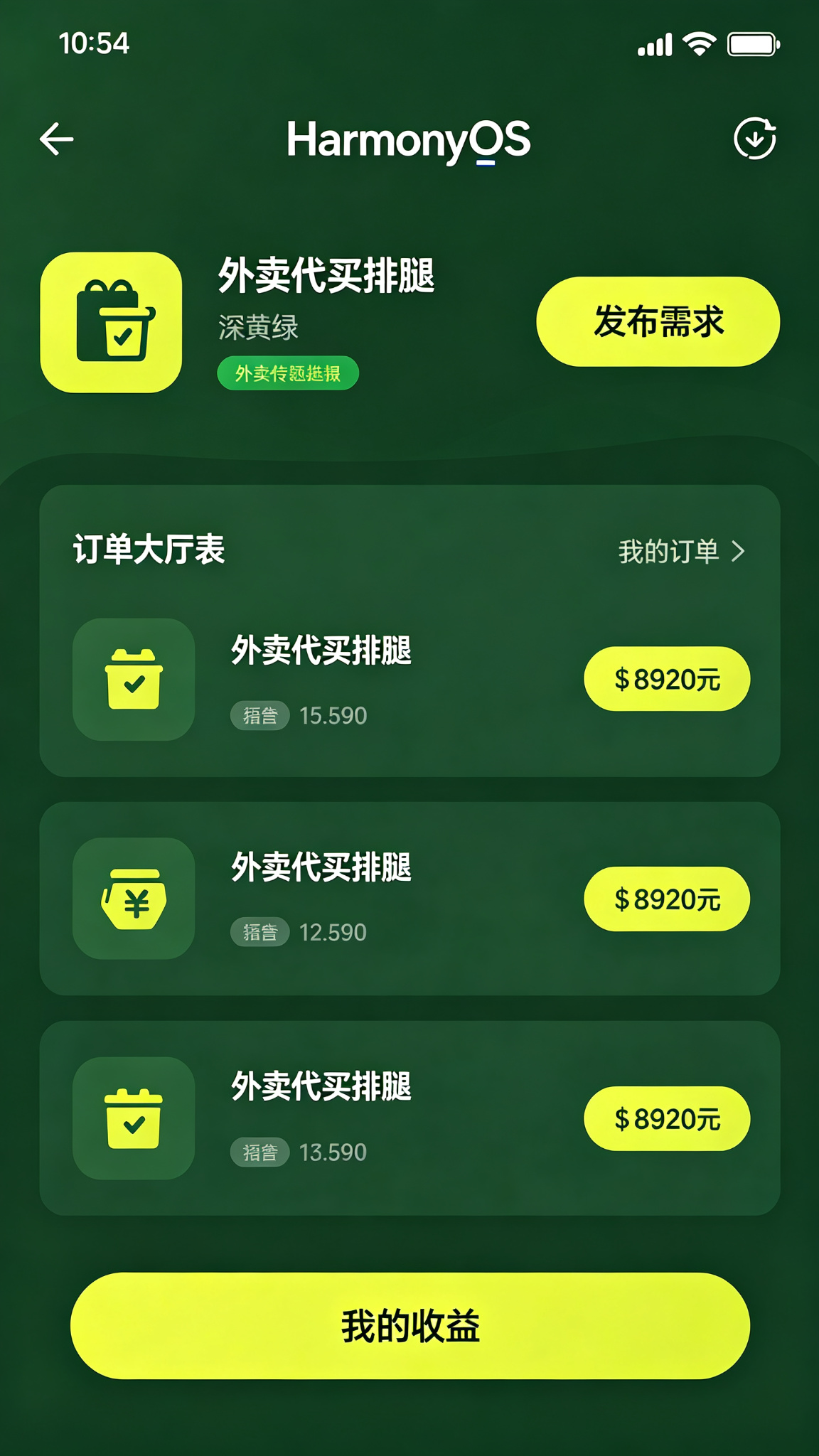
应用整体采用深黄绿(#4D7C0F)为主色调,搭配清新的绿色渐变背景,传递高效、可靠、充满活力的服务感。顶部为发布入口和数据概览,中部为订单大厅,底部为 Tab 导航,支持上下滑动浏览。
二、技术栈与环境准备
开发环境
| 项目 | 版本要求 | 说明 |
|---|---|---|
| DevEco Studio | 5.0+ | HarmonyOS 官方 IDE |
| HarmonyOS SDK | API 24+ | 基于 ArkTS 声明式开发范式 |
| 运行设备 | HarmonyOS 4.0+ | 手机 / 平板均可 |
项目亮点
本项目不仅是一个 UI 练习,更包含了完整的业务逻辑闭环:
-
订单全生命周期:从发布 → 接单 → 配送 → 完成 → 评价,完整流程
-
双角色系统:发布者和跑腿员两种身份,不同视角
-
状态机设计:订单状态流转清晰,边界处理完善
-
数据驱动:所有 UI 变化由状态驱动,符合声明式开发思想
三、项目结构设计
Plaintext
entry/src/main/
├── ets/
│   ├── pages/
│   │   └── Index.ets              # 主页面(单页应用)
│   ├── model/
│   │   ├── ErrandsOrder.ets       # 跑腿订单数据模型
│   │   ├── Runner.ets             # 跑腿员数据模型
│   │   └── Review.ets             # 评价数据模型
│   ├── components/
│   │   ├── PublishHeader.ets      # 顶部发布入口
│   │   ├── StatsOverview.ets      # 数据概览面板
│   │   ├── OrderCard.ets          # 订单卡片组件
│   │   ├── OrderList.ets          # 订单列表组件
│   │   ├── RunnerRank.ets         # 跑腿员排行组件
│   │   ├── PublishDialog.ets      # 发布订单弹窗
│   │   └── OrderDetailDialog.ets  # 订单详情弹窗
│   └── utils/
│       ├── MockData.ets           # 模拟数据
│       └── OrderStatus.ets        # 状态常量与工具函数
├── resources/
│   ├── base/
│   │   ├── element/               # 颜色、尺寸等资源
│   │   └── media/                 # 图片资源
│   └── rawfile/                   # 其他资源
└── module.json5                   # 模块配置
💡 架构说明 :本项目采用单页面 + 组件化 架构。主页面
Index.ets负责状态管理和业务逻辑,各功能模块拆分为独立组件,通过@Prop和事件回调通信。这种设计既保持了代码清晰,又降低了初学者的理解门槛。
四、数据模型设计
4.1 跑腿订单模型
订单是整个应用的核心实体,记录了一笔跑腿需求的所有信息。
TypeScript
/**
 * 跑腿订单数据结构
 * 描述一笔完整的跑腿订单
 */
interface ErrandsOrder {
  id: number;              // 订单唯一标识
  type: OrderType;         // 订单类型
  title: string;           // 订单标题(简短描述)
  description: string;     // 详细描述
  startLocation: string;   // 取货/起始地点
  endLocation: string;     // 送达/目标地点
  reward: number;          // 跑腿费(元)
  tip: number;             // 小费/悬赏(元)
  publishTime: string;     // 发布时间
  expectTime: string;      // 期望送达时间
  publisher: string;       // 发布者昵称
  publisherAvatar: string; // 发布者头像
  runner: string;          // 接单跑腿员昵称(未接单为空)
  runnerAvatar: string;    // 跑腿员头像
  status: OrderStatus;     // 订单状态
  remark: string;          // 备注信息
  isUrgent: boolean;       // 是否加急
  weight: string;          // 物品重量/大小
  review: Review | null;   // 评价(完成后才有)
}

/**
 * 订单类型
 * takeout: 外卖代取
 * express: 快递代取
 * grocery: 超市代购
 * document: 文件代办
 * queue: 排队占座
 * other: 其他
 */
type OrderType = 'takeout' | 'express' | 'grocery' | 'document' | 'queue' | 'other';

/**
 * 订单状态
 * pending:    待接单
 * accepted:   已接单(跑腿员已接,前往取货)
 * delivering: 配送中(已取货,正在送达)
 * completed:  已完成
 * cancelled:  已取消
 */
type OrderStatus = 'pending' | 'accepted' | 'delivering' | 'completed' | 'cancelled';
4.2 跑腿员模型
TypeScript
/**
 * 跑腿员数据结构
 */
interface Runner {
  id: number;           // 跑腿员 ID
  name: string;         // 昵称
  avatar: string;       // 头像
  rating: number;       // 评分(0-5)
  orderCount: number;   // 完成订单数
  totalEarnings: number; // 总收益
  isCertified: boolean;  // 是否已认证
  level: RunnerLevel;    // 等级
  completedToday: number; // 今日完成数
}

/**
 * 跑腿员等级
 * bronze:   青铜(0-50单)
 * silver:   白银(50-200单)
 * gold:     黄金(200-500单)
 * platinum: 铂金(500-1000单)
 * diamond:  钻石(1000单以上)
 */
type RunnerLevel = 'bronze' | 'silver' | 'gold' | 'platinum' | 'diamond';
4.3 评价模型
TypeScript
/**
 * 订单评价数据结构
 */
interface Review {
  id: number;          // 评价 ID
  orderId: number;     // 关联订单 ID
  rating: number;      // 评分(1-5)
  content: string;     // 评价内容
  from: string;        // 评价人
  to: string;          // 被评价人
  time: string;        // 评价时间
  tags: string[];      // 评价标签(如"速度快""态度好")
}
4.4 设计思路
| 设计决策 | 理由 |
|---|---|
| 订单状态 5 种 | 覆盖完整生命周期:发布→接单→配送→完成/取消 |
分离 reward 和 tip |
基础跑腿费和小费分开,方便统计和激励 |
isUrgent 加急标记 |
加急订单优先展示,增加平台运营空间 |
| 评价嵌入订单 | 一对一关系,直接嵌套比单独查询更简单 |
| 跑腿员等级体系 | 游戏化设计,激励跑腿员多接单 |
五、页面布局与 UI 实现
5.1 整体布局架构
页面采用顶部导航 + 内容区 + 底部 Tab 的经典三段式布局:
Plaintext
┌─────────────────────────┐
│   顶部发布入口 + 搜索     │  ← PublishHeader
├─────────────────────────┤
│                         │
│      数据概览面板        │  ← StatsOverview
│                         │
├─────────────────────────┤
│                         │
│      订单大厅 / 我的     │  ← OrderList (根据 Tab 切换)
│                         │
│                         │
│                         │
├─────────────────────────┤
│  大厅 | 订单 | 排行 | 我的 │  ← BottomTabBar
└─────────────────────────┘
核心布局骨架:
TypeScript
@Entry
@Component
struct Index {
  @State currentTab: number = 0; // 0:大厅 1:订单 2:排行 3:我的

  build() {
    Column() {
      // 顶部区域(固定)
      PublishHeader({ onPublish: () => this.showPublishDialog = true })

      // 数据概览(大厅 Tab 时显示)
      if (this.currentTab === 0) {
        StatsOverview({ stats: this.hallStats })
      }

      // 内容区域(可滚动)
      Scroll() {
        Column() {
          if (this.currentTab === 0) {
            // 订单大厅
            this.HallContent()
          } else if (this.currentTab === 1) {
            // 我的订单
            this.MyOrdersContent()
          } else if (this.currentTab === 2) {
            // 跑腿排行
            RunnerRank({ runners: this.runners })
          } else {
            // 个人中心
            this.ProfileContent()
          }
        }
        .width('100%')
      }
      .layoutWeight(1)

      // 底部 Tab 栏
      BottomTabBar({
        currentTab: this.currentTab,
        onTabChange: (index) => this.currentTab = index
      })
    }
    .width('100%')
    .height('100%')
    .backgroundColor('#F7FEE7') // 浅绿背景
  }
}
5.2 顶部导航与发布入口
顶部区域包含应用标题、搜索框和醒目的发布按钮。
TypeScript
@Component
struct PublishHeader {
  onPublish: () => void;
  @State searchText: string = '';

  build() {
    Column() {
      // 标题栏
      Row() {
        Column() {
          Text('校园跑腿')
            .fontSize(22)
            .fontWeight(FontWeight.Bold)
            .fontColor('#4D7C0F')
          Text('你的校园生活好帮手')
            .fontSize(12)
            .fontColor('#84CC16')
            .margin({ top: 2 })
        }
        .alignItems(HorizontalAlign.Start)
        .layoutWeight(1)

        // 消息通知
        Stack() {
          Image($r('app.media.bell'))
            .width(24)
            .height(24)
            .fillColor('#4D7C0F')
          Circle({ width: 8, height: 8 })
            .fill('#EF4444')
            .position({ x: 16, y: 0 })
        }
      }
      .width('100%')
      .padding({ left: 16, right: 16, top: 16 })

      // 搜索框
      Row() {
        Image($r('app.media.search'))
          .width(18)
          .height(18)
          .fillColor('#9CA3AF')

        TextInput({ placeholder: '搜索订单...', text: this.searchText })
          .layoutWeight(1)
          .margin({ left: 8 })
          .backgroundColor(Color.Transparent)
          .fontSize(14)
          .onChange((value: string) => {
            this.searchText = value;
          })
      }
      .width('100%')
      .height(40)
      .margin({ left: 16, right: 16, top: 12, bottom: 12 })
      .padding({ left: 12, right: 12 })
      .backgroundColor('#FFFFFF')
      .borderRadius(20)

      // 快捷发布按钮
      Row() {
        this.QuickPublishBtn('外卖代取', '🍔', 'takeout')
        this.QuickPublishBtn('快递代取', '📦', 'express')
        this.QuickPublishBtn('超市代购', '🛒', 'grocery')
        this.QuickPublishBtn('更多', '➕', 'other')
      }
      .width('100%')
      .padding({ left: 16, right: 16, bottom: 12 })
      .justifyContent(FlexAlign.SpaceAround)
    }
    .width('100%')
    .backgroundColor('#FFFFFF')
  }

  @Builder
  QuickPublishBtn(label: string, icon: string, type: OrderType) {
    Column() {
      Text(icon)
        .fontSize(28)
      Text(label)
        .fontSize(12)
        .fontColor('#333333')
        .margin({ top: 4 })
    }
    .width('25%')
    .alignItems(HorizontalAlign.Center)
    .padding({ top: 8, bottom: 8 })
    .onClick(() => {
      this.onPublish();
    })
  }
}设计要点:
-
顶部白色背景与内容区浅绿背景形成对比,层次分明
-
快捷发布按钮用 emoji 作为图标,生动有趣且无需额外图片资源
-
搜索框圆角设计,符合现代审美
-
消息红点用
Stack+ 定位实现
5.3 数据概览面板
展示大厅关键数据,让用户一目了然当前订单情况。
TypeScript
@Component
struct StatsOverview {
  @Prop stats: HallStats;

  build() {
    Row() {
      this.StatCard('待接单', this.stats.pendingCount.toString(), '#F59E0B', '📋')
      this.StatCard('进行中', this.stats.inProgressCount.toString(), '#3B82F6', '🏃')
      this.StatCard('今日完成', this.stats.todayCompleted.toString(), '#10B981', '✅')
      this.StatCard('我的收益', `¥${this.stats.myEarnings}`, '#4D7C0F', '💰')
    }
    .width('100%')
    .padding(16)
    .justifyContent(FlexAlign.SpaceBetween)
  }

  @Builder
  StatCard(label: string, value: string, color: string, icon: string) {
    Column() {
      Text(icon)
        .fontSize(24)
      Text(value)
        .fontSize(18)
        .fontWeight(FontWeight.Bold)
        .fontColor(color)
        .margin({ top: 4 })
      Text(label)
        .fontSize(11)
        .fontColor('#666666')
        .margin({ top: 2 })
    }
    .width('23%')
    .padding(12)
    .backgroundColor('#FFFFFF')
    .borderRadius(12)
    .alignItems(HorizontalAlign.Center)
  }
}

interface HallStats {
  pendingCount: number;      // 待接单数量
  inProgressCount: number;   // 进行中数量
  todayCompleted: number;    // 今日完成数
  myEarnings: number;        // 我的收益
}
5.4 订单大厅列表
订单大厅是应用的核心页面,展示所有可接的订单,支持按类型筛选。
TypeScript
@Component
struct OrderList {
  @State orders: ErrandsOrder[] = [];
  @State selectedType: string = 'all'; // all / takeout / express / ...
  onOrderClick: (order: ErrandsOrder) => void;
  onTakeOrder: (orderId: number) => void;

  private get filteredOrders(): ErrandsOrder[] {
    if (this.selectedType === 'all') return this.orders;
    return this.orders.filter(o => o.type === this.selectedType);
  }

  build() {
    Column() {
      // 类型筛选栏
      Scroll() {
        Row({ space: 8 }) {
          this.TypeFilter('全部', 'all')
          this.TypeFilter('外卖', 'takeout')
          this.TypeFilter('快递', 'express')
          this.TypeFilter('超市', 'grocery')
          this.TypeFilter('文件', 'document')
          this.TypeFilter('排队', 'queue')
          this.TypeFilter('其他', 'other')
        }
        .padding({ left: 16, right: 16 })
      }
      .scrollable(ScrollDirection.Horizontal)
      .scrollBar(BarState.Off)
      .margin({ bottom: 12 })

      // 订单列表
      List({ space: 12 }) {
        ForEach(this.filteredOrders, (order: ErrandsOrder) => {
          ListItem() {
            OrderCard({
              order: order,
              onClick: () => this.onOrderClick(order),
              onTake: () => this.onTakeOrder(order.id)
            })
          }
        }, (order: ErrandsOrder) => order.id.toString())
      }
      .width('100%')
      .padding({ left: 16, right: 16 })
    }
  }

  @Builder
  TypeFilter(label: string, type: string) {
    Text(label)
      .fontSize(13)
      .fontColor(this.selectedType === type ? '#FFFFFF' : '#666666')
      .padding({ left: 14, right: 14, top: 6, bottom: 6 })
      .backgroundColor(this.selectedType === type ? '#4D7C0F' : '#FFFFFF')
      .borderRadius(16)
      .onClick(() => {
        this.selectedType = type;
      })
  }
}
订单卡片组件
订单卡片是列表的基本单元,展示订单的关键信息和操作按钮。
TypeScript
@Component
struct OrderCard {
  @Prop order: ErrandsOrder;
  onClick: () => void;
  onTake: () => void;

  // 订单类型图标映射
  private getTypeIcon(type: OrderType): string {
    const icons: Record<OrderType, string> = {
      takeout: '🍔',
      express: '📦',
      grocery: '🛒',
      document: '📄',
      queue: '⏰',
      other: '📝'
    };
    return icons[type] || '📝';
  }

  // 订单类型名称映射
  private getTypeName(type: OrderType): string {
    const names: Record<OrderType, string> = {
      takeout: '外卖代取',
      express: '快递代取',
      grocery: '超市代购',
      document: '文件代办',
      queue: '排队占座',
      other: '其他跑腿'
    };
    return names[type] || '其他';
  }

  // 状态颜色
  private getStatusColor(status: OrderStatus): string {
    const colors: Record<OrderStatus, string> = {
      pending: '#F59E0B',
      accepted: '#3B82F6',
      delivering: '#8B5CF6',
      completed: '#10B981',
      cancelled: '#9CA3AF'
    };
    return colors[status] || '#9CA3AF';
  }

  // 状态文字
  private getStatusText(status: OrderStatus): string {
    const texts: Record<OrderStatus, string> = {
      pending: '待接单',
      accepted: '已接单',
      delivering: '配送中',
      completed: '已完成',
      cancelled: '已取消'
    };
    return texts[status] || '未知';
  }

  build() {
    Column() {
      // 顶部:类型 + 状态 + 加急
      Row() {
        Row() {
          Text(this.getTypeIcon(this.order.type))
            .fontSize(16)
          Text(this.getTypeName(this.order.type))
            .fontSize(13)
            .fontColor('#4D7C0F')
            .fontWeight(FontWeight.Medium)
            .margin({ left: 4 })
        }
        .layoutWeight(1)

        // 加急标签
        if (this.order.isUrgent) {
          Text('加急')
            .fontSize(10)
            .fontColor('#FFFFFF')
            .backgroundColor('#EF4444')
            .padding({ left: 6, right: 6, top: 2, bottom: 2 })
            .borderRadius(8)
            .margin({ right: 6 })
        }

        // 状态标签
        Text(this.getStatusText(this.order.status))
          .fontSize(11)
          .fontColor('#FFFFFF')
          .backgroundColor(this.getStatusColor(this.order.status))
          .padding({ left: 8, right: 8, top: 3, bottom: 3 })
          .borderRadius(10)
      }
      .width('100%')

      // 订单标题
      Text(this.order.title)
        .fontSize(15)
        .fontWeight(FontWeight.Medium)
        .fontColor('#333333')
        .margin({ top: 10 })
        .maxLines(1)
        .textOverflow({ overflow: TextOverflow.Ellipsis })
        .width('100%')

      // 路线信息
      Column({ space: 6 }) {
        Row() {
          Circle({ width: 8, height: 8 })
            .fill('#10B981')
          Text(this.order.startLocation)
            .fontSize(13)
            .fontColor('#666666')
            .margin({ left: 8 })
            .maxLines(1)
            .textOverflow({ overflow: TextOverflow.Ellipsis })
            .layoutWeight(1)
        }

        // 连接线
        Line()
          .width(1)
          .height(12)
          .backgroundColor('#E5E7EB')
          .margin({ left: 3.5 })

        Row() {
          Circle({ width: 8, height: 8 })
            .fill('#EF4444')
          Text(this.order.endLocation)
            .fontSize(13)
            .fontColor('#666666')
            .margin({ left: 8 })
            .maxLines(1)
            .textOverflow({ overflow: TextOverflow.Ellipsis })
            .layoutWeight(1)
        }
      }
      .width('100%')
      .margin({ top: 10 })

      // 底部:发布者 + 赏金 + 操作按钮
      Row() {
        // 发布者信息
        Row() {
          Text(this.order.publisher)
            .fontSize(12)
            .fontColor('#999999')
          Text('·')
            .fontSize(12)
            .fontColor('#E5E7EB')
            .margin({ left: 4, right: 4 })
          Text(this.order.publishTime)
            .fontSize(12)
            .fontColor('#999999')
        }
        .layoutWeight(1)

        // 赏金
        Row() {
          Text('¥')
            .fontSize(12)
            .fontColor('#EF4444')
            .fontWeight(FontWeight.Bold)
          Text(this.order.reward.toString())
            .fontSize(20)
            .fontColor('#EF4444')
            .fontWeight(FontWeight.Bold)
          if (this.order.tip > 0) {
            Text(`+${this.order.tip}`)
              .fontSize(12)
              .fontColor('#F59E0B')
              .margin({ left: 2 })
          }
        }

        // 接单按钮(仅待接单状态显示)
        if (this.order.status === 'pending') {
          Button('接单')
            .width(60)
            .height(32)
            .margin({ left: 12 })
            .borderRadius(16)
            .backgroundColor('#4D7C0F')
            .fontColor('#FFFFFF')
            .fontSize(13)
            .onClick(() => {
              this.onTake();
            })
        }
      }
      .width('100%')
      .margin({ top: 12 })
    }
    .width('100%')
    .padding(14)
    .backgroundColor('#FFFFFF')
    .borderRadius(12)
    .onClick(() => {
      this.onClick();
    })
  }
}设计要点:
-
路线可视化:用两个圆点 + 连接线直观展示起点到终点,比纯文字更清晰
-
状态颜色编码:每种状态对应不同颜色,一眼识别订单进度
-
赏金突出显示:红色大字 + ¥ 符号,吸引跑腿员注意
-
加急标签:红色背景,优先级最高的视觉信号
-
接单按钮:仅在"待接单"状态显示,避免误操作
5.5 我的订单 Tab
"我的订单"页面分为"我发布的"和"我接的"两个子 Tab。
TypeScript
@Component
struct MyOrders {
  @State orders: ErrandsOrder[] = [];
  @State subTab: number = 0; // 0: 我发布的 1: 我接的
  onOrderClick: (order: ErrandsOrder) => void;

  private get myPublishedOrders(): ErrandsOrder[] {
    return this.orders.filter(o => o.publisher === '我');
  }

  private get myAcceptedOrders(): ErrandsOrder[] {
    return this.orders.filter(o => o.runner === '我');
  }

  private get displayOrders(): ErrandsOrder[] {
    return this.subTab === 0 ? this.myPublishedOrders : this.myAcceptedOrders;
  }

  build() {
    Column() {
      // 子 Tab
      Row() {
        this.SubTabItem('我发布的', 0, this.myPublishedOrders.length)
        this.SubTabItem('我接的', 1, this.myAcceptedOrders.length)
      }
      .width('100%')
      .backgroundColor('#FFFFFF')

      // 订单列表
      List({ space: 12 }) {
        ForEach(this.displayOrders, (order: ErrandsOrder) => {
          ListItem() {
            OrderCard({
              order: order,
              onClick: () => this.onOrderClick(order),
              onTake: () => {}
            })
          }
        }, (order: ErrandsOrder) => order.id.toString())

        if (this.displayOrders.length === 0) {
          ListItem() {
            Column() {
              Text('📭')
                .fontSize(48)
              Text('暂无订单')
                .fontSize(14)
                .fontColor('#999999')
                .margin({ top: 12 })
            }
            .width('100%')
            .padding(40)
            .alignItems(HorizontalAlign.Center)
          }
        }
      }
      .width('100%')
      .padding(16)
    }
  }

  @Builder
  SubTabItem(label: string, index: number, count: number) {
    Column() {
      Text(`${label} (${count})`)
        .fontSize(14)
        .fontColor(this.subTab === index ? '#4D7C0F' : '#666666')
        .fontWeight(this.subTab === index ? FontWeight.Bold : FontWeight.Normal)

      if (this.subTab === index) {
        Divider()
          .width(40)
          .height(3)
          .color('#4D7C0F')
          .borderRadius(2)
          .margin({ top: 8 })
      } else {
        Divider()
          .width(40)
          .height(3)
          .color(Color.Transparent)
          .margin({ top: 8 })
      }
    }
    .width('50%')
    .padding({ top: 12, bottom: 8 })
    .alignItems(HorizontalAlign.Center)
    .onClick(() => {
      this.subTab = index;
    })
  }
}
5.6 跑腿员排行
展示跑腿员接单量排行榜,增加竞争和激励。
TypeScript
@Component
struct RunnerRank {
  @State runners: Runner[] = [];

  build() {
    Column() {
      // 标题
      Row() {
        Text('🏆 跑腿员排行榜')
          .fontSize(18)
          .fontWeight(FontWeight.Bold)
          .fontColor('#333333')
        Text('本周')
          .fontSize(12)
          .fontColor('#999999')
          .margin({ left: 8 })
      }
      .width('100%')
      .padding({ left: 16, right: 16, top: 16, bottom: 12 })

      // 前三名展示(卡片式)
      Row() {
        // 第二名(左)
        this.TopRunnerCard(this.runners[1], 2, '#9CA3AF', 100)
        // 第一名(中,更高)
        this.TopRunnerCard(this.runners[0], 1, '#F59E0B', 120)
        // 第三名(右)
        this.TopRunnerCard(this.runners[2], 3, '#D97706', 100)
      }
      .width('100%')
      .padding({ left: 16, right: 16 })
      .justifyContent(FlexAlign.SpaceAround)
      .alignItems(VerticalAlign.Bottom)

      // 4-10 名列表
      List({ space: 8 }) {
        ForEach(this.runners.slice(3, 10), (runner: Runner, index: number) => {
          ListItem() {
            this.RunnerListItem(runner, index + 4)
          }
        }, (runner: Runner) => runner.id.toString())
      }
      .width('100%')
      .padding(16)
    }
  }

  @Builder
  TopRunnerCard(runner: Runner | undefined, rank: number, color: string, height: number) {
    if (!runner) return;

    Column() {
      // 排名数字
      Text(rank.toString())
        .fontSize(20)
        .fontWeight(FontWeight.Bold)
        .fontColor('#FFFFFF')
        .width(32)
        .height(32)
        .textAlign(TextAlign.Center)
        .backgroundColor(color)
        .borderRadius(16)

      // 头像
      Text(runner.name.charAt(0))
        .fontSize(24)
        .fontColor('#FFFFFF')
        .width(56)
        .height(56)
        .textAlign(TextAlign.Center)
        .backgroundColor('#4D7C0F')
        .borderRadius(28)
        .margin({ top: 8 })

      // 昵称
      Text(runner.name)
        .fontSize(13)
        .fontColor('#333333')
        .fontWeight(FontWeight.Medium)
        .margin({ top: 8 })
        .maxLines(1)

      // 完成数
      Text(`${runner.orderCount} 单`)
        .fontSize(12)
        .fontColor('#4D7C0F')
        .fontWeight(FontWeight.Bold)
        .margin({ top: 2 })

      // 评分
      Row() {
        Text('⭐')
          .fontSize(12)
        Text(runner.rating.toFixed(1))
          .fontSize(12)
          .fontColor('#F59E0B')
      }
      .margin({ top: 4 })
    }
    .width('30%')
    .height(height)
    .padding(12)
    .backgroundColor('#FFFFFF')
    .borderRadius(12)
    .alignItems(HorizontalAlign.Center)
  }

  @Builder
  RunnerListItem(runner: Runner, rank: number) {
    Row() {
      // 排名
      Text(rank.toString())
        .fontSize(14)
        .fontColor('#999999')
        .width(24)
        .textAlign(TextAlign.Center)

      // 头像
      Text(runner.name.charAt(0))
        .fontSize(16)
        .fontColor('#FFFFFF')
        .width(36)
        .height(36)
        .textAlign(TextAlign.Center)
        .backgroundColor('#84CC16')
        .borderRadius(18)
        .margin({ left: 8 })

      // 信息
      Column() {
        Text(runner.name)
          .fontSize(14)
          .fontColor('#333333')
          .fontWeight(FontWeight.Medium)
        Row() {
          Text(`${runner.orderCount} 单`)
            .fontSize(12)
            .fontColor('#999999')
          Text('·')
            .fontSize(12)
            .fontColor('#E5E7EB')
            .margin({ left: 6, right: 6 })
          Text(`⭐ ${runner.rating.toFixed(1)}`)
            .fontSize(12)
            .fontColor('#F59E0B')
        }
        .margin({ top: 2 })
      }
      .layoutWeight(1)
      .margin({ left: 12 })
      .alignItems(HorizontalAlign.Start)

      // 等级
      Text(this.getLevelLabel(runner.level))
        .fontSize(11)
        .fontColor('#FFFFFF')
        .backgroundColor(this.getLevelColor(runner.level))
        .padding({ left: 8, right: 8, top: 3, bottom: 3 })
        .borderRadius(10)
    }
    .width('100%')
    .padding(12)
    .backgroundColor('#FFFFFF')
    .borderRadius(10)
  }

  private getLevelLabel(level: RunnerLevel): string {
    const labels: Record<RunnerLevel, string> = {
      bronze: '青铜',
      silver: '白银',
      gold: '黄金',
      platinum: '铂金',
      diamond: '钻石'
    };
    return labels[level] || '青铜';
  }

  private getLevelColor(level: RunnerLevel): string {
    const colors: Record<RunnerLevel, string> = {
      bronze: '#CD7F32',
      silver: '#A0A0A0',
      gold: '#FFD700',
      platinum: '#E5E4E2',
      diamond: '#B9F2FF'
    };
    return colors[level] || '#CD7F32';
  }
}
5.7 发布订单弹窗
发布订单是核心操作,表单包含类型选择、描述、地点、赏金等字段。
TypeScript
@CustomDialog
struct PublishDialog {
  controller: CustomDialogController;
  onConfirm: (order: Partial<ErrandsOrder>) => void;

  @State selectedType: OrderType = 'takeout';
  @State title: string = '';
  @State description: string = '';
  @State startLocation: string = '';
  @State endLocation: string = '';
  @State reward: string = '5';
  @State tip: string = '0';
  @State isUrgent: boolean = false;

  private types: { type: OrderType; label: string; icon: string }[] = [
    { type: 'takeout', label: '外卖', icon: '🍔' },
    { type: 'express', label: '快递', icon: '📦' },
    { type: 'grocery', label: '超市', icon: '🛒' },
    { type: 'document', label: '文件', icon: '📄' },
    { type: 'queue', label: '排队', icon: '⏰' },
    { type: 'other', label: '其他', icon: '📝' }
  ];

  build() {
    Column() {
      Text('发布跑腿')
        .fontSize(18)
        .fontWeight(FontWeight.Bold)
        .fontColor('#333333')
        .margin({ bottom: 20 })

      // 类型选择
      Text('订单类型')
        .fontSize(14)
        .fontColor('#666666')
        .alignSelf(ItemAlign.Start)
        .margin({ bottom: 8 })

      Flex({ wrap: FlexWrap.Wrap, justifyContent: FlexAlign.Start }) {
        ForEach(this.types, (item: { type: OrderType; label: string; icon: string }) => {
          Column() {
            Text(item.icon)
              .fontSize(24)
            Text(item.label)
              .fontSize(12)
              .fontColor(this.selectedType === item.type ? '#4D7C0F' : '#666666')
              .margin({ top: 4 })
          }
          .width('30%')
          .padding(10)
          .margin({ bottom: 8, right: '3%' })
          .backgroundColor(this.selectedType === item.type ? '#F7FEE7' : '#F9FAFB')
          .borderRadius(10)
          .border({
            width: this.selectedType === item.type ? 2 : 0,
            color: '#4D7C0F'
          })
          .alignItems(HorizontalAlign.Center)
          .onClick(() => {
            this.selectedType = item.type;
          })
        }, (item) => item.type)
      }
      .width('100%')

      // 标题
      Text('订单标题')
        .fontSize(14)
        .fontColor('#666666')
        .alignSelf(ItemAlign.Start)
        .margin({ top: 16, bottom: 6 })
      TextInput({ placeholder: '简短描述你的需求', text: this.title })
        .height(44)
        .backgroundColor('#F5F5F5')
        .borderRadius(8)
        .padding({ left: 12, right: 12 })
        .onChange((v: string) => { this.title = v; })

      // 详细描述
      Text('详细描述')
        .fontSize(14)
        .fontColor('#666666')
        .alignSelf(ItemAlign.Start)
        .margin({ top: 12, bottom: 6 })
      TextArea({ placeholder: '请详细描述需求,如商品名称、规格、数量等', text: this.description })
        .height(72)
        .backgroundColor('#F5F5F5')
        .borderRadius(8)
        .padding(12)
        .onChange((v: string) => { this.description = v; })

      // 取货地点
      Text('取货地点')
        .fontSize(14)
        .fontColor('#666666')
        .alignSelf(ItemAlign.Start)
        .margin({ top: 12, bottom: 6 })
      TextInput({ placeholder: '如:东门菜鸟驿站', text: this.startLocation })
        .height(44)
        .backgroundColor('#F5F5F5')
        .borderRadius(8)
        .padding({ left: 12, right: 12 })
        .onChange((v: string) => { this.startLocation = v; })

      // 送达地点
      Text('送达地点')
        .fontSize(14)
        .fontColor('#666666')
        .alignSelf(ItemAlign.Start)
        .margin({ top: 12, bottom: 6 })
      TextInput({ placeholder: '如:3号楼502宿舍', text: this.endLocation })
        .height(44)
        .backgroundColor('#F5F5F5')
        .borderRadius(8)
        .padding({ left: 12, right: 12 })
        .onChange((v: string) => { this.endLocation = v; })

      // 赏金设置
      Row() {
        Column() {
          Text('跑腿费')
            .fontSize(14)
            .fontColor('#666666')
            .alignSelf(ItemAlign.Start)
            .margin({ bottom: 6 })
          TextInput({ placeholder: '0', text: this.reward })
            .type(InputType.Number)
            .height(44)
            .backgroundColor('#F5F5F5')
            .borderRadius(8)
            .padding({ left: 12, right: 12 })
            .onChange((v: string) => { this.reward = v; })
        }
        .layoutWeight(1)

        Column() {
          Text('小费')
            .fontSize(14)
            .fontColor('#666666')
            .alignSelf(ItemAlign.Start)
            .margin({ bottom: 6 })
          TextInput({ placeholder: '0', text: this.tip })
            .type(InputType.Number)
            .height(44)
            .backgroundColor('#F5F5F5')
            .borderRadius(8)
            .padding({ left: 12, right: 12 })
            .onChange((v: string) => { this.tip = v; })
        }
        .layoutWeight(1)
        .margin({ left: 12 })
      }
      .width('100%')
      .margin({ top: 12 })

      // 加急开关
      Row() {
        Text('加急订单')
          .fontSize(14)
          .fontColor('#333333')
          .layoutWeight(1)
        Toggle({ type: ToggleType.Switch, isOn: this.isUrgent })
          .onChange((value: boolean) => {
            this.isUrgent = value;
          })
      }
      .width('100%')
      .margin({ top: 16 })

      // 提交按钮
      Button('立即发布')
        .width('100%')
        .height(48)
        .margin({ top: 24 })
        .borderRadius(24)
        .backgroundColor('#4D7C0F')
        .fontColor('#FFFFFF')
        .fontSize(16)
        .fontWeight(FontWeight.Bold)
        .enabled(this.canSubmit())
        .opacity(this.canSubmit() ? 1 : 0.5)
        .onClick(() => {
          this.onConfirm({
            type: this.selectedType,
            title: this.title,
            description: this.description,
            startLocation: this.startLocation,
            endLocation: this.endLocation,
            reward: parseInt(this.reward) || 0,
            tip: parseInt(this.tip) || 0,
            isUrgent: this.isUrgent
          });
          this.controller.close();
        })
    }
    .width('100%')
    .padding(24)
    .backgroundColor('#FFFFFF')
    .borderRadius(20)
  }

  private canSubmit(): boolean {
    return this.title.trim().length > 0
      && this.startLocation.trim().length > 0
      && this.endLocation.trim().length > 0
      && parseInt(this.reward) > 0;
  }
}
5.8 订单详情弹窗
点击订单卡片弹出详情,展示完整信息和可用操作。
TypeScript
@CustomDialog
struct OrderDetailDialog {
  controller: CustomDialogController;
  @Prop order: ErrandsOrder | null;
  onTakeOrder: () => void;
  onCompleteOrder: () => void;
  onCancelOrder: () => void;

  build() {
    if (!this.order) return;

    Scroll() {
      Column() {
        // 顶部状态
        Column() {
          Text(this.getStatusText(this.order!.status))
            .fontSize(20)
            .fontWeight(FontWeight.Bold)
            .fontColor(this.getStatusColor(this.order!.status))

          Text(`订单号:${this.order!.id}`)
            .fontSize(12)
            .fontColor('#999999')
            .margin({ top: 4 })
        }
        .width('100%')
        .padding(20)
        .backgroundColor(this.getStatusBgColor(this.order!.status))
        .borderRadius(12)
        .alignItems(HorizontalAlign.Center)

        // 订单信息
        this.SectionTitle('订单信息')

        this.InfoRow('类型', this.getTypeName(this.order!.type))
        this.InfoRow('标题', this.order!.title)
        this.InfoRow('描述', this.order!.description, true)
        this.InfoRow('取货地点', this.order!.startLocation)
        this.InfoRow('送达地点', this.order!.endLocation)
        this.InfoRow('期望时间', this.order!.expectTime)
        this.InfoRow('发布时间', this.order!.publishTime)
        if (this.order!.remark) {
          this.InfoRow('备注', this.order!.remark, true)
        }

        // 费用信息
        this.SectionTitle('费用明细')
        this.InfoRow('跑腿费', `¥${this.order!.reward}`)
        if (this.order!.tip > 0) {
          this.InfoRow('小费', `¥${this.order!.tip}`)
        }
        this.InfoRow('合计', `¥${this.order!.reward + this.order!.tip}`, false, true)

        // 发布者信息
        this.SectionTitle('发布者')
        Row() {
          Text(this.order!.publisher.charAt(0))
            .fontSize(20)
            .fontColor('#FFFFFF')
            .width(40)
            .height(40)
            .textAlign(TextAlign.Center)
            .backgroundColor('#4D7C0F')
            .borderRadius(20)

          Column() {
            Text(this.order!.publisher)
              .fontSize(15)
              .fontColor('#333333')
              .fontWeight(FontWeight.Medium)
            Text('发布者')
              .fontSize(12)
              .fontColor('#999999')
              .margin({ top: 2 })
          }
          .margin({ left: 12 })
          .alignItems(HorizontalAlign.Start)
        }
        .width('100%')
        .padding(12)
        .backgroundColor('#F9FAFB')
        .borderRadius(10)

        // 操作按钮
        if (this.order!.status === 'pending') {
          Button('立即接单')
            .width('100%')
            .height(48)
            .margin({ top: 20 })
            .borderRadius(24)
            .backgroundColor('#4D7C0F')
            .fontColor('#FFFFFF')
            .fontSize(16)
            .fontWeight(FontWeight.Bold)
            .onClick(() => {
              this.onTakeOrder();
              this.controller.close();
            })
        } else if (this.order!.status === 'delivering' && this.order!.runner === '我') {
          Button('确认送达')
            .width('100%')
            .height(48)
            .margin({ top: 20 })
            .borderRadius(24)
            .backgroundColor('#10B981')
            .fontColor('#FFFFFF')
            .fontSize(16)
            .fontWeight(FontWeight.Bold)
            .onClick(() => {
              this.onCompleteOrder();
              this.controller.close();
            })
        }

        if (this.order!.status === 'pending' && this.order!.publisher === '我') {
          Button('取消订单')
            .width('100%')
            .height(44)
            .margin({ top: 12 })
            .borderRadius(22)
            .backgroundColor('#FEF2F2')
            .fontColor('#EF4444')
            .fontSize(14)
            .onClick(() => {
              this.onCancelOrder();
              this.controller.close();
            })
        }
      }
      .width('100%')
    }
    .layoutWeight(1)
  }

  @Builder
  SectionTitle(title: string) {
    Text(title)
      .fontSize(14)
      .fontWeight(FontWeight.Bold)
      .fontColor('#333333')
      .width('100%')
      .margin({ top: 20, bottom: 10 })
  }

  @Builder
  InfoRow(label: string, value: string, isMultiLine: boolean = false, isHighlight: boolean = false) {
    Row() {
      Text(label)
        .fontSize(13)
        .fontColor('#999999')
        .width(80)

      Text(value)
        .fontSize(13)
        .fontColor(isHighlight ? '#EF4444' : '#333333')
        .fontWeight(isHighlight ? FontWeight.Bold : FontWeight.Normal)
        .layoutWeight(1)
        .textAlign(TextAlign.End)
        .maxLines(isMultiLine ? 3 : 1)
        .textOverflow({ overflow: TextOverflow.Ellipsis })
    }
    .width('100%')
    .padding({ top: 8, bottom: 8 })
  }

  // 辅助方法(同 OrderCard 中的方法,此处省略重复代码)
  private getStatusColor(status: OrderStatus): string { ... }
  private getStatusText(status: OrderStatus): string { ... }
  private getStatusBgColor(status: OrderStatus): string { ... }
  private getTypeName(type: OrderType): string { ... }
}
六、核心功能实现详解
6.1 发布跑腿订单
发布订单是业务流程的起点。用户填写表单后,系统创建订单并加入大厅。
TypeScript
/**
 * 发布新的跑腿订单
 */
private publishOrder(orderData: Partial<ErrandsOrder>): void {
  // 1. 校验
  if (!orderData.title || !orderData.startLocation || !orderData.endLocation) {
    console.warn('请填写完整的订单信息');
    return;
  }

  const reward = orderData.reward || 0;
  if (reward <= 0) {
    console.warn('跑腿费必须大于0');
    return;
  }

  // 2. 检查余额
  const totalCost = reward + (orderData.tip || 0);
  if (this.balance < totalCost) {
    console.warn('余额不足,请先充值');
    return;
  }

  // 3. 扣除费用(冻结)
  this.balance -= totalCost;

  // 4. 创建订单
  const newOrder: ErrandsOrder = {
    id: this.nextOrderId,
    type: orderData.type || 'other',
    title: orderData.title || '',
    description: orderData.description || '',
    startLocation: orderData.startLocation || '',
    endLocation: orderData.endLocation || '',
    reward: reward,
    tip: orderData.tip || 0,
    publishTime: this.formatDate(new Date()),
    expectTime: orderData.expectTime || '1小时内',
    publisher: '我',
    publisherAvatar: '',
    runner: '',
    runnerAvatar: '',
    status: 'pending',
    remark: orderData.remark || '',
    isUrgent: orderData.isUrgent || false,
    weight: orderData.weight || '小件',
    review: null
  };

  // 5. 加入列表(加急订单排前面)
  if (newOrder.isUrgent) {
    this.orders = [newOrder, ...this.orders];
  } else {
    // 找到第一个非加急的位置插入
    const insertIndex = this.orders.findIndex(o => !o.isUrgent);
    if (insertIndex === -1) {
      this.orders = [...this.orders, newOrder];
    } else {
      this.orders = [
        ...this.orders.slice(0, insertIndex),
        newOrder,
        ...this.orders.slice(insertIndex)
      ];
    }
  }

  // 6. 更新计数器和统计
  this.nextOrderId++;
  this.hallStats.pendingCount++;
}关键设计:
-
费用预冻结:发布时即扣除费用,避免完成后付不起钱
-
加急优先:加急订单自动排在列表前面,提高曝光
-
余额校验:发布前检查余额,防止透支
6.2 接单与抢单
跑腿员在大厅浏览订单,点击接单后订单状态变为"已接单"。
TypeScript
/**
 * 接单
 * @param orderId 订单 ID
 */
private takeOrder(orderId: number): void {
  const order = this.orders.find(o => o.id === orderId);
  if (!order) return;

  // 1. 检查订单状态
  if (order.status !== 'pending') {
    console.warn('该订单已被接单');
    return;
  }

  // 2. 检查是否已认证
  if (!this.isCertifiedRunner) {
    console.warn('请先完成跑腿员认证');
    return;
  }

  // 3. 更新订单状态
  this.orders = this.orders.map(o =>
    o.id === orderId
      ? {
          ...o,
          status: 'accepted' as OrderStatus,
          runner: '我',
          runnerAvatar: ''
        }
      : o
  );

  // 4. 更新统计
  this.hallStats.pendingCount--;
  this.hallStats.inProgressCount++;
}
为什么需要认证?
-
保证服务质量:认证跑腿员有基本的信誉保障
-
安全考虑:实名认证降低风险
-
平台运营:认证体系便于管理和分级
6.3 订单状态流转
订单状态机是核心业务逻辑,需要清晰定义每个状态的转换条件。
Plaintext
┌──────────┐
                    │  pending │  待接单
                    └────┬─────┘
                         │ 接单
                         ▼
                    ┌──────────┐
                    │ accepted │  已接单(取货中)
                    └────┬─────┘
                         │ 取货完成
                         ▼
                   ┌────────────┐
                   │ delivering │  配送中
                   └─────┬──────┘
                         │ 送达确认
                         ▼
                   ┌────────────┐
                   │ completed  │  已完成
                   └────────────┘

          pending / accepted  ──取消──→  cancelled
TypeScript
/**
 * 更新订单状态
 * @param orderId 订单 ID
 * @param newStatus 新状态
 */
private updateOrderStatus(orderId: number, newStatus: OrderStatus): void {
  this.orders = this.orders.map(o => {
    if (o.id !== orderId) return o;

    // 状态流转校验
    if (!this.canTransition(o.status, newStatus)) {
      console.warn(`无法从 ${o.status} 转换到 ${newStatus}`);
      return o;
    }

    const updated = { ...o, status: newStatus };

    // 完成订单时的特殊处理
    if (newStatus === 'completed') {
      // 结算费用给跑腿员
      this.balance += o.reward + o.tip;
      this.hallStats.todayCompleted++;
      this.hallStats.myEarnings += o.reward + o.tip;
      this.hallStats.inProgressCount--;

      // 更新跑腿员数据
      this.updateRunnerStats(o.runner, o.reward + o.tip);
    }

    // 取消订单时的特殊处理
    if (newStatus === 'cancelled' && o.status === 'pending') {
      // 退款给发布者
      this.balance += o.reward + o.tip;
      this.hallStats.pendingCount--;
    }

    return updated;
  });
}

/**
 * 检查状态转换是否合法
 */
private canTransition(current: OrderStatus, target: OrderStatus): boolean {
  const validTransitions: Record<OrderStatus, OrderStatus[]> = {
    pending: ['accepted', 'cancelled'],
    accepted: ['delivering', 'cancelled'],
    delivering: ['completed'],
    completed: [],
    cancelled: []
  };
  return validTransitions[current]?.includes(target) ?? false;
}状态机设计的好处:
-
清晰可控:每个状态只能转换到特定状态,不会出现非法状态
-
易于扩展:新增状态只需修改转换规则
-
便于调试:状态异常时容易定位问题
-
符合业务:真实订单流程就是一个状态机
6.4 订单完成与评价
订单完成后,发布者可以对跑腿员进行评价。
TypeScript
/**
 * 提交评价
 */
private submitReview(orderId: number, rating: number, content: string, tags: string[]): void {
  const review: Review = {
    id: this.nextReviewId++,
    orderId,
    rating,
    content,
    from: '我',
    to: '', // 跑腿员名字
    time: this.formatDate(new Date()),
    tags
  };

  this.orders = this.orders.map(o =>
    o.id === orderId ? { ...o, review } : o
  );

  // 更新跑腿员评分
  this.updateRunnerRating(review.to, rating);
}

/**
 * 更新跑腿员评分(加权平均)
 */
private updateRunnerRating(runnerName: string, newRating: number): void {
  this.runners = this.runners.map(r => {
    if (r.name !== runnerName) return r;
    const totalRating = r.rating * r.orderCount + newRating;
    const newCount = r.orderCount + 1;
    return {
      ...r,
      rating: totalRating / newCount,
      orderCount: newCount
    };
  });
}
6.5 跑腿员认证
TypeScript
/**
 * 提交跑腿员认证
 */
private submitCertification(name: string, studentId: string, phone: string): void {
  // 模拟认证流程
  if (!name || !studentId || !phone) {
    console.warn('请填写完整信息');
    return;
  }

  this.isCertifiedRunner = true;
  this.runnerProfile = {
    id: 999,
    name,
    avatar: '',
    rating: 5.0,
    orderCount: 0,
    totalEarnings: 0,
    isCertified: true,
    level: 'bronze',
    completedToday: 0
  };
}
6.6 余额与支付模拟
TypeScript
@State balance: number = 100; // 初始余额 100 元

/**
 * 充值
 */
private recharge(amount: number): void {
  if (amount <= 0) return;
  this.balance += amount;
}

/**
 * 提现
 */
private withdraw(amount: number): boolean {
  if (amount <= 0 || amount > this.balance) {
    return false;
  }
  this.balance -= amount;
  return true;
}
七、样式与交互动效
7.1 主题色系统
应用采用深黄绿为主色调,传递"高效、可靠、活力"的服务感:
| 用途 | 色值 | 说明 |
|---|---|---|
| 主色 | #4D7C0F |
深黄绿,按钮、标题、重点元素 |
| 主色浅 | #84CC16 |
亮黄绿,渐变、高亮 |
| 主色极浅 | #F7FEE7 |
浅绿背景 |
| 辅助色-橙 | #F59E0B |
待接单状态、加急 |
| 辅助色-蓝 | #3B82F6 |
已接单状态 |
| 辅助色-紫 | #8B5CF6 |
配送中状态 |
| 辅助色-绿 | #10B981 |
已完成状态 |
| 辅助色-红 | #EF4444 |
取消、错误、价格 |
| 文字主色 | #333333 |
正文 |
| 文字次色 | #666666 |
辅助信息 |
| 文字弱色 | #999999 |
次要信息 |
| 背景色 | #F7FEE7 |
页面背景 |
| 卡片背景 | #FFFFFF |
卡片、输入框 |
7.2 状态颜色体系
订单的 5 种状态各有专属颜色,形成统一的视觉语言:
| 状态 | 颜色 | 语义 |
|---|---|---|
| 待接单 | 🟠 橙色 #F59E0B |
等待中,需要关注 |
| 已接单 | 🔵 蓝色 #3B82F6 |
进行中,正在处理 |
| 配送中 | 🟣 紫色 #8B5CF6 |
在路上,即将到达 |
| 已完成 | 🟢 绿色 #10B981 |
完成,成功 |
| 已取消 | ⚪ 灰色 #9CA3AF |
结束,无效 |
7.3 交互动效
TypeScript
// 接单按钮点击动画
private animateTakeButton(): void {
  animateTo({
    duration: 200,
    curve: Curve.EaseInOut,
    onFinish: () => {
      animateTo({
        duration: 200,
        curve: Curve.EaseInOut
      }, () => {
        this.buttonScale = 1;
      });
    }
  }, () => {
    this.buttonScale = 0.95;
  });
}

// 订单状态变更过渡
private animateStatusChange(): void {
  animateTo({
    duration: 300,
    curve: Curve.EaseOut
  }, () => {
    this.statusOpacity = 1;
  });
}
八、完整代码结构
由于篇幅限制,以上展示了核心组件和逻辑。完整的
Index.ets文件包含所有组件定义、状态管理、业务逻辑和模拟数据,可直接在 DevEco Studio 中运行。
TypeScript
// Index.ets 完整结构概览

@Entry
@Component
struct Index {
  // ===== 状态定义 =====
  @State orders: ErrandsOrder[] = [];
  @State runners: Runner[] = [];
  @State currentTab: number = 0;
  @State balance: number = 100;
  @State nextOrderId: number = 30;
  @State nextReviewId: number = 1;
  @State isCertifiedRunner: boolean = false;
  @State hallStats: HallStats = { ... };
  @State showPublishDialog: boolean = false;
  @State showDetailDialog: boolean = false;
  @State selectedOrder: ErrandsOrder | null = null;

  // ===== 生命周期 =====
  aboutToAppear() {
    this.initMockData();
  }

  // ===== 业务方法 =====
  private publishOrder(...) { ... }
  private takeOrder(...) { ... }
  private updateOrderStatus(...) { ... }
  private canTransition(...) { ... }
  private submitReview(...) { ... }
  private submitCertification(...) { ... }
  private recharge(...) { ... }
  private withdraw(...) { ... }

  // ===== 页面构建 =====
  build() {
    Column() {
      PublishHeader({ ... })
      if (this.currentTab === 0) { StatsOverview({ ... }) }
      Scroll() { /* 内容区 */ }
      BottomTabBar({ ... })
    }
  }
}

// ===== 子组件 =====
@Component struct PublishHeader { ... }
@Component struct StatsOverview { ... }
@Component struct OrderList { ... }
@Component struct OrderCard { ... }
@Component struct MyOrders { ... }
@Component struct RunnerRank { ... }
@Component struct BottomTabBar { ... }
@CustomDialog struct PublishDialog { ... }
@CustomDialog struct OrderDetailDialog { ... }

// ===== 接口与类型 =====
interface ErrandsOrder { ... }
interface Runner { ... }
interface Review { ... }
interface HallStats { ... }
type OrderType = ...;
type OrderStatus = ...;
type RunnerLevel = ...;
九、运行与调试
9.1 运行步骤
-
打开 DevEco Studio,新建 HarmonyOS 项目(Empty Ability 模板)
-
将
entry/src/main/ets/pages/Index.ets替换为完整代码 -
在
resources/base/media中添加图标资源(搜索、铃铛等) -
连接 HarmonyOS 设备或启动模拟器
-
点击运行按钮 ▶️
9.2 常见问题
Q: 列表数据不更新?
- A: ArkTS 中
@State装饰的数组需要整体替换才能触发更新。使用map、filter、展开运算符等方式返回新数组,不要直接修改元素属性。
Q: 自定义弹窗不显示?
- A: 确保
CustomDialogController已正确初始化,且@CustomDialog装饰器已添加到组件上。调用controller.open()打开弹窗。
Q: 页面内容超出屏幕?
- A: 使用
Scroll组件包裹可滚动内容,固定区域放在Scroll外面。使用layoutWeight(1)让 Scroll 自动填充剩余空间。
Q: 类型报错?
- A: 确保所有
interface和type定义在使用之前,或者放在文件底部但在使用处前向声明。ArkTS 对类型检查较严格。
Q: 图片资源引用报错?
- A: 确认图片文件名使用小写字母和下划线,放在
resources/base/media目录下,引用格式为$r('app.media.xxx')。
9.3 调试技巧
-
Previewer 预览:DevEco Studio 内置 Previewer,可实时预览 UI 效果,支持热重载
-
console 调试 :使用
console.log()输出状态变化,在 HiLog 中查看 -
组件树检查:使用 DevTools 查看组件层级和属性
-
状态快照:在关键节点打印状态快照,追踪数据流
十、技术要点总结
通过本项目,你将掌握以下 ArkTS 核心技能:
| 技术点 | 应用场景 | 重要程度 |
|---|---|---|
@State 状态管理 |
所有动态数据驱动 | ⭐⭐⭐⭐⭐ |
@Component 自定义组件 |
模块化 UI 开发 | ⭐⭐⭐⭐⭐ |
@Prop 父子组件通信 |
组件间数据传递 | ⭐⭐⭐⭐⭐ |
@CustomDialog 自定义弹窗 |
表单、详情、确认框 | ⭐⭐⭐⭐ |
@Builder 构建函数 |
UI 片段复用 | ⭐⭐⭐⭐ |
List + ForEach 列表 |
订单列表、排行榜 | ⭐⭐⭐⭐⭐ |
| 条件渲染(if/else) | Tab 切换、状态显示 | ⭐⭐⭐⭐ |
| 状态机模式 | 订单状态流转 | ⭐⭐⭐⭐ |
Flex 弹性布局 |
类型选择、自适应布局 | ⭐⭐⭐⭐ |
| 事件回调 | 子组件向父组件通信 | ⭐⭐⭐⭐⭐ |
业务知识收获
除了技术技能,本项目还涵盖了丰富的业务知识:
-
订单全生命周期管理:从发布到完成的完整流程
-
双角色系统设计:发布者和跑腿员的不同视角
-
支付与结算:余额、冻结、结算的资金流转
-
评价体系:评分、标签、加权平均计算
-
等级与激励:跑腿员等级体系的设计思路
十一、扩展方向
本项目作为学习示例,还有大量可以扩展和深化的方向:
功能扩展
-
实时位置追踪:接入地图 SDK,实时显示跑腿员位置
-
即时通讯:发布者与跑腿员的聊天功能
-
跑腿保险:为高价值订单提供保险服务
-
超时赔付:超时自动赔付,保障用户体验
-
校园专送:固定路线的批量配送服务
-
物品拍照:取货时拍照留证,减少纠纷
-
语音下单:语音识别发布订单
-
智能推荐:根据跑腿员位置和偏好推荐订单
-
拼单功能:同一路线的订单可以拼单配送
-
会员体系:会员享受优先接单、折扣等权益
技术优化
-
数据持久化 :使用
@ohos.data.relationalStore数据库保存数据 -
网络请求:接入后端 API,实现真实数据交互
-
多页面架构 :使用
Navigation+Router拆分为多个页面 -
全局状态管理 :引入
@ohos.arkui.observed或 Redux 模式 -
性能优化 :
LazyForEach懒加载、虚拟列表 -
推送通知:订单状态变更时推送通知
-
深色模式:适配系统深色模式
-
国际化:支持多语言
架构升级
-
MVVM 架构:引入 ViewModel 层,分离业务逻辑和 UI
-
Repository 模式:数据层抽象,支持本地和远程数据源切换
-
依赖注入:使用依赖注入容器管理组件依赖
-
单元测试:为业务逻辑编写单元测试
-
组件库:抽离通用组件,建立项目 UI 组件库
后端对接
-
用户系统:注册、登录、个人信息
-
订单服务:订单 CRUD、状态流转、搜索筛选
-
支付系统:对接第三方支付
-
消息推送:WebSocket 实时推送
-
文件存储:图片、语音等文件上传
运行效果