常用属性和设置
1. VerticalContentAlignment="Center" 显示文字垂直居中
HorizontalContentAlignment="Center" 显示文字水平居中
实例
1.数据绑定-简单对象的绑定
2.输入数字 方法1
3.输入数字 方法2
实例
1.数据绑定-简单对象的绑定
绑定自定义的数据类对象
在xaml代码中,Binding标记扩展中仅定义了Path属性,将它绑定到StudentData类的属性上。不需要定义源对象,因为通过指定DataContext类定义源对象。
DataContext是一个依赖属性,它用基于FramewrokElement定义。指定相应控件的DataContext属性表示当前控件中的每个元素都默认绑定此数据。
实例需要的文件
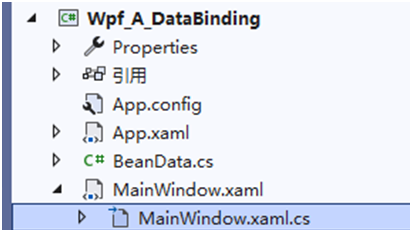
新建类 .cs数据模型类
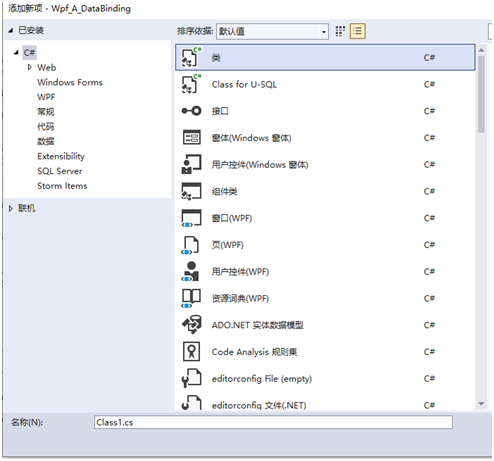
新建类后可以看到
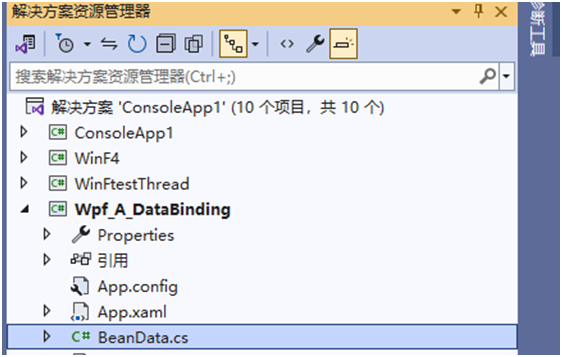
新建类 BeanData.cs
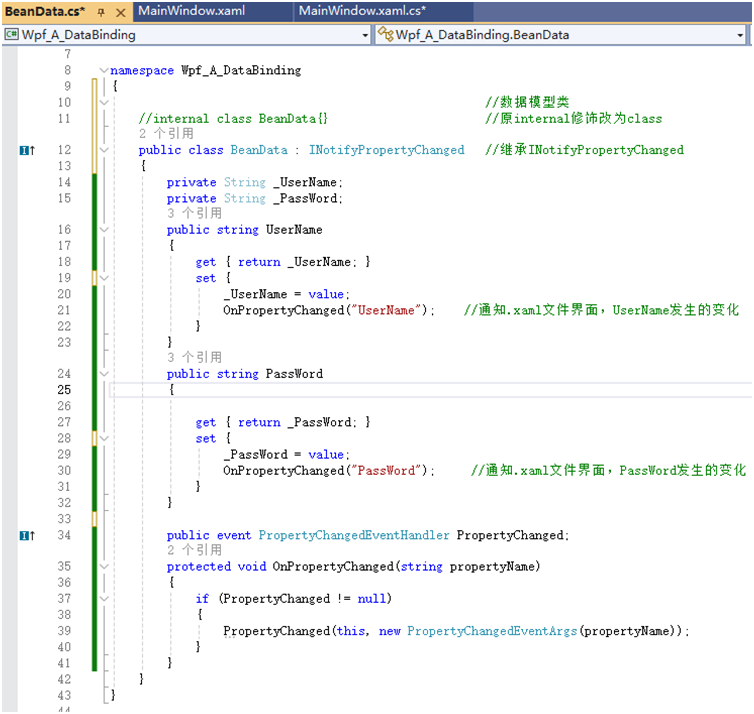
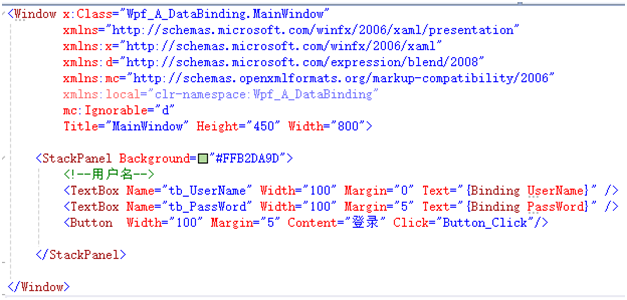
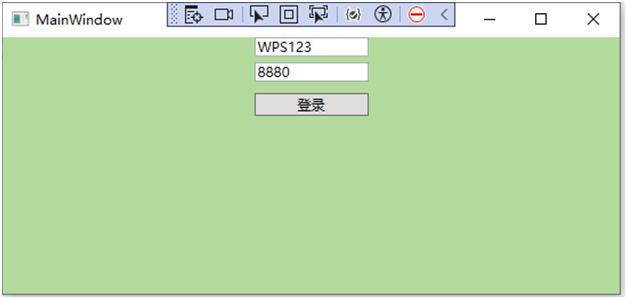
在主窗体类中应用
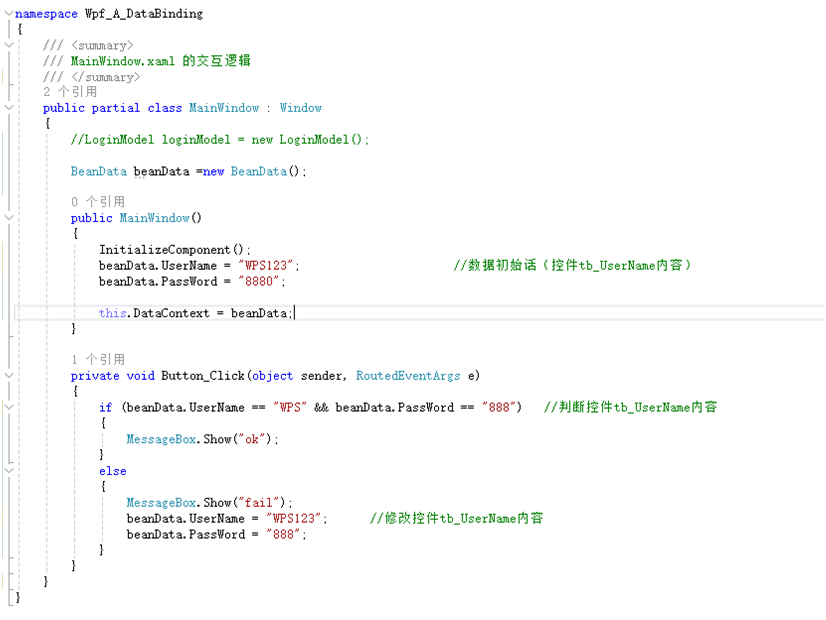
2.输入数字
<TextBox x:Name="tbx_coil_01" Width="100"
InputMethod.IsInputMethodEnabled="False"
PreviewKeyDown="tbx_coil_01_PreviewKeyDown">
</TextBox>
cs
        private void tbx_coil_01_PreviewKeyDown(object sender, KeyEventArgs e)
        {
            bool shiftKey = (Keyboard.Modifiers & ModifierKeys.Shift) != 0;//判断shifu键是否按下
            if (shiftKey == true)                  //当按下shift
            {
                e.Handled = true;//不可输入
            }
            else                           //未按shift
            {
                if (!((e.Key >= Key.D0 && e.Key <= Key.D9) || (e.Key >= Key.NumPad0 && e.Key <= Key.NumPad9) || e.Key == Key.Delete || e.Key == Key.Back || e.Key == Key.Tab || e.Key == Key.Enter))
                {
                    e.Handled = true;//不可输入
                }
}3.输入数字 方法2
在WPF(Windows Presentation Foundation)中,如果你想让一个 TextBox 控件只允许用户输入数字,可以通过几种方法来实现。以下是几种常见的方法:
方法一:使用 PreviewTextInput 事件
你可以处理 TextBox 的 PreviewTextInput 事件,并在事件处理程序中检查输入字符是否为数字。
//============================================================xml
<Window x:Class="YourNamespace.MainWindow"
xmlns="http://schemas.microsoft.com/winfx/2006/xaml/presentation"
xmlns:x="http://schemas.microsoft.com/winfx/2006/xaml"
Title="MainWindow" Height="200" Width="400">
<Grid>
<TextBox Name="NumericTextBox" Width="200" Height="30" Margin="10"
PreviewTextInput="NumericTextBox_PreviewTextInput"/>
</Grid>
</Window>
cs
//===============================================================csharp
using System.Text.RegularExpressions;
using System.Windows;
using System.Windows.Input;

namespace YourNamespace
{
    public partial class MainWindow : Window
    {
        public MainWindow()
        {
            InitializeComponent();
        }

        private void NumericTextBox_PreviewTextInput(object sender, TextCompositionEventArgs e)
        {
            e.Handled = !IsTextAllowed(e.Text);
        }

        private static bool IsTextAllowed(string text)
        {
            // 允许数字(0-9)和小数点(.),如果不需要小数点可以去掉 '.'
            Regex regex = new Regex("^[0-9]+(\\.[0-9]*)?$");
            return regex.IsMatch(text);
        }
    }
将持续更新中