阅读时长:约 18 分钟 | 难度:★★★★☆ | 篇章:第 6 篇 · 命理八字模块 对应源码:
entry/src/main/ets/pages/mingli/MingliAnalysisPage.ets
前言
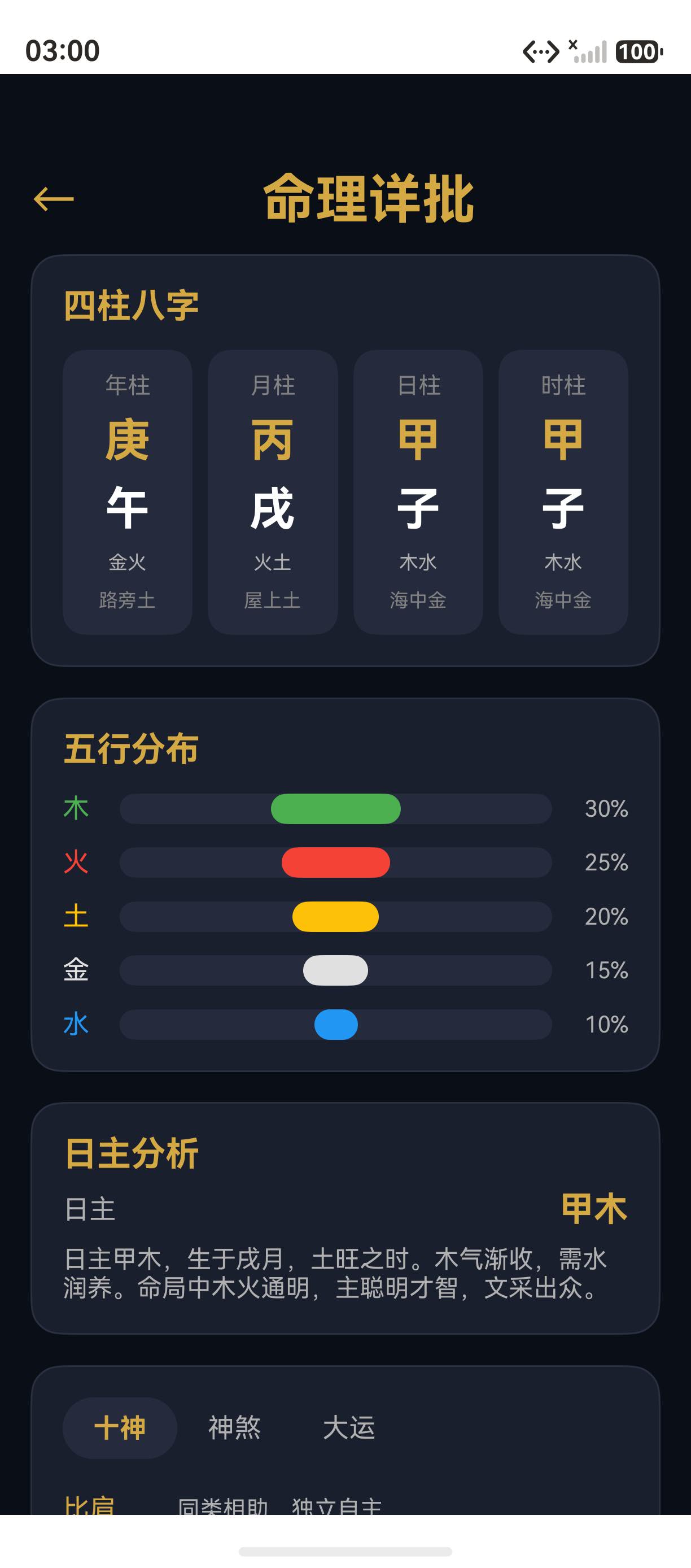
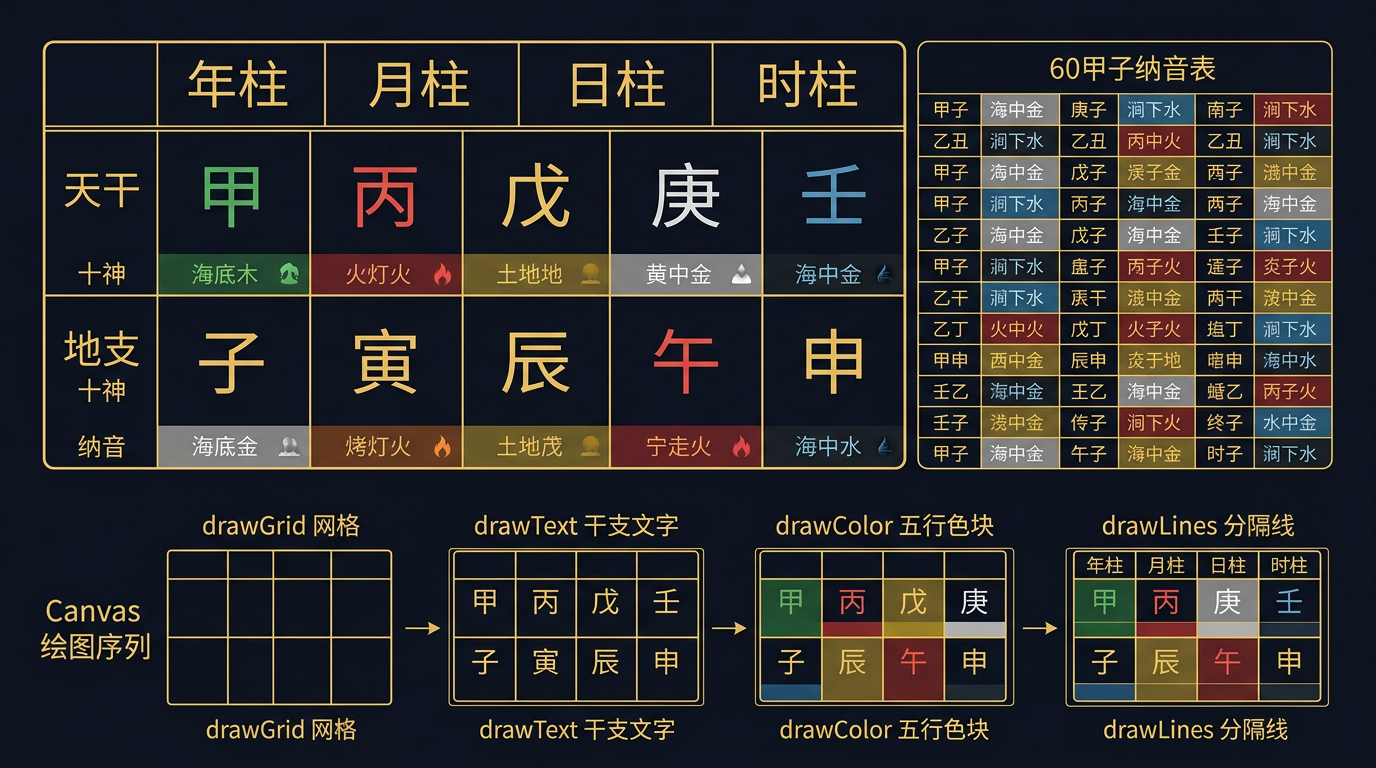
命盘排布是八字命理分析的可视化核心。玄象项目通过 Canvas 绘制四柱干支 + 六十甲子纳音表的同步展示,让用户直观看到八字各柱的天干、地支、五行、纳音信息。本篇将深入剖析玄象项目命盘排布的实现:从四柱 Canvas 布局、干支文字绘制、纳音表映射,到五行颜色编码。掌握这套命盘排布实现方法论,您就能为任何 HarmonyOS 应用构建八字命盘的可视化展示。
提示:玄象项目命盘排布采用"四柱 x 五行"的网格布局,每柱包含天干、地支、五行、纳音四层信息。
一、四柱布局
1.1 四柱网格
typescript
private drawPillarChart(canvas: CanvasRenderingContext2D, w: number, h: number): void {
  const pillarWidth = w / 4;
  const rowHeight = h / 5;
  const labels = ['年柱', '月柱', '日柱', '时柱'];

  for (let i = 0; i < 4; i++) {
    const x = i * pillarWidth;
    // 柱标签
    canvas.fillStyle = Colors.PRIMARY_GOLD;
    canvas.font = '12px sans-serif';
    canvas.fillText(labels[i], x + pillarWidth / 4, rowHeight);

    // 天干
    canvas.fillStyle = '#FFFFFF';
    canvas.font = 'bold 20px sans-serif';
    canvas.fillText(this.pillars[i].tianGan, x + pillarWidth / 4, rowHeight * 2);

    // 地支
    canvas.fillText(this.pillars[i].diZhi, x + pillarWidth / 4, rowHeight * 3);

    // 五行
    canvas.fillStyle = this.getFiveElementColor(this.pillars[i].wuxing);
    canvas.font = '14px sans-serif';
    canvas.fillText(this.pillars[i].wuxing, x + pillarWidth / 4, rowHeight * 4);

    // 纳音
    canvas.fillStyle = Colors.TEXT_DIM;
    canvas.font = '12px sans-serif';
    canvas.fillText(this.pillars[i].nayin, x + pillarWidth / 4, rowHeight * 5);
  }
}
二、五行颜色编码
2.1 颜色映射
typescript
private getFiveElementColor(wuxing: string): string {
  const colors: Record<string, string> = {
    '木': '#4CAF50', '火': '#F44336',
    '土': '#FFC107', '金': '#E0E0E0', '水': '#2196F3'
  };
  return colors[wuxing] || '#FFFFFF';
}
三、六十甲子纳音表
3.1 纳音映射
typescript
private static readonly NAYIN_MAP: Record<string, string> = {
  '甲子': '海中金', '乙丑': '海中金', '丙寅': '炉中火',
  '丁卯': '炉中火', '戊辰': '大林木', '己巳': '大林木',
  // ... 完整 60 组
};
四、命盘排布设计总结
4.1 数据流
text
四柱数据(PillarData[])
  ↓
Canvas 绘制
  ↓
年柱 | 月柱 | 日柱 | 时柱
 天干 | 天干 | 天干 | 天干
 地支 | 地支 | 地支 | 地支
 五行 | 五行 | 五行 | 五行
 纳音 | 纳音 | 纳音 | 纳音
总结
本篇以玄象项目命盘排布为蓝本,深入剖析了 Canvas 四柱八字绘制的实现:从四柱 Canvas 布局、干支文字绘制、纳音表映射,到五行颜色编码。掌握这套命盘排布实现方法论,您就能为任何 HarmonyOS 应用构建八字命盘的可视化展示。
至此,第 6 篇章"命理八字模块"全部完成。第 7 篇章"风水罗盘模块"将从下一篇开启。
如果这篇文章对你有帮助,欢迎点赞👍、收藏⭐、关注🔔,你的支持是我持续创作的动力!
相关资源:
- 六十甲子:wikipedia.org/wiki/六十甲子
- 开源鸿蒙跨平台社区:https://openharmonycrossplatform.csdn.net