文章目录
- [Spring Cloud 学习与实践(16):Elasticsearch 商品搜索、中文分词与索引一致性](#Spring Cloud 学习与实践(16):Elasticsearch 商品搜索、中文分词与索引一致性)
-
- 1、本章要解决什么问题
- [2、先理解 Elasticsearch 的核心概念](#2、先理解 Elasticsearch 的核心概念)
-
- [2.1 Elasticsearch 是什么](#2.1 Elasticsearch 是什么)
- [2.2 Elasticsearch 与 Lucene 的关系](#2.2 Elasticsearch 与 Lucene 的关系)
- [2.3 Cluster、Node、Index、Document、Field](#2.3 Cluster、Node、Index、Document、Field)
- [2.4 `_id` 与 `_source`](#2.4
_id与_source) - [2.5 Mapping 是什么](#2.5 Mapping 是什么)
- [2.6 Settings 是什么](#2.6 Settings 是什么)
-
- [主分片 Shard](#主分片 Shard)
- [副本 Replica](#副本 Replica)
- Refresh
- [2.7 倒排索引是什么](#2.7 倒排索引是什么)
- [2.8 Analyzer、Tokenizer、Token、Filter](#2.8 Analyzer、Tokenizer、Token、Filter)
-
- Analyzer:分析器
- Tokenizer:分词器
- Token:词项
- [Token Filter:词项过滤器](#Token Filter:词项过滤器)
- [2.9 `text` 与 `keyword`](#2.9
text与keyword) - [2.10 `match` 与 `term`](#2.10
match与term) - [2.11 `_score` 是什么](#2.11
_score是什么) - [2.12 Elasticsearch 与常见方案对比](#2.12 Elasticsearch 与常见方案对比)
- 3、本章最终设计
-
- [3.1 读写职责](#3.1 读写职责)
- [3.2 同步方式](#3.2 同步方式)
- [3.3 最终端口规划](#3.3 最终端口规划)
- [4、Windows PowerShell 5.1 统一请求工具](#4、Windows PowerShell 5.1 统一请求工具)
- [5、阶段一:用 Docker 部署低内存 Elasticsearch](#5、阶段一:用 Docker 部署低内存 Elasticsearch)
-
- [5.1 为什么使用 Docker](#5.1 为什么使用 Docker)
- [5.2 拉取镜像](#5.2 拉取镜像)
- [5.3 创建数据卷](#5.3 创建数据卷)
- [5.4 创建单节点容器](#5.4 创建单节点容器)
- [5.5 验证 Elasticsearch](#5.5 验证 Elasticsearch)
- [6、阶段二:cloud-product 接入 Spring Data Elasticsearch](#6、阶段二:cloud-product 接入 Spring Data Elasticsearch)
-
- [6.1 增加依赖](#6.1 增加依赖)
- [6.2 增加 Nacos 配置](#6.2 增加 Nacos 配置)
- [6.3 临时连接验证接口](#6.3 临时连接验证接口)
- [6.4 验证连接 Elasticsearch](#6.4 验证连接 Elasticsearch)
- [6.5 确认当前没有自动创建商品索引](#6.5 确认当前没有自动创建商品索引)
- [7、阶段三:设计 ProductDocument、Settings 与 Mapping](#7、阶段三:设计 ProductDocument、Settings 与 Mapping)
-
- [7.1 本阶段目标](#7.1 本阶段目标)
- [7.2 Product 与 ProductDocument 的区别](#7.2 Product 与 ProductDocument 的区别)
- [7.3 创建 ProductDocument](#7.3 创建 ProductDocument)
- [7.4 创建索引管理接口](#7.4 创建索引管理接口)
- [7.5 创建空索引](#7.5 创建空索引)
- [7.6 检查 Settings](#7.6 检查 Settings)
- [7.7 检查 Mapping](#7.7 检查 Mapping)
- [7.8 检查索引健康状态](#7.8 检查索引健康状态)
- [7.9 索引当前没有商品文档](#7.9 索引当前没有商品文档)
- [8、Java 17 与 Seata 代理兼容说明](#8、Java 17 与 Seata 代理兼容说明)
- [9、阶段四:将 MySQL 商品全量同步到 Elasticsearch](#9、阶段四:将 MySQL 商品全量同步到 Elasticsearch)
-
- [9.1 本阶段目标](#9.1 本阶段目标)
- [9.2 为什么 MySQL 数据不会自动进入 Elasticsearch](#9.2 为什么 MySQL 数据不会自动进入 Elasticsearch)
- [9.3 当前全量同步策略](#9.3 当前全量同步策略)
- [9.4 新增 ProductDocumentRepository](#9.4 新增 ProductDocumentRepository)
- [9.5 新增同步结果对象ProductIndexSyncResult](#9.5 新增同步结果对象ProductIndexSyncResult)
- [9.6 新增 ProductIndexService](#9.6 新增 ProductIndexService)
- [9.7 新增 ProductIndexServiceImpl](#9.7 新增 ProductIndexServiceImpl)
- [9.8 为什么不在 fullSync 上加 `@Transactional`](#9.8 为什么不在 fullSync 上加
@Transactional) - [9.9 修改 ProductIndexAdminController](#9.9 修改 ProductIndexAdminController)
- [9.10 执行第一次全量同步](#9.10 执行第一次全量同步)
- [9.11 检查 Elasticsearch 数量](#9.11 检查 Elasticsearch 数量)
- [9.12 检查实际文档](#9.12 检查实际文档)
- [9.13 重复执行全量同步](#9.13 重复执行全量同步)
- [10、阶段五:先用 standard 分析器实现商品搜索](#10、阶段五:先用 standard 分析器实现商品搜索)
-
- [10.1 为什么不一开始就安装 IK](#10.1 为什么不一开始就安装 IK)
- [10.2 先观察 standard 的真实分词结果](#10.2 先观察 standard 的真实分词结果)
-
- [10.2.1 分析"机械键盘"](#10.2.1 分析“机械键盘”)
- [10.2.2 分析"机械"](#10.2.2 分析“机械”)
- [10.2.3 分析"键盘"](#10.2.3 分析“键盘”)
- [10.3 用 Elasticsearch 原生 DSL 验证 match 查询](#10.3 用 Elasticsearch 原生 DSL 验证 match 查询)
-
- [10.3.1 搜索"机械"](#10.3.1 搜索“机械”)
- [10.3.2 搜索"键盘"](#10.3.2 搜索“键盘”)
- [10.3.3 搜索"机械键盘"](#10.3.3 搜索“机械键盘”)
- [10.4 新增 ProductSearchItem](#10.4 新增 ProductSearchItem)
- [10.5 新增 ProductSearchResult](#10.5 新增 ProductSearchResult)
- [10.6 新增 ProductSearchService](#10.6 新增 ProductSearchService)
- [10.7 新增 ProductSearchServiceImpl](#10.7 新增 ProductSearchServiceImpl)
- [10.8 新增 ProductSearchController](#10.8 新增 ProductSearchController)
- [10.9 Java 搜索接口](#10.9 Java 搜索接口)
- [10.10 对比 match 与 term](#10.10 对比 match 与 term)
-
- [match 查询 name](#match 查询 name)
- [term 查询 name](#term 查询 name)
- [term 查询 name.keyword](#term 查询 name.keyword)
- [10.11 为什么 standard 的结果不理想](#10.11 为什么 standard 的结果不理想)
- [11、阶段六:安装 IK 并比较中文分词](#11、阶段六:安装 IK 并比较中文分词)
-
- [11.1 本阶段目标](#11.1 本阶段目标)
- [11.2 临时提高容器上限](#11.2 临时提高容器上限)
- [11.3 安装匹配版本的 IK](#11.3 安装匹配版本的 IK)
- [11.4 重启并确认插件](#11.4 重启并确认插件)
- [11.5 安装插件不会自动改变旧 Mapping](#11.5 安装插件不会自动改变旧 Mapping)
- [11.6 定义分析器测试函数](#11.6 定义分析器测试函数)
- [11.7 比较"机械键盘"](#11.7 比较“机械键盘”)
- [11.8 比较长文本](#11.8 比较长文本)
- [11.9 阶段结果](#11.9 阶段结果)
- [12、阶段七:将商品索引正式切换到 IK](#12、阶段七:将商品索引正式切换到 IK)
-
- [12.1 最终分析器组合](#12.1 最终分析器组合)
- [12.2 修改 ProductDocument](#12.2 修改 ProductDocument)
- [12.3 为什么必须重建索引](#12.3 为什么必须重建索引)
- [12.4 检查新 Mapping](#12.4 检查新 Mapping)
- [12.5 重新全量同步并确认索引状态和数量](#12.5 重新全量同步并确认索引状态和数量)
- [12.6 验证 IK 实际生效](#12.6 验证 IK 实际生效)
-
- [12.6.1 使用字段 Mapping 分析"机械键盘"](#12.6.1 使用字段 Mapping 分析“机械键盘”)
- [12.6.2 分别观察索引和搜索分析器](#12.6.2 分别观察索引和搜索分析器)
- [12.6.3 验证商品搜索接口](#12.6.3 验证商品搜索接口)
- [12.6.4 确认 keyword 精确匹配仍然有效](#12.6.4 确认 keyword 精确匹配仍然有效)
- 13、阶段八:分页、高亮、状态和价格筛选
-
- [13.1 查询结构](#13.1 查询结构)
- [13.2 新增 ProductSearchRequest](#13.2 新增 ProductSearchRequest)
- [13.3 修改 ProductSearchItem](#13.3 修改 ProductSearchItem)
- [13.4 修改 ProductSearchResult](#13.4 修改 ProductSearchResult)
- [13.5 修改 ProductSearchService](#13.5 修改 ProductSearchService)
- [13.6 修改 ProductSearchServiceImpl](#13.6 修改 ProductSearchServiceImpl)
- [13.7 修改 ProductSearchController](#13.7 修改 ProductSearchController)
- [13.8 验证分页和高亮](#13.8 验证分页和高亮)
- [13.9 第二页为空](#13.9 第二页为空)
- [13.10 价格与状态筛选](#13.10 价格与状态筛选)
- 14、阶段九:单商品增量同步与孤儿文档清理
-
- [14.1 为什么需要增量同步](#14.1 为什么需要增量同步)
- [14.2 新增 ProductIndexItemSyncResult](#14.2 新增 ProductIndexItemSyncResult)
- [14.3 修改 ProductIndexService](#14.3 修改 ProductIndexService)
- [14.4 修改 ProductIndexServiceImpl](#14.4 修改 ProductIndexServiceImpl)
- [14.5 增加管理接口](#14.5 增加管理接口)
- [14.6 制造 MySQL 与 ES 不一致](#14.6 制造 MySQL 与 ES 不一致)
- [14.7 手工增量修复](#14.7 手工增量修复)
- [14.8 制造并清理孤儿文档](#14.8 制造并清理孤儿文档)
- [15、阶段十:本地事务提交后自动同步 ES](#15、阶段十:本地事务提交后自动同步 ES)
-
- [15.1 为什么不能在 SQL 后直接同步](#15.1 为什么不能在 SQL 后直接同步)
- [15.2 为什么 Seata XID 需要特殊处理](#15.2 为什么 Seata XID 需要特殊处理)
- [15.3 新增 ProductIndexSyncEvent](#15.3 新增 ProductIndexSyncEvent)
- [15.4 新增 ProductIndexSyncEventListener](#15.4 新增 ProductIndexSyncEventListener)
- [15.5 ProductIndexServiceImpl的syncById 使用独立只读事务](#15.5 ProductIndexServiceImpl的syncById 使用独立只读事务)
- [15.6 修改 ProductServiceImpl](#15.6 修改 ProductServiceImpl)
- [15.7 定义库存对比函数](#15.7 定义库存对比函数)
- [15.8 正常提交验证](#15.8 正常提交验证)
- [15.9 业务失败验证](#15.9 业务失败验证)
- [15.10 ES 故障不回滚 MySQL](#15.10 ES 故障不回滚 MySQL)
- 16、阶段十一:本地任务表与自动补偿
-
- [16.1 当前问题](#16.1 当前问题)
- [16.2 创建任务表](#16.2 创建任务表)
- [16.3 新增 ProductIndexSyncTask](#16.3 新增 ProductIndexSyncTask)
- [16.4 新增 ProductIndexSyncTaskMapper](#16.4 新增 ProductIndexSyncTaskMapper)
- [16.5 新增 ProductIndexSyncTaskService](#16.5 新增 ProductIndexSyncTaskService)
- [16.6 新增 ProductIndexSyncTaskServiceImpl](#16.6 新增 ProductIndexSyncTaskServiceImpl)
- [16.7 新增 ProductIndexSyncTaskProcessor](#16.7 新增 ProductIndexSyncTaskProcessor)
- [16.8 修改事务监听器](#16.8 修改事务监听器)
- [16.9 新增定时补偿任务](#16.9 新增定时补偿任务)
- [16.10 开启定时任务](#16.10 开启定时任务)
- [16.11 修改 ProductServiceImpl](#16.11 修改 ProductServiceImpl)
- [16.12 验证正常同步后任务自动删除](#16.12 验证正常同步后任务自动删除)
- [16.13 验证 ES 故障和服务重启](#16.13 验证 ES 故障和服务重启)
- [17、阶段十二:Seata 全局提交后通过 RabbitMQ 同步商品索引](#17、阶段十二:Seata 全局提交后通过 RabbitMQ 同步商品索引)
-
- [17.1 为什么本地事务方案不能直接覆盖 Seata](#17.1 为什么本地事务方案不能直接覆盖 Seata)
- [17.2 为什么要使用独立队列](#17.2 为什么要使用独立队列)
- [17.3 阶段启动前端口修正](#17.3 阶段启动前端口修正)
- [17.4 cloud-product 增加依赖](#17.4 cloud-product 增加依赖)
- [17.5 cloud-product-dev.yaml 增加消费者配置](#17.5 cloud-product-dev.yaml 增加消费者配置)
- [17.6 新增 ProductIndexMqConstant](#17.6 新增 ProductIndexMqConstant)
- [17.7 新增 ProductRabbitMqConfig](#17.7 新增 ProductRabbitMqConfig)
- [17.8 新增 OrderCreatedProductIndexListener](#17.8 新增 OrderCreatedProductIndexListener)
- [17.9 更新商品服务的 XID 分支说明](#17.9 更新商品服务的 XID 分支说明)
- [17.10 最小运行集合](#17.10 最小运行集合)
- [17.11 RabbitMQ 拓扑验证](#17.11 RabbitMQ 拓扑验证)
- [17.12 正常全局提交验证](#17.12 正常全局提交验证)
- [17.13 故意制造全局回滚](#17.13 故意制造全局回滚)
- [18、阶段十三:全局提交后 ES 故障的自动补偿](#18、阶段十三:全局提交后 ES 故障的自动补偿)
-
- [18.1 本阶段目标](#18.1 本阶段目标)
- [18.2 故障前基线](#18.2 故障前基线)
- [18.3 核心业务与任务状态](#18.3 核心业务与任务状态)
- [18.4 恢复 ES 并自动补偿](#18.4 恢复 ES 并自动补偿)
- 19、阶段十四:把固定重试改为阶梯退避
-
- [19.1 为什么需要退避](#19.1 为什么需要退避)
- [19.2 最终 ProductIndexSyncTaskProcessor](#19.2 最终 ProductIndexSyncTaskProcessor)
- [19.3 验证阶梯退避](#19.3 验证阶梯退避)
- 20、阶段十五:最终状态验收与环境收尾
-
- [20.1 检查索引最终状态](#20.1 检查索引最终状态)
- [20.2 检查最终 Mapping](#20.2 检查最终 Mapping)
- [20.3 最终搜索冒烟测试](#20.3 最终搜索冒烟测试)
- 21、最终完整架构
-
- [21.1 首次建立商品索引](#21.1 首次建立商品索引)
- [21.2 商品搜索链路](#21.2 商品搜索链路)
- [21.3 普通本地事务同步链路](#21.3 普通本地事务同步链路)
- [21.4 Seata 全局事务提交链路](#21.4 Seata 全局事务提交链路)
- [21.5 Seata 全局回滚链路](#21.5 Seata 全局回滚链路)
- [21.6 Elasticsearch 故障补偿链路](#21.6 Elasticsearch 故障补偿链路)
- 22、最终类职责总览
- 23、几个容易混淆的职责
-
- [23.1 MySQL 与 Elasticsearch](#23.1 MySQL 与 Elasticsearch)
- [23.2 Repository 与 ElasticsearchOperations](#23.2 Repository 与 ElasticsearchOperations)
- [23.3 IndexOperations 与 Mapping 注解](#23.3 IndexOperations 与 Mapping 注解)
- [23.4 `refresh` 与数据持久化](#23.4
refresh与数据持久化) - [23.5 MQ ACK 与 ES 同步成功](#23.5 MQ ACK 与 ES 同步成功)
- [23.6 本地事务提交与 Seata 全局提交](#23.6 本地事务提交与 Seata 全局提交)
- [23.7 任务表与 RabbitMQ](#23.7 任务表与 RabbitMQ)
- 24、方案对比
-
- [24.1 全量同步与增量同步](#24.1 全量同步与增量同步)
- [24.2 standard、ik_smart、ik_max_word](#24.2 standard、ik_smart、ik_max_word)
- [24.3 `text` 与 `keyword`](#24.3
text与keyword) - [24.4 `match` 与 `term`](#24.4
match与term) - [24.5 本地事务事件与 RabbitMQ](#24.5 本地事务事件与 RabbitMQ)
- [24.6 固定重试与阶梯退避](#24.6 固定重试与阶梯退避)
- 26、生产环境边界与改进方向
-
- [26.1 不要使用 `deleteAll + saveAll` 直接重建大型线上索引](#26.1 不要使用
deleteAll + saveAll直接重建大型线上索引) - [26.2 大数据量同步要分页和 Bulk](#26.2 大数据量同步要分页和 Bulk)
- [26.3 可以使用 CDC 代替业务代码逐处发布事件](#26.3 可以使用 CDC 代替业务代码逐处发布事件)
- [26.4 任务表需要监控和告警](#26.4 任务表需要监控和告警)
- [26.5 多实例定时任务要避免并发抢同一任务](#26.5 多实例定时任务要避免并发抢同一任务)
- [26.6 RabbitMQ 消费幂等](#26.6 RabbitMQ 消费幂等)
- [26.7 管理接口不能对普通用户开放](#26.7 管理接口不能对普通用户开放)
- [26.8 Elasticsearch 必须开启安全能力](#26.8 Elasticsearch 必须开启安全能力)
- [26.9 自定义词典和同义词](#26.9 自定义词典和同义词)
- [26.10 深度分页](#26.10 深度分页)
- [26.11 Refresh 需要平衡实时性和吞吐量](#26.11 Refresh 需要平衡实时性和吞吐量)
- [26.12 库存不应依赖搜索结果做最终判断](#26.12 库存不应依赖搜索结果做最终判断)
- [26.13 索引字段不要无节制复制业务表](#26.13 索引字段不要无节制复制业务表)
- [26.1 不要使用 `deleteAll + saveAll` 直接重建大型线上索引](#26.1 不要使用
- 27、本章总结
- 30、下一章预告
Spring Cloud 学习与实践(16):Elasticsearch 商品搜索、中文分词与索引一致性
本章继续基于现有
cloud-demo项目演练,不创建脱离业务的独立示例工程。本章按照真实功能演进顺序推进:先部署 Elasticsearch 并建立最小连接,再设计商品索引和 Mapping,随后完成 MySQL 全量同步、关键词搜索、中文 IK 分词、分页高亮和条件筛选,最后把单商品增量同步、本地事务、Seata 全局事务、RabbitMQ 可靠消息、失败任务表与阶梯退避串成完整闭环。
1、本章要解决什么问题
当前 cloud-demo 已经具备:
text
cloud-gateway
cloud-auth
cloud-user
cloud-product
cloud-order

MySQL
Redis
RabbitMQ
Seata
Nacos
Sentinel
商品数据目前保存在 MySQL:
text
t_product
├── id
├── name
├── price
├── stock
├── status
└── create_time
如果只按主键查询商品,MySQL 足够完成:
sql
SELECT *
FROM t_product
WHERE id = 1;
但当需求变成:
text
搜索名称中包含"机械"的商品
按中文词语而不是单个汉字匹配
返回相关性分数
高亮命中的关键词
分页查询
按状态和价格筛选
继续只用:
sql
WHERE name LIKE '%机械%'会逐渐遇到几个问题:
text
前导百分号通常难以有效利用普通B+树索引
    ↓
数据量增大后扫描成本上升
    ↓
无法自然表达中文分词
    ↓
没有相关性评分
    ↓
高亮和多条件搜索需要额外拼装
本章最终建立:
text
MySQL t_product
    ↓ 主数据源
商品数据变化
    ↓
全量同步 / 单商品同步 / 事务后事件 / MQ事件
    ↓
Elasticsearch product 索引
    ↓
倒排索引 + IK中文分词
    ↓
关键词搜索、分页、高亮、筛选
同时解决:
text
Elasticsearch 暂时不可用
    ↓
不能回滚已经提交的订单和库存
    ↓
同步任务持久化到 MySQL
    ↓
定时补偿
    ↓
阶梯退避
    ↓
最终恢复一致
2、先理解 Elasticsearch 的核心概念
2.1 Elasticsearch 是什么
Elasticsearch 是一个面向搜索和分析的分布式文档数据库。
本章最关心的能力是:
text
全文搜索
中文分词
倒排索引
相关性评分
高亮
分页与条件筛选
它不是为了替代当前 MySQL,而是承担不同职责:
| 存储 | 当前项目中的职责 |
|---|---|
| MySQL | 保存商品、库存、订单等真实业务数据 |
| Redis | 缓存热点商品,降低数据库访问压力 |
| Elasticsearch | 保存面向搜索的商品文档副本 |
| RabbitMQ | 传递全局事务提交后的业务事件 |
| 本地任务表 | 保存尚未完成的索引同步任务 |
本章始终坚持:
text
MySQL 是主数据源
Elasticsearch 是可重建的搜索副本
因此:
text
MySQL 提交成功、ES同步失败不能简单处理为:
text
整个业务回滚正确方向是:
text
主业务成功
+
搜索副本稍后补偿
2.2 Elasticsearch 与 Lucene 的关系
可以把两者理解为:
text
Lucene
    ↓
底层搜索引擎库

Elasticsearch
    ↓
在Lucene之上提供REST API、集群、分片、
副本、Mapping、节点管理和分布式能力
业务项目通常不会直接操作 Lucene,而是通过 Elasticsearch 或 Spring Data Elasticsearch 使用搜索能力。
2.3 Cluster、Node、Index、Document、Field
Cluster:集群
Cluster 是一组协同工作的 Elasticsearch 节点。
当前本地环境只有一个节点:
text
cloud-demo-es因此是:
text
单节点集群Node:节点
一个正在运行的 Elasticsearch 实例就是一个 Node。
当前 Docker 容器中运行的 Elasticsearch 进程,就是一个节点。
Index:索引
Index 是一组结构相近文档的集合。
当前创建:
text
product用来存放商品搜索文档。
它经常被类比为 MySQL 的"表",但二者并不完全相同:
| MySQL | Elasticsearch |
|---|---|
| Database | Cluster 中的命名空间概念并不完全一一对应 |
| Table | Index |
| Row | Document |
| Column | Field |
| Schema | Mapping |
| Primary Key | 文档 _id |
| B+树索引 | 倒排索引、BKD等多种结构 |
Document:文档
Elasticsearch 以 JSON 文档保存数据。
例如商品 1:
json
{
  "id": 1,
  "name": "机械键盘",
  "price": 299.0,
  "stock": 989,
  "status": 1,
  "createTime": "2026-06-02T14:12:23"
}
这就是一个商品文档。
Field:字段
JSON 中的每个属性就是一个字段:
text
id
name
price
stock
status
createTime
每个字段需要合适的数据类型和搜索策略。
2.4 _id 与 _source
Elasticsearch 返回文档时常见:
json
{
  "_index": "product",
  "_id": "1",
  "_source": {
    "id": 1,
    "name": "机械键盘"
  }
}
两者职责不同:
| 字段 | 作用 |
|---|---|
_id |
Elasticsearch 文档唯一标识,用于精确定位文档 |
_source |
原始 JSON 文档内容 |
_source.id |
当前业务自己的商品 ID 字段 |
当前 ProductDocument 使用:
java
@Id
private Long id;
Spring Data Elasticsearch 会用它确定文档 _id。
实际生成 Mapping 时,业务字段 id 显示为:
json
"id": {
  "type": "keyword"
}
因此不要强行假设 Java 的 Long 最终一定生成:
json
"type": "long"本项目中 id 的主要职责是唯一定位文档,不参与价格范围、库存统计等数值计算,所以只保留 @Id 即可。
2.5 Mapping 是什么
Mapping 用于定义字段的数据类型和索引方式,可以理解为 Elasticsearch 的字段结构说明。
当前商品索引需要定义:
text
name       → text + keyword
price      → scaled_float
stock      → integer
status     → integer
createTime → date
Mapping 决定:
text
字段是否分词
如何分词
能否精确匹配
能否排序
能否聚合
日期如何解析
Mapping 一旦建立,部分关键属性不能直接修改。
例如已经存在:
text
name.analyzer = standard不能在原字段上直接改成:
text
name.analyzer = ik_max_word因为旧文档已经按照旧分析器建立倒排索引。正确做法是:
text
删除并重建索引
或
创建新版本索引后重新写入并切换别名
本地只有三条商品,采用删除重建;生产环境应优先考虑版本索引和别名切换。
2.6 Settings 是什么
Settings 是索引级配置。
本章主要使用:
text
number_of_shards
number_of_replicas
refresh_interval
主分片 Shard
一个索引可以拆成多个主分片。
主分片负责保存实际数据。
当前数据量很小、又是单节点:
text
shards = 1足够演练。
副本 Replica
副本是主分片的冗余副本,用于提高可用性和读能力。
单节点环境无法把副本分配到另一节点,因此设置:
text
replicas = 0否则集群可能长期为黄色。
Refresh
文档写入 Elasticsearch 后,不一定立刻能被搜索到。
Refresh 会把近期写入变成可搜索状态。
当前设置:
text
refresh_interval = 1s这也是 Elasticsearch 常被称为"近实时搜索"的原因:
text
写入成功
不等于
同一毫秒就一定能搜索到
需要立即校验时,本章主动调用:
java
indexOperations.refresh();2.7 倒排索引是什么
普通思路是:
text
文档 → 包含哪些词倒排索引反过来记录:
text
词 → 出现在哪些文档假设有三条商品:
text
1:机械键盘
2:无线鼠标
3:显示器
分词后可能得到:
text
机械 → 文档1
键盘 → 文档1
无线 → 文档2
鼠标 → 文档2
显示器 → 文档3
搜索"机械"时,不必逐条扫描所有商品名称,而是直接根据词项定位文档。
2.8 Analyzer、Tokenizer、Token、Filter
这几个术语很容易混淆。
Analyzer:分析器
Analyzer 是完整文本分析流程。
通常包括:
text
Character Filter
    ↓
Tokenizer
    ↓
Token Filter
Tokenizer:分词器
Tokenizer 负责把文本切成若干 Token。
例如:
text
机械键盘standard 分析器在当前环境中的实际结果:
text
机 | 械 | 键 | 盘IK 分析器的实际结果:
text
机械 | 键盘Token:词项
每个切分结果就是一个 Token。
例如:
text
机械
键盘
Token Filter:词项过滤器
Token Filter 可以继续对 Token 做处理,例如:
text
转小写
去停用词
词干化
同义词扩展
本章重点观察分析器结果,不额外加入同义词词典。
2.9 text 与 keyword
这是 Elasticsearch 最重要的字段区别之一。
text
text 会经过分析器,适合全文搜索。
text
name主字段使用 text:
text
机械键盘
    ↓
机械 | 键盘
适合:
text
match 查询
关键词搜索
高亮
相关性评分
keyword
keyword 不分词,把整个值视为一个完整词项。
本章给 name 增加子字段:
text
name.keyword它保存:
text
机械键盘整体值,适合:
text
精确匹配
排序
聚合
去重
所以同一个商品名称同时拥有:
text
name
    → 全文搜索

name.keyword
    → 完整名称精确匹配
这称为多字段 Mapping。
2.10 match 与 term
match
match 是全文查询,会使用字段的搜索分析器处理查询文本。
text
搜索"机械键盘"
    ↓
ik_smart
    ↓
机械 | 键盘
    ↓
匹配倒排索引中的词项
term
term 是精确词项查询,不会再对输入做全文分析。
text
term name = 机械是否命中,取决于索引中是否真的存在完整词项:
text
机械而:
text
term name.keyword = 机械键盘可以精确匹配完整商品名称。
一句话区分:
text
match 适合"搜内容"
term 适合"找精确值"
2.11 _score 是什么
全文查询会计算相关性分数:
text
_score分数越高,说明当前文档通常与查询越相关。
本章搜索结果中记录:
text
机械       → 1.0417082
键盘       → 1.0417082
机械键盘   → 2.0834165
完整查询包含两个命中词项,因此分数更高。
_score 不是固定业务值,会受到:
text
文档数量
词频
字段长度
查询方式
索引内容
影响,不能把某个具体分数写死为业务规则。
2.12 Elasticsearch 与常见方案对比
| 方案 | 更适合的场景 | 当前项目是否使用 |
|---|---|---|
MySQL LIKE |
小数据量、简单模糊匹配 | 作为对照,不作为最终搜索方案 |
| MySQL FULLTEXT | 部分全文检索场景 | 本章不采用 |
| Lucene | 需要直接嵌入底层搜索库 | 不直接使用 |
| Elasticsearch | 分布式全文搜索、分析、高亮、聚合 | 本章采用 |
| Apache Solr | 基于 Lucene 的成熟搜索服务器 | 作为同类方案了解 |
| OpenSearch | Elasticsearch 7.10 分支演进的开源搜索平台 | 作为同类方案了解 |
| Redis Search | 已使用 Redis 生态且搜索规模适中 | 本章不采用 |
| Meilisearch | 轻量、开箱即用搜索 | 本章不采用 |
当前选择 Elasticsearch 的原因不是"它一定适合所有系统",而是它能集中演练:
text
倒排索引
Mapping
分词
全文查询
高亮
分页
相关性
索引同步
最终一致性
3、本章最终设计
3.1 读写职责
text
商品新增、修改、扣库存
    ↓
先写 MySQL
    ↓
再同步 Elasticsearch

商品搜索
    ↓
只读 Elasticsearch
3.2 同步方式
text
首次初始化或整体修复
    ↓
fullSync()

单商品变化
    ↓
syncById(productId)

普通本地事务
    ↓
AFTER_COMMIT事件

Seata全局事务
    ↓
全局提交后order.created消息

ES故障
    ↓
t_product_index_sync_task
    ↓
定时补偿
3.3 最终端口规划
| 服务 | 端口 |
|---|---|
cloud-gateway |
9000 |
cloud-auth |
9100 |
cloud-user |
9201 |
| Elasticsearch REST | 9200 |
cloud-product |
9300 |
cloud-order |
9400 |
| Nacos | 8848 |
| Seata Server | 8091 |
| RabbitMQ | 5672 |
| RabbitMQ 管理页面 | 15672 |
Elasticsearch 使用 9200 后,cloud-user 统一调整为 9201。
同时将 Gateway 跨域配置中原来的:
yaml
http://localhost:9200改成:
yaml
http://localhost:9201Feign 和 Gateway 路由使用服务名:
text
cloud-user从 Nacos 获取真实端口,因此无需在订单服务中写死 9201。
4、Windows PowerShell 5.1 统一请求工具
Windows PowerShell 5.1 向原生命令传递 JSON 时容易发生引号转义问题;Invoke-RestMethod 在部分响应中又可能错误识别中文编码。
最终统一采用:
text
Hashtable
    ↓
ConvertTo-Json
    ↓
UTF-8 Byte[]
    ↓
Invoke-WebRequest
    ↓
RawContentStream
    ↓
UTF-8 StreamReader
    ↓
ConvertFrom-Json
定义通用函数:
powershell
function Invoke-Utf8JsonRequest {

    param(
        [Parameter(Mandatory = $true)]
        [ValidateSet(
            "GET",
            "POST",
            "PUT",
            "DELETE"
        )]
        [string]$Method,

        [Parameter(Mandatory = $true)]
        [string]$Uri,

        [Parameter(Mandatory = $false)]
        [hashtable]$Headers,

        [Parameter(Mandatory = $false)]
        [object]$Body
    )

    $requestParameters = @{
        UseBasicParsing = $true
        Method          = $Method
        Uri             = $Uri
    }

    if ($PSBoundParameters.ContainsKey("Headers")) {
        $requestParameters["Headers"] =
            $Headers
    }

    if ($PSBoundParameters.ContainsKey("Body")) {
        $jsonBody =
            $Body |
                ConvertTo-Json `
                    -Depth 20 `
                    -Compress

        $requestParameters["ContentType"] =
            "application/json; charset=utf-8"

        $requestParameters["Body"] =
            [System.Text.Encoding]::UTF8.GetBytes(
                $jsonBody
            )
    }

    $response =
        Invoke-WebRequest @requestParameters

    $stream =
        $response.RawContentStream

    $stream.Position = 0

    $reader =
        [System.IO.StreamReader]::new(
            $stream,
            [System.Text.Encoding]::UTF8
        )

    try {
        $jsonText =
            $reader.ReadToEnd()
    }
    finally {
        $reader.Dispose()
    }

    if (
        [string]::IsNullOrWhiteSpace(
            $jsonText
        )
    ) {
        return $null
    }

    return $jsonText |
        ConvertFrom-Json
}
后续所有带 JSON 请求体的命令都基于这个函数。
5、阶段一:用 Docker 部署低内存 Elasticsearch
5.1 为什么使用 Docker
当前项目后续还要进入 Docker Compose,本章继续使用容器方案,优点是:
text
版本固定
环境隔离
停止和启动方便
数据卷可持久化
后续可以直接迁移到Compose
Windows 任务管理器中的:
text
Vmmem不等于 Elasticsearch 自身内存,它还包含 WSL 2、Docker Engine、Linux 内核和文件缓存。
docker stats 中的容器使用量更适合观察 Elasticsearch 容器本身。
5.2 拉取镜像
powershell
docker pull `
    docker.elastic.co/elasticsearch/elasticsearch:7.17.15
当前项目使用:
text
Elasticsearch 7.17.15与 Spring Boot 2.7.18、Spring Data Elasticsearch 4.4.x 的技术年代保持一致。
5.3 创建数据卷
powershell
docker volume create cloud-demo-es-data数据卷保存:
text
索引
Mapping
商品文档
倒排索引
停止容器不会删除这些数据。
5.4 创建单节点容器
powershell
docker run -d `
    --name cloud-demo-es `
    -p 9200:9200 `
    -e "discovery.type=single-node" `
    -e "xpack.security.enabled=false" `
    -e "ES_JAVA_OPTS=-Xms512m -Xmx512m" `
    --memory=1g `
    --memory-swap=1g `
    -v cloud-demo-es-data:/usr/share/elasticsearch/data `
    docker.elastic.co/elasticsearch/elasticsearch:7.17.15
参数说明:
| 参数 | 作用 |
|---|---|
--name cloud-demo-es |
固定容器名称 |
-p 9200:9200 |
暴露 REST API |
discovery.type=single-node |
单节点模式 |
xpack.security.enabled=false |
本地演练关闭认证 |
-Xms512m -Xmx512m |
固定 JVM Heap |
--memory=1g |
初始容器总内存上限 |
--memory-swap=1g |
不额外扩展容器交换上限 |
-v |
挂载持久化数据卷 |
Heap 只是 JVM 堆,容器总使用量还包括:
text
JVM自身
堆外内存
Lucene
文件缓存
网络和线程结构
因此:
text
Xmx=512MB但容器实际约:
text
845~855MiB属于正常现象。
5.5 验证 Elasticsearch
powershell
$esInfo =
    Invoke-Utf8JsonRequest `
        -Method "GET" `
        -Uri "http://localhost:9200"

$esInfo |
    ConvertTo-Json -Depth 10
重点确认:
text
version.number = 7.17.15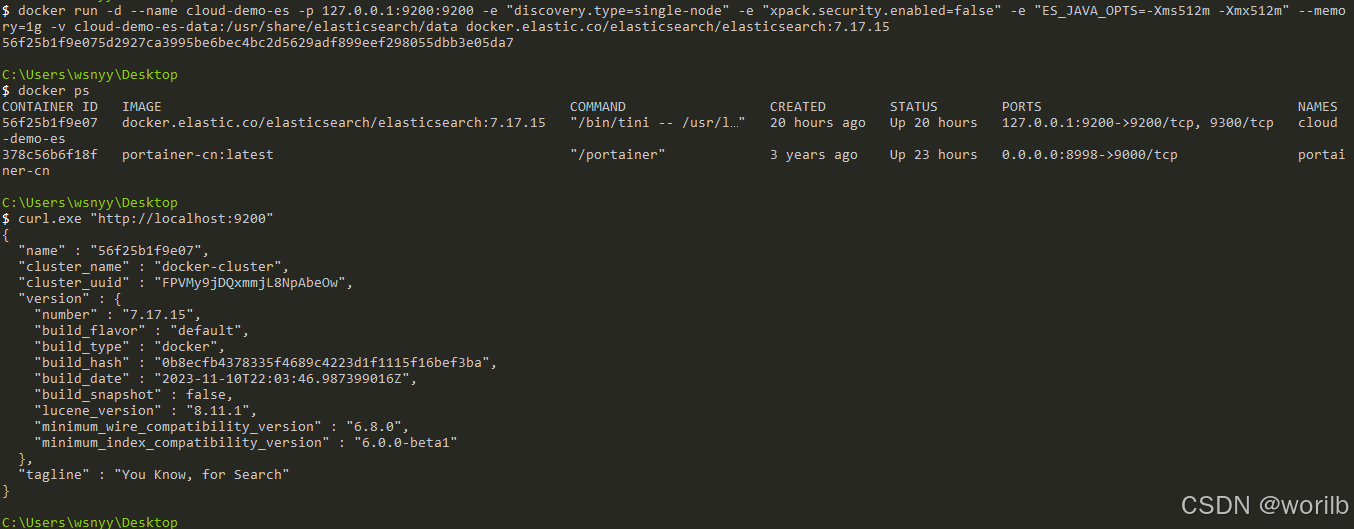
检查容器:
powershell
docker stats --no-stream cloud-demo-es
powershell
docker inspect cloud-demo-es `
    --format "{{.State.Status}} | OOMKilled={{.State.OOMKilled}} | RestartCount={{.RestartCount}}"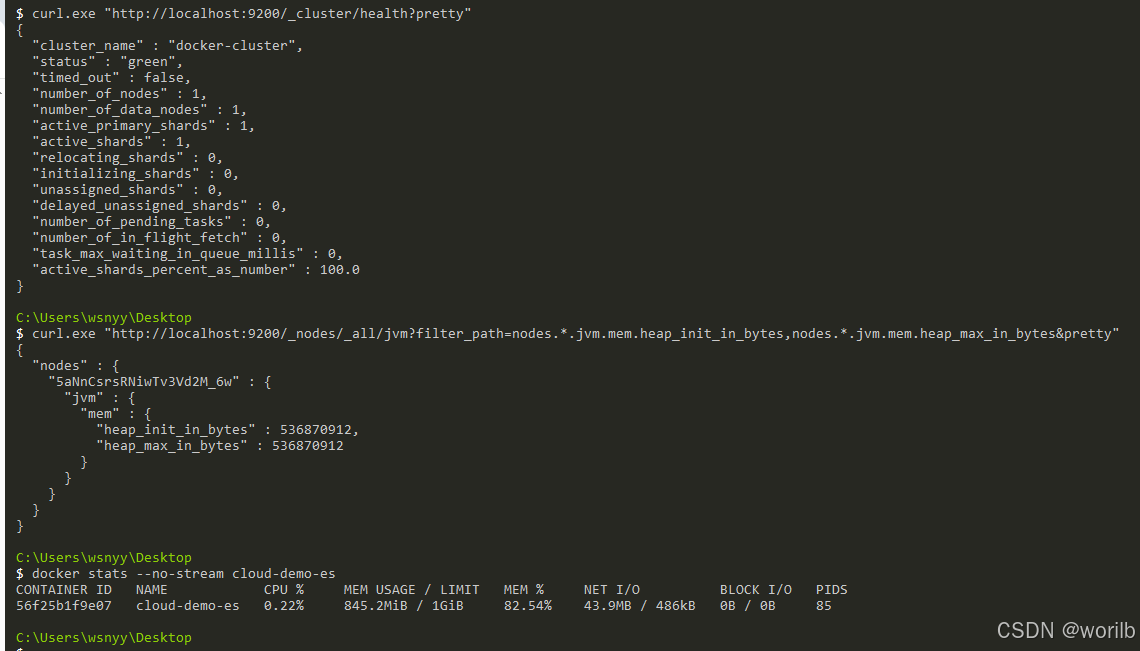
阶段一实际状态:
text
容器正常运行
OOMKilled=false
Elasticsearch约845MiB / 1GiB
6、阶段二:cloud-product 接入 Spring Data Elasticsearch
6.1 增加依赖
修改:
text
cloud-product/pom.xml增加:
xml
<!--
    Spring Data Elasticsearch:
    提供 ElasticsearchOperations、
    ElasticsearchRepository、Mapping 注解等能力。
-->
<dependency>
    <groupId>org.springframework.boot</groupId>
    <artifactId>
        spring-boot-starter-data-elasticsearch
    </artifactId>
</dependency>
不单独手写 Elasticsearch 客户端版本,由 Spring Boot 依赖管理统一控制。
6.2 增加 Nacos 配置
在 cloud-product-dev.yaml 原有 spring: 下合并:
yaml
spring:
  elasticsearch:
    # Elasticsearch HTTP 地址。
    # 当前 Elasticsearch 只绑定在本机 9200 端口。
    uris: http://127.0.0.1:9200

    # 建立 TCP 连接最长等待时间。
    # 本地 Elasticsearch 正常时通常很快即可连接。
    connection-timeout: 3s

    # 连接成功后,等待 Elasticsearch 返回结果的最长时间。
    socket-timeout: 5s
不要创建第二个顶级:
yaml
spring: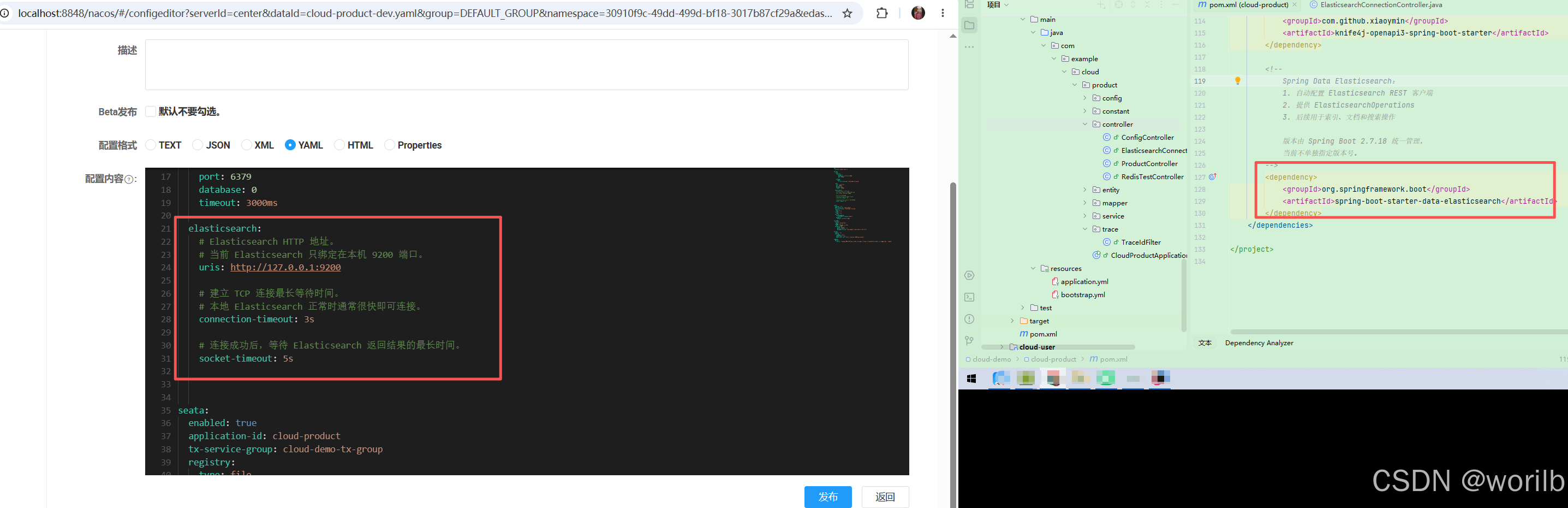
当前链路:
text
cloud-product
    ↓ Spring Data Elasticsearch
127.0.0.1:9200
    ↓
cloud-demo-es
6.3 临时连接验证接口
为了先验证客户端连接,不立即引入商品 Mapping,可以临时创建:
text
controller/ElasticsearchConnectionController.java
java
package com.example.cloud.product.controller;

import lombok.RequiredArgsConstructor;
import org.springframework.data.elasticsearch.core.ElasticsearchOperations;
import org.springframework.data.elasticsearch.core.cluster.ClusterHealth;
import org.springframework.web.bind.annotation.GetMapping;
import org.springframework.web.bind.annotation.RequestMapping;
import org.springframework.web.bind.annotation.RestController;

import java.util.LinkedHashMap;
import java.util.Map;

/**
 * Elasticsearch 临时连接验证接口。
 *
 * 当前阶段职责:
 * 1. 验证 Spring Boot 能否创建 ElasticsearchOperations
 * 2. 验证 cloud-product 能否连接 Elasticsearch
 * 3. 读取 Elasticsearch 集群健康状态
 *
 * 这是计划内的临时调试类。
 * 下一阶段创建正式商品索引后会删除,
 * 不作为最终业务接口保留。
 */
@RestController
@RequestMapping("/es")
@RequiredArgsConstructor
public class ElasticsearchConnectionController {

    /**
     * Spring Data Elasticsearch 提供的统一操作入口。
     *
     * 具体 REST 客户端由 Spring Boot 自动配置,
     * 当前业务代码不直接创建底层 Client。
     */
    private final ElasticsearchOperations
            elasticsearchOperations;

    /**
     * 查询 Elasticsearch 集群健康信息。
     */
    @GetMapping("/health")
    public Map<String, Object> health() {

        /*
         * cluster() 获取集群级操作入口,
         * health() 会真实请求 Elasticsearch。
         *
         * 如果地址错误、服务未启动或连接超时,
         * 此处会直接暴露连接问题。
         */
        ClusterHealth health = elasticsearchOperations
                .cluster()
                .health();

        /*
         * 使用 LinkedHashMap 保持返回字段顺序,
         * 方便本阶段观察和截图。
         */
        Map<String, Object> result =
                new LinkedHashMap<>();

        result.put(
                "clusterName",
                health.getClusterName()
        );

        result.put(
                "status",
                health.getStatus()
        );

        result.put(
                "numberOfNodes",
                health.getNumberOfNodes()
        );

        result.put(
                "numberOfDataNodes",
                health.getNumberOfDataNodes()
        );

        result.put(
                "activePrimaryShards",
                health.getActivePrimaryShards()
        );

        result.put(
                "activeShards",
                health.getActiveShards()
        );

        result.put(
                "unassignedShards",
                health.getUnassignedShards()
        );

        result.put(
                "timedOut",
                health.isTimedOut()
        );

        return result;
    }
}
6.4 验证连接 Elasticsearch
重启:
text
cloud-product调用:
powershell
curl.exe "http://localhost:9300/es/health"预期返回类似:
json
{
  "clusterName": "docker-cluster",
  "status": "green",
  "numberOfNodes": 1,
  "numberOfDataNodes": 1,
  "activePrimaryShards": 0,
  "activeShards": 0,
  "unassignedShards": 0,
  "timedOut": false
}
6.5 确认当前没有自动创建商品索引
执行:
powershell
curl.exe -i "http://localhost:9200/product"预期返回:
http
HTTP/1.1 404 Not Found响应体中包含:
java
index_not_found_exception
连接验证完成后删除:
text
ElasticsearchConnectionController7、阶段三:设计 ProductDocument、Settings 与 Mapping
7.1 本阶段目标
text
MySQL Product
    ↓
ProductDocument
    ↓
@Document + @Setting + @Field
    ↓
product索引Settings和Mapping
本阶段只创建空索引,不同步商品数据。
7.2 Product 与 ProductDocument 的区别
| 对象 | 对应存储 | 职责 |
|---|---|---|
Product |
MySQL t_product |
真实业务实体 |
ProductDocument |
Elasticsearch product |
搜索文档模型 |
两者字段当前相同,但职责不同。
后续搜索文档可以增加:
text
分词字段
搜索展示字段
冗余字段
聚合字段
不应该让 MySQL 实体直接承担所有 Elasticsearch Mapping 职责。
7.3 创建 ProductDocument
创建:
text
cloud-product
└── src/main/java
    └── com.example.cloud.product.document
        └── ProductDocument.java
java
package com.example.cloud.product.document;

import lombok.AllArgsConstructor;
import lombok.Builder;
import lombok.Data;
import lombok.NoArgsConstructor;
import org.springframework.data.annotation.Id;
import org.springframework.data.elasticsearch.annotations.DateFormat;
import org.springframework.data.elasticsearch.annotations.Document;
import org.springframework.data.elasticsearch.annotations.Field;
import org.springframework.data.elasticsearch.annotations.FieldType;
import org.springframework.data.elasticsearch.annotations.InnerField;
import org.springframework.data.elasticsearch.annotations.MultiField;
import org.springframework.data.elasticsearch.annotations.Setting;

import java.math.BigDecimal;
import java.time.LocalDateTime;

/**
 * 商品 Elasticsearch 文档模型。
 *
 * 与 Product 的区别:
 *
 * Product:
 * 映射 MySQL 的 t_product 表。
 *
 * ProductDocument:
 * 映射 Elasticsearch 的 product 索引。
 *
 * 当前字段虽然基本一致,但两个类承担的持久化职责不同,
 * 因此不直接在 Product 实体上混合 Elasticsearch 注解。
 */
@Data
@Builder
@NoArgsConstructor
@AllArgsConstructor
@Document(
        indexName = ProductDocument.INDEX_NAME,
        /*
         * 关闭 Repository 启动时自动创建索引。
         *
         * 本章通过 IndexOperations 显式创建,
         * 方便观察索引生命周期、Settings 和 Mapping。
         */
        createIndex = false
)
@Setting(
        /*
         * 本地单节点环境只使用一个主分片。
         *
         * 当前商品数据量很小,
         * 没有必要创建多个主分片。
         */
        shards = 1,

        /*
         * 单节点没有第二个节点可以分配副本。
         *
         * 设置为 0 可以避免副本长期处于未分配状态,
         * 让 product 索引保持 green。
         */
        replicas = 0,

        /*
         * 文档写入后,默认每秒刷新一次,
         * 方便本地演练时较快搜索到新数据。
         */
        refreshInterval = "1s"
)
public class ProductDocument {

    /**
     * 商品索引名称。
     *
     * Elasticsearch 索引名称必须使用小写。
     */
    public static final String INDEX_NAME =
            "product";

    /**
     * 商品 ID。
     *
     * @Id 表示该字段作为 Elasticsearch 文档的 _id。
     */
    @Id
    private Long id;

    /**
     * 商品名称。
     *
     * 主字段 name:
     * text 类型,用于全文检索。
     *
     * 子字段 name.keyword:
     * keyword 类型,不分词,
     * 后续用于精确匹配、排序或聚合。
     *
     * 当前先使用 Elasticsearch 内置 standard 分词器。
     * 中文 IK 分词将在后续专门比较和接入,
     * 本阶段不提前引入插件变量。
     */
    @MultiField(
            mainField = @Field(
                    type = FieldType.Text,
                    analyzer = "standard",
                    searchAnalyzer = "standard"
            ),
            otherFields = {
                    @InnerField(
                            suffix = "keyword",
                            type = FieldType.Keyword,
                            ignoreAbove = 256
                    )
            }
    )
    private String name;

    /**
     * 商品价格。
     *
     * scaled_float 会先将金额乘以 100 后按整数保存,
     * 用于保留两位小数的商品价格。
     *
     * 例如:
     * 299.00 × 100 = 29900
     */
    @Field(
            type = FieldType.Scaled_Float,
            scalingFactor = 100
    )
    private BigDecimal price;

    /**
     * 商品库存。
     */
    @Field(type = FieldType.Integer)
    private Integer stock;

    /**
     * 商品状态。
     *
     * 当前项目中:
     * 1 表示正常或上架状态。
     */
    @Field(type = FieldType.Integer)
    private Integer status;

    /**
     * 商品创建时间。
     *
     * 当前 MySQL 实体使用 LocalDateTime,
     * Elasticsearch 保存为 date 类型。
     */
    @Field(
            type = FieldType.Date,
            format = DateFormat.date_hour_minute_second
    )
    private LocalDateTime createTime;
}
7.4 创建索引管理接口
创建:
text
controller/ProductIndexAdminController.java
java
package com.example.cloud.product.controller;

import com.example.cloud.product.document.ProductDocument;
import lombok.RequiredArgsConstructor;
import org.springframework.data.elasticsearch.core.ElasticsearchOperations;
import org.springframework.data.elasticsearch.core.IndexOperations;
import org.springframework.web.bind.annotation.PostMapping;
import org.springframework.web.bind.annotation.RequestMapping;
import org.springframework.web.bind.annotation.RestController;

import java.util.LinkedHashMap;
import java.util.Map;

/**
 * 商品 Elasticsearch 索引管理接口。
 *
 * 当前只负责创建 product 索引。
 *
 * 生产环境不能把此类管理接口
 * 直接暴露给普通用户。
 */
@RestController
@RequestMapping("/es/index")
@RequiredArgsConstructor
public class ProductIndexAdminController {

    /**
     * Spring Data Elasticsearch 统一操作入口。
     */
    private final ElasticsearchOperations
            elasticsearchOperations;

    /**
     * 创建 product 索引。
     *
     * 索引不存在:
     * 根据 ProductDocument 的注解
     * 创建 Settings 与 Mapping。
     *
     * 索引已经存在:
     * 不重复创建,也不删除现有数据。
     */
    @PostMapping("/product")
    public Map<String, Object> createProductIndex() {

        IndexOperations indexOperations =
                elasticsearchOperations.indexOps(
                        ProductDocument.class
                );

        boolean existedBefore =
                indexOperations.exists();

        boolean created = false;

        if (!existedBefore) {
            created =
                    indexOperations.createWithMapping();
        }

        boolean existsAfter =
                indexOperations.exists();

        Map<String, Object> result =
                new LinkedHashMap<>();

        result.put(
                "indexName",
                ProductDocument.INDEX_NAME
        );

        result.put(
                "existedBefore",
                existedBefore
        );

        result.put(
                "created",
                created
        );

        result.put(
                "existsAfter",
                existsAfter
        );

        return result;
    }
}
7.5 创建空索引
重启:
java
cloud-produc
powershell
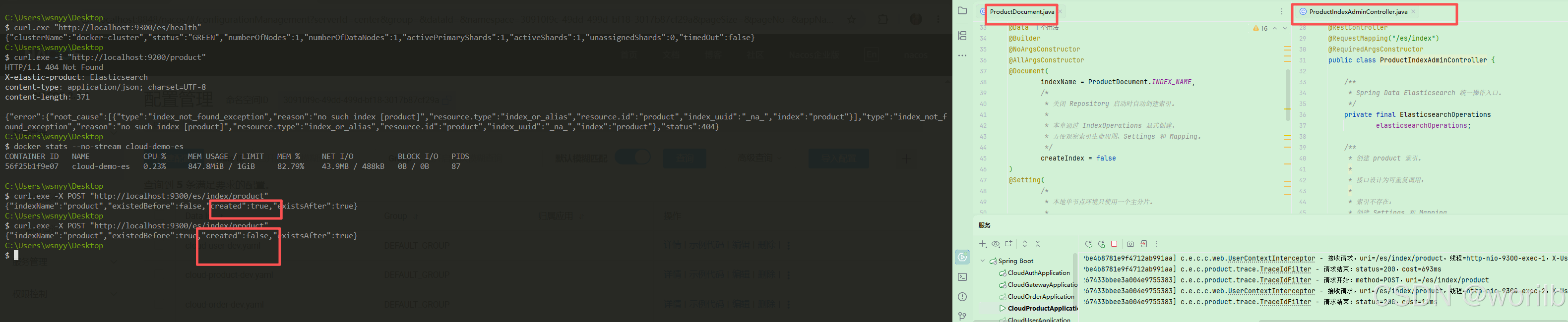
curl.exe -X POST "http://localhost:9300/es/index/product"首次预期:
json
{
  "indexName": "product",
  "existedBefore": false,
  "created": true,
  "existsAfter": true
}
重复调用不会破坏索引:
json
{
  "indexName": "product",
  "existedBefore": true,
  "created": false,
  "existsAfter": true
}
7.6 检查 Settings
powershell
curl.exe "http://localhost:9200/product/_settings?pretty"重点:
text
number_of_shards = 1
number_of_replicas = 0
refresh_interval = 1s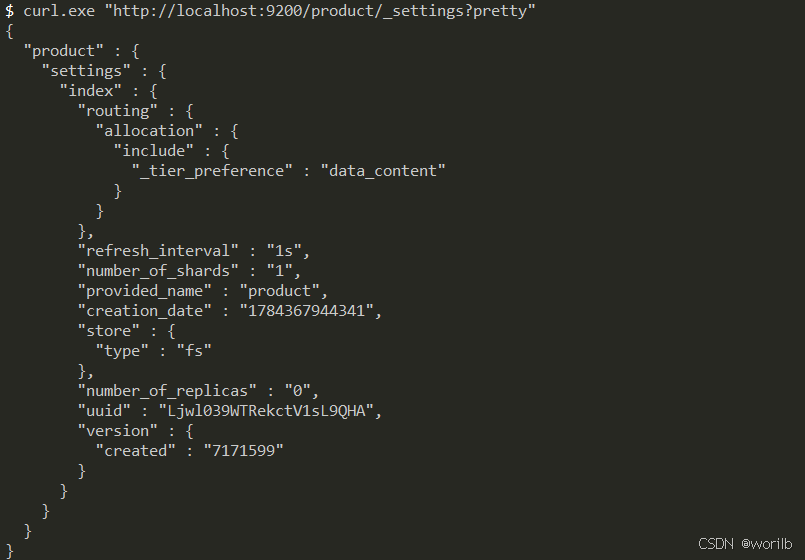
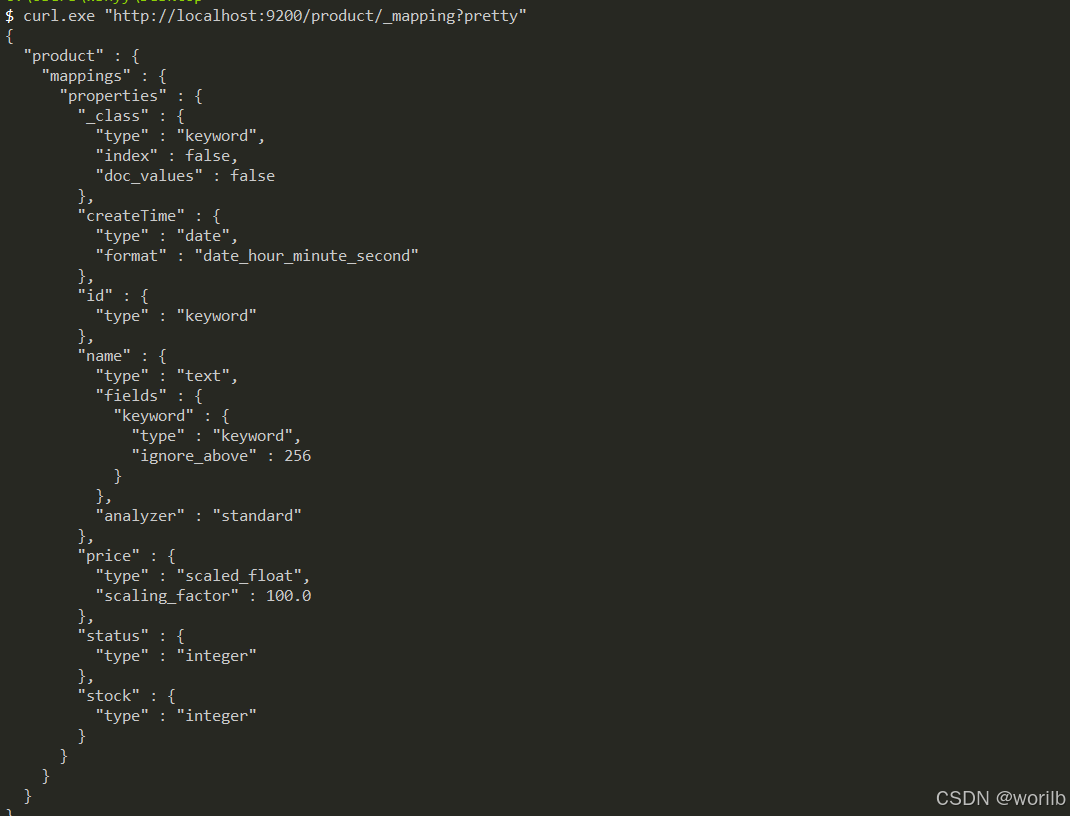
7.7 检查 Mapping
powershell
curl.exe "http://localhost:9200/product/_mapping?pretty"初始 Mapping 核心:
json
{
  "name": {
    "type": "text",
    "fields": {
      "keyword": {
        "type": "keyword",
        "ignore_above": 256
      }
    },
    "analyzer": "standard"
  },
  "price": {
    "type": "scaled_float",
    "scaling_factor": 100.0
  },
  "stock": {
    "type": "integer"
  },
  "status": {
    "type": "integer"
  },
  "createTime": {
    "type": "date",
    "format": "date_hour_minute_second"
  }
}
实际 id:
json
"id": {
  "type": "keyword"
}
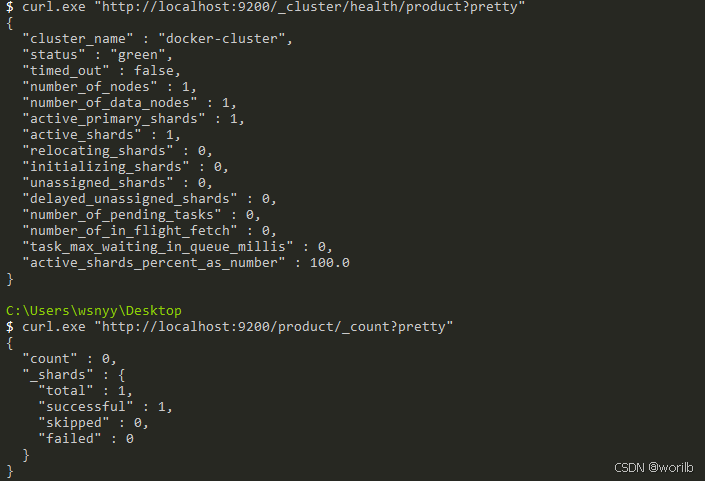
7.8 检查索引健康状态
powershell
curl.exe "http://localhost:9200/_cluster/health/product?pretty"重点确认:
json
{
  "status": "green",
  "number_of_nodes": 1,
  "active_primary_shards": 1,
  "unassigned_shards": 0
}
7.9 索引当前没有商品文档
执行:
powershell
curl.exe "http://localhost:9200/product/_count?pretty"预期:
json
{
  "count": 0
}
8、Java 17 与 Seata 代理兼容说明
当前 cloud-product 同时存在 Seata 代理和 Spring Data Elasticsearch Repository。
JDK 17 对反射访问限制更严格,运行配置统一保留:
text
-Xms128m
-Xmx384m
-XX:+UseSerialGC
--add-opens=java.base/java.lang.reflect=ALL-UNNAMED
其中:
text
--add-opens=java.base/java.lang.reflect=ALL-UNNAMED允许 classpath 中的旧代理框架访问 java.lang.reflect。
这是当前版本组合的运行兼容参数,不改变 Elasticsearch 主线设计。
9、阶段四:将 MySQL 商品全量同步到 Elasticsearch
9.1 本阶段目标
上一阶段只有:
text
ProductDocument
    ↓
product索引
    ↓
Settings与Mapping
但文档数量仍为:
json
{
  "count": 0
}
本阶段建立:
text
查询MySQL全部商品
    ↓
Product转换为ProductDocument
    ↓
清理Elasticsearch旧文档
    ↓
批量写入product索引
    ↓
主动Refresh
    ↓
核对MySQL与ES数量
暂时不实现:
text
关键词搜索
分页
高亮
IK中文分词
自动增量同步
9.2 为什么 MySQL 数据不会自动进入 Elasticsearch
当前是两个独立存储:
text
MySQL
    ↓
保存真实业务数据

Elasticsearch
    ↓
保存搜索文档副本
创建 Java 类和 Mapping 只定义了结构,不会自动执行:
text
SELECT * FROM t_product必须明确完成:
text
Product
    ↓ Java转换
ProductDocument
    ↓ Repository写入
product索引
9.3 当前全量同步策略
本地学习环境采用:
text
查询MySQL全部商品
    ↓
删除ES已有商品文档
    ↓
重新写入全部商品
这样不仅能覆盖已有文档,还能清理:
text
MySQL已经删除、但ES仍残留的文档
以前测试写入的脏文档
字段内容已经过时的旧文档
当前将"全量同步"定义为:
text
以MySQL为准,
覆盖ES中的商品文档集合
优点:
text
逻辑直观
重复执行不会产生重复文档
能清理残留数据
适合本地少量商品
局限:
text
同步过程中索引可能短暂为空
数据量大时效率低
删除后写入失败可能留下空索引
生产环境更常见:
text
创建product_v2
    ↓
完整写入并校验
    ↓
切换product_alias
    ↓
删除product_v1
本章先掌握最小闭环,不提前引入索引别名。
9.4 新增 ProductDocumentRepository
创建:
text
cloud-product
└── src/main/java
	└── com.example.cloud.product.repository
		└── ProductDocumentRepository.java
完整代码:
java
package com.example.cloud.product.repository;

import com.example.cloud.product.document.ProductDocument;
import org.springframework.data.elasticsearch.repository
        .ElasticsearchRepository;

/**
 * 商品 Elasticsearch 文档仓库。
 *
 * 泛型说明:
 *
 * ProductDocument:
 * product 索引中的文档类型。
 *
 * Long:
 * 商品文档主键类型。
 *
 * 继承 ElasticsearchRepository 后,
 * 可以直接使用:
 *
 * save()
 * saveAll()
 * findById()
 * count()
 * deleteAll()
 *
 * 等基础文档操作。
 */
public interface ProductDocumentRepository
        extends ElasticsearchRepository<
        ProductDocument,
        Long
        > {
}
不需要额外添加:
java
@Repository它位于启动类扫描根包之下,会被 Spring Data 自动创建代理对象。
9.5 新增同步结果对象ProductIndexSyncResult
创建:
text
cloud-product
└── src/main/java
    └── com.example.cloud.product.dto
        └── ProductIndexSyncResult.java
完整代码:
java
package com.example.cloud.product.dto;

import lombok.Builder;
import lombok.Data;

/**
 * 商品索引全量同步结果。
 *
 * 用于对比:
 * 1. MySQL 商品数量
 * 2. 同步前 Elasticsearch 文档数量
 * 3. 本次准备写入的文档数量
 * 4. 同步后 Elasticsearch 文档数量
 */
@Data
@Builder
public class ProductIndexSyncResult {

    /**
     * 索引名称。
     */
    private String indexName;

    /**
     * MySQL 中的商品数量。
     */
    private long mysqlCount;

    /**
     * 同步前 Elasticsearch 中的文档数量。
     */
    private long esCountBefore;

    /**
     * 本次转换并写入的商品文档数量。
     */
    private long savedCount;

    /**
     * 同步完成后 Elasticsearch 中的文档数量。
     */
    private long esCountAfter;

    /**
     * MySQL 数量与 Elasticsearch 数量是否一致。
     */
    private boolean consistent;
}
不只返回:
text
同步成功而是返回真实数量,避免"接口没报错"被误认为"数据一定一致"。
9.6 新增 ProductIndexService
java
package com.example.cloud.product.service;

import com.example.cloud.product.dto.ProductIndexSyncResult;

/**
 * 商品 Elasticsearch 索引服务。
 *
 * 当前只负责:
 * MySQL 商品数据到 Elasticsearch 的全量同步。
 *
 * 后续继续增加:
 * 单个商品创建或覆盖
 * 单个商品删除
 * 自动增量同步
 */
public interface ProductIndexService {

    /**
     * 将 MySQL 中的全部商品
     * 覆盖式同步到 Elasticsearch。
     *
     * @return 全量同步结果
     */
    ProductIndexSyncResult fullSync();
}
9.7 新增 ProductIndexServiceImpl
创建:
java
cloud-product
└── src/main/java
    └── com.example.cloud.product.service.impl
        └── ProductIndexServiceImpl.java
完整代码:
java
package com.example.cloud.product.service.impl;

import com.example.cloud.common.exception.BizException;
import com.example.cloud.common.result.ErrorCode;
import com.example.cloud.product.document.ProductDocument;
import com.example.cloud.product.dto.ProductIndexSyncResult;
import com.example.cloud.product.entity.Product;
import com.example.cloud.product.repository
        .ProductDocumentRepository;
import com.example.cloud.product.service.ProductIndexService;
import com.example.cloud.product.service.ProductService;
import lombok.RequiredArgsConstructor;
import lombok.extern.slf4j.Slf4j;
import org.springframework.data.elasticsearch.core
        .ElasticsearchOperations;
import org.springframework.data.elasticsearch.core
        .IndexOperations;
import org.springframework.stereotype.Service;

import java.util.List;
import java.util.stream.Collectors;

/**
 * 商品 Elasticsearch 索引服务实现。
 *
 * 当前负责将 MySQL 商品
 * 全量重建到 product 索引。
 */
@Slf4j
@Service
@RequiredArgsConstructor
public class ProductIndexServiceImpl
        implements ProductIndexService {

    /**
     * 原有商品业务服务。
     *
     * 用于从 MySQL 查询全部商品。
     */
    private final ProductService
            productService;

    /**
     * Elasticsearch 商品文档仓库。
     *
     * 用于:
     * 查询文档数量
     * 删除旧文档
     * 批量保存新文档
     */
    private final ProductDocumentRepository
            productDocumentRepository;

    /**
     * Spring Data Elasticsearch 统一操作入口。
     *
     * 当前用于:
     * 检查索引是否存在
     * 主动刷新 product 索引
     */
    private final ElasticsearchOperations
            elasticsearchOperations;

    /**
     * MySQL 商品全量同步到 Elasticsearch。
     */
    @Override
    public ProductIndexSyncResult fullSync() {

        IndexOperations indexOperations =
                elasticsearchOperations.indexOps(
                        ProductDocument.class
                );

        /*
         * 要求先显式创建索引。
         *
         * 如果索引不存在,不在同步过程中
         * 悄悄创建,而是提示先完成索引初始化。
         *
         * 这样能明确区分:
         *
         * 创建索引
         * 和
         * 同步数据
         *
         * 是两个独立职责。
         */
        if (!indexOperations.exists()) {
            throw new BizException(
                    ErrorCode.BIZ_ERROR,
                    "product 索引不存在,"
                            + "请先调用索引创建接口"
            );
        }

        /*
         * 从 MySQL 查询当前全部商品。
         *
         * ProductService 继承 IService<Product>,
         * 可以直接使用 list()。
         */
        List<Product> products =
                productService.list();

        /*
         * 记录同步前 ES 文档数量。
         */
        long esCountBefore =
                productDocumentRepository.count();

        /*
         * 将 MySQL 实体转换为 ES 文档。
         *
         * 当前数据量很小,一次性转换成 List。
         * 大数据量生产环境应分页读取和批量写入。
         */
        List<ProductDocument> documents =
                products.stream()
                        .map(this::toDocument)
                        .collect(Collectors.toList());

        /*
         * 当前全量同步以 MySQL 为准。
         *
         * 先删除 ES 中已有文档,
         * 同时清理:
         *
         * 1. 已从 MySQL 删除的商品
         * 2. 测试脏数据
         * 3. 字段内容过时的旧文档
         */
        productDocumentRepository.deleteAll();

        /*
         * MySQL 中存在商品时,
         * 批量写入 Elasticsearch。
         */
        if (!documents.isEmpty()) {
            productDocumentRepository.saveAll(
                    documents
            );
        }

        /*
         * 索引默认每秒刷新。
         *
         * 本阶段需要在接口返回前立即核对数量,
         * 因此主动刷新。
         */
        indexOperations.refresh();

        long esCountAfter =
                productDocumentRepository.count();

        long mysqlCount =
                products.size();

        boolean consistent =
                mysqlCount == esCountAfter;

        log.info(
                "商品索引全量同步完成,"
                        + "mysqlCount={},"
                        + "esCountBefore={},"
                        + "savedCount={},"
                        + "esCountAfter={},"
                        + "consistent={}",
                mysqlCount,
                esCountBefore,
                documents.size(),
                esCountAfter,
                consistent
        );

        /*
         * 数量不一致时不能仍然返回成功。
         */
        if (!consistent) {
            throw new BizException(
                    ErrorCode.BIZ_ERROR,
                    "商品索引同步后数量不一致,"
                            + "mysqlCount="
                            + mysqlCount
                            + ",esCount="
                            + esCountAfter
            );
        }

        return ProductIndexSyncResult
                .builder()
                .indexName(
                        ProductDocument.INDEX_NAME
                )
                .mysqlCount(mysqlCount)
                .esCountBefore(esCountBefore)
                .savedCount(documents.size())
                .esCountAfter(esCountAfter)
                .consistent(true)
                .build();
    }

    /**
     * 将 MySQL 商品实体转换为
     * Elasticsearch 商品文档。
     */
    private ProductDocument toDocument(
            Product product
    ) {
        return ProductDocument
                .builder()
                .id(product.getId())
                .name(product.getName())
                .price(product.getPrice())
                .stock(product.getStock())
                .status(product.getStatus())
                .createTime(
                        product.getCreateTime()
                )
                .build();
    }
}
9.8 为什么不在 fullSync 上加 @Transactional
MySQL 本地事务不能自动把 Elasticsearch 纳入同一个事务。
即使写:
java
@Transactional通常也只能控制 MySQL 数据源,无法保证:
text
MySQL查询成功
+
Elasticsearch写入成功
成为一个原子事务。
本章直接承认边界:
text
MySQL是主数据源
ES是搜索副本
同步失败需要校验、重试或重建
9.9 修改 ProductIndexAdminController
保留创建接口,增加全量同步接口:
java
package com.example.cloud.product.controller;

import com.example.cloud.product.document.ProductDocument;
import com.example.cloud.product.dto.ProductIndexSyncResult;
import com.example.cloud.product.service.ProductIndexService;
import lombok.RequiredArgsConstructor;
import org.springframework.data.elasticsearch.core
        .ElasticsearchOperations;
import org.springframework.data.elasticsearch.core
        .IndexOperations;
import org.springframework.web.bind.annotation.PostMapping;
import org.springframework.web.bind.annotation.RequestMapping;
import org.springframework.web.bind.annotation.RestController;

import java.util.LinkedHashMap;
import java.util.Map;

/**
 * 商品 Elasticsearch 索引管理接口。
 *
 * 当前职责:
 * 1. 创建 product 索引
 * 2. 将 MySQL 商品全量同步到 product 索引
 *
 * 生产环境不能把此类管理接口
 * 直接暴露给普通用户。
 */
@RestController
@RequestMapping("/es/index")
@RequiredArgsConstructor
public class ProductIndexAdminController {

    /**
     * Spring Data Elasticsearch 统一操作入口。
     */
    private final ElasticsearchOperations
            elasticsearchOperations;

    /**
     * 商品索引同步服务。
     */
    private final ProductIndexService
            productIndexService;

    /**
     * 创建 product 索引。
     */
    @PostMapping("/product")
    public Map<String, Object> createProductIndex() {

        IndexOperations indexOperations =
                elasticsearchOperations.indexOps(
                        ProductDocument.class
                );

        boolean existedBefore =
                indexOperations.exists();

        boolean created = false;

        if (!existedBefore) {
            created =
                    indexOperations.createWithMapping();
        }

        boolean existsAfter =
                indexOperations.exists();

        Map<String, Object> result =
                new LinkedHashMap<>();

        result.put(
                "indexName",
                ProductDocument.INDEX_NAME
        );

        result.put(
                "existedBefore",
                existedBefore
        );

        result.put(
                "created",
                created
        );

        result.put(
                "existsAfter",
                existsAfter
        );

        return result;
    }

    /**
     * 将 MySQL 中全部商品
     * 覆盖式同步到 Elasticsearch。
     */
    @PostMapping("/product/sync/full")
    public ProductIndexSyncResult
    fullSyncProductIndex() {
        return productIndexService.fullSync();
    }
}
9.10 执行第一次全量同步
先查询 MySQL:
sql
SELECT COUNT(*) AS mysql_count
FROM t_product;

SELECT
    id,
    name,
    price,
    stock,
    status,
    create_time
FROM t_product
ORDER BY id;
实际:
text
mysql_count = 3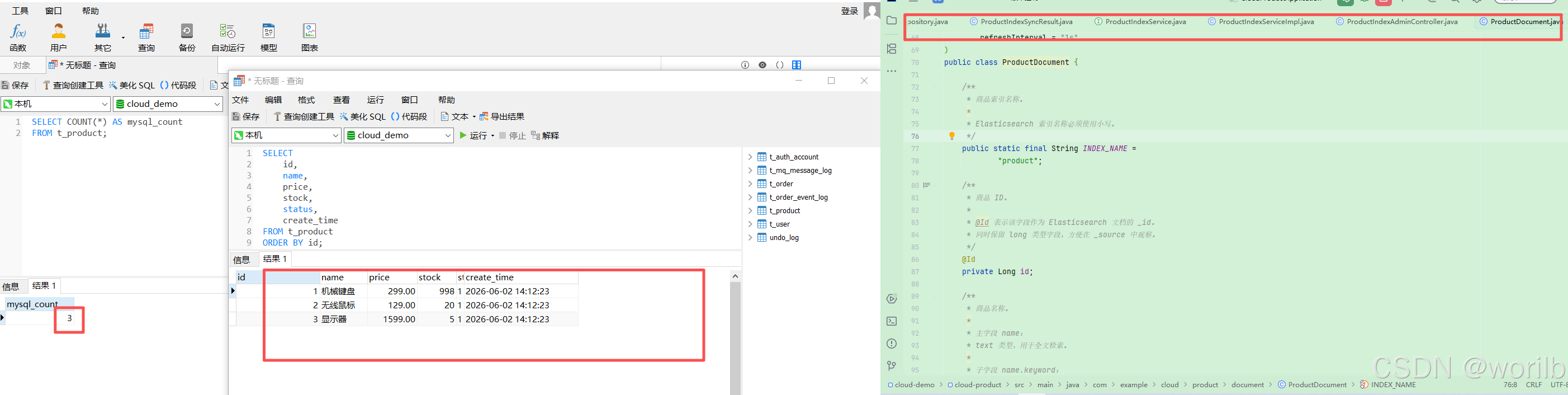
重启cloud-product执行:
powershell
curl.exe -X POST "http://localhost:9300/es/index/product/sync/full"实际返回:
json
{
  "indexName": "product",
  "mysqlCount": 3,
  "esCountBefore": 0,
  "savedCount": 3,
  "esCountAfter": 3,
  "consistent": true
}
9.11 检查 Elasticsearch 数量
powershell
curl.exe "http://localhost:9200/product/_count?pretty"预期:
java
{
  "count": 与 MySQL 商品数量相同
}
只比较:
java
MySQL COUNT(*)
=
Elasticsearch count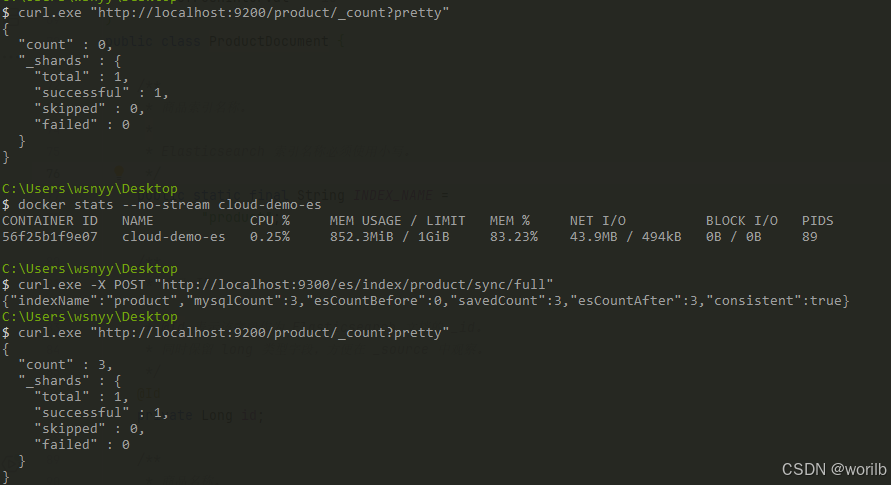
9.12 检查实际文档
执行:
powershell
curl.exe "http://localhost:9200/product/_search?pretty&sort=id:asc"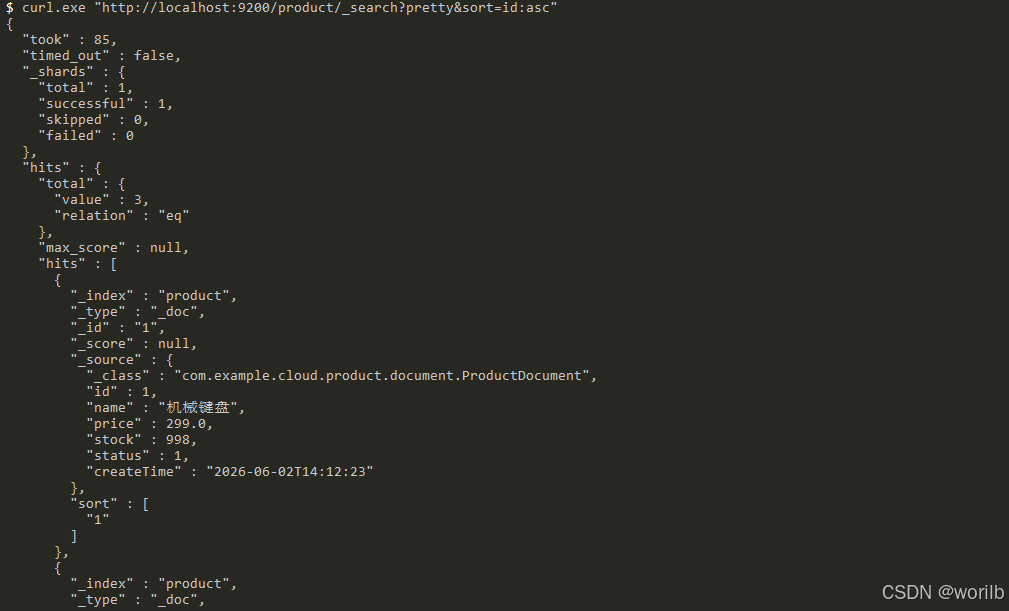
9.13 重复执行全量同步
再次调用:
powershell
curl.exe -X POST "http://localhost:9300/es/index/product/sync/full"预期:
json
{
  "indexName": "product",
  "mysqlCount": 3,
  "esCountBefore": 3,
  "savedCount": 3,
  "esCountAfter": 3,
  "consistent": true
}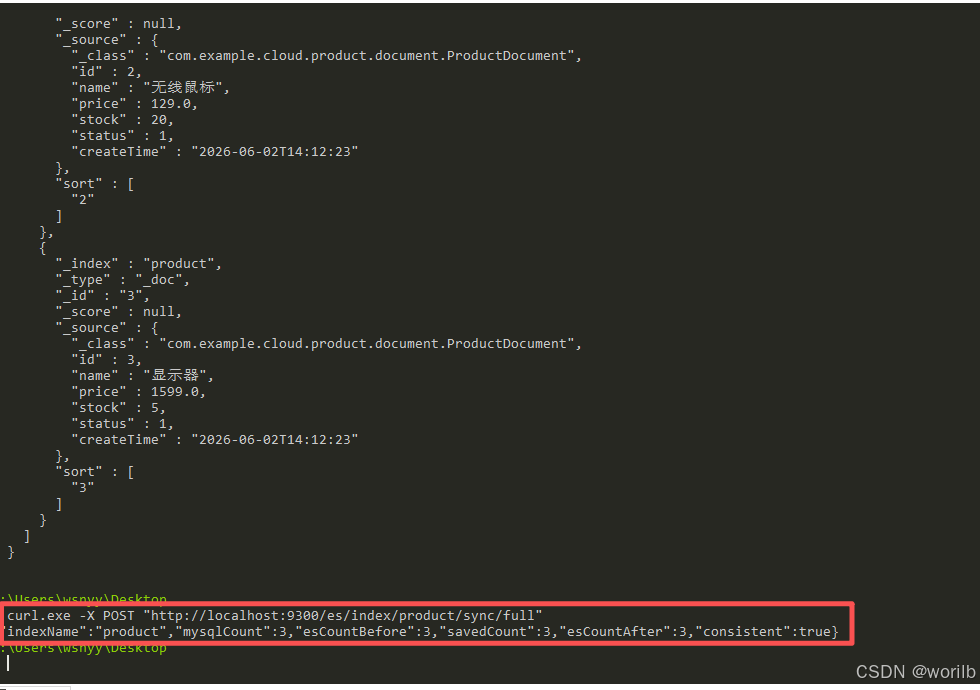
这不是重复验证连接,而是验证:
text
接口可重复执行
    ↓
不会产生重复文档
    ↓
结果仍以MySQL为准
10、阶段五:先用 standard 分析器实现商品搜索
10.1 为什么不一开始就安装 IK
如果直接安装中文插件,只能记住:
text
中文搜索要用IK却不知道原生分析器到底发生了什么。
本阶段先建立基线:
text
standard分析器
    ↓
观察真实Token
    ↓
实现match查询
    ↓
比较match与term
    ↓
再决定是否引入IK
10.2 先观察 standard 的真实分词结果
10.2.1 分析"机械键盘"
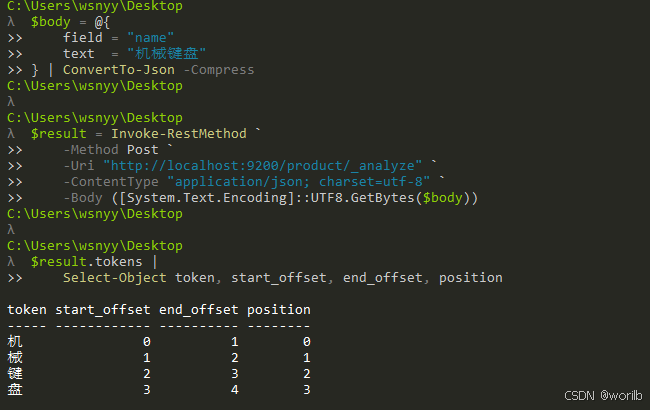
重点观察每个:
java
"token"10.2.2 分析"机械"
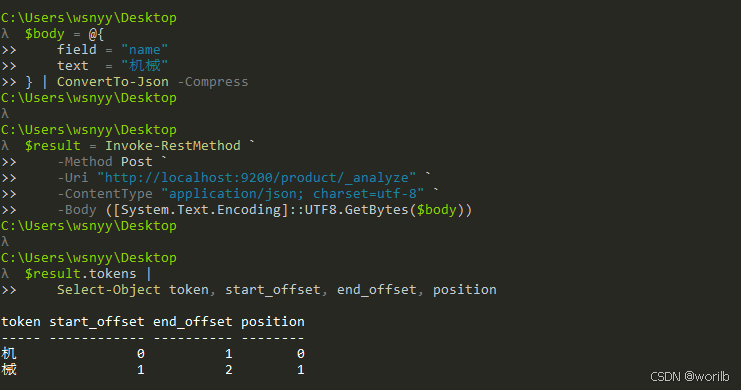
10.2.3 分析"键盘"
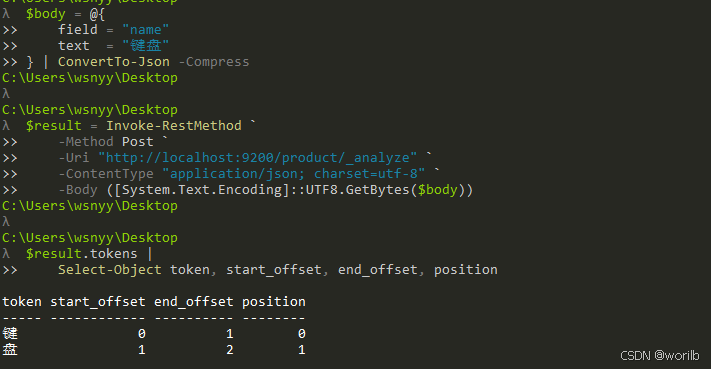
实际结果:
text
机械键盘 → tokenCount=4 → 机 | 械 | 键 | 盘
机械     → tokenCount=2 → 机 | 械
键盘     → tokenCount=2 → 键 | 盘
这说明 standard 能处理中文字符,但不知道:
text
机械
键盘
是两个完整中文词语。
10.3 用 Elasticsearch 原生 DSL 验证 match 查询
10.3.1 搜索"机械"
这里使用:
java
"operator": "and"假设关键词被分成:
java
机
械
那么 and 要求文档同时包含这两个词项。
如果不指定,match 查询默认通常采用 or,只要命中其中一个词项就可能返回。商品搜索阶段先使用 and,可以减少只命中单个汉字造成的过宽匹配。
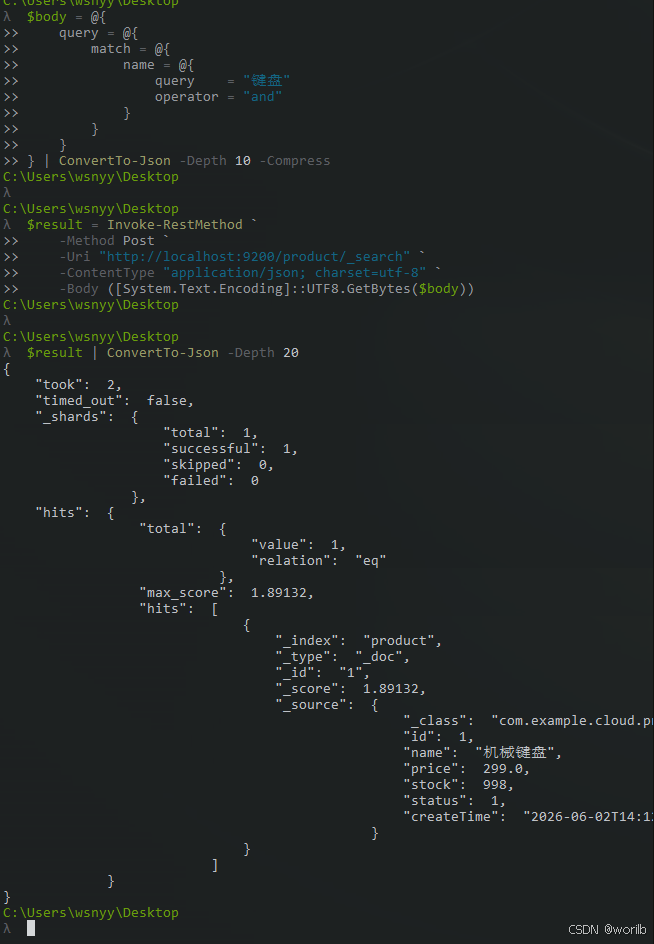
重点观察:
java
hits.total.value
hits.hits[]._score
hits.hits[]._source.name
预期能找到:
java
机械键盘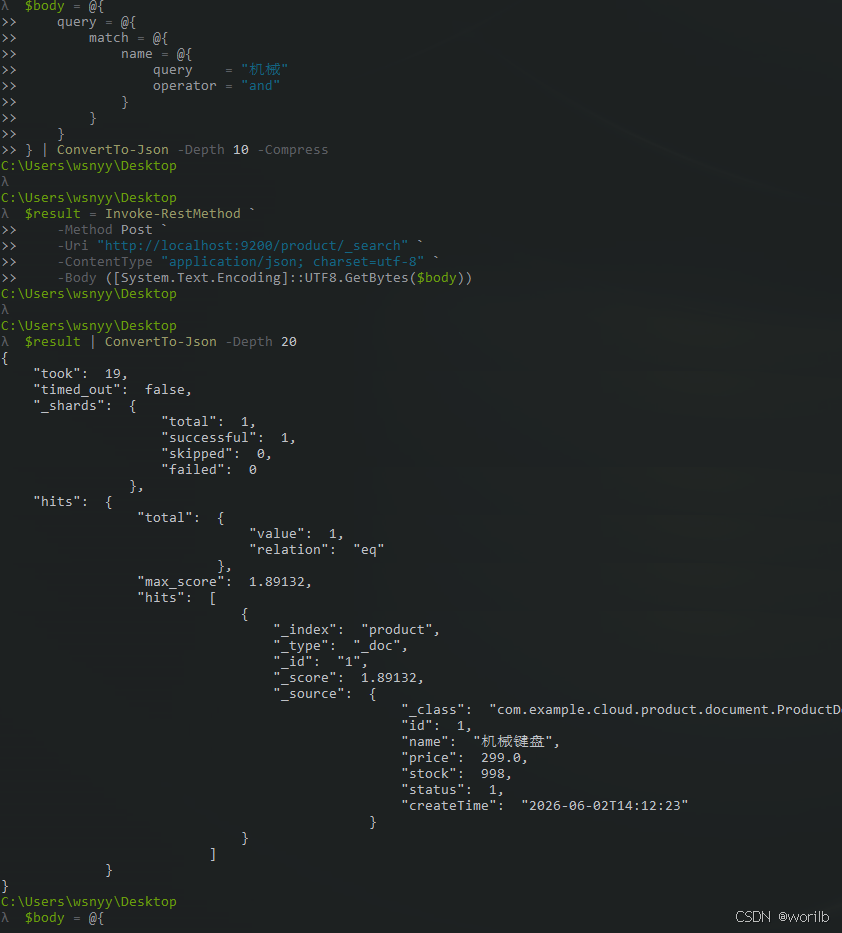
10.3.2 搜索"键盘"
10.3.3 搜索"机械键盘"
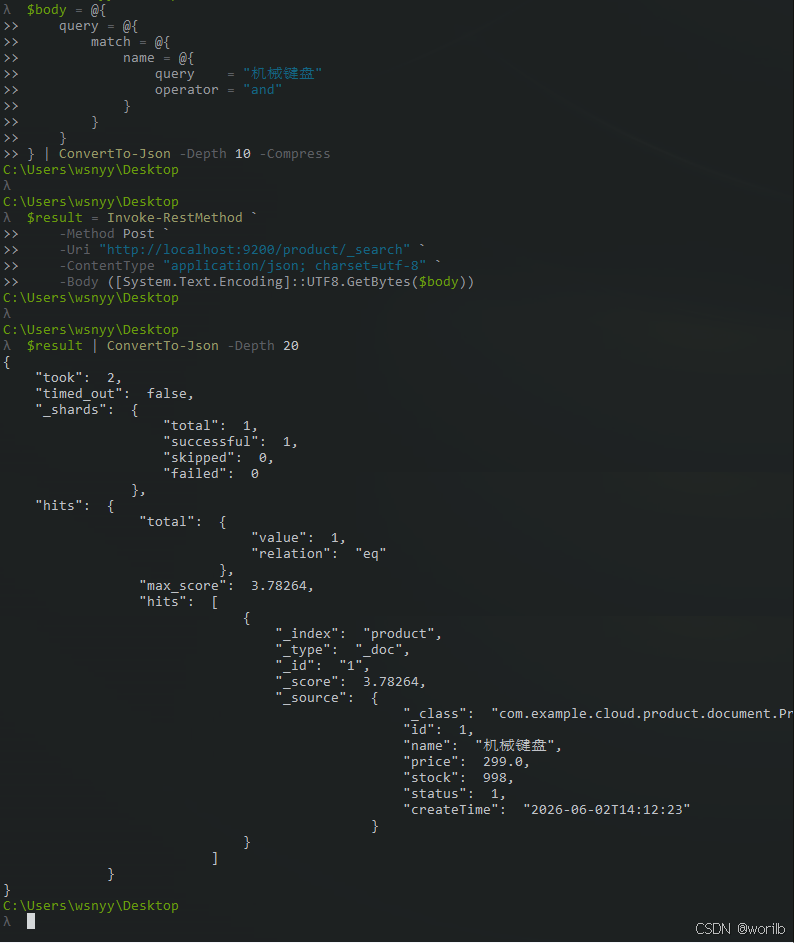
match 查询适合 text 类型字段,因为它会先分析查询文本,再用生成的词项检索倒排索引。
10.4 新增 ProductSearchItem
创建:
java
cloud-product
└── src/main/java
    └── com.example.cloud.product.dto
        └── ProductSearchItem.java
完整代码:
java
package com.example.cloud.product.dto;

import lombok.Builder;
import lombok.Data;

import java.math.BigDecimal;
import java.time.LocalDateTime;

/**
 * 商品搜索结果项。
 */
@Data
@Builder
public class ProductSearchItem {

    /**
     * 商品 ID。
     */
    private Long id;

    /**
     * 商品名称。
     */
    private String name;

    /**
     * 商品价格。
     */
    private BigDecimal price;

    /**
     * 商品库存。
     */
    private Integer stock;

    /**
     * 商品状态。
     */
    private Integer status;

    /**
     * 商品创建时间。
     */
    private LocalDateTime createTime;

    /**
     * Elasticsearch 相关性分数。
     */
    private Float score;
}
10.5 新增 ProductSearchResult
java
package com.example.cloud.product.dto;

import lombok.Builder;
import lombok.Data;

import java.util.List;

/**
 * 商品搜索结果。
 */
@Data
@Builder
public class ProductSearchResult {

    /**
     * 实际搜索关键词。
     */
    private String keyword;

    /**
     * 总命中数量。
     */
    private long total;

    /**
     * 商品结果。
     */
    private List<ProductSearchItem> items;
}
10.6 新增 ProductSearchService
java
package com.example.cloud.product.service;

import com.example.cloud.product.dto.ProductSearchResult;

/**
 * 商品 Elasticsearch 搜索服务。
 */
public interface ProductSearchService {

    /**
     * 根据商品名称关键词搜索商品。
     *
     * @param keyword 搜索关键词
     * @return 搜索结果
     */
    ProductSearchResult search(String keyword);
}
10.7 新增 ProductSearchServiceImpl
java
package com.example.cloud.product.service.impl;

import com.example.cloud.common.exception.BizException;
import com.example.cloud.common.result.ErrorCode;
import com.example.cloud.product.document.ProductDocument;
import com.example.cloud.product.dto.ProductSearchItem;
import com.example.cloud.product.dto.ProductSearchResult;
import com.example.cloud.product.service.ProductSearchService;
import lombok.RequiredArgsConstructor;
import lombok.extern.slf4j.Slf4j;
import org.elasticsearch.index.query.Operator;
import org.elasticsearch.index.query.QueryBuilders;
import org.springframework.data.elasticsearch.core
        .ElasticsearchOperations;
import org.springframework.data.elasticsearch.core.SearchHit;
import org.springframework.data.elasticsearch.core.SearchHits;
import org.springframework.data.elasticsearch.core.query
        .NativeSearchQuery;
import org.springframework.data.elasticsearch.core.query
        .NativeSearchQueryBuilder;
import org.springframework.stereotype.Service;
import org.springframework.util.StringUtils;

import java.util.List;
import java.util.stream.Collectors;

/**
 * 商品 Elasticsearch 搜索服务实现。
 *
 * 当前阶段使用:
 *
 * name text 字段
 *      ↓
 * match 查询
 *      ↓
 * standard 分析器
 *      ↓
 * 按相关性返回商品
 */
@Slf4j
@Service
@RequiredArgsConstructor
public class ProductSearchServiceImpl
        implements ProductSearchService {

    /**
     * Spring Data Elasticsearch 统一操作入口。
     *
     * 当前用于执行 NativeSearchQuery,
     * 并将 Elasticsearch 文档转换为
     * ProductDocument。
     */
    private final ElasticsearchOperations
            elasticsearchOperations;

    /**
     * 根据商品名称关键词进行全文搜索。
     */
    @Override
    public ProductSearchResult searchByName(
            String keyword
    ) {
        /*
         * 空字符串没有明确的搜索含义,
         * 因此不自动转换为查询全部商品。
         */
        if (!StringUtils.hasText(keyword)) {
            throw new BizException(
                    ErrorCode.PARAM_ERROR,
                    "商品搜索关键词不能为空"
            );
        }

        /*
         * 去除用户输入两端的空格。
         *
         * 例如:
         * "  机械  "
         * 转换为:
         * "机械"
         */
        String normalizedKeyword =
                keyword.trim();

        /*
         * NativeSearchQueryBuilder 可以使用
         * Elasticsearch 原生 QueryBuilder。
         *
         * matchQuery:
         * 先使用 name 字段的 searchAnalyzer
         * 分析查询关键词,
         * 再根据生成的词项查询倒排索引。
         *
         * Operator.AND:
         * 要求分析后的词项全部命中。
         */
        NativeSearchQuery searchQuery =
                new NativeSearchQueryBuilder()
                        .withQuery(
                                QueryBuilders
                                        .matchQuery(
                                                "name",
                                                normalizedKeyword
                                        )
                                        .operator(
                                                Operator.AND
                                        )
                        )
                        .build();

        /*
         * 执行查询。
         *
         * ProductDocument.class 用于:
         * 1. 确定 product 索引
         * 2. 将 _source 转换为 ProductDocument
         */
        SearchHits<ProductDocument> searchHits =
                elasticsearchOperations.search(
                        searchQuery,
                        ProductDocument.class
                );

        /*
         * SearchHits 不只包含商品文档,
         * 还包含:
         *
         * _score
         * 总命中数量
         * 文档 _id
         * 高亮字段
         * 排序值
         *
         * 当前阶段先提取文档和 _score。
         */
        List<ProductSearchItem> items =
                searchHits
                        .getSearchHits()
                        .stream()
                        .map(this::toSearchItem)
                        .collect(Collectors.toList());

        log.info(
                "商品名称搜索完成,"
                        + "keyword={},"
                        + "total={}",
                normalizedKeyword,
                searchHits.getTotalHits()
        );

        return ProductSearchResult
                .builder()
                .keyword(normalizedKeyword)
                .total(searchHits.getTotalHits())
                .items(items)
                .build();
    }

    /**
     * 将 Spring Data Elasticsearch SearchHit
     * 转换为接口返回对象。
     */
    private ProductSearchItem toSearchItem(
            SearchHit<ProductDocument> searchHit
    ) {
        ProductDocument document =
                searchHit.getContent();

        return ProductSearchItem
                .builder()
                .id(document.getId())
                .name(document.getName())
                .price(document.getPrice())
                .stock(document.getStock())
                .status(document.getStatus())
                .createTime(
                        document.getCreateTime()
                )
                .score(searchHit.getScore())
                .build();
    }
}
10.8 新增 ProductSearchController
java
package com.example.cloud.product.controller;

import com.example.cloud.common.result.Result;
import com.example.cloud.product.dto.ProductSearchResult;
import com.example.cloud.product.service.ProductSearchService;
import lombok.RequiredArgsConstructor;
import org.springframework.web.bind.annotation.GetMapping;
import org.springframework.web.bind.annotation.RequestMapping;
import org.springframework.web.bind.annotation.RequestParam;
import org.springframework.web.bind.annotation.RestController;

/**
 * 商品 Elasticsearch 搜索接口。
 */
@RestController
@RequestMapping("/products/search")
@RequiredArgsConstructor
public class ProductSearchController {

    /**
     * 商品搜索服务。
     */
    private final ProductSearchService
            productSearchService;

    /**
     * 根据商品名称关键词搜索。
     *
     * 示例:
     *
     * GET /products/search?keyword=机械
     */
    @GetMapping
    public Result<ProductSearchResult> search(
            @RequestParam String keyword
    ) {
        return Result.success(
                productSearchService.search(
                        keyword
                )
        );
    }
}
10.9 Java 搜索接口
重启重启cloud-product后分别执行:
powershell
curl.exe --get `
  --data-urlencode "keyword=机械" `
  "http://localhost:9300/products/search"
powershell
curl.exe --get `
  --data-urlencode "keyword=键盘" `
  "http://localhost:9300/products/search"
powershell
curl.exe --get `
  --data-urlencode "keyword=机械键盘" `
  "http://localhost:9300/products/search"
powershell
curl.exe --get `
  --data-urlencode "keyword=榴莲" `
  "http://localhost:9300/products/search"
powershell
curl.exe --get `
  --data-urlencode "keyword=   " `
  "http://localhost:9300/products/search"
10.10 对比 match 与 term
match 查询 name
match 会先分析:
text
机械
    ↓
机 | 械
索引中的"机械键盘"也包含:
text
机 | 械因此可以命中。
term 查询 name
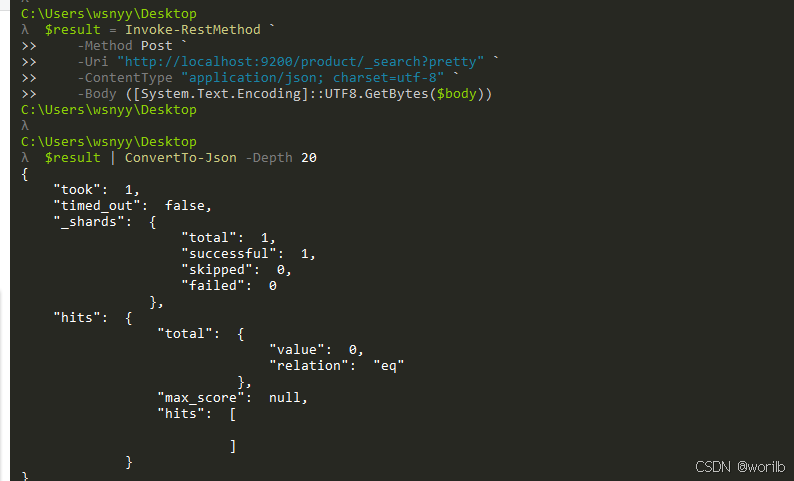
term 不分析查询字符串,直接查完整词项:
text
机械但当前倒排索引只有:
text
机
械
键
盘
所以不能命中。
term 查询 name.keyword
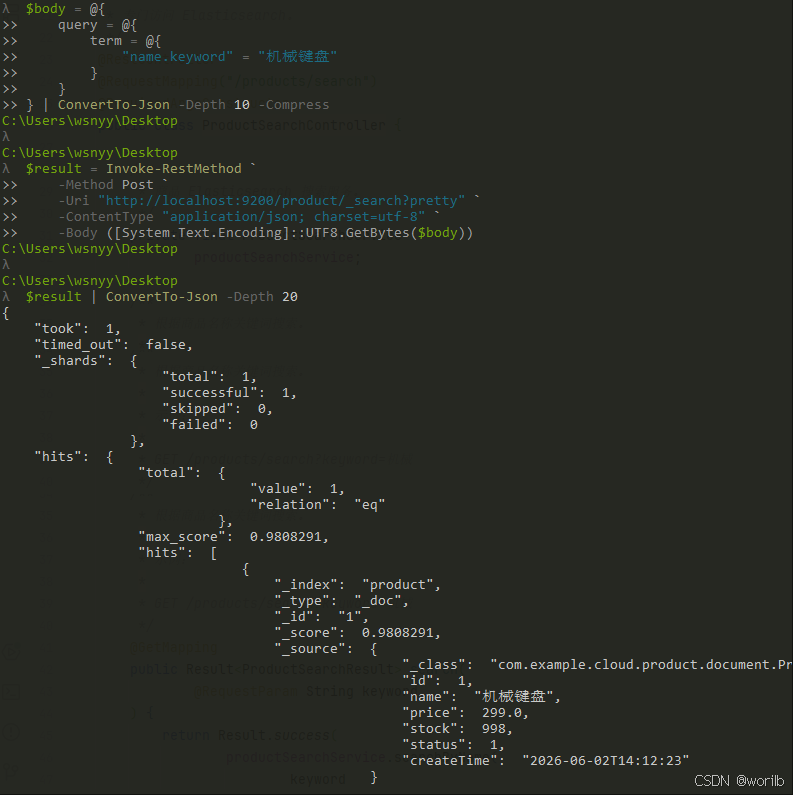
实际:
text
total = 1
names = 机械键盘
阶段五结论:
text
match name
→ 全文查询,可分析关键词

term name
→ 精确查text字段中的Token

term name.keyword
→ 精确查完整商品名称
10.11 为什么 standard 的结果不理想
当前:
text
机械键盘
    ↓
机 | 械 | 键 | 盘
搜索单字:
text
机也会命中"机械键盘"。
阶段七切换 IK 前的实际基线:
text
搜索"机"
total = 1
商品名称 = 机械键盘
score = 0.94566
这会导致:
text
过短的单字也容易扩大匹配范围
中文语义边界不清楚
下一阶段引入 IK 前,先独立比较不同分析器。
11、阶段六:安装 IK 并比较中文分词
11.1 本阶段目标
本阶段只做:
text
安装IK 7.17.15
    ↓
重启Elasticsearch
    ↓
确认插件加载
    ↓
比较standard、ik_smart、ik_max_word
暂时不修改:
text
ProductDocument
product Mapping
ProductSearchService
商品搜索接口
先回答:
text
IK到底改变了什么?
ik_smart和ik_max_word有什么区别?
11.2 临时提高容器上限
安装前 Elasticsearch 已使用约:
text
905MiB / 1GiB安装插件会临时启动插件安装程序。
先提高上限:
powershell
docker update `
    --memory 1536m `
    --memory-swap 1536m `
    cloud-demo-es
检查:
powershell
docker inspect cloud-demo-es `
    --format "MemoryLimit={{.HostConfig.Memory}}"
提高上限并不等于立即占用 1.5GiB,只是给安装和后续运行保留峰值空间。
11.3 安装匹配版本的 IK
执行:
powershell
docker exec -it cloud-demo-es `
    /usr/share/elasticsearch/bin/elasticsearch-plugin `
    install --batch `
    https://get.infini.cloud/elasticsearch/analysis-ik/7.17.15
版本必须一致:
text
Elasticsearch:7.17.15
IK:7.17.15
插件不是普通业务依赖,它安装在 Elasticsearch 节点中,而不是 cloud-product 的 Maven 项目里。
11.4 重启并确认插件
powershell
docker restart cloud-demo-es查看日志:
powershell
docker logs --tail 100 cloud-demo-es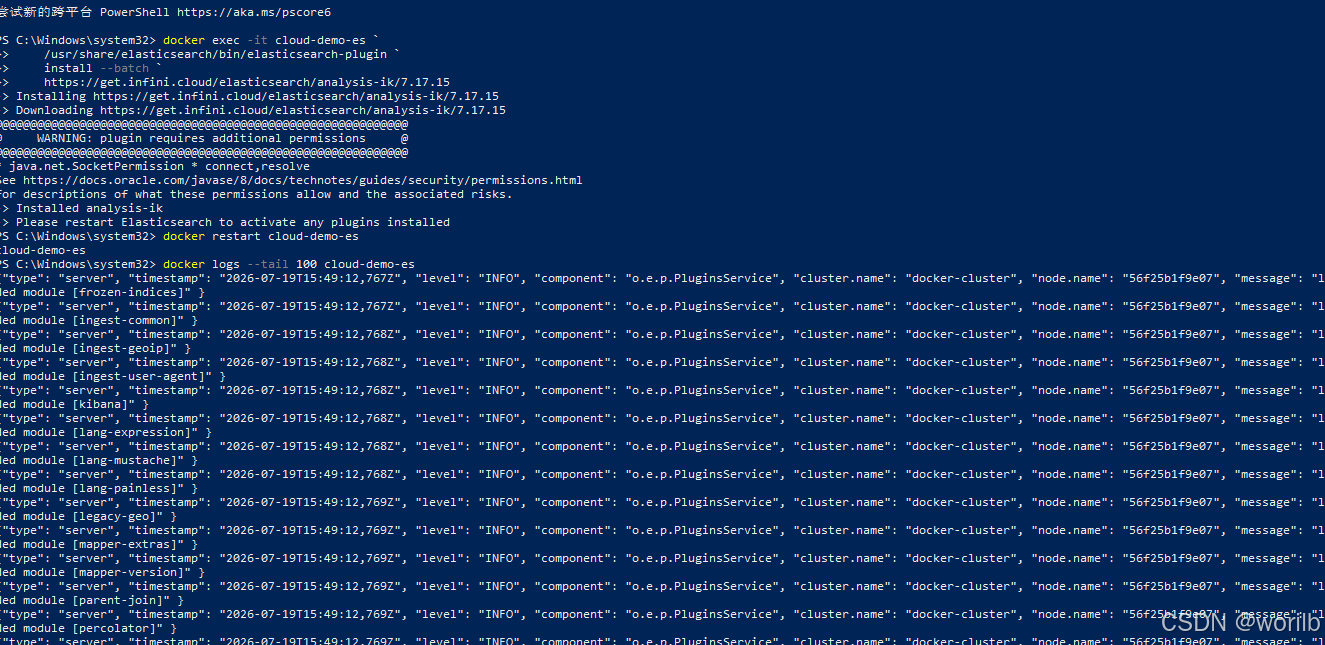
确认插件:
powershell
docker exec cloud-demo-es `
    /usr/share/elasticsearch/bin/elasticsearch-plugin list
应包含:
text
analysis-ik也可以:
powershell
Invoke-RestMethod `
    -Method Get `
    -Uri "http://localhost:9200/_cat/plugins?v"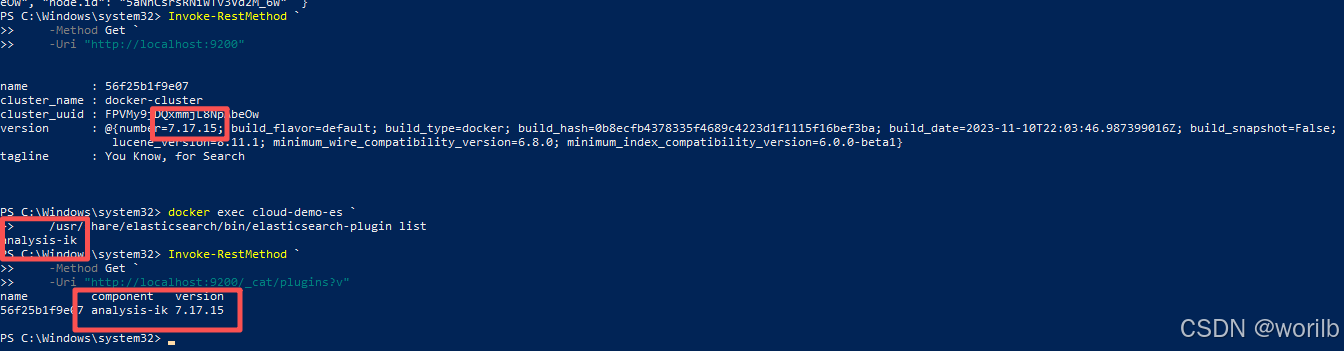
11.5 安装插件不会自动改变旧 Mapping
依次执行:
powershell
Invoke-RestMethod `
    -Method Get `
    -Uri "http://localhost:9200/product/_count"
powershell
Invoke-RestMethod `
    -Method Get `
    -Uri "http://localhost:9200/_cluster/health/product"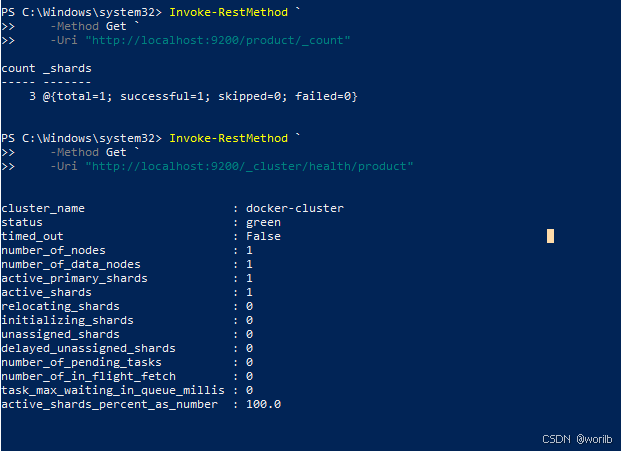
安装 IK 只表示 Elasticsearch 新增了可用分析器:
text
ik_smart
ik_max_word
旧 product.name 仍然是:
text
analyzer = standard旧文档倒排索引也不会自动重新分词。
因此下一阶段仍然需要:
text
修改ProductDocument
    ↓
删除旧product索引
    ↓
重新创建Mapping
    ↓
重新同步商品
11.6 定义分析器测试函数
powershell
function Test-EsAnalyzer {

    param(
        [Parameter(Mandatory = $true)]
        [string]$Analyzer,

        [Parameter(Mandatory = $true)]
        [string]$Text
    )

    $body = @{
        analyzer = $Analyzer
        text     = $Text
    } | ConvertTo-Json -Compress

    $result = Invoke-RestMethod `
        -Method Post `
        -Uri "http://localhost:9200/_analyze" `
        -ContentType "application/json; charset=utf-8" `
        -Body ([System.Text.Encoding]::UTF8.GetBytes($body))

    [PSCustomObject]@{
        analyzer  = $Analyzer
        text      = $Text
        tokenCount = $result.tokens.Count
        tokens    = $result.tokens.token -join " | "
    }
}
11.7 比较"机械键盘"
powershell
Test-EsAnalyzer `
    -Analyzer "standard" `
    -Text "机械键盘"

Test-EsAnalyzer `
    -Analyzer "ik_smart" `
    -Text "机械键盘"

Test-EsAnalyzer `
    -Analyzer "ik_max_word" `
    -Text "机械键盘"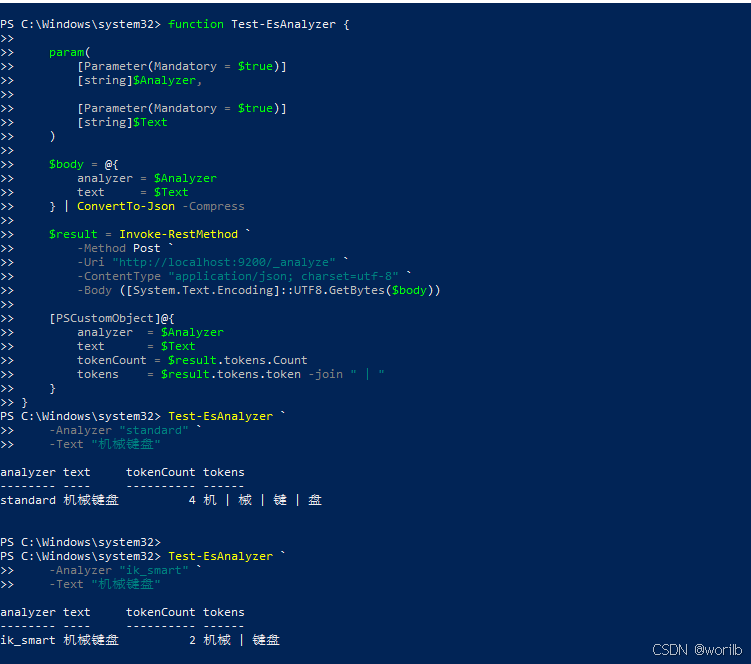
实际结果:
| 分析器 | Token |
|---|---|
standard |
机|械|键|盘 |
ik_smart |
机械|键盘 |
ik_max_word |
机械|键盘 |
短词下,ik_smart 与 ik_max_word 可能相同。
11.8 比较长文本
powershell
Test-EsAnalyzer `
    -Analyzer "standard" `
    -Text "中华人民共和国国歌"

Test-EsAnalyzer `
    -Analyzer "ik_smart" `
    -Text "中华人民共和国国歌"

Test-EsAnalyzer `
    -Analyzer "ik_max_word" `
    -Text "中华人民共和国国歌"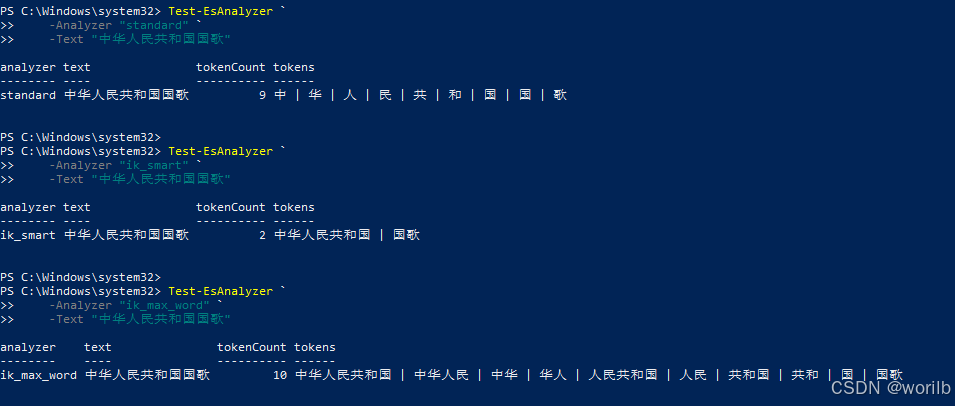
实际结果:
text
standard:
中 | 华 | 人 | 民 | 共 | 和 | 国 | 国 | 歌

ik_smart:
中华人民共和国 | 国歌

ik_max_word:
中华人民共和国
中华人民
中华
华人
人民共和国
人民
共和国
共和
国
国歌
由此可见:
text
ik_smart
→ 相对粗粒度,倾向保留完整语义词

ik_max_word
→ 尽可能产生更多候选词,提高可检索范围
二者不是简单的"一个结果一定完全包含另一个"的机械关系,最终仍取决于词典。
11.9 阶段结果
text
product索引:green
文档数量:3
插件安装位置在容器可写层:
text
docker restart
→ 插件仍存在

docker rm后重新创建原始容器
→ 插件会丢失
第17章再用自定义镜像和 Docker Compose 固化 IK。
12、阶段七:将商品索引正式切换到 IK
12.1 最终分析器组合
本章采用:
text
写入索引:
ik_max_word

执行搜索:
ik_smart
原因:
text
写入时建立较丰富的中文词项
    ↓
提高可检索范围

查询时使用相对粗粒度词语
    ↓
减少查询被切得过碎
这不是所有业务的唯一方案,但适合当前商品名称搜索。
在修改前,先搜索一次单字
powershell
$keyword =
    [System.Uri]::EscapeDataString(
        "机"
    )

$response =
    Invoke-WebRequest `
        -UseBasicParsing `
        -Method Get `
        -Uri "http://localhost:9300/products/search?keyword=$keyword"

$stream =
    $response.RawContentStream

$stream.Position = 0

$reader =
    New-Object System.IO.StreamReader(
        $stream,
        [System.Text.Encoding]::UTF8
    )

$jsonText =
    $reader.ReadToEnd()

$reader.Dispose()

$beforeResult =
    $jsonText |
        ConvertFrom-Json

$beforeResult |
    ConvertTo-Json -Depth 10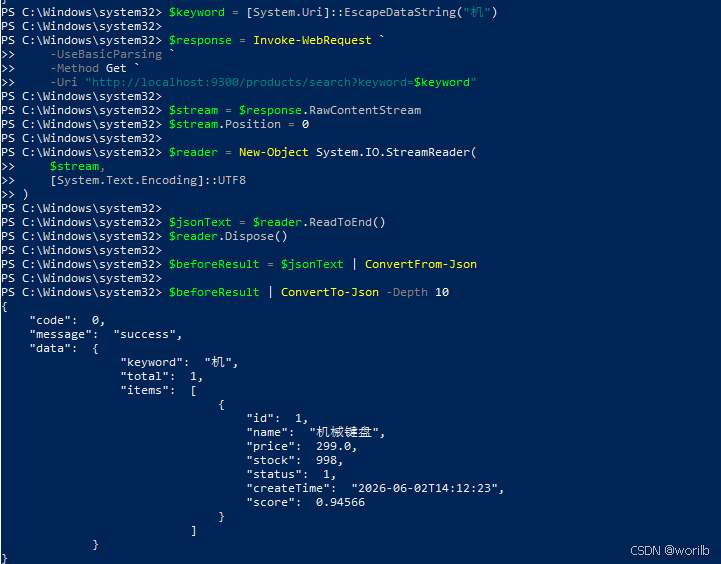
12.2 修改 ProductDocument
完整替换:
java
package com.example.cloud.product.document;

import lombok.AllArgsConstructor;
import lombok.Builder;
import lombok.Data;
import lombok.NoArgsConstructor;
import org.springframework.data.annotation.Id;
import org.springframework.data.elasticsearch.annotations.DateFormat;
import org.springframework.data.elasticsearch.annotations.Document;
import org.springframework.data.elasticsearch.annotations.Field;
import org.springframework.data.elasticsearch.annotations.FieldType;
import org.springframework.data.elasticsearch.annotations.InnerField;
import org.springframework.data.elasticsearch.annotations.MultiField;
import org.springframework.data.elasticsearch.annotations.Setting;

import java.math.BigDecimal;
import java.time.LocalDateTime;

/**
 * 商品 Elasticsearch 文档模型。
 *
 * Product:
 * 映射 MySQL 的 t_product 表。
 *
 * ProductDocument:
 * 映射 Elasticsearch 的 product 索引。
 */
@Data
@Builder
@NoArgsConstructor
@AllArgsConstructor
@Document(
        indexName = ProductDocument.INDEX_NAME,

        /*
         * 不在应用启动时自动创建索引。
         *
         * 继续通过 ProductIndexAdminController
         * 显式管理索引创建过程。
         */
        createIndex = false
)
@Setting(
        /*
         * 本地单节点、小数据量环境,
         * 使用一个主分片。
         */
        shards = 1,

        /*
         * 单节点无法分配副本,
         * 因此副本数量为 0。
         */
        replicas = 0,

        /*
         * 文档默认每秒刷新一次。
         */
        refreshInterval = "1s"
)
public class ProductDocument {

    /**
     * 商品索引名称。
     */
    public static final String INDEX_NAME =
            "product";

    /**
     * 商品 ID。
     *
     * @Id 对应 Elasticsearch 文档 _id。
     */
    @Id
    private Long id;

    /**
     * 商品名称。
     *
     * name:
     * text 类型,用于中文全文搜索。
     *
     * analyzer = ik_max_word:
     * 商品文档写入时尽可能产生更多中文词项。
     *
     * searchAnalyzer = ik_smart:
     * 用户查询时使用相对粗粒度中文分词。
     *
     * name.keyword:
     * keyword 类型,不进行分词,
     * 用于完整名称精确匹配、排序或聚合。
     */
    @MultiField(
            mainField = @Field(
                    type = FieldType.Text,
                    analyzer = "ik_max_word",
                    searchAnalyzer = "ik_smart"
            ),
            otherFields = {
                    @InnerField(
                            suffix = "keyword",
                            type = FieldType.Keyword,
                            ignoreAbove = 256
                    )
            }
    )
    private String name;

    /**
     * 商品价格。
     */
    @Field(
            type = FieldType.Scaled_Float,
            scalingFactor = 100
    )
    private BigDecimal price;

    /**
     * 商品库存。
     */
    @Field(type = FieldType.Integer)
    private Integer stock;

    /**
     * 商品状态。
     */
    @Field(type = FieldType.Integer)
    private Integer status;

    /**
     * 商品创建时间。
     */
    @Field(
            type = FieldType.Date,
            format = DateFormat.date_hour_minute_second
    )
    private LocalDateTime createTime;
}
12.3 为什么必须重建索引
旧 Mapping:
text
analyzer = standard新 Mapping:
text
analyzer = ik_max_word
search_analyzer = ik_smart
旧文档已经按照:
text
机 | 械 | 键 | 盘建立倒排索引。
只修改 Java 注解不会把旧词项自动改成:
text
机械 | 键盘删除旧 product 索引:
powershell
$deleteResult =
    Invoke-Utf8JsonRequest `
        -Method "DELETE" `
        -Uri "http://localhost:9200/product"

$deleteResult |
    ConvertTo-Json -Depth 10
重启:
text
cloud-product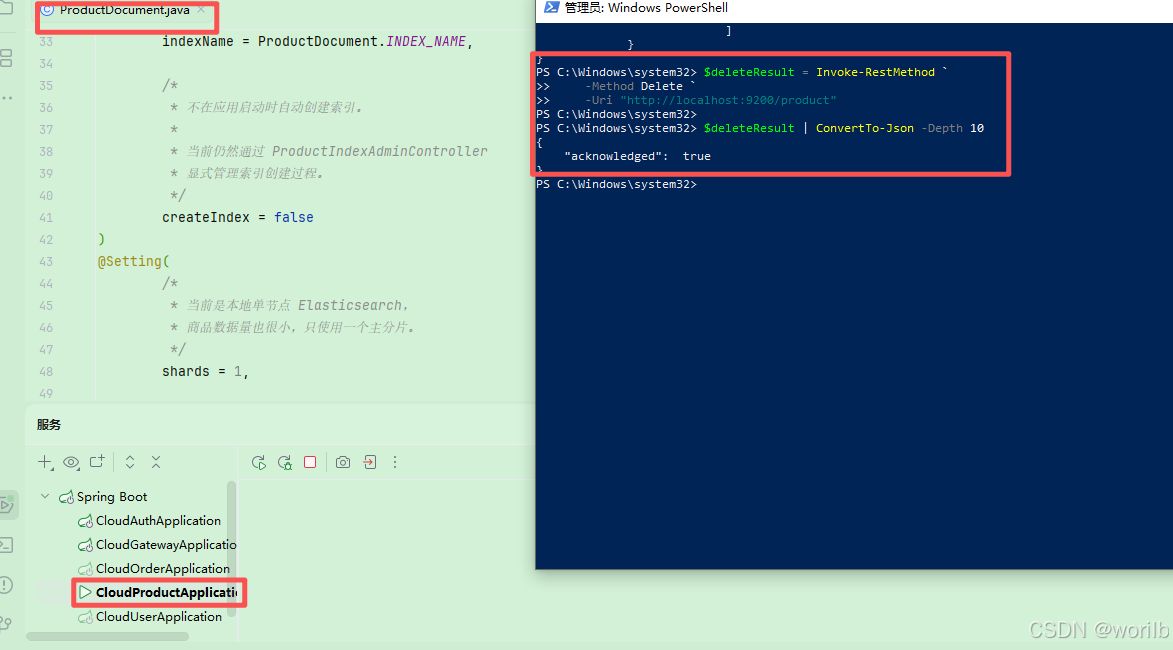
重新创建:
powershell
$createResult =
    Invoke-Utf8JsonRequest `
        -Method "POST" `
        -Uri "http://localhost:9300/es/index/product"

$createResult |
    ConvertTo-Json -Depth 10
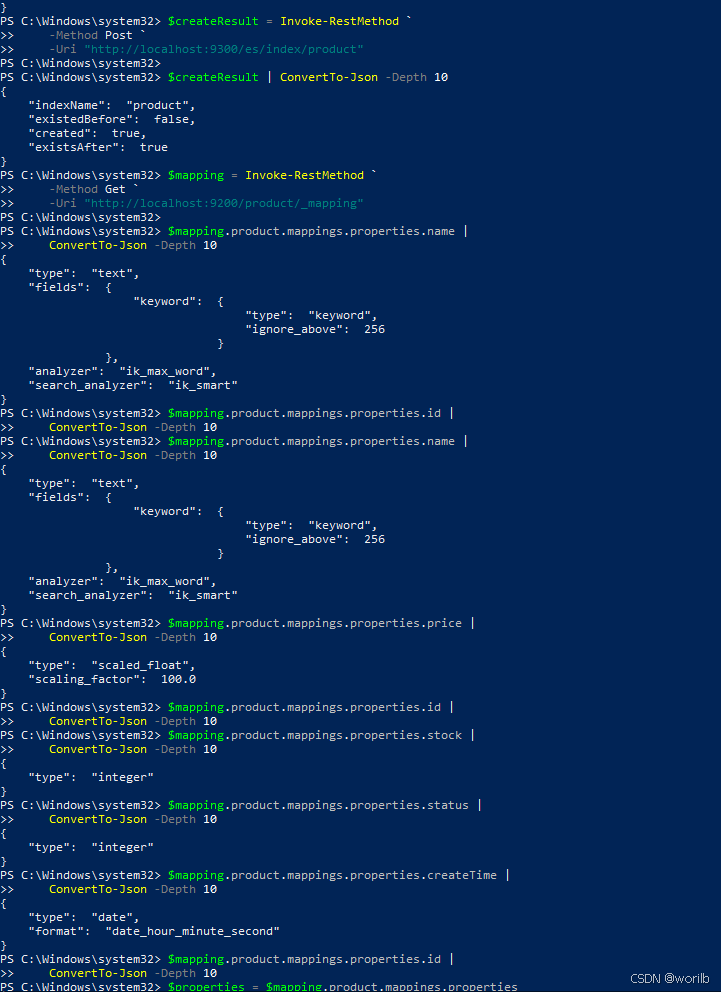
12.4 检查新 Mapping
powershell
$mapping =
    Invoke-Utf8JsonRequest `
        -Method "GET" `
        -Uri "http://localhost:9200/product/_mapping"

$mapping.product.mappings.properties.name |
    ConvertTo-Json -Depth 10
重点:
json
{
  "type": "text",
  "fields": {
    "keyword": {
      "type": "keyword",
      "ignore_above": 256
    }
  },
  "analyzer": "ik_max_word",
  "search_analyzer": "ik_smart"
}
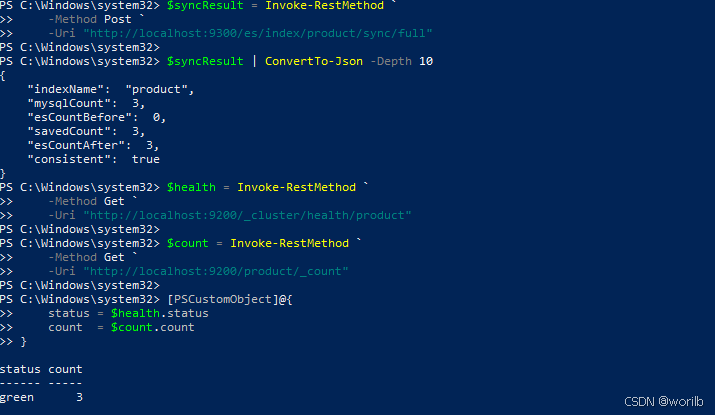
12.5 重新全量同步并确认索引状态和数量
执行
powershell
$syncResult =
    Invoke-Utf8JsonRequest `
        -Method "POST" `
        -Uri "http://localhost:9300/es/index/product/sync/full"

$syncResult |
    ConvertTo-Json -Depth 10
实际:
text
mysqlCount = 3
savedCount = 3
esCountAfter = 3
consistent = true
执行:
powershell
$health = Invoke-RestMethod `
    -Method Get `
    -Uri "http://localhost:9200/_cluster/health/product"

$count = Invoke-RestMethod `
    -Method Get `
    -Uri "http://localhost:9200/product/_count"

[PSCustomObject]@{
    status = $health.status
    count  = $count.count
}
12.6 验证 IK 实际生效
12.6.1 使用字段 Mapping 分析"机械键盘"
继续使用上一阶段定义的:
powershell
Test-ProductNameAnalyzer "机械键盘"因为函数使用的是:
json
{
  "field": "name"
}
所以现在会读取新 product.name 字段的索引分析器:
java
ik_max_word根据阶段六的真实结果,预期:
java
text     tokenCount tokens
----     ---------- ------
机械键盘          2 机械 | 键盘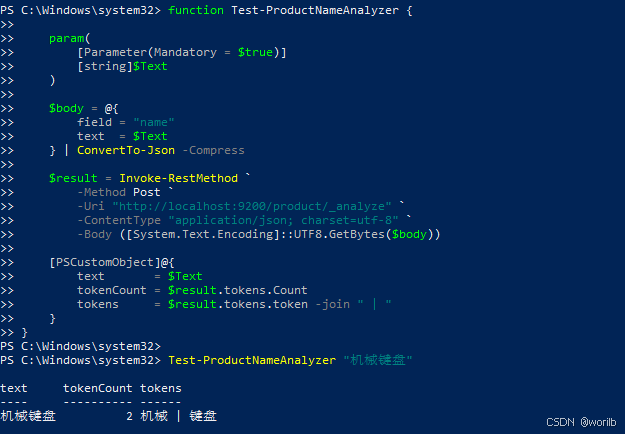
12.6.2 分别观察索引和搜索分析器
索引分析器:
powershell
Test-EsAnalyzer `
    -Analyzer "ik_max_word" `
    -Text "机械键盘"
搜索分析器:
powershell
Test-EsAnalyzer `
    -Analyzer "ik_smart" `
    -Text "机械键盘"
当前短词下两者预计都是:
java
机械 | 键盘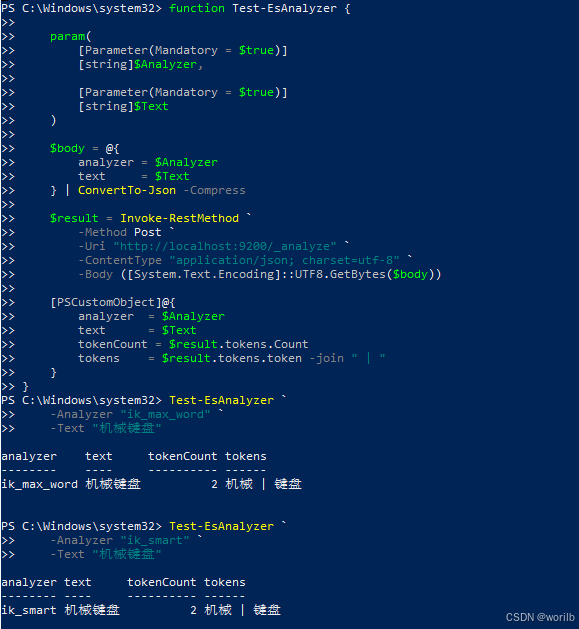
但长文本已经证明二者行为并不完全相同。
12.6.3 验证商品搜索接口
定义:
powershell
function Search-ProductByKeyword {

    param(
        [Parameter(Mandatory = $true)]
        [string]$Keyword
    )

    # 对 URL 中的中文关键词进行编码。
    $encodedKeyword =
        [System.Uri]::EscapeDataString($Keyword)

    # Windows PowerShell 5.1 不适合把加号放到下一行开头,
    # 因此直接使用字符串插值构建完整地址。
    $uri =
        "http://localhost:9300/products/search?keyword=$encodedKeyword"

    # 读取原始响应流,避免 Windows PowerShell 5.1
    # 按错误的字符集解析中文 JSON。
    $response = Invoke-WebRequest `
        -UseBasicParsing `
        -Method Get `
        -Uri $uri

    $stream = $response.RawContentStream
    $stream.Position = 0

    $reader = [System.IO.StreamReader]::new(
        $stream,
        [System.Text.Encoding]::UTF8
    )

    try {
        $jsonText = $reader.ReadToEnd()
    }
    finally {
        $reader.Dispose()
    }

    $result = $jsonText | ConvertFrom-Json

    # 使用数组包装,兼容 0 条、1 条和多条结果。
    $items = @($result.data.items)

    [PSCustomObject]@{
        keyword = $result.data.keyword
        total   = $result.data.total
        names   = (
            $items |
                ForEach-Object {
                    $_.name
                }
        ) -join " | "
        scores  = (
            $items |
                ForEach-Object {
                    $_.score
                }
        ) -join " | "
    }
}
依次执行:
powershell
Search-ProductByKeyword "机械"
Search-ProductByKeyword "键盘"
Search-ProductByKeyword "机械键盘"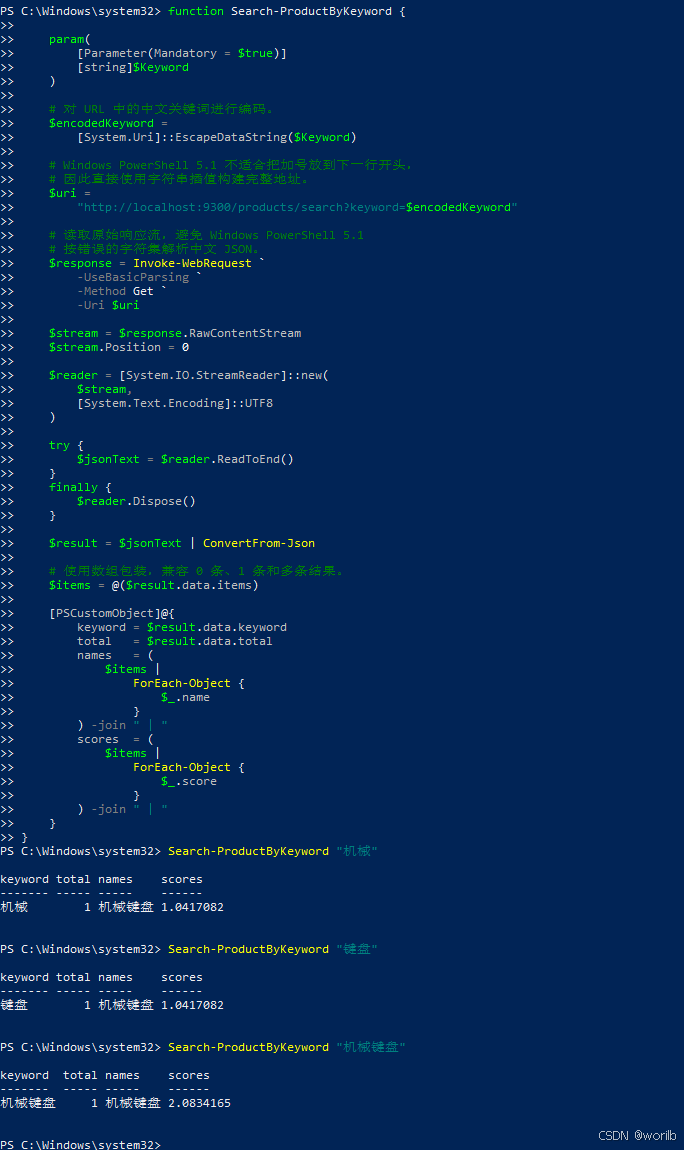
执行:
powershell
Search-ProductByKeyword "机"阶段五旧索引中存在词项:
java
机所以切换前预计可以命中。
IK 重建后,索引中只有:
java
机械
键盘
没有单独的:
java
机因此切换后预计:
java
keyword = 机
total = 0
这个变化体现了中文词语分词的价值:
java
standard
→ 单个汉字也容易命中
→ 搜索范围可能过宽

IK
→ 按"机械"建立词项
→ 单字"机"不再误命中完整商品词
以实际结果为准。
12.6.4 确认 keyword 精确匹配仍然有效
执行:
powershell
$body =
    @{
        query = @{
            term = @{
                "name.keyword" = "机械键盘"
            }
        }
    } |
        ConvertTo-Json `
            -Depth 10 `
            -Compress

$exactResult =
    Invoke-RestMethod `
        -Method Post `
        -Uri "http://localhost:9200/product/_search" `
        -ContentType "application/json; charset=utf-8" `
        -Body (
            [System.Text.Encoding]::UTF8.GetBytes(
                $body
            )
        )

$names =
    @(
        $exactResult.hits.hits |
            ForEach-Object {
                $_._source.name
            }
    ) -join " | "

[PSCustomObject]@{
    total = $exactResult.hits.total.value
    names = $names
}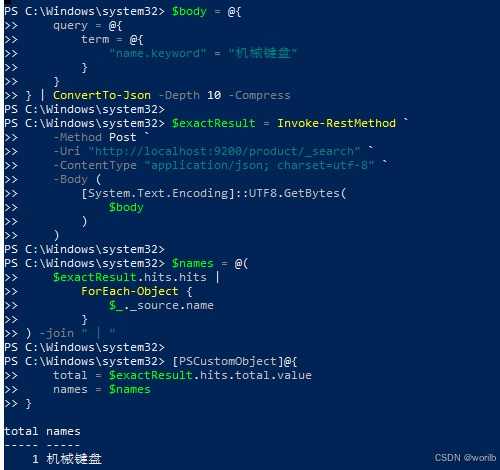
证明修改主字段分析器,没有破坏name.keyword精确匹配能力。
ProductSearchServiceImpl 不需要修改。
因为:
text
Java代码只声明查询name字段
Mapping决定name使用哪个search_analyzer
13、阶段八:分页、高亮、状态和价格筛选
13.1 查询结构
本阶段构造:
text
bool
├── must
│   └── match name
│
└── filter
    ├── term status
    └── range price
职责:
| 条件 | 放置位置 | 是否影响 _score |
|---|---|---|
| 名称全文搜索 | must |
是 |
| 商品状态 | filter |
否 |
| 价格区间 | filter |
否 |
状态和价格只是判断:
text
是否满足条件不需要计算文本相关性,因此放入 filter。
13.2 新增 ProductSearchRequest
创建:
java
cloud-product
└── src/main/java
    └── com.example.cloud.product.dto
        └── ProductSearchRequest.java
完整代码:
java
package com.example.cloud.product.dto;

import lombok.AllArgsConstructor;
import lombok.Builder;
import lombok.Data;
import lombok.NoArgsConstructor;

import java.math.BigDecimal;

/**
 * 商品搜索请求。
 *
 * 当前支持:
 * 1. 商品名称关键词
 * 2. 页码与每页数量
 * 3. 商品状态筛选
 * 4. 最低价格和最高价格筛选
 */
@Data
@Builder
@NoArgsConstructor
@AllArgsConstructor
public class ProductSearchRequest {

    /**
     * 商品名称搜索关键词。
     */
    private String keyword;

    /**
     * 页码,从 1 开始。
     */
    @Builder.Default
    private Integer pageNo = 1;

    /**
     * 每页数量。
     */
    @Builder.Default
    private Integer pageSize = 10;

    /**
     * 商品状态。
     *
     * 当前默认只搜索上架商品:
     * 1-上架
     * 0-下架
     */
    @Builder.Default
    private Integer status = 1;

    /**
     * 最低商品价格,包含该价格。
     */
    private BigDecimal minPrice;

    /**
     * 最高商品价格,包含该价格。
     */
    private BigDecimal maxPrice;
}
13.3 修改 ProductSearchItem
java
package com.example.cloud.product.dto;

import lombok.Builder;
import lombok.Data;

import java.math.BigDecimal;
import java.time.LocalDateTime;

/**
 * 商品搜索结果项。
 *
 * 除商品基本字段和相关性分数外,
 * 当前还返回商品名称高亮结果。
 */
@Data
@Builder
public class ProductSearchItem {

    /**
     * 商品 ID。
     */
    private Long id;

    /**
     * 商品原始名称。
     */
    private String name;

    /**
     * 商品名称高亮结果。
     *
     * 例如搜索"机械"时:
     *
     * <em>机械</em>键盘
     *
     * 如果 Elasticsearch 没有返回高亮片段,
     * 则回退为原始商品名称。
     */
    private String highlightedName;

    /**
     * 商品价格。
     */
    private BigDecimal price;

    /**
     * 商品库存。
     */
    private Integer stock;

    /**
     * 商品状态。
     */
    private Integer status;

    /**
     * 商品创建时间。
     */
    private LocalDateTime createTime;

    /**
     * Elasticsearch 相关性分数。
     */
    private Float score;
}
13.4 修改 ProductSearchResult
java
package com.example.cloud.product.dto;

import lombok.Builder;
import lombok.Data;

import java.util.List;

/**
 * 商品搜索结果。
 */
@Data
@Builder
public class ProductSearchResult {

    /**
     * 实际搜索关键词。
     */
    private String keyword;

    /**
     * 当前页码,从 1 开始。
     */
    private int pageNo;

    /**
     * 每页数量。
     */
    private int pageSize;

    /**
     * 总命中数量。
     */
    private long total;

    /**
     * 总页数。
     */
    private long totalPages;

    /**
     * 当前页商品结果。
     */
    private List<ProductSearchItem> items;
}
13.5 修改 ProductSearchService
java
package com.example.cloud.product.service;

import com.example.cloud.product.dto.ProductSearchRequest;
import com.example.cloud.product.dto.ProductSearchResult;

/**
 * 商品 Elasticsearch 搜索服务。
 */
public interface ProductSearchService {

    /**
     * 根据关键词、分页和筛选条件搜索商品。
     *
     * @param request 商品搜索请求
     * @return 商品搜索结果
     */
    ProductSearchResult search(
            ProductSearchRequest request
    );
}
13.6 修改 ProductSearchServiceImpl
java
package com.example.cloud.product.service.impl;

import com.example.cloud.common.exception.BizException;
import com.example.cloud.common.result.ErrorCode;
import com.example.cloud.product.document.ProductDocument;
import com.example.cloud.product.dto.ProductSearchItem;
import com.example.cloud.product.dto.ProductSearchRequest;
import com.example.cloud.product.dto.ProductSearchResult;
import com.example.cloud.product.service.ProductSearchService;
import lombok.RequiredArgsConstructor;
import lombok.extern.slf4j.Slf4j;
import org.elasticsearch.index.query.BoolQueryBuilder;
import org.elasticsearch.index.query.Operator;
import org.elasticsearch.index.query.QueryBuilders;
import org.elasticsearch.index.query.RangeQueryBuilder;
import org.elasticsearch.search.fetch.subphase.highlight
        .HighlightBuilder;
import org.springframework.data.domain.PageRequest;
import org.springframework.data.elasticsearch.core
        .ElasticsearchOperations;
import org.springframework.data.elasticsearch.core.SearchHit;
import org.springframework.data.elasticsearch.core.SearchHits;
import org.springframework.data.elasticsearch.core.query
        .NativeSearchQuery;
import org.springframework.data.elasticsearch.core.query
        .NativeSearchQueryBuilder;
import org.springframework.stereotype.Service;
import org.springframework.util.StringUtils;

import java.math.BigDecimal;
import java.util.List;
import java.util.stream.Collectors;

/**
 * 商品 Elasticsearch 搜索服务实现。
 *
 * 当前搜索链路:
 *
 * match 商品名称
 *      ↓
 * status 精确筛选
 *      ↓
 * price 区间筛选
 *      ↓
 * 分页
 *      ↓
 * 商品名称高亮
 */
@Slf4j
@Service
@RequiredArgsConstructor
public class ProductSearchServiceImpl
        implements ProductSearchService {

    /**
     * Spring Data Elasticsearch 统一操作入口。
     */
    private final ElasticsearchOperations
            elasticsearchOperations;

    /**
     * 根据搜索请求查询商品。
     */
    @Override
    public ProductSearchResult search(
            ProductSearchRequest request
    ) {
        validateRequest(request);

        String normalizedKeyword =
                request.getKeyword().trim();

        int pageNo =
                request.getPageNo();

        int pageSize =
                request.getPageSize();

        /*
         * must:
         * 商品名称全文查询,参与相关性评分。
         *
         * filter:
         * 商品状态和价格范围,
         * 只负责筛选,不参与相关性评分。
         */
        BoolQueryBuilder boolQuery =
                QueryBuilders.boolQuery();

        boolQuery.must(
                QueryBuilders
                        .matchQuery(
                                "name",
                                normalizedKeyword
                        )
                        .operator(Operator.AND)
        );

        /*
         * 当前默认只返回指定状态商品。
         */
        boolQuery.filter(
                QueryBuilders.termQuery(
                        "status",
                        request.getStatus()
                )
        );

        /*
         * 最低价或最高价任意一个存在时,
         * 才添加价格区间。
         */
        if (request.getMinPrice() != null
                || request.getMaxPrice() != null) {

            RangeQueryBuilder priceRange =
                    QueryBuilders.rangeQuery(
                            "price"
                    );

            if (request.getMinPrice() != null) {
                priceRange.gte(
                        request.getMinPrice()
                );
            }

            if (request.getMaxPrice() != null) {
                priceRange.lte(
                        request.getMaxPrice()
                );
            }

            boolQuery.filter(priceRange);
        }

        /*
         * 商品名称是短文本。
         *
         * numOfFragments(0):
         * 返回整个字段,
         * 不把名称切成多个片段。
         */
        HighlightBuilder highlightBuilder =
                new HighlightBuilder()
                        .preTags("<em>")
                        .postTags("</em>")
                        .field(
                                new HighlightBuilder.Field(
                                        "name"
                                ).numOfFragments(0)
                        );

        /*
         * PageRequest 从 0 开始,
         * 对外 pageNo 从 1 开始。
         */
        PageRequest pageable =
                PageRequest.of(
                        pageNo - 1,
                        pageSize
                );

        NativeSearchQuery searchQuery =
                new NativeSearchQueryBuilder()
                        .withQuery(boolQuery)
                        .withPageable(pageable)
                        /*
                         * 获取准确总命中数量,
                         * 用于计算总页数。
                         */
                        .withTrackTotalHits(true)
                        .withHighlightBuilder(
                                highlightBuilder
                        )
                        .build();

        SearchHits<ProductDocument> searchHits =
                elasticsearchOperations.search(
                        searchQuery,
                        ProductDocument.class
                );

        List<ProductSearchItem> items =
                searchHits
                        .getSearchHits()
                        .stream()
                        .map(this::toSearchItem)
                        .collect(Collectors.toList());

        long total =
                searchHits.getTotalHits();

        /*
         * 使用整数运算计算总页数。
         *
         * total=11,pageSize=10
         * totalPages=2
         */
        long totalPages =
                total == 0
                        ? 0
                        : (
                                total
                                        + pageSize
                                        - 1
                        ) / pageSize;

        log.info(
                "商品条件搜索完成,"
                        + "keyword={},"
                        + "pageNo={},"
                        + "pageSize={},"
                        + "status={},"
                        + "minPrice={},"
                        + "maxPrice={},"
                        + "total={},"
                        + "totalPages={}",
                normalizedKeyword,
                pageNo,
                pageSize,
                request.getStatus(),
                request.getMinPrice(),
                request.getMaxPrice(),
                total,
                totalPages
        );

        return ProductSearchResult
                .builder()
                .keyword(normalizedKeyword)
                .pageNo(pageNo)
                .pageSize(pageSize)
                .total(total)
                .totalPages(totalPages)
                .items(items)
                .build();
    }

    /**
     * 校验商品搜索请求。
     */
    private void validateRequest(
            ProductSearchRequest request
    ) {
        if (request == null) {
            throw new BizException(
                    ErrorCode.PARAM_ERROR,
                    "商品搜索参数不能为空"
            );
        }

        if (!StringUtils.hasText(
                request.getKeyword()
        )) {
            throw new BizException(
                    ErrorCode.PARAM_ERROR,
                    "商品搜索关键词不能为空"
            );
        }

        if (request.getPageNo() == null
                || request.getPageNo() < 1) {
            throw new BizException(
                    ErrorCode.PARAM_ERROR,
                    "pageNo 必须大于等于 1"
            );
        }

        if (request.getPageSize() == null
                || request.getPageSize() < 1
                || request.getPageSize() > 50) {
            throw new BizException(
                    ErrorCode.PARAM_ERROR,
                    "pageSize 必须在 1 到 50 之间"
            );
        }

        if (request.getStatus() == null
                || (
                        request.getStatus() != 0
                                && request.getStatus() != 1
                )) {
            throw new BizException(
                    ErrorCode.PARAM_ERROR,
                    "status 只能是 0 或 1"
            );
        }

        BigDecimal minPrice =
                request.getMinPrice();

        BigDecimal maxPrice =
                request.getMaxPrice();

        if (minPrice != null
                && minPrice.signum() < 0) {
            throw new BizException(
                    ErrorCode.PARAM_ERROR,
                    "最低价格不能小于 0"
            );
        }

        if (maxPrice != null
                && maxPrice.signum() < 0) {
            throw new BizException(
                    ErrorCode.PARAM_ERROR,
                    "最高价格不能小于 0"
            );
        }

        if (minPrice != null
                && maxPrice != null
                && minPrice.compareTo(
                        maxPrice
                ) > 0) {
            throw new BizException(
                    ErrorCode.PARAM_ERROR,
                    "最低价格不能大于最高价格"
            );
        }
    }

    /**
     * 将 Elasticsearch SearchHit
     * 转换为接口结果。
     */
    private ProductSearchItem toSearchItem(
            SearchHit<ProductDocument> searchHit
    ) {
        ProductDocument document =
                searchHit.getContent();

        /*
         * 没有高亮结果时返回空 List。
         */
        List<String> highlightNames =
                searchHit.getHighlightField(
                        "name"
                );

        String highlightedName;

        if (highlightNames.isEmpty()) {
            highlightedName =
                    document.getName();
        }
        else {
            /*
             * 当前通常只有一个完整字段片段。
             * 即使返回多个,也安全拼接。
             */
            highlightedName =
                    String.join(
                            "",
                            highlightNames
                    );
        }

        return ProductSearchItem
                .builder()
                .id(document.getId())
                .name(document.getName())
                .highlightedName(
                        highlightedName
                )
                .price(document.getPrice())
                .stock(document.getStock())
                .status(document.getStatus())
                .createTime(
                        document.getCreateTime()
                )
                .score(searchHit.getScore())
                .build();
    }
}
13.7 修改 ProductSearchController
java
package com.example.cloud.product.controller;

import com.example.cloud.common.result.Result;
import com.example.cloud.product.dto.ProductSearchRequest;
import com.example.cloud.product.dto.ProductSearchResult;
import com.example.cloud.product.service.ProductSearchService;
import lombok.RequiredArgsConstructor;
import org.springframework.web.bind.annotation.GetMapping;
import org.springframework.web.bind.annotation.RequestMapping;
import org.springframework.web.bind.annotation.RequestParam;
import org.springframework.web.bind.annotation.RestController;

import java.math.BigDecimal;

/**
 * 商品 Elasticsearch 搜索接口。
 */
@RestController
@RequestMapping("/products/search")
@RequiredArgsConstructor
public class ProductSearchController {

    /**
     * 商品 Elasticsearch 搜索服务。
     */
    private final ProductSearchService
            productSearchService;

    /**
     * 根据商品名称、分页和筛选条件搜索商品。
     *
     * 示例:
     *
     * GET /products/search
     *     ?keyword=机械
     *     &pageNo=1
     *     &pageSize=10
     *     &status=1
     *     &minPrice=100
     *     &maxPrice=500
     */
    @GetMapping
    public Result<ProductSearchResult> search(
            @RequestParam String keyword,

            @RequestParam(
                    defaultValue = "1"
            )
            Integer pageNo,

            @RequestParam(
                    defaultValue = "10"
            )
            Integer pageSize,

            @RequestParam(
                    defaultValue = "1"
            )
            Integer status,

            @RequestParam(
                    required = false
            )
            BigDecimal minPrice,

            @RequestParam(
                    required = false
            )
            BigDecimal maxPrice
    ) {
        ProductSearchRequest request =
                ProductSearchRequest
                        .builder()
                        .keyword(keyword)
                        .pageNo(pageNo)
                        .pageSize(pageSize)
                        .status(status)
                        .minPrice(minPrice)
                        .maxPrice(maxPrice)
                        .build();

        return Result.success(
                productSearchService.search(
                        request
                )
        );
    }
}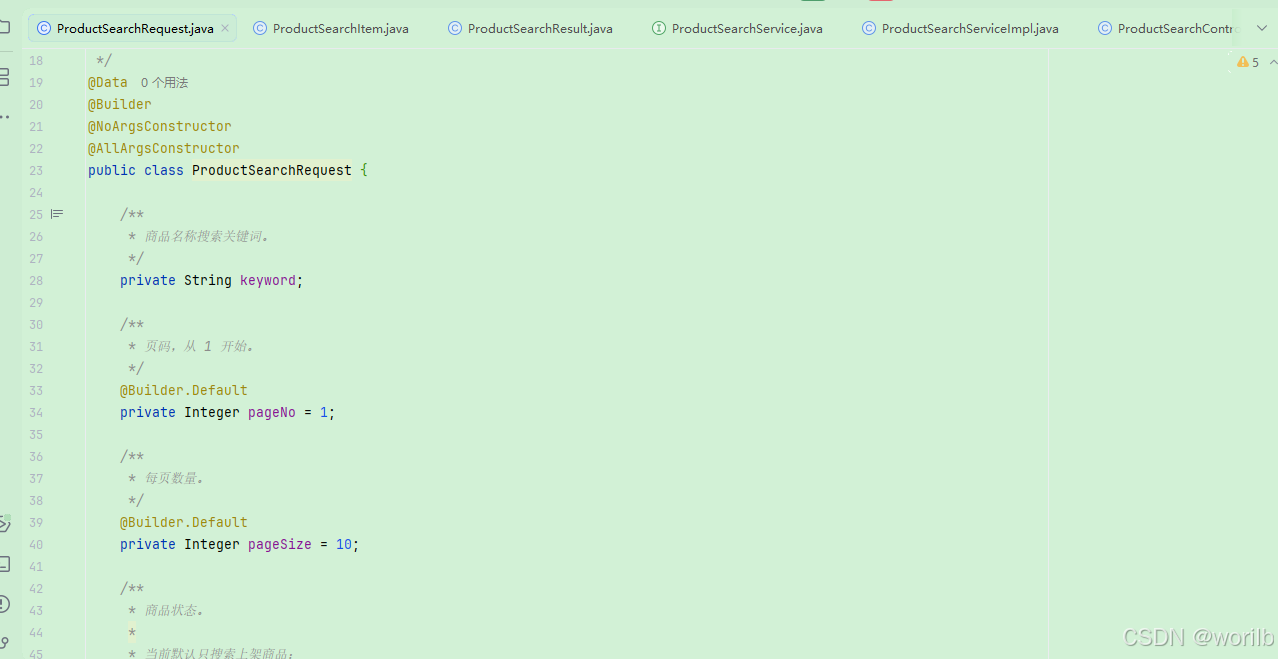
13.8 验证分页和高亮
powershell
$keyword =
    [System.Uri]::EscapeDataString(
        "机械"
    )

$uri =
    "http://localhost:9300/products/search?keyword=$keyword&pageNo=1&pageSize=1&status=1"

$result =
    Invoke-Utf8JsonRequest `
        -Method "GET" `
        -Uri $uri

$result |
    ConvertTo-Json -Depth 10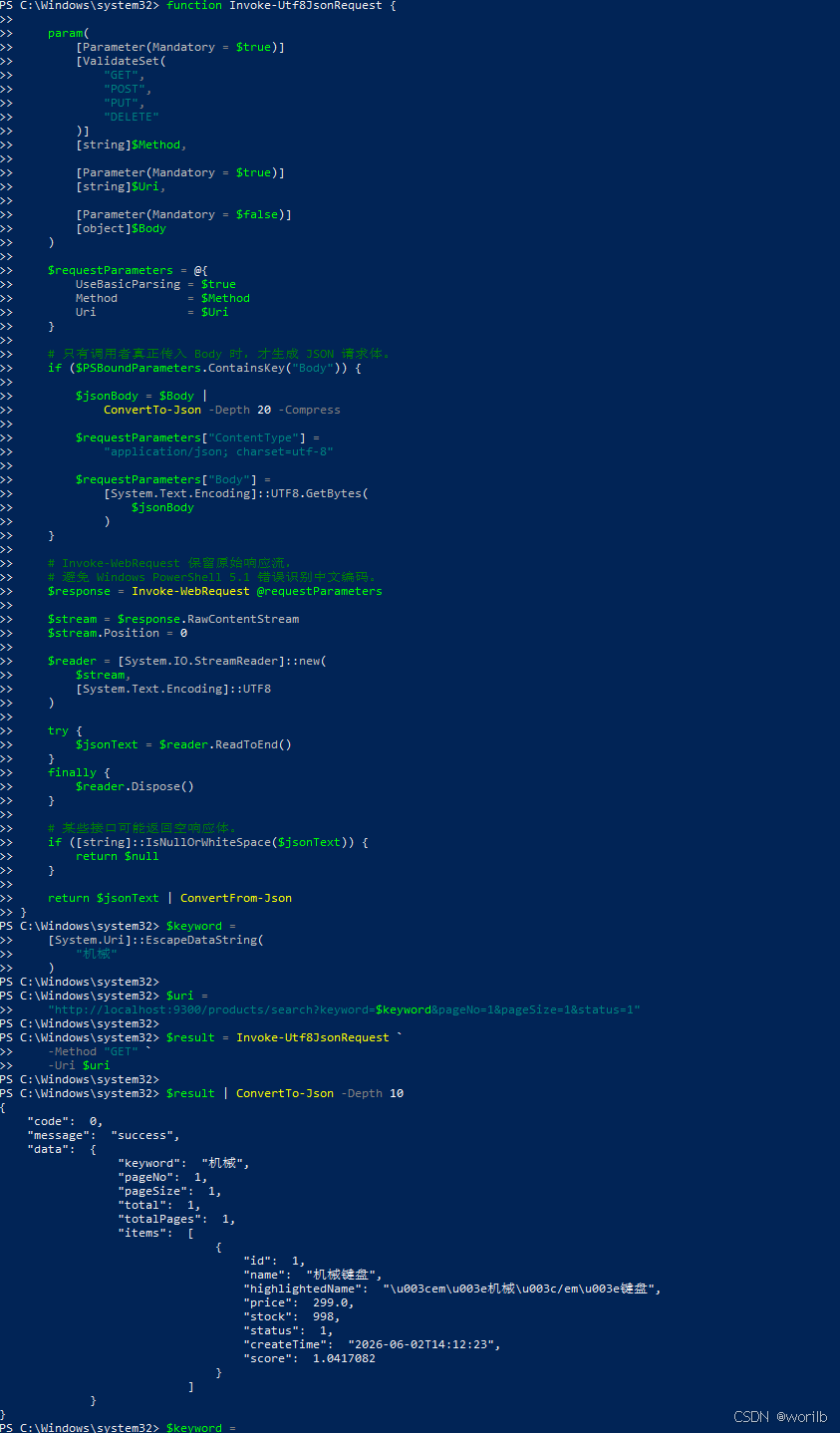
实际:
text
pageNo = 1
pageSize = 1
total = 1
totalPages = 1
高亮原始字符串:
html
<em>机械</em>键盘再次序列化 JSON 时可能显示:
text
\u003cem\u003e机械\u003c/em\u003e键盘其中:
text
\u003c = <
\u003e = >
两者语义完全相同。
13.9 第二页为空
text
pageNo = 2
total = 1
totalPages = 1
items = []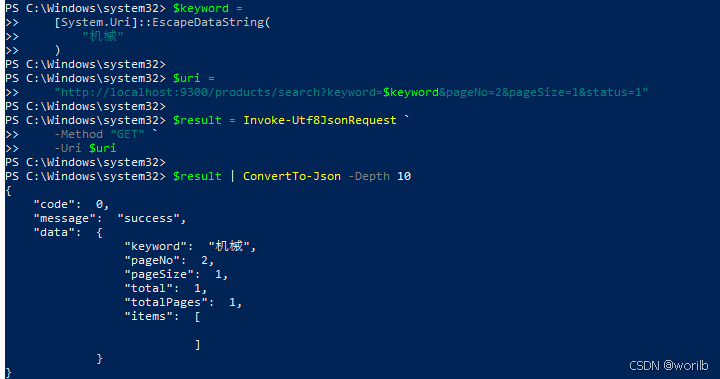
说明:
text
total
→ 所有符合条件的总数

items
→ 当前页数据
13.10 价格与状态筛选
机械键盘价格:
text
299.00实际验证:
text
minPrice=200&maxPrice=400
→ total=1

minPrice=300&maxPrice=400
→ total=0

status=0
→ total=0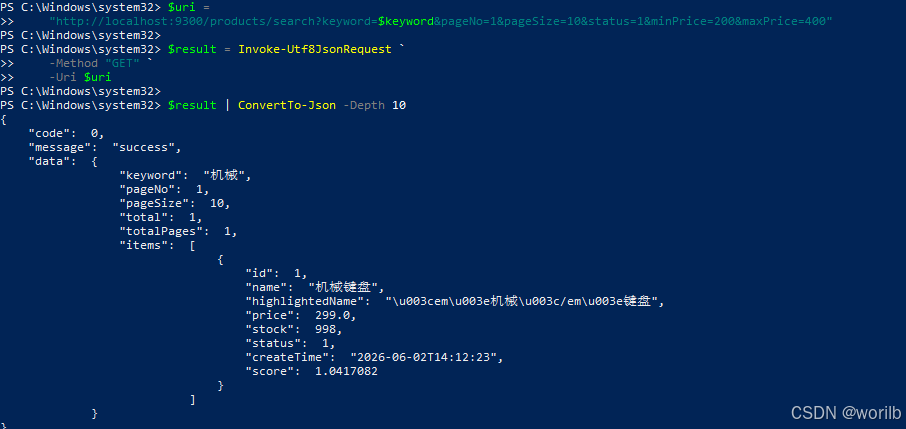
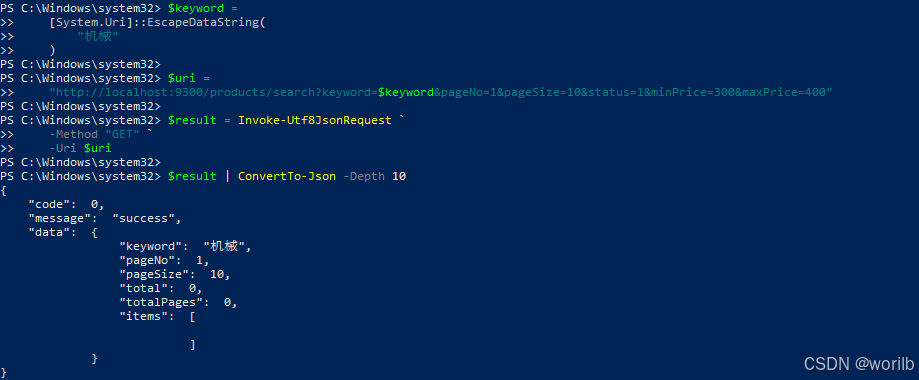
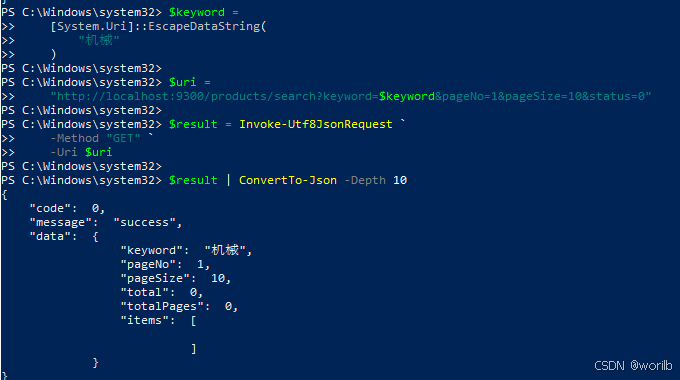
非法参数:
text
minPrice=500&maxPrice=100
→ 最低价格不能大于最高价格

pageNo=0
→ pageNo 必须大于等于 1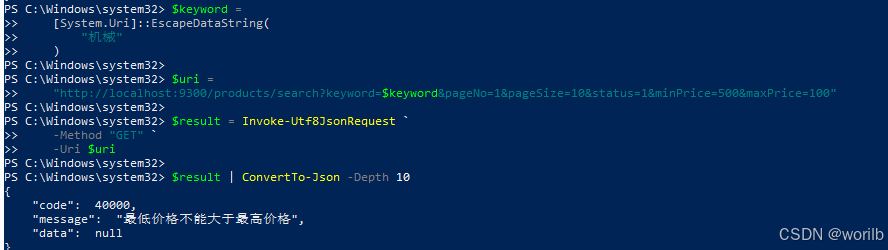
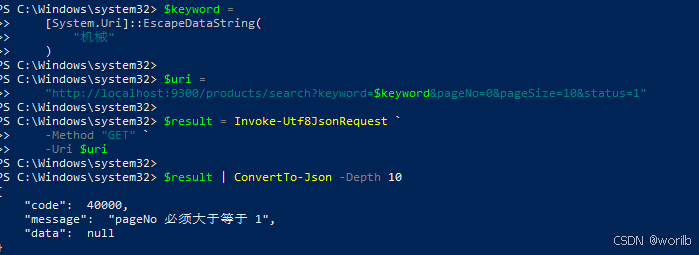
14、阶段九:单商品增量同步与孤儿文档清理
14.1 为什么需要增量同步
全量同步每次都会:
text
deleteAll()
    ↓
saveAll()
如果只扣减商品 1 的库存,不应该重建所有商品。
更合理的单商品同步:
text
根据商品ID查询MySQL
    ↓
MySQL存在
    ├─ ES不存在 → CREATE
    └─ ES已存在 → UPDATE

MySQL不存在
    ├─ ES存在 → DELETE
    └─ ES不存在 → NOOP
这里的 UPDATE 不是"库存再减一次",而是:
text
重新查询MySQL当前完整商品
    ↓
覆盖ES同ID文档
所以重复执行不会重复扣库存。
14.2 新增 ProductIndexItemSyncResult
创建:
powershell
cloud-product
└── src/main/java
    └── com.example.cloud.product.dto
        └── ProductIndexItemSyncResult.java
java
package com.example.cloud.product.dto;

import lombok.Builder;
import lombok.Data;

/**
 * 单个商品索引同步结果。
 */
@Data
@Builder
public class ProductIndexItemSyncResult {

    /**
     * Elasticsearch 索引名称。
     */
    private String indexName;

    /**
     * 商品 ID。
     */
    private Long productId;

    /**
     * MySQL 中是否存在该商品。
     */
    private boolean mysqlExists;

    /**
     * 同步前 ES 是否存在文档。
     */
    private boolean esExistsBefore;

    /**
     * 本次同步动作。
     *
     * CREATE:
     * MySQL存在、ES原来不存在。
     *
     * UPDATE:
     * MySQL存在、ES原来存在。
     *
     * DELETE:
     * MySQL不存在、ES原来存在。
     *
     * NOOP:
     * MySQL和ES都不存在。
     */
    private String action;

    /**
     * 同步后 ES 是否存在文档。
     */
    private boolean esExistsAfter;

    /**
     * 同步后是否达到预期一致状态。
     */
    private boolean consistent;
}
14.3 修改 ProductIndexService
java
package com.example.cloud.product.service;

import com.example.cloud.product.dto
        .ProductIndexItemSyncResult;
import com.example.cloud.product.dto
        .ProductIndexSyncResult;

/**
 * 商品 Elasticsearch 索引服务。
 */
public interface ProductIndexService {

    /**
     * MySQL 全部商品覆盖式同步。
     */
    ProductIndexSyncResult fullSync();

    /**
     * 根据商品 ID 同步单个商品。
     *
     * @param productId 商品 ID
     * @return 单商品同步结果
     */
    ProductIndexItemSyncResult syncById(
            Long productId
    );
}
14.4 修改 ProductIndexServiceImpl
fullSync() 保持阶段四逻辑,同时增加 syncById() 和字段一致性校验。
java
package com.example.cloud.product.service.impl;
import com.example.cloud.common.exception.BizException;
import com.example.cloud.common.result.ErrorCode;
import com.example.cloud.product.document.ProductDocument;
import com.example.cloud.product.dto.ProductIndexItemSyncResult;
import com.example.cloud.product.dto.ProductIndexSyncResult;
import com.example.cloud.product.entity.Product;
import com.example.cloud.product.repository.ProductDocumentRepository;
import com.example.cloud.product.service.ProductIndexService;
import com.example.cloud.product.service.ProductService;
import lombok.RequiredArgsConstructor;
import lombok.extern.slf4j.Slf4j;
import org.springframework.data.elasticsearch.core.ElasticsearchOperations;
import org.springframework.data.elasticsearch.core.IndexOperations;
import org.springframework.stereotype.Service;
import java.math.BigDecimal;
import java.util.List;
import java.util.Objects;
import java.util.Optional;
import java.util.stream.Collectors;
/**
* 商品 Elasticsearch 索引服务实现。
*
* 当前提供:
* 1. 覆盖式全量同步
* 2. 单商品增量同步
* 3. Elasticsearch 孤儿文档清理
*/
@Slf4j
@Service
@RequiredArgsConstructor
public class ProductIndexServiceImpl
implements ProductIndexService {
/**
* 原有商品业务服务。
*
* 用于从 MySQL 查询商品。
*/
private final ProductService productService;
/**
* Elasticsearch 商品文档仓库。
*
* 用于商品文档的保存、查询和删除。
*/
private final ProductDocumentRepository
productDocumentRepository;
/**
* Spring Data Elasticsearch 统一操作入口。
*
* 当前用于:
* 1. 检查 product 索引
* 2. 主动刷新 product 索引
*/
private final ElasticsearchOperations
elasticsearchOperations;
/**
* MySQL 商品全量同步到 Elasticsearch。
*/
@Override
public ProductIndexSyncResult fullSync() {
IndexOperations indexOperations =
getRequiredIndexOperations();
/*
* 从 MySQL 查询当前全部商品。
*/
List<Product> products =
productService.list();
/*
* 记录同步前 Elasticsearch 文档数量。
*/
long esCountBefore =
productDocumentRepository.count();
/*
* 将 MySQL 实体转换为 Elasticsearch 文档。
*/
List<ProductDocument> documents =
products.stream()
.map(this::toDocument)
.collect(Collectors.toList());
/*
* 当前全量同步以 MySQL 为准。
*
* 先清除 Elasticsearch 原有商品文档,
* 再重新写入当前 MySQL 商品。
*/
productDocumentRepository.deleteAll();
if (!documents.isEmpty()) {
productDocumentRepository.saveAll(
documents
);
}
/*
* 主动刷新索引,
* 使后续数量查询立即看到本次写入结果。
*/
indexOperations.refresh();
long esCountAfter =
productDocumentRepository.count();
long mysqlCount =
products.size();
boolean consistent =
mysqlCount == esCountAfter;
log.info(
"商品索引全量同步完成,"
+ "mysqlCount={},"
+ "esCountBefore={},"
+ "savedCount={},"
+ "esCountAfter={},"
+ "consistent={}",
mysqlCount,
esCountBefore,
documents.size(),
esCountAfter,
consistent
);
if (!consistent) {
throw new BizException(
ErrorCode.BIZ_ERROR,
"商品索引同步后数量不一致,"
+ "mysqlCount="
+ mysqlCount
+ ",esCount="
+ esCountAfter
);
}
return ProductIndexSyncResult
.builder()
.indexName(
ProductDocument.INDEX_NAME
)
.mysqlCount(mysqlCount)
.esCountBefore(esCountBefore)
.savedCount(documents.size())
.esCountAfter(esCountAfter)
.consistent(true)
.build();
}
/**
* 根据商品 ID 执行单文档增量同步。
*/
@Override
public ProductIndexItemSyncResult syncById(
Long productId
) {
/*
* ID 参数校验。
*/
if (productId == null
|| productId <= 0) {
throw new BizException(
ErrorCode.PARAM_ERROR,
"商品 ID 必须大于 0"
);
}
IndexOperations indexOperations =
getRequiredIndexOperations();
/*
* 同步前先记录 ES 文档是否存在,
* 用于判断本次是 CREATE、UPDATE、
* DELETE 还是 NOOP。
*/
boolean esExistsBefore =
productDocumentRepository.existsById(
productId
);
/*
* 从 MySQL 查询商品。
*
* MySQL 是当前系统的商品主数据源。
*/
Product product =
productService.getById(
productId
);
/*
* MySQL 中已经不存在该商品:
*
* 如果 Elasticsearch 仍有同 ID 文档,
* 说明它是脏数据或孤儿文档,需要删除。
*/
if (product == null) {
String action;
if (esExistsBefore) {
productDocumentRepository.deleteById(
productId
);
action = "DELETE";
}
else {
action = "NOOP";
}
indexOperations.refresh();
boolean esExistsAfter =
productDocumentRepository.existsById(
productId
);
boolean consistent =
!esExistsAfter;
log.info(
"单商品索引同步完成,"
+ "productId={},"
+ "mysqlExists=false,"
+ "esExistsBefore={},"
+ "action={},"
+ "esExistsAfter={},"
+ "consistent={}",
productId,
esExistsBefore,
action,
esExistsAfter,
consistent
);
if (!consistent) {
throw new BizException(
ErrorCode.BIZ_ERROR,
"MySQL 中商品不存在,"
+ "但 Elasticsearch 文档删除失败,"
+ "productId="
+ productId
);
}
return ProductIndexItemSyncResult
.builder()
.indexName(
ProductDocument.INDEX_NAME
)
.productId(productId)
.mysqlExists(false)
.esExistsBefore(
esExistsBefore
)
.action(action)
.esExistsAfter(false)
.consistent(true)
.build();
}
/*
* MySQL 中存在商品:
*
* 将 Product 转换成 ProductDocument,
* 使用相同商品 ID 保存。
*
* ES 中没有同 ID 文档时,相当于创建;
* ES 中已有同 ID 文档时,相当于覆盖更新。
*/
ProductDocument document =
toDocument(product);
productDocumentRepository.save(
document
);
indexOperations.refresh();
/*
* 写入完成后再次从 Elasticsearch 查询,
* 不只判断文档存在,还核对主要字段内容。
*/
Optional<ProductDocument> esDocumentOptional =
productDocumentRepository.findById(
productId
);
boolean esExistsAfter =
esDocumentOptional.isPresent();
boolean consistent =
esExistsAfter
&& isSameProduct(
product,
esDocumentOptional.get()
);
String action =
esExistsBefore
? "UPDATE"
: "CREATE";
log.info(
"单商品索引同步完成,"
+ "productId={},"
+ "mysqlExists=true,"
+ "esExistsBefore={},"
+ "action={},"
+ "esExistsAfter={},"
+ "consistent={}",
productId,
esExistsBefore,
action,
esExistsAfter,
consistent
);
if (!consistent) {
throw new BizException(
ErrorCode.BIZ_ERROR,
"单商品索引同步后字段不一致,"
+ "productId="
+ productId
);
}
return ProductIndexItemSyncResult
.builder()
.indexName(
ProductDocument.INDEX_NAME
)
.productId(productId)
.mysqlExists(true)
.esExistsBefore(
esExistsBefore
)
.action(action)
.esExistsAfter(true)
.consistent(true)
.build();
}
/**
* 获取 product 索引操作入口,
* 并统一检查索引是否存在。
*/
private IndexOperations
getRequiredIndexOperations() {
IndexOperations indexOperations =
elasticsearchOperations.indexOps(
ProductDocument.class
);
if (!indexOperations.exists()) {
throw new BizException(
ErrorCode.BIZ_ERROR,
"product 索引不存在,"
+ "请先调用索引创建接口"
);
}
return indexOperations;
}
/**
* 将 MySQL 商品实体转换为
* Elasticsearch 商品文档。
*/
private ProductDocument toDocument(
Product product
) {
return ProductDocument
.builder()
.id(product.getId())
.name(product.getName())
.price(product.getPrice())
.stock(product.getStock())
.status(product.getStatus())
.createTime(
product.getCreateTime()
)
.build();
}
/**
* 比较 MySQL Product 与
* Elasticsearch ProductDocument
* 的主要字段是否一致。
*/
private boolean isSameProduct(
Product product,
ProductDocument document
) {
return Objects.equals(
product.getId(),
document.getId()
)
&& Objects.equals(
product.getName(),
document.getName()
)
&& isSamePrice(
product.getPrice(),
document.getPrice()
)
&& Objects.equals(
product.getStock(),
document.getStock()
)
&& Objects.equals(
product.getStatus(),
document.getStatus()
)
&& Objects.equals(
product.getCreateTime(),
document.getCreateTime()
);
}
/**
* 比较两个 BigDecimal 数值。
*
* 不直接使用 equals(),
* 因为:
*
* 299.00
* 和
* 299.0
*
* 数值相同,但 scale 不同,
* equals() 可能返回 false。
*/
private boolean isSamePrice(
BigDecimal mysqlPrice,
BigDecimal esPrice
) {
if (mysqlPrice == null
|| esPrice == null) {
return mysqlPrice == esPrice;
}
return mysqlPrice.compareTo(
esPrice
) == 0;
}
}14.5 增加管理接口
修改 ProductIndexAdminController :
java
package com.example.cloud.product.controller;

import com.example.cloud.product.document.ProductDocument;
import com.example.cloud.product.dto.ProductIndexItemSyncResult;
import com.example.cloud.product.dto.ProductIndexSyncResult;
import com.example.cloud.product.service.ProductIndexService;
import lombok.RequiredArgsConstructor;
import org.springframework.data.elasticsearch.core.ElasticsearchOperations;
import org.springframework.data.elasticsearch.core.IndexOperations;
import org.springframework.web.bind.annotation.PathVariable;
import org.springframework.web.bind.annotation.PostMapping;
import org.springframework.web.bind.annotation.RequestMapping;
import org.springframework.web.bind.annotation.RestController;

import java.util.LinkedHashMap;
import java.util.Map;

/**
 * 商品 Elasticsearch 索引管理接口。
 *
 * 当前职责:
 * 1. 创建 product 索引
 * 2. MySQL 商品全量同步
 * 3. 单商品增量同步
 *
 * 生产环境不能把此类管理接口
 * 直接暴露给普通用户。
 */
@RestController
@RequestMapping("/es/index")
@RequiredArgsConstructor
public class ProductIndexAdminController {

    /**
     * Spring Data Elasticsearch 统一操作入口。
     */
    private final ElasticsearchOperations
            elasticsearchOperations;

    /**
     * 商品索引同步服务。
     */
    private final ProductIndexService
            productIndexService;

    /**
     * 创建 product 索引。
     */
    @PostMapping("/product")
    public Map<String, Object> createProductIndex() {

        IndexOperations indexOperations =
                elasticsearchOperations.indexOps(
                        ProductDocument.class
                );

        boolean existedBefore =
                indexOperations.exists();

        boolean created = false;

        if (!existedBefore) {
            created =
                    indexOperations.createWithMapping();
        }

        boolean existsAfter =
                indexOperations.exists();

        Map<String, Object> result =
                new LinkedHashMap<>();

        result.put(
                "indexName",
                ProductDocument.INDEX_NAME
        );

        result.put(
                "existedBefore",
                existedBefore
        );

        result.put(
                "created",
                created
        );

        result.put(
                "existsAfter",
                existsAfter
        );

        return result;
    }

    /**
     * 将 MySQL 中全部商品
     * 覆盖式同步到 Elasticsearch。
     */
    @PostMapping("/product/sync/full")
    public ProductIndexSyncResult
    fullSyncProductIndex() {
        return productIndexService.fullSync();
    }

    /**
     * 根据商品 ID 同步单个商品。
     *
     * 示例:
     *
     * POST /es/index/product/1/sync
     */
    @PostMapping("/product/{productId}/sync")
    public ProductIndexItemSyncResult
    syncProductIndexById(
            @PathVariable Long productId
    ) {
        return productIndexService.syncById(
                productId
        );
    }
}
14.6 制造 MySQL 与 ES 不一致
阶段开始:
text
MySQL = 998
ES = 998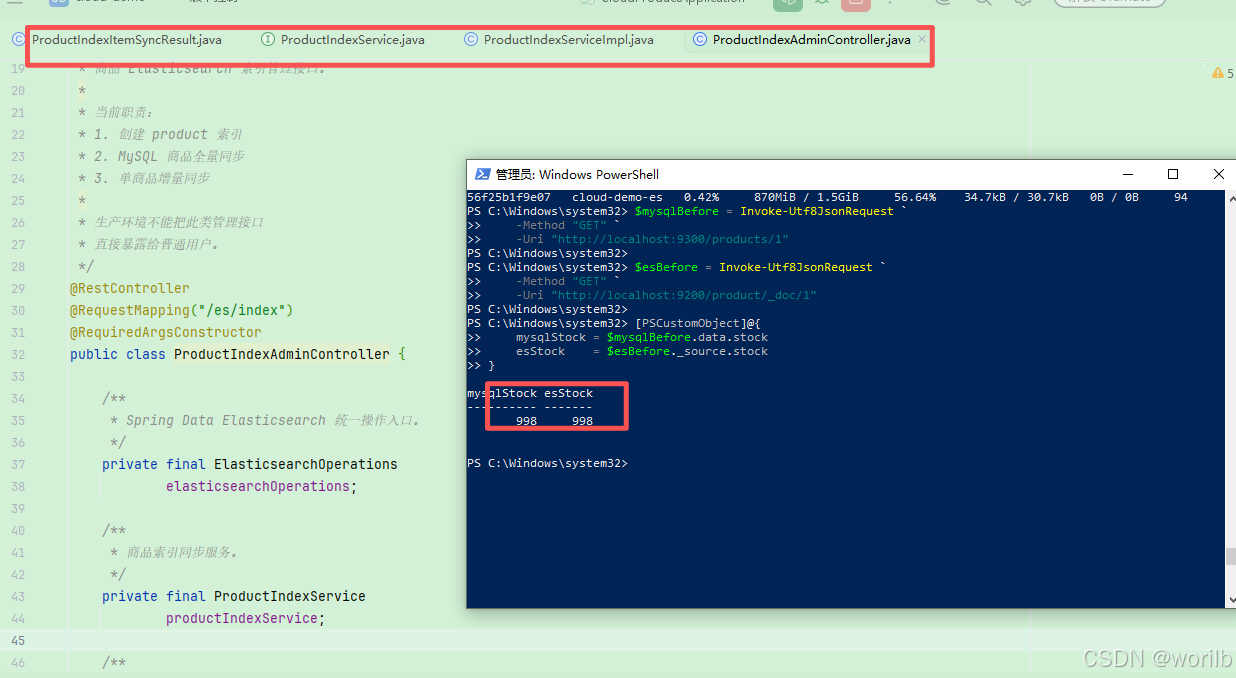
直接扣减 MySQL:
powershell
$headers = @{
    "X-User-Id" = "1"
}

$deductResult =
    Invoke-Utf8JsonRequest `
        -Method "POST" `
        -Uri "http://localhost:9300/products/1/deduct-stock?quantity=1" `
        -Headers $headers
查询:
powershell
$mysqlAfterDeduct = Invoke-Utf8JsonRequest `
    -Method "GET" `
    -Uri "http://localhost:9300/products/1"

$esAfterDeduct = Invoke-Utf8JsonRequest `
    -Method "GET" `
    -Uri "http://localhost:9200/product/_doc/1"

[PSCustomObject]@{
    mysqlStock = $mysqlAfterDeduct.data.stock
    esStock    = $esAfterDeduct._source.stock
    consistent = (
        $mysqlAfterDeduct.data.stock `
            -eq $esAfterDeduct._source.stock
    )
}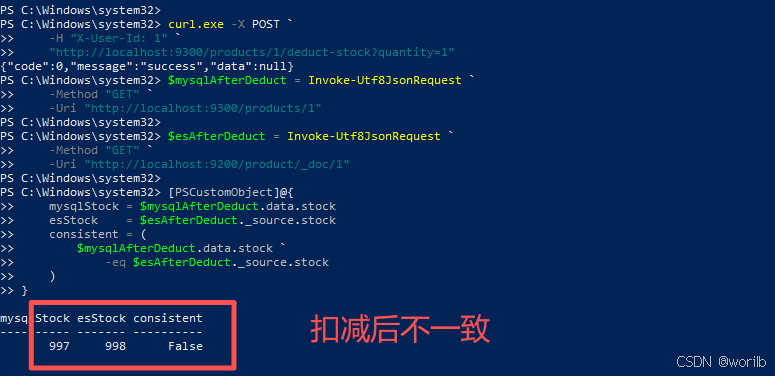
结果:
text
MySQL = 997
ES = 998
说明:
text
MySQL变化
不会自动同步到ES
14.7 手工增量修复
powershell
$syncResult =
    Invoke-Utf8JsonRequest `
        -Method "POST" `
        -Uri "http://localhost:9300/es/index/product/1/sync"

$syncResult |
    ConvertTo-Json -Depth 10
实际:
text
action = UPDATE
consistent = true
同步后再次查询:
text
MySQL = 997
ES = 997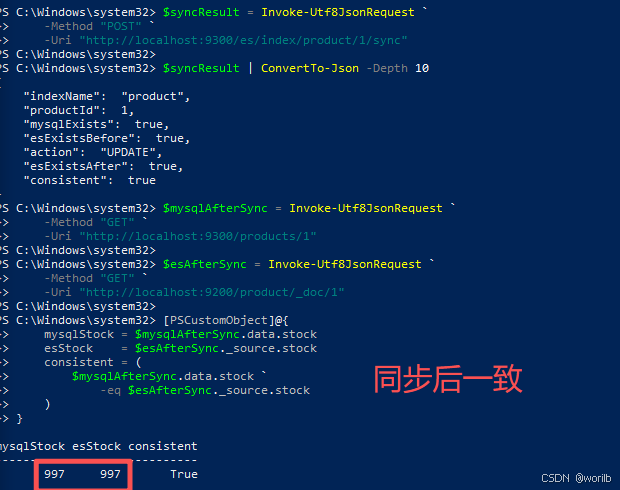
14.8 制造并清理孤儿文档
临时写入:
powershell
$orphanBody = @{
    id         = 999999
    name       = "临时孤儿商品"
    price      = 9.99
    stock      = 1
    status     = 1
    createTime = "2026-07-21T12:00:00"
}

$orphanUri =
    "http://localhost:9200/product/_doc/999999?refresh=true"

$orphanResult =
    Invoke-Utf8JsonRequest `
        -Method "PUT" `
        -Uri $orphanUri `
        -Body $orphanBody
然后确认文档总数暂时变成 4:
powershell
$countWithOrphan = Invoke-Utf8JsonRequest `
    -Method "GET" `
    -Uri "http://localhost:9200/product/_count"

$countWithOrphan.count
product 文档数量:
text
3 → 4MySQL 不存在商品 999999,调用:
powershell
$deleteSyncResult = Invoke-Utf8JsonRequest `
    -Method "POST" `
    -Uri "http://localhost:9300/es/index/product/999999/sync"

$deleteSyncResult | ConvertTo-Json -Depth 10
实际:
text
action = DELETE
consistent = true
确认孤儿文档已经删除:
powershell
$countBody = @{
    query = @{
        ids = @{
            values = @(
                "999999"
            )
        }
    }
}

$orphanCountResult = Invoke-Utf8JsonRequest `
    -Method "POST" `
    -Uri "http://localhost:9200/product/_count" `
    -Body $countBody

$orphanCountResult.count
再检查商品总数:
powershell
$productCount = Invoke-Utf8JsonRequest `
    -Method "GET" `
    -Uri "http://localhost:9200/product/_count"

$productCount.count
最终:
text
999999文档数 = 0
product总文档数 = 3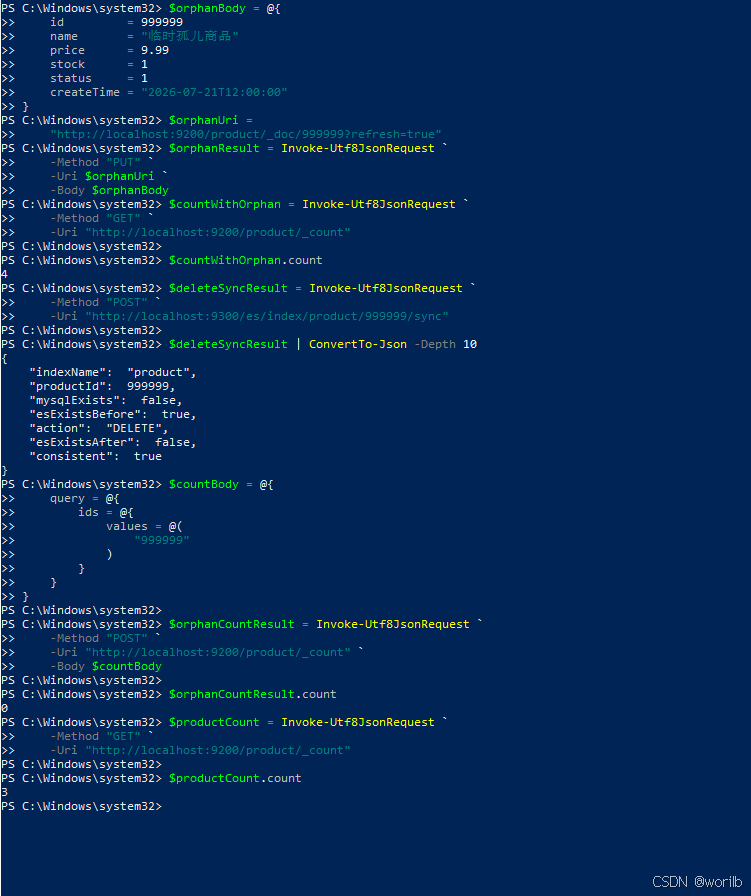
再次调用:
powershell
$noopResult = Invoke-Utf8JsonRequest `
    -Method "POST" `
    -Uri "http://localhost:9300/es/index/product/999999/sync"

$noopResult | ConvertTo-Json -Depth 10
结果:
text
action = NOOP
consistent = true
这证明接口具有幂等性。
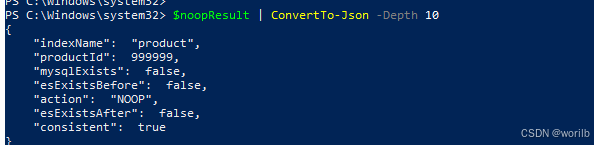
15、阶段十:本地事务提交后自动同步 ES
15.1 为什么不能在 SQL 后直接同步
错误顺序:
text
库存UPDATE成功
    ↓
立即同步ES
    ↓
MySQL事务随后提交失败
会变成:
text
ES已更新
MySQL已回滚正确顺序:
text
MySQL事务提交
↓
AFTER_COMMIT
↓
同步ESSpring 的事务事件监听器正适合表达这个阶段。
15.2 为什么 Seata XID 需要特殊处理
普通本地事务:
text
Spring本地事务提交
≈
商品库存最终提交Seata AT:
text
商品分支本地提交
↓
仍可能全局回滚因此:
text
分支AFTER_COMMIT
≠
Seata全局事务最终提交规则:
| 场景 | XID | 处理 |
|---|---|---|
| 直接调用商品服务 | 空 | 本地提交后自动同步 |
| 订单服务全局事务 | 非空 | 不在商品分支提前同步 |
15.3 新增 ProductIndexSyncEvent
创建:
powershell
cloud-product
└── src/main/java
└── com.example.cloud.product.event
└── ProductIndexSyncEvent.java完整代码:
java
package com.example.cloud.product.event;
import lombok.Getter;
import lombok.RequiredArgsConstructor;
/**
* 商品 Elasticsearch 索引同步事件。
*
* 只携带商品 ID。
*
* 监听器执行时重新查询 MySQL 最新数据,
* 不依赖事件中的字段快照。
*/
@Getter
@RequiredArgsConstructor
public class ProductIndexSyncEvent {
/**
* 发生数据变化的商品 ID。
*/
private final Long productId;
}15.4 新增 ProductIndexSyncEventListener
创建:
powershell
cloud-product
└── src/main/java
└── com.example.cloud.product.listener
└── ProductIndexSyncEventListener.java完整代码:
java
package com.example.cloud.product.listener;
import com.example.cloud.product.dto.ProductIndexItemSyncResult;
import com.example.cloud.product.event.ProductIndexSyncEvent;
import com.example.cloud.product.service.ProductIndexService;
import lombok.RequiredArgsConstructor;
import lombok.extern.slf4j.Slf4j;
import org.springframework.stereotype.Component;
import org.springframework.transaction.event.TransactionPhase;
import org.springframework.transaction.event.TransactionalEventListener;
/**
* 商品 Elasticsearch 索引同步事件监听器。
*
* 当前职责:
*
* MySQL 本地事务提交成功
* ↓
* 接收 ProductIndexSyncEvent
* ↓
* 调用 syncById()
* ↓
* 更新 Elasticsearch
*/
@Slf4j
@Component
@RequiredArgsConstructor
public class ProductIndexSyncEventListener {
/**
* 商品索引同步服务。
*/
private final ProductIndexService
productIndexService;
/**
* 在发布事件的本地事务成功提交后执行。
*
* fallbackExecution=false:
*
* 如果发布事件时不存在 Spring 本地事务,
* 则不执行当前监听器。
*
* 这样可以防止调用方误以为:
*
* 发布事件
* 就一定等于
* 已经完成事务提交。
*/
@TransactionalEventListener(
phase = TransactionPhase.AFTER_COMMIT,
fallbackExecution = false
)
public void handleProductIndexSync(
ProductIndexSyncEvent event
) {
Long productId =
event.getProductId();
try {
log.info(
"商品本地事务已经提交,"
+ "开始自动同步 Elasticsearch,"
+ "productId={}",
productId
);
ProductIndexItemSyncResult result =
productIndexService.syncById(
productId
);
log.info(
"商品 Elasticsearch 自动同步完成,"
+ "productId={},"
+ "action={},"
+ "consistent={}",
productId,
result.getAction(),
result.isConsistent()
);
}
catch (Exception exception) {
/*
* 当前 MySQL 本地事务已经提交完成。
*
* Elasticsearch 同步失败时:
* 1. 不能再回滚已经提交的 MySQL
* 2. 不能继续把异常抛给接口调用方
* 3. 记录错误日志
* 4. 使用阶段九的单商品同步接口修复
*/
log.error(
"商品本地事务已经提交,"
+ "但 Elasticsearch 自动同步失败,"
+ "productId={};"
+ "可调用 POST "
+ "/es/index/product/{productId}/sync "
+ "重新同步",
productId,
exception
);
}
}
}当前不加:
java
@Async因此接口线程会在事务提交后等待 ES 同步完成,便于观察顺序。
15.5 ProductIndexServiceImpl的syncById 使用独立只读事务
事务提交后的监听器执行时,原事务资源可能仍绑定在线程上。
为 syncById() 增加:
java
import org.springframework.transaction.annotation
.Propagation;
import org.springframework.transaction.annotation
.Transactional;方法改为:
java
@Override
@Transactional(
propagation = Propagation.REQUIRES_NEW,
readOnly = true
)
public ProductIndexItemSyncResult syncById(
Long productId
) {
// 原有同步逻辑不变
}含义:
text
原库存事务已经提交
↓
syncById开启新的MySQL只读事务
↓
读取最新商品
↓
写入ElasticsearchES 写入仍不属于 MySQL 事务。
15.6 修改 ProductServiceImpl
java
package com.example.cloud.product.service.impl;
import com.baomidou.mybatisplus.extension.service.impl.ServiceImpl;
import com.example.cloud.common.context.UserContext;
import com.example.cloud.common.exception.BizException;
import com.example.cloud.common.result.ErrorCode;
import com.example.cloud.product.constant.ProductCacheKey;
import com.example.cloud.product.entity.Product;
import com.example.cloud.product.event.ProductIndexSyncEvent;
import com.example.cloud.product.mapper.ProductMapper;
import com.example.cloud.product.service.ProductService;
import io.seata.core.context.RootContext;
import lombok.RequiredArgsConstructor;
import lombok.extern.slf4j.Slf4j;
import org.springframework.context.ApplicationEventPublisher;
import org.springframework.data.redis.core.StringRedisTemplate;
import org.springframework.stereotype.Service;
import org.springframework.transaction.annotation.Transactional;
import org.springframework.util.StringUtils;
/**
* 商品业务实现类。
*/
@Service
@Slf4j
@RequiredArgsConstructor
public class ProductServiceImpl
extends ServiceImpl<ProductMapper, Product>
implements ProductService {
/**
* Redis 操作入口。
*
* 商品数据发生变化后,
* 用于删除商品详情缓存。
*/
private final StringRedisTemplate
stringRedisTemplate;
/**
* Spring 应用事件发布器。
*
* 普通本地事务中库存扣减成功后,
* 发布商品索引同步事件。
*/
private final ApplicationEventPublisher
applicationEventPublisher;
/**
* 数据库原子条件更新版本。
*/
@Override
@Transactional(rollbackFor = Exception.class)
public void deductStock(
Long productId,
Integer quantity
) {
log.info(
"扣减库存,当前用户 ID:{}",
UserContext.getUserId()
);
if (quantity == null
|| quantity <= 0) {
throw new BizException(
ErrorCode.PARAM_ERROR,
"扣减数量必须大于 0"
);
}
/*
* 当前请求没有加入 Seata 全局事务时,
* xid 通常为空。
*
* 通过订单服务进入 Seata 全局事务时,
* 商品服务会收到同一个 xid。
*/
String xid =
RootContext.getXID();
log.info(
"商品扣库存进入事务,"
+ "xid={},"
+ "productId={},"
+ "quantity={}",
xid,
productId,
quantity
);
/*
* 数据库原子条件更新:
*
* UPDATE t_product
* SET stock = stock - ?
* WHERE id = ?
* AND status = 1
* AND stock >= ?
*/
int affectedRows =
baseMapper.deductStock(
productId,
quantity
);
if (affectedRows == 1) {
/*
* 商品数据已经发生变化,
* 删除 Redis 商品详情缓存。
*/
String redisKey =
ProductCacheKey
.productDetailKey(
productId
);
stringRedisTemplate.delete(
redisKey
);
log.info(
"库存扣减 SQL 执行成功,"
+ "删除商品详情缓存,"
+ "productId={},"
+ "redisKey={},"
+ "xid={}",
productId,
redisKey,
xid
);
/*
* 检测到 Seata XID:
*
* 当前 Spring 本地事务提交,
* 只代表 Seata 分支一阶段提交,
* 不代表整个全局事务最终提交。
*
* 因此本阶段不发布本地事务
* AFTER_COMMIT 索引同步事件。
*/
if (StringUtils.hasText(xid)) {
log.info(
"检测到 Seata 全局事务,"
+ "不注册本地事务提交后的 "
+ "Elasticsearch 自动同步,"
+ "xid={},productId={}",
xid,
productId
);
return;
}
/*
* 当前不存在 Seata XID,
* 属于普通 Spring 本地事务。
*
* 此时发布事件。
*
* 监听器不会立即执行,
* 而是在当前 MySQL 事务
* AFTER_COMMIT 阶段执行。
*/
applicationEventPublisher
.publishEvent(
new ProductIndexSyncEvent(
productId
)
);
log.info(
"已发布商品索引同步事件,"
+ "等待 MySQL 本地事务提交,"
+ "productId={}",
productId
);
return;
}
/*
* 原子扣减没有更新任何数据,
* 继续判断具体失败原因。
*/
Product product =
getById(productId);
if (product == null) {
throw new BizException(
ErrorCode.NOT_FOUND,
"商品不存在"
);
}
if (product.getStatus() == null
|| product.getStatus() != 1) {
throw new BizException(
ErrorCode.BIZ_ERROR,
"商品未上架,不能扣减库存"
);
}
throw new BizException(
ErrorCode.BIZ_ERROR,
"商品库存不足"
);
}
}15.7 定义库存对比函数
先更新统一请求函数:
powershell
function Invoke-Utf8JsonRequest {
param(
[Parameter(Mandatory = $true)]
[ValidateSet(
"GET",
"POST",
"PUT",
"DELETE"
)]
[string]$Method,
[Parameter(Mandatory = $true)]
[string]$Uri,
[Parameter(Mandatory = $false)]
[hashtable]$Headers,
[Parameter(Mandatory = $false)]
[object]$Body
)
$requestParameters = @{
UseBasicParsing = $true
Method = $Method
Uri = $Uri
}
if ($PSBoundParameters.ContainsKey("Headers")) {
$requestParameters["Headers"] =
$Headers
}
if ($PSBoundParameters.ContainsKey("Body")) {
$jsonBody =
$Body |
ConvertTo-Json `
-Depth 20 `
-Compress
$requestParameters["ContentType"] =
"application/json; charset=utf-8"
$requestParameters["Body"] =
[System.Text.Encoding]::UTF8.GetBytes(
$jsonBody
)
}
$response =
Invoke-WebRequest @requestParameters
$stream =
$response.RawContentStream
$stream.Position = 0
$reader =
[System.IO.StreamReader]::new(
$stream,
[System.Text.Encoding]::UTF8
)
try {
$jsonText =
$reader.ReadToEnd()
}
finally {
$reader.Dispose()
}
if (
[string]::IsNullOrWhiteSpace(
$jsonText
)
) {
return $null
}
return $jsonText |
ConvertFrom-Json
}增加库存对比函数:
powershell
function Get-ProductStockState {
param(
[Parameter(Mandatory = $true)]
[long]$ProductId
)
$mysqlUri =
"http://localhost:9300/products/$ProductId"
$esUri =
"http://localhost:9200/product/_doc/$ProductId"
$mysqlResult =
Invoke-Utf8JsonRequest `
-Method "GET" `
-Uri $mysqlUri
$esResult =
Invoke-Utf8JsonRequest `
-Method "GET" `
-Uri $esUri
[PSCustomObject]@{
productId = $ProductId
mysqlStock = $mysqlResult.data.stock
esStock = $esResult._source.stock
consistent = (
$mysqlResult.data.stock `
-eq $esResult._source.stock
)
}
}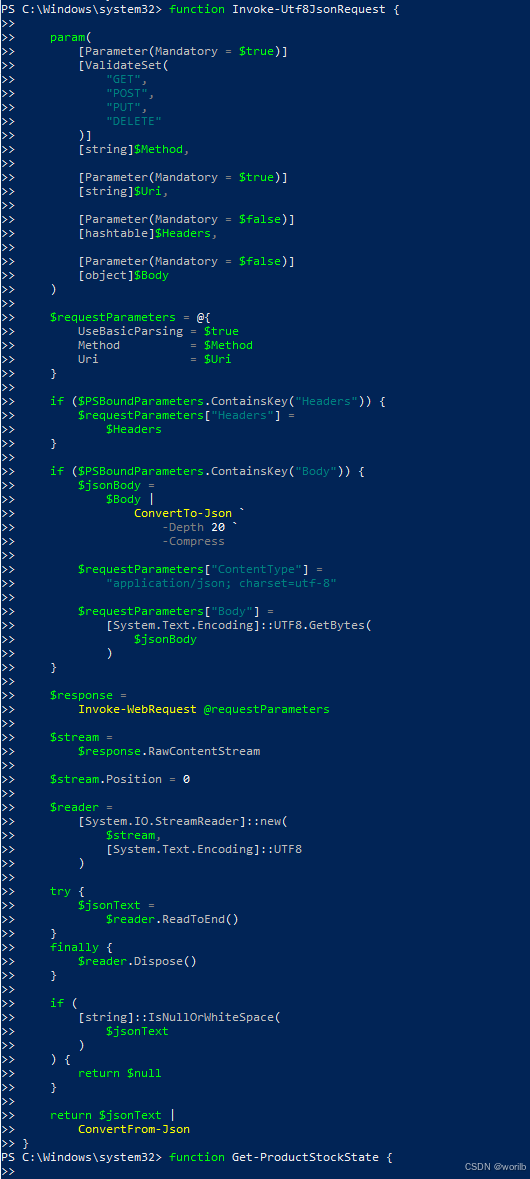
15.8 正常提交验证
记录扣减前库存
powershell
Get-ProductStockState `
-ProductId 1扣减:
powershell
$headers = @{
"X-User-Id" = "1"
}
$deductResult =
Invoke-Utf8JsonRequest `
-Method "POST" `
-Uri "http://localhost:9300/products/1/deduct-stock?quantity=1" `
-Headers $headers
$deductResult |
ConvertTo-Json -Depth 10扣减后查询 :
powershell
Get-ProductStockState `
-ProductId 1实际:
text
扣减前:
MySQL = 997
ES = 997
扣减后:
MySQL = 996
ES = 996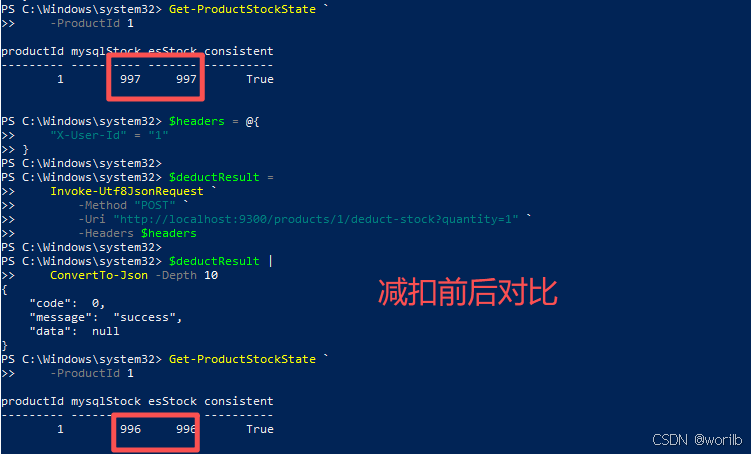
日志出现:
text
已发布商品索引同步事件
商品本地事务已经提交
action=UPDATE
consistent=true15.9 业务失败验证
扣减:
text
quantity = 999999结果:
text
商品库存不足确认 MySQL 和 ES 都没变化:
powershell
$afterFailedDeduct =
Get-ProductStockState `
-ProductId 1
[PSCustomObject]@{
mysqlBefore =
$beforeFailedDeduct.mysqlStock
mysqlAfter =
$afterFailedDeduct.mysqlStock
esBefore =
$beforeFailedDeduct.esStock
esAfter =
$afterFailedDeduct.esStock
unchanged = (
$beforeFailedDeduct.mysqlStock `
-eq $afterFailedDeduct.mysqlStock `
-and
$beforeFailedDeduct.esStock `
-eq $afterFailedDeduct.esStock
)
}预期:
text
unchanged=True
MySQL不变
ES不变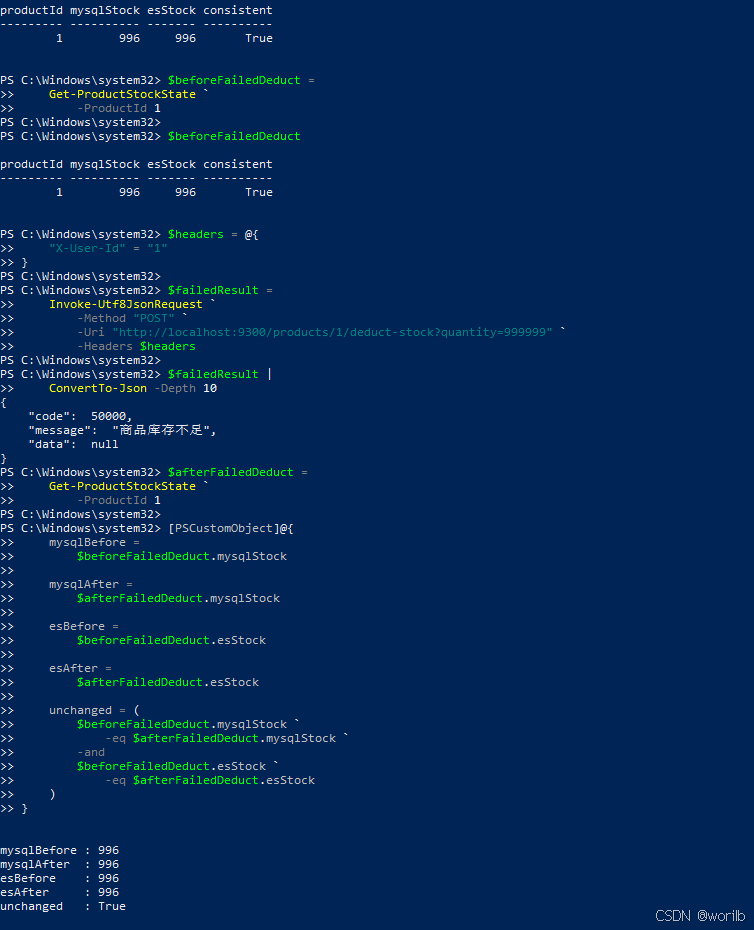
15.10 ES 故障不回滚 MySQL
停止:
powershell
docker stop cloud-demo-es再扣减 1:
powershell
$headers = @{
"X-User-Id" = "1"
}
$deductWhileEsDown =
Invoke-Utf8JsonRequest `
-Method "POST" `
-Uri "http://localhost:9300/products/1/deduct-stock?quantity=1" `
-Headers $headers
$deductWhileEsDown |
ConvertTo-Json -Depth 10
text
接口仍返回 code=0只检查 MySQL 库存:
powershell
$mysqlResult =
Invoke-Utf8JsonRequest `
-Method "GET" `
-Uri "http://localhost:9300/products/1"
$mysqlResult.data.stock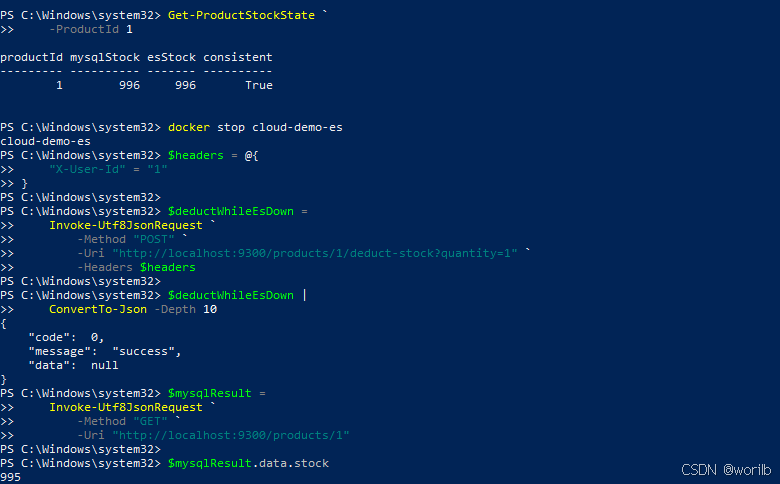
执行docker start cloud-demo-es恢复 ES 后:
powershell
Get-ProductStockState `
-ProductId 1结果:
text
MySQL = 995
ES = 996
consistent = false手动同步:
powershell
$repairResult =
Invoke-Utf8JsonRequest `
-Method "POST" `
-Uri "http://localhost:9300/es/index/product/1/sync"
$repairResult |
ConvertTo-Json -Depth 10再次查询:
powershell
Get-ProductStockState `
-ProductId 1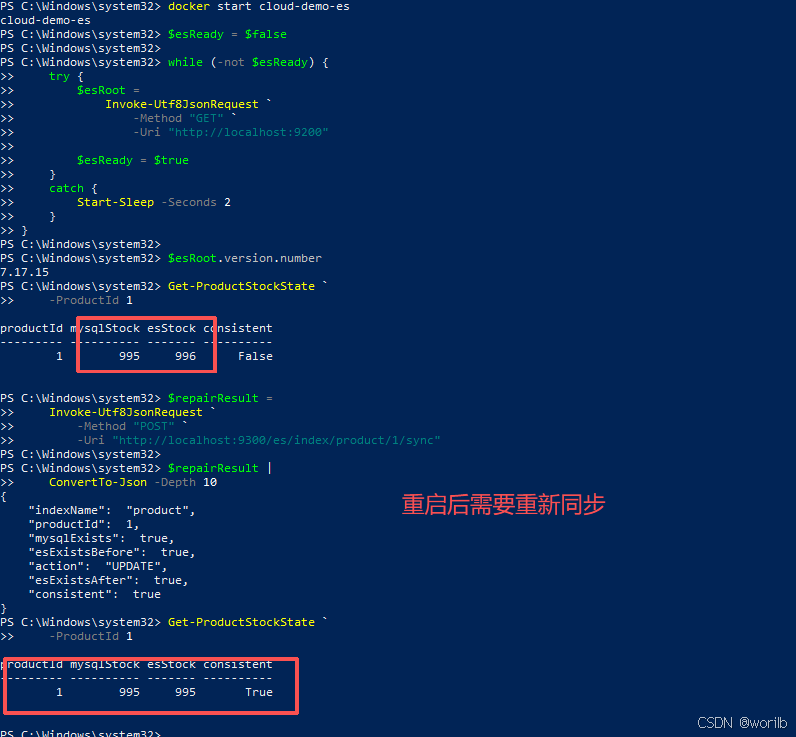
说明当前是:
text
事务提交后尽力同步而不是把 ES 加入强一致事务。
手工 syncById() 后重新一致。
阶段十结论:
text
主业务成功不依赖ES
ES失败后需要可靠补偿机制16、阶段十一:本地任务表与自动补偿
16.1 当前问题
阶段十同步失败时只有:
text
错误日志
+
手工syncById()存在:
text
服务重启后内存事件丢失
错误日志可能无人及时处理
ES恢复后不会自动补偿因此把"尚未完成的索引同步意图"持久化到 MySQL:
text
库存更新事务
├─ UPDATE t_product
└─ UPSERT t_product_index_sync_task
↓
同一事务提交
↓
AFTER_COMMIT立即处理
├─ 成功 → 删除任务
└─ 失败 → 记录错误并定时重试任务只保存:
text
productId补偿时重新查询 MySQL 当前值,不重放"库存减一"。
同一商品短时间变化多次,只需保留一条待同步任务。
16.2 创建任务表
sql
CREATE TABLE t_product_index_sync_task (
id BIGINT PRIMARY KEY AUTO_INCREMENT
COMMENT '主键 ID',
product_id BIGINT NOT NULL
COMMENT '待同步的商品 ID',
retry_count INT NOT NULL DEFAULT 0
COMMENT '已经失败的重试次数',
next_retry_time DATETIME NOT NULL
COMMENT '下一次允许重试的时间',
last_error VARCHAR(1000) DEFAULT NULL
COMMENT '最近一次同步失败原因',
created_at DATETIME NOT NULL
COMMENT '任务首次创建时间',
updated_at DATETIME NOT NULL
COMMENT '任务最近更新时间',
UNIQUE KEY uk_product_id (product_id),
KEY idx_next_retry_time (next_retry_time)
) ENGINE=InnoDB
DEFAULT CHARSET=utf8mb4
COMMENT='商品 Elasticsearch 索引同步任务表';唯一索引:
text
uk_product_id保证同一个商品最多一条待处理任务。
16.3 新增 ProductIndexSyncTask
java
package com.example.cloud.product.entity;
import com.baomidou.mybatisplus.annotation.IdType;
import com.baomidou.mybatisplus.annotation.TableId;
import com.baomidou.mybatisplus.annotation.TableName;
import lombok.Data;
import java.time.LocalDateTime;
/**
* 商品 Elasticsearch 索引同步任务。
*
* 表中存在记录:
* 表示该商品仍然需要同步到 ES。
*
* 表中不存在记录:
* 表示当前没有等待补偿的任务。
*/
@Data
@TableName("t_product_index_sync_task")
public class ProductIndexSyncTask {
/**
* 数据库自增主键。
*/
@TableId(type = IdType.AUTO)
private Long id;
/**
* 待同步商品 ID。
*/
private Long productId;
/**
* 已经失败的重试次数。
*/
private Integer retryCount;
/**
* 下一次允许自动重试的时间。
*/
private LocalDateTime nextRetryTime;
/**
* 最近一次同步失败原因。
*/
private String lastError;
/**
* 任务首次创建时间。
*/
private LocalDateTime createdAt;
/**
* 任务最近更新时间。
*/
private LocalDateTime updatedAt;
}16.4 新增 ProductIndexSyncTaskMapper
java
package com.example.cloud.product.mapper;
import com.baomidou.mybatisplus.core.mapper.BaseMapper;
import com.example.cloud.product.entity
.ProductIndexSyncTask;
import org.apache.ibatis.annotations.Insert;
import org.apache.ibatis.annotations.Mapper;
import org.apache.ibatis.annotations.Param;
import java.time.LocalDateTime;
/**
* 商品 Elasticsearch 索引同步任务 Mapper。
*/
@Mapper
public interface ProductIndexSyncTaskMapper
extends BaseMapper<ProductIndexSyncTask> {
/**
* 创建或刷新商品索引同步任务。
*
* 商品ID不存在:
* 创建新任务。
*
* 商品ID已存在:
* 将原任务恢复为可立即执行的初始状态。
*/
@Insert({
"INSERT INTO t_product_index_sync_task (",
"product_id,",
"retry_count,",
"next_retry_time,",
"last_error,",
"created_at,",
"updated_at",
") VALUES (",
"#{productId},",
"0,",
"#{now},",
"NULL,",
"#{now},",
"#{now}",
")",
"ON DUPLICATE KEY UPDATE",
"retry_count = 0,",
"next_retry_time = VALUES(next_retry_time),",
"last_error = NULL,",
"updated_at = VALUES(updated_at)"
})
int upsertPendingTask(
@Param("productId")
Long productId,
@Param("now")
LocalDateTime now
);
}数据库唯一索引加原子 upsert,避免并发下"先查再插"的竞态。
16.5 新增 ProductIndexSyncTaskService
java
package com.example.cloud.product.service;
import com.baomidou.mybatisplus.extension.service
.IService;
import com.example.cloud.product.entity
.ProductIndexSyncTask;
import java.time.LocalDateTime;
import java.util.List;
/**
* 商品 Elasticsearch 索引同步任务服务。
*/
public interface ProductIndexSyncTaskService
extends IService<ProductIndexSyncTask> {
/**
* 创建或刷新待同步任务。
*/
void createOrRefreshTask(Long productId);
/**
* 根据商品ID查询任务。
*/
ProductIndexSyncTask getByProductId(
Long productId
);
/**
* 查询已经到达重试时间的任务。
*/
List<ProductIndexSyncTask> listDueTasks(
int limit
);
/**
* 记录一次同步失败。
*/
void markRetry(
Long productId,
int retryCount,
LocalDateTime nextRetryTime,
String errorMessage
);
/**
* 同步成功后删除任务。
*/
void deleteByProductId(Long productId);
}16.6 新增 ProductIndexSyncTaskServiceImpl
java
package com.example.cloud.product.service.impl;
import com.baomidou.mybatisplus.core.toolkit.Wrappers;
import com.baomidou.mybatisplus.extension.service.impl.ServiceImpl;
import com.example.cloud.product.entity.ProductIndexSyncTask;
import com.example.cloud.product.mapper.ProductIndexSyncTaskMapper;
import com.example.cloud.product.service.ProductIndexSyncTaskService;
import org.springframework.stereotype.Service;
import org.springframework.transaction.annotation.Propagation;
import org.springframework.transaction.annotation.Transactional;
import java.time.LocalDateTime;
import java.util.List;
/**
* 商品 Elasticsearch 索引同步任务服务实现。
*/
@Service
public class ProductIndexSyncTaskServiceImpl
extends ServiceImpl<
ProductIndexSyncTaskMapper,
ProductIndexSyncTask
>
implements ProductIndexSyncTaskService {
/**
* 错误信息数据库最大长度。
*/
private static final int MAX_ERROR_LENGTH =
1000;
/**
* 创建或刷新任务。
*
* 当前使用默认 REQUIRED 传播行为:
*
* 在库存扣减事务中调用时,
* 与库存 SQL 使用同一个 MySQL 事务。
*
* 库存事务回滚:
* 任务也一起回滚。
*
* 库存事务提交:
* 任务也一起提交。
*/
@Override
@Transactional(rollbackFor = Exception.class)
public void createOrRefreshTask(
Long productId
) {
baseMapper.upsertPendingTask(
productId,
LocalDateTime.now()
);
}
/**
* 根据商品 ID 查询任务。
*/
@Override
@Transactional(readOnly = true)
public ProductIndexSyncTask
getByProductId(Long productId) {
return getOne(
Wrappers
.<ProductIndexSyncTask>
lambdaQuery()
.eq(
ProductIndexSyncTask
::getProductId,
productId
),
false
);
}
/**
* 查询已经到达重试时间的任务。
*/
@Override
@Transactional(readOnly = true)
public List<ProductIndexSyncTask>
listDueTasks(int limit) {
if (limit < 1 || limit > 100) {
throw new IllegalArgumentException(
"任务查询数量必须在 1 到 100 之间"
);
}
return list(
Wrappers
.<ProductIndexSyncTask>
lambdaQuery()
.le(
ProductIndexSyncTask
::getNextRetryTime,
LocalDateTime.now()
)
.orderByAsc(
ProductIndexSyncTask
::getNextRetryTime
)
/*
* limit 已经限制在 1~100,
* 这里用于控制单次扫描数量。
*/
.last(
"LIMIT " + limit
)
);
}
/**
* 记录同步失败并安排下一次重试。
*
* 使用 REQUIRES_NEW:
*
* 即使调用方当前存在其他事务,
* 失败状态也使用独立事务保存。
*/
@Override
@Transactional(
propagation = Propagation.REQUIRES_NEW,
rollbackFor = Exception.class
)
public void markRetry(
Long productId,
int retryCount,
LocalDateTime nextRetryTime,
String errorMessage
) {
String normalizedError =
normalizeErrorMessage(
errorMessage
);
boolean updated =
update(
Wrappers
.<ProductIndexSyncTask>
lambdaUpdate()
.eq(
ProductIndexSyncTask
::getProductId,
productId
)
.set(
ProductIndexSyncTask
::getRetryCount,
retryCount
)
.set(
ProductIndexSyncTask
::getNextRetryTime,
nextRetryTime
)
.set(
ProductIndexSyncTask
::getLastError,
normalizedError
)
.set(
ProductIndexSyncTask
::getUpdatedAt,
LocalDateTime.now()
)
);
/*
* 正常情况下任务一定存在。
*
* 如果任务意外不存在,
* 重新创建后再记录失败状态,
* 避免只打印日志却没有持久化任务。
*/
if (!updated) {
LocalDateTime now =
LocalDateTime.now();
baseMapper.upsertPendingTask(
productId,
now
);
update(
Wrappers
.<ProductIndexSyncTask>
lambdaUpdate()
.eq(
ProductIndexSyncTask
::getProductId,
productId
)
.set(
ProductIndexSyncTask
::getRetryCount,
retryCount
)
.set(
ProductIndexSyncTask
::getNextRetryTime,
nextRetryTime
)
.set(
ProductIndexSyncTask
::getLastError,
normalizedError
)
.set(
ProductIndexSyncTask
::getUpdatedAt,
now
)
);
}
}
/**
* 同步成功后删除任务。
*/
@Override
@Transactional(
propagation = Propagation.REQUIRES_NEW,
rollbackFor = Exception.class
)
public void deleteByProductId(
Long productId
) {
remove(
Wrappers
.<ProductIndexSyncTask>
lambdaQuery()
.eq(
ProductIndexSyncTask
::getProductId,
productId
)
);
}
/**
* 避免超长异常信息超过数据库字段长度。
*/
private String normalizeErrorMessage(
String errorMessage
) {
if (errorMessage == null) {
return null;
}
if (errorMessage.length()
<= MAX_ERROR_LENGTH) {
return errorMessage;
}
return errorMessage.substring(
0,
MAX_ERROR_LENGTH
);
}
}16.7 新增 ProductIndexSyncTaskProcessor
阶段十一初版使用固定 10 秒重试:
java
package com.example.cloud.product.processor;
import com.example.cloud.product.dto
.ProductIndexItemSyncResult;
import com.example.cloud.product.entity
.ProductIndexSyncTask;
import com.example.cloud.product.service
.ProductIndexService;
import com.example.cloud.product.service
.ProductIndexSyncTaskService;
import lombok.RequiredArgsConstructor;
import lombok.extern.slf4j.Slf4j;
import org.springframework.stereotype.Component;
import java.time.LocalDateTime;
/**
* 商品索引同步任务处理器。
*
* 两种触发方式共用:
* 1. 事务提交后的立即处理
* 2. 定时任务补偿
*/
@Slf4j
@Component
@RequiredArgsConstructor
public class ProductIndexSyncTaskProcessor {
/**
* 初版固定重试间隔,单位秒。
*
* 阶段十四再改为阶梯退避。
*/
private static final long RETRY_DELAY_SECONDS =
10L;
private final ProductIndexService
productIndexService;
private final ProductIndexSyncTaskService
productIndexSyncTaskService;
/**
* 处理一个商品索引任务。
*/
public boolean process(
Long productId,
String trigger
) {
ProductIndexSyncTask task =
productIndexSyncTaskService
.getByProductId(
productId
);
if (task == null) {
log.info(
"商品索引同步任务已经不存在,"
+ "无需重复处理,"
+ "productId={},trigger={}",
productId,
trigger
);
return true;
}
try {
ProductIndexItemSyncResult result =
productIndexService.syncById(
productId
);
productIndexSyncTaskService
.deleteByProductId(
productId
);
log.info(
"商品索引任务处理成功,"
+ "productId={},"
+ "trigger={},"
+ "action={},"
+ "consistent={}",
productId,
trigger,
result.getAction(),
result.isConsistent()
);
return true;
}
catch (Exception exception) {
int currentRetryCount =
task.getRetryCount() == null
? 0
: task.getRetryCount();
int nextRetryCount =
currentRetryCount + 1;
LocalDateTime nextRetryTime =
LocalDateTime.now()
.plusSeconds(
RETRY_DELAY_SECONDS
);
String errorMessage =
buildErrorMessage(
exception
);
productIndexSyncTaskService
.markRetry(
productId,
nextRetryCount,
nextRetryTime,
errorMessage
);
log.error(
"商品索引任务处理失败,"
+ "任务已经保留,"
+ "productId={},"
+ "trigger={},"
+ "retryCount={},"
+ "nextRetryTime={}",
productId,
trigger,
nextRetryCount,
nextRetryTime,
exception
);
return false;
}
}
/**
* 构造数据库错误摘要。
*/
private String buildErrorMessage(
Exception exception
) {
String message =
exception.getMessage();
if (message == null
|| message.trim().isEmpty()) {
message = "无具体错误信息";
}
return exception
.getClass()
.getSimpleName()
+ ": "
+ message;
}
}16.8 修改事务监听器
java
package com.example.cloud.product.listener;
import com.example.cloud.product.event.ProductIndexSyncEvent;
import com.example.cloud.product.processor.ProductIndexSyncTaskProcessor;
import lombok.RequiredArgsConstructor;
import lombok.extern.slf4j.Slf4j;
import org.springframework.stereotype.Component;
import org.springframework.transaction.event.TransactionPhase;
import org.springframework.transaction.event.TransactionalEventListener;
/**
* 商品 Elasticsearch 索引同步事件监听器。
*
* MySQL 本地事务提交成功后,
* 立即尝试处理已经持久化的同步任务。
*/
@Slf4j
@Component
@RequiredArgsConstructor
public class ProductIndexSyncEventListener {
/**
* 商品索引同步任务处理器。
*/
private final ProductIndexSyncTaskProcessor
productIndexSyncTaskProcessor;
/**
* 只有发布事件的事务成功提交后才执行。
*/
@TransactionalEventListener(
phase = TransactionPhase.AFTER_COMMIT,
fallbackExecution = false
)
public void handleProductIndexSync(
ProductIndexSyncEvent event
) {
Long productId =
event.getProductId();
log.info(
"商品本地事务已经提交,"
+ "立即处理索引同步任务,"
+ "productId={}",
productId
);
boolean success =
productIndexSyncTaskProcessor
.process(
productId,
"AFTER_COMMIT"
);
if (!success) {
log.warn(
"商品索引立即同步未成功,"
+ "任务已保存在数据库,"
+ "等待定时补偿,"
+ "productId={}",
productId
);
}
}
}16.9 新增定时补偿任务
java
package com.example.cloud.product.job;
import com.example.cloud.product.entity.ProductIndexSyncTask;
import com.example.cloud.product.processor.ProductIndexSyncTaskProcessor;
import com.example.cloud.product.service.ProductIndexSyncTaskService;
import lombok.RequiredArgsConstructor;
import lombok.extern.slf4j.Slf4j;
import org.springframework.scheduling.annotation.Scheduled;
import org.springframework.stereotype.Component;
import java.util.List;
/**
* 商品 Elasticsearch 索引同步补偿任务。
*
* 每次扫描已经到达 next_retry_time 的任务,
* 并重新以 MySQL 当前数据同步 Elasticsearch。
*/
@Slf4j
@Component
@RequiredArgsConstructor
public class ProductIndexSyncRetryJob {
/**
* 单次最大处理数量。
*/
private static final int BATCH_SIZE =
20;
/**
* 商品索引任务服务。
*/
private final ProductIndexSyncTaskService
productIndexSyncTaskService;
/**
* 商品索引任务处理器。
*/
private final ProductIndexSyncTaskProcessor
productIndexSyncTaskProcessor;
/**
* 应用启动 10 秒后开始第一次扫描。
*
* 上一次扫描完成 10 秒后,
* 再开始下一次扫描。
*/
@Scheduled(
initialDelay = 10000L,
fixedDelay = 10000L
)
public void retryProductIndexSync() {
List<ProductIndexSyncTask> tasks =
productIndexSyncTaskService
.listDueTasks(
BATCH_SIZE
);
if (tasks.isEmpty()) {
return;
}
log.info(
"开始执行商品索引同步补偿,"
+ "本次扫描到 {} 条任务",
tasks.size()
);
for (ProductIndexSyncTask task : tasks) {
productIndexSyncTaskProcessor
.process(
task.getProductId(),
"SCHEDULED_RETRY"
);
}
}
}16.10 开启定时任务
CloudProductApplication 增加 @EnableScheduling:
16.11 修改 ProductServiceImpl
普通本地事务中:
text
库存UPDATE
+
同步任务UPSERT必须处于同一个 MySQL 事务。
java
package com.example.cloud.product.service.impl;
import com.baomidou.mybatisplus.extension.service.impl.ServiceImpl;
import com.example.cloud.common.context.UserContext;
import com.example.cloud.common.exception.BizException;
import com.example.cloud.common.result.ErrorCode;
import com.example.cloud.product.constant.ProductCacheKey;
import com.example.cloud.product.entity.Product;
import com.example.cloud.product.event.ProductIndexSyncEvent;
import com.example.cloud.product.mapper.ProductMapper;
import com.example.cloud.product.service.ProductIndexSyncTaskService;
import com.example.cloud.product.service.ProductService;
import io.seata.core.context.RootContext;
import lombok.RequiredArgsConstructor;
import lombok.extern.slf4j.Slf4j;
import org.springframework.context.ApplicationEventPublisher;
import org.springframework.data.redis.core.StringRedisTemplate;
import org.springframework.stereotype.Service;
import org.springframework.transaction.annotation.Transactional;
import org.springframework.util.StringUtils;
/**
* 商品业务实现类。
*/
@Service
@Slf4j
@RequiredArgsConstructor
public class ProductServiceImpl
extends ServiceImpl<ProductMapper, Product>
implements ProductService {
/**
* Redis 操作入口。
*/
private final StringRedisTemplate
stringRedisTemplate;
/**
* Spring 应用事件发布器。
*/
private final ApplicationEventPublisher
applicationEventPublisher;
/**
* 商品 Elasticsearch 索引同步任务服务。
*
* 普通本地事务中,
* 与库存更新一起持久化同步任务。
*/
private final ProductIndexSyncTaskService
productIndexSyncTaskService;
/**
* 数据库原子条件更新版本。
*/
@Override
@Transactional(rollbackFor = Exception.class)
public void deductStock(
Long productId,
Integer quantity
) {
log.info(
"扣减库存,当前用户 ID:{}",
UserContext.getUserId()
);
if (quantity == null
|| quantity <= 0) {
throw new BizException(
ErrorCode.PARAM_ERROR,
"扣减数量必须大于 0"
);
}
String xid =
RootContext.getXID();
log.info(
"商品扣库存进入事务,"
+ "xid={},"
+ "productId={},"
+ "quantity={}",
xid,
productId,
quantity
);
int affectedRows =
baseMapper.deductStock(
productId,
quantity
);
if (affectedRows == 1) {
String redisKey =
ProductCacheKey
.productDetailKey(
productId
);
stringRedisTemplate.delete(
redisKey
);
log.info(
"库存扣减 SQL 执行成功,"
+ "删除商品详情缓存,"
+ "productId={},"
+ "redisKey={},"
+ "xid={}",
productId,
redisKey,
xid
);
/*
* Seata 全局事务中暂不创建本地任务。
*
* 因为分支本地事务提交,
* 不代表 Seata 全局事务最终提交。
*/
if (StringUtils.hasText(xid)) {
log.info(
"检测到 Seata 全局事务,"
+ "本阶段不创建本地索引同步任务,"
+ "xid={},productId={}",
xid,
productId
);
return;
}
/*
* 普通本地事务:
*
* 将同步任务和库存变化放进
* 同一个 MySQL 事务。
*
* 库存回滚:
* 任务一起回滚。
*
* 库存提交:
* 任务一起提交。
*/
productIndexSyncTaskService
.createOrRefreshTask(
productId
);
log.info(
"已在当前 MySQL 事务中"
+ "创建或刷新索引同步任务,"
+ "productId={}",
productId
);
/*
* 发布内存事件。
*
* AFTER_COMMIT 监听器会在事务
* 成功提交后立即尝试处理持久化任务。
*/
applicationEventPublisher
.publishEvent(
new ProductIndexSyncEvent(
productId
)
);
log.info(
"已发布商品索引同步事件,"
+ "等待 MySQL 本地事务提交,"
+ "productId={}",
productId
);
return;
}
Product product =
getById(productId);
if (product == null) {
throw new BizException(
ErrorCode.NOT_FOUND,
"商品不存在"
);
}
if (product.getStatus() == null
|| product.getStatus() != 1) {
throw new BizException(
ErrorCode.BIZ_ERROR,
"商品未上架,不能扣减库存"
);
}
throw new BizException(
ErrorCode.BIZ_ERROR,
"商品库存不足"
);
}
}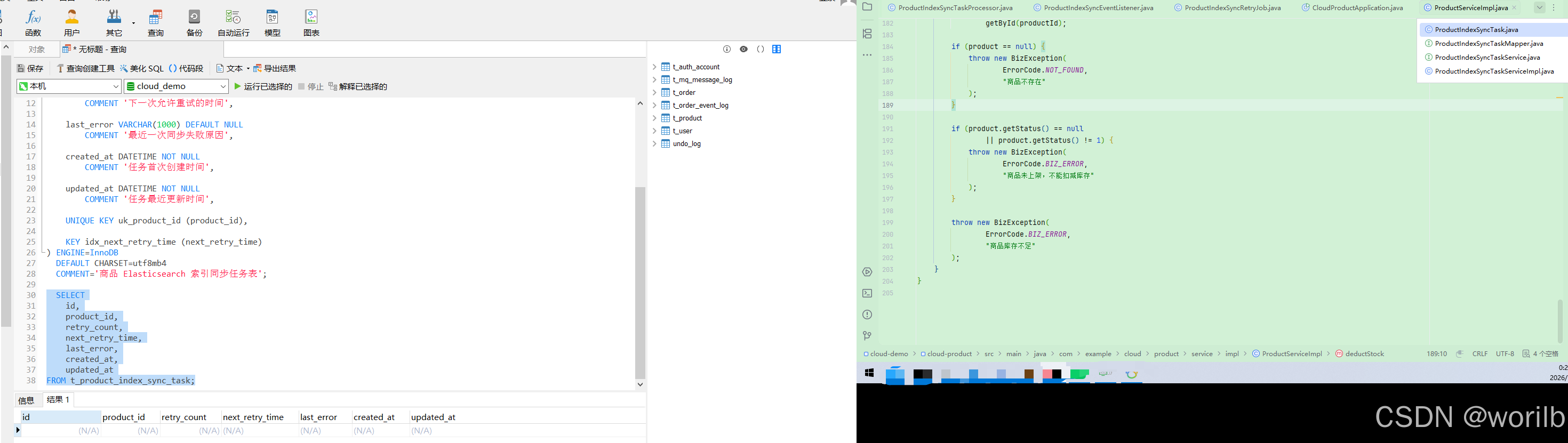
16.12 验证正常同步后任务自动删除
先查询:
powershell
Get-ProductStockState `
-ProductId 1扣减:
powershell
$headers = @{
"X-User-Id" = "1"
}
$result =
Invoke-Utf8JsonRequest `
-Method "POST" `
-Uri "http://localhost:9300/products/1/deduct-stock?quantity=1" `
-Headers $headers
$result |
ConvertTo-Json -Depth 10再查:
powershell
Get-ProductStockState `
-ProductId 1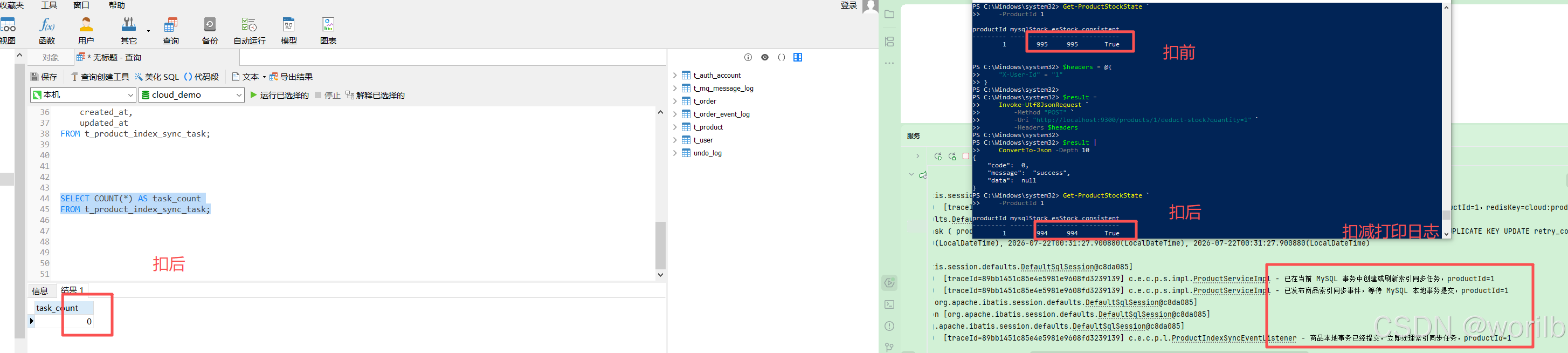
实际:
text
扣减前:
MySQL = 995
ES = 995
正常扣减后:
MySQL与ES同时减少1
consistent=true
任务表数量:
0不是没有创建任务,而是:
text
事务中创建
↓
AFTER_COMMIT同步成功
↓
立即删除16.13 验证 ES 故障和服务重启
执行docker stop cloud-demo-es停止 ES 后扣减库存:
powershell
$headers = @{
"X-User-Id" = "1"
}
$result =
Invoke-Utf8JsonRequest `
-Method "POST" `
-Uri "http://localhost:9300/products/1/deduct-stock?quantity=1" `
-Headers $headers
$result |
ConvertTo-Json -Depth 10结果:
text
业务仍成功查看任务时,因为已经经过多轮定时重试:
text
retry_count = 2
last_error = DataAccessResourceFailureException...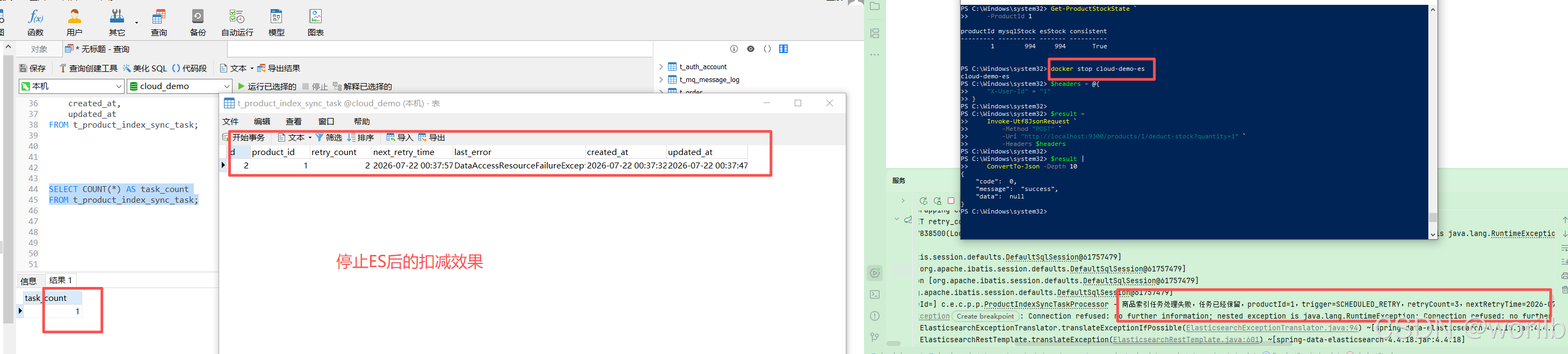
停止 cloud-product,任务仍保存在 MySQL。
执行docker start cloud-demo-es恢复 ES,再启动 cloud-product:
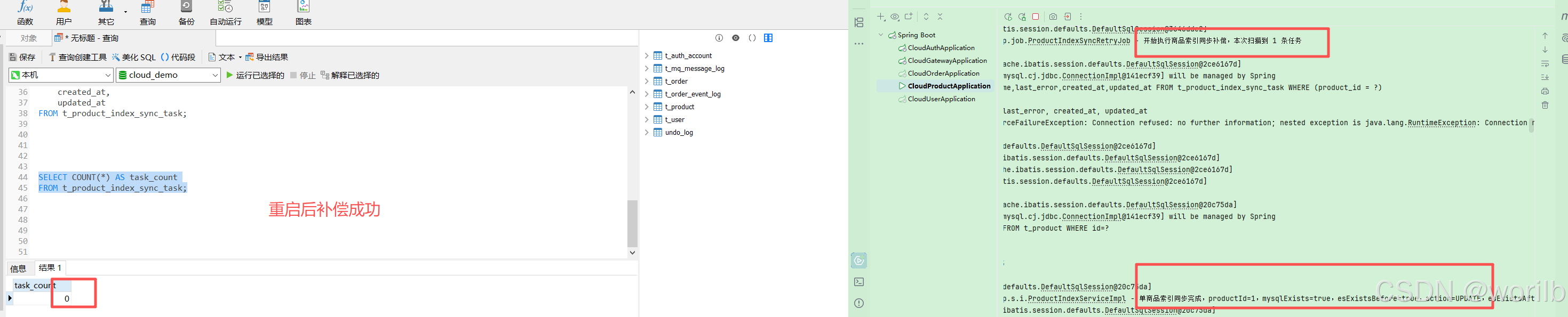

text
定时任务扫描
↓
SCHEDULED_RETRY
↓
同步成功
↓
删除任务实际最终:
text
任务数量 = 0
MySQL = 993
ES = 993执行:
powershell
$headers = @{
"X-User-Id" = "1"
}
$result =
Invoke-Utf8JsonRequest `
-Method "POST" `
-Uri "http://localhost:9300/products/1/deduct-stock?quantity=999999" `
-Headers $headers
$result |
ConvertTo-Json -Depth 10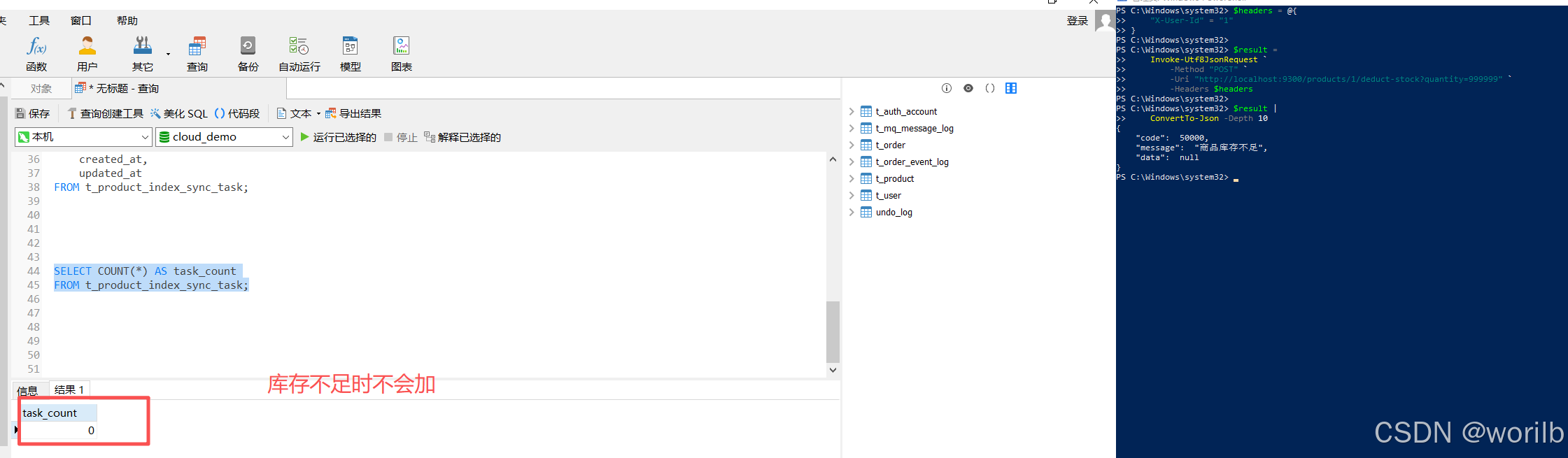
库存不足请求后:
text
任务数量仍为0阶段十一证明:
text
同步失败不会丢任务
服务重启不会丢任务
ES恢复后可以自动补偿17、阶段十二:Seata 全局提交后通过 RabbitMQ 同步商品索引
17.1 为什么本地事务方案不能直接覆盖 Seata
订单下单链路:
text
cloud-order开启Seata全局事务
↓
cloud-user校验用户
↓
cloud-product扣减库存
↓
cloud-order保存订单
↓
保存MQ本地消息
↓
Seata全局提交或回滚商品分支看到 XID 时不能在分支本地提交后更新 ES。
本章复用第12、13章已经存在的可靠订单事件:
text
订单数据 + MQ本地消息
↓ 同一个本地事务
注册Seata TransactionHook
↓
全局提交
↓
afterCommit()
↓
发送order.created回滚时:
text
afterRollback()
↓
不发送order.created因此商品服务只需订阅:
text
全局提交后可靠产生的order.created17.2 为什么要使用独立队列
原拓扑:
text
cloud.order.exchange
↓ order.created
cloud.order.created.queue不能让商品服务也监听同一个队列,否则两个消费者会竞争:
text
同一条消息
↓
只被其中一个消费者拿到正确拓扑:
text
cloud.order.exchange
↓ order.created
├─ cloud.order.created.queue
│ ↓ 原订单事件消费者
│
└─ cloud.product.index.sync.queue
↓ 商品索引同步消费者Topic Exchange 会把同一消息路由到所有匹配的独立队列。
17.3 阶段启动前端口修正
Elasticsearch 已占用:
text
9200所以用户服务统一改为:
yaml
server:
port: 9201Nacos 中没有重复 server.port,无需额外处理。
Gateway allowedOrigins 中用户服务来源也改为:
yaml
- http://localhost:9201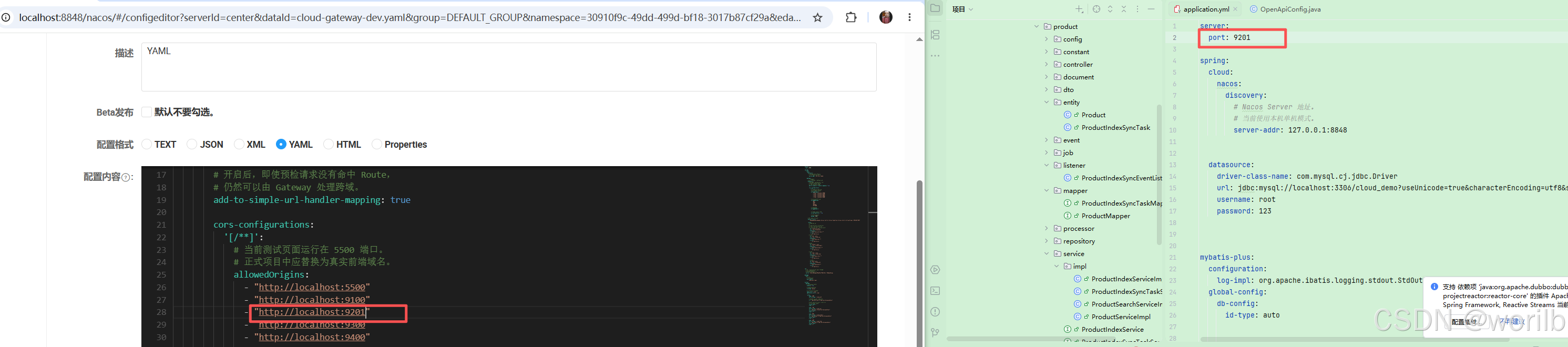
验证:
text
Elasticsearch:9200正常
cloud-user:9201正常
Nacos健康实例:9201
product索引count:317.4 cloud-product 增加依赖
如果尚未依赖 cloud-api,增加:
xml
<!--
cloud-api:
复用 OrderCreatedMessage 消息对象。
-->
<dependency>
<groupId>com.example.cloud</groupId>
<artifactId>cloud-api</artifactId>
<version>${project.version}</version>
</dependency>增加 AMQP:
xml
<!--
RabbitMQ:
消费全局事务提交后发送的订单创建消息。
-->
<dependency>
<groupId>org.springframework.boot</groupId>
<artifactId>spring-boot-starter-amqp</artifactId>
</dependency>17.5 cloud-product-dev.yaml 增加消费者配置
合并到已有 spring::
yaml
spring:
rabbitmq:
host: 127.0.0.1
port: 5672
username: guest
password: guest
virtual-host: /
listener:
simple:
# 由监听器显式ACK/NACK。
acknowledge-mode: manual
# 本地演练只创建一个消费线程。
concurrency: 1
max-concurrency: 1
# 一次只预取一条消息。
prefetch: 1
# 未处理异常默认不无限重新入队。
default-requeue-rejected: false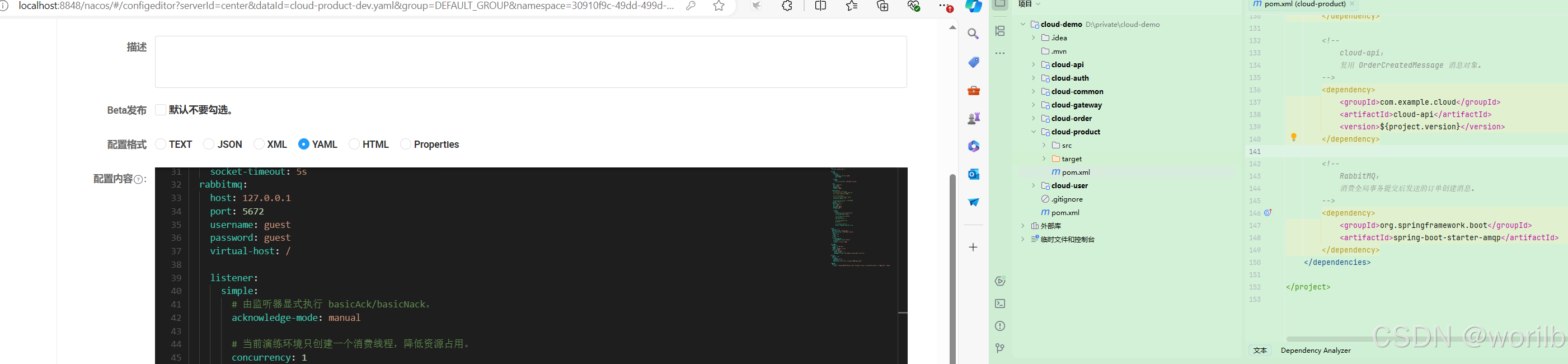
商品服务只是消费者,不需要生产者 Confirm 配置。
17.6 新增 ProductIndexMqConstant
java
package com.example.cloud.product.mq;
/**
* 商品索引同步 RabbitMQ 常量。
*
* 复用订单事件交换机,
* 使用商品服务自己的独立队列。
*/
public final class ProductIndexMqConstant {
private ProductIndexMqConstant() {
}
/**
* 订单事件 Topic Exchange。
*/
public static final String ORDER_EXCHANGE =
"cloud.order.exchange";
/**
* 订单创建事件 Routing Key。
*/
public static final String
ORDER_CREATED_ROUTING_KEY =
"order.created";
/**
* 商品索引同步队列。
*/
public static final String
PRODUCT_INDEX_SYNC_QUEUE =
"cloud.product.index.sync.queue";
/**
* 商品索引同步死信交换机。
*/
public static final String
PRODUCT_INDEX_SYNC_DLX_EXCHANGE =
"cloud.product.index.sync.dlx.exchange";
/**
* 商品索引同步死信队列。
*/
public static final String
PRODUCT_INDEX_SYNC_DLQ =
"cloud.product.index.sync.dlq";
/**
* 商品索引同步死信 Routing Key。
*/
public static final String
PRODUCT_INDEX_SYNC_DLQ_ROUTING_KEY =
"product.index.sync.dead";
}17.7 新增 ProductRabbitMqConfig
java
package com.example.cloud.product.config;
import com.example.cloud.product.mq.ProductIndexMqConstant;
import org.springframework.amqp.core.Binding;
import org.springframework.amqp.core.BindingBuilder;
import org.springframework.amqp.core.DirectExchange;
import org.springframework.amqp.core.ExchangeBuilder;
import org.springframework.amqp.core.Queue;
import org.springframework.amqp.core.QueueBuilder;
import org.springframework.amqp.core.TopicExchange;
import org.springframework.amqp.support.converter
.Jackson2JsonMessageConverter;
import org.springframework.amqp.support.converter
.MessageConverter;
import org.springframework.context.annotation.Bean;
import org.springframework.context.annotation.Configuration;
/**
* 商品索引同步 RabbitMQ 配置。
*/
@Configuration
public class ProductRabbitMqConfig {
/**
* 声明订单事件交换机。
*
* cloud-order 已经声明过同名交换机。
* 两个应用使用完全相同的名称、类型和持久化属性,
* RabbitMQ 会将其视为对同一交换机的幂等声明。
*/
@Bean
public TopicExchange productOrderEventExchange() {
return ExchangeBuilder
.topicExchange(
ProductIndexMqConstant.ORDER_EXCHANGE
)
.durable(true)
.build();
}
/**
* 商品索引同步队列。
*
* 消费失败且明确拒绝重新入队时,
* 消息进入商品索引同步死信队列。
*/
@Bean
public Queue productIndexSyncQueue() {
return QueueBuilder
.durable(
ProductIndexMqConstant
.PRODUCT_INDEX_SYNC_QUEUE
)
.deadLetterExchange(
ProductIndexMqConstant
.PRODUCT_INDEX_SYNC_DLX_EXCHANGE
)
.deadLetterRoutingKey(
ProductIndexMqConstant
.PRODUCT_INDEX_SYNC_DLQ_ROUTING_KEY
)
.build();
}
/**
* 将商品索引同步队列绑定到订单事件交换机。
*
* 只订阅 order.created。
*/
@Bean
public Binding productIndexSyncBinding(
Queue productIndexSyncQueue,
TopicExchange productOrderEventExchange
) {
return BindingBuilder
.bind(productIndexSyncQueue)
.to(productOrderEventExchange)
.with(
ProductIndexMqConstant
.ORDER_CREATED_ROUTING_KEY
);
}
/**
* 商品索引同步死信交换机。
*/
@Bean
public DirectExchange productIndexSyncDlxExchange() {
return ExchangeBuilder
.directExchange(
ProductIndexMqConstant
.PRODUCT_INDEX_SYNC_DLX_EXCHANGE
)
.durable(true)
.build();
}
/**
* 商品索引同步死信队列。
*/
@Bean
public Queue productIndexSyncDeadLetterQueue() {
return QueueBuilder
.durable(
ProductIndexMqConstant
.PRODUCT_INDEX_SYNC_DLQ
)
.build();
}
/**
* 死信队列绑定。
*/
@Bean
public Binding productIndexSyncDeadLetterBinding(
Queue productIndexSyncDeadLetterQueue,
DirectExchange productIndexSyncDlxExchange
) {
return BindingBuilder
.bind(productIndexSyncDeadLetterQueue)
.to(productIndexSyncDlxExchange)
.with(
ProductIndexMqConstant
.PRODUCT_INDEX_SYNC_DLQ_ROUTING_KEY
);
}
/**
* JSON消息转换器。
*
* cloud-order发送OrderCreatedMessage时转换为JSON,
* cloud-product收到后反序列化回同一消息类型。
*/
@Bean
public MessageConverter productJacksonMessageConverter() {
return new Jackson2JsonMessageConverter();
}
}17.8 新增 OrderCreatedProductIndexListener
java
package com.example.cloud.product.mq;
import com.example.cloud.api.message.OrderCreatedMessage;
import com.example.cloud.product.processor
.ProductIndexSyncTaskProcessor;
import com.example.cloud.product.service
.ProductIndexSyncTaskService;
import com.rabbitmq.client.Channel;
import lombok.RequiredArgsConstructor;
import lombok.extern.slf4j.Slf4j;
import org.springframework.amqp.core.Message;
import org.springframework.amqp.rabbit.annotation.RabbitListener;
import org.springframework.stereotype.Component;
import org.springframework.util.StringUtils;
import java.io.IOException;
/**
* 订单创建事件对应的商品索引同步消费者。
*
* 消息产生时机:
*
* Seata全局事务提交成功
* ↓
* cloud-order发送order.created
* ↓
* 当前监听器收到消息
*
* 当前消费者不直接把RabbitMQ消息作为唯一补偿依据,
* 而是先将商品同步任务写入MySQL任务表。
*/
@Slf4j
@Component
@RequiredArgsConstructor
public class OrderCreatedProductIndexListener {
/**
* 商品索引同步任务服务。
*/
private final ProductIndexSyncTaskService
productIndexSyncTaskService;
/**
* 商品索引任务处理器。
*/
private final ProductIndexSyncTaskProcessor
productIndexSyncTaskProcessor;
/**
* 消费订单创建消息。
*/
@RabbitListener(
queues = ProductIndexMqConstant
.PRODUCT_INDEX_SYNC_QUEUE
)
public void handleOrderCreated(
OrderCreatedMessage message,
Message amqpMessage,
Channel channel
) throws IOException {
long deliveryTag =
amqpMessage
.getMessageProperties()
.getDeliveryTag();
/*
* 无法识别的消息不能无限重新入队,
* 否则会形成毒消息死循环。
*
* basicNack(..., requeue=false):
* 当前队列配置了DLX,因此会进入死信队列。
*/
if (!isValidMessage(message)) {
log.error(
"收到无效订单创建消息,"
+ "消息进入商品索引同步死信队列,"
+ "message={}",
message
);
channel.basicNack(
deliveryTag,
false,
false
);
return;
}
Long productId =
message.getProductId();
String messageId =
message.getMessageId();
try {
log.info(
"收到全局事务提交后的订单创建消息,"
+ "messageId={},"
+ "orderId={},"
+ "productId={},"
+ "quantity={}",
messageId,
message.getOrderId(),
productId,
message.getQuantity()
);
/*
* 第一步不是直接操作Elasticsearch,
* 而是先把同步意图持久化到MySQL。
*
* 即使后续ES同步失败或服务重启,
* 定时任务仍然能够继续补偿。
*/
productIndexSyncTaskService
.createOrRefreshTask(
productId
);
log.info(
"订单创建消息对应的商品索引任务"
+ "已经持久化,"
+ "messageId={},productId={}",
messageId,
productId
);
/*
* 持久化成功后立即尝试同步。
*
* 返回false:
* ES同步失败,但任务已留在MySQL,
* 后续由定时任务继续重试。
*/
boolean success =
productIndexSyncTaskProcessor
.process(
productId,
"ORDER_CREATED_MQ"
);
/*
* 不论立即同步成功还是失败,
* 只要持久化任务已经成功,就可以ACK消息。
*
* 成功:
* 任务已经删除。
*
* 失败:
* 任务仍在MySQL,由定时任务接管。
*/
channel.basicAck(
deliveryTag,
false
);
if (success) {
log.info(
"订单创建消息处理完成,"
+ "商品索引同步成功并ACK,"
+ "messageId={},"
+ "productId={}",
messageId,
productId
);
}
else {
log.warn(
"订单创建消息已经ACK,"
+ "但ES立即同步未成功,"
+ "持久化任务将继续补偿,"
+ "messageId={},"
+ "productId={}",
messageId,
productId
);
}
}
catch (Exception exception) {
/*
* 进入这里通常表示:
*
* 1. MySQL同步任务没有可靠写入;
* 2. 或任务失败状态也没有可靠保存。
*
* 此时不能ACK,否则消息和任务都可能丢失。
* 因此重新入队,等待稍后再次消费。
*/
log.error(
"订单创建消息处理失败,"
+ "商品索引同步任务尚未可靠落库,"
+ "消息重新入队,"
+ "messageId={},"
+ "productId={}",
messageId,
productId,
exception
);
channel.basicNack(
deliveryTag,
false,
true
);
}
}
/**
* 校验订单创建消息。
*/
private boolean isValidMessage(
OrderCreatedMessage message
) {
return message != null
&& StringUtils.hasText(
message.getMessageId()
)
&& message.getProductId() != null
&& message.getProductId() > 0;
}
}17.9 更新商品服务的 XID 分支说明
java
if (StringUtils.hasText(xid)) {
/*
* 当前只是Seata商品分支的一阶段本地提交,
* 不能提前创建索引任务或更新ES。
*
* 等待全局事务真正提交后,
* 由cloud-order发送order.created消息,
* RabbitMQ消费者再创建索引同步任务。
*/
log.info(
"检测到Seata全局事务,"
+ "不在分支本地提交阶段创建索引任务,"
+ "等待全局提交后的order.created消息,"
+ "xid={},productId={}",
xid,
productId
);
return;
}
17.10 最小运行集合
text
MySQL
Redis
Nacos
Elasticsearch
RabbitMQ
Seata Server
cloud-user:9201
cloud-product:9300
cloud-order:9400可以不启动:
text
cloud-gateway
cloud-auth
Sentinel Dashboard直接调用订单服务,避免额外两个 JVM。
17.11 RabbitMQ 拓扑验证
应出现:
text
cloud.product.index.sync.queue
cloud.product.index.sync.dlq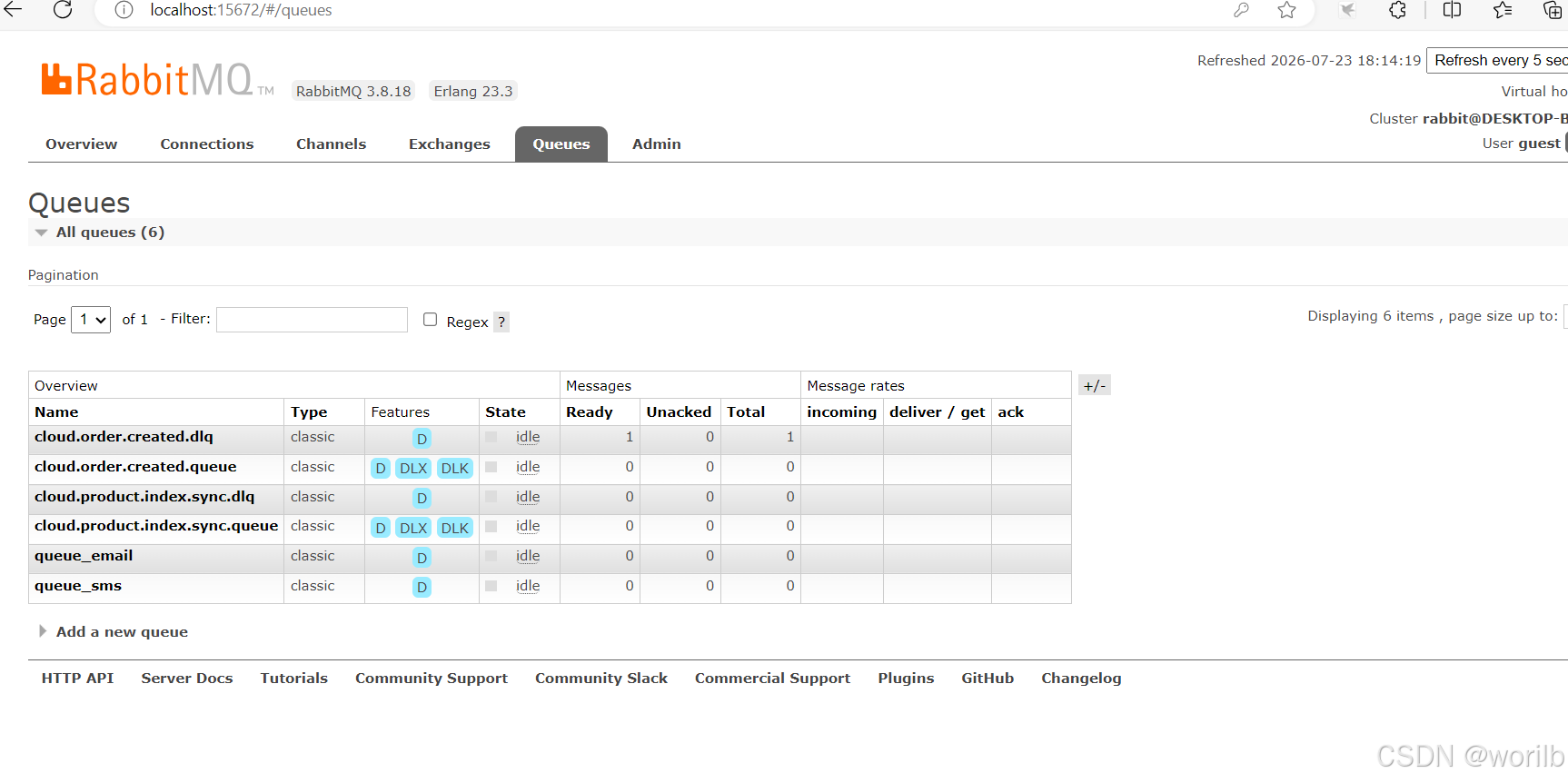
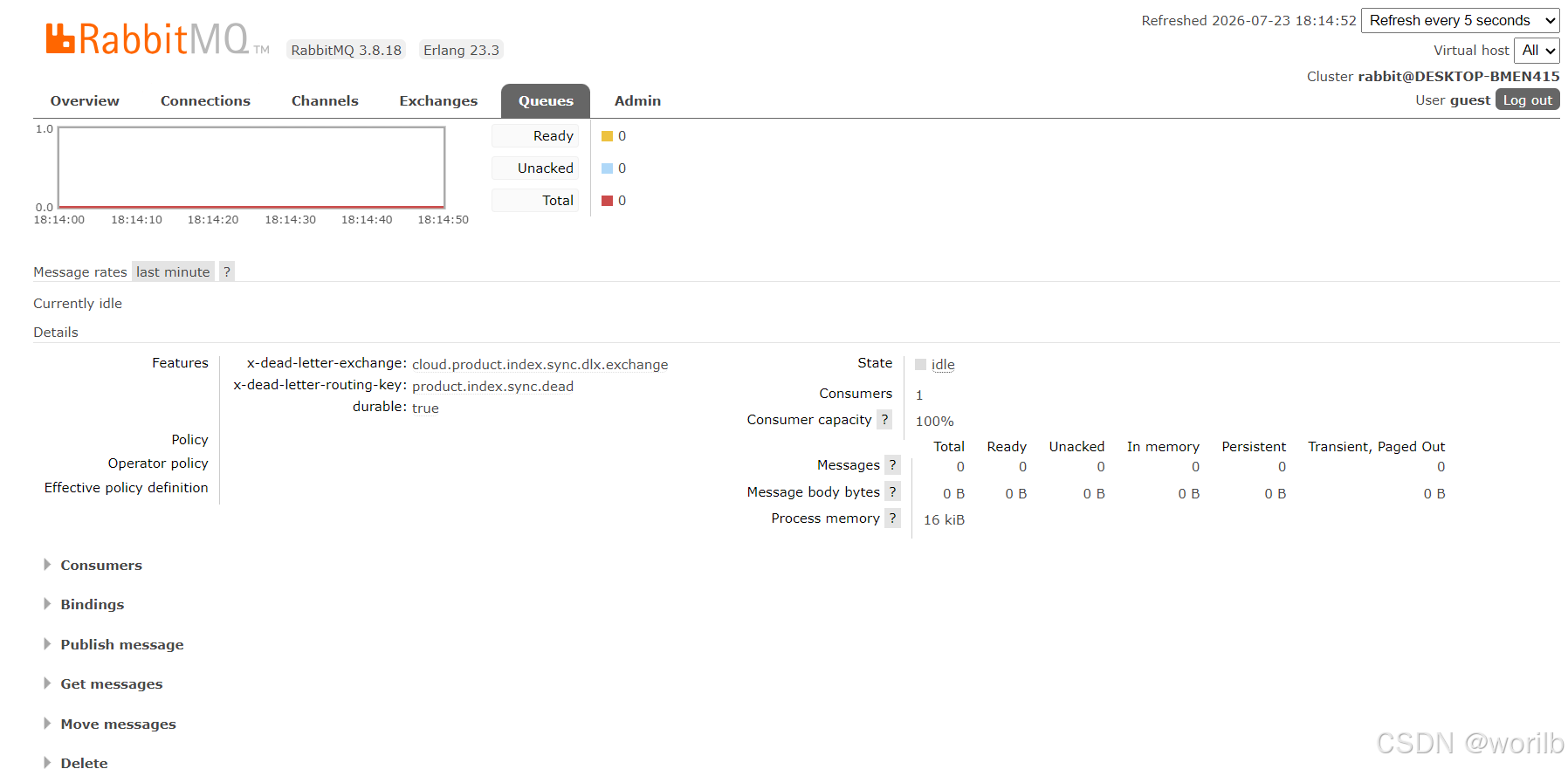
cloud.order.exchange 同时绑定:
text
cloud.order.created.queue
← order.created
cloud.product.index.sync.queue
← order.created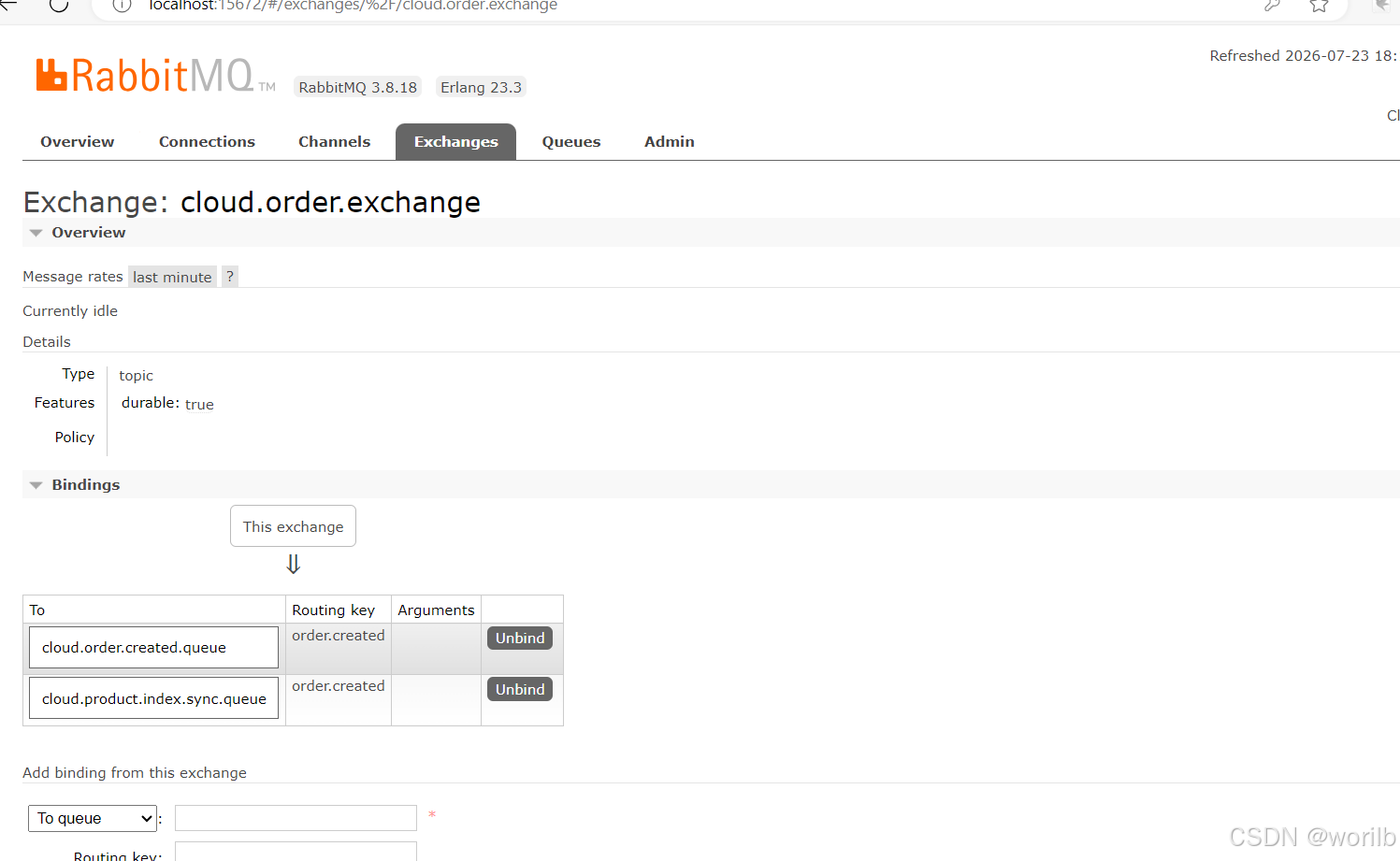
17.12 正常全局提交验证
执行:
powershell
Get-ProductStockState `
-ProductId 1并查询:
sql
SELECT COUNT(*) AS order_count
FROM t_order;
SELECT COUNT(*) AS message_count
FROM t_mq_message_log;
SELECT COUNT(*) AS event_count
FROM t_order_event_log;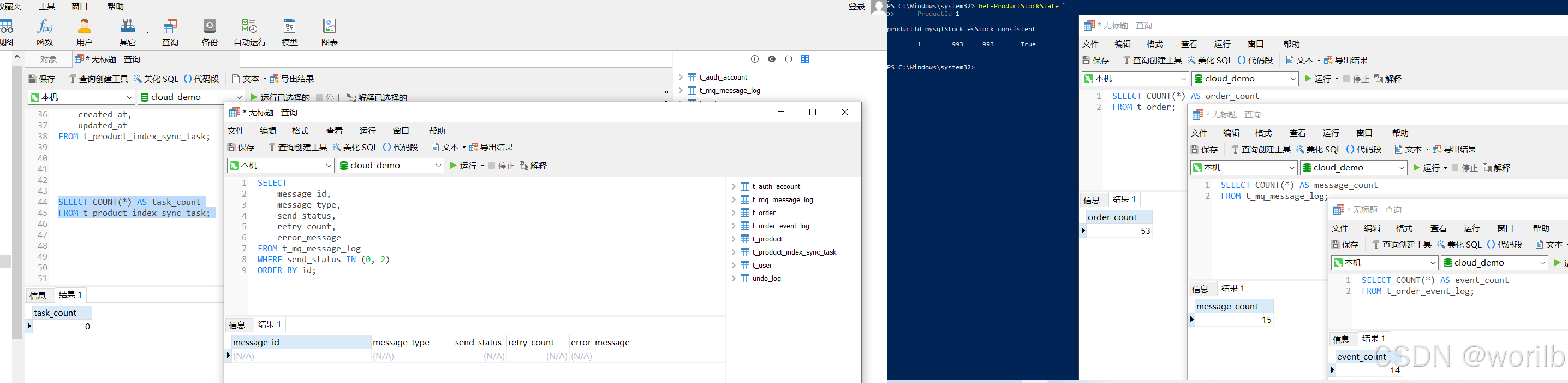
使用 PowerShell 连续执行两次创建两笔正常订单:
powershell
$headers = @{
"X-User-Id" = "1"
}
$orderBody = @{
productId = 1
quantity = 1
}
$orderResult =
Invoke-Utf8JsonRequest `
-Method "POST" `
-Uri "http://localhost:9400/orders" `
-Headers $headers `
-Body $orderBody
$orderResult |
ConvertTo-Json -Depth 10实际:
text
下单前:
MySQL = 993
ES = 993
连续两笔订单后:
MySQL = 991
ES = 991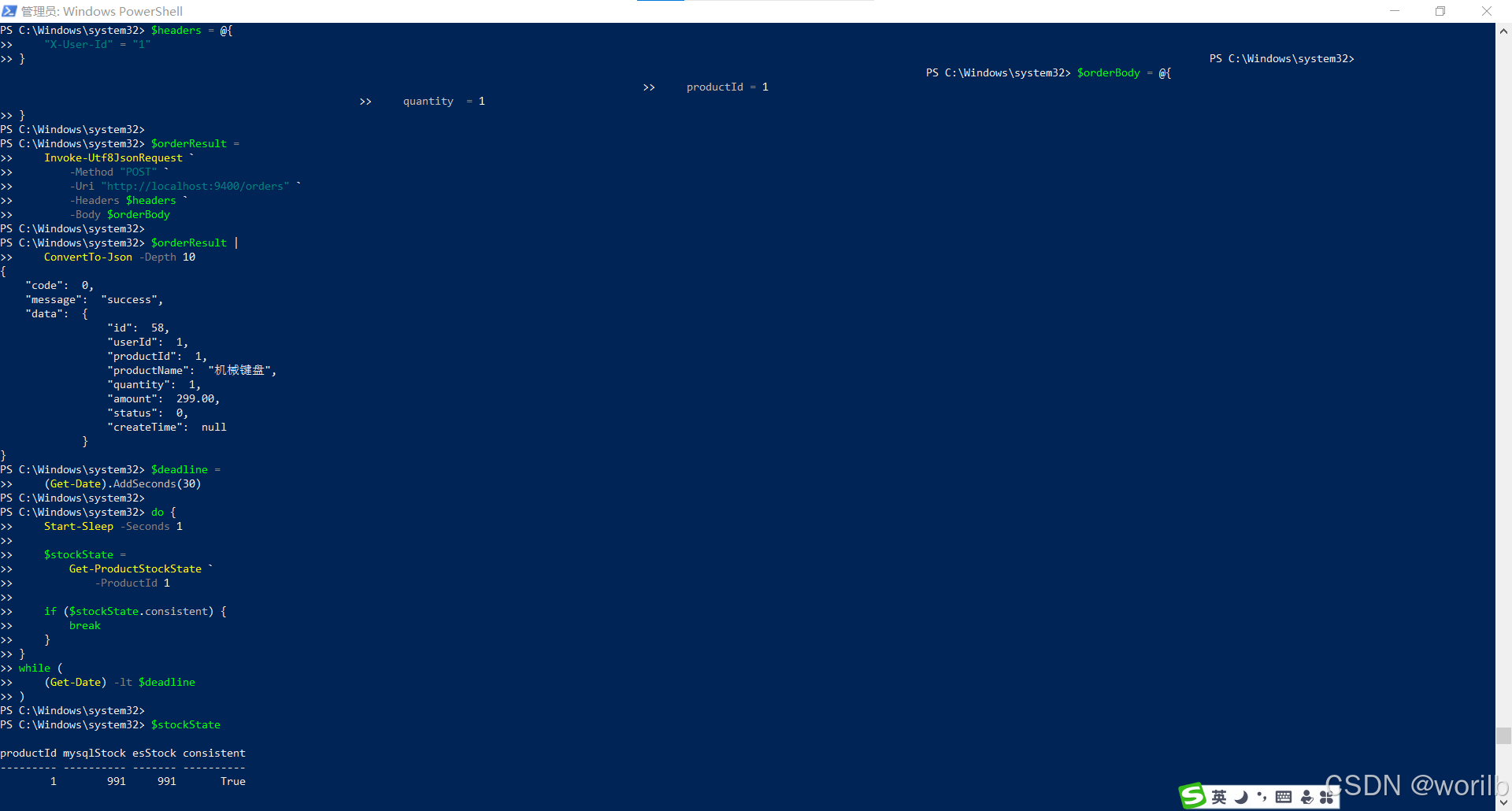
商品日志出现:
text
收到MQ
任务持久化
action=UPDATE
ACK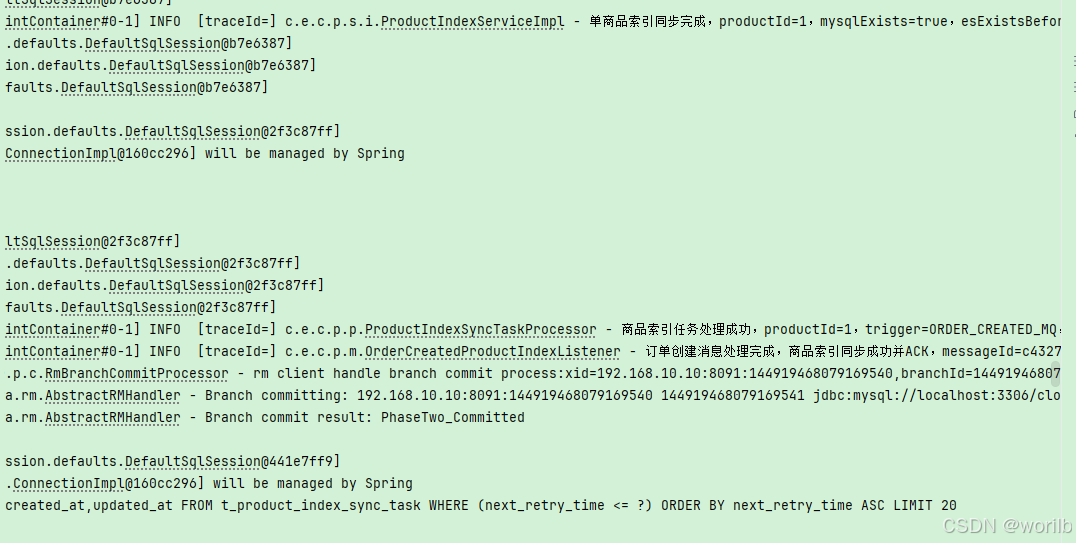
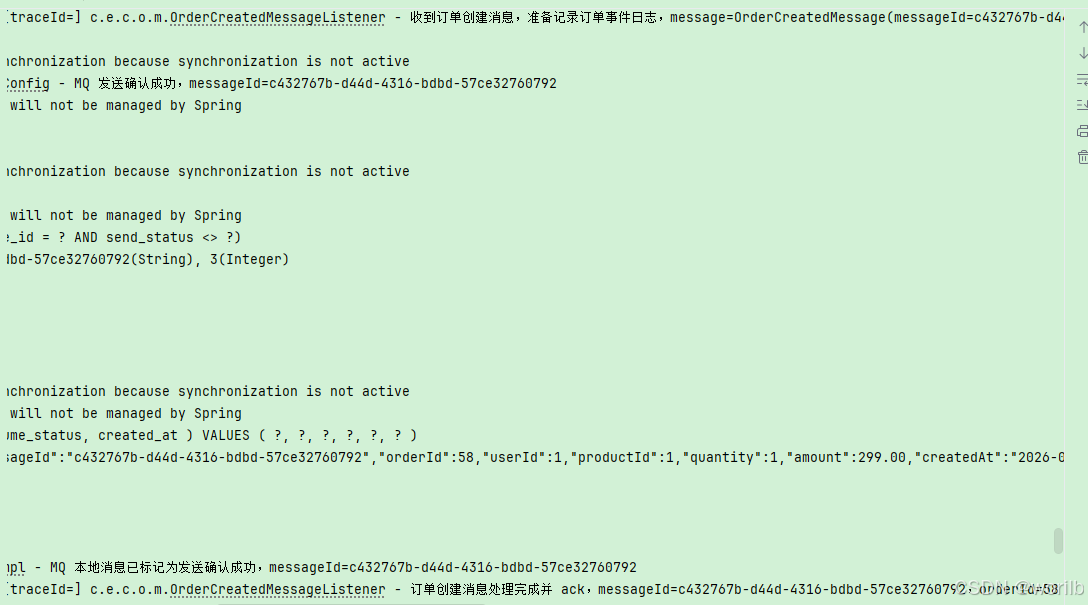
检查数据库
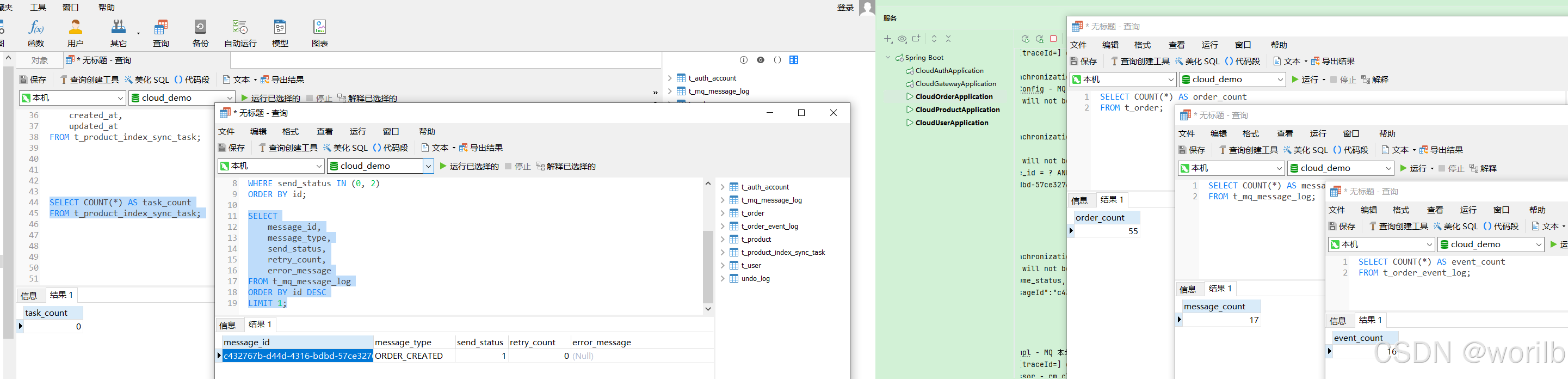
商品同步任务:
text
count = 0表示任务已创建、同步成功后又被删除。
17.13 故意制造全局回滚
为了验证:
text
商品分支执行过库存SQL
↓
订单后续失败
↓
Seata全局回滚
↓
不发送order.created在 OrderServiceImpl 注册 Hook 后、return order 前临时加入:
java
/*
* 阶段十二临时回滚验证。
*
* 商品扣库存、订单保存、本地消息保存和Hook注册
* 都已经执行后,再抛出异常。
*/
if (Integer.valueOf(77).equals(
request.getQuantity()
)) {
log.error(
"模拟Seata全局事务回滚,"
+ "xid={},"
+ "productId={},"
+ "quantity={}",
RootContext.getXID(),
request.getProductId(),
request.getQuantity()
);
throw new BizException(
ErrorCode.BIZ_ERROR,
"模拟全局事务回滚,用于验证商品索引不更新"
);
}调用:
powershell
$rollbackBody = @{
productId = 1
quantity = 77
}
$rollbackResult =
Invoke-Utf8JsonRequest `
-Method "POST" `
-Uri "http://localhost:9400/orders" `
-Headers $headers `
-Body $rollbackBody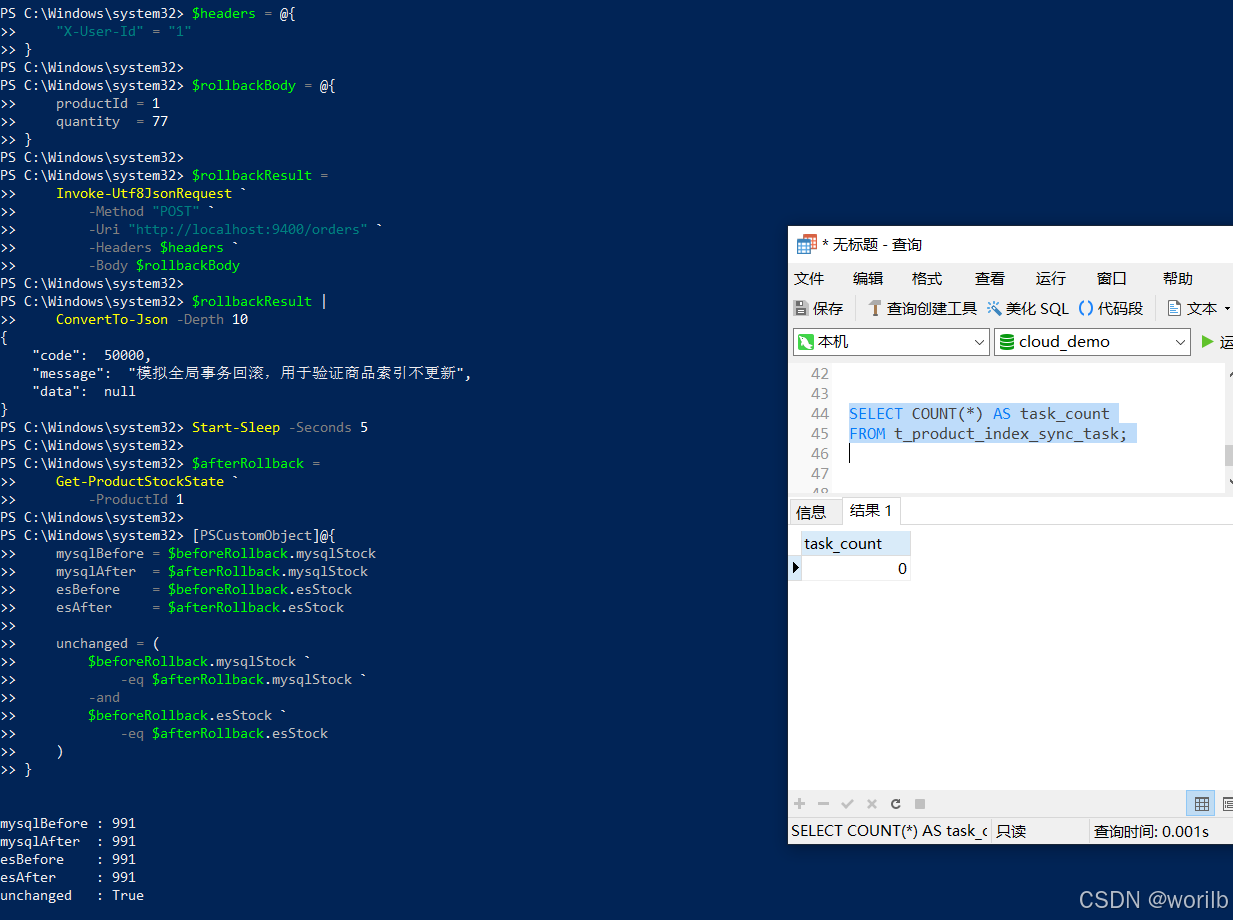
实际:
text
回滚前:
MySQL = 991
ES = 991
回滚后:
MySQL = 991
ES = 991
unchanged = True数据库绝对数量:
text
t_order = 55
t_mq_message_log = 17
t_product_index_sync_task = 0相对回滚测试前均未增加。
完成后立即删除 quantity=77 临时代码并重启 cloud-order。
18、阶段十三:全局提交后 ES 故障的自动补偿
18.1 本阶段目标
组合验证:
text
Seata全局事务提交
↓
order.created到达商品服务
↓
ES不可用
↓
任务落库
↓
MQ消息ACK
↓
ES恢复
↓
定时补偿本阶段不修改 Java 代码。
18.2 故障前基线
text
同步任务表为空
MySQL库存 = 991
ES库存 = 991停止:
powershell
docker stop cloud-demo-es可以检查:
powershell
docker ps -a `
--filter "name=cloud-demo-es"Elasticsearch 停止后正常下单:
powershell
$orderBody = @{
productId = 1
quantity = 1
}
$orderResult =
Invoke-Utf8JsonRequest `
-Method "POST" `
-Uri "http://localhost:9400/orders" `
-Headers $headers `
-Body $orderBody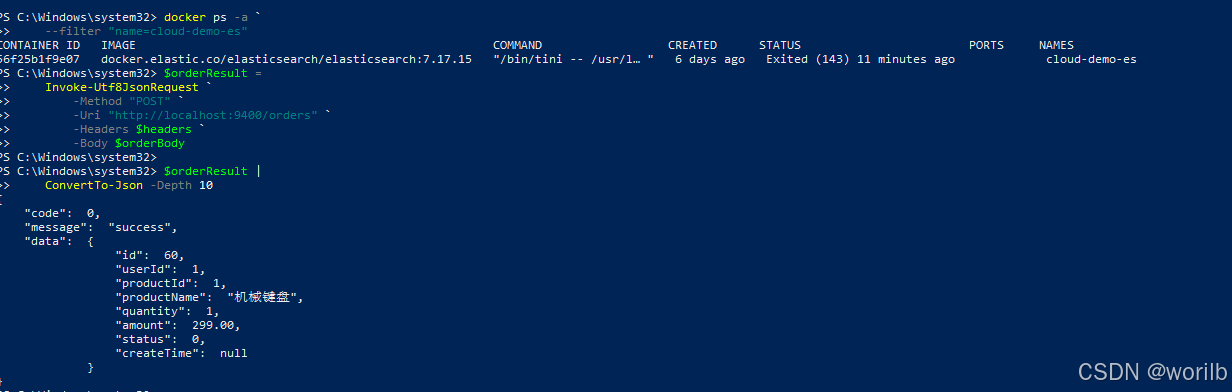
接口仍返回:
text
code = 0
message = success18.3 核心业务与任务状态
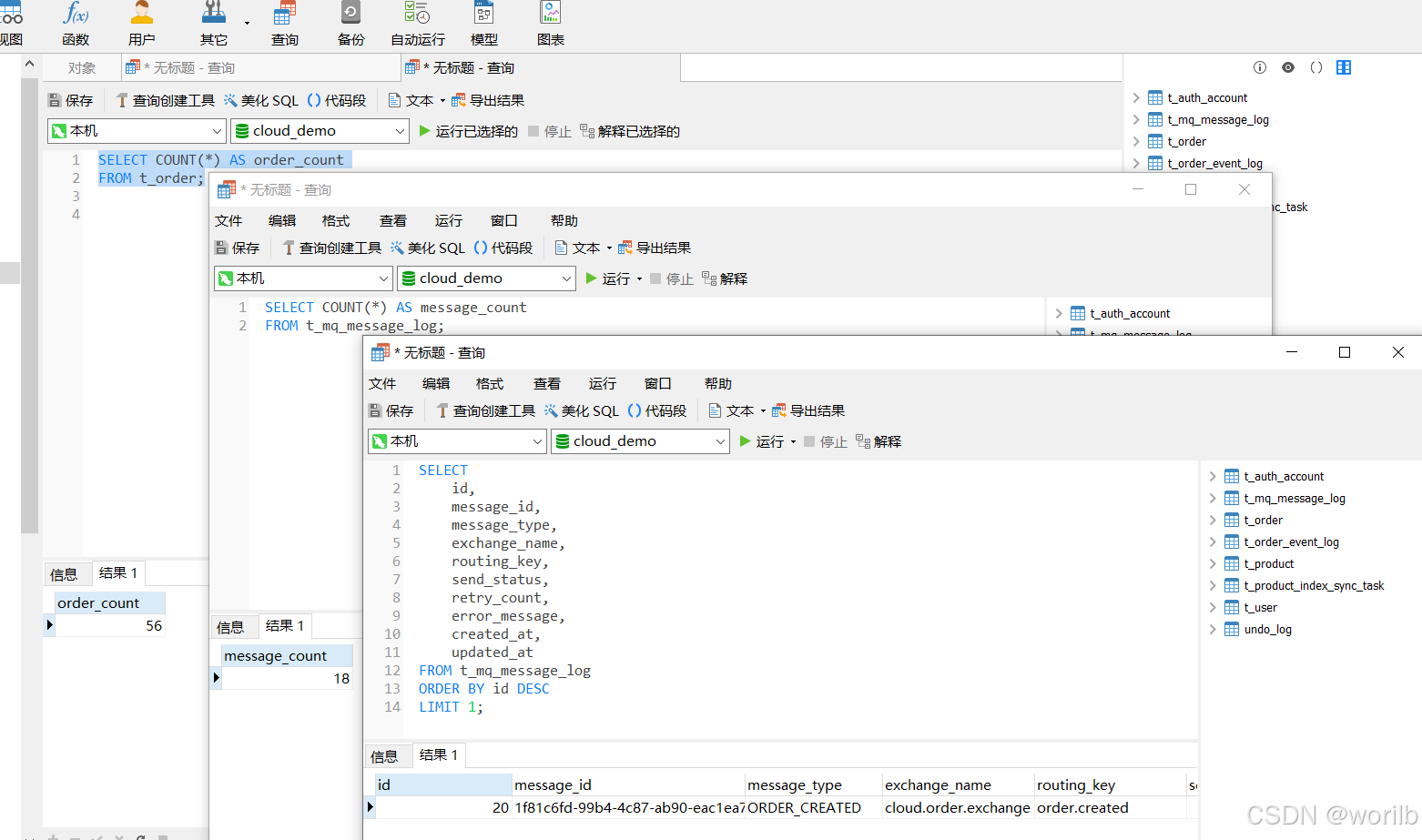
实际:
text
t_order = 56
t_mq_message_log = 18
MySQL库存 = 990稍后执行 :
sql
SELECT
id,
product_id,
retry_count,
next_retry_time,
last_error,
created_at,
updated_at
FROM t_product_index_sync_task
WHERE product_id = 1;查看较晚时:
text
retry_count = 40
last_error =
DataAccessResourceFailureException:
Connection refused...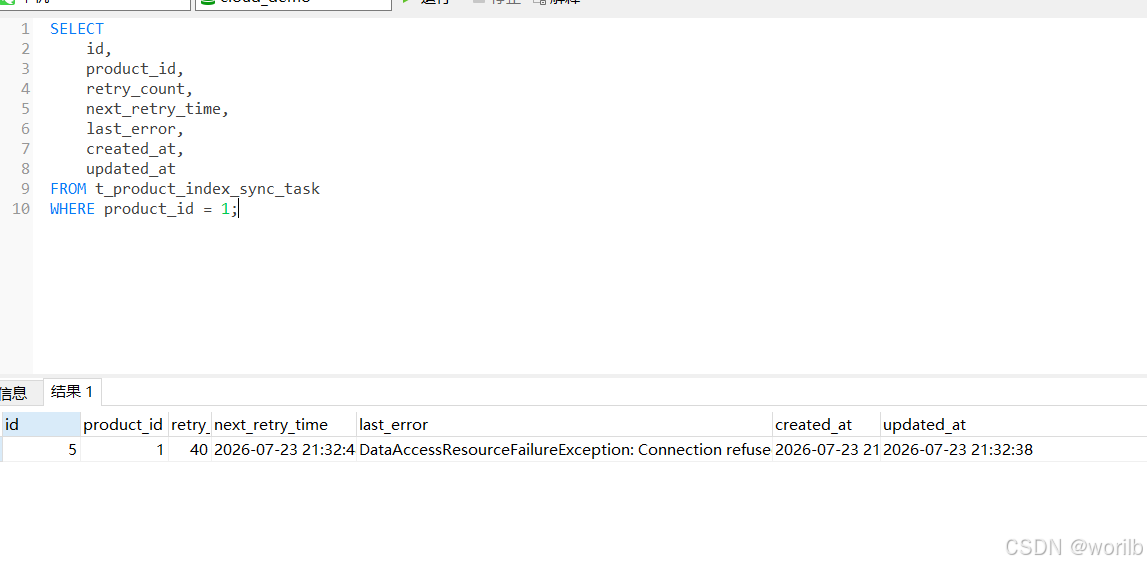
商品日志:
text
任务持久化
同步失败
消息ACK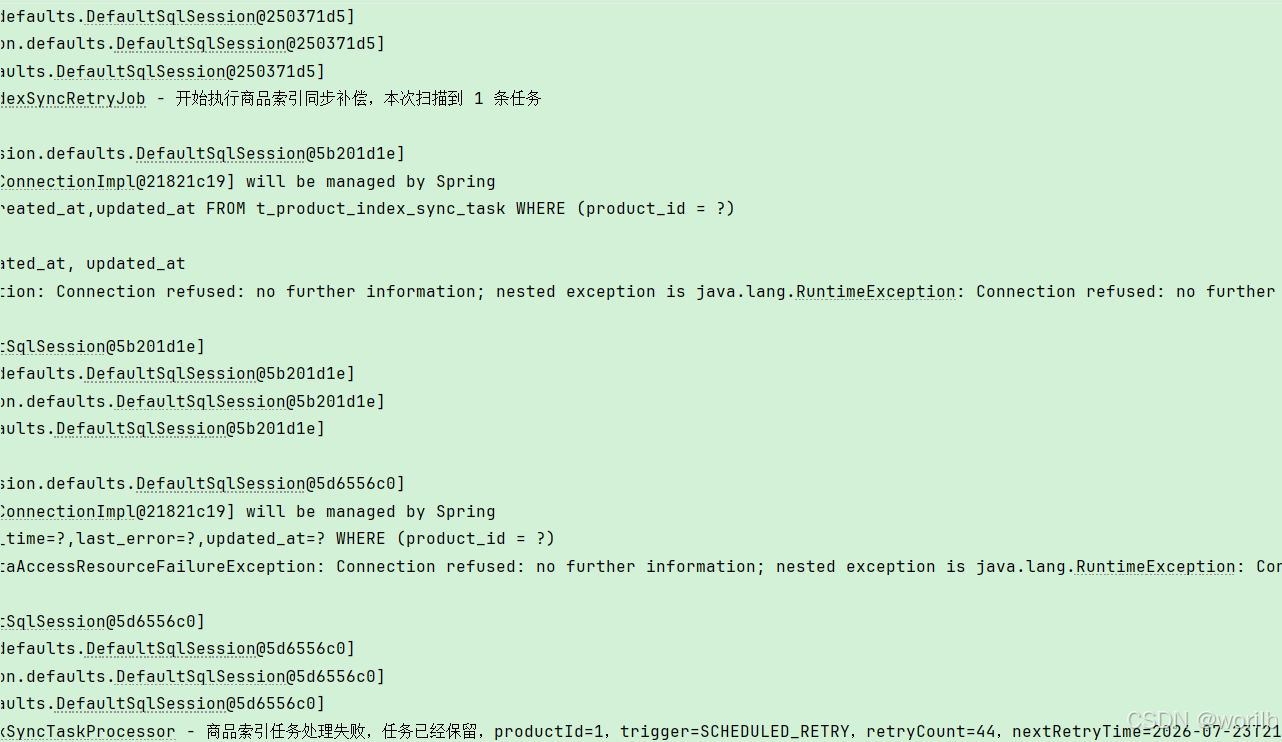
RabbitMQ:
text
Ready = 0
Unacked = 0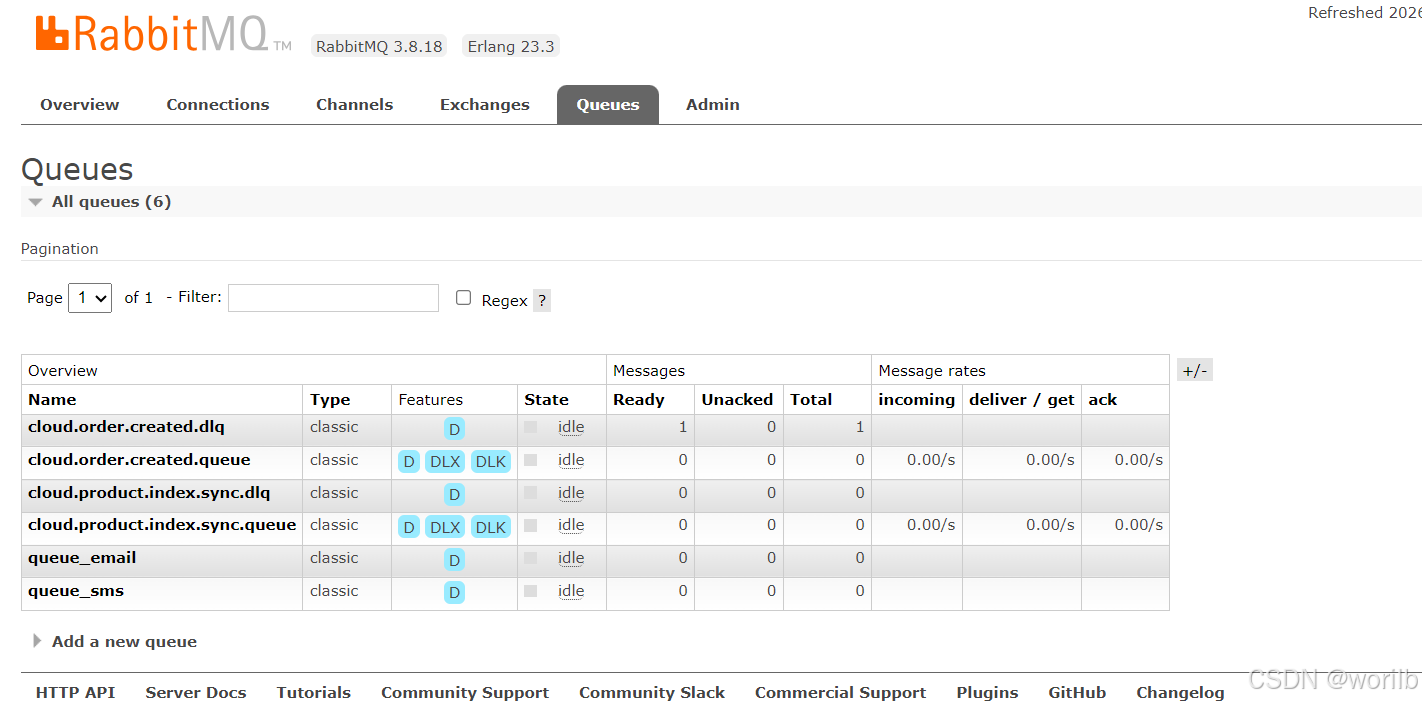
消息可以 ACK 的前提是:
text
同步意图已经可靠转成MySQL任务本次不是毒消息,不进入 DLQ。
18.4 恢复 ES 并自动补偿
检查MySQL库存
powershell
$mysqlResult =
Invoke-Utf8JsonRequest `
-Method "GET" `
-Uri "http://localhost:9300/products/1"
$mysqlResult.data.stock恢复Elasticsearch
powershell
docker start cloud-demo-es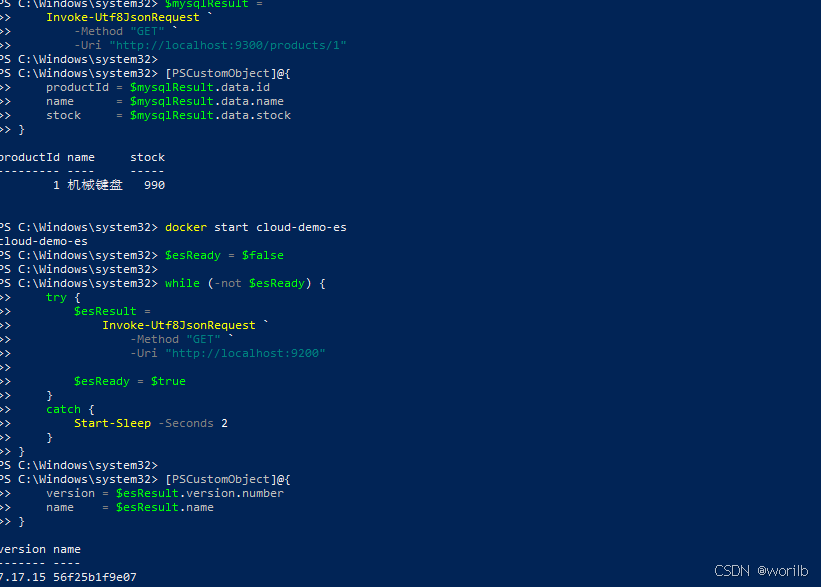
查看日志
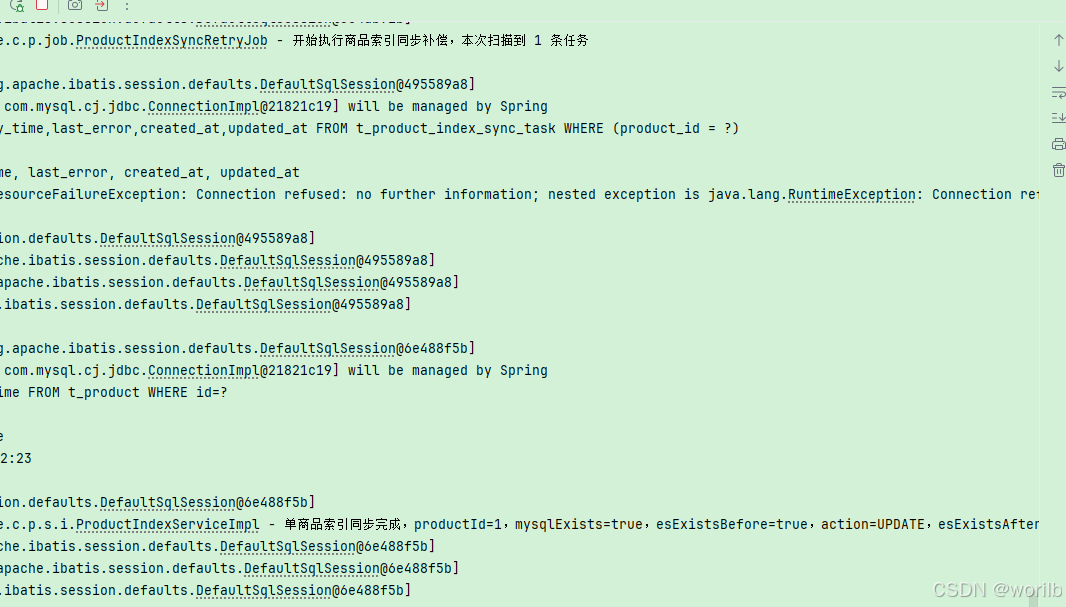
确认MySQL与ES重新一致
powershell
$afterCompensation =
Get-ProductStockState `
-ProductId 1
$afterCompensation定时任务最终完成:
text
任务数量 = 0
MySQL = 990
ES = 990
consistent = true搜索"机械":
对中文关键词进行 URL 编码:
powershell
$keyword =
[System.Uri]::EscapeDataString(
"机械"
)构造完整地址:
powershell
$searchUri =
"http://localhost:9300/products/search?keyword=$keyword&pageNo=1&pageSize=10&status=1"发送请求:
powershell
$searchResult =
Invoke-Utf8JsonRequest `
-Method "GET" `
-Uri $searchUri提取搜索结果:
powershell
$items =
@($searchResult.data.items)
$names =
@(
$items |
ForEach-Object {
$_.name
}
) -join " | "
$highlightedNames =
@(
$items |
ForEach-Object {
$_.highlightedName
}
) -join " | "
$stocks =
@(
$items |
ForEach-Object {
$_.stock
}
) -join " | "
[PSCustomObject]@{
keyword = $searchResult.data.keyword
total = $searchResult.data.total
names = $names
highlightedNames = $highlightedNames
stocks = $stocks
}结果:
text
stock = 990
highlightedName = <em>机械</em>键盘如果再次执行:
powershell
$searchResult |
ConvertTo-Json -Depth 10高亮标签可能显示为:
powershell
\u003cem\u003e机械\u003c/em\u003e键盘它与:
powershell
<em>机械</em>键盘语义相同,不是乱码。
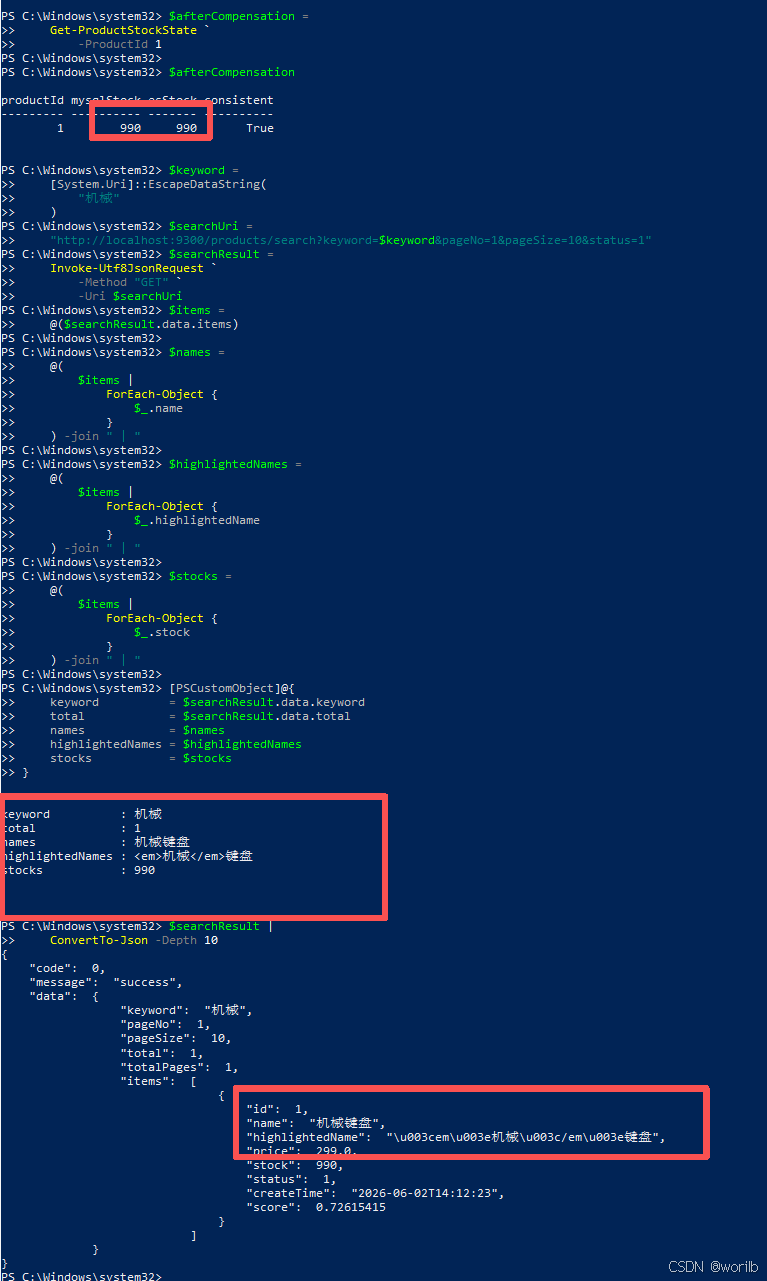
阶段十三证明:
text
MQ消息已经ACK
不等于任务丢失
MySQL任务表
成为MQ之后的第二层可靠补偿依据19、阶段十四:把固定重试改为阶梯退避
19.1 为什么需要退避
阶段十三中 ES 长时间关闭,固定每10秒重试导致:
text
retry_count = 40单任务影响不大,但生产环境大量积压会持续冲击:
text
Elasticsearch
MySQL
应用线程
日志系统调整为:
| 失败次数 | 下次允许重试 |
|---|---|
| 1 | 10秒 |
| 2 | 30秒 |
| 3 | 60秒 |
| 4 | 120秒 |
| 5及以后 | 300秒 |
短暂故障快速恢复,长时间故障降低频率。
19.2 最终 ProductIndexSyncTaskProcessor
java
package com.example.cloud.product.processor;
import com.example.cloud.product.dto.ProductIndexItemSyncResult;
import com.example.cloud.product.entity.ProductIndexSyncTask;
import com.example.cloud.product.service.ProductIndexService;
import com.example.cloud.product.service.ProductIndexSyncTaskService;
import lombok.RequiredArgsConstructor;
import lombok.extern.slf4j.Slf4j;
import org.springframework.stereotype.Component;
import java.time.LocalDateTime;
/**
* 商品索引同步任务处理器。
*
* 两种触发方式共用当前处理器:
*
* 1. MySQL 本地事务提交后的立即处理
* 2. 定时任务执行的失败补偿
* 3. RabbitMQ 订单创建事件触发的处理
*/
@Slf4j
@Component
@RequiredArgsConstructor
public class ProductIndexSyncTaskProcessor {
/**
* 重试时间阶梯,单位为秒。
*
* 对应关系:
*
* 第 1 次失败:10 秒
* 第 2 次失败:30 秒
* 第 3 次失败:60 秒
* 第 4 次失败:120 秒
* 第 5 次及以后:300 秒
*
* 短暂故障时快速重试;
* 长时间故障时主动降低请求频率。
*/
private static final long[]
RETRY_DELAY_SECONDS = {
10L,
30L,
60L,
120L,
300L
};
/**
* 商品索引同步服务。
*/
private final ProductIndexService
productIndexService;
/**
* 商品索引同步任务服务。
*/
private final ProductIndexSyncTaskService
productIndexSyncTaskService;
/**
* 处理单个商品索引同步任务。
*
* @param productId 商品 ID
* @param trigger 触发来源
* @return 是否处理成功
*/
public boolean process(
Long productId,
String trigger
) {
ProductIndexSyncTask task =
productIndexSyncTaskService
.getByProductId(
productId
);
/*
* 任务可能已经被其他处理过程完成并删除。
*
* 当前任务不存在时,不重复处理,
* 直接按照成功返回。
*/
if (task == null) {
log.info(
"商品索引同步任务已经不存在,"
+ "无需重复处理,"
+ "productId={},"
+ "trigger={}",
productId,
trigger
);
return true;
}
try {
/*
* 重新以 MySQL 当前数据为准,
* 创建、更新或删除 Elasticsearch 文档。
*/
ProductIndexItemSyncResult result =
productIndexService.syncById(
productId
);
/*
* Elasticsearch 同步成功,
* 删除已经完成的持久化任务。
*/
productIndexSyncTaskService
.deleteByProductId(
productId
);
log.info(
"商品索引任务处理成功,"
+ "productId={},"
+ "trigger={},"
+ "action={},"
+ "consistent={}",
productId,
trigger,
result.getAction(),
result.isConsistent()
);
return true;
}
catch (Exception exception) {
int currentRetryCount =
task.getRetryCount() == null
? 0
: task.getRetryCount();
/*
* 当前失败发生后,
* 重试次数增加 1。
*/
int nextRetryCount =
currentRetryCount + 1;
/*
* 根据新的失败次数,
* 计算下一次重试间隔。
*/
long retryDelaySeconds =
calculateRetryDelaySeconds(
nextRetryCount
);
LocalDateTime nextRetryTime =
LocalDateTime.now()
.plusSeconds(
retryDelaySeconds
);
String errorMessage =
buildErrorMessage(
exception
);
/*
* 同步失败后:
*
* 1. 保留数据库任务
* 2. 更新失败次数
* 3. 保存错误摘要
* 4. 按阶梯退避设置下次重试时间
*/
productIndexSyncTaskService
.markRetry(
productId,
nextRetryCount,
nextRetryTime,
errorMessage
);
log.error(
"商品索引任务处理失败,"
+ "任务已经保留,"
+ "productId={},"
+ "trigger={},"
+ "retryCount={},"
+ "retryDelaySeconds={},"
+ "nextRetryTime={}",
productId,
trigger,
nextRetryCount,
retryDelaySeconds,
nextRetryTime,
exception
);
return false;
}
}
/**
* 根据当前失败次数计算重试间隔。
*
* retryCount 从 1 开始:
*
* 1 → 数组下标 0 → 10 秒
* 2 → 数组下标 1 → 30 秒
* 3 → 数组下标 2 → 60 秒
* 4 → 数组下标 3 → 120 秒
*
* 超过数组长度后,
* 始终使用最后一个值 300 秒。
*/
private long calculateRetryDelaySeconds(
int retryCount
) {
int index =
Math.max(
0,
Math.min(
retryCount - 1,
RETRY_DELAY_SECONDS.length
- 1
)
);
return RETRY_DELAY_SECONDS[index];
}
/**
* 构造适合写入数据库的错误摘要。
*/
private String buildErrorMessage(
Exception exception
) {
String message =
exception.getMessage();
if (message == null
|| message.trim().isEmpty()) {
message = "无具体错误信息";
}
return exception
.getClass()
.getSimpleName()
+ ": "
+ message;
}
}19.3 验证阶梯退避
执行docker stop cloud-demo-es停止 ES 后直接扣库存,业务仍成功。
由于人工打开 Navicat 和执行 SQL 需要时间,第一次查询时实际已经是:
text
retry_count = 2
delay_seconds = 30
last_error = UncategorizedElasticsearchException...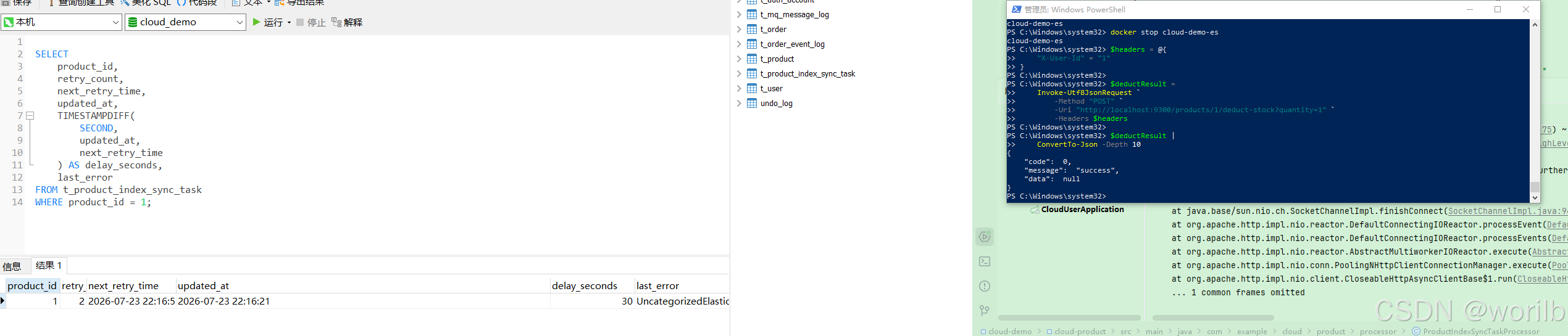
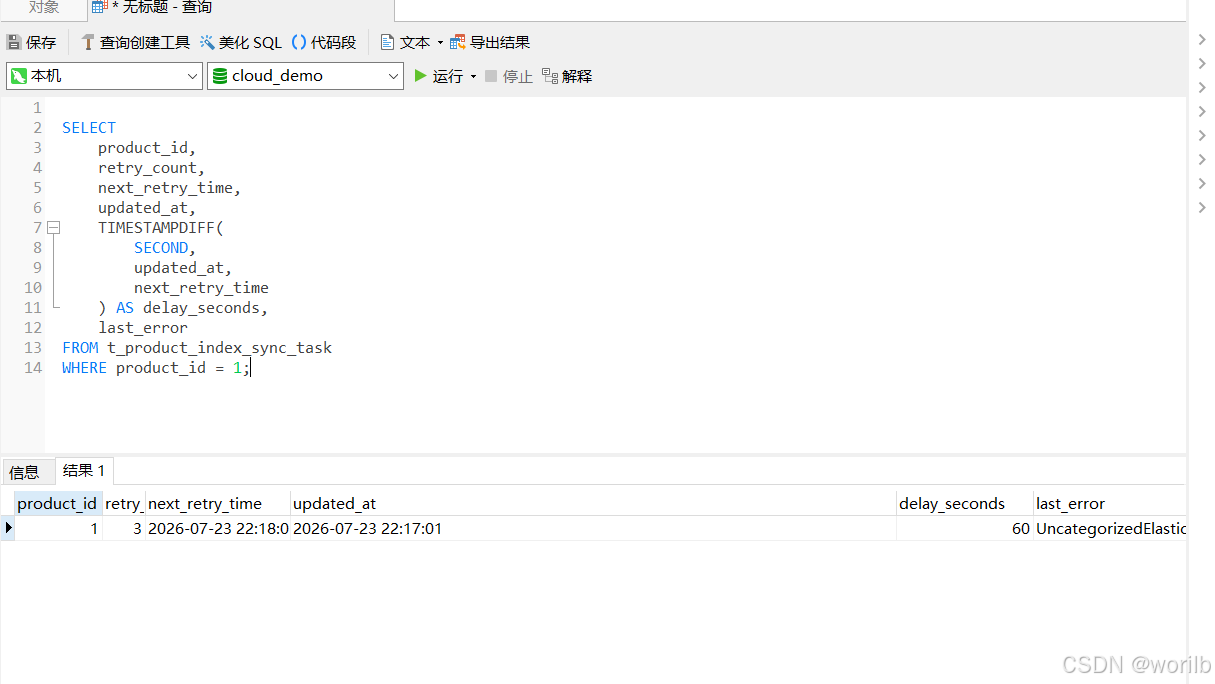
但日志完整出现:
text
retryDelaySeconds=10
retryDelaySeconds=30
retryDelaySeconds=60
retryDelaySeconds=120因此阶梯已正确生效。
20、阶段十五:最终状态验收与环境收尾
20.1 检查索引最终状态
powershell
$healthResult =
Invoke-Utf8JsonRequest `
-Method "GET" `
-Uri "http://localhost:9200/_cluster/health/product"
[PSCustomObject]@{
status = $healthResult.status
numberOfNodes = $healthResult.number_of_nodes
activeShards = $healthResult.active_shards
unassignedShards = $healthResult.unassigned_shards
}实际:
text
status = green
numberOfNodes = 1
unassignedShards = 0文档数量:
powershell
$countResult =
Invoke-Utf8JsonRequest `
-Method "GET" `
-Uri "http://localhost:9200/product/_count"
$countResult.count实际:
text
320.2 检查最终 Mapping
powershell
$mappingResult =
Invoke-Utf8JsonRequest `
-Method "GET" `
-Uri "http://localhost:9200/product/_mapping"
$mappingResult.product.mappings.properties.name |
ConvertTo-Json -Depth 10最终:
text
type = text
analyzer = ik_max_word
search_analyzer = ik_smart
name.keyword = keyword其他字段:
text
id = keyword
price = scaled_float
stock = integer
status = integer
createTime = date20.3 最终搜索冒烟测试
powershell
$keyword =
[System.Uri]::EscapeDataString(
"机械"
)
$searchUri =
"http://localhost:9300/products/search?keyword=$keyword&pageNo=1&pageSize=10&status=1"
$searchResult =
Invoke-Utf8JsonRequest `
-Method "GET" `
-Uri $searchUri
$item =
@($searchResult.data.items)[0]
[PSCustomObject]@{
keyword = $searchResult.data.keyword
total = $searchResult.data.total
name = $item.name
stock = $item.stock
highlightedName = $item.highlightedName
score = $item.score
}最终实际结果:
text
keyword : 机械
total : 1
name : 机械键盘
stock : 989
highlightedName : <em>机械</em>键盘
score : 0.72615415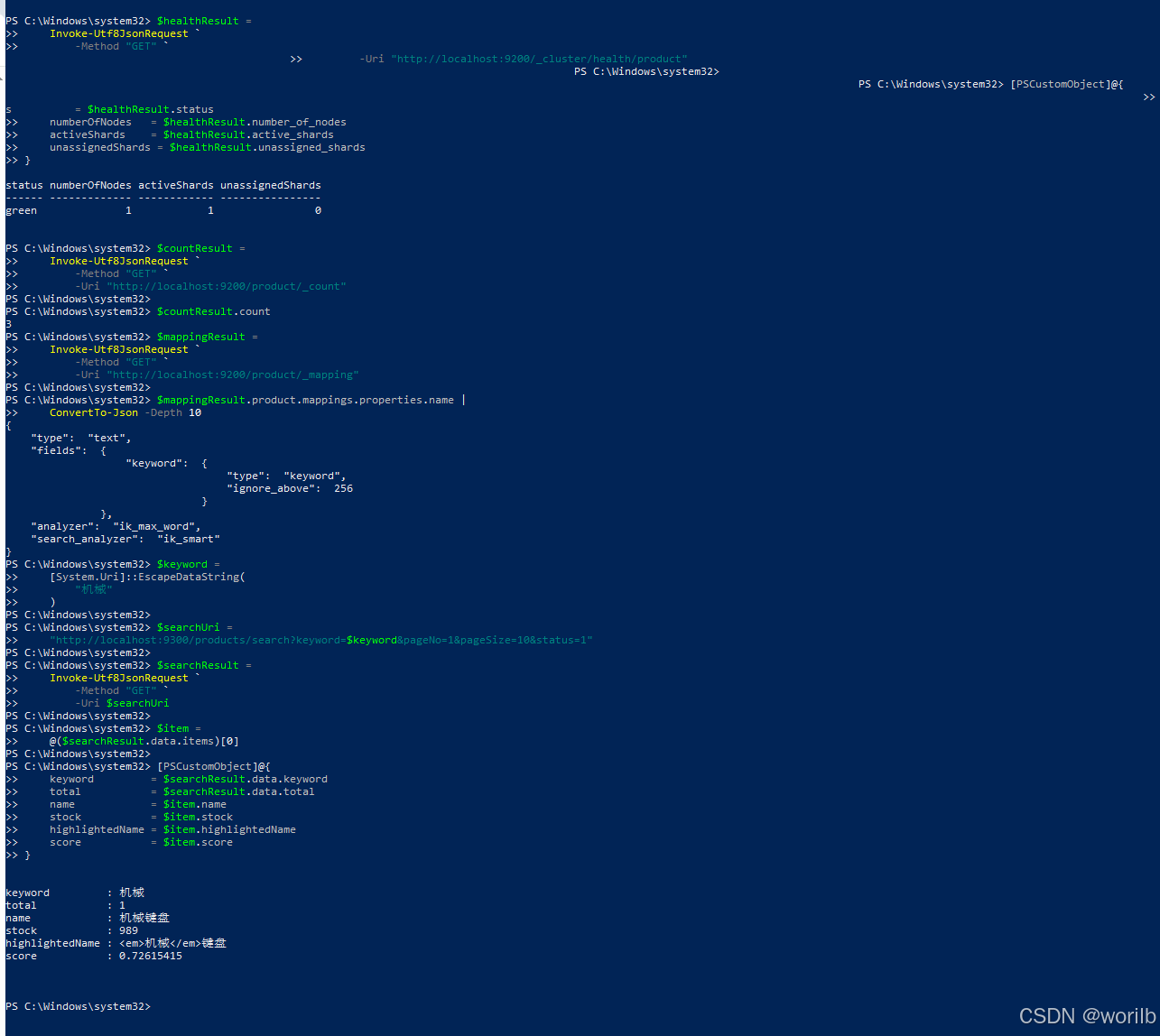
score 与前面阶段不同是正常的。
相关性分数会受到当前索引状态、文档词频和查询上下文影响,它不是固定业务常量。
21、最终完整架构
21.1 首次建立商品索引
text
MySQL t_product
↓ ProductService.list()
List<Product>
↓ toDocument()
List<ProductDocument>
↓ deleteAll() + saveAll()
Elasticsearch product
↓ refresh()
数量一致性校验21.2 商品搜索链路
text
客户端关键词
↓
ProductSearchController
↓
ProductSearchRequest
↓
ProductSearchServiceImpl
↓
bool query
├── must:match name
└── filter
├── term status
└── range price
↓
ik_smart分析查询词
↓
匹配ik_max_word建立的倒排索引
↓
分页 + 高亮 + _score
↓
ProductSearchResult21.3 普通本地事务同步链路
text
直接调用cloud-product扣库存
↓
ProductServiceImpl
↓ 同一个MySQL事务
├── UPDATE t_product
└── UPSERT t_product_index_sync_task
↓
事务提交
↓
@TransactionalEventListener(AFTER_COMMIT)
↓
ProductIndexSyncTaskProcessor
↓
ProductIndexService.syncById()
↓
更新Elasticsearch
↓
成功后删除任务21.4 Seata 全局事务提交链路
text
客户端创建订单
↓
cloud-order
↓ @GlobalTransactional
用户校验
↓
商品扣库存
↓
商品服务检测到XID
↓
不在分支本地提交阶段同步ES
↓
保存订单和MQ本地消息
↓
Seata全局提交
↓
TransactionHook.afterCommit()
↓
发送order.created
↓
cloud.order.exchange
├─ cloud.order.created.queue
└─ cloud.product.index.sync.queue
↓
OrderCreatedProductIndexListener
↓
先持久化索引同步任务
↓
再尝试更新ES
↓
ACK消息21.5 Seata 全局回滚链路
text
商品分支库存SQL已执行
↓
订单后续异常
↓
Seata全局回滚
↓
MySQL库存恢复
↓
TransactionHook.afterRollback()
↓
不发送order.created
↓
商品服务不创建索引任务
↓
Elasticsearch不变化21.6 Elasticsearch 故障补偿链路
text
MySQL主业务提交
↓
尝试同步ES
↓
ES连接失败
↓
任务仍保存在t_product_index_sync_task
↓
记录retry_count、last_error、next_retry_time
↓
定时任务扫描到期任务
↓
按10/30/60/120/300秒阶梯退避
↓
ES恢复
↓
重新查询MySQL最新商品
↓
覆盖ES文档
↓
一致性校验成功
↓
删除任务22、最终类职责总览
| 类或组件 | 职责 |
|---|---|
Product |
映射 MySQL t_product,表示真实业务商品 |
ProductDocument |
映射 Elasticsearch product 索引,定义搜索字段和分析器 |
ProductDocumentRepository |
提供文档 CRUD、计数和按 ID 查询 |
ElasticsearchOperations |
执行搜索、获取索引操作入口 |
IndexOperations |
创建索引、判断存在、刷新索引 |
ProductIndexAdminController |
暴露索引创建、全量同步、单商品同步管理接口 |
ProductIndexServiceImpl |
全量同步、CREATE/UPDATE/DELETE/NOOP、字段一致性校验 |
ProductSearchController |
接收关键词、分页、状态和价格参数 |
ProductSearchServiceImpl |
构造 bool/match/filter 查询,处理分页、高亮和分数 |
ProductIndexSyncEvent |
普通本地事务提交后携带商品 ID |
ProductIndexSyncEventListener |
在 AFTER_COMMIT 阶段立即处理本地同步任务 |
ProductIndexSyncTask |
映射持久化补偿任务表 |
ProductIndexSyncTaskMapper |
原子创建或刷新同一商品任务 |
ProductIndexSyncTaskServiceImpl |
查询到期任务、记录失败、删除成功任务 |
ProductIndexSyncTaskProcessor |
统一执行同步、成功清理、失败退避 |
ProductIndexSyncRetryJob |
周期扫描到期任务 |
OrderCreatedMessageTransactionHook |
Seata 全局提交后发送订单创建事件,回滚时不发送 |
OrderCreatedProductIndexListener |
消费全局提交事件,先落任务表,再同步 ES |
| RabbitMQ 独立商品队列 | 避免和原订单消费者竞争同一消息 |
t_product_index_sync_task |
让同步意图跨线程、跨请求、跨服务重启保存 |
23、几个容易混淆的职责
23.1 MySQL 与 Elasticsearch
text
MySQL
→ 真实业务数据、事务、约束
Elasticsearch
→ 搜索副本、倒排索引、相关性、高亮不能因为 ES 查询方便,就把库存主数据迁移成只保存在 ES。
23.2 Repository 与 ElasticsearchOperations
text
ProductDocumentRepository
→ 简单文档CRUD
ElasticsearchOperations
→ 复杂查询、SearchHits、索引操作入口两者不是二选一,可以在同一服务中分别承担不同职责。
23.3 IndexOperations 与 Mapping 注解
text
ProductDocument注解
→ 描述索引结构
IndexOperations.createWithMapping()
→ 真正把结构创建到ES只写注解不会自动改变已经存在的索引。
23.4 refresh 与数据持久化
text
文档写入成功
→ 数据已被ES接收
refresh
→ 数据变成可搜索Refresh 不是 MySQL 式事务提交,也不是把数据"保存到硬盘"的唯一动作。
23.5 MQ ACK 与 ES 同步成功
本章在 MQ 消费中:
text
任务成功落库
↓
可以ACK原消息即使 ES 立即同步失败,也可以 ACK,因为后续补偿已由 MySQL 任务表接管。
所以:
text
ACK
≠
ES已同步成功
ACK
=
原消息的可靠职责已经完成23.6 本地事务提交与 Seata 全局提交
text
Spring本地事务AFTER_COMMIT对直接调用商品服务足够。
但在 Seata 中:
text
商品分支本地提交
≠
全局事务最终提交因此全局事务必须等待:
text
TransactionHook.afterCommit()之后再发消息。
23.7 任务表与 RabbitMQ
| 机制 | 当前职责 |
|---|---|
| RabbitMQ | 把全局提交后的订单事件从订单服务传给商品服务 |
| 任务表 | 把"商品仍需同步 ES"持久化,支持服务重启和定时补偿 |
RabbitMQ 解决跨服务事件传递,任务表解决消费后的本地可靠执行。
它们不是重复设计。
24、方案对比
24.1 全量同步与增量同步
| 对比项 | 全量同步 | 单商品增量同步 |
|---|---|---|
| 输入 | MySQL 全部商品 | 单个商品 ID |
| 用途 | 首次初始化、整体修复 | 日常商品变化 |
| 是否清理孤儿数据 | 是 | 只清理指定 ID |
| 成本 | 随商品总量增长 | 与单商品相关 |
| 当前方法 | fullSync() |
syncById() |
24.2 standard、ik_smart、ik_max_word
| 分析器 | "机械键盘"实际结果 | 适合方向 |
|---|---|---|
standard |
机、械、键、盘 | 通用字符分段,不理解中文词语 |
ik_smart |
机械、键盘 | 查询侧粗粒度 |
ik_max_word |
机械、键盘 | 索引侧建立更多候选词;长文本差异更明显 |
24.3 text 与 keyword
| 对比项 | text |
keyword |
|---|---|---|
| 是否分词 | 是 | 否 |
| 全文搜索 | 适合 | 不适合 |
| 精确匹配 | 按 Token | 按完整值 |
| 排序聚合 | 通常不用主 text 字段 | 适合 |
| 本章字段 | name |
name.keyword |
24.4 match 与 term
| 对比项 | match |
term |
|---|---|---|
| 是否分析查询文本 | 是 | 否 |
| 适合 | 全文搜索 | 精确词项 |
| 本章示例 | 搜索"机械" | 精确查询 name.keyword=机械键盘 |
24.5 本地事务事件与 RabbitMQ
| 场景 | 方案 |
|---|---|
| 直接调用商品服务 | AFTER_COMMIT 事件 |
| Seata 全局事务 | 全局提交后 RabbitMQ |
| 原因 | 两种"最终提交"时机不同 |
24.6 固定重试与阶梯退避
| 策略 | 优点 | 问题 |
|---|---|---|
| 固定10秒 | 简单、恢复快 | 长故障时持续冲击 |
| 阶梯退避 | 逐渐降低频率 | 恢复后可能要等到 next_retry_time |
| 当前最终方案 | 10、30、60、120、300秒 | 任务不丢,最大间隔封顶 |
26、生产环境边界与改进方向
26.1 不要使用 deleteAll + saveAll 直接重建大型线上索引
生产建议:
text
product_v1正在提供搜索
↓
创建product_v2
↓
分页读取MySQL
↓
Bulk批量写入
↓
校验数量和抽样字段
↓
原子切换product_alias
↓
延迟删除product_v1避免搜索空窗。
26.2 大数据量同步要分页和 Bulk
当前一次性:
java
productService.list();只适合三条商品。
生产需要:
text
按主键分页读取
每批500~2000条
Bulk批量写入
控制并发和失败重试
记录失败文档26.3 可以使用 CDC 代替业务代码逐处发布事件
当前同步由业务代码显式触发。
更通用的生产方案:
text
MySQL Binlog
↓
Canal / Debezium
↓
Kafka / RabbitMQ
↓
索引消费者
↓
Elasticsearch优点是降低业务代码侵入,并覆盖更多数据变更入口。
但 CDC 仍需处理:
text
顺序
重复
删除事件
Schema变化
全量与增量衔接26.4 任务表需要监控和告警
当前任务不会因超过次数而删除,这是正确的保守策略。
生产至少监控:
text
任务总数
最老任务年龄
retry_count最大值
不同异常类型数量
最近成功时间超过阈值应告警,而不是只看应用日志。
26.5 多实例定时任务要避免并发抢同一任务
当前只有一个 cloud-product 实例。
多实例时可能:
text
实例A扫描到商品1
实例B也扫描到商品1虽然覆盖式同步本身幂等,但会产生重复请求。
可选方案:
text
数据库状态字段 + 乐观抢占
SELECT ... FOR UPDATE SKIP LOCKED
分布式锁
任务分片
专用调度平台26.6 RabbitMQ 消费幂等
当前同一个 productId 任务使用唯一索引合并,并且同步逻辑是:
text
读取MySQL当前值
→ 覆盖ES因此重复消息不会重复扣库存。
生产仍建议保存:
text
messageId消费记录用于精确审计和避免某些非覆盖式副作用重复执行。
26.7 管理接口不能对普通用户开放
当前:
text
POST /es/index/product
POST /es/index/product/sync/full
POST /es/index/product/{id}/sync属于管理能力。
生产应:
text
只允许内网
管理员鉴权
操作审计
限流
必要时改为运维任务26.8 Elasticsearch 必须开启安全能力
本地关闭:
text
xpack.security.enabled=false生产不能照搬。
至少需要:
text
用户认证
最小权限
TLS
网络访问控制
凭据安全保存
审计日志26.9 自定义词典和同义词
IK 默认词典未必理解业务词:
text
型号
品牌缩写
行业术语
商品别名可以增加:
text
自定义扩展词典
远程词典
同义词词典例如:
text
笔记本电脑
笔记本
Notebook
Laptop但词典更新与索引重建要有明确流程。
26.10 深度分页
当前使用:
text
from + size适合普通页码。
很深的分页会让各分片保留并排序大量候选结果。
生产可根据场景使用:
text
search_after
Point In Time
滚动导出
限制最大页码26.11 Refresh 需要平衡实时性和吞吐量
更短的刷新间隔:
text
搜索更快看到新数据但会增加:
text
Segment创建和合并成本
I/O
CPU大批量导入时可临时调大或关闭自动刷新,导入后再恢复并主动 Refresh。
26.12 库存不应依赖搜索结果做最终判断
ES 中库存可能短暂滞后。
用户搜索看到:
text
stock = 989下单时仍必须由 MySQL 原子 SQL 判断真实库存。
正确职责:
text
ES库存
→ 搜索展示参考
MySQL条件UPDATE
→ 最终扣减正确性26.13 索引字段不要无节制复制业务表
搜索文档应围绕搜索需求设计。
不需要搜索、过滤、排序、聚合或展示的敏感字段,不应随意写入 ES。
避免:
text
增加存储
扩大泄露面
Mapping膨胀
字段数量爆炸27、本章总结
本章从零完成:
text
Docker部署Elasticsearch
↓
Spring Data Elasticsearch接入
↓
商品Document、Settings和Mapping
↓
MySQL全量同步
↓
standard原生中文分词观察
↓
match与term对比
↓
安装IK
↓
ik_max_word + ik_smart
↓
分页、高亮、状态和价格筛选
↓
单商品CREATE / UPDATE / DELETE / NOOP
↓
本地事务AFTER_COMMIT
↓
同步任务表
↓
服务重启后自动补偿
↓
Seata全局提交后RabbitMQ同步
↓
全局回滚不更新ES
↓
ES故障后任务持久化
↓
阶梯退避
↓
最终状态验收本章最重要的不是记住几个 API,而是理解完整职责:
text
MySQL负责真实数据
ES负责搜索
Mapping负责字段结构
Analyzer负责分词
倒排索引负责快速查词
match负责全文搜索
keyword负责精确值
全量同步负责初始化和整体修复
syncById负责日常单商品同步
本地事件负责普通事务提交后处理
RabbitMQ负责全局提交后的跨服务事件
任务表负责ES失败后的可靠补偿
阶梯退避负责降低长故障冲击本章也证明:
text
搜索接口返回成功
不代表索引同步机制可靠
MQ消息ACK
不代表ES已经更新
MySQL事务提交
不代表ES能够加入同一事务
ES恢复
不代表任务会无视next_retry_time立即执行必须通过真实故障、回滚、服务重启和最终复测,才能确认链路闭环。
30、下一章预告
第17章进入 Docker Compose 本地部署。
重点完成:
text
为Elasticsearch制作包含IK的自定义镜像
↓
编写docker-compose.yml
↓
统一编排MySQL、Redis、Nacos、RabbitMQ、
Seata、Elasticsearch和微服务
↓
配置数据卷、网络、环境变量和端口
↓
增加健康检查与启动依赖
↓
一键启动和停止完整演练环境第16章解决的是:
text
搜索能力与索引一致性第17章要解决的是:
text
当前组件太多、启动步骤分散、
环境不容易重复搭建最终目标:
text
docker compose up -d
↓
基础设施和微服务按统一配置启动
↓
换一台电脑也能快速恢复演练环境