這是官網https://furion.net/docs/category/appendix
主要做的是一個後端API接口程序,給前端訪問。用C#,ASP .net開發,框架用了Furion
Furion + EFCore 脚手架安装
下载Furion
dotnet new install Furion.Template.Api::4.9.5.21
不带版本号总是安装最新的版本,根据需要来
创建项目
命令模板如下
dotnet new 关键词 -n 项目名称 -f .NET版本
EFCore:支持创建 .NET5-8 版本
D:\Projects\VS\TestWeb>dotnet new furionapi -n EmployeeApi -f net7
範本「Furion Api」已成功建立。
範本套件 'Furion.Template.Api@4.9.5.21' 有可用的更新。
若要更新套件,請使用:
dotnet new install Furion.Template.Api@4.9.9.45
D:\Projects\VS\TestWeb>
运行demo
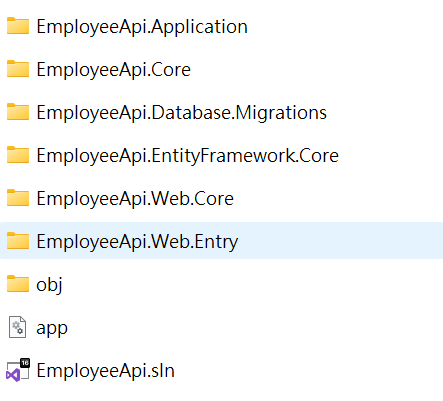
创建完就能用vs打开了,注意这边有很多项目,都是一个解决方案。
把EmployeeApi.Web.Entry设置成启动程序。
就能运行项目了,里面有一个demo
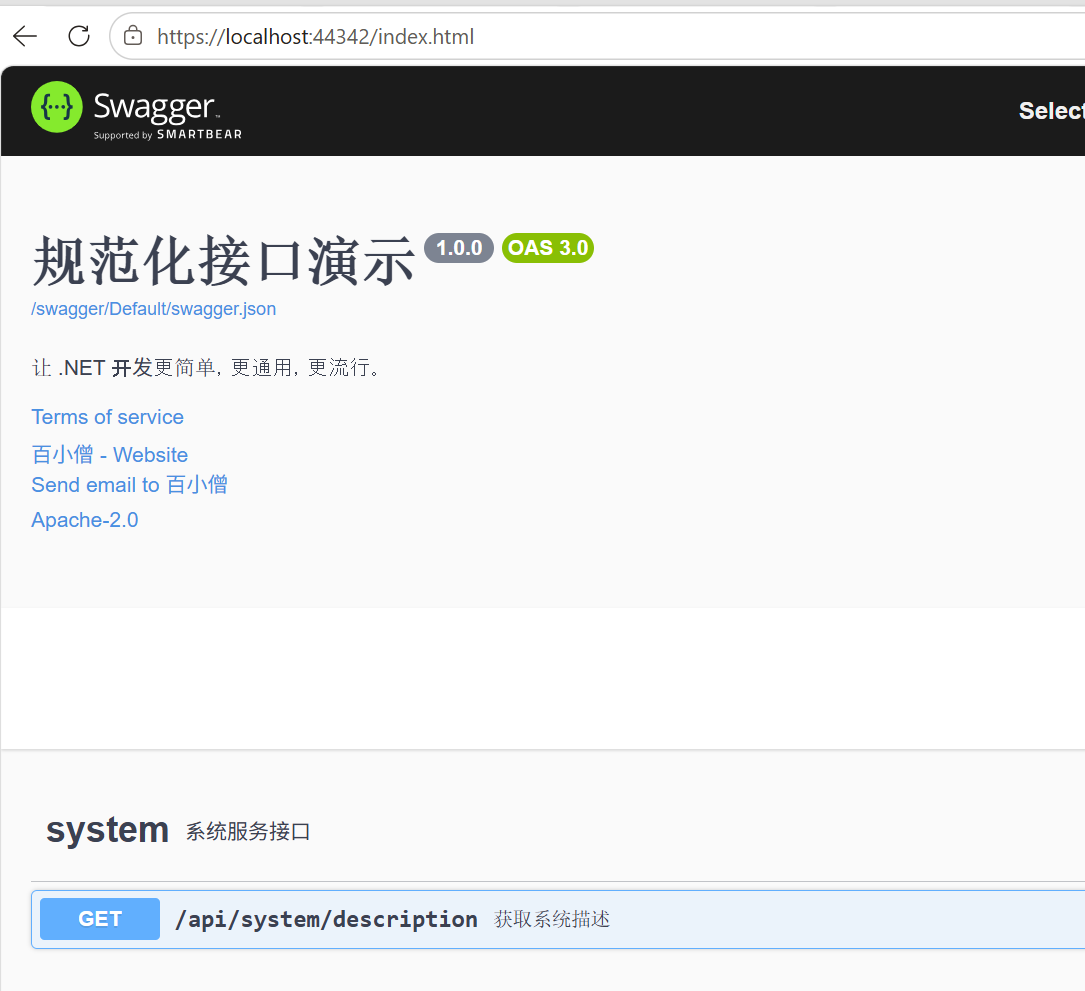
项目结构
Application 放业务逻辑,就是service,dto
Core 放models
Databse.Migrations 数据库迁移 EF core
EntityFramework.core 放DbContext
web.core web组件
Entry 程序入口,Program.cs + Controllers
创建模型
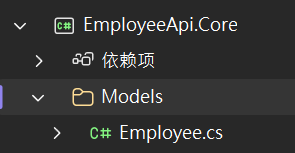
Employee.cs
cs
using Furion.DatabaseAccessor;
using System;
using System.Collections.Generic;
using System.Linq;
using System.Text;
using System.Threading.Tasks;

namespace EmployeeApi.Core.Models
{
    public class Employee : Entity
    {
        //Entity
        //无需定义 Id 属性
        // 并自动添加 CreatedTime,UpdatedTime 属性
        public string Name { get; set; }
        public int Age { get; set; }
        public string Dept { get; set; }
    }
}
数据库
配置数据库上下文
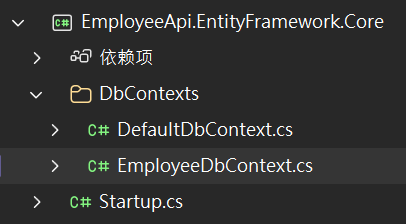
EmployeeDbContext.cs
cs
using EmployeeApi.Core.Models;
using Furion.DatabaseAccessor;
using Microsoft.EntityFrameworkCore;
using System;
using System.Collections.Generic;
using System.Linq;
using System.Text;
using System.Threading.Tasks;

namespace EmployeeApi.EntityFramework.Core.DbContexts
{
    [AppDbContext("MyDb", DbProvider.Sqlite)]
    public class EmployeeDbContext : AppDbContext<EmployeeDbContext>
    {
        public EmployeeDbContext(DbContextOptions<EmployeeDbContext> options) : base(options) { }
        public DbSet<Employee> employees { get; set; }

    }

}
配置数据库链接
参考:
Sqlite:Data Source=./Furion.dbMySql:Data Source=localhost;Database=Furion;User ID=root;Password=000000;pooling=true;port=3306;sslmode=none;CharSet=utf8;SqlServer:Server=localhost;Database=Furion;User=sa;Password=000000;MultipleActiveResultSets=True;Oracle:User Id=orcl;Password=orcl;Data Source=(DESCRIPTION=(ADDRESS_LIST=(ADDRESS=(PROTOCOL=TCP)(HOST=127.0.0.1)(PORT=1521)))(CONNECT_DATA=(SERVICE_NAME=orcl)))PostgreSQL:PORT=5432;DATABASE=postgres;HOST=127.0.0.1;PASSWORD=postgres;USER ID=postgres;
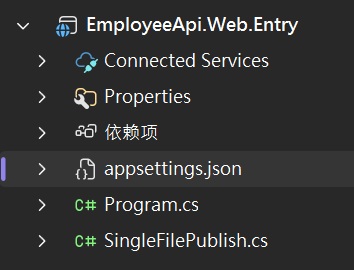
appsettings.json
html
{
  "$schema": "https://gitee.com/dotnetchina/Furion/raw/v4/schemas/v4/furion-schema.json",
  "Logging": {
    "LogLevel": {
      "Default": "Information",
      "Microsoft.AspNetCore": "Warning",
      "Microsoft.EntityFrameworkCore": "Information"
    }
  },
  "AllowedHosts": "*",
  "ConnectionStrings": {
    "MyDb": "Data Source=D:\\Projects\\VS\\TestWeb\\EmployeeApi\\app.db"
  }
}
注册该数据库上下文
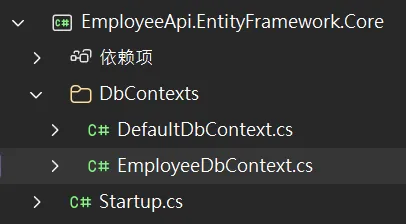
Startup.cs
cs
using EmployeeApi.EntityFramework.Core.DbContexts;
using Furion;
using Microsoft.Extensions.DependencyInjection;

namespace EmployeeApi.EntityFramework.Core;

public class Startup : AppStartup
{
    public void ConfigureServices(IServiceCollection services)
    {
        services.AddDatabaseAccessor(options =>
                                     {
                                         options.AddDbPool<DefaultDbContext>();
                                         options.AddDbPool<EmployeeDbContext>(); //注册数据库上下文
                                     }, "EmployeeApi.Database.Migrations");
    }
}
模型生成数据库(code first)
方法一:用cmd或者powershell
用命令,安装在\EmployeeApi.Database.Migrations项目下面
dotnet add package Microsoft.EntityFrameworkCore.Sqlite
dotnet add package Microsoft.EntityFrameworkCore.Design
dotnet tool install --global dotnet-ef
注意:因为这边没有用最新的.net,所以你用vs 界面去找对应版本
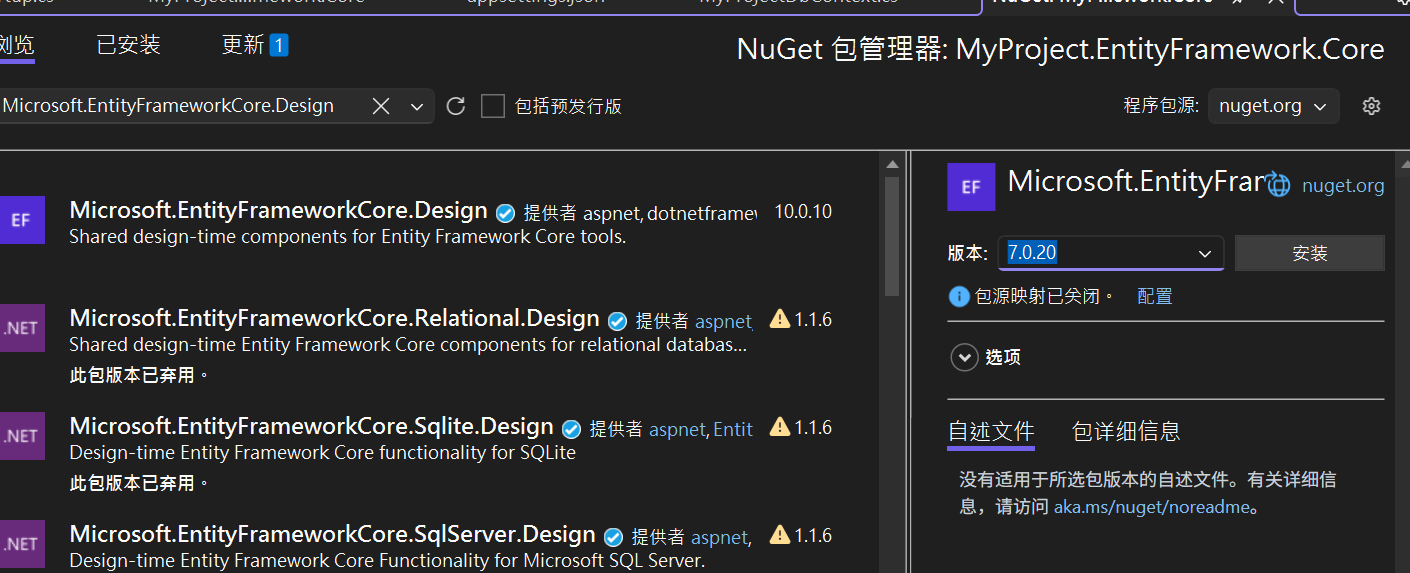
dotnet tool install --global dotnet-ef --version 7.* 也要是对应版本
运行下面命令,要在EmployeeApi.Web.Entry(启动项目)下面运行
dotnet ef database update --context EmployeeDbContext --project ../EmployeeApi.Database.Migrations
dotnet ef database update --context EmployeeDbContext --project ../EmployeeApi.Database.Migrations
成功后app.db就有了
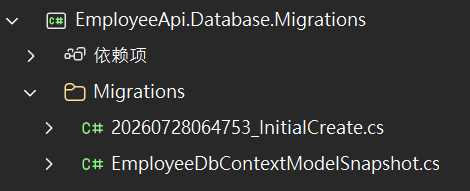
参考:
dotnet ef migrations add InitialCreate_MyProject \
--context MyProjectDbContext \ # 为这个 DbContext 生成迁移
--output-dir Migrations \ # 生成的迁移文件放在 Migrations 文件夹下
--project ../MyProject.Database.Migrations # 把整个 Migrations 文件夹放到这个项目里
方法二:
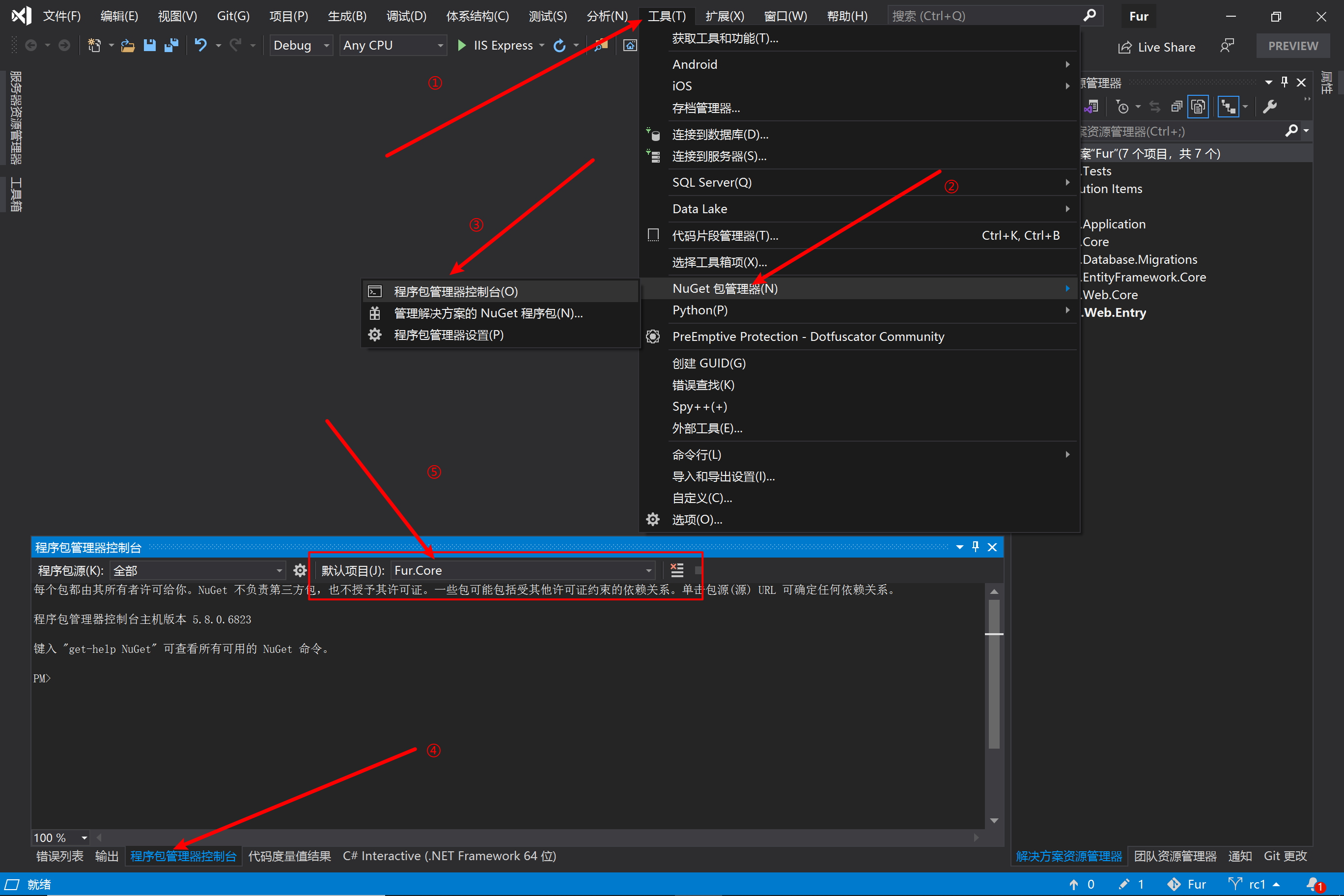
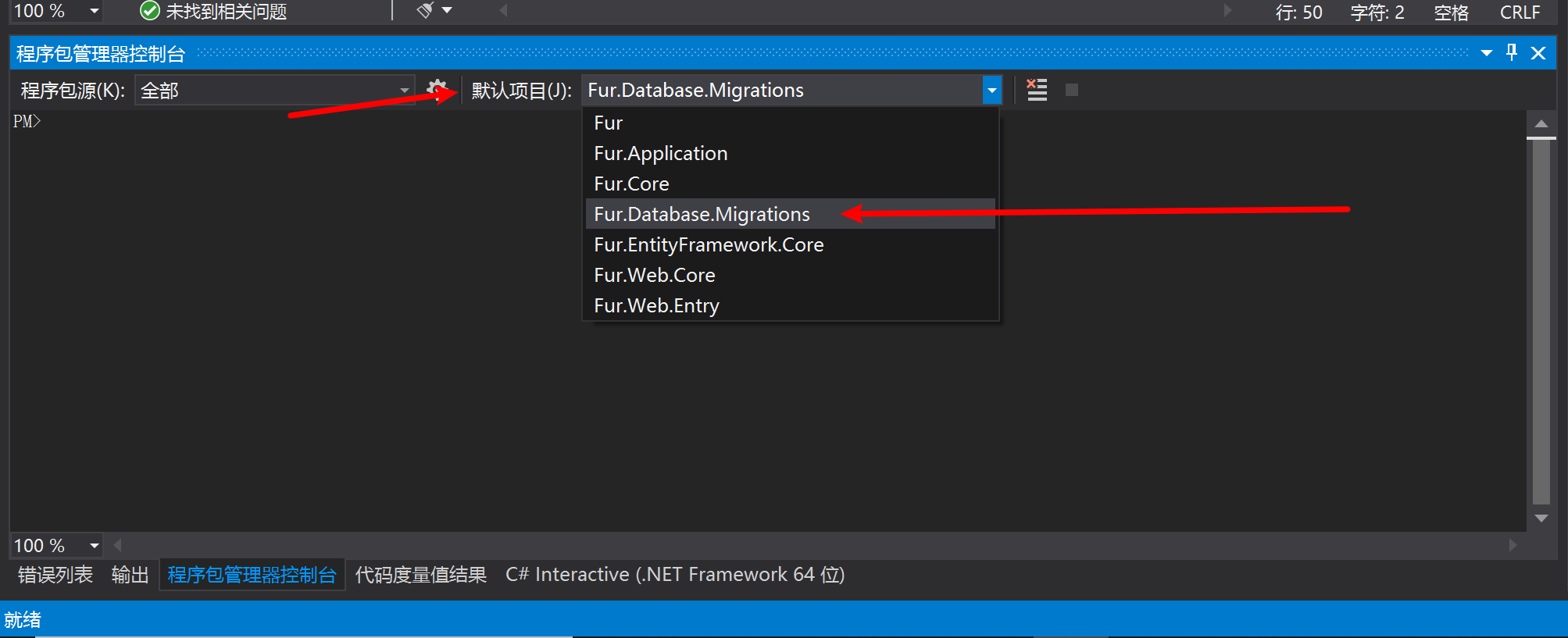
执行:
Add-Migration -Context EmployeeDbContext v1.0.0
Update-Database -Context EmployeeDbContext
Controller
准备dto,service
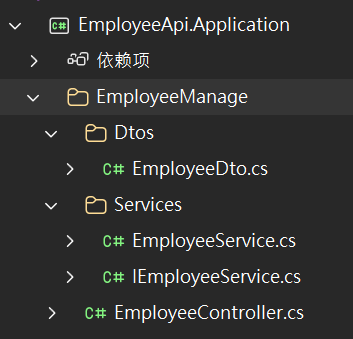
DTO,这边就写一个,也可以写多个,比如添加员工写一个,更新写一个。
EmployeeDto.cs
cs
using System;
using System.Collections.Generic;
using System.Linq;
using System.Text;
using System.Threading.Tasks;

namespace EmployeeApi.Application.EmployeeManage.Dtos
{
    public class EmployeeDto
    {
        public string Name { get; set; }
        public int Age { get; set; }
        public string Dept { get; set; }
    }
}
service以接口形式写,方便以后拓展
IEmployeeService.cs
cs
using EmployeeApi.Application.EmployeeManage.Dtos;
using System;
using System.Collections.Generic;
using System.Linq;
using System.Text;
using System.Threading.Tasks;

namespace EmployeeApi.Application.EmployeeManage.Services
{
    public interface IEmployeeService
    {
        Task<List<EmployeeDto>> GetEmoloyeesAsync();
        Task<EmployeeDto> GetEmployeeByIdAsync(int id);
        Task<int> CreateEmployeeAsync(EmployeeDto employeeDto);
        Task<bool> UpdateEmployeeAsync(EmployeeDto employeeDto);
        Task<bool> DeleteEmployeeAsync(int id);

    }
}
注意:ITransient,一定要有。三种注册的生命周期,一般就用这个
EmployeeService.cs
cs
using EmployeeApi.Application.EmployeeManage.Dtos;
using EmployeeApi.EntityFramework.Core.DbContexts;
using EmployeeApi.Core.Models;
using System;
using System.Collections.Generic;
using System.Linq;
using System.Text;
using System.Threading.Tasks;

namespace EmployeeApi.Application.EmployeeManage.Services
{
    public class EmployeeService : IEmployeeService, ITransient
    {
        private readonly EmployeeDbContext _employeeDbContext;
        public EmployeeService(EmployeeDbContext employeeDbContext)
        {
            _employeeDbContext = employeeDbContext;
        }
        public async Task<int> CreateEmployeeAsync(EmployeeDto employeeDto)
        {
            var employee = new Employee
            {
                Name = employeeDto.Name,
                Age = employeeDto.Age,
                Dept = employeeDto.Dept
            };
            await _employeeDbContext.employees.AddAsync(employee);
            await _employeeDbContext.SaveChangesAsync();
            return employee.Id;
        }

        public async Task<bool> DeleteEmployeeAsync(int id)
        {
            var employee = await _employeeDbContext.employees.FindAsync(id);
            if (employee == null)
            {
                return false;
            }
            _employeeDbContext.employees.Remove(employee);
            await _employeeDbContext.SaveChangesAsync();
            return true;
        }

        public async Task<List<EmployeeDto>> GetEmoloyeesAsync()
        {
            return await _employeeDbContext.employees
                .Select(e => new EmployeeDto
                {
                    Name = e.Name,
                    Age = e.Age,
                    Dept = e.Dept
                })
                .ToListAsync();
        }

        public async Task<EmployeeDto> GetEmployeeByIdAsync(int id)
        {
            var employee = await _employeeDbContext.employees.FindAsync(id);
            if (employee == null)
            {
                return null;
            }
            var employeeDto = new EmployeeDto
            {
                Name = employee.Name,
                Age = employee.Age,
                Dept = employee.Dept
            };
            return employeeDto;
        }

        public async Task<bool> UpdateEmployeeAsync(UpdateEmployeeRequest request)
        {
            var employee = await _employeeDbContext.employees.FindAsync(request.Id);
            if (employee == null)
            {
                return false;
            }

            employee.Name= request.Name;
            employee.Age= request.Age;
            employee.Dept= request.Dept;

            await _employeeDbContext.SaveChangesAsync();
            return true;
        }
    }
}
controller
EmployeeController.cs
cs
using EmployeeApi.Application.EmployeeManage.Dtos;
using EmployeeApi.Application.EmployeeManage.Services;
using System;
using System.Collections.Generic;
using System.Linq;
using System.Text;
using System.Threading.Tasks;

namespace EmployeeApi.Application.EmployeeManage
{
    public class EmployeeController : IDynamicApiController
    {
        private readonly IEmployeeService _employeeService;
        public EmployeeController(IEmployeeService employeeService)
        {
            _employeeService = employeeService;
        }

        [HttpPost]
        public async Task<int> PostCreateEmployee(EmployeeDto employeeDto)
        {
            return await _employeeService.CreateEmployeeAsync(employeeDto);
        }
        [HttpGet]
        public async Task<List<EmployeeDto>> GetAllEmployees()
        {
            return await _employeeService.GetEmoloyeesAsync();
        }

        [HttpGet]
        public async Task<EmployeeDto> GetEmployeeById(int id)
        {
            return await _employeeService.GetEmployeeByIdAsync(id);
        }

        [HttpPost]
        public async Task<bool> UpdateEmployee(UpdateEmployeeRequest request)
        {
            return await _employeeService.UpdateEmployeeAsync(request);
        }

        [HttpPost]
        public async Task<bool> DeleteEmployee(int id)
        {
            return await _employeeService.DeleteEmployeeAsync(id);
        }
    }
}
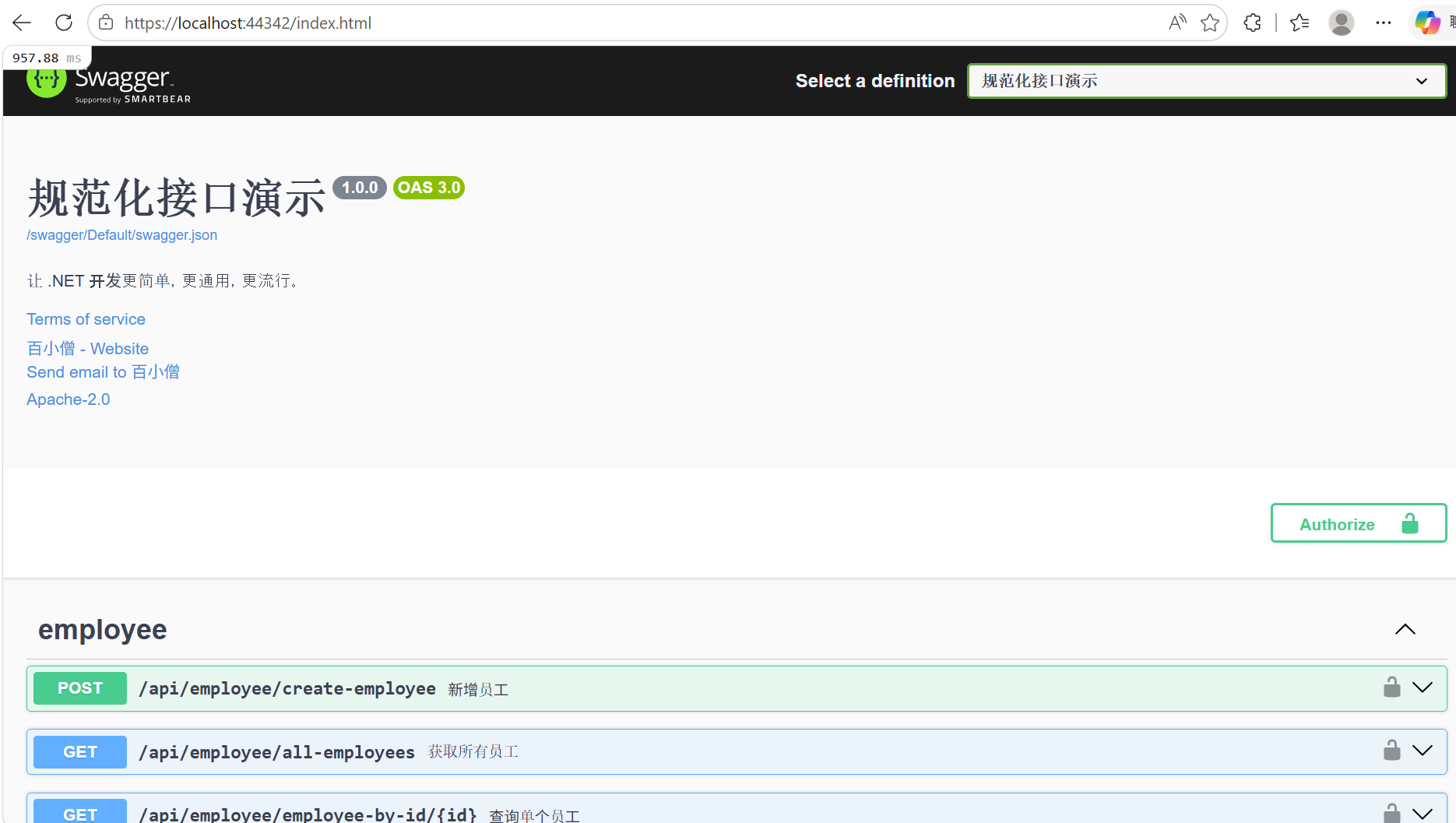
到这边就完成了,运行项目就能测试了。
进阶:
Mapster
在过去,我们需要将一个对象的值转换到另一个对象中,我们需要这样做,如:
cs
var entity = repository.Find(1);

var dto = new Dto();
dto.Id = entity.Id;
dto.Name = entity.Name;
dto.Age = entity.Age;
dto.Address = entity.Address;
dto.FullName = entity.FirstName + entity.LastName;
dto.IdCard = entity.IdCard.Replace("1234", "****");
上面的例子似乎没有任何问题,但是如果很多地方需要这样的赋值操作、或者相同的赋值操作在多个地方使用,又或者一个类中含有非常多的属性或自定义赋值操作。那么这样的操作效率极低,容易出错,且代码非常臃肿和冗余。
所以,实现自动映射赋值和支持特殊配置的需求就有了。目前 C# 平台有两个优秀的对象映射工具:Mapster 和 AutoMapper。在 Furion****框架中,推荐使用 Mapster, Mapster是一款极易使用且超高性能的对象映射框架。
var dto = employee.Adapt<EmployeeDto>();
employee转EmployeeDto
示例:Employee → EmployeeDto(字段完全一致)
如果两个类的字段名称完全一样,不需要任何配置,直接用 .Adapt<>() 就行。
cs
var dto = employee.Adapt<EmployeeDto>(); // ✅ 字段名相同,自动映射示例:Employee → EmployeeDto(字段名不同)
如果字段名不完全一致,需要在 Mapper 中配置:
cs
public class Employee
{
    public int Id { get; set; }
    public string FullName { get; set; }    // 👈 Model 里叫 FullName
    public int Age { get; set; }
    public string Department { get; set; }  // 👈 Model 里叫 Department
}

public class EmployeeDto
{
    public int Id { get; set; }
    public string Name { get; set; }        // 👈 DTO 里叫 Name
    public int Age { get; set; }
    public string Dept { get; set; }        // 👈 DTO 里叫 Dept
}
cs
using Mapster;
using EmployeeApi.Core.Models;
using EmployeeApi.Application.EmployeeManage.Dtos;

namespace EmployeeApi.Application;

public class Mapper : IRegister
{
    public void Register(TypeAdapterConfig config)
    {
        // 配置 Employee → EmployeeDto 的映射关系
        config.NewConfig<Employee, EmployeeDto>()
            .Map(dest => dest.Name, src => src.FullName)      // FullName → Name
            .Map(dest => dest.Dept, src => src.Department);   // Department → Dept

        // 配置 EmployeeDto → Employee(反向映射,用于创建/更新)
        config.NewConfig<EmployeeDto, Employee>()
            .Map(dest => dest.FullName, src => src.Name)
            .Map(dest => dest.Department, src => src.Dept);
    }
}
|-----------------|--------|------------------------------|
| 情况 | 是否需要配置 | 怎么做 |
| Model 字段比 DTO 多 | ❌ 不需要 | 直接 .Adapt<>() ,多余的自动忽略 |
| Model 字段比 DTO 少 | ❌ 不需要 | 多余的 DTO 字段为 null 或默认值 |
| 字段名相同 | ❌ 不需要 | 自动映射 |
| 字段名不同 | ✅ 需要 | 在 Mapper.cs 中用 .Map() 配置 |
| 需要忽略某个字段 | ✅ 需要 | 用 .Ignore() 明确忽略 |
ProjectToType
ProjectToType 是 Mapster 提供的专门用于 EF Core 查询 的映射方法,它的核心作用是:在数据库层面执行映射,只查询 DTO 需要的字段。
参考例子:
cs
using EmployeeApi.Application.EmployeeManage.Dtos;
using EmployeeApi.EntityFramework.Core.DbContexts;
using EmployeeApi.Core.Models;
using System;
using System.Collections.Generic;
using System.Linq;
using System.Text;
using System.Threading.Tasks;

namespace EmployeeApi.Application.EmployeeManage.Services
{
    public class EmployeeService : IEmployeeService, ITransient
    {
        private readonly EmployeeDbContext _employeeDbContext;
        public EmployeeService(EmployeeDbContext employeeDbContext)
        {
            _employeeDbContext = employeeDbContext;
        }
        public async Task<int> CreateEmployeeAsync(EmployeeDto employeeDto)
        {
            //var employee = new Employee
            //{
            //    Name = employeeDto.Name,
            //    Age = employeeDto.Age,
            //    Dept = employeeDto.Dept
            //};
            var employee = employeeDto.Adapt<Employee>();
            await _employeeDbContext.employees.AddAsync(employee);
            await _employeeDbContext.SaveChangesAsync();
            return employee.Id;
        }

        public async Task<bool> DeleteEmployeeAsync(int id)
        {
            var employee = await _employeeDbContext.employees.FindAsync(id);
            if (employee == null)
            {
                return false;
            }
            _employeeDbContext.employees.Remove(employee);
            await _employeeDbContext.SaveChangesAsync();
            return true;
        }

        public async Task<List<EmployeeDto>> GetEmoloyeesAsync()
        {
            //return await _employeeDbContext.employees
            //    .Select(e => new EmployeeDto
            //    {
            //        Name = e.Name,
            //        Age = e.Age,
            //        Dept = e.Dept
            //    })
            //    .ToListAsync();
            return await _employeeDbContext.employees
                    .ProjectToType<EmployeeDto>()
                    .ToListAsync();
        }

        public async Task<EmployeeDto> GetEmployeeByIdAsync(int id)
        {
            var employee = await _employeeDbContext.employees.FindAsync(id);
            if (employee == null)
            {
                return null;
            }
            //var employeeDto = new EmployeeDto
            //{
            //    Name = employee.Name,
            //    Age = employee.Age,
            //    Dept = employee.Dept
            //};
            var employeeDto = employee.Adapt<EmployeeDto>();
            return employeeDto;
        }

        public async Task<bool> UpdateEmployeeAsync(UpdateEmployeeRequest request)
        {
            var employee = await _employeeDbContext.employees.FindAsync(request.Id);
            if (employee == null)
            {
                return false;
            }

            //employee.Name= request.Name;
            //employee.Age= request.Age;
            //employee.Dept= request.Dept;
            request.Adapt<Employee>();

            await _employeeDbContext.SaveChangesAsync();
            return true;
        }
    }
}
单元测试 - 用的框架
安装Furion.Xunit,版本和你用的Furion一样
注意:xunit xunit.runner.visualstudio 版本 要和Furion.Xunit 对应
<ItemGroup>
<PackageReference Include="coverlet.collector" Version="3.2.0" />
<PackageReference Include="Furion.Xunit" Version="4.9.5.21" />
<PackageReference Include="Microsoft.NET.Test.Sdk" Version="17.7.1" />
<PackageReference Include="xunit" Version="2.9.3" />
<PackageReference Include="xunit.runner.visualstudio" Version="3.0.1" />
</ItemGroup>
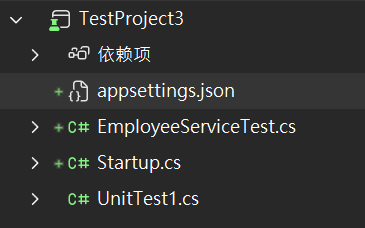
错误: System.ArgumentException : Format of the initialization string does not conform to specification starting at index 0.
那是数据库配置问题,简单说你项目中在appsettings中配置了,在测试中也要有这个文件配置一下。
在测试项目根目录创建一个 appsettings.json 文件,然后右键这个文件 → 属性 → 复制到输出目录 → 如果较新则复制。
cs
using EmployeeApi.Application.EmployeeManage.Services;
using EmployeeApi.EntityFramework.Core.DbContexts;
using Furion;
using Furion.Xunit;
using Microsoft.EntityFrameworkCore;
using Microsoft.Extensions.DependencyInjection;
using System;
using System.Collections.Generic;
using System.Linq;
using System.Text;
using System.Threading.Tasks;
using Xunit.Abstractions;

[assembly: TestFramework("TestProject3.Startup", "TestProject3")]
namespace TestProject3
{
    public class Startup: TestStartup
    {
        public Startup(IMessageSink messageSink) : base(messageSink) {
            Serve.RunNative(services =>
            {
                services.AddDbContext<EmployeeDbContext>(options =>
                    options.UseSqlite("Data Source=D:\\Projects\\VS\\TestWeb\\EmployeeApi\\app.db"));

                services.AddScoped<IEmployeeService, EmployeeService>();
            });

        }
    }
}
cs
using EmployeeApi.Application.EmployeeManage.Dtos;
using EmployeeApi.Application.EmployeeManage.Services;
using System;
using System.Collections.Generic;
using System.Linq;
using System.Text;
using System.Threading.Tasks;

namespace TestProject3
{
    public class EmployeeServiceTest
    {
        private readonly IEmployeeService _employeeService;

        // 构造函数注入:Furion.Xunit 自动从容器解析
        public EmployeeServiceTest(IEmployeeService employeeService)
        {
            _employeeService = employeeService;
        }

        [Fact]
        public async Task CreateEmployee_ValidRequest_Should_Return_Id()
        {
            // Arrange
            var request = new EmployeeDto
            {
                Name = "张三",
                Age = 25,
                Dept = "技术部"
            };

            // Act
            var result = await _employeeService.CreateEmployeeAsync(request);

            // Assert
            Assert.True(result > 0);
        }
    }
}
cs
{
  "ConnectionStrings": {
    "MyDb": "Data Source=D:\\Projects\\VS\\TestWeb\\EmployeeApi\\app.db"
  }
}
右键项目运行测试
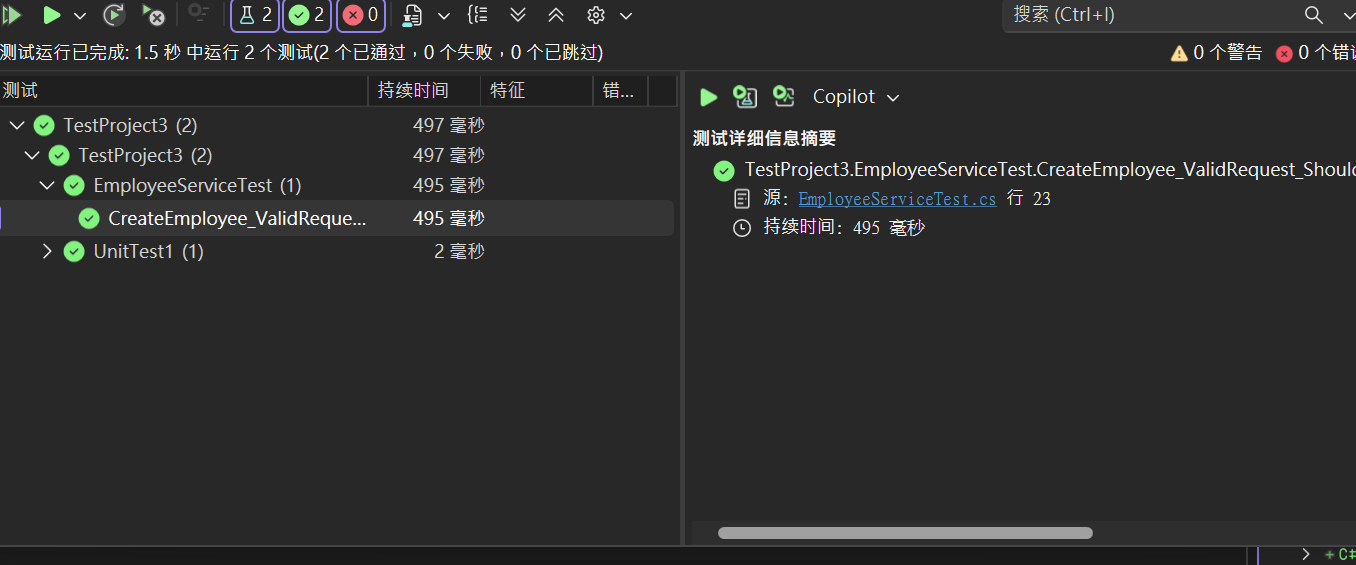
注意:不是所有的接口都测试,测有复杂逻辑的,测的时候一个api,可以传多个参数