目录
[12 静态资源映射](#12 静态资源映射)
[12.1 源码](#12.1 源码)
[12.2 静态资源路径映射规则](#12.2 静态资源路径映射规则)
[12.2.1 WebJars 映射规则(/webjars/** 路径)](#12.2.1 WebJars 映射规则(/webjars/** 路径))
[12.2.2 静态资源文件夹映射规则(/** 路径)](#12.2.2 静态资源文件夹映射规则(/** 路径))
[12.2.3 欢迎页规则](#12.2.3 欢迎页规则)
12 静态资源映射
12.1 源码
注:代码是Springboot2.0.1的代码
java
@ConfigurationProperties(prefix = "spring.resources", ignoreUnknownFields = false)public class ResourceProperties implements ResourceLoaderAware
{//可以设置和静态资源有关的参数,缓存时间等
java
WebMvcAuotConfiguration:
@Override
public void addResourceHandlers(ResourceHandlerRegistry registry) {
     if (!this.resourceProperties.isAddMappings()) {
           logger.debug("Default resource handling disabled");
           return;
      }
    Integer cachePeriod = this.resourceProperties.getCachePeriod();
    if (!registry.hasMappingForPattern("/webjars/**")) {
         customizeResourceHandlerRegistration(registry.addResourceHandler("/webjars/**").addResourceLocations("classpath:/META‐INF/resources/webjars/").setCachePeriod(cachePeriod));
    }
    String staticPathPattern = this.mvcProperties.getStaticPathPattern();
    //静态资源文件夹映射
    if (!registry.hasMappingForPattern(staticPathPattern)) {
          customizeResourceHandlerRegistration(registry.
    addResourceHandler(staticPathPattern).addResourceLocations(this.resourceProperties.getStaticLocations()).setCachePeriod(cachePeriod));
    }
    } /
    /配置欢迎页映射
    @Bean
    public WelcomePageHandlerMapping welcomePageHandlerMapping(
           ResourceProperties resourceProperties) {
           return new WelcomePageHandlerMapping(resourceProperties.getWelcomePage(),
    this.mvcProperties.getStaticPathPattern());
    }
    //配置喜欢的图标
    @Configuration
    @ConditionalOnProperty(value = "spring.mvc.favicon.enabled", matchIfMissing = true)
    public static class FaviconConfiguration {
           private final ResourceProperties resourceProperties;
           public FaviconConfiguration(ResourceProperties resourceProperties) {
                this.resourceProperties = resourceProperties;
    }
     @Bean
    public SimpleUrlHandlerMapping faviconHandlerMapping() {
           SimpleUrlHandlerMapping mapping = new SimpleUrlHandlerMapping();
           mapping.setOrder(Ordered.HIGHEST_PRECEDENCE + 1);
           //所有 **/favicon.ico
                mapping.setUrlMap(Collections.singletonMap("**/favicon.ico",
    faviconRequestHandler());
    return mapping;
    }
    @Bean
    public ResourceHttpRequestHandler faviconRequestHandler() {
           ResourceHttpRequestHandler requestHandler = new ResourceHttpRequestHandler();
           requestHandler.setLocations(this.resourceProperties.getFaviconLocations());
           return requestHandler;
    }
}
12.2 静态资源路径映射规则
12.2.1 WebJars 映射规则(/webjars/** 路径)
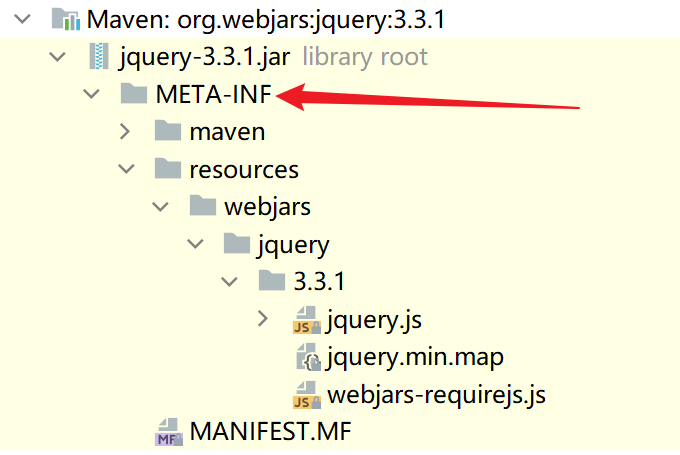
WebJars 会将前端静态资源(如 jQuery、Bootstrap 等)打包成 Jar 包,让 Java 项目可以通过 Maven 依赖引入。Spring Boot 对 WebJars 的映射规则是:所有 /webjars/** 请求,都会去 classpath:/META-INF/resources/webjars/ 下(如下图)找资源。
在 pom.xml 中添加 jQuery 的 WebJars 依赖:
java
<dependency>
    <groupId>org.webjars</groupId>
    <artifactId>jquery</artifactId>
    <version>3.3.1</version>
</dependency>
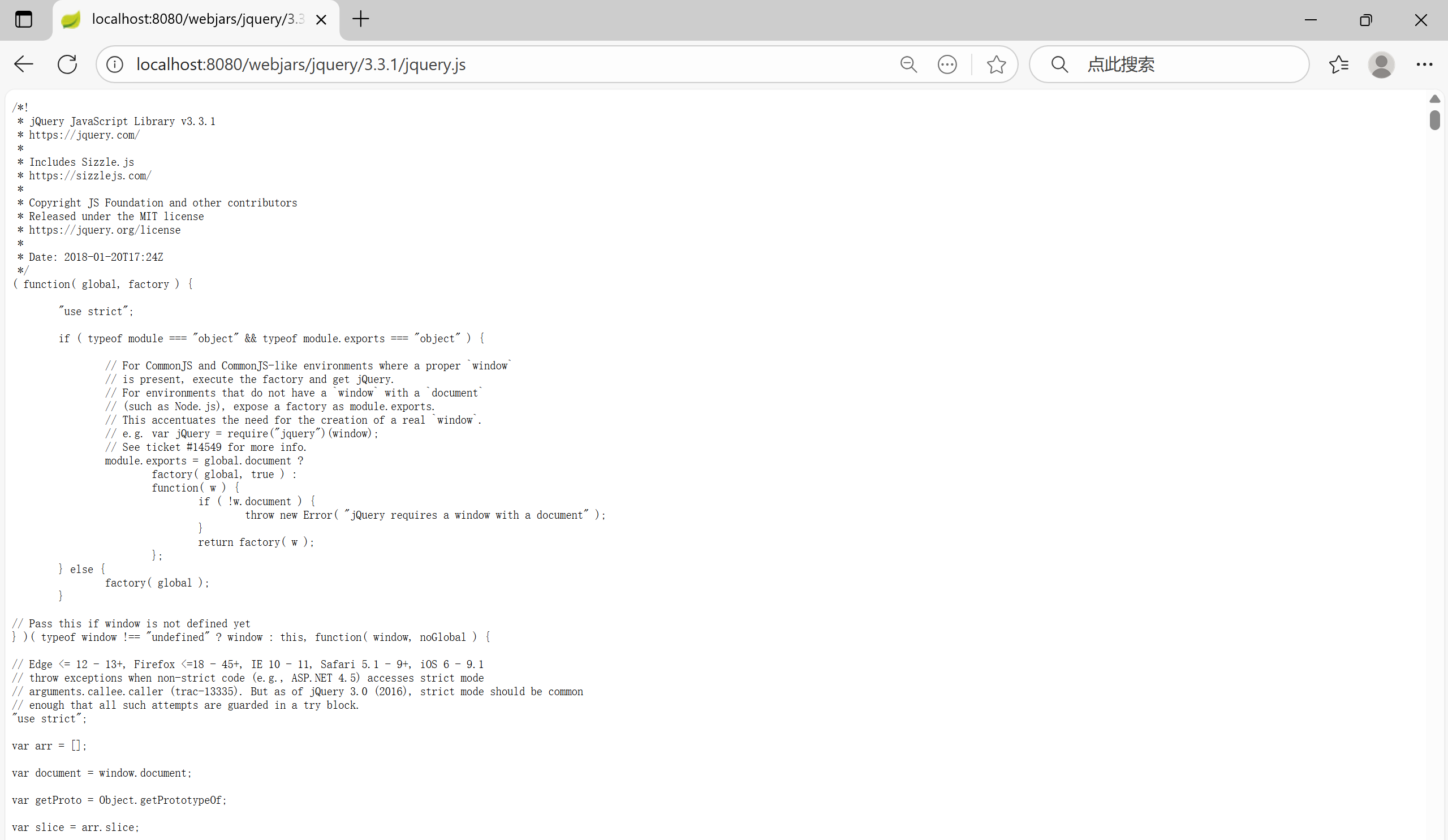
引入依赖后,启动 Spring Boot 项目后,在浏览器中访问: http://localhost:8080/webjars/jquery/3.3.1/jquery.js
如果能成功打开 jQuery 的源码文件,说明 WebJars 映射规则生效 ------Spring Boot 自动找到了 classpath:/META-INF/resources/webjars/jquery/3.3.1/jquery.js 这个资源。
12.2.2 静态资源文件夹映射规则(/** 路径)
- Spring Boot 对普通静态资源(如自定义的 js、css、html 等)的映射规则是:所有 /** 请求,会依次去以下静态资源文件夹找资源(优先级从左到右递减):
- classpath:/META-INF/resources/
- classpath:/resources/
- classpath:/static/
- classpath:/public/
注:classpath指的是src/main/resources/
- 验证
在 src/main/resources 下创建不同的静态资源文件夹,并分别放入同名文件 test.txt,内容区分开(方便验证优先级):
- src/main/resources/META-INF/resources/test.txt:内容写 META-INF/resources
- src/main/resources/resources/test.txt:内容写 resources
- src/main/resources/static/test.txt:内容写 static
- src/main/resources/public/test.txt:内容写 public
步骤 2:访问测试文件
启动项目后,在浏览器中访问: http://localhost:8080/test.txt
最终会看到内容为 META-INF/resources 的文件 ------ 这验证了静态资源文件夹的优先级顺序(META-INF/resources 优先级最高)。如果按优先级从高到低,依次删除文件,即可验证所有的优先级。
步骤 3:验证自定义静态资源访问
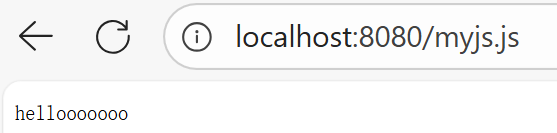
再创建一个自定义的静态资源,比如在 src/main/resources/static/ 下创建 myjs.js,内容为 hellooooooo。访问 http://localhost:8080/myjs.js,如果能看到源码,说明 /** 映射规则生效,Spring Boot 从 static 文件夹中找到了该资源。
12.2.3 欢迎页规则
Spring Boot 的欢迎页规则是:访问 localhost:8080/ 时,会自动找静态资源文件夹下的 index.html。
优先级同12.2.2。
验证步骤同12.2.2。
启动项目后,直接访问 http://localhost:8080/,如果能看到index.html页面,说明欢迎页规则生效 ------Spring Boot 自动找到了index.html。