1. Claude Assiatant
Claude专门开发UE的AI工具,费用月付130个人订阅+一次性330的插件费用
插件地址:https://www.fab.com/listings/4f537f12-452b-4abc-8f1a-c2b5d5eb246b
插件说明:https://www.pixelsdesign.it/blog/unreal-engine-mcp-claude-code-explained.html
2. Unreal MCP
官方自带,分3步安装
- 安装插件
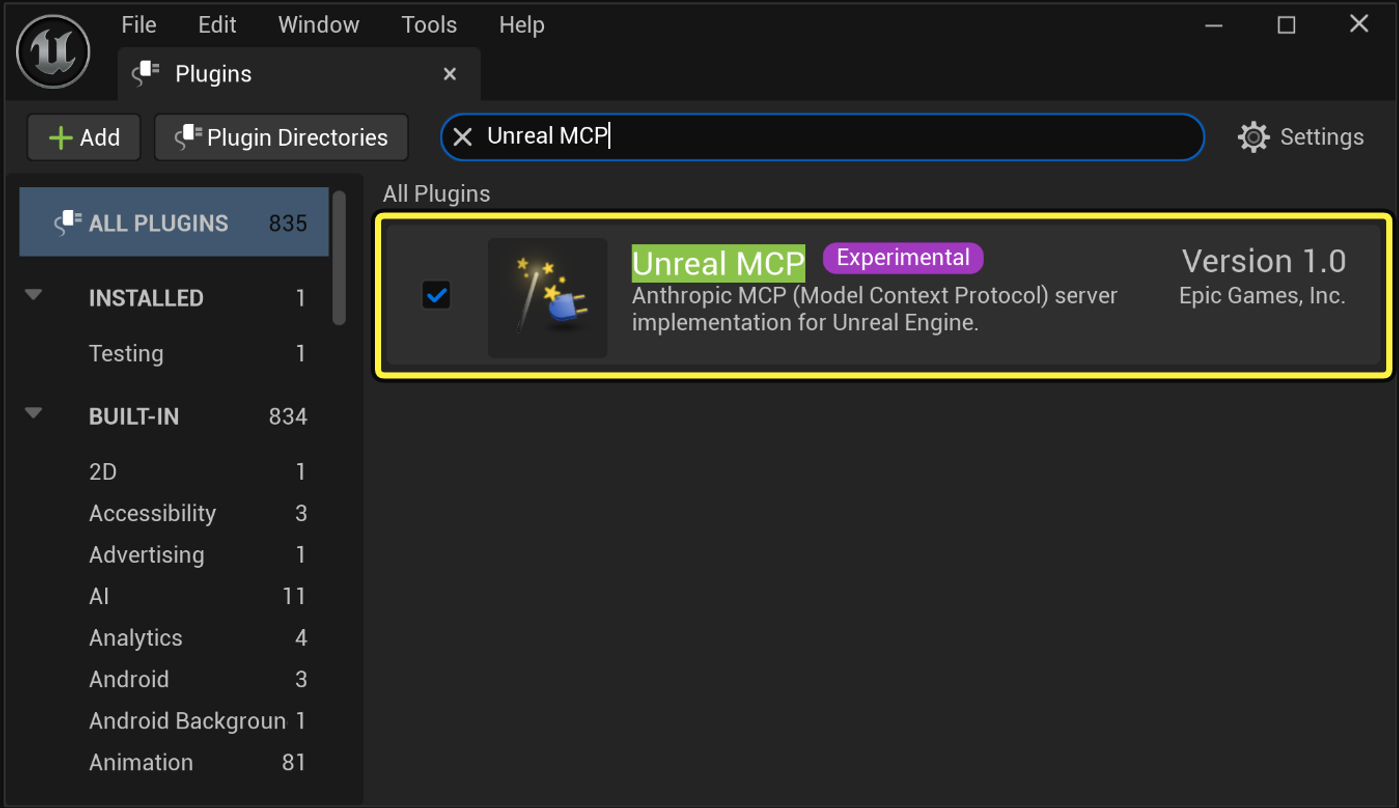
- 启动服务:
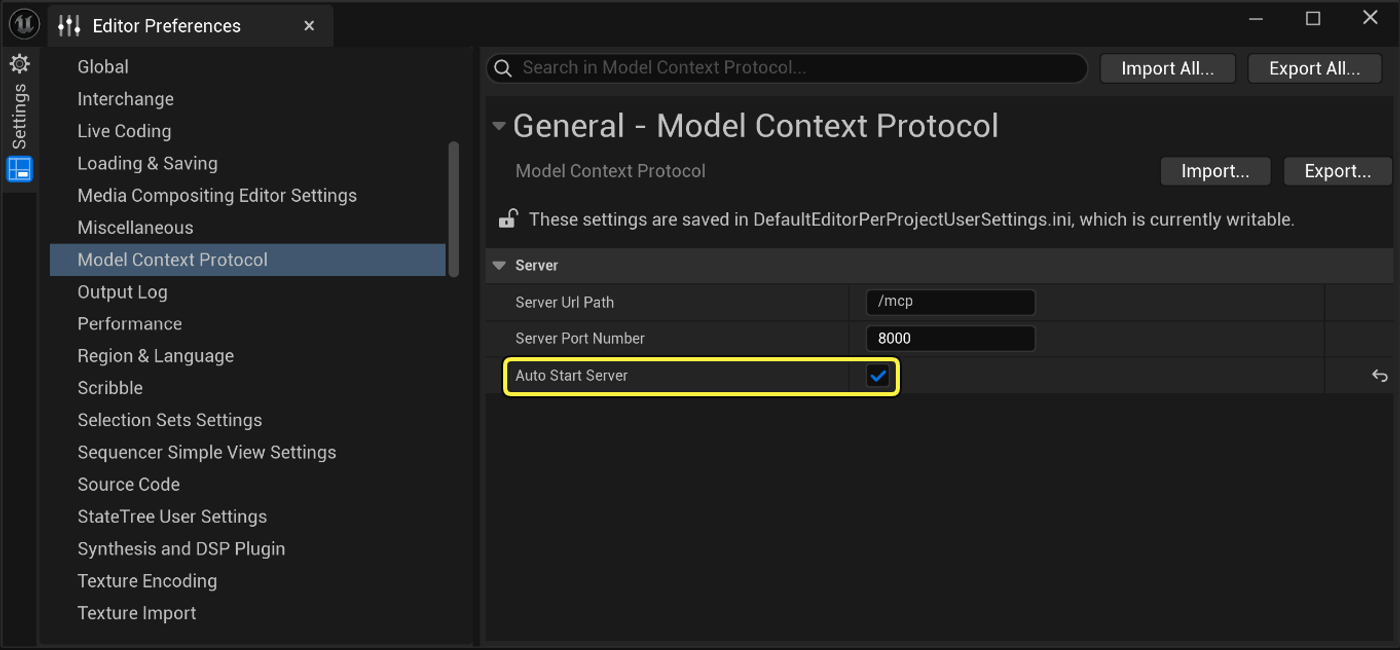
想按需启动服务器,请关闭自动开启服务器,并在编辑器控制台中输入ModelContextProtocol.StartServer。 该命令还支持一个可选端口:ModelContextProtocol.StartServer 8000。 - 生成客户端配置
ModelContextProtocol.GenerateClientConfig All
生成后,用相应的工具打开目录,即可
说明文档:https://dev.epicgames.com/documentation/unreal-engine/unreal-mcp-in-unreal-editor
- 相关的Skill
3. 用Trae分析UE5项目
- 安装插件:
Unreal MCP + Toolset Registry + All Toolsets
- 启动服务,见上
- 建立.trae文件夹,里面有mcp.json文件
bash
{
  "mcpServers": {
    "unreal-engine": {
      "type": "http",
      "url": "http://localhost:8000/mcp"
    }
  }
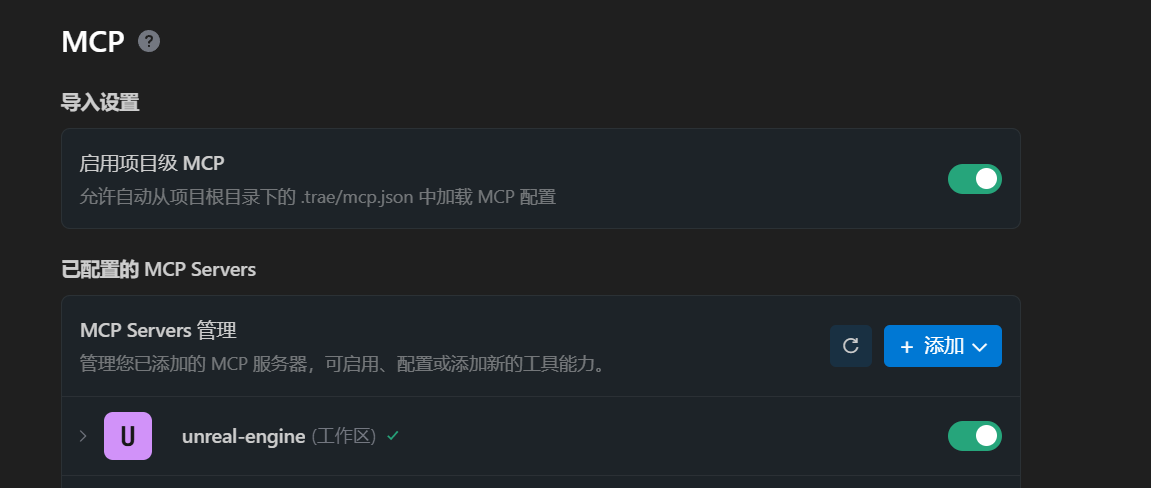
}- 安装完成,mcp运行正常
如果有问题,可以先重启下ue5,对下端口