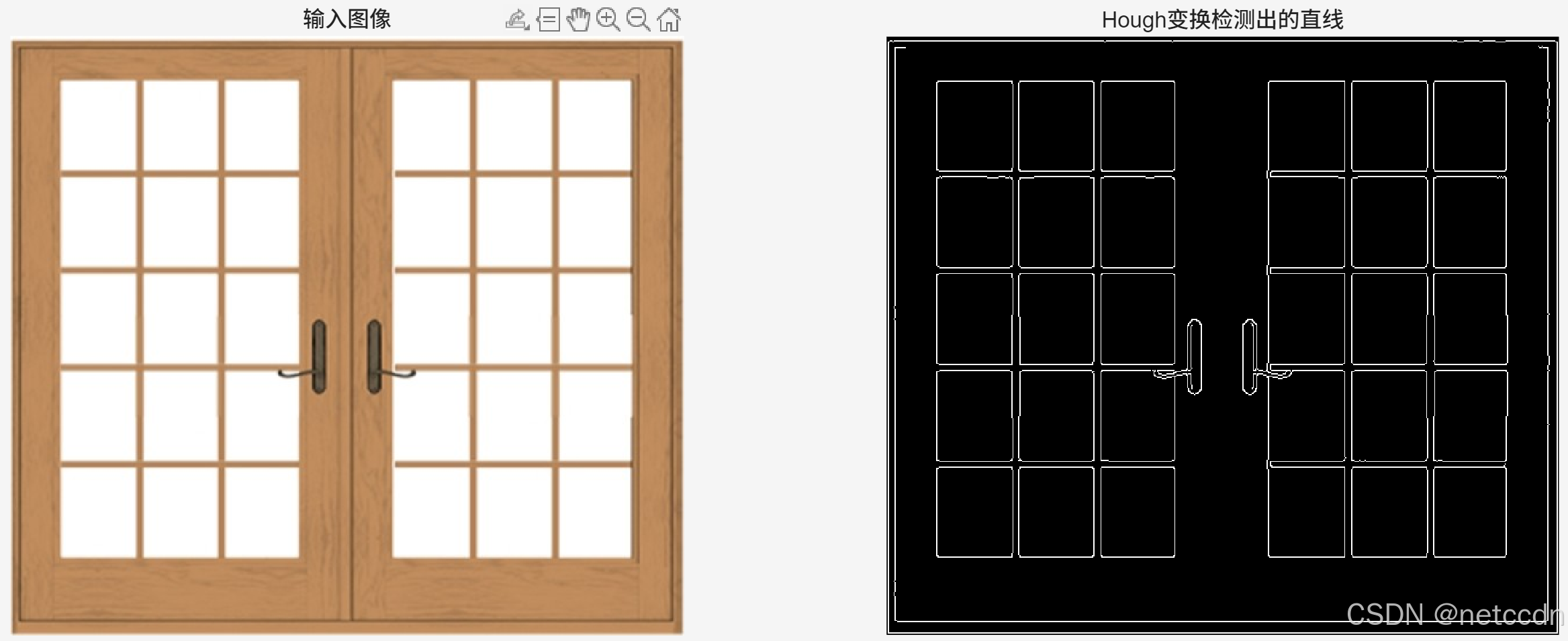
Hough变换是直线检测经典算法之一。原理介绍网上很多,不再赘述。参考网上代码,做了一些简单修改,稍微提高了一下速度。
matlab
I  = imread('lineSample1.jpg');
HoughLineDetect(I,60);

%% 图像中直线检测
function I_out=HoughLineDetect(Img,thresholdValue)
%input:
%       img:输入图像;
%       thresholdValue:hough阈值;
%output:
%       I_out:检测直线结果,二值图像;
if  ~exist( 'thresholdValue', 'var' )
    thresholdValue = 150;
end

if length(size(Img))>2
    I_gray=rgb2gray(Img);               %如果输入图像是彩色图,需要转灰度图
else
    I_gray=Img;
end
Angle=180;
[xSize,ySize]=size(I_gray);             %图像大小
BW=edge(I_gray,'approxcanny',0.3);      %计算图像边缘

rho_Max=floor(sqrt(xSize^2+ySize^2));   %由图像坐标算出ρ最大值,作为极坐标系最大值
accArray=zeros(rho_Max,Angle);          %初始化极坐标系的数组
Theta=0:pi/Angle:(pi-pi/Angle);         %定义θ数组,范围从0-180度
Angles=1:Angle;

tic;
% hough变换
for n=1:xSize
    for m=1:ySize
        if BW(n,m)==1
            %hough变换方程求ρ值
            rho=abs(m*cos(Theta)+n*sin(Theta));
            rho_Int=floor(rho)+1;
            %在极坐标中标识点,相同点累加(投票)
            inds = sub2ind(size(accArray), rho_Int, Angles);
            accArray(inds)=accArray(inds)+1;
        end
    end
end

% 找出满足条件的直线
find_Ind=find(accArray>=thresholdValue);

% 将直线提取出来,输出图像数组I_out
I_out=zeros(xSize,ySize);
for n=1:xSize
    for m=1:ySize
        if BW(n,m)==1
            rho=abs(m*cos(Theta)+n*sin(Theta));
            rho_Int=floor(rho)+1;
            temp=intersect(find_Ind,rho_Int);
            if(size(temp,1)>=0)
                I_out(n,m)=BW(n,m);
            end
        end
    end
end
toc;

tiledlayout(1,2)
nexttile
imshow(Img);title('输入图像');
nexttile
imshow(I_out);title('Hough变换检测出的直线');

end
有几个函数需要Matalb的版本大于2019b。
简单效果如下图所示(运行速度还是很慢,后期再优化):