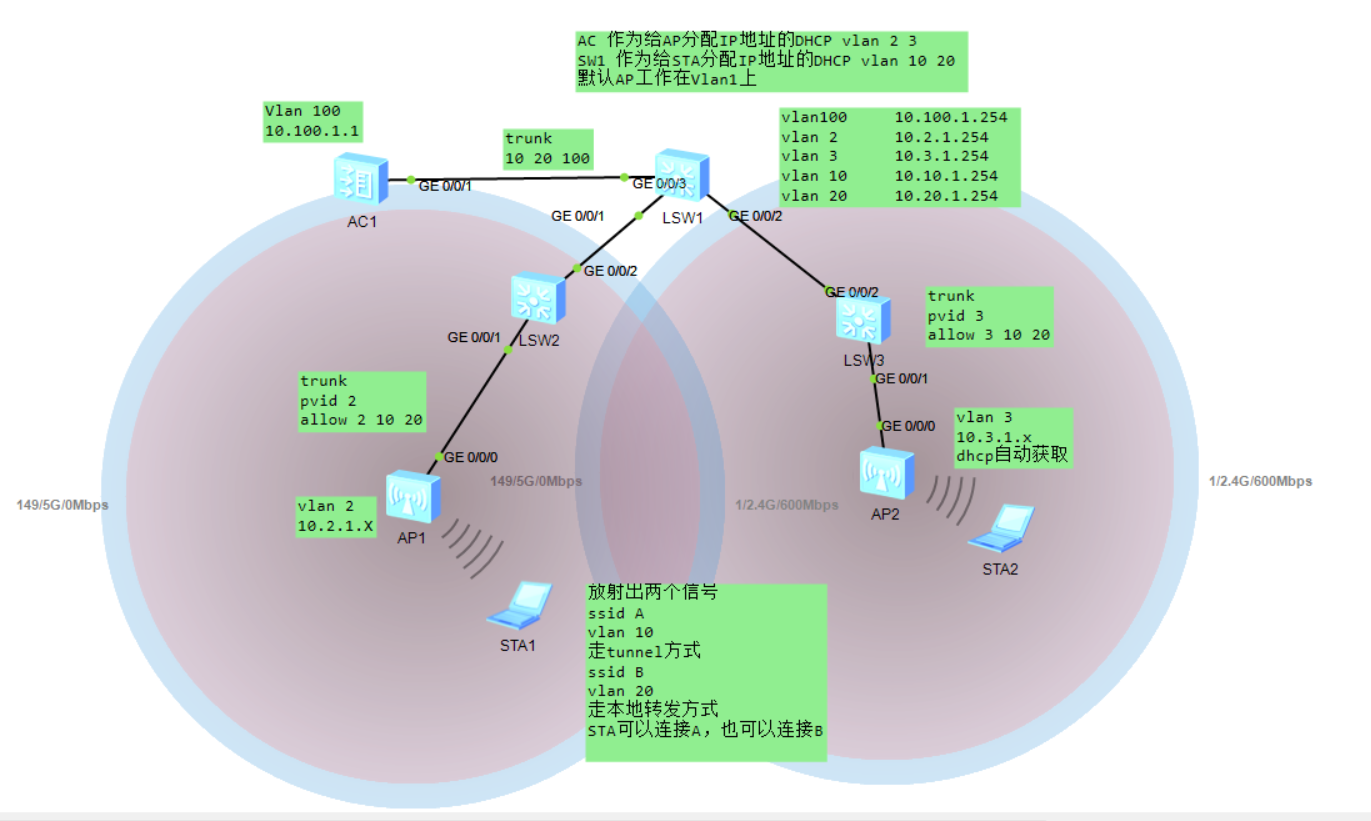
配置如下:(照着敲或者粘贴复制,帮你能做出来!)
SW2:
sysname SW2
undo info-center enable
//没有报文,可选择不敲
vlan batch 2 10 20
interface GigabitEthernet0/0/1
port link-type trunk
port trunk pvid vlan 2
port trunk allow-pass vlan 2 10 20
interface GigabitEthernet0/0/2
port link-type trunk
port trunk allow-pass vlan 2 10 20
SW3:
sysname SW3
undo info-center enable
//没有报文,可选择不敲
vlan batch 3 10 20
interface GigabitEthernet0/0/1
port link-type trunk
port trunk pvid vlan 3
port trunk allow-pass vlan 3 10 20
interface GigabitEthernet0/0/2
port link-type trunk
port trunk allow-pass vlan 3 10 20
SW1:
sysname SW1
undo info-center enable
vlan batch 2 to 3 10 20 100
dhcp enable
interface Vlanif2
ip address 10.2.1.254 255.255.255.0
dhcp select relay
dhcp relay server-ip 10.100.1.1
interface Vlanif3
ip address 10.3.1.254 255.255.255.0
dhcp select relay
dhcp relay server-ip 10.100.1.1
interface Vlanif10
ip address 10.10.1.254 255.255.255.0
dhcp select interface
interface Vlanif20
ip address 10.20.1.254 255.255.255.0
dhcp select interface
interface Vlanif100
ip address 10.100.1.254 255.255.255.0
interface GigabitEthernet0/0/1
port link-type trunk
port trunk allow-pass vlan 2 10 20
interface GigabitEthernet0/0/2
port link-type trunk
port trunk allow-pass vlan 3 10 20
interface GigabitEthernet0/0/3
port link-type trunk
port trunk allow-pass vlan 10 20 100
AC:
vlan batch 10 20 100
dhcp enable
ip pool vlan2
gateway-list 10.2.1.254
network 10.2.1.0 mask 255.255.255.0
option 43 sub-option 2 ip-address 10.100.1.1
ip pool vlan3
gateway-list 10.3.1.254
network 10.3.1.0 mask 255.255.255.0
option 43 sub-option 2 ip-address 10.100.1.1
interface Vlanif100
ip address 10.100.1.1 255.255.255.0
dhcp select global
interface GigabitEthernet0/0/1
port link-type trunk
port trunk allow-pass vlan 10 20 100
ip route-static 0.0.0.0 0.0.0.0 10.100.1.254
capwap source interface vlanif100
Acwlan
AC-wlan-viewregulatory-domain-profile name cn
AC-wlan-regulate-domain-cncountry-code cn
//必须是CN
AC-wlan-viewap-group name test
AC-wlan-ap-group-testregulatory-domain-profile cn
//
ACcapwap source interface Vlanif 100
ap auth-mode mac-th//本次实验选择MAC认证方式,也可以选择其他的方式
ap-id 1 ap-mac 00e0-f52e-8910//这个地址是在AP上,使用dis int vl 1 便可查看到
ap-group test
ap-name ap1
ap-id 2 ap-mac 00e0-fc80-2451
ap-group test
ap-name ap2
//完成以上配置AP就可以上线,通过在AC上使用dis ap all命令查看
如果没有显示AP的IP,则通过重启AP来进行解决
security-profile name AB
security wpa2 psk pass-phrase huawei@123 aes
//密码huawei@123
ssid-profile name A
ssid A
ssid-profile name B
ssid B
///
vap-profile name A
forward-mode tunnel
//采用tunnel方式
service-vlan vlan-id 10
ssid-profile A
security-profile AB
vap-profile name B
service-vlan vlan-id 20
forward-mode direct-forward
//采用转发模式
ssid-profile B
security-profile AB
ap-group name test
vap-profile B wlan 2 radio all
vap-profile A wlan 1 radio all
ap-id 1
ap-name ap1
ap-group test
ap-di 2
ap-name ap2
ap-group test
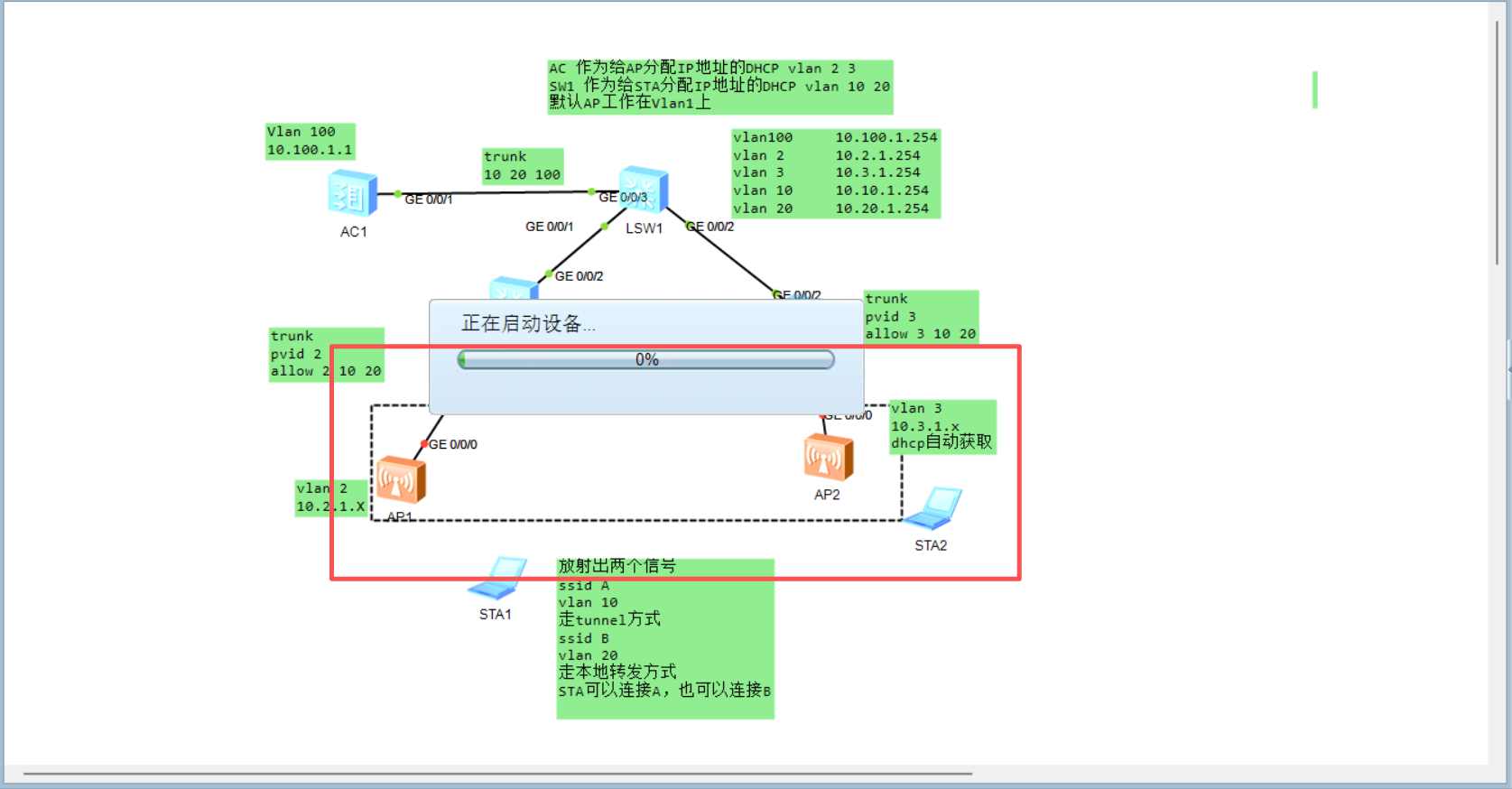
我在CSDN上找了很多,但都是假的 总之缺少很多的关键命令,而我这个你照着敲,可以直接做出来,另外 我附带了一份实验拓扑,打开后,不需要做任何操作,静待2-3分钟,就行