[root@localhost ~]# scp admin@10.3.4.17:/home/admin/docker-24.0.7.tgz /root

Authorized users only. All activities may be monitored and reported.
admin@10.3.4.17's password:
docker-24.0.7.tgz                                                           100%   67MB  96.3MB/s   00:00
[root@localhost ~]#
[root@localhost ~]#
[root@localhost ~]# ll
总用量 69128
-rw------- 1 root root     2519  7月  8  2025 anaconda-ks.cfg
drwxrwxr-x 2 1000 1000      146 10月 26  2023 docker
-rw-r--r-- 1 root root 69831072  8月  5 17:56 docker-24.0.7.tgz
-rw-r--r-- 1 root root     2793  7月  8  2025 initial-setup-ks.cfg
-rw-r--r-- 1 root root   942380  7月 30 16:03 zabbix-agent-6.0.41-4.ky10.x86_64.rpm
[root@localhost ~]#
[root@localhost ~]#
[root@localhost ~]#

[root@localhost ~]#
[root@localhost ~]#
[root@localhost ~]#
[root@localhost ~]# tar -zxvf docker-24.0.7.tgz
docker/
docker/docker
docker/docker-init
docker/dockerd
docker/runc
docker/ctr
docker/containerd-shim-runc-v2
docker/containerd
docker/docker-proxy
[root@localhost ~]#
[root@localhost ~]#
[root@localhost ~]#
[root@localhost ~]#
[root@localhost ~]#
[root@localhost ~]#
[root@localhost ~]# cp docker/* /usr/bin/
cp:是否覆盖'/usr/bin/ctr'? yes
cp:是否覆盖'/usr/bin/runc'? yes
[root@localhost ~]#
[root@localhost ~]#
[root@localhost ~]#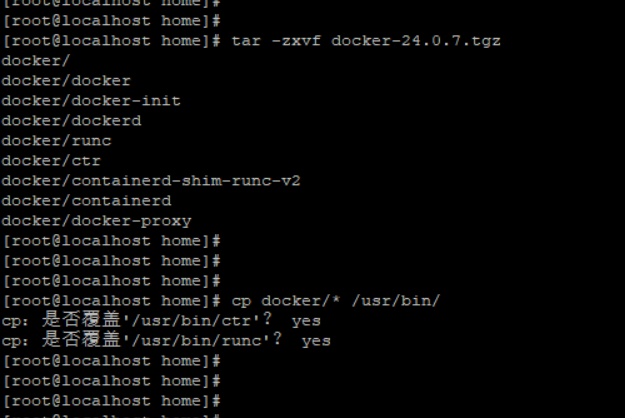
cat > /etc/systemd/system/docker.service <<'EOF'
[Unit]
Description=Docker Application Container Engine
Documentation=https://docs.docker.com
After=network-online.target firewalld.service
Wants=network-online.target

[Service]
Type=notify
ExecStart=/usr/bin/dockerd
ExecReload=/bin/kill -s HUP $MAINPID
TimeoutSec=0
RestartSec=2
Restart=always

[Install]
WantedBy=multi-user.target
EOF


[root@localhost home]#
[root@localhost home]#
[root@localhost home]#
[root@localhost home]# systemctl daemon-reload
[root@localhost home]# systemctl start docker
[root@localhost home]# systemctl enable docker
Created symlink /etc/systemd/system/multi-user.target.wants/docker.service → /etc/systemd/system/docker.service.
[root@localhost home]#
[root@localhost home]#
[root@localhost home]#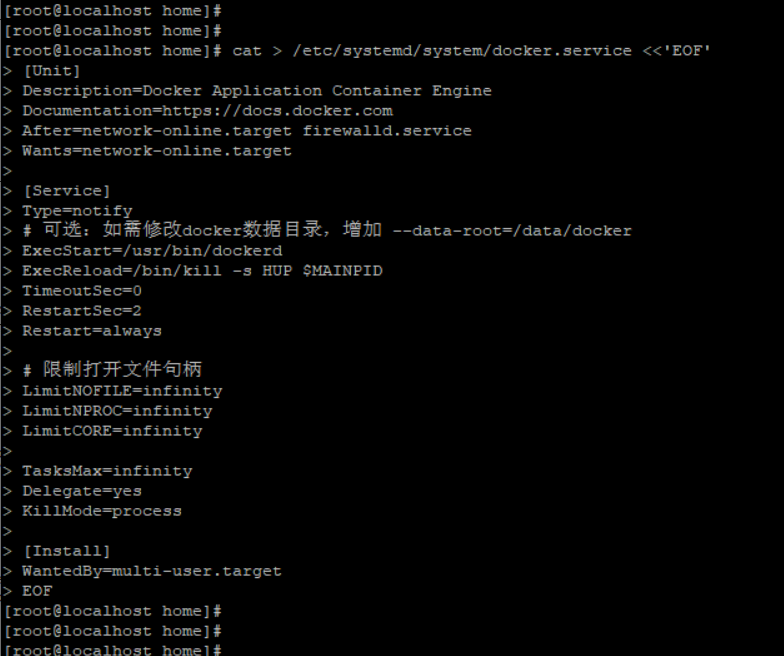

[root@localhost home]#
[root@localhost home]# docker -v
Docker version 24.0.7, build afdd53b
[root@localhost home]# docker info
Client:
 Version:    24.0.7
 Context:    default
 Debug Mode: false

Server:
 Containers: 0
  Running: 0
  Paused: 0
  Stopped: 0
 Images: 0
 Server Version: 24.0.7
 Storage Driver: overlay2
  Backing Filesystem: xfs
  Supports d_type: true
  Using metacopy: false
  Native Overlay Diff: true
  userxattr: false
 Logging Driver: json-file
 Cgroup Driver: cgroupfs
 Cgroup Version: 1
 Plugins:
  Volume: local
  Network: bridge host ipvlan macvlan null overlay
  Log: awslogs fluentd gcplogs gelf journald json-file local logentries splunk syslog
 Swarm: inactive
 Runtimes: io.containerd.runc.v2 runc
 Default Runtime: runc
 Init Binary: docker-init
 containerd version: 091922f03c2762540fd057fba91260237ff86acb
 runc version: v1.1.9-0-gccaecfc
 init version: de40ad0
 Security Options:
  seccomp
   Profile: builtin
 Kernel Version: 4.19.90-89.11.v2401.ky10.x86_64
 Operating System: Kylin Linux Advanced Server V10 (Halberd)
 OSType: linux
 Architecture: x86_64
 CPUs: 4
 Total Memory: 14.34GiB
 Name: localhost.localdomain
 ID: 225806fc-7588-484b-872c-cfc7f6383c86
 Docker Root Dir: /var/lib/docker
 Debug Mode: false
 Experimental: false
 Insecure Registries:
  127.0.0.0/8
 Live Restore Enabled: false
 Product License: Community Engine

[root@localhost home]#
[root@localhost home]#
[root@localhost home]#
[root@localhost home]#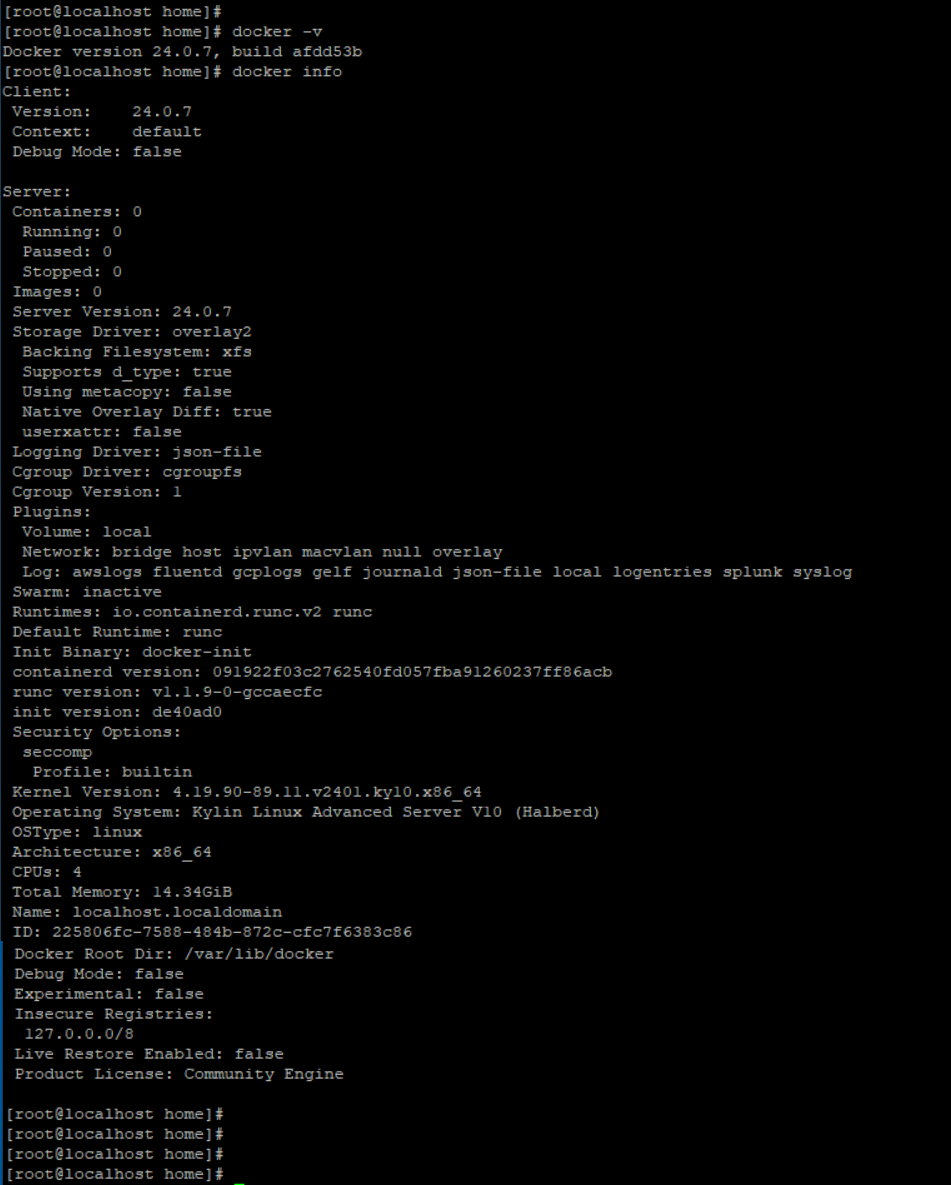
[root@localhost home]#
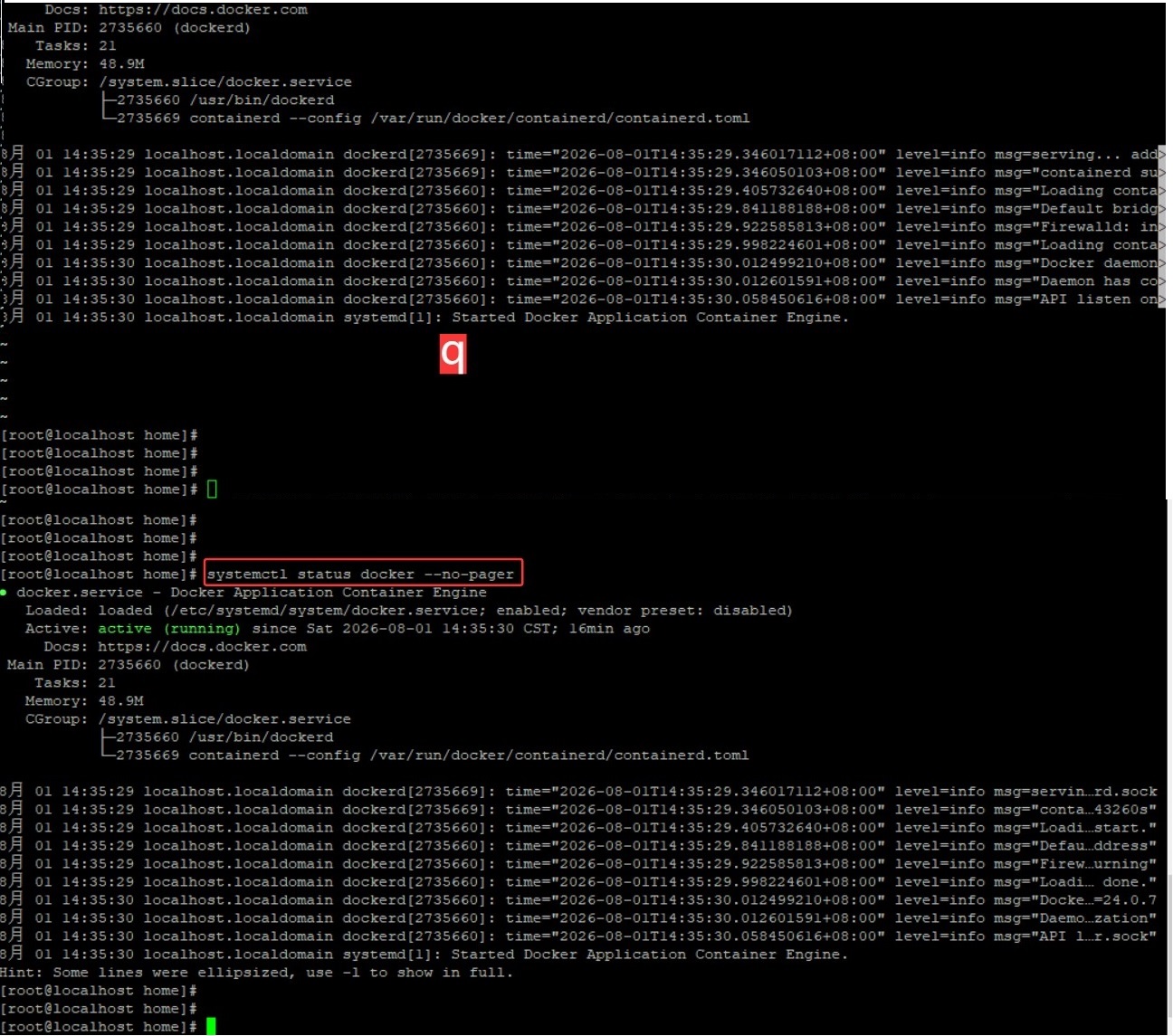
[root@localhost home]# systemctl status docker --no-pager


● docker.service - Docker Application Container Engine
   Loaded: loaded (/etc/systemd/system/docker.service; enabled; vendor preset: disabled)
   Active: active (running) since Sat 2026-08-01 14:35:30 CST; 16min ago
     Docs: https://docs.docker.com
 Main PID: 2735660 (dockerd)
    Tasks: 21
   Memory: 48.9M
   CGroup: /system.slice/docker.service
           ├─2735660 /usr/bin/dockerd
           └─2735669 containerd --config /var/run/docker/containerd/containerd.toml

8月 01 14:35:29 localhost.localdomain dockerd[2735669]: time="2026-08-01T14:35:29.346017112+08:00" level=info msg=servin...rd.sock
8月 01 14:35:29 localhost.localdomain dockerd[2735669]: time="2026-08-01T14:35:29.346050103+08:00" level=info msg="conta...43260s"
8月 01 14:35:29 localhost.localdomain dockerd[2735660]: time="2026-08-01T14:35:29.405732640+08:00" level=info msg="Loadi...start."
8月 01 14:35:29 localhost.localdomain dockerd[2735660]: time="2026-08-01T14:35:29.841188188+08:00" level=info msg="Defau...ddress"
8月 01 14:35:29 localhost.localdomain dockerd[2735660]: time="2026-08-01T14:35:29.922585813+08:00" level=info msg="Firew...urning"
8月 01 14:35:29 localhost.localdomain dockerd[2735660]: time="2026-08-01T14:35:29.998224601+08:00" level=info msg="Loadi... done."
8月 01 14:35:30 localhost.localdomain dockerd[2735660]: time="2026-08-01T14:35:30.012499210+08:00" level=info msg="Docke...=24.0.7
8月 01 14:35:30 localhost.localdomain dockerd[2735660]: time="2026-08-01T14:35:30.012601591+08:00" level=info msg="Daemo...zation"
8月 01 14:35:30 localhost.localdomain dockerd[2735660]: time="2026-08-01T14:35:30.058450616+08:00" level=info msg="API l...r.sock"
8月 01 14:35:30 localhost.localdomain systemd[1]: Started Docker Application Container Engine.
Hint: Some lines were ellipsized, use -l to show in full.
[root@localhost home]#
[root@localhost home]#
[root@localhost home]#