使用Pytorch自动计算梯度
torch 包内为我们提供了很多有用的函数,让我们无需手动计算梯度:
python
import torch

x=torch.tensor([1.,2.,3.,4.])

x.requires_grad_(True)
y=2*torch.dot(x,x)
# tensor(60., grad_fn=<MulBackward0>)

print(x.grad)
# None

y.backward()

print(x.grad)
# tensor([ 4.,  8., 12., 16.])
x.requires_grad_(True) 是为了告诉 torch ,我需要对 x 计算梯度。因为(对于一个有上万/亿参数的函数)计算梯度是非常消耗算力的,所以 torch 默认不会计算梯度,需要我们通过 requires_grad_(True) 显示声明。
但在实践过程中,我们不可能只取一个 x 的值(一个向量)来决定接下来应该如何调整运动轨迹。
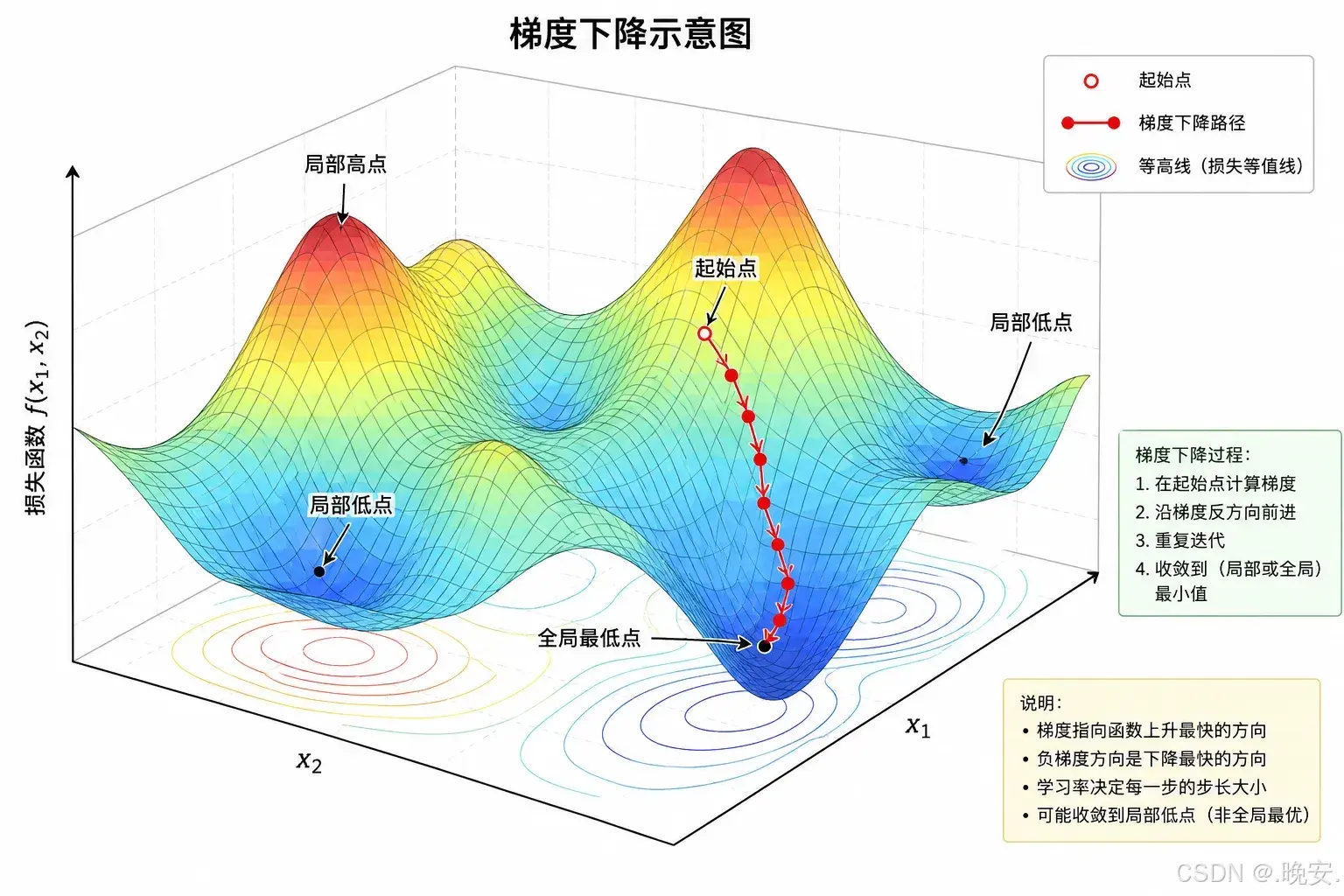
如果我们选三个 x 的值,就得到三个梯度:
python
import torch

x1 = torch.tensor([1., 2., 3., 4.])
x2 = torch.tensor([1., 3., 3., 1.])
x3 = torch.tensor([5., 2., 1., 4.])

x1.requires_grad_(True)
y1 = 2 * torch.dot(x1, x1)
y1.backward()
print(x1.grad)
# tensor([ 4.,  8., 12., 16.])

x2.requires_grad_(True)
y2 = 2 * torch.dot(x2, x2)
y2.backward()
print(x2.grad)
# tensor([ 4., 12., 12.,  4.])

x3.requires_grad_(True)
y3 = 2 * torch.dot(x3, x3)
y3.backward()
print(x3.grad)
# tensor([20.,  8.,  4., 16.])
但是,我们只需要一个梯度,来决定接下来的运动轨迹。可以选择将梯度相加,或者取平均值之类的方法,来得到一个统一的梯度。
放到数学上来说(数学意义),就是对于一个结果是向量的函数求导:
python
import torch

x = torch.tensor([1., 2., 3., 4.])

x.requires_grad_(True)
y = 2 * x * x

print(y)
# tensor([ 2.,  8., 18., 32.], grad_fn=<MulBackward0>)

y.sum().backward()

print(x.grad)
kward0>)

y.sum().backward()

print(x.grad)
# tensor([ 4.,  8., 12., 16.])
我们通过 y.sum() 将函数的结果从向量压缩成标量,然后再求导,就获得了我们想要的梯度。