文章目录
- [Ansible Role编写](#Ansible Role编写)
Ansible Role编写
- role_name: 定义的role名字
- files: 存放copy或script等模块调用的函数
- tasks: 定义各种task,要有main.yml,其他文件include包含调用
- handlers: 定义各种handlers,要有main.yml,其他文件include包含调用
- vars: 定义variables,要有main.yml,其他文件include包含调用
- templates: 存储由template模块调用的模板文本
- meta: 定义当前角色的特殊设定及其依赖关系,要有main.yml的文件
- defaults: 要有main.yml的文件,用于设定默认变量
- tests: 用于测试角色
编写apache
bash
[devops@server1 ansible]$ mkdir role
[devops@server1 ansible]$ vim ansible.cfg
roles_path=./role
[devops@server1 ansible]$ ansible-galaxy role list
# /home/devops/ansible/role
[devops@server1 ansible]$ cd role/
[devops@server1 role]$ ansible-galaxy role init apache
[devops@server1 role]$ ls
apache
[devops@server1 role]$ cd apache/
[devops@server1 apache]$ ls
defaults  files  handlers  meta  README.md  tasks  templates  tests  vars
[devops@server1 apache]$ sudo yum install -y tree
[devops@server1 apache]$ cd ..
[devops@server1 role]$ tree -a apache/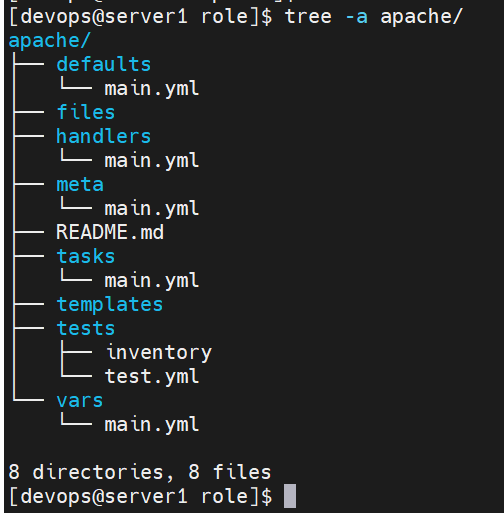
bash
[devops@server1 role]$ cd apache/
[devops@server1 apache]$ rm -fr tests/
[devops@server1 apache]$ cd tasks/
[devops@server1 tasks]$ vim main.yml
- name: Install the Apache
  ansible.builtin.yum:
    name: httpd
    state: present
  tags: t1

- name: Start service httpd, if not started
  ansible.builtin.service:
    name: httpd.service
    state: started
    enabled: yes
  tags: t2

- name: create index.html
  ansible.builtin.copy:
    content: "{{ ansible_hostname }}\n"
    dest: /var/www/html/index.html
  tags: t3

- name: Ensure the default Apache port is {{ http_port }}
  ansible.builtin.template:
    src: httpd.conf.j2
    dest: /etc/httpd/conf/httpd.conf
  notify: restart service httpd

[devops@server1 tasks]$ cd ..
[devops@server1 apache]$ cd handlers/
[devops@server1 handlers]$ vim main.yml
- name: restart service httpd
  ansible.builtin.service:
    name: httpd.service
    state: restarted

[devops@server1 handlers]$ cd ..
[devops@server1 apache]$ cd templates/
[devops@server1 templates]$ cp ../../../httpd.conf.j2 .

[devops@server1 templates]$ cd ..
[devops@server1 apache]$ cd vars/
[devops@server1 vars]$ vim main.yml
http_port: 80

[devops@server1 vars]$ cd ..
[devops@server1 apache]$ cd ..
[devops@server1 role]$ cd ..
[devops@server1 ansible]$ vim apache_role.yml
---
- hosts: webservers
  roles:
    - role: apache

[devops@server1 ansible]$ mv host_vars group_vars /tmp/
[devops@server1 ansible]$ ansible-playbook apache_role.yml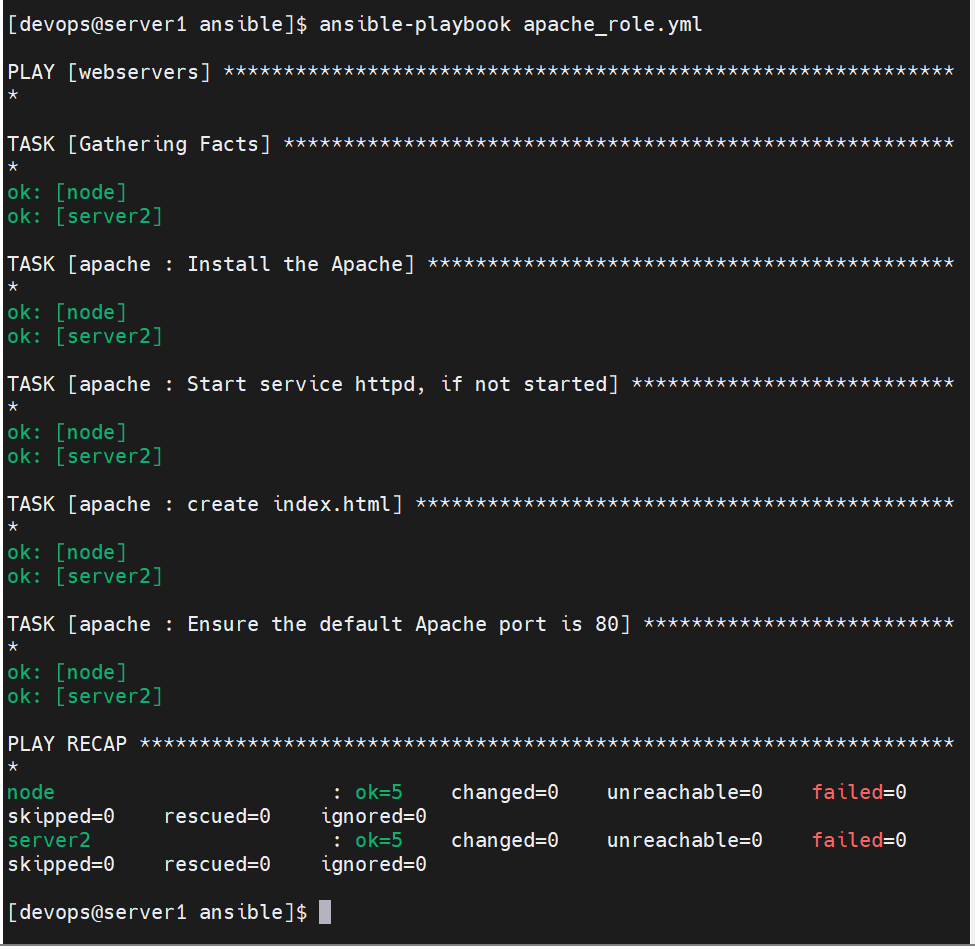
在apache_role.yml文件中添加的端口优先级高于vars里定义的变量
bash
[devops@server1 ansible]$ vim apache_role.yml
---
- hosts: webservers
  roles:
    - role: apache
      http_port: 8080
[devops@server1 ansible]$ ansible-playbook apache_role.yml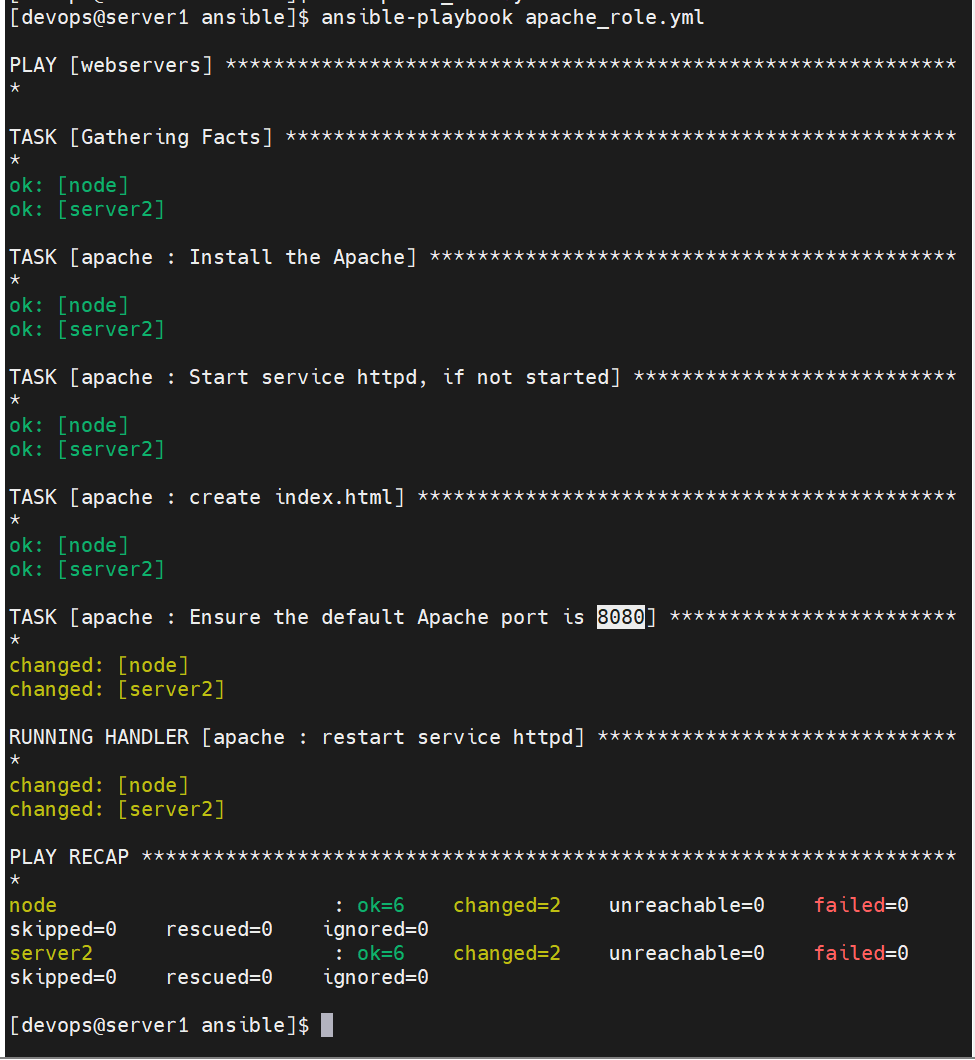
禁用防火墙
bash
[devops@server1 ansible]$ vim apache_role.yml
---
- hosts: webservers
  roles:
    - role: apache
      #http_port: 8080
  tasks:
    - name: disable the firewalld
      ansible.builtin.service:
        name: firewalld
        state: stopped
        enabled: no
[devops@server1 ansible]$ ansible-playbook apache_role.yml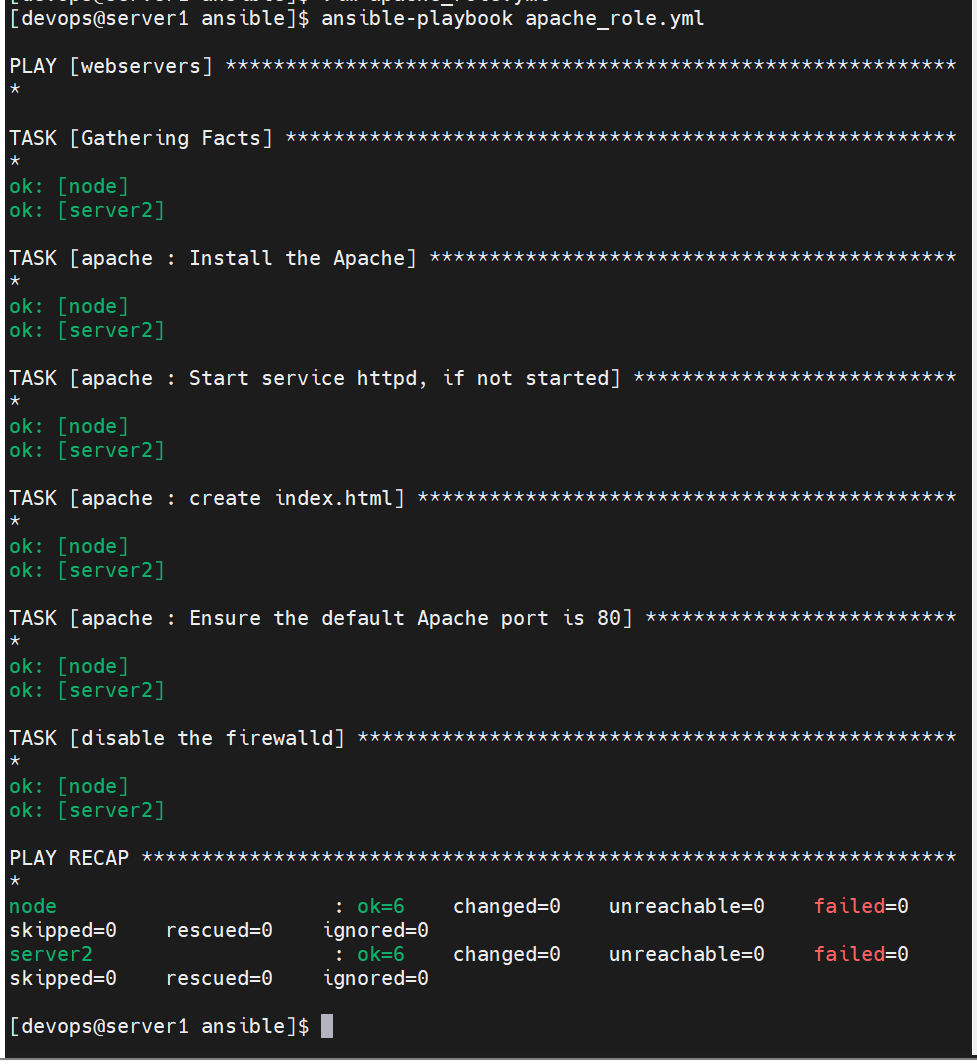
执行顺序
一个 Playbook 的执行顺序是自上而下、按任务顺序执行,同时遵循一定的内部优先级规则。
bash
Playbook
  └── Play
        ├── 1. gather_facts(收集系统信息)
        ├── 2. pre_tasks(前置任务)
        ├── 3. roles(角色)
        ├── 4. tasks(普通任务)
        ├── 5. post_tasks(后置任务)
        └── 6. handlers(在任务变更后触发,Play 结束时执行)
串行部署 apache → 关闭防火墙 → 自动访问网页页面,打印页面内容做验证(开始前需要将8080端口变量改回80,不然可能会有报错)
bash
[devops@server1 ansible]$ vim apache_role.yml
---
- hosts: webservers
  serial: 1
  roles:
    - role: apache
      #http_port: 8080
  tasks:
    - name: disable the firewall
      ansible.builtin.service:
        name: firewalld
        state: stopped
        enabled: no
  post_tasks:
    - name: Check that you can connect (GET) to a page and it returns a status 200
      ansible.builtin.uri:
        url: http://192.168.117.162
        return_content: true
      register: result

    - name: Print return information from the previous task
      ansible.builtin.debug:
        var: result.content
[devops@server1 ansible]$ ansible-playbook apache_role.yml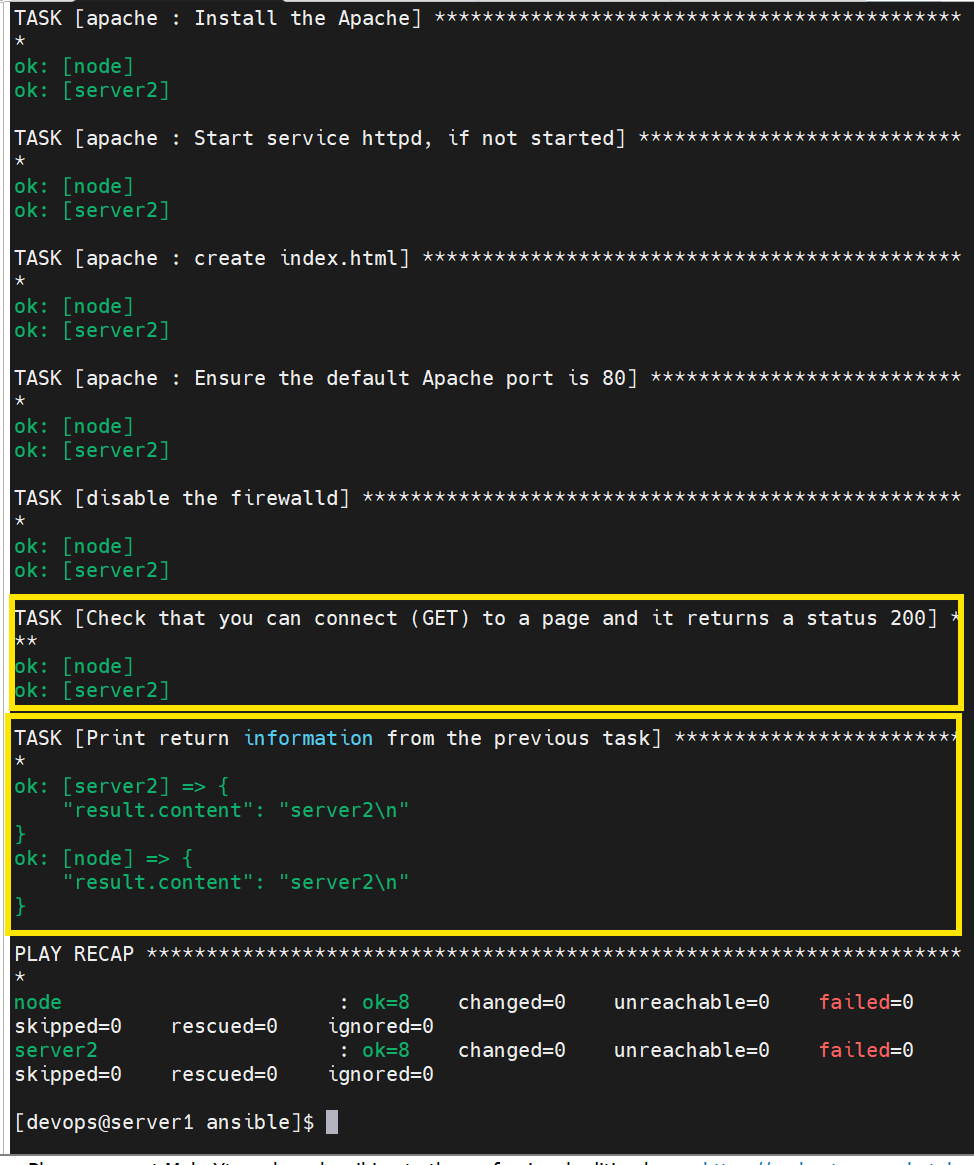
开启防火墙
bash
[devops@server1 ansible]$ vim apache_role.yml
---
- hosts: webservers
  roles:
    - role: apache
      #http_port: 8080
  tasks:
    - name: enable the firewalld
      ansible.builtin.service:
        name: firewalld
        state: started
        enabled: yes

  post_tasks:
    - name: Check that you can connect (GET) to a page and it returns a status 200
      ansible.builtin.uri:
        url: http://192.168.117.162
        return_content: true
      register: result

    - name: Print return information from the previous task
      ansible.builtin.debug:
        var: result.content
[devops@server1 ansible]$ ansible-playbook apache_role.yml
防火墙拒绝了80端口的访问
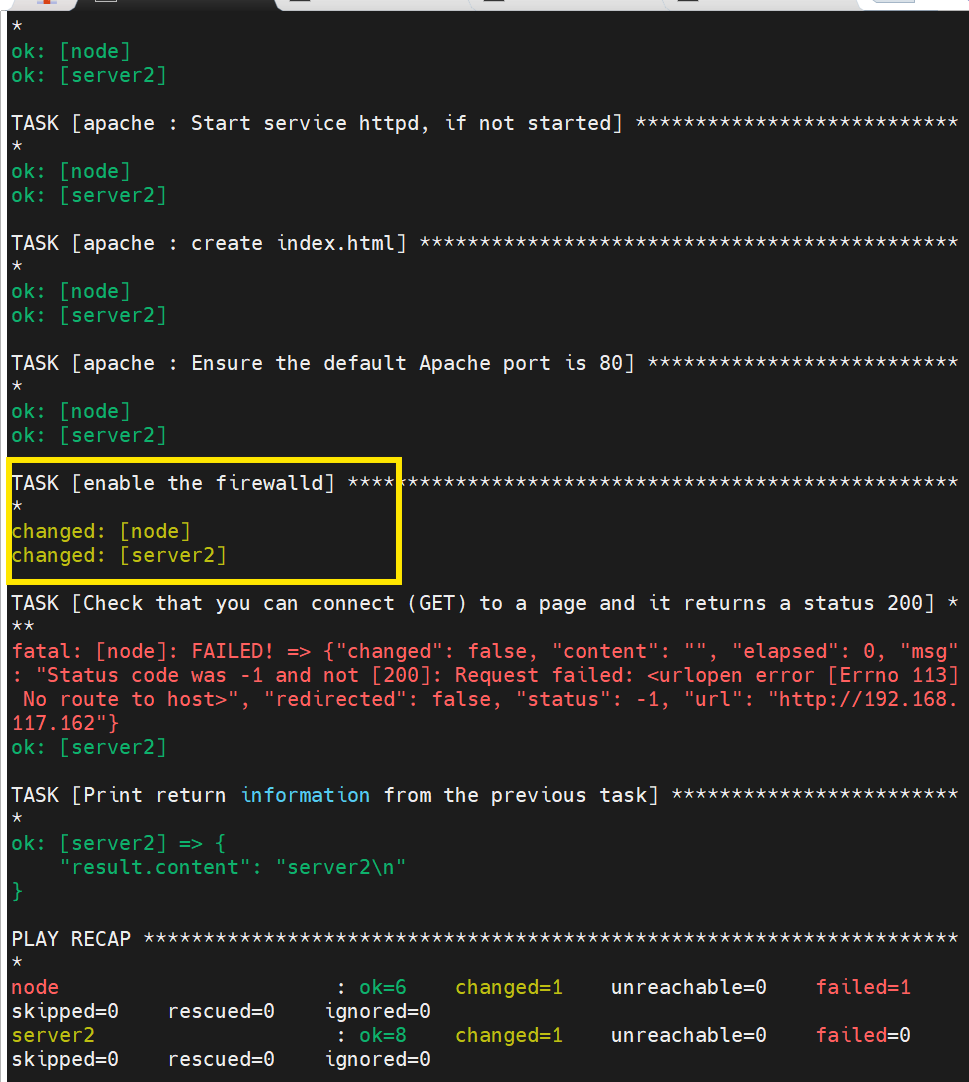
放行http
下载包含相应模板的安装包
bash
[devops@server1 ansible]$ sudo yum install -y ansible-collection-redhat-rhel_mgmt.noarch
[devops@server1 ansible]$ sudo yum install -y rhel-system-roles.noarch
[devops@server1 ansible]$ ansible-galaxy collection install ansible.posix
[devops@server1 ansible]$ ansible-galaxy collection list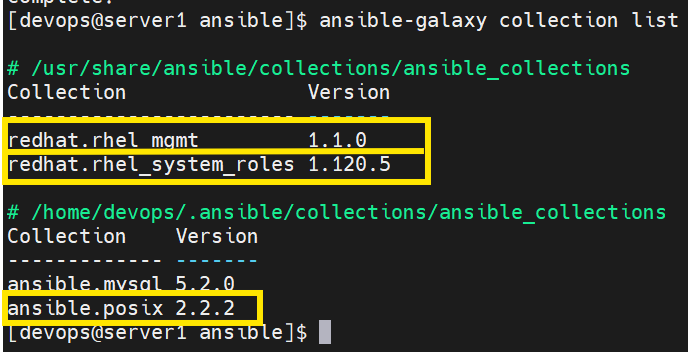
写入放行剧本
bash
[devops@server1 ansible]$ vim apache_role.yml
---
- hosts: webservers
  roles:
    - role: apache
      #http_port: 8080
  pre_tasks:
    - name: enable the firewalld
      ansible.builtin.service:
        name: firewalld
        state: started
        enabled: yes

  tasks:
    - name: Permanently enable http service, also enable it immediately if possible
      ansible.posix.firewalld:
        service: http
        state: enabled
        permanent: true
        immediate: true


  post_tasks:
    - name: Check that you can connect (GET) to a page and it returns a status 200
      ansible.builtin.uri:
        url: http://192.168.117.162
        return_content: true
      register: result

    - name: Print return information from the previous task
      ansible.builtin.debug:
        var: result.content
[devops@server1 ansible]$ ansible-playbook apache_role.yml 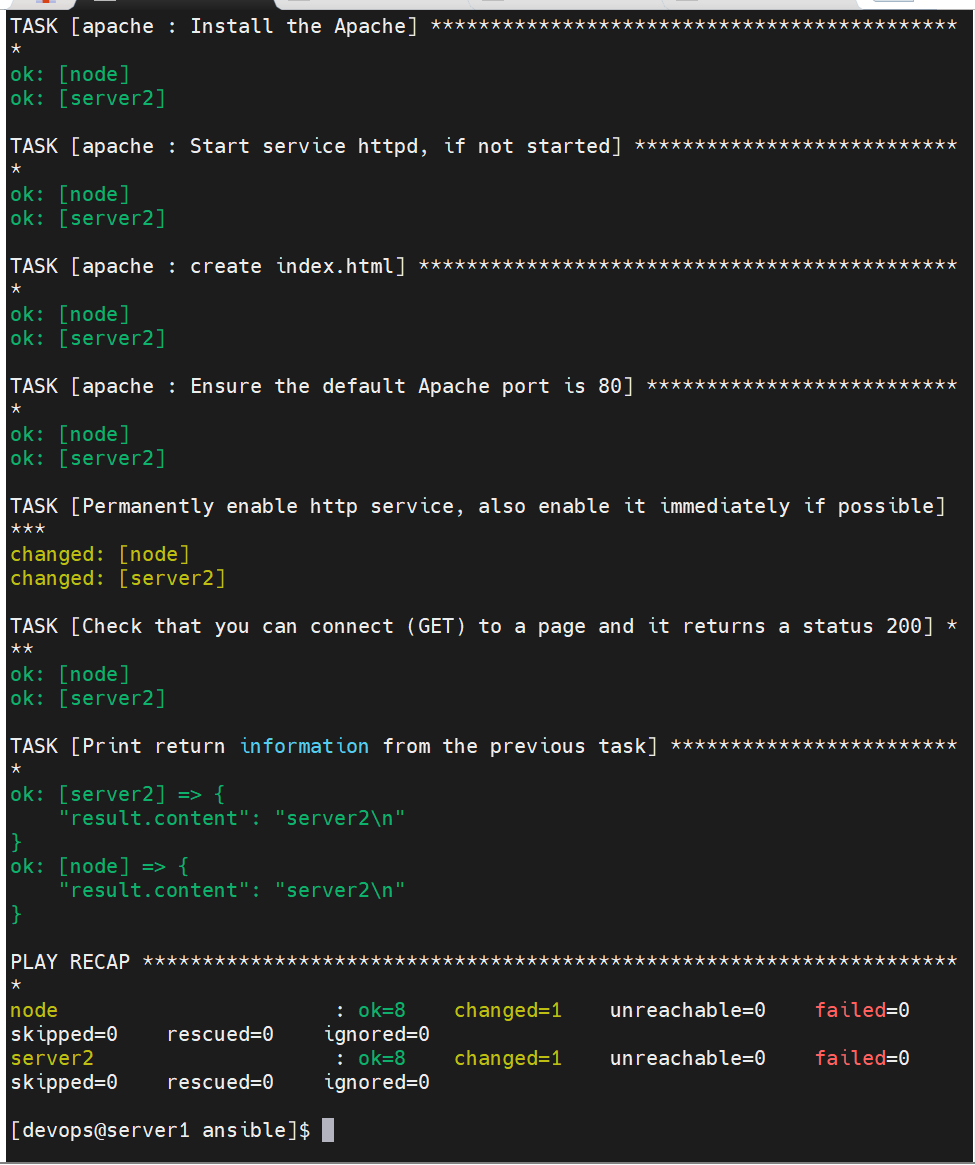
设置系统时间同步
bash
[devops@server1 ansible]$ scp /usr/share/doc/rhel-system-roles/timesync/example-single-pool-playbook.yml .
[devops@server1 ansible]$ mv example-single-pool-playbook.yml timesync.yml
[devops@server1 ansible]$ vim timesync.yml
---
- name: system timesync
  hosts: webservers
  vars:
    timesync_ntp_servers:
      - hostname: ntp1.aliyun.com
        pool: true
        iburst: true
  roles:
    - rhel-system-roles.timesync
[devops@server1 ansible]$ vim ansible.cfg
roles_path=./role:/usr/share/ansible/roles
[devops@server1 ansible]$ ansible-playbook timesync.yml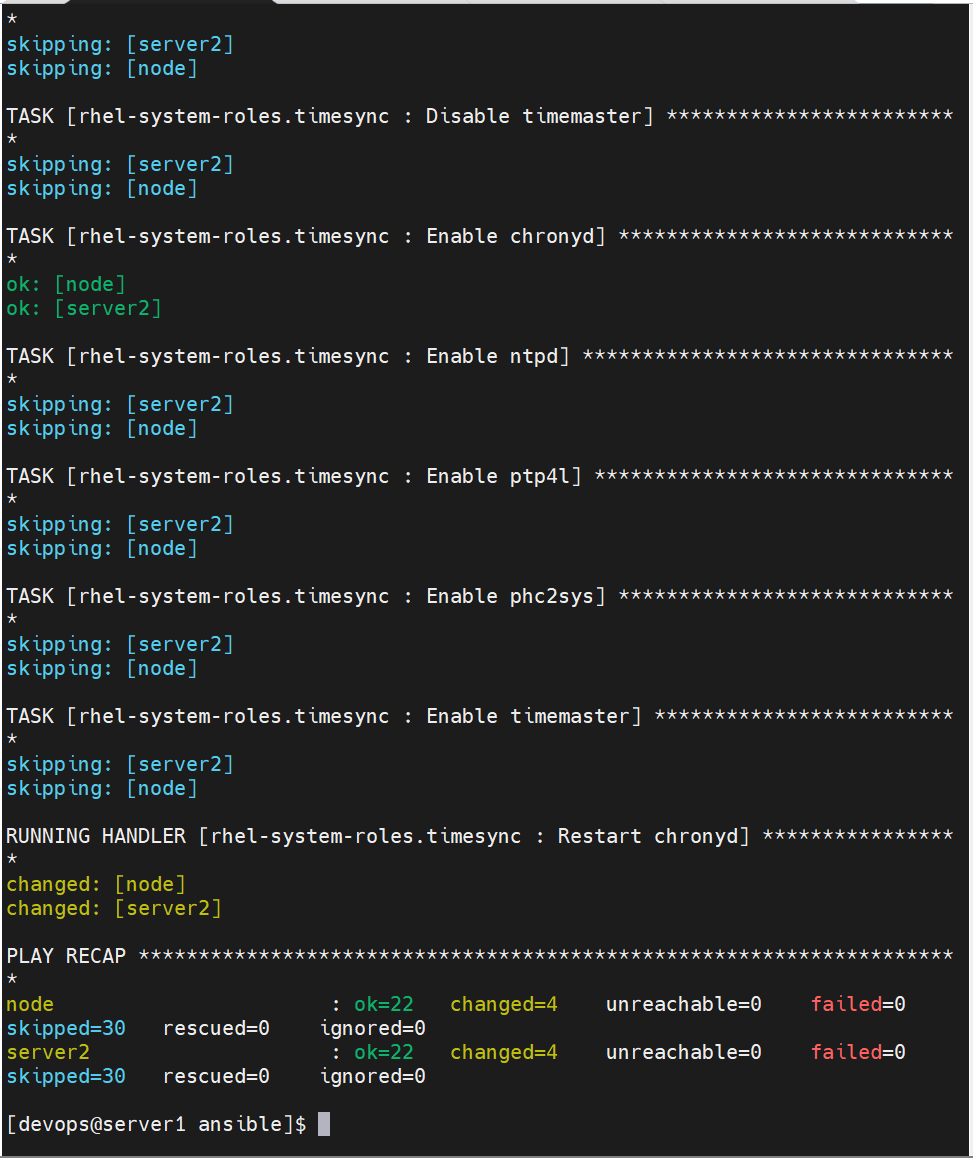
导入与包含任务
#导入 playbook
- hosts: localhost
  tasks:
    - debug:
        msg: playbook1
    - name: playbook2
      import_playbook: playbook2.yml

#导入和包含 task
---
- hosts: server1
  tasks:
    - import_tasks: task2.yml   //静态加载,include_tasks为动态
      when: ansible_os_family == "RedHat"

#task2.yml:
---
- set_fact: ansible_os_family="CentOS"
- debug:
    var: ansible_os_family
示例
bash
[devops@server1 ansible]$ vim apache_role.yml
---
- hosts: webservers
  roles:
    - role: apache
      #http_port: 8080
  pre_tasks:
    - name: enable the firewalld
      ansible.builtin.service:
        name: firewalld
        state: started
        enabled: yes

  tasks:
    - name: Permanently enable http service, also enable it immediately if possible
      ansible.posix.firewalld:
        service: http
        state: enabled
        permanent: true
        immediate: true


  post_tasks:
    - name: Check that you can connect (GET) to a page and it returns a status 200
      ansible.builtin.uri:
        url: http://192.168.117.162
        return_content: true
      register: result

    - name: Print return information from the previous task
      ansible.builtin.debug:
        var: result.content

- name: timesync playbook
  import_playbook: timesync.yml
[devops@server1 ansible]$ ansible-playbook apache_role.yml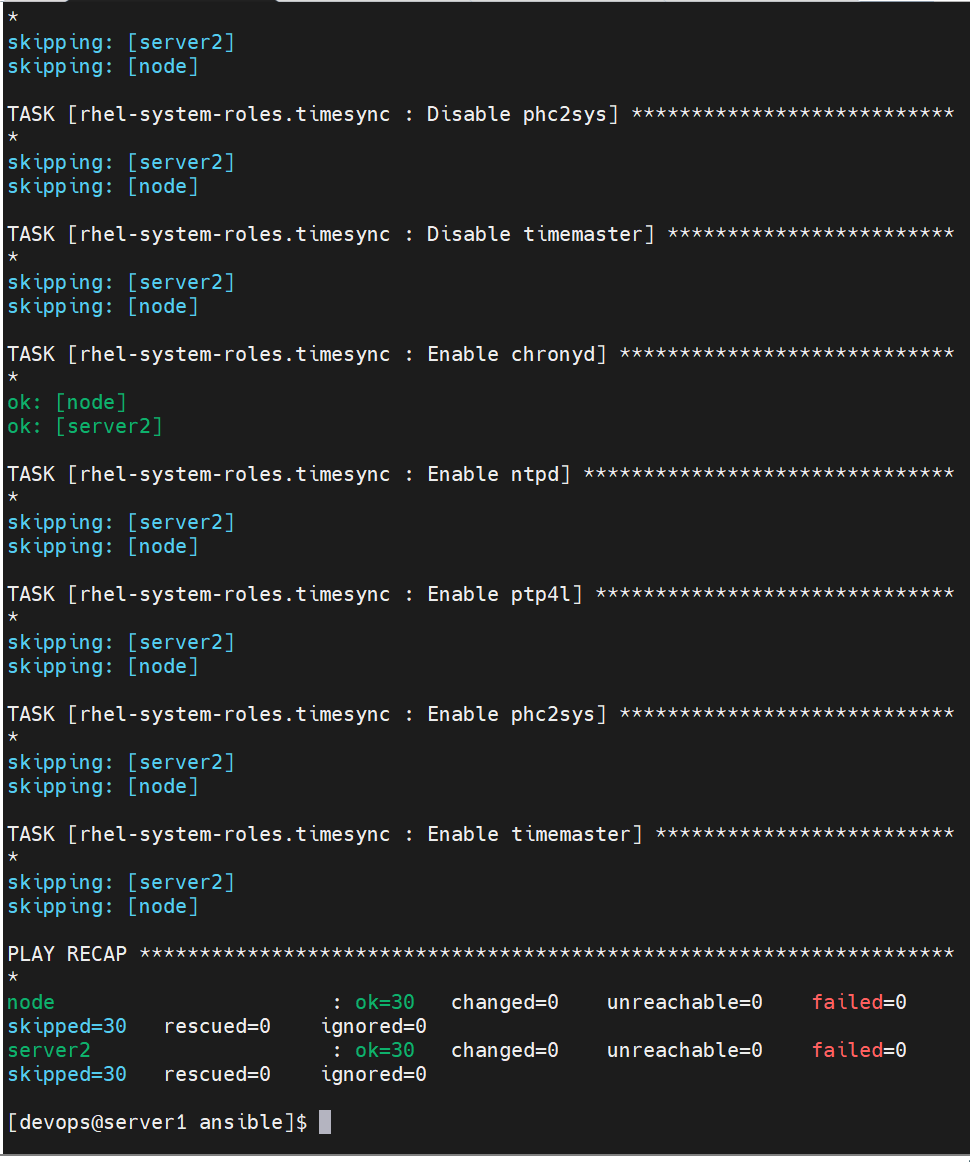
开启selinux
bash
[devops@server1 ansible]$ scp /usr/share/doc/rhel-system-roles/selinux/example-selinux-playbook.yml .
[devops@server1 ansible]$ mv example-selinux-playbook.yml selinux.yml
[devops@server1 ansible]$ vim selinux.yml
---
- name: Manage SELinux policy example
  hosts: node
  vars:
    # Use "targeted" SELinux policy type
    selinux_policy: targeted
    # Set "enforcing" mode
    selinux_state: enforcing
    # # Switch some SELinux booleans
    # selinux_booleans:
    #   # Set the 'samba_enable_home_dirs' boolean to 'on' in the current
    #   # session only
    #   - name: samba_enable_home_dirs
    #     state: true
    #   # Set the 'ssh_sysadm_login' boolean to 'on' permanently
    #   - name: ssh_sysadm_login
    #     state: true
    #     persistent: true
    # # Map '/tmp/test_dir' and its subdirectories to the 'user_home_dir_t'
    # # SELinux file type
    selinux_fcontexts:
      - target: '/www(/.*)?'
        setype: httpd_sys_content_t
        ftype: d
        state: present
    # # Restore SELinux file contexts in '/tmp/test_dir'
    selinux_restore_dirs:
      - /www
    # # Map tcp port 22100 to the 'ssh_port_t' SELinux port type
    selinux_ports:
      - ports: 82
        proto: tcp
        setype: http_port_t
        state: present
    # # Map the 'sar-user' Linux user to the 'staff_u' SELinux user
    # selinux_logins:
    #   - login: sar-user
    #     seuser: staff_u
    #     serange: s0-s0:c0.c1023
    #     state: present
    # # Manage modules
    # selinux_modules:
    #   # Install the 'localpolicy.cil' with priority 300
    #   - path: localpolicy.cil
    #     priority: 300
    #     state: enabled
    #   # Disable the 'unconfineduser' module with priority 100
    #   - name: unconfineduser
    #     priority: 100
    #     state: disabled
    #   # Remove the 'temporarypolicy' module with priority 400
    #   - name: temporarypolicy
    #     priority: 400
    #     state: absent
  tasks:
    - name: Creates directory
      file:
        path: /www
        state: directory
        mode: "0755"

    - name: Execute the role and reboot in a rescue block
      block:
        - name: Include selinux role
          include_role:
            name: rhel-system-roles.selinux
      rescue:
        - name: >-
            Fail if failed for a different reason than selinux_reboot_required
          fail:
            msg: "role failed"
          when: not selinux_reboot_required

        - name: Restart managed host
          reboot:

        - name: Wait for managed host to come back
          wait_for_connection:
            delay: 10
            timeout: 300

        - name: Reapply the role
          include_role:
            name: rhel-system-roles.selinux
[devops@server1 ansible]$ vim test_uri.yml
---
- hosts: localhost
  gather_facts: false
  become: false
  tasks:
    - name: Check that you can connect (GET) to a page and it returns a status 200
      ansible.builtin.uri:
        url: http://192.168.117.131:82
        return_content: true
      register: result

    - name: Print return information from the previous task
      ansible.builtin.debug:
        var: result.content
[devops@server1 ansible]$ vim apache_role.yml
---
- name: selinux playbook
  import_playbook: selinux.yml
- hosts: node
  vars:
    http_port: 82
  roles:
    - role: apache
  pre_tasks:
    - name: enable the firewalld
      ansible.builtin.service:
        name: firewalld
        state: started
        enabled: yes

  tasks:
    - name: Permanently enable http service, also enable it immediately if possible
      ansible.posix.firewalld:
        service: http
        state: enabled
        permanent: true
        immediate: true

    - name: Permanently enable https service
      ansible.posix.firewalld:
        service: https
        state: enabled
        permanent: true
        immediate: true

    - name: add  port
      ansible.posix.firewalld:
        port: "{{ http_port }}/tcp"
        state: enabled
        permanent: true
        immediate: true

- name: test_uri playbook
  import_playbook: test_uri.yml
[devops@server1 ansible]$ ansible-playbook apache_role.yml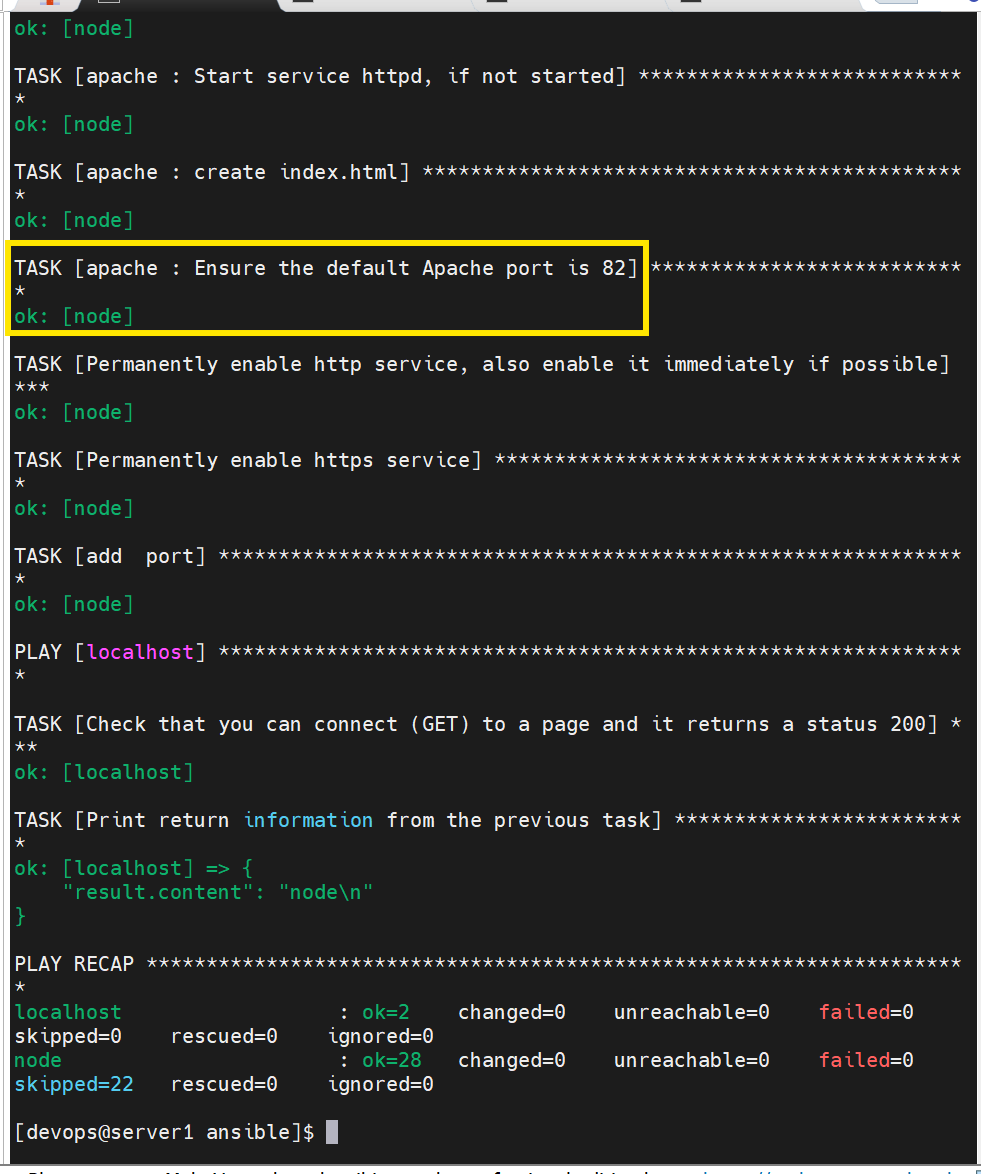
nginx角色
从 Ansible Galaxy 社区仓库下载现成的 Nginx 角色,由于网站不稳定,下载时可以多试几次
bash
[devops@server1 ansible]$ cd
[devops@server1 ~]$ ansible-galaxy role install nginxinc.nginx
[devops@server1 ~]$ ansible-galaxy role install geerlingguy.nginx
[devops@server1 ~]$ ansible-galaxy role install geerlingguy.redis
清理server2服务器上已有的旧 Web、数据库、监控服务,避免端口 80 冲突,防止后面安装 Nginx 启动失败
bash
[root@server2 ~]# systemctl disable --now zabbix-server
[root@server2 ~]# systemctl disable --now httpd
[root@server2 ~]# systemctl disable --now php-fpm
[root@server2 ~]# systemctl disable --now mysqld
[root@server2 ~]# systemctl disable --now zabbix-agent
server1 配置角色搜索路径
bash
[devops@server1 ansible]$ vim ansible.cfg
roles_path=./role:/usr/share/ansible/roles:/home/devops/.ansible/roles
[devops@server1 ansible]$ ansible-galaxy role list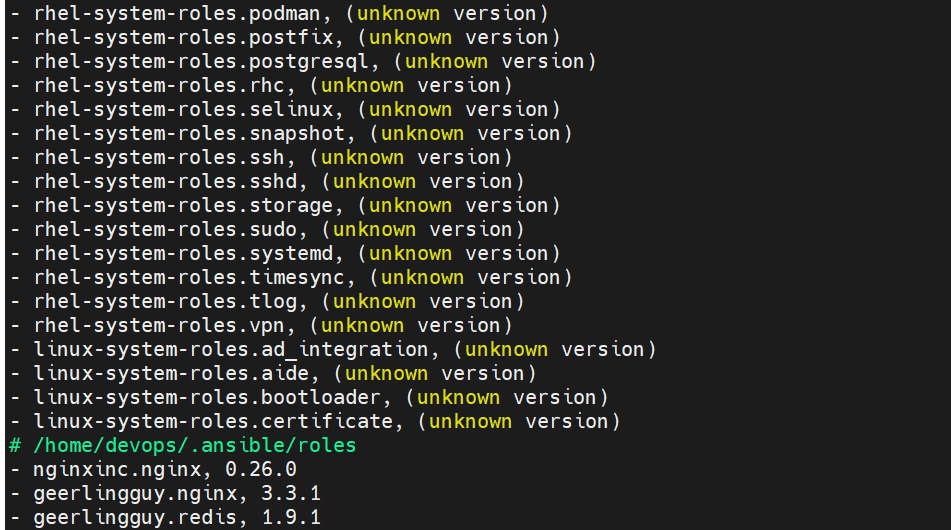
调用 geerlingguy.nginx 这个 Ansible Galaxy 下载好的角色,自动化在 server2 主机部署、配置 Nginx
bash
[devops@server1 ansible]$ vim nginx.yml
---
- hosts: server2
  roles:
    - role: geerlingguy.nginx
[devops@server1 ansible]$ ansible-playbook nginx.yml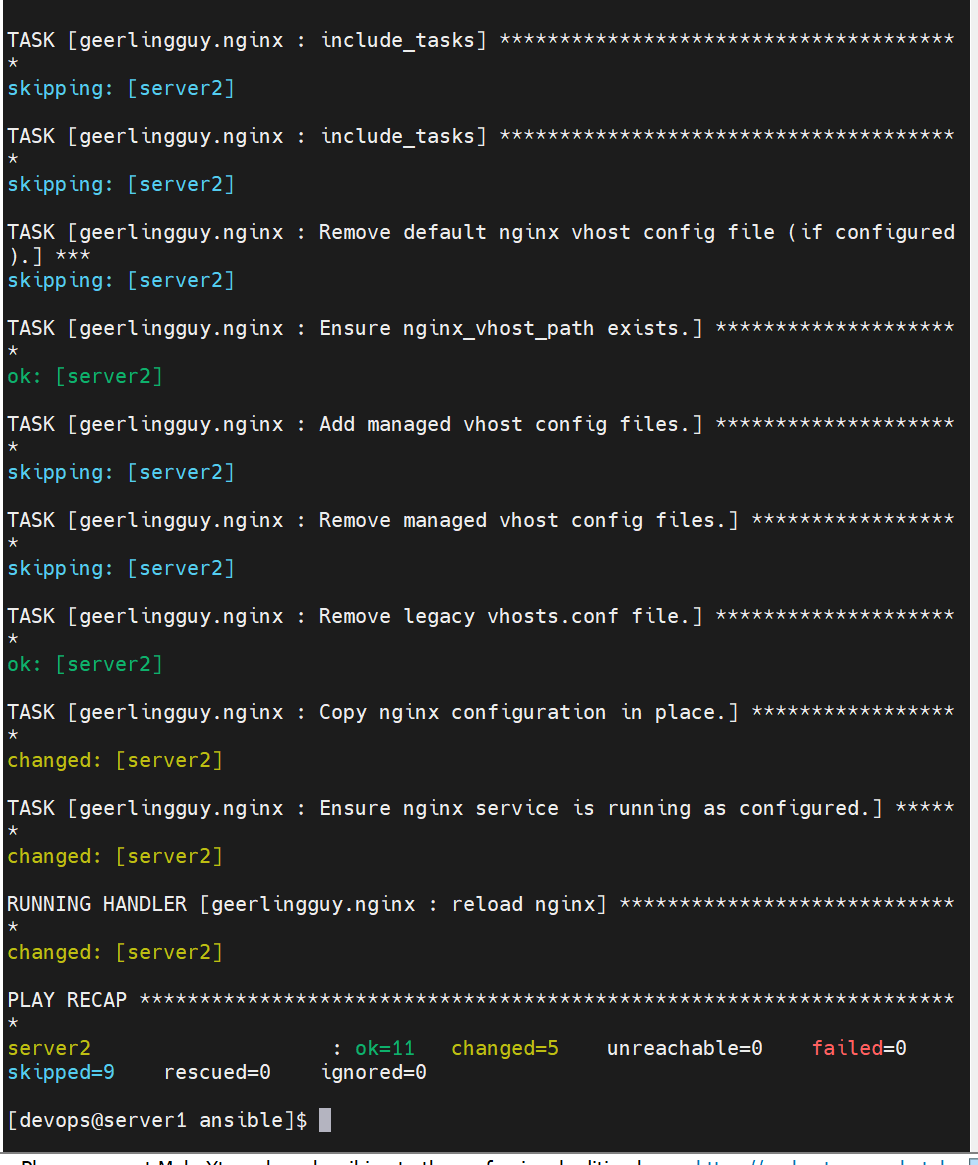
查看
bash
[root@server2 ~]# systemctl status nginx
[root@server2 ~]# rpm -qa |grep nginx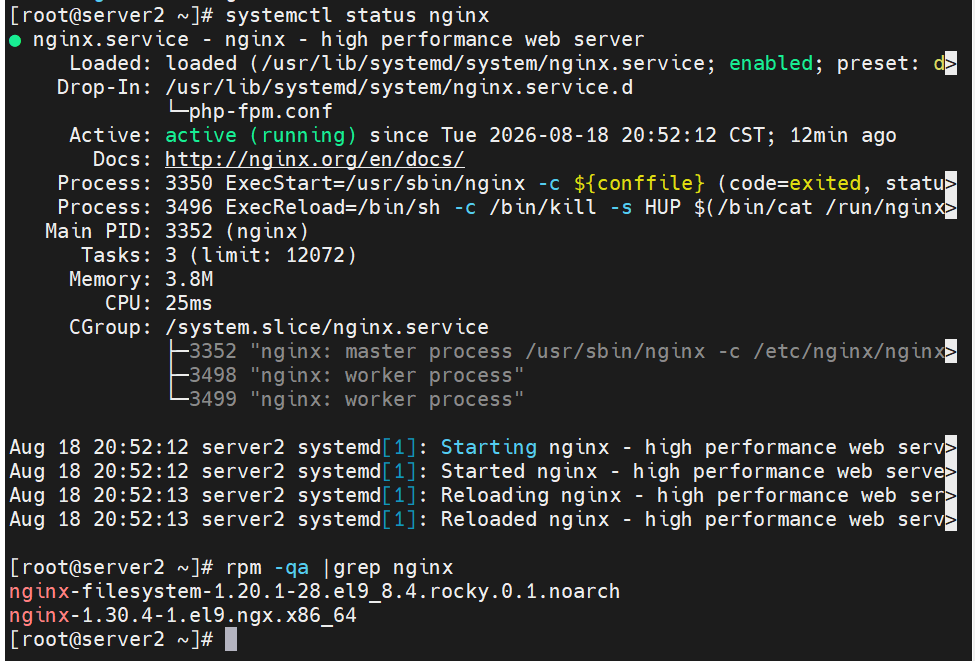
添加 geerlingguy.redis 这个 Ansible Galaxy 角色,自动化在 server2 主机部署、配置 Nginx
bash
[devops@server1 ansible]$ vim nginx.yml
---
- hosts: server2
  roles:
    - role: geerlingguy.nginx
    - role: geerlingguy.redis
[devops@server1 ansible]$ ansible-playbook nginx.yml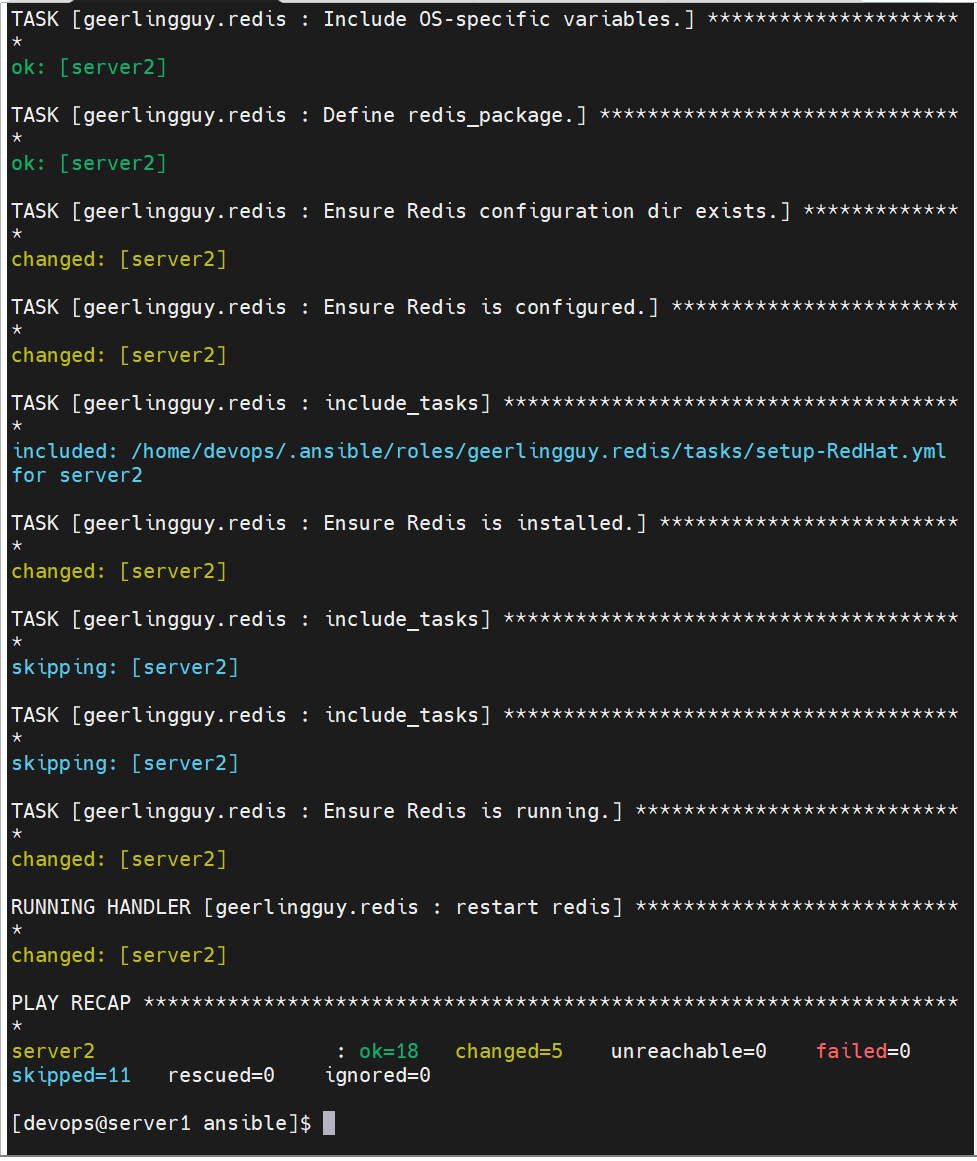
通过外部仓库上传角色
首先注册一个gitee账号,在右上角点设置
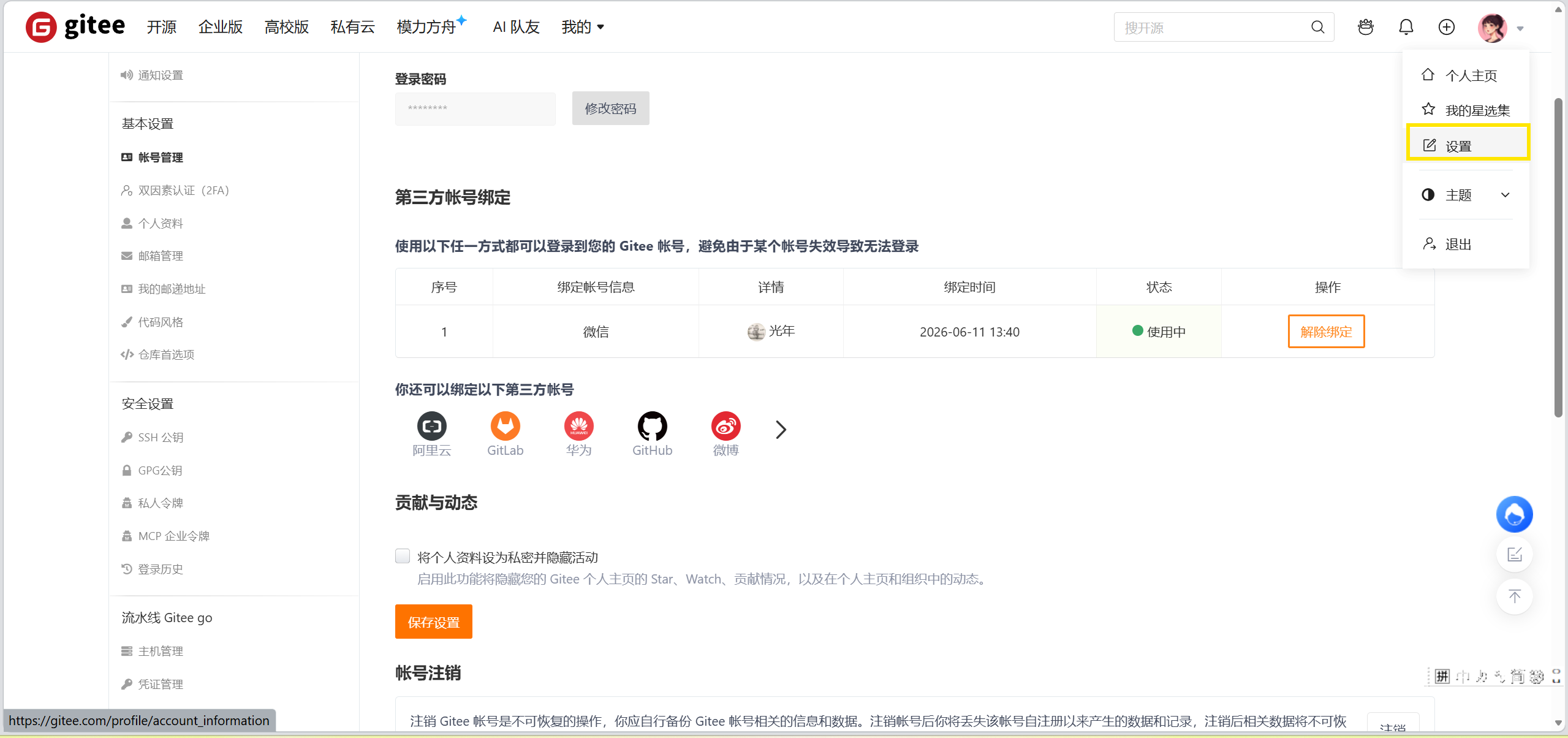
找到ssh公钥,将完整公钥填入下图,并填写标题
bash
[devops@server1 ansible]$ cd
[devops@server1 ~]$ cd .ssh/
[devops@server1 .ssh]$ ls
authorized_keys  id_rsa  id_rsa.pub  known_hosts  known_hosts.old
[devops@server1 .ssh]$ cat id_rsa.pub
ssh-rsa AAAAB3NzaC1yc2EAAAADAQABAAABgQDHCYt9mSUu01JEGLwc31yYPBx3mJf1wFdoT49XeW71OBI9MeROCptm9ieEb+k2bJLDX2KFVsPTcQEkJJnv/itRGmiXmqLsP7HND+6Hih+ctqqbmHnlyjgEZSmk+v3LfgM0WV2zdXlIC1IWOqk9LooyDFLsvWWSTXtiM1gOzFbLogYv4efSHPdWUsfmfvPSErWRfpcSUA3htGcTMATbzwGnWqBMOZF3/Y6gV33kKbGQ01jf+3PaYDMlYFKVeQT46o+1HQhahnIpx6gLz2tRPDA7dIjpxt+01YFST5jSR3pzYUieZs/8zZO26a2hxr41RE2hA9sA+JNADYqmCz8mfyiW0hO1rDgQf7IDvjNP16igxiGVj3y2UsgxJVF4PnGsOeRhfNmUD1t6+ne34eQvjvRMzU4tJYt8Az9kfeWizzj27PwVnJIiX3ck5BH55e+BUyEy/IwQaHuZDgTXK9syCNHuTUlOSjM43eRxSN8UBRFKs/eLkFDPtndB2pZeva+NNok= devops@server1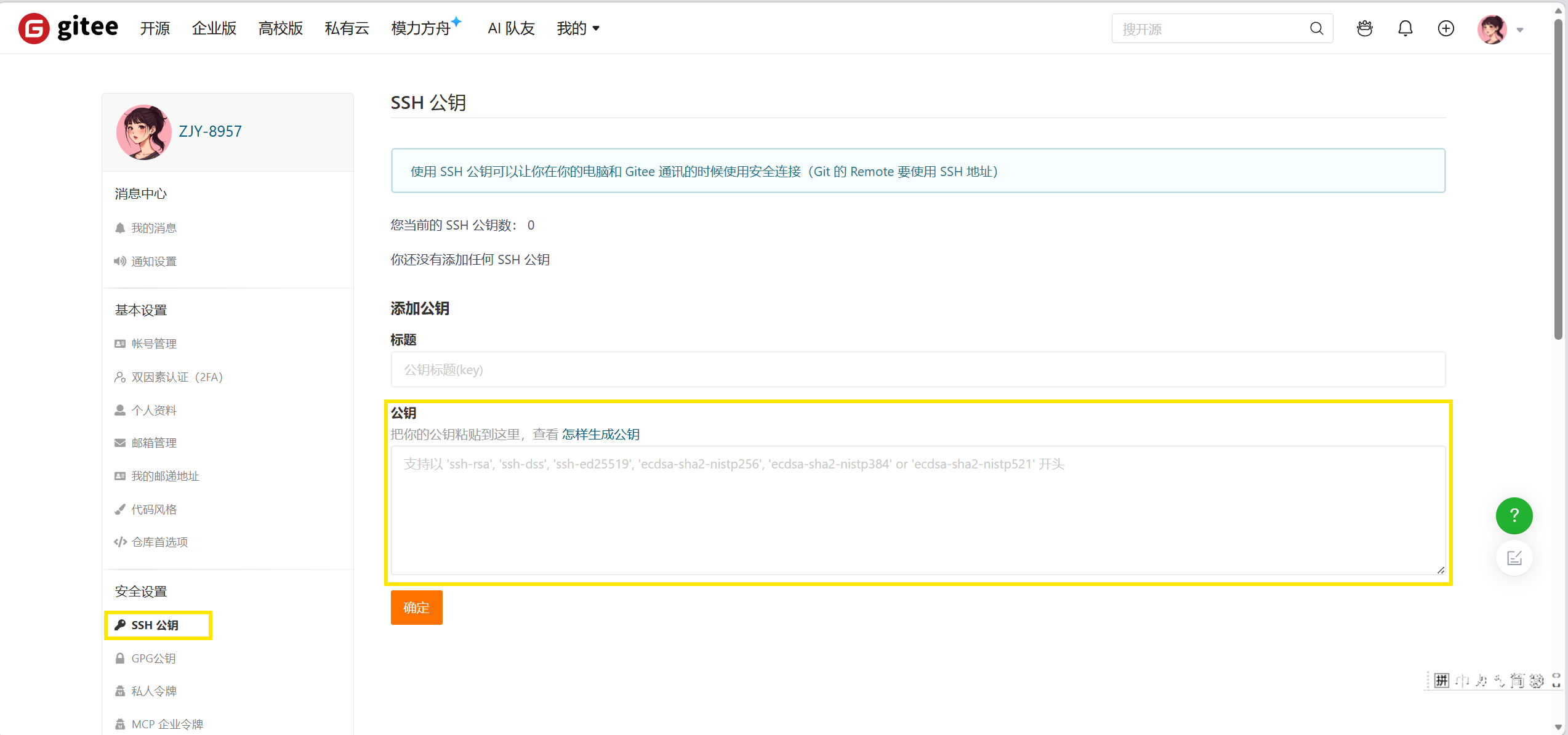
添加

创建仓库
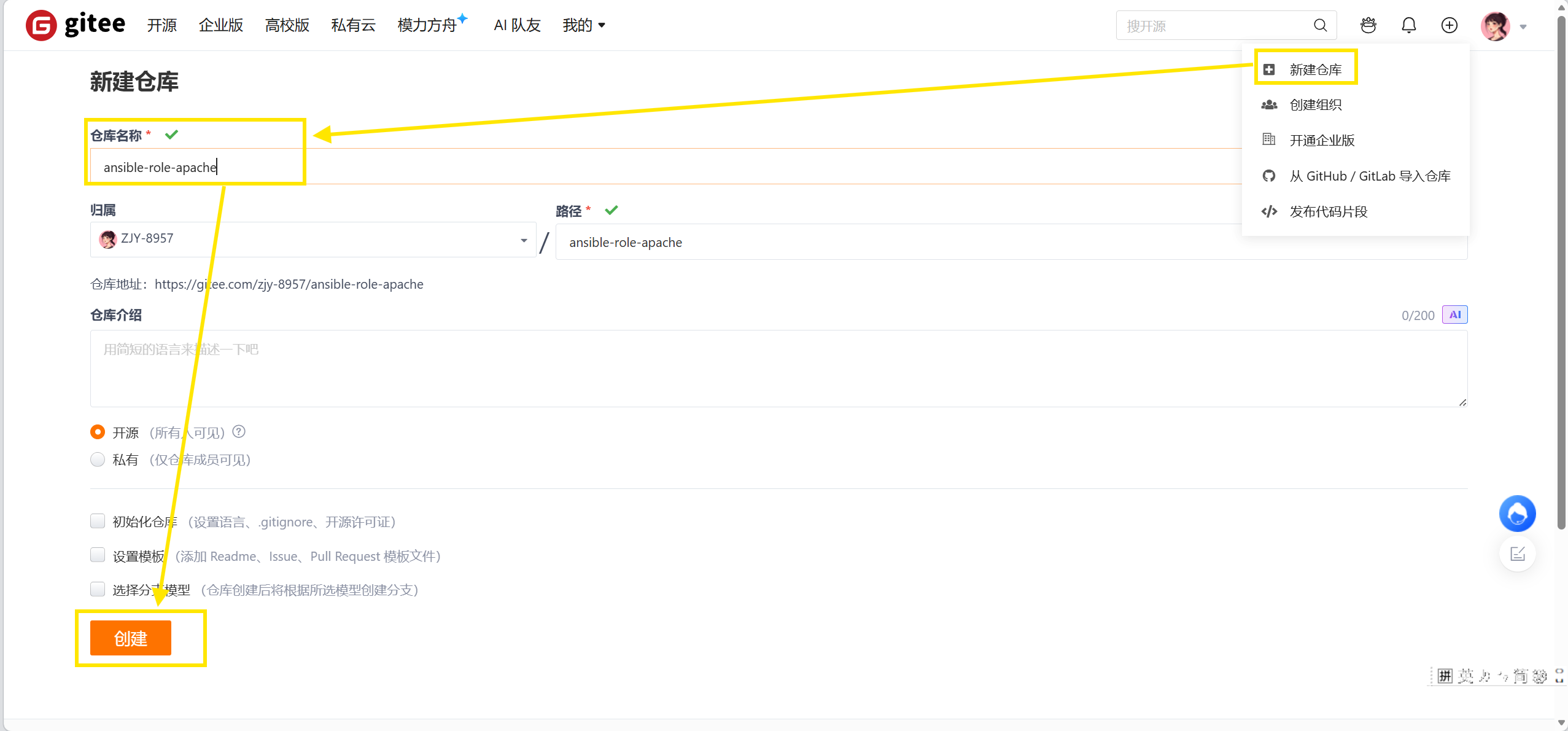
上传数据
bash
[devops@server1 ansible]$ cd role/apache/
[devops@server1 apache]$ git init
[devops@server1 apache]$ git config --global user.name "你的用户名"
[devops@server1 apache]$ git config --global user.email "绑定邮箱"
[devops@server1 apache]$ cd .git/
[devops@server1 .git]$ ls
config  description  HEAD  hooks  info  objects  refs
[devops@server1 .git]$ cd ..
[devops@server1 apache]$ git add .
[devops@server1 apache]$ git commit -m "ansible-role-apache"
[devops@server1 apache]$ git remote add origin https://gitee.com/ZJY-8957/ansible-role-apache.git
[devops@server1 apache]$ git push -u origin "master"
刷新一下,成功
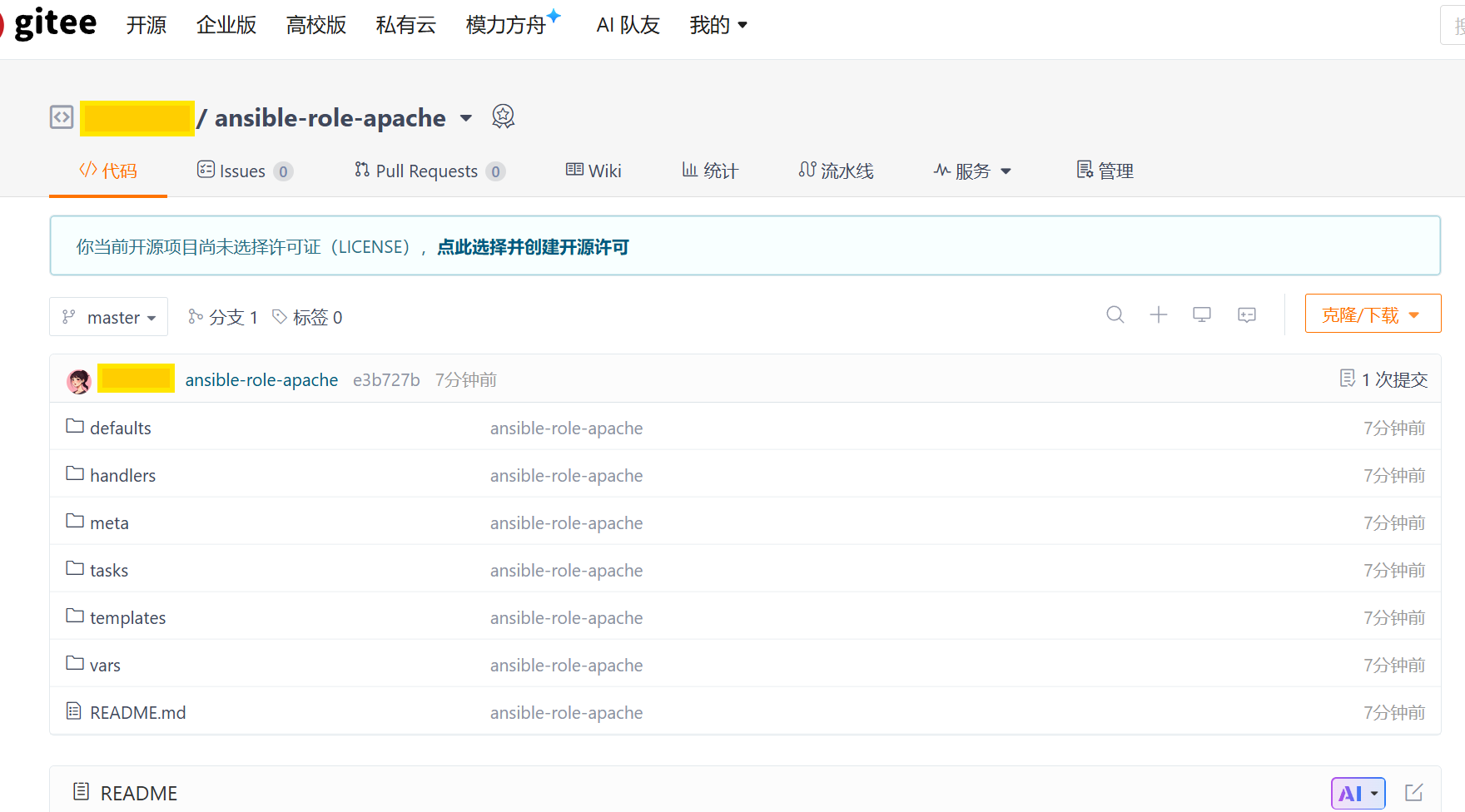
将仓库角色安装至角色目录
bash
[devops@server1 ansible]$ ansible-galaxy role remove apache
- successfully removed apache
[devops@server1 ansible]$ vim role/requirements.yml
---
- src: git@gitee.com:zjy-8957/ansible-role-apache.git
  scm: git
  version: master
  name: apache
[devops@server1 ansible]$ ansible-galaxy role install -r role/requirements.yml -p role/
[devops@server1 ansible]$ cd role/
[devops@server1 role]$ ls
apache  deploy_apache  deploy_vhost  remove_apache  requirements.yml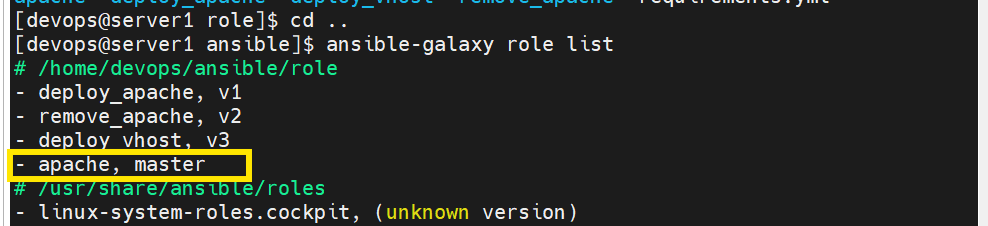
或者直接克隆,这样名字可能会有不同,需自己改名外,其他都一样
bash
git clone git@gitee.com:zjy-8957/ansible-role-apache.git通过外部仓库的角色创建虚拟主机
bash
[devops@server1 ansible]$ vim apache_role.yml
---
- name: selinux playbook
  import_playbook: selinux.yml
- hosts: node
  vars:
    http_port: 82
  roles:
    - role: apache
  pre_tasks:
    - name: enable the firewalld
      ansible.builtin.service:
        name: firewalld
        state: started
        enabled: yes

  tasks:
    - name: Permanently enable http service, also enable it immediately if poss ible
      ansible.posix.firewalld:
        service: http
        state: enabled
        permanent: true
        immediate: true

    - name: Permanently enable https service
      ansible.posix.firewalld:
        service: https
        state: enabled
        permanent: true
        immediate: true

    - name: add http port
      ansible.posix.firewalld:
        port: "{{ http_port }}/tcp"
        state: enabled
        permanent: true
        immediate: true

    - name: add seport
      redhat.rhel_system_roles.seport:
        ports: "{{ http_port }}"
        proto: tcp
        setype: http_port_t
        state: present

  post_tasks:
    - name: add vhost
      include_role:
        name: deploy_vhost

- name: test_uri playbook
  import_playbook: test_uri.yml
[devops@server1 ansible]$ ansible-playbook apache_role.yml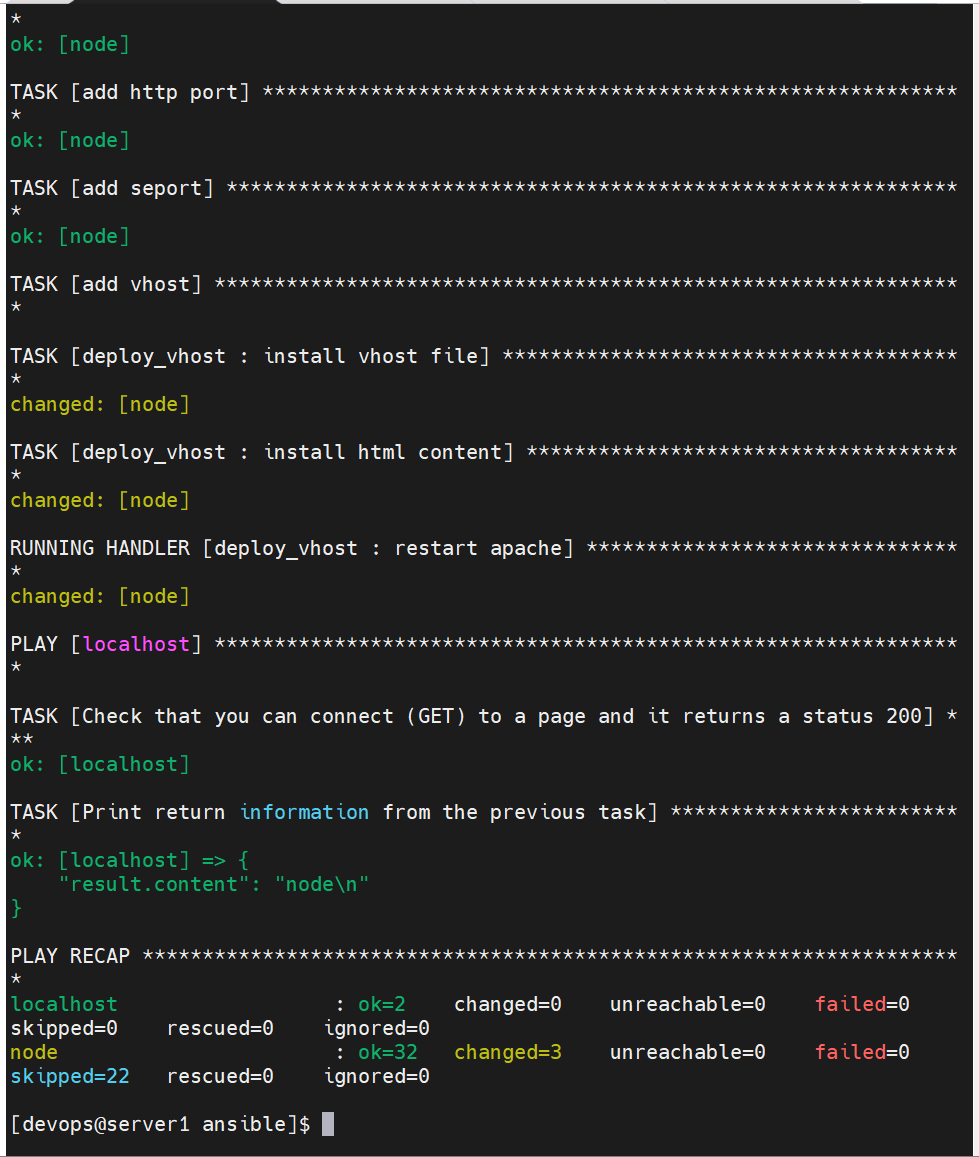
查看