项目地址:https://gitee.com/careshow/wis-query.git (仅供学习参考!!!)
一套开箱即用、可 Docker 一键部署的 智能问数 + 知识库 + 智能问答 一体化平台。后端 FastAPI + PostgreSQL(pgvector)+ pgvector 向量库,前端 React + Antd,遵循 OpenAI 兼容协议,可自由接入任何 OpenAI 兼容 LLM(OpenAI / DeepSeek / 通义千问 / 智谱 / Ollama / 自建网关...)。
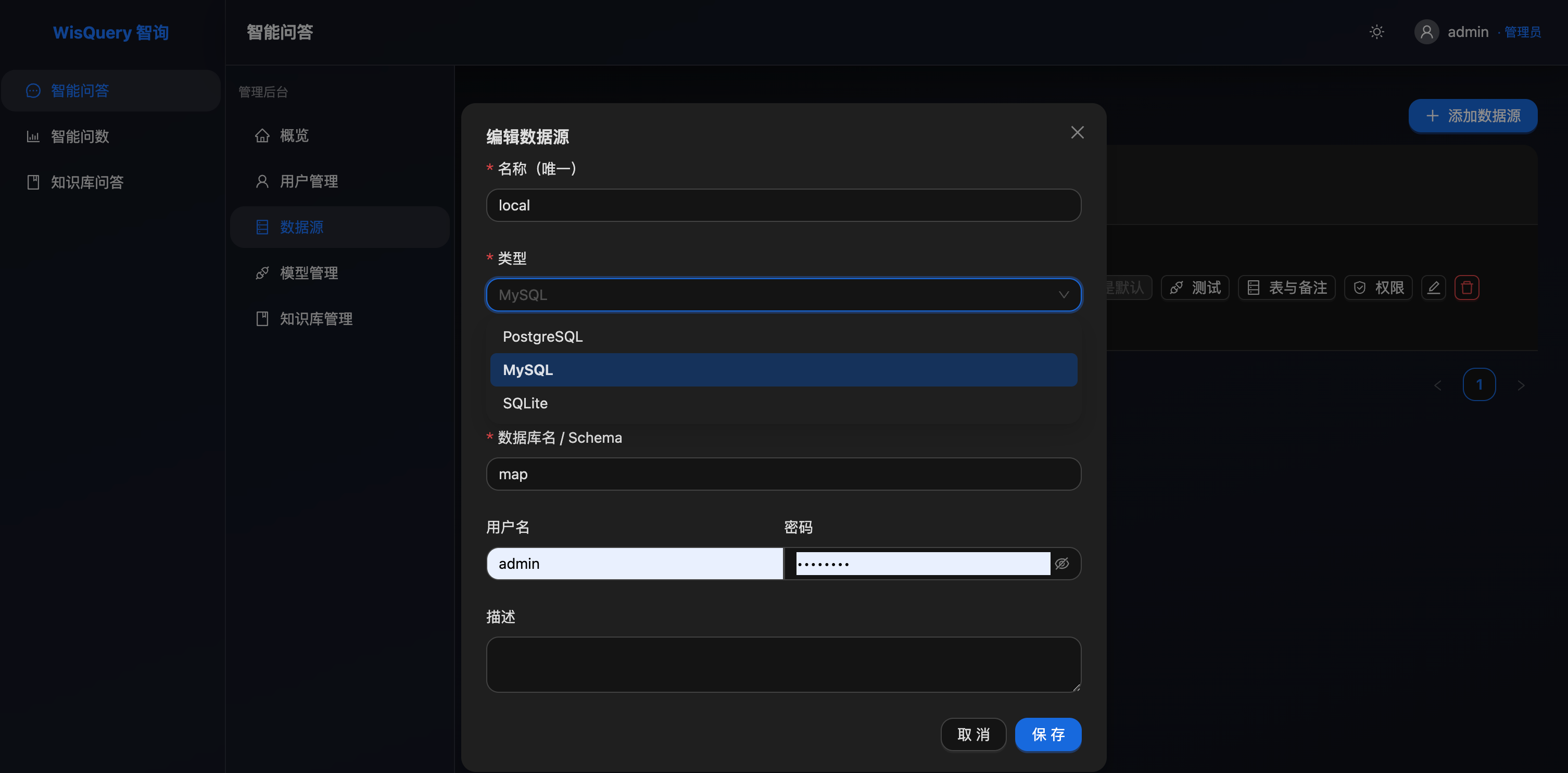
智能问数模块的思路:基于数据源 schema → 让 LLM 生成 SQL → 用 sqlglot 校验只允许 SELECT → 执行查询 → LLM 用自然语言回答。
✨ 功能特性
- 🔐 用户登录 :JWT 认证,默认管理员自动创建(
admin / admin123) - 💬 智能问答:自定义模型,多轮对话会话管理
- 📊 智能问数:支持 PostgreSQL / MySQL / SQLite,Text-to-SQL,图表自动建议,SQL 安全校验
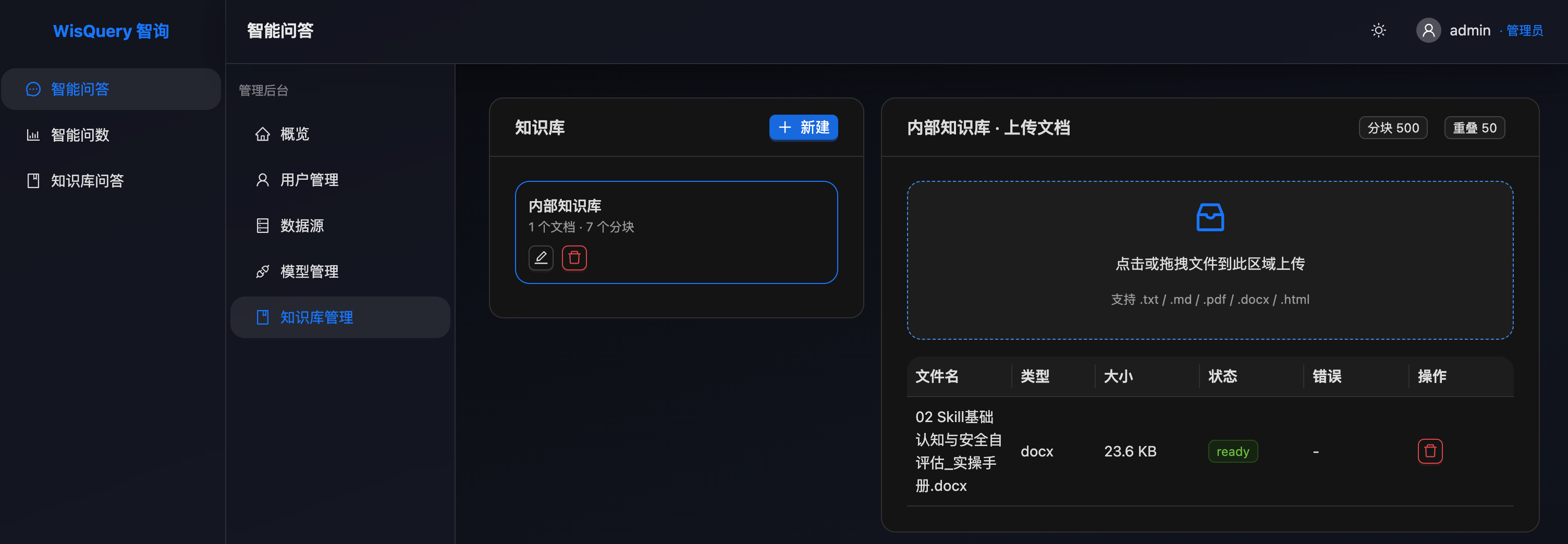
- 📚 知识库:上传 txt/md/pdf/docx/html → 自动分块 → pgvector 向量检索 → RAG 回答,附引用来源
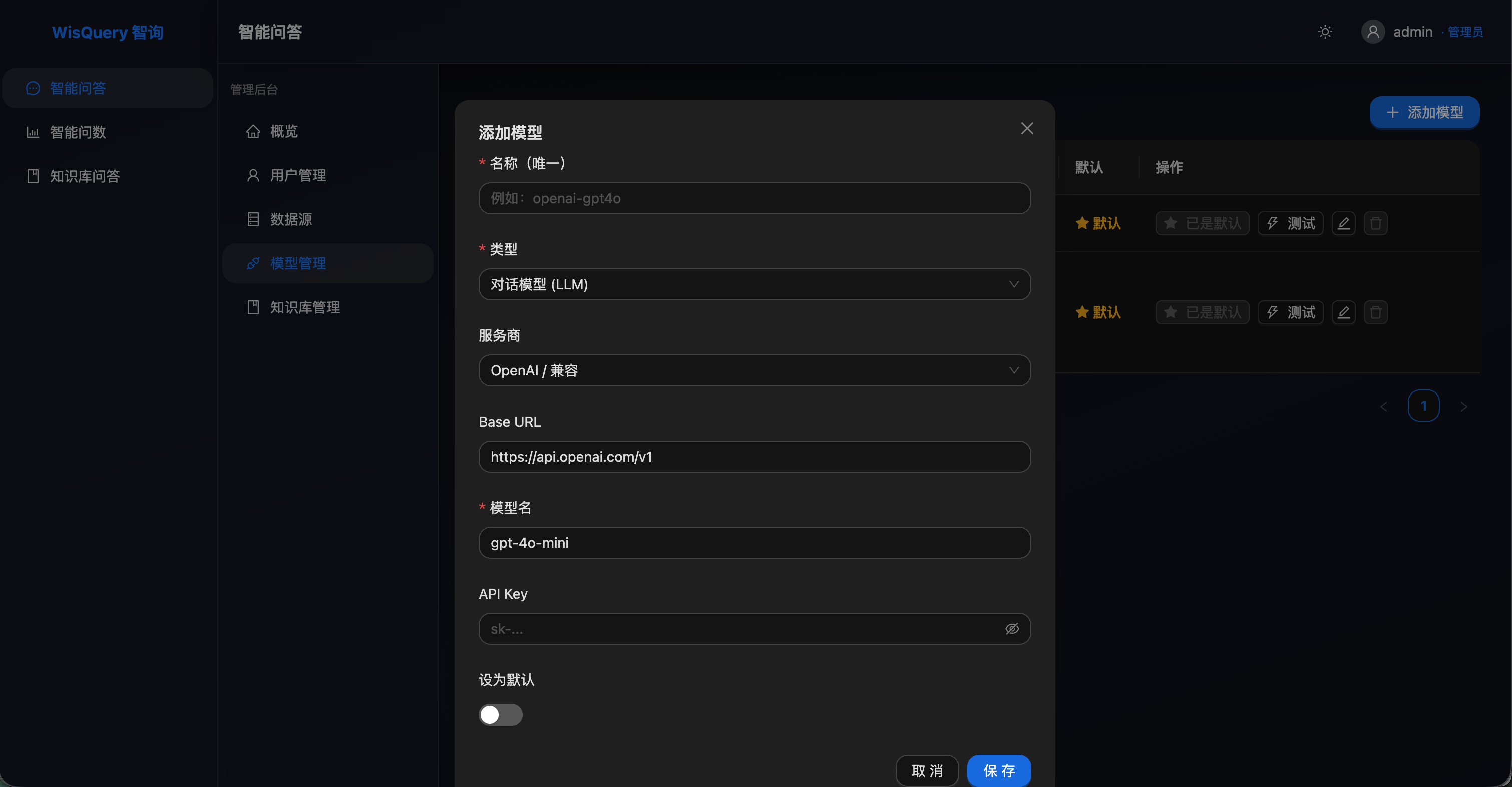
- ⚙️ 模型管理:可视化管理 LLM / Embedding 模型,支持一键测试
- 🐳 Docker 一键启动:三个容器(postgres / backend / frontend)即可跑起来
🏗️ 架构
┌────────────────────────────────────────────────────────┐
│  Frontend (React + Vite + Antd + ECharts)   nginx      │
│      ↓ /api/* 反向代理                                │
├────────────────────────────────────────────────────────┤
│  Backend  (FastAPI + SQLAlchemy + pgvector)            │
│      ├─ /auth         登录注册                         │
│      ├─ /models       LLM/Embedding 模型管理           │
│      ├─ /datasources  数据源管理 + Schema 提取         │
│      ├─ /knowledge    知识库 + 文档 + RAG              │
│      └─ /chat         三场景统一对话入口                │
├────────────────────────────────────────────────────────┤
│  PostgreSQL 16 + pgvector                              │
│      ├─ 业务表(users / conversations / messages...)    │
│      └─ knowledge_chunks.embedding  向量存储           │
└────────────────────────────────────────────────────────┘
🚀 快速启动
# 1. 克隆 / 进入项目
cd WisQuery

# 2. 准备环境变量(务必修改 JWT_SECRET_KEY 和 LLM 凭据!)
cp .env.example .env
vim .env

# 3. 一键启动
docker compose up -d --build

# 首次启动会下载镜像、构建前端、初始化数据库(约 2~5 分钟)
# 看到 ai-postgres / ai-backend / ai-frontend healthy 即成功

# 4. 访问
#    前端:http://localhost:5173
#    API 文档:http://localhost:5173/api/docs
# 默认账号:admin / admin123
修改 .env 中的关键配置
# 必填:JWT 密钥(生产环境务必改成随机 32 位字符串)
JWT_SECRET_KEY=<32-char-random-string>

# 必填:LLM 凭据(OpenAI 兼容协议)
DEFAULT_LLM_BASE_URL=https://api.openai.com/v1
DEFAULT_LLM_API_KEY=sk-xxx
DEFAULT_LLM_MODEL=gpt-4o-mini

# 必填:Embedding 凭据
DEFAULT_EMBEDDING_BASE_URL=https://api.openai.com/v1
DEFAULT_EMBEDDING_API_KEY=sk-xxx
DEFAULT_EMBEDDING_MODEL=text-embedding-3-small或者不修改 .env直接启动也行,启动后用默认账号登录,进入「模型管理」页面添加你的模型配置,设为默认即可。
国内常用模型示例
| 提供商 | base_url | model_name |
|---|---|---|
| DeepSeek | https://api.deepseek.com/v1 |
deepseek-chat |
| 智谱 GLM | https://open.bigmodel.cn/api/paas/v4 |
glm-4-flash |
| 通义千问 DashScope(OpenAI 兼容) | https://dashscope.aliyuncs.com/compatible-mode/v1 |
qwen-plus |
| Ollama 本地 | http://host.docker.internal:11434/v1 |
qwen2.5:7b |
注意:在 Docker 容器内访问宿主机用
host.docker.internal:11434。
📁 目录结构
.
├── backend/                # FastAPI 后端
│   ├── app/
│   │   ├── api/v1/         # 路由:auth / models / datasources / knowledge / chat
│   │   ├── core/           # 配置 / 鉴权 / 依赖
│   │   ├── db/             # SQLAlchemy 异步会话
│   │   ├── models/         # ORM
│   │   ├── schemas/        # Pydantic
│   │   ├── services/       # 业务:llm / text2sql / rag / chat / ingest / datasource
│   │   ├── init_db.py      # 启动建表 + 种子数据
│   │   └── main.py
│   ├── requirements.txt
│   └── Dockerfile
├── frontend/               # React 前端
│   ├── src/
│   │   ├── api/            # axios + 接口
│   │   ├── pages/          # Login / Chat / Text2SQL / Knowledge / Models / DataSources
│   │   ├── components/     # Layout / ChatPanel
│   │   ├── store/          # zustand
│   │   ├── App.tsx
│   │   └── main.tsx
│   ├── package.json
│   ├── vite.config.ts
│   ├── nginx.conf          # 反向代理 + SPA fallback
│   └── Dockerfile
├── docker/
│   └── postgres/init/      # 启动启用 pgvector
├── docker-compose.yml
├── .env.example
└── README.md
🔧 本地开发
后端
cd backend
python -m venv .venv && source .venv/bin/activate
pip install -r requirements.txt
export DATABASE_URL=postgresql+asyncpg://aiplatform:aiplatform_pass@localhost:5432/aiplatform
python -m app.init_db
uvicorn app.main:app --reload --port 8000
前端
cd frontend
npm install
npm run dev  # http://localhost:5173
前端 Vite 已经把 /api 代理到 http://backend:8000。
🛡️ 安全说明
- SQL 生成后用
sqlglot解析校验,只允许 SELECT,禁止 DML/DDL。 - 默认管理员密码仅用于首次登录,生产环境务必修改
FIRST_ADMIN_PASSWORD。 - JWT 密钥使用
JWT_SECRET_KEY,务必改成随机字符串。 - 用户注册的接口默认开放,生产可在
app/api/v1/auth.py中关闭,仅允许管理员创建。
🐞 常见问题
-
首次启动后端连不上数据库? 等几秒让 PostgreSQL 完成
pg_isready。depends_on: condition: service_healthy已经处理。 -
Embedding 调用报错? OpenAI 的
text-embedding-3-small维度是 1536。如果换其他模型(如text-embedding-3-large=3072)需要同步修改app/models/knowledge.py中的Vector(1536)。 -
Ollama 在 Docker 里连不上? base_url 填
http://host.docker.internal:11434/v1。 -
构建前端太慢? 取消
frontend/Dockerfile中npm config set registry ...的注释可走国内镜像。