前几天在玩CMake的时候想让CMake来生成pkgconfig的配置文件pc文件,尝试了很久都没成功,借助DeepSeek也没搞出来。于是研究起了xmake,不用不知道,一用真觉得xmake比CMake好用多了,最主要是的语法简洁,没有CMake怪异语法和晦涩的生成表达式,xmake完全使用的Lua的语言规则。还有一个非常重要的工具就是VSCode有xmake插件,可以像CMake插件一样流畅的工作。
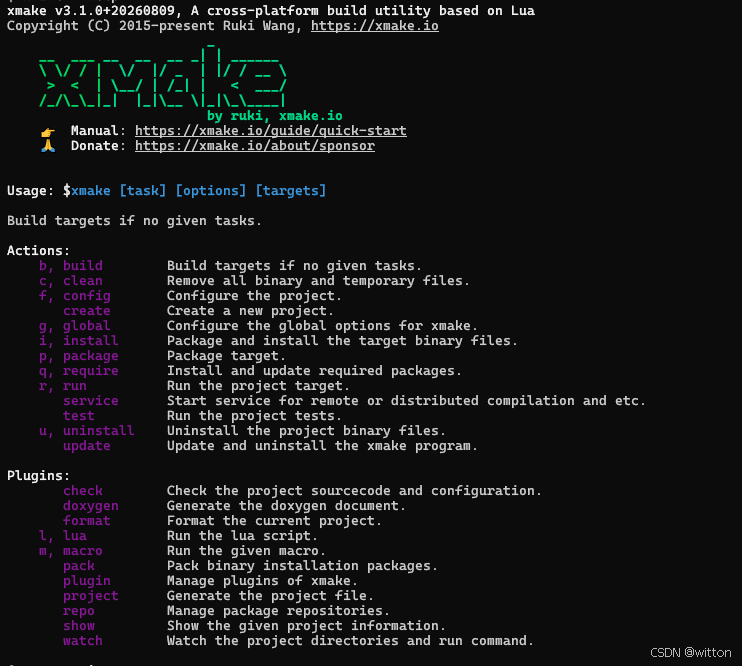
举一下简单的示例,创建一个xmake工程,xmake create hello:
bash
$ xmake create hello
create hello ...
  [+]: .gitignore
  [+]: src\main.cpp
  [+]: xmake.lua
create ok!
xmake.lua:
lua
add_rules("mode.debug", "mode.release") -- 添加debug和release模式

target("hello") -- 目标为hello
    set_kind("binary") -- 生成可执行文件,如果是static为静态库,shared为动态库
    add_files("src/*.cpp") -- 添加要编译的源文件
日常项目中可能会有多目录的情况,比如一个目录为库,一个目录为依赖这个库的可执行文件:
顶层xmake.lua:
lua
includes("mylib")
includes("app")
mylib的xmake.lua:
lua
target("mylib")
  set_kind("static")
  add_files("*.c")
  add_includedirs(".", {public = true})
app的xmake.lua:
lua
target("mylib")
  set_kind("binary")
  add_files("*.c")
  add_deps("mylib")
感觉入门非常容易。
如果在项目中使用了protobuf,则可以使用内置的protobuf规则,有"protobuf.c"规则,也有"protobuf.cpp"规则。
app/xmake.lua:
lua
add_requires("libprotobuf-c") -- 查找PBC的依赖库
target("app")
	set_kind("binary")
	add_rules("protobuf.c")
	add_files("pb/*.proto", {proto_public = true}) -- 这里需要导出proto 的头文件搜索目录
add_packages("libprotobuf-c") -- 将PBC的依赖库添加到目标但是"protobuf.c"是查找的是protoc-c程序,可以查看xmake/rules/protobuf/proto.lua源码:
lua
-- get protoc
function _get_protoc(target, sourcekind)

    -- find protoc
    -- @see https://github.com/xmake-io/xmake/issues/4659
    local envs = os.joinenvs(target:pkgenvs(), os.getenvs())
    local protoc = target:data("protobuf.protoc")
    if not protoc and sourcekind == "cxx" then
        protoc = find_tool("protoc", {envs = envs})
        if protoc and protoc.program then
            target:data_set("protobuf.protoc", protoc.program)
        end
    end

    -- find protoc-c
    local protoc_c = target:data("protobuf.protoc-c")
    if not protoc_c and sourcekind == "cc" then
        protoc_c = find_tool("protoc-c", {envs = envs}) or protoc
        if protoc_c and protoc_c.program then
            target:data_set("protobuf.protoc-c", protoc_c.program)
        end
    end

    -- get protoc
    return assert(target:data(sourcekind == "cxx" and "protobuf.protoc" or "protobuf.protoc-c"), "protoc not found!")
end
在MinGW下会报错:
bash
$ xmake
error: protoc not found!protoc-c已经过时了,官方建议使用protoc程序,它会调用protoc-gen-c来生成C代码。从上面的源码可以看到在会先使用target:data("protobuf.protoc-c")获取生成C语言文件的protoc程序,如果没有设置则查找"protoc-c",找到了再使用target:data_set("protobuf.protoc-c", protoc_c.program)设置数据。我们可以手动设置这个数据,避免查找"protoc-c"。
app/xmake.lua:
lua
add_requires("libprotobuf-c")  -- 查找PBC的依赖库
target("app") -- 目标app
	set_kind("binary") -- 可执行文件
	add_rules("protobuf.c") -- 添加规则
	add_files("pb/*.proto", {proto_public = true})  -- 添加proto文件,这里需要导出proto 的头文件搜索目录
	add_files("*.c") -- 添加C源文件
	add_packages("libprotobuf-c")  -- 将PBC的依赖库添加到目标
	on_load(function (target)
		target:data_set("protobuf.protoc-c","protoc") -- 手动设置PB的C生成器
end)这样就可以正常使用了,生成C++代码不用手动设置。xmake会先使用protobuf规则将proto文件生成C/C++源文件和头文件,再编译C/C++源文件。
笔者曾经写过一篇博文:C语言使用Protobuf进行网络通信,里面介绍了如何定义宏来方便快捷的处理Protobuf的网络消息,最终为了方便宏处理,对protobuf-c库进行了一点小调整,也就是需要使用自己修改过源码生成的protoc-gen-c程序。假如自己编译生成的protoc-gen-c程序在app/pb目录中,则需要在处理proto文件前将app/pb目录的路径添加到PATH环境变量中去,才能优先使用自己的程序:
app/xmake.lua:
lua
add_requires("libprotobuf-c")  -- 查找PBC的依赖库
target("app") -- 目标app
	set_kind("binary") -- 可执行文件
	add_rules("protobuf.c") -- 添加规则
	add_files("pb/*.proto", {proto_public = true})  -- 添加proto文件,这里需要导出proto 的头文件搜索目录
	add_files("*.c") -- 添加C源文件
	add_packages("libprotobuf-c")  -- 将PBC的依赖库添加到目标
	on_load(function (target)
		target:data_set("protobuf.protoc-c","protoc") -- 手动设置PB的C生成器
		-- 需要使用vformat手动展开变量$(scriptdir),构成绝对路径
		local custom_dir = vformat("$(scriptdir)/pb")
		-- 获取当前 PATH
		local current_path = os.getenv("PATH") or ""
		-- 根据操作系统选择路径分隔符
		local sep = (os.host() == "windows") and ";" or ":"
		-- 将自定义目录添加到 PATH 最前面(确保优先级最高)
		local new_path = custom_dir .. sep .. current_path
		-- 设置PATH变量
		os.setenv("PATH", new_path)
	end)
如本文对你有帮助,欢迎点赞收藏!