-
mysql 磁盘满了,导致服务挂掉,扩容后,需要排查是哪写数据占用过高,下面是排查命令
-
查看mysql 各个库下占用比例:
SELECT
table_schema AS '数据库',
ROUND(SUM(data_length + index_length) / 1024 / 1024, 2) AS '总大小(MB)'
FROM
information_schema.tables
GROUP BY
table_schema
ORDER BY
SUM(data_length + index_length) DESC;
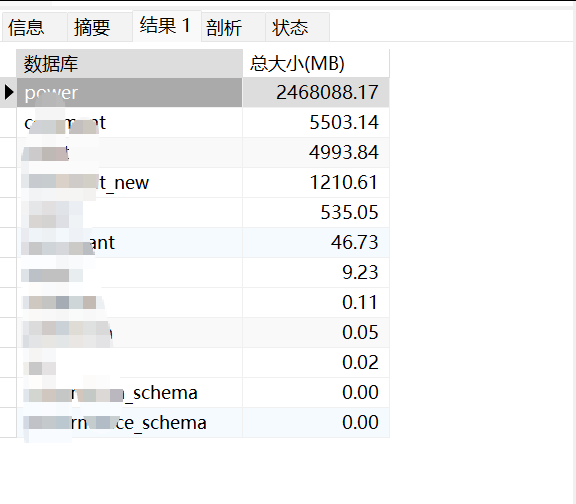
- 可以看到是哪个库占用后,再去查当前库下的哪写表占用过大的磁盘空间:
注意,power 需要替换为你自己的库名称
SELECT
    table_name AS '表名',
    ROUND(data_length / 1024 / 1024, 2) AS '数据大小(MB)',
    ROUND(index_length / 1024 / 1024, 2) AS '索引大小(MB)',
    ROUND((data_length + index_length) / 1024 / 1024, 2) AS '总大小(MB)',
    table_rows AS '估算行数'
FROM
    information_schema.tables
WHERE
    table_schema = 'power' -- 替换为实际的数据库名
    AND table_type = 'BASE TABLE'
ORDER BY
(data_length + index_length) DESC;- 上述命令即可排查出来是什么占用磁盘空间大的表,进而处理,备份或者删除!