源码地址:
1. 本文目标
第 5 篇我们已经能把简化 AST 降级成 IR:
plaintext
load_const r0, 1
load_const r1, 2
binary r2, r0, r1, '+'
init_slot slot0, r2
load_slot r3, slot0
return r3
本篇继续向前走一步:
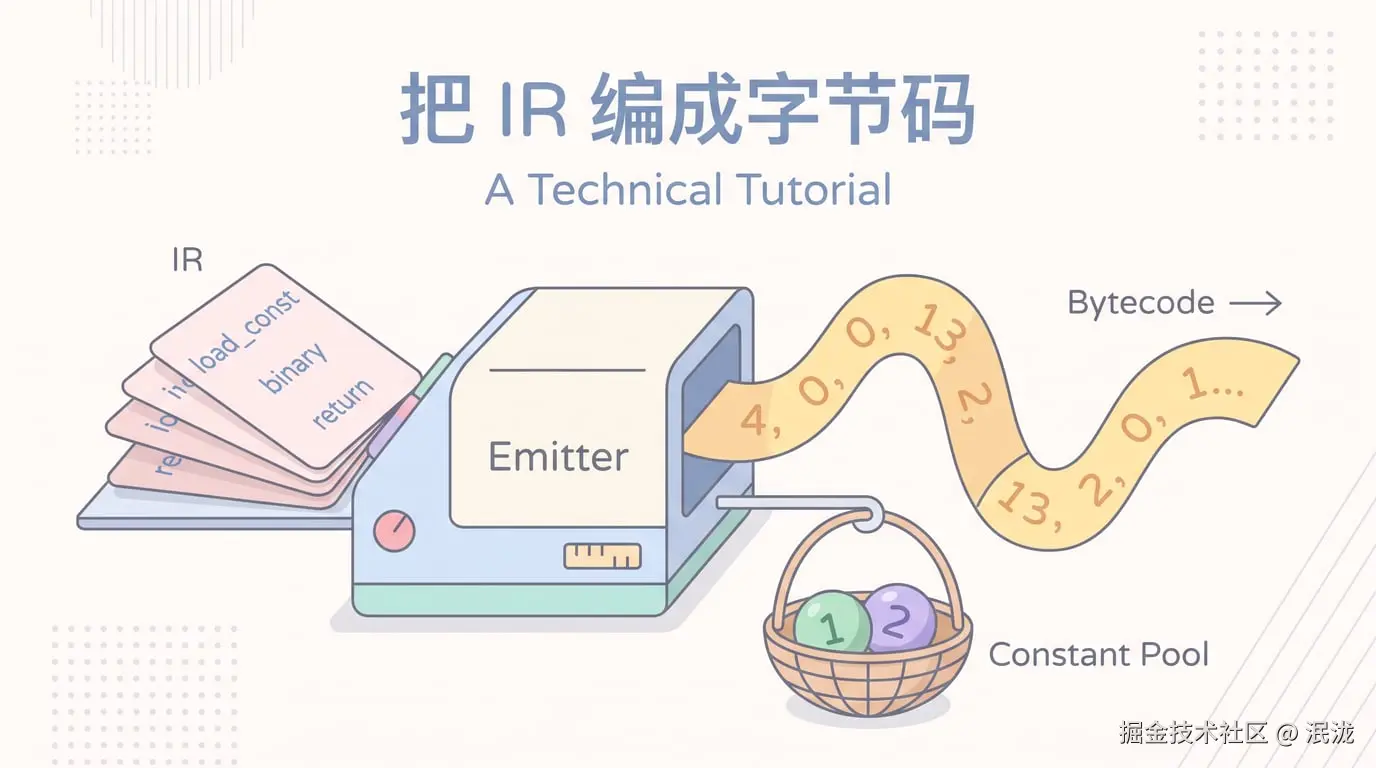
把人类可读的 IR 编码成 VM 可以顺序读取的数字 bytecode。
最终我们要得到:
javascript
{
  bytecode: [4, 0, 0, 4, 1, 1, 13, 2, 0, 1, 1, 7, 0, 0, 2, 6, 3, 0, 0, 19, 3],
  constantPool: [1, 2]
}
这里的数字只是一种示意,正式源码中的 opcode 来自 src/runtime/opcodes.ts。
2. 为什么需要 emit 阶段
IR 像施工步骤清单,人能直接读懂:
plaintext
load_const r0, 1
binary r2, r0, r1, '+'
但 VM 更喜欢数字协议:
plaintext
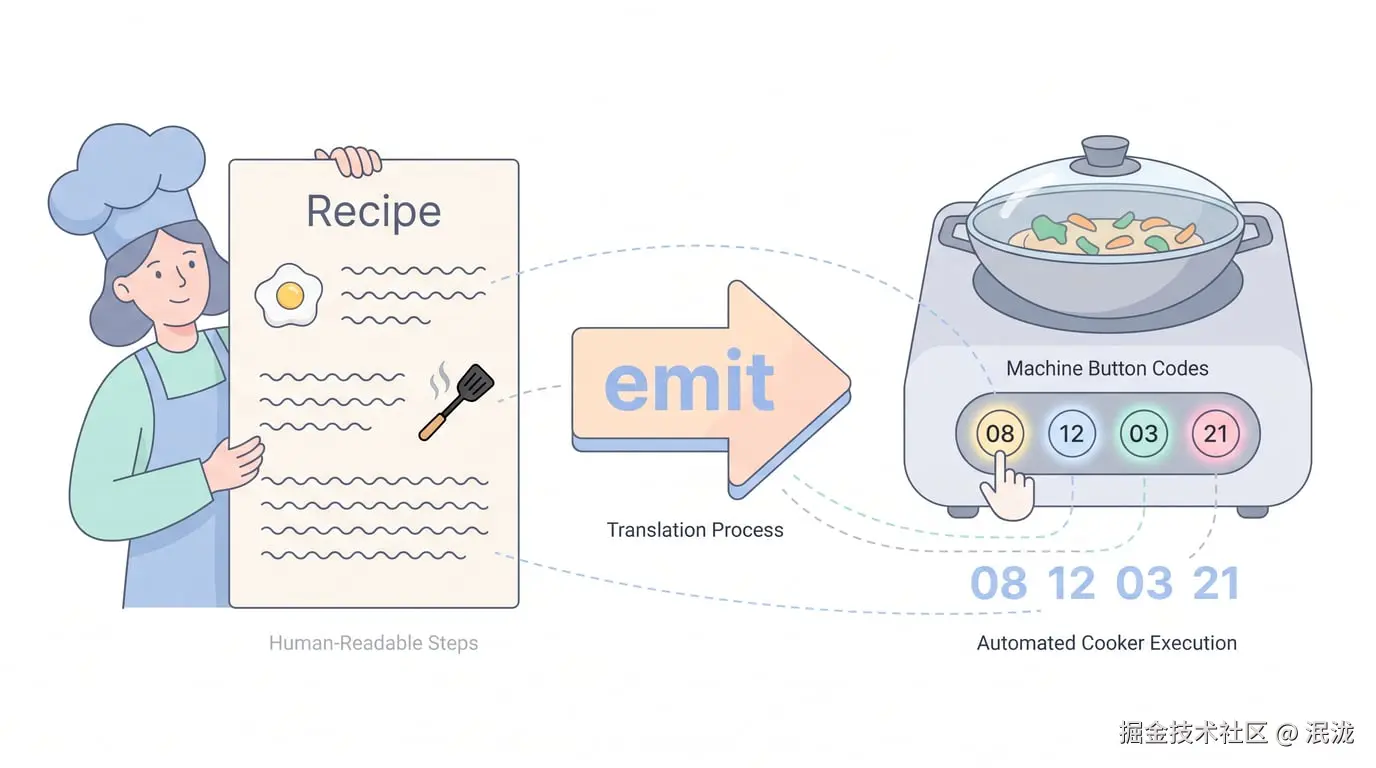
4, 0, 0, 13, 2, 0, 1, 1形象化比喻:把菜谱翻译成机器按钮
厨师看得懂:
plaintext
把鸡蛋打散,然后下锅翻炒。自动炒菜机只认按钮编号:
plaintext
08, 12, 03, 21emit 阶段就是把"菜谱语言"翻译成"机器按钮编号"。
3. 前置知识
| 概念 | 说明 |
|---|---|
| IR | 编译器内部的可读指令 |
| Bytecode | Runtime 消费的数字数组 |
| Constant Pool | 保存常量值,bytecode 引用索引 |
| Opcode | 指令编号 |
| Operand | opcode 后面的参数 |
| Label | 控制流目标的名字 |
| Fixup | 先占位,等 label 地址确定后回填 |
4. 源码中的对应位置
| 概念 | 源码位置 | 说明 |
|---|---|---|
emitBytecode() |
src/compiler/emit.ts |
IR 到 bytecode 的主函数 |
ConstantPool |
src/compiler/emit.ts |
常量去重与索引分配 |
OPCODES / BINARY_OPS |
src/runtime/opcodes.ts |
指令和操作符数字编码 |
ProgramArtifact |
src/compiler/types.ts |
保存 bytecode、constantPool、functions |
正式源码的 emitBytecode() 遍历每个函数的 IR 指令,根据 instruction.op 向 bytecode 数组 push 数字;遇到 label 会记录地址,遇到 jump 会先写 -1,最后再 fixup。
5. 核心数据结构
5.1 Bytecode
它解决什么问题
Bytecode 是 runtime 真正读取的程序格式。
它的数据结构
typescript
type Bytecode = number[];教学版简化实现
javascript
const bytecode = [];
bytecode.push(OPCODES.LOAD_CONST, 0, 0);
5.2 Constant Pool
它解决什么问题
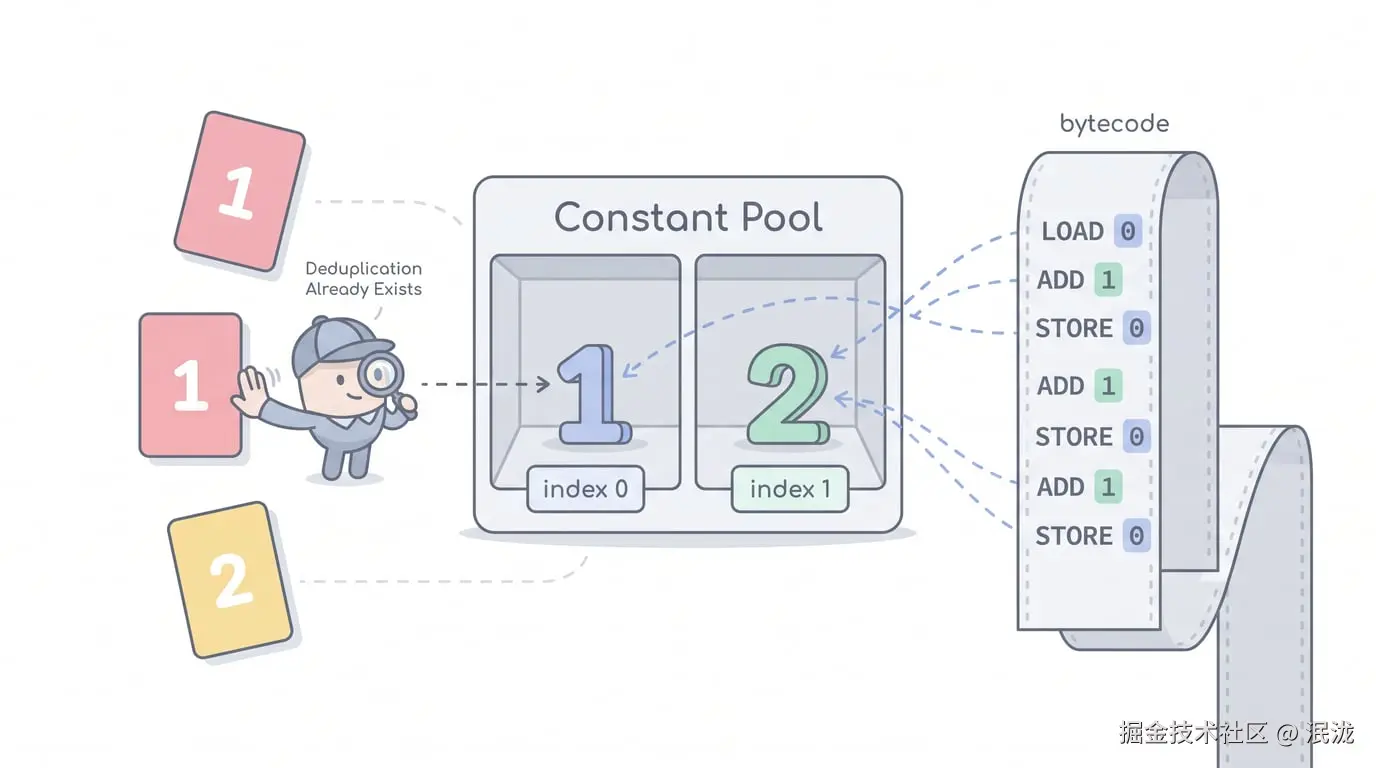
把常量集中放进池子,bytecode 里只保留索引,整个指令流保持纯数字。
教学版简化实现
javascript
class ConstantPool {
  constructor() {
    this.values = [];
    this.map = new Map();
  }

  add(value) {
    const key = JSON.stringify(value);
    if (this.map.has(key)) return this.map.get(key);
    const index = this.values.length;
    this.values.push(value);
    this.map.set(key, index);
    return index;
  }
}
5.3 ProgramArtifact
它解决什么问题
把 runtime 需要的所有数据放进统一产物。
教学版简化实现
javascript
const artifact = {
  bytecode,
  constantPool: pool.values,
  registerCount,
  slotNames,
};
5.4 Label 与 Fixup
它解决什么问题
跳转指令需要知道目标地址,但编译到跳转时,目标 label 可能还没出现。
形象化比喻:先贴便签,最后填门牌号
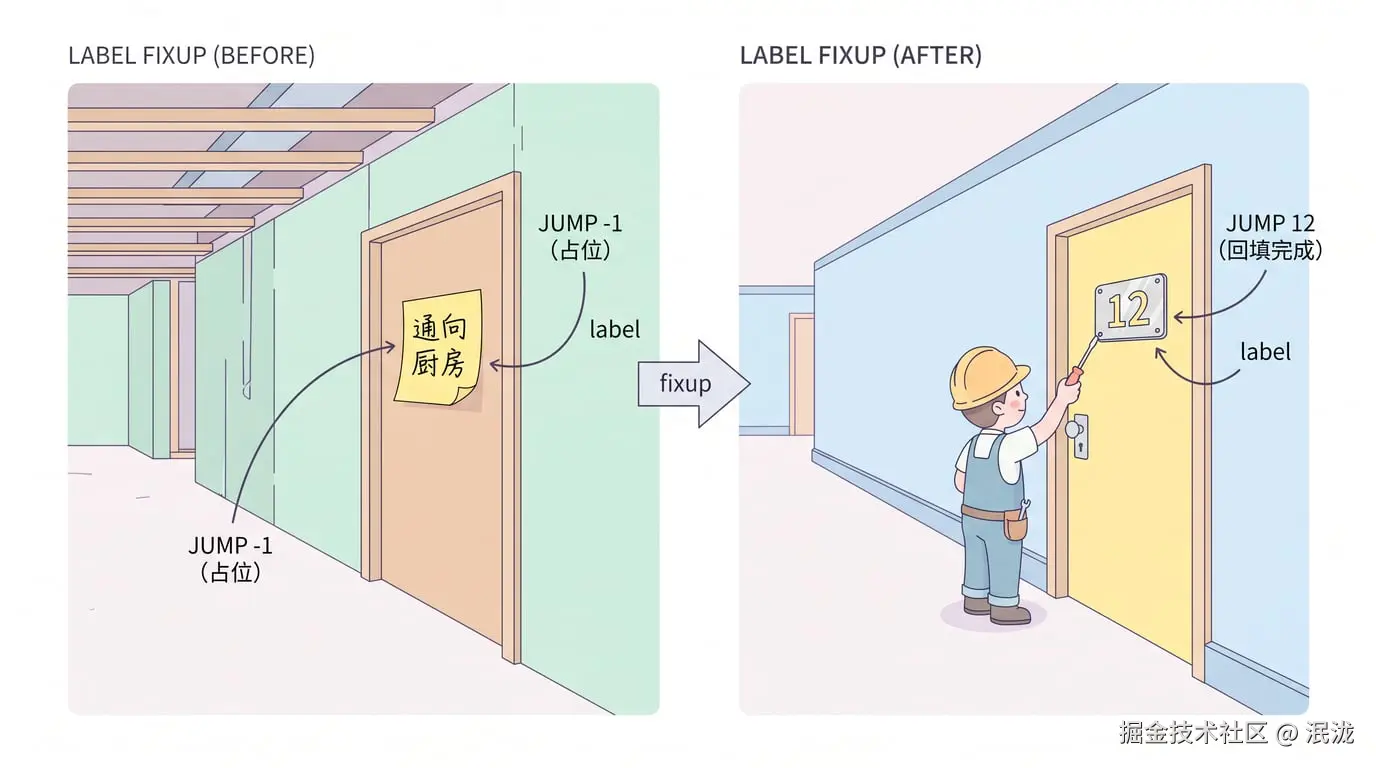
你装修房子时先在墙上贴一张便签:
plaintext
这里通向"厨房"等厨房门牌号确定后,再回来把"厨房"换成真正的地址。fixup 做的就是这件事:先占位,最后回填。
教学版简化实现
javascript
fixups.push({ index: bytecode.length - 1, target: 'end' });6. Mermaid 图解
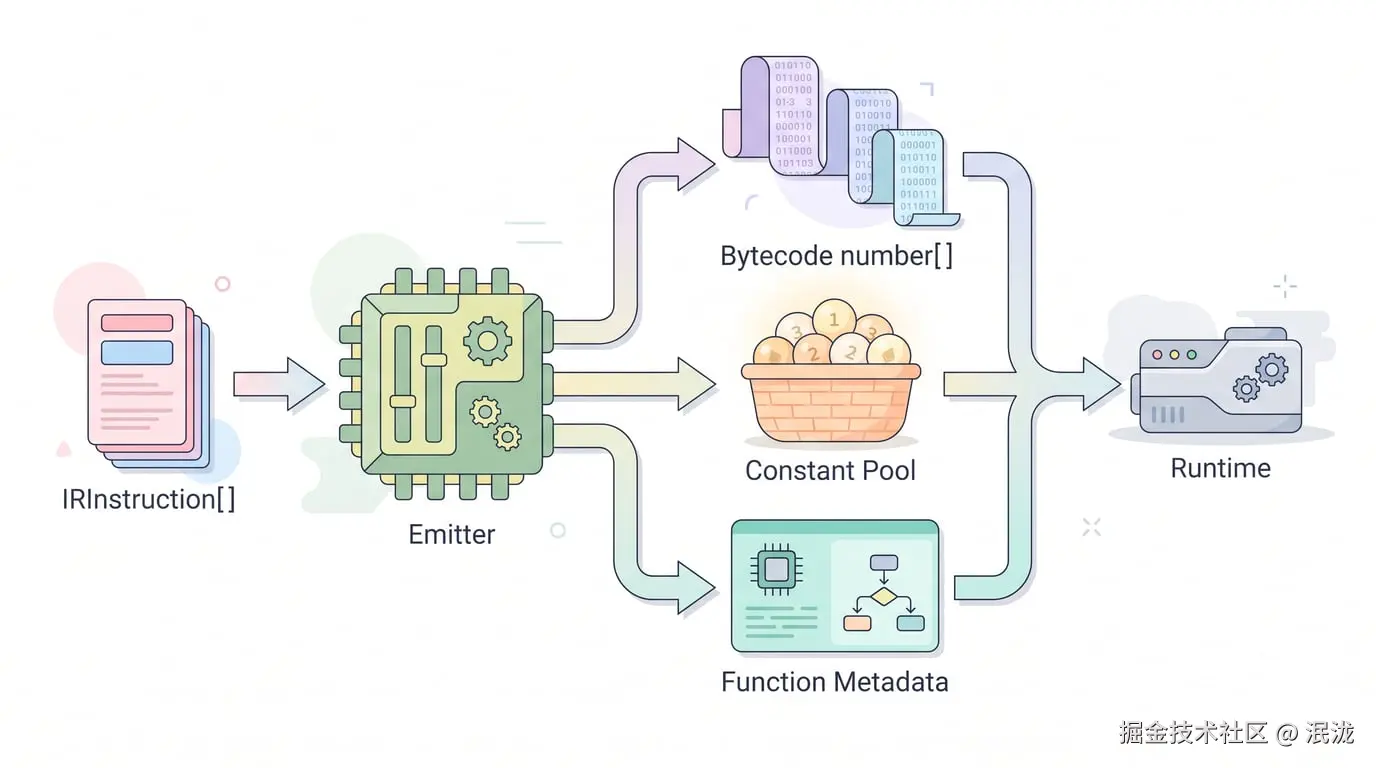
flowchart LR
A["IRInstruction[]"] --> B["Emitter"]
B --> C["Bytecode number[]"]
B --> D["Constant Pool"]
B --> E["Function Metadata"]
C --> F["Runtime"]
D --> F
E --> F
flowchart TD
A["遇到 jump end"] --> B["写入 JUMP -1"]
B --> C["记录 fixup: index -> end"]
C --> D["继续 emit"]
D --> E["遇到 label end"]
E --> F["记录 label end = 当前 bytecode 地址"]
F --> G["回填 fixup 中的 -1"]
7. 伪代码
plaintext
function emitBytecode(ir):
    pool = new ConstantPool()
    bytecode = []
    labels = Map()
    fixups = []

    for instruction in ir:
        if instruction.op is label:
            labels[instruction.name] = bytecode.length
            continue

        switch instruction.op:
            case load_const:
                index = pool.add(instruction.value)
                push LOAD_CONST, instruction.dst, index

            case binary:
                operator = BINARY_OPS[instruction.operator]
                push BINARY, dst, left, right, operator

            case jump:
                push JUMP, -1
                remember fixup

    for each fixup:
        bytecode[fixup.index] = labels[fixup.target]

    return { bytecode, constantPool: pool.values }
8. 教学版实现代码
javascript
const OPCODES = {
  LOAD_CONST: 4,
  LOAD_SLOT: 6,
  INIT_SLOT: 7,
  BINARY: 13,
  JUMP: 15,
  RETURN: 19,
};

const BINARY_OPS = { '+': 1, '-': 2, '*': 3, '/': 4 };

class ConstantPool {
  constructor() {
    this.values = [];
    this.map = new Map();
  }

  add(value) {
    const key = JSON.stringify(value);
    if (this.map.has(key)) return this.map.get(key);
    const index = this.values.length;
    this.values.push(value);
    this.map.set(key, index);
    return index;
  }
}

function emitBytecode(ir) {
  const pool = new ConstantPool();
  const bytecode = [];
  const labels = new Map();
  const fixups = [];

  for (const instruction of ir) {
    if (instruction.op === 'label') {
      labels.set(instruction.name, bytecode.length);
      continue;
    }

    switch (instruction.op) {
      case 'load_const':
        bytecode.push(OPCODES.LOAD_CONST, instruction.dst, pool.add(instruction.value));
        break;

      case 'load_slot':
        bytecode.push(OPCODES.LOAD_SLOT, instruction.dst, 0, instruction.slot);
        break;

      case 'init_slot':
        bytecode.push(OPCODES.INIT_SLOT, 0, instruction.slot, instruction.src);
        break;

      case 'binary':
        bytecode.push(
          OPCODES.BINARY,
          instruction.dst,
          instruction.left,
          instruction.right,
          BINARY_OPS[instruction.operator]
        );
        break;

      case 'jump':
        bytecode.push(OPCODES.JUMP, -1);
        fixups.push({ index: bytecode.length - 1, target: instruction.target });
        break;

      case 'return':
        bytecode.push(OPCODES.RETURN, instruction.src);
        break;

      default:
        throw new Error(`Unsupported IR op: ${instruction.op}`);
    }
  }

  for (const fixup of fixups) {
    const target = labels.get(fixup.target);
    if (target === undefined) throw new Error(`Unknown label: ${fixup.target}`);
    bytecode[fixup.index] = target;
  }

  return { bytecode, constantPool: pool.values };
}
9. 示例输入与输出
IR 输入
javascript
const ir = [
  { op: 'load_const', dst: 0, value: 1 },
  { op: 'load_const', dst: 1, value: 2 },
  { op: 'binary', dst: 2, left: 0, right: 1, operator: '+' },
  { op: 'return', src: 2 },
];
输出
javascript
{
  bytecode: [4, 0, 0, 4, 1, 1, 13, 2, 0, 1, 1, 19, 2],
  constantPool: [1, 2]
}
10. 执行过程拆解
| Step | IR | Bytecode 变化 | Constant Pool |
|---|---|---|---|
| 1 | load_const r0, 1 |
[4, 0, 0] |
[1] |
| 2 | load_const r1, 2 |
[4, 0, 0, 4, 1, 1] |
[1, 2] |
| 3 | binary r2, r0, r1, + |
[..., 13, 2, 0, 1, 1] |
[1, 2] |
| 4 | return r2 |
[..., 19, 2] |
[1, 2] |
11. 与原始源码的差异
| 主题 | 教学版 | 正式源码 |
|---|---|---|
| 函数数量 | 单函数 | 多函数统一 bytecode |
| FunctionMeta | 简化 | 记录 entry/end/registerCount/slot 信息 |
| Label | 只演示 jump | 支持 jump、条件跳转、try 等 fixup |
| 操作符 | 只支持四则运算 | 支持更多 JS 二元 / 一元操作 |
| Debug | 无 | 可输出 debugInfo.instructions |
12. 常见问题
Q1:为什么 bytecode 不直接保存字符串操作符?
因为 runtime 更适合消费数字协议。操作符和 opcode 一样,都可以通过映射表编成数字。
Q2:为什么 label 不能一开始就知道地址?
因为 bytecode 是线性生成的,跳转目标可能在后面才出现。
Q3:emit 阶段是不是优化阶段?
本系列里不是。emit 只负责编码,优化可以放在 IR 阶段或单独的优化阶段。
13. 本文小结
本文完成:
plaintext
IR -> Bytecode + ConstantPool下一篇将继续讲:
plaintext
第 7 篇:控制流:if、while 与 jump