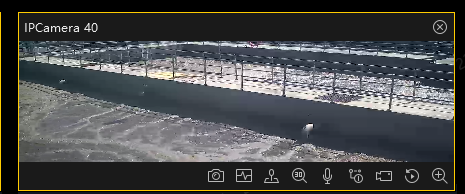
首先要在html的head里面引入海康的相关包,包要在官网下载,还要下载海康插件(插件也要后端部署在服务器上,通过后端给的播放插件下载地址下载,不然会报错)
javascript
    <!-- 海康威视插件依赖 - 只保留一份,放在 head 中 -->
    <script src="<%= BASE_URL %>static/hk-video/jquery-1.12.4.min.js"></script>
    <script src="<%= BASE_URL %>static/hk-video/jsencrypt.min.js"></script>
    <script src="<%= BASE_URL %>static/hk-video/web-control_1.2.7.min.js"></script>
以下是需要计算偏移的组件代码
javascript
<!-- 海康威视组件 -->
<template>
  <div
    :id="state.id"
    class="hxvideo"
    :class="{ 'is-maximize': isMaximize }"
    @dblclick="toggleMaximize"
  ></div>
</template>

<script>
import { getSecret } from "@/api/dataCenter/videoConfig";
export default {
  name: "HKVideo",
  props: {
    wsUrl: {
      type: String, //视频监控通道号
    },
    playMode: {
      type: Number,
      default: 0, //0-预览,1-回放
    },
    isDialog: {
      type: Boolean,
      default: false, //是否是弹窗
    },
  },
  data() {
    return {
      state: {
        id: "playWnd" + Math.random().toString(16).slice(2), //多个监控同时显示需要不同的id
        idWidth: 0,
        idHeight: 0,
        containerLeft: 0, // 容器相对于视口的left位置
        containerTop: 0, // 容器相对于视口的top位置
        initCount: 0,
        pubKey: "",
        oWebControl: null,
      },
      isMaximize: false, // 是否处于放大状态
      startTimeStamp: 0, //录像查询开始时间戳
      endTimeStamp: 0, //录像查询结束时间戳
    };
  },
  watch: {
    wsUrl: {
      handler: function (newval) {
        if (newval) {
          if (this.playMode == 0) {
            const timer = setTimeout(() => {
              if (!this.state.oWebControl) return;
              this.init();
              this.previewClick();
              this.state.oWebControl.JS_ShowWnd();
              clearTimeout(timer);
            }, 2000);
          }
        } else {
          if (this.state.oWebControl) {
            this.state.oWebControl.JS_HideWnd();
          }
        }
      },
      // immediate: true,
      deep: true,
    },
  },
  mounted() {
    // 使用更长的延迟确保 DOM 完全渲染和布局完成
    // 特别是在嵌套框架中,需要等待父框架渲染完成
    setTimeout(() => {
      this.$nextTick(() => {
        requestAnimationFrame(() => {
          this.updateContainerSize();
          this.initPlugin();
        });
      });
    }, 100); // 增加100ms延迟

    setTimeout(() => {
      if (this.playMode == 0) {
        this.previewClick();
      } else {
        this.backClick();
      }
    }, 2000); //一般一个监控需要延迟2秒

    window.addEventListener("resize", () => {
      if (this.state.oWebControl != null) {
        const timer = setTimeout(() => {
          const x = window.innerWidth / 1920;
          const y = window.innerHeight / 1080;
          this.$nextTick(() => {
            this.state.oWebControl.JS_Resize(
              this.state.idWidth * x,
              this.state.idHeight * y,
              false
            );
            clearTimeout(timer);
          });
        }, 1000);
      }
    });

    // 监听滚动条scroll事件,使插件窗口跟随浏览器滚动而移动
    window.addEventListener("scroll", () => {
      if (this.state.oWebControl != null) {
        this.state.oWebControl.JS_Resize(
          this.state.idWidth,
          this.state.idHeight
        );
      }
    });
  },
  beforeDestroy() {
    this.stopVideo();
  },
  methods: {
    // 更新容器尺寸和位置
    updateContainerSize() {
      const container = document.getElementById(this.state.id);

      if (container) {
        // 强制重排,确保获取最新的布局信息
        void container.offsetHeight;

        const rect = container.getBoundingClientRect();
        this.state.idWidth = rect.width || 800;
        this.state.idHeight = rect.height || 600;
        // this.state.containerLeft = rect.left;
        // this.state.containerTop = rect.top;

        // console.log(
        //   `容器位置(相对于视口): left=${this.state.containerLeft}px, top=${this.state.containerTop}px`
        // );

        // 检查父容器位置
        let parent = container.parentElement;
        const parentRect = parent.getBoundingClientRect();

        let depth = 0;
        while (parent && depth < 5) {
          const parentRect = parent.getBoundingClientRect();
          const style = window.getComputedStyle(parent);
          // console.log(
          //   `父容器(${parent.className || parent.tagName}): left=${
          //     parentRect.left
          //   }, top=${parentRect.top}, position=${style.position}, transform=${
          //     style.transform
          //   }`
          // );
          this.state.containerLeft = parentRect.left + this.isDialog ? 81 : 64; // 调整left位置,根据实际情况修改
          this.state.containerTop = parentRect.top + this.isDialog ? 122 : 35; // 调整top位置,根据实际情况修改
          parent = parent.parentElement;
          depth++;
        }

        // console.log(parentRect.top, parentRect.left, "================");
      } else {
        this.state.idWidth = 800;
        this.state.idHeight = 600;
        this.state.containerLeft = 0;
        this.state.containerTop = 0;
      }
    },
    /**
     * 切换最大化/还原状态
     * 解决双击放大后被其他视频覆盖的问题
     */
    toggleMaximize() {
      this.isMaximize = !this.isMaximize;

      if (this.isMaximize) {
        // 放大:通知父页面隐藏所有其他视频
        this.$emit("video-maximize", this.state.id);
        console.log("视频放大");
      } else {
        // 还原:通知父页面恢复所有视频
        this.$emit("video-restore");
        console.log("视频还原");
      }

      // 原有DOM尺寸重算逻辑保留不动
      this.$nextTick(() => {
        this.updateContainerSize();
        if (this.state.oWebControl) {
          this.state.oWebControl.JS_SetDocOffset({
            left: this.state.containerLeft,
            top: this.state.containerTop,
          });
          this.state.oWebControl.JS_Resize(
            this.state.idWidth,
            this.state.idHeight,
            false
          );
        }
      });
    },
    // 创建播放实例
    initPlugin() {
      const that = this;
      if (!window.WebControl) {
        console.error("window.WebControl 未加载,请确认海康威视插件脚本已引入");
        return;
      }
      this.state.oWebControl = new window.WebControl({
        szPluginContainer: this.state.id, // 指定容器id
        iServicePortStart: 15900, // 指定起止端口号,建议使用该值
        iServicePortEnd: 15900,
        szClassId: "23BF3B0A-2C56-4D97-9C03-0CB103AA8F11", // 用于IE10使用ActiveX的clsid
        cbConnectSuccess: function () {
          that.state.initCount = 0; // 重置重试计数

          // 创建WebControl实例成功
          that.state.oWebControl
            .JS_StartService("window", {
              // WebControl实例创建成功后需要启动服务
              dllPath: "./VideoPluginConnect.dll", // 值"./VideoPluginConnect.dll"写死
            })
            .then(
              () => {
                that.state.oWebControl.JS_SetWindowControlCallback({
                  // 设置消息回调
                  cbIntegrationCallBack: (oData) => {
                    if (oData.responseMsg.type === 7) {
                      that.$emit("handelMaximize", that.wsUrl);
                    }
                  },
                });

                // 在创建窗口之前先获取容器位置和尺寸
                that.updateContainerSize();
                // console.log(`创建窗口前获取位置: left=${that.state.containerLeft}, top=${that.state.containerTop}`);

                that.state.oWebControl
                  .JS_CreateWnd(
                    that.state.id,
                    that.state.idWidth,
                    that.state.idHeight
                  )
                  .then(() => {
                    // JS_CreateWnd创建视频播放窗口,宽高可设定
                    // 立即设置窗口偏移,避免错位
                    that.state.oWebControl.JS_SetDocOffset({
                      left: that.state.containerLeft,
                      top: that.state.containerTop,
                    });
                    // 使用 JS_Resize 设置位置和大小
                    // 参数: width, height, bMaintainPos (是否保持位置)
                    // 设置为 false 以允许重新定位
                    that.state.oWebControl.JS_Resize(
                      that.state.idWidth,
                      that.state.idHeight,
                      false // 不保持位置,允许重新定位
                    );
                    that.init(); // 创建播放实例成功后初始化
                  });
              },
              function () {
                console.log("启动失败");
                // 启动插件服务失败
              }
            );
        },
        cbConnectError: function () {
          // 创建WebControl实例失败(插件服务可能未就绪)
          that.state.oWebControl = null;
          that.state.initCount++;
          if (that.state.initCount < 10) {
            setTimeout(function () {
              that.initPlugin();
            }, 3000);
          } else {
            console.log("插件连接失败,请检查插件是否安装!");
          }
        },
        cbConnectClose: function (bNormalClose) {
          // 异常断开:bNormalClose = false
          // JS_Disconnect正常断开:bNormalClose = true
          console.log("cbConnectClose", bNormalClose);
          that.state.oWebControl = null;
          if (!bNormalClose) {
            console.log("插件连接异常断开,正在尝试重连...");
            window.WebControl.JS_WakeUp("VideoWebPlugin://");
            that.state.initCount++;
            if (that.state.initCount < 10) {
              setTimeout(function () {
                that.initPlugin();
              }, 3000);
            } else {
              console.log("插件重连失败,请检查插件是否安装!");
            }
          }
        },
      });
    },
    // 初始化
    init() {
      const that = this;

      this.getPubKey(() => {
        getSecret().then((res) => {
          let { data } = res.data || {};

          // 请自行修改以下变量值
          const appkey = data.appKey; //综合安防管理平台提供的appkey,必填
          const secret = that.setEncrypt(data.secret); //综合安防管理平台提供的secret,必填
           const ip = "www.baidu.com"; //IP地址,必填,根据实际需要
          const playMode = this.playMode; //初始播放模式:0-预览,1-回放
          const port = 24443; //端口,若启用HTTPS协议,默认443
          const snapDir = "D:\\SnapDir"; //抓图存储路径
          const videoDir = "D:\\VideoDir"; //紧急录像或录像剪辑存储路径
          const layout = "1x1"; //playMode指定模式的  布局
          const enableHTTPS = 1; //是否启用HTTPS协议与综合安防管理平台交互,这里总是填1
          const encryptedFields = "secret"; //加密字段,默认加密领域为secret
          const showToolbar = 0; //是否显示工具栏,0-不显示,非0-显示
          const showSmart = 0; //是否显示智能信息(如配置移动侦测后画面上的线框),0-不显示,非0-显示
          const buttonIDs =
            "0,16,257,259,260,512,513,514,515,516,517,768,769,258"; //自定义工具条按钮
          // 请自行修改以上变量值,256为声音

          that.state.oWebControl
            .JS_RequestInterface({
              funcName: "init",
              argument: JSON.stringify({
                appkey: appkey, //API网关提供的appkey
                secret: secret, //API网关提供的secret
                ip: ip, //API网关IP地址
                playMode: playMode, //播放模式(决定显示预览还是回放界面)
                port: port, //端口
                snapDir: snapDir, //抓图存储路径
                videoDir: videoDir, //紧急录像或录像剪辑存储路径
                layout: layout, //布局
                enableHTTPS: enableHTTPS, //是否启用HTTPS协议
                encryptedFields: encryptedFields, //加密字段
                showToolbar: showToolbar, //是否显示工具栏
                showSmart: showSmart, //是否显示智能信息
                buttonIDs: buttonIDs, //自定义工具条按钮
              }),
            })
            .then(function (oData) {
              console.log(oData);
              that.state.oWebControl.JS_Resize(
                that.state.idWidth,
                that.state.idHeight
              ); // 初始化后resize一次,规避firefox下首次显示窗口后插件窗口未与DIV窗口重合问题
            });
        });
      });
    },
    // 获取公钥
    getPubKey(callback) {
      this.state.oWebControl
        .JS_RequestInterface({
          funcName: "getRSAPubKey",
          argument: JSON.stringify({
            keyLength: 1024,
          }),
        })
        .then((oData) => {
          console.log(oData);
          if (oData.responseMsg.data) {
            this.state.pubKey = oData.responseMsg.data;
            callback();
          }
        });
    },
    //RSA加密
    setEncrypt(value) {
      const encrypt = new window.JSEncrypt();
      encrypt.setPublicKey(this.state.pubKey);
      return encrypt.encrypt(value);
    },
    //视频预览功能
    previewClick() {
      if (!this.state.oWebControl) return;
      const cameraIndexCode = this.wsUrl; //获取输入的监控点编号值,必填
      const streamMode = 0; //主子码流标识:0-主码流,1-子码流
      const transMode = 1; //传输协议:0-UDP,1-TCP
      const gpuMode = 0; //是否启用GPU硬解,0-不启用,1-启用
      const wndId = -1; //播放窗口序号(在2x2以上布局下可指定播放窗口)

      this.state.oWebControl.JS_RequestInterface({
        funcName: "startPreview",
        argument: JSON.stringify({
          cameraIndexCode: cameraIndexCode, //监控点编号
          streamMode: streamMode, //主子码流标识
          transMode: transMode, //传输协议
          gpuMode: gpuMode, //是否开启GPU硬解
          wndId: wndId, //可指定播放窗口
          audio: 0, // ✅ 新增:0-关闭音频,1-开启音频(默认静音)
        }),
      });
      console.log(this.state.oWebControl.JS_RequestInterface, " ------face");
      console.log("当前的编号", cameraIndexCode);
      console.log("执行完成");
    },
    // 回放
    backClick() {
      const cameraIndexCode = this.wsUrl; //获取输入的监控点编号值,必填
      const streamMode = 0; //主子码流标识:0-主码流,1-子码流
      const transMode = 1; //传输协议:0-UDP,1-TCP
      const gpuMode = 0; //是否启用GPU硬解,0-不启用,1-启用
      const wndId = -1; //播放窗口序号(在2x2以上布局下可指定播放窗口)
      const recordLocation = 1; // 录像存储位置:0-中心存储,1-设备存储

      this.state.oWebControl.JS_RequestInterface({
        funcName: "startPlayback",
        argument: JSON.stringify({
          cameraIndexCode: cameraIndexCode, //监控点编号
          streamMode: streamMode, //主子码流标识
          transMode: transMode, //传输协议
          gpuMode: gpuMode, //是否开启GPU硬解
          wndId: wndId, //可指定播放窗口
          recordLocation: recordLocation,
          startTimeStamp: this.startTimeStamp, //录像查询开始时间戳
          endTimeStamp: this.endTimeStamp, //录像查询结束时间戳
          audio: 0, // ✅ 新增:0-关闭音频,1-开启音频(默认静音)
        }),
      });
      console.log(this.state.oWebControl.JS_RequestInterface, " ------face");
      console.log("当前的编号", cameraIndexCode);
      console.log("执行完成");
    },
    setTime(start, end) {
      this.startTimeStamp = start;
      this.endTimeStamp = end;
      this.backClick();
    },
    hide() {
      if (this.state.oWebControl) {
        this.state.oWebControl.JS_HideWnd();
      }
    },
    show() {
      if (this.state.oWebControl) {
        this.state.oWebControl.JS_ShowWnd();
      }
    },
    // 关闭视频播放(停止播放并隐藏窗口,但保持插件连接)
    closeVideo() {
      if (!this.state.oWebControl) {
        console.warn("插件未初始化");
        return;
      }

      // 停止预览
      this.state.oWebControl
        .JS_RequestInterface({
          funcName: "stopPreview",
          argument: JSON.stringify({
            cameraIndexCode: this.wsUrl,
          }),
        })
        .then(() => {
          console.log("视频预览已停止");
        })
        .catch((error) => {
          console.log("停止预览失败或当前未在预览", error);
        });

      // 停止回放
      this.state.oWebControl
        .JS_RequestInterface({
          funcName: "stopPlayback",
          argument: JSON.stringify({}),
        })
        .then(() => {
          console.log("视频回放已停止");
        })
        .catch((error) => {
          console.log("停止回放失败或当前未在回放", error);
        });

      // 隐藏窗口,确保视频画面消失
      this.state.oWebControl.JS_HideWnd();
      console.log("视频窗口已隐藏");
    },
    stopVideo() {
      if (!this.state.oWebControl) return;
      this.state.oWebControl.JS_HideWnd();
      this.state.oWebControl.JS_Disconnect().then(
        () => {
          console.log("断开与插件服务连接成功");
        },
        () => {
          console.log("断开与插件服务连接失败");
        }
      );
      this.state.oWebControl = null;
    },

    /**
     * 停止播放(预览或回放)
     * 对应官方接口:stopPreview 或 stopPlayback
     */
    stopPlay() {
      if (!this.state.oWebControl) {
        console.warn("插件未初始化");
        return;
      }

      // 根据当前模式选择停止接口
      const stopFunc = this.playMode === 0 ? "stopPreview" : "stopPlayback";

      this.state.oWebControl
        .JS_RequestInterface({
          funcName: stopFunc,
          argument: JSON.stringify({}),
        })
        .then(() => {
          console.log(`停止${this.playMode === 0 ? "预览" : "回放"}成功`);
          // 停止后隐藏窗口,确保视频画面消失
          this.state.oWebControl.JS_HideWnd();
          console.log("视频窗口已隐藏");
        })
        .catch((err) => {
          console.error("停止失败", err);
        });
    },

    /**
     * 重新开始播放
     * 对应官方接口:startPreview 或 startPlayback
     */
    startPlay() {
      if (!this.state.oWebControl) {
        console.warn("插件未初始化");
        return;
      }

      // 先确保窗口可见
      this.state.oWebControl.JS_ShowWnd();

      // 根据当前模式选择播放接口
      if (this.playMode === 0) {
        this.previewClick(); // 重新调用预览
      } else {
        this.backClick(); // 重新调用回放
      }
    },

    /**
     * 停止所有视频播放
     * 对应官方接口:stopAllVideo
     */
    stopAllVideo() {
      if (!this.state.oWebControl) return;

      this.state.oWebControl
        .JS_RequestInterface({
          funcName: "stopAllVideo",
          argument: JSON.stringify({}),
        })
        .then(() => {
          console.log("停止所有视频成功");
        })
        .catch((err) => {
          console.error("停止所有视频失败", err);
        });
    },
  },
};
</script>

<style scoped>
.hxvideo {
  width: 100%;
  height: 100%;
  position: relative;
  overflow: hidden;
  background: #000;
  cursor: pointer;
  transition: all 0.3s ease;
}

/* 放大状态样式 */
.hxvideo.is-maximize {
  position: fixed !important;
  top: 0 !important;
  left: 0 !important;
  width: 100vw !important;
  height: 100vh !important;
  z-index: 9999 !important;
  background: #000;
}
</style>
----------------------手动分割------------------
以下是不需要偏移的代码
javascript
<!-- 海康威视组件 -->
<template>
  <div :id="state.id" class="hxvideo"></div>
</template>

<script>
import { getSecret } from "@/api/dataCenter/videoConfig";
export default {
  name: "HKVideo",
  props: {
    wsUrl: {
      type: String, //视频监控通道号
    },
    playMode: {
      type: Number,
      default: 0, //0-预览,1-回放
    },
  },
  data() {
    return {
      state: {
        id: "playWnd" + Math.random().toString(16).slice(2), //多个监控同时显示需要不同的id
        idWidth: 0,
        idHeight: 0,
        initCount: 0,
        pubKey: "",
        oWebControl: null,
      },
      startTimeStamp: 0, //录像查询开始时间戳
      endTimeStamp: 0, //录像查询结束时间戳
    };
  },
  watch: {
    wsUrl: {
      handler: function (newval) {
        if (newval) {
          if (this.playMode == 0) {
            const timer = setTimeout(() => {
              if (!this.state.oWebControl) return;
              this.init();
              this.previewClick();
              this.state.oWebControl.JS_ShowWnd();
              clearTimeout(timer);
            }, 2000);
          }
        } else {
          if (this.state.oWebControl) {
            this.state.oWebControl.JS_HideWnd();
          }
        }
      },
      // immediate: true,
      deep: true,
    },
  },
  mounted() {
    this.state.idWidth = document.getElementById(this.state.id).offsetWidth;
    this.state.idHeight = document.getElementById(this.state.id).offsetHeight;
    this.initPlugin();
    setTimeout(() => {
      if (this.playMode == 0) {
        this.previewClick();
      } else {
        this.backClick();
      }
    }, 2000); //一般一个监控需要延迟2秒

    window.addEventListener("resize", () => {
      if (this.state.oWebControl != null) {
        const timer = setTimeout(() => {
          const x = window.innerWidth / 1920;
          const y = window.innerHeight / 1080;
          this.$nextTick(() => {
            this.state.oWebControl.JS_Resize(
              this.state.idWidth * x,
              this.state.idHeight * y,
              false
            );
            clearTimeout(timer);
          });
        }, 1000);
      }
    });

    // // 监听滚动条scroll事件,使插件窗口跟随浏览器滚动而移动
    window.addEventListener("scroll", () => {
      if (this.state.oWebControl != null) {
        this.state.oWebControl.JS_Resize(
          this.state.idWidth,
          this.state.idHeight
        );
        // setWndCover();
      }
    });
  },
  beforeDestroy() {
    this.stopVideo();
  },
  methods: {
    // 创建播放实例
    initPlugin() {
      const that = this;
      if (!window.WebControl) {
        console.error("window.WebControl 未加载,请确认海康威视插件脚本已引入");
        return;
      }
      this.state.oWebControl = new window.WebControl({
        szPluginContainer: this.state.id, // 指定容器id
        iServicePortStart: 15900, // 指定起止端口号,建议使用该值
        iServicePortEnd: 15900,
        szClassId: "23BF3B0A-2C56-4D97-9C03-0CB103AA8F11", // 用于IE10使用ActiveX的clsid
        cbConnectSuccess: function () {
          console.log("创建WebControl实例成功", that.state);
          that.state.initCount = 0; // 重置重试计数

          // 创建WebControl实例成功
          that.state.oWebControl
            .JS_StartService("window", {
              // WebControl实例创建成功后需要启动服务
              dllPath: "./VideoPluginConnect.dll", // 值"./VideoPluginConnect.dll"写死
            })
            .then(
              () => {
                console.log("启动成功");
                that.state.oWebControl.JS_SetWindowControlCallback({
                  // 设置消息回调
                  cbIntegrationCallBack: (oData) => {
                    if (oData.responseMsg.type === 7) {
                      that.state.oWebControl.JS_RequestInterface({
                        funcName: "setFullScreen",
                      });
                    }
                  },
                });

                that.state.oWebControl
                  .JS_CreateWnd(
                    that.state.id,
                    that.state.idWidth,
                    that.state.idHeight
                  )
                  .then(() => {
                    //JS_CreateWnd创建视频播放窗口,宽高可设定
                    that.init(); // 创建播放实例成功后初始化
                  });
              },
              function () {
                console.log("启动失败");
                // 启动插件服务失败
              }
            );
        },
        cbConnectError: function () {
          // 创建WebControl实例失败(插件服务可能未就绪)
          that.state.oWebControl = null;
          that.state.initCount++;
          if (that.state.initCount < 10) {
            setTimeout(function () {
              that.initPlugin();
            }, 3000);
          } else {
            console.log("插件连接失败,请检查插件是否安装!");
          }
        },
        cbConnectClose: function (bNormalClose) {
          // 异常断开:bNormalClose = false
          // JS_Disconnect正常断开:bNormalClose = true
          console.log("cbConnectClose", bNormalClose);
          that.state.oWebControl = null;
          if (!bNormalClose) {
            console.log("插件连接异常断开,正在尝试重连...");
            window.WebControl.JS_WakeUp("VideoWebPlugin://");
            that.state.initCount++;
            if (that.state.initCount < 10) {
              setTimeout(function () {
                that.initPlugin();
              }, 3000);
            } else {
              console.log("插件重连失败,请检查插件是否安装!");
            }
          }
        },
      });
    },
    // 初始化
    init() {
      const that = this;

      this.getPubKey(() => {
        getSecret().then((res) => {
          let { data } = res.data || {};

          // 请自行修改以下变量值
          const appkey = data.appKey; //综合安防管理平台提供的appkey,必填
          const secret = that.setEncrypt(data.secret); //综合安防管理平台提供的secret,必填
          const ip = "www.baidu.com"; //IP地址,必填,根据实际需要
          const playMode = this.playMode; //初始播放模式:0-预览,1-回放
          const port = 442; //端口,若启用HTTPS协议,默认443
          const snapDir = "D:\\SnapDir"; //抓图存储路径
          const videoDir = "D:\\VideoDir"; //紧急录像或录像剪辑存储路径
          const layout = "1x1"; //playMode指定模式的  布局
          const enableHTTPS = 1; //是否启用HTTPS协议与综合安防管理平台交互,这里总是填1
          const encryptedFields = "secret"; //加密字段,默认加密领域为secret
          const showToolbar = 0; //是否显示工具栏,0-不显示,非0-显示
          const showSmart = 0; //是否显示智能信息(如配置移动侦测后画面上的线框),0-不显示,非0-显示
          const buttonIDs =
            "0,256,257,258,259,260,512,513,514,515,516,517,768,769"; //自定义工具条按钮
          // 请自行修改以上变量值

          that.state.oWebControl
            .JS_RequestInterface({
              funcName: "init",
              argument: JSON.stringify({
                appkey: appkey, //API网关提供的appkey
                secret: secret, //API网关提供的secret
                ip: ip, //API网关IP地址
                playMode: playMode, //播放模式(决定显示预览还是回放界面)
                port: port, //端口
                snapDir: snapDir, //抓图存储路径
                videoDir: videoDir, //紧急录像或录像剪辑存储路径
                layout: layout, //布局
                enableHTTPS: enableHTTPS, //是否启用HTTPS协议
                encryptedFields: encryptedFields, //加密字段
                showToolbar: showToolbar, //是否显示工具栏
                showSmart: showSmart, //是否显示智能信息
                buttonIDs: buttonIDs, //自定义工具条按钮
              }),
            })
            .then(function (oData) {
              console.log(oData);
              that.state.oWebControl.JS_Resize(
                that.state.idWidth,
                that.state.idHeight
              ); // 初始化后resize一次,规避firefox下首次显示窗口后插件窗口未与DIV窗口重合问题
            });
        });
      });
    },
    // 获取公钥
    getPubKey(callback) {
      this.state.oWebControl
        .JS_RequestInterface({
          funcName: "getRSAPubKey",
          argument: JSON.stringify({
            keyLength: 1024,
          }),
        })
        .then((oData) => {
          console.log(oData);
          if (oData.responseMsg.data) {
            this.state.pubKey = oData.responseMsg.data;
            callback();
          }
        });
    },
    //RSA加密
    setEncrypt(value) {
      const encrypt = new window.JSEncrypt();
      encrypt.setPublicKey(this.state.pubKey);
      return encrypt.encrypt(value);
    },
    //视频预览功能
    previewClick() {
      if (!this.state.oWebControl) return;
      const cameraIndexCode = this.wsUrl; //获取输入的监控点编号值,必填
      const streamMode = 0; //主子码流标识:0-主码流,1-子码流
      const transMode = 1; //传输协议:0-UDP,1-TCP
      const gpuMode = 0; //是否启用GPU硬解,0-不启用,1-启用
      const wndId = -1; //播放窗口序号(在2x2以上布局下可指定播放窗口)

      this.state.oWebControl.JS_RequestInterface({
        funcName: "startPreview",
        argument: JSON.stringify({
          cameraIndexCode: cameraIndexCode, //监控点编号
          streamMode: streamMode, //主子码流标识
          transMode: transMode, //传输协议
          gpuMode: gpuMode, //是否开启GPU硬解
          wndId: wndId, //可指定播放窗口
        }),
      });
      console.log(this.state.oWebControl.JS_RequestInterface, " ------face");
      console.log("当前的编号", cameraIndexCode);
      console.log("执行完成");
    },
    // 回放
    backClick() {
      if (!this.state.oWebControl) return;
      const cameraIndexCode = this.wsUrl; //获取输入的监控点编号值,必填
      const streamMode = 0; //主子码流标识:0-主码流,1-子码流
      const transMode = 1; //传输协议:0-UDP,1-TCP
      const gpuMode = 0; //是否启用GPU硬解,0-不启用,1-启用
      const wndId = -1; //播放窗口序号(在2x2以上布局下可指定播放窗口)
      const recordLocation = 1; // 录像存储位置:0-中心存储,1-设备存储

      this.state.oWebControl.JS_RequestInterface({
        funcName: "startPlayback",
        argument: JSON.stringify({
          cameraIndexCode: cameraIndexCode, //监控点编号
          streamMode: streamMode, //主子码流标识
          transMode: transMode, //传输协议
          gpuMode: gpuMode, //是否开启GPU硬解
          wndId: wndId, //可指定播放窗口
          recordLocation: recordLocation,
          startTimeStamp: this.startTimeStamp, //录像查询开始时间戳
          endTimeStamp: this.endTimeStamp, //录像查询结束时间戳
        }),
      });
      console.log(this.state.oWebControl.JS_RequestInterface, " ------face");
      console.log("当前的编号", cameraIndexCode);
      console.log("执行完成");
    },
    setTime(start, end) {
      this.startTimeStamp = start;
      this.endTimeStamp = end;
      this.backClick();
    },
    hide() {
      if (this.state.oWebControl) {
        this.state.oWebControl.JS_HideWnd();
      }
    },
    show() {
      if (this.state.oWebControl) {
        this.state.oWebControl.JS_ShowWnd();
      }
    },
    stopVideo() {
      if (!this.state.oWebControl) return;
      this.state.oWebControl.JS_HideWnd();
      this.state.oWebControl.JS_Disconnect().then(
        () => {
          console.log("断开与插件服务连接成功");
        },
        () => {
          console.log("断开与插件服务连接失败");
        }
      );
      this.state.oWebControl = null;
    },
  },
};
</script>

<style scoped>
.hxvideo {
  width: 100%;
  height: 100%;
}
</style>
组件使用
javascript
           <HKVideo
            :wsUrl="wsUrl"
            ref="HKPlayerDialog"
            v-if="dialogVisible"
            :isDialog="true"
          />
    // 查看视频
    openHKVideo(data, index) {
      // 停止所有正在播放的视频
      this.videoMenu.forEach((item, i) => {
        if (item.isPlaying) {
          item.isPlaying = false;
          item.showPlayBtn = true;
        }
      });

      this.dialogTitle = data.cameraName;
      this.wsUrl = data.cameraCode;
      this.dialogVisible = true;
      this.$nextTick(() => {
        this.showVideo = false;
        this.videoKey++;
        if (this.$refs.HKPlayerDialog) {
          this.$refs.HKPlayerDialog.show();
        }
      });
    },
    // 关闭视频
    closeVideo(data) {
      this.$refs.HKPlayerDialog.hide();
      this.dialogVisible = false;
      this.wsUrl = "";
    },