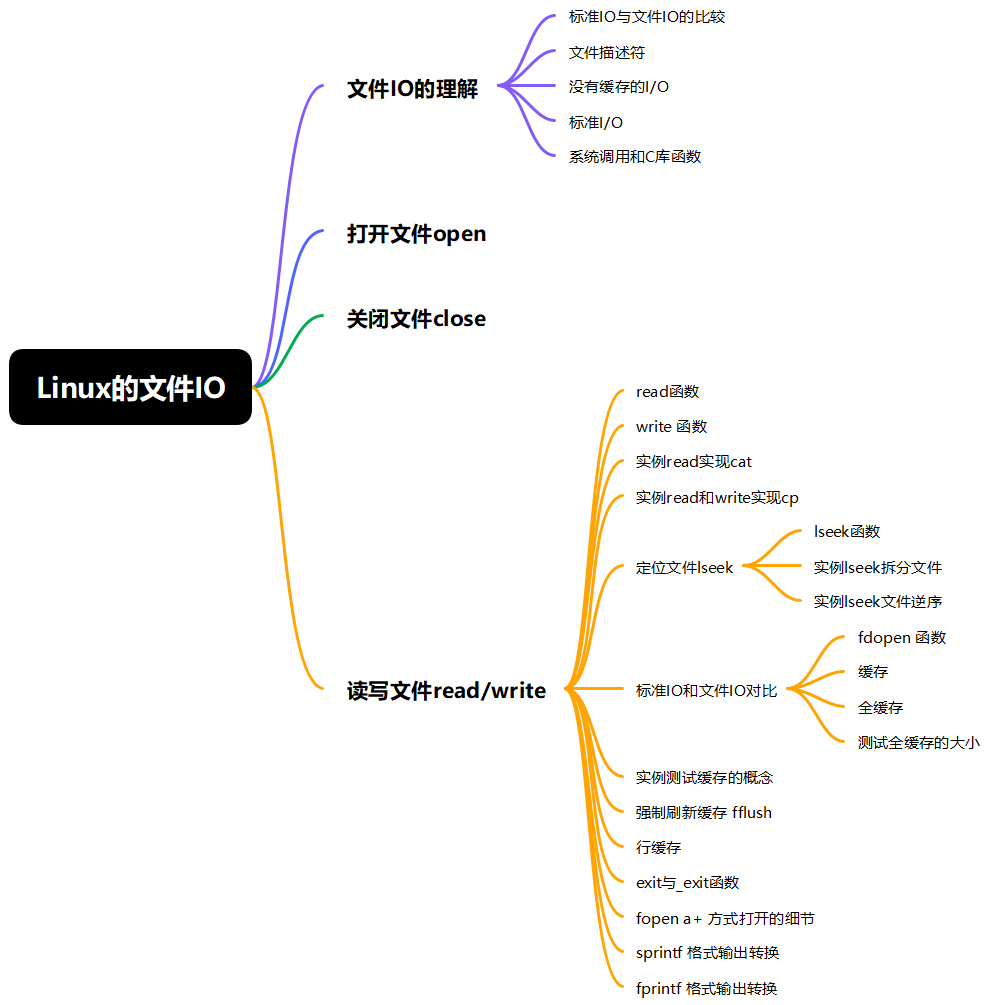
一、文件IO的理解
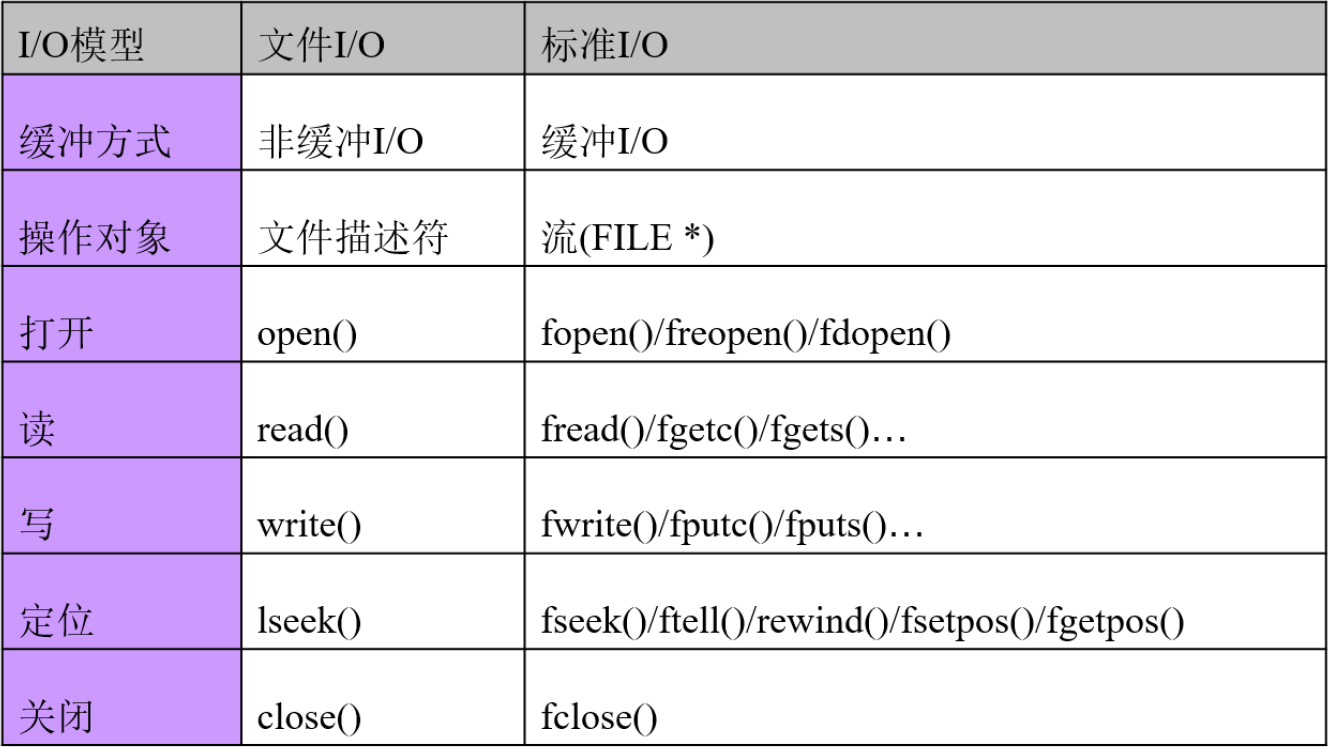
1、标准IO与文件IO的比较
2、文件描述符
- 顺序分配的非负整数
- 内核用以标识一个特定进程正在访问的文件。
- 其他资源(socket、pipe等)的访问标识
- 标准输入(0)、标准输出(1)和标准出错(2)

- 由shell默认打开,分别为0/1/2
- 标准IO使用流(FILE*)的概念去操作文件
- 文件IO使用非负整数(文件描述符)的概念去操作文件
3、没有缓存的I/O
- 通过文件描述符进行访问
- open()/read()/write()/lseek()/close()
4、标准I/O
- 通过FILE*进行访问
- fopen()/fread()/fwrite()/fseek()/fclose()
5、系统调用和C库函数
- 系统调用就是linux操作系统对外提供的一套函数, 大约有500多个函数, 文件IO是属于系统调用函数库的一部分
- 库函数是C语言库的标准, 标准IO是属于C库函数的一部分
- 标准IO到最后都会转成文件IO,来操作系统。
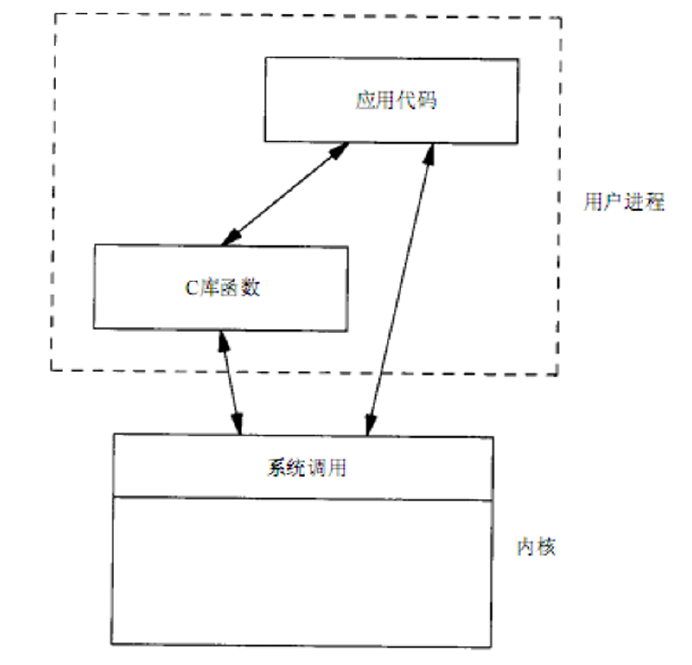
- 以linux系统为例, 内核就是linux的核心, 也是操作系统的核心, 对外提供了一套api(应用程序编程接口,其实就是一套函数),这个api就是系统调用。
- 用户开发程序可以使用2种方式编写程序,第一种(文件IO编程): 直接使用系统调用, 就不再使用标准库了, 文件IO就是属于直接调用操作系统的api编程。第二种(标准IO编程): 先调用C标准库,C标准库再调用操作系统的系统调用(api) , 这就是使用标准IO进行编程
- 使用标准IO编程便于移植, 因为不同的操作系统都实现了C标准库, 要使用文件IO编程时, 只是针对与Linux系统, window的就不适用了。
二、打开文件open
cpp
int open(const char *pathname, int flags);
int open(const char *pathname, int flags, mode_t mode);
函数功能:打开一个文件
函数参数:【pathname】 要打开文件的名称 , "/home/linux/1.c" , "1.txt"。【flags 】O_RDONLY:只读方式打开文件 , RD(read)。O_WRONLY:可写方式打开文件,WR(write)。O_RDWR:读写方式打开文件,RDWR(read write)。以上三个参数互斥。O_CREAT:如果该文件不存在,就创建一个新的文件,并用第三的参数为其设置权限。O_EXCL:如果使用O_CREAT时文件存在,则可返回错误消息。这一参数可测试文件是否存在。O_TRUNC:Truncate,如文件已经存在,那么打开文件时先删除文件中原有数据。O_APPEND:以添加方式打开文件,所以对文件的写操作都在文件的末尾进行。【mode】被打开文件的存取权限,为8进制表示法。
函数返回值,成功返回一个文件标识符, 非负整数。失败返回:错误时返回 -1 , 并设置errno,-1 if an error occurred (in which case, errno is set appropriately).
cpp
int fd ; // 定义一个文件表述符号 file descriptor
//fopen("1.txt","r") 只读方式打开文件, 文件不存在, 报错
//fd = open("1.txt",O_RDONLY|O_EXCL) ;

//fopen("1.txt","r+") 可读可写方式打开文件, 文件不存在, 报错
//fd = open("1.txt",O_RDWR|O_EXCL) ;

//fopen("1.txt","w") 只写方式打开文件, 文件不存在则创建文件, 文件存在清空文件内容
//fd = open("1.txt",O_WRONLY|O_CREAT|O_TRUNC,0664) ;

//fopen("1.txt","w+") 可读可写方式打开文件, 文件不存在则创建文件, 文件存在清空文件内容
//fd = open("1.txt",O_RDWR|O_CREAT|O_TRUNC,0664) ;

//fopen("1.txt","a") 只写方式打开文件, 文件不存在则创建文件, 文件存在不清空文件内容, 光标移动文件末尾
//fd = open("1.txt",O_WRONLY|O_CREAT|O_APPEND,0664) ;

//fopen("1.txt","a+") 可读可写方式打开文件, 文件不存在则创建文件, 文件存在不清空文件内容, 光标移动文件末尾
//fd = open("1.txt",O_RDWR|O_CREAT|O_APPEND,0664) ;
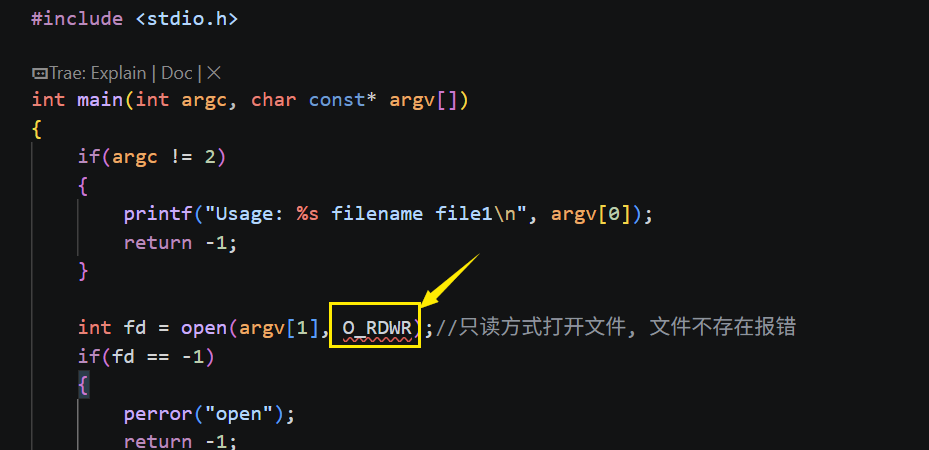
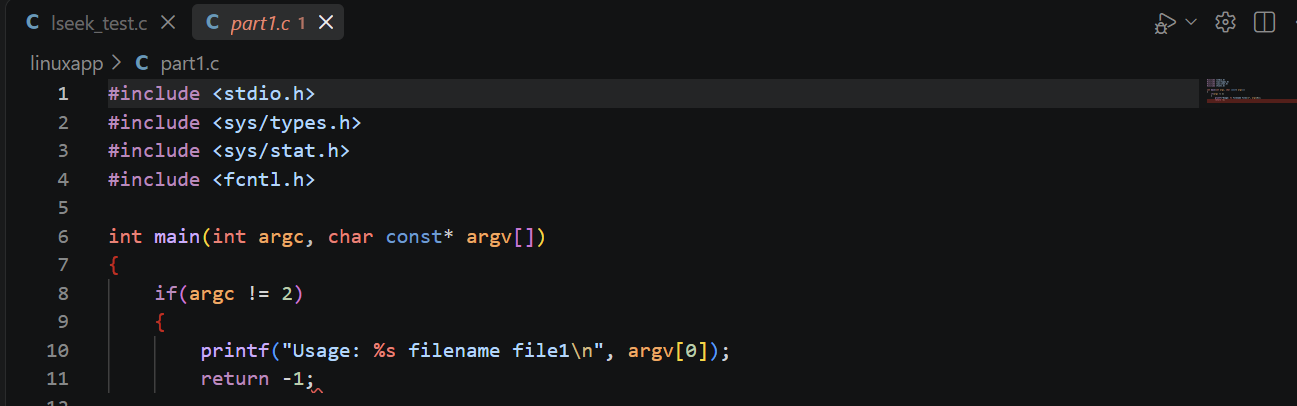
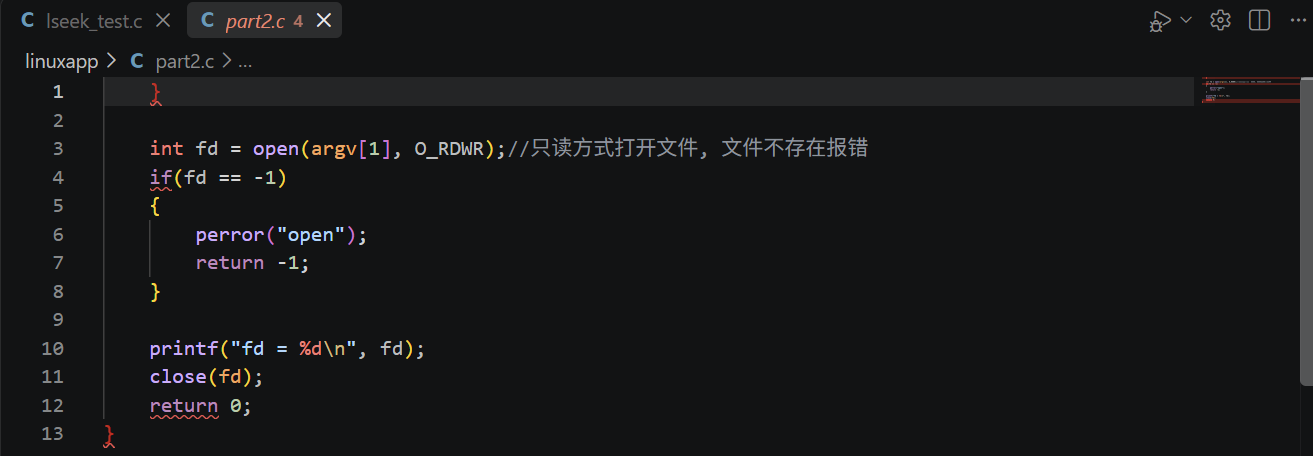
如下图所示缺少头文件
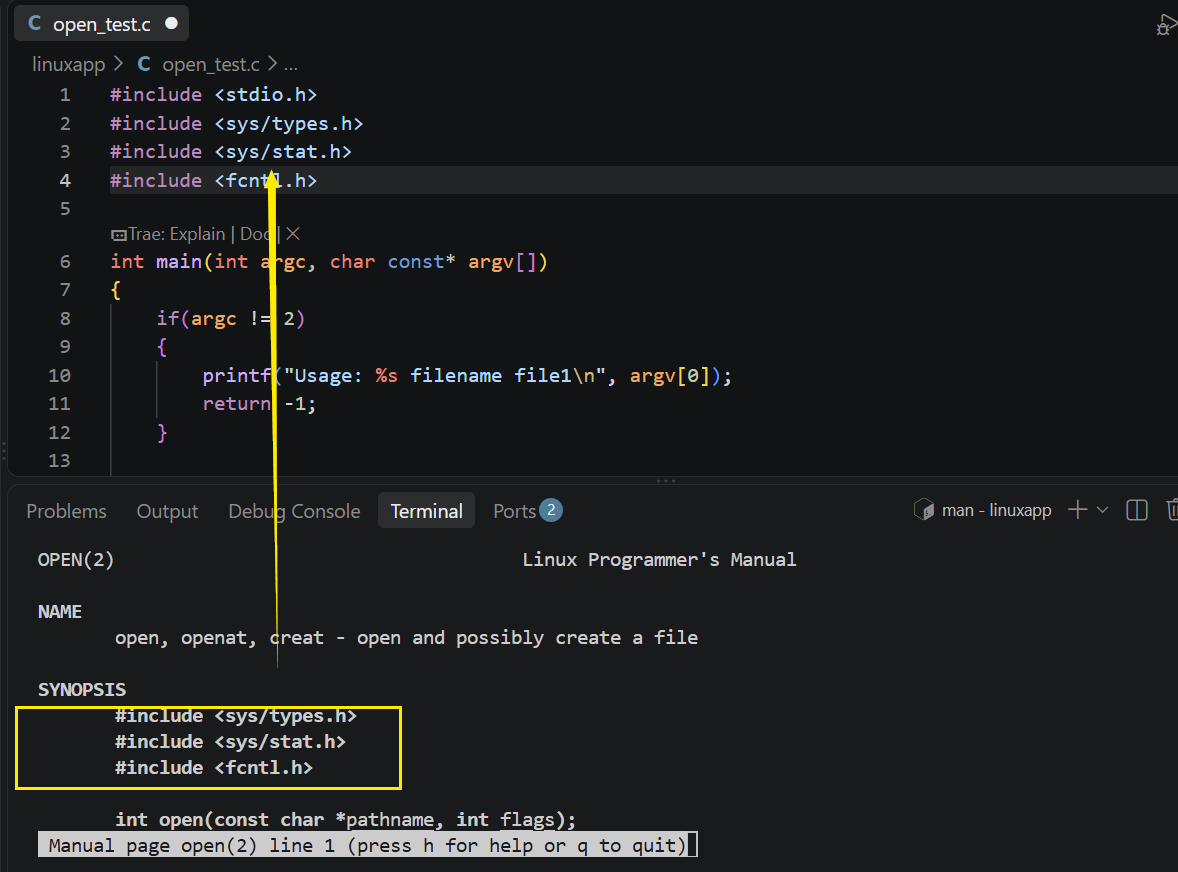
在终端输入"man 2 open"可以看到open中相关头文件的信息
cpp
#include <stdio.h>
#include <sys/types.h>
#include <sys/stat.h>
#include <fcntl.h>

int main(int argc, char const* argv[])
{
    if(argc != 2)
    {
        printf("Usage: %s filename file1\n", argv[0]);
        return -1;
    }

    int fd = open(argv[1], O_RDWR);//只读方式打开文件, 文件不存在报错
    if(fd == -1)
    {
        perror("open");
        return -1;
    }

    printf("fd = %d\n", fd);
    close(fd);
    return 0;
}
三、关闭文件close
cpp
int close(int fd);函数功能:关闭一个已经打开的文件
函数参数:【fd】要关闭的文件
函数返回值:成功返回 0,returns zero on success。失败返回,错误时返回 -1 , 并设置errno,On error, -1 is returned, and errno is set appropriately。
四、读写文件read/write
1、read函数
cpp
ssize_t read(int fd, void *buf, size_t count);函数功能:从已经打开的文件中读取指定字节数的内容
函数参数:【fd】要读的文件;【buf】读回来的字节存放的内存地址;【count】要读的字节数
函数返回值:成功返回,返回实际读回来的字节数,返回0 表示读到文件末尾,On success, the number of bytes read is returned (zero indicates end of file)。失败返回,错误时返回 -1 , 并设置errno,on error, -1 is returned, and errno is set appropriately。
2、write 函数
cpp
ssize_t write(int fd, const void *buf, size_t count);函数功能:把数组中的内容写入到文件内
函数参数:【fd】要写的文件,【buf】要写入文件数据的内存地址,【count】要写的字节数
函数返回值:成功返回,返回实际写入文件的字节数,返回0 表示什么也没写入文件内。失败返回,错误时返回 -1 , 并设置errno,on error, -1 is returned, and errno is set appropriately。
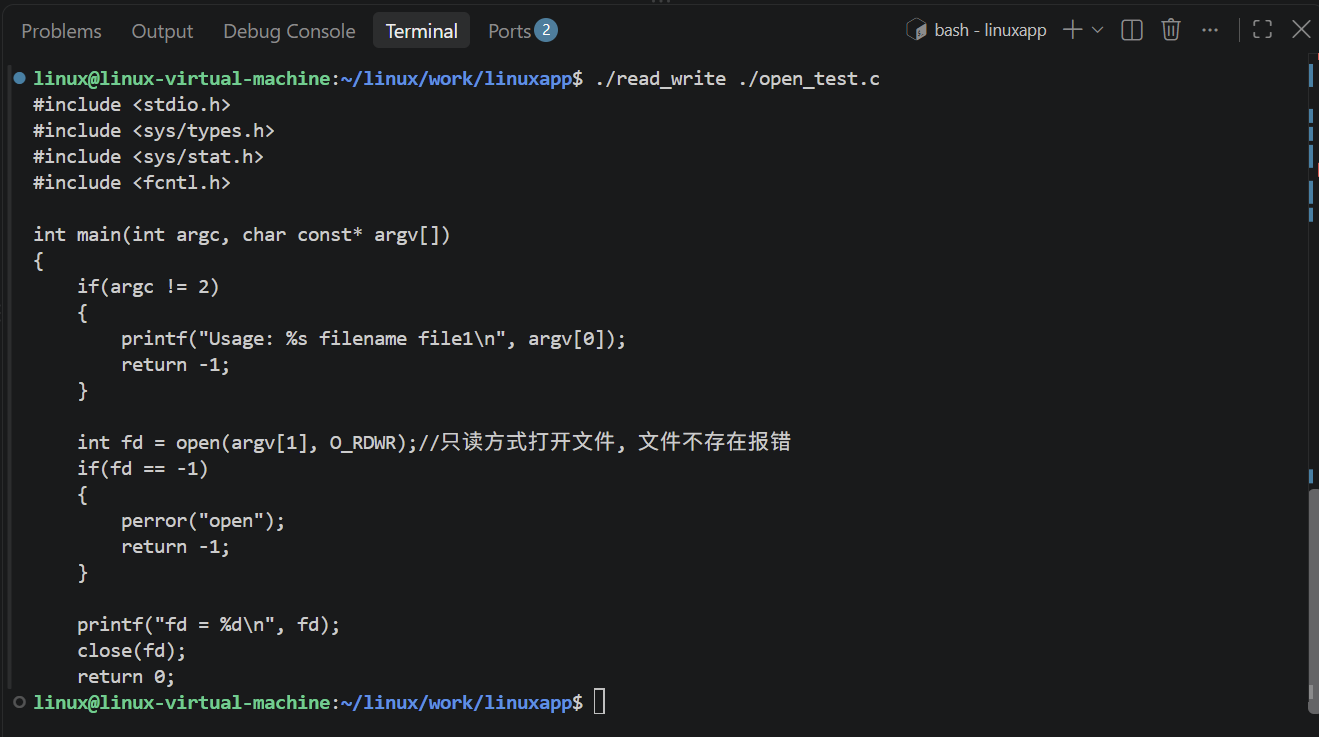
3、实例read实现cat
cpp
#include <stdio.h>
#include <sys/types.h>
#include <sys/stat.h>
#include <fcntl.h>

int main(int argc, char const* argv[])
{
    if(argc != 2)
    {
        printf("Usage: %s filename file1\n", argv[0]);
        return -1;
    }

    int fd = open(argv[1], O_RDWR);//只读方式打开文件, 文件不存在报错
    if(fd == -1)
    {
        perror("open");
        return -1;
    }

    char buf[128] = {0};
    int nbytes = 0;
    while((nbytes = read(fd, buf, 128)) > 0)//读取文件内容, 直到文件结束
    {
        if(write(1, buf, nbytes)==-1)
        {
            perror("write");
            return -1;
        }
    }
    close(fd);

    return 0;
}
4、实例read和write实现cp
cpp
#include <stdio.h>
#include <sys/types.h>
#include <sys/stat.h>
#include <fcntl.h>

int main(int argc, char const* argv[])
{
    if(argc != 3)
    {
        printf("Usage: %s filename\n", argv[0]);
        return -1;
    }

    int fp_src = open(argv[1], O_RDWR);//只读方式打开文件, 文件不存在, 报错
    if(fp_src == -1)
    {
        perror("open");
        return -1;
    }

    int fp_dst = open(argv[2], O_WRONLY | O_CREAT | O_TRUNC, 0644);//只写方式打开文件, 文件不存在, 报错
    if(fp_dst == -1)
    {
        perror("open");
        return -1;
    }

    char buf[128] = {0};
    int nbytes = 0;
    while((nbytes = read(fp_src, buf, 128)) > 0)//读取文件内容, 直到文件结束
    {
        if(write(fp_dst, buf, nbytes)==-1)
        {
            perror("write");
            return -1;
        }
    }
    close(fp_dst);
    close(fp_src);

    return 0;
}
五、定位文件lseek
1、lseek函数
这个函数等于 ftell+fseek = lseek
cpp
off_t lseek(int fd, off_t offset, int whence);函数功能:设置文件的位置
函数参数:fd : 要操作的文件;offset : 基于whence 的偏移量, 以字节计算偏移量;whence,SEEK_SET : 设置文件指定的位置,SEEK_CUR : 基于当前的文件位置,SEEK_END : 基于文件末尾的位置
函数返回值:成功返回: 文件的位置。失败返回:错误时返回 -1 , 并设置errno,Otherwise, -1 is returned and errno is set to indicate the error.
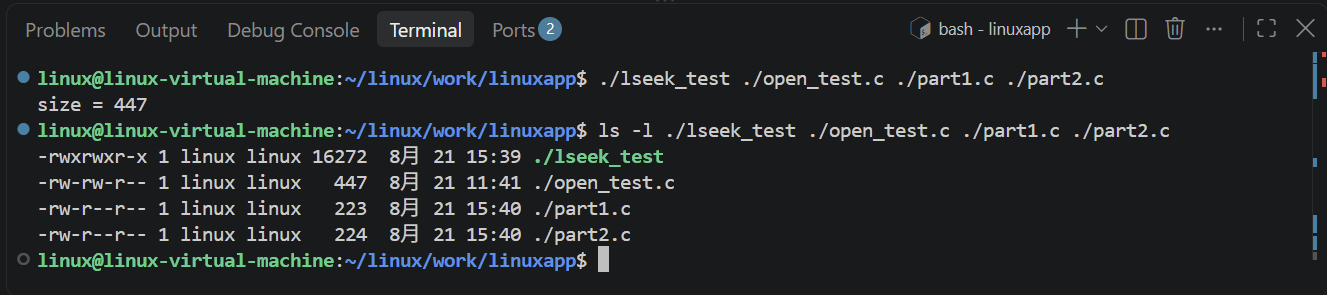
2、实例lseek拆分文件
cpp
#include <stdio.h>
#include <sys/types.h>
#include <sys/stat.h>
#include <fcntl.h>

int main(int argc, char const* argv[])
{
    if(argc != 4)
    {
        printf("Usage: %s file1 file2 file3\n", argv[0]);
        return -1;
    }

    FILE* fp1 = open(argv[1], O_RDONLY);//只读方式打开文件, 文件不存在, 报错
    if(fp1 == -1)
    {
        perror("open");
        return -1;
    }

    FILE* fp2 = open(argv[2], O_WRONLY|O_CREAT|O_TRUNC, 0644);//只写方式打开文件
    if(fp2 == -1)
    {
        perror("open");
        return -1;
    }

    FILE* fp3 = open(argv[3], O_WRONLY|O_CREAT|O_TRUNC, 0644);//只写方式打开文件
    if(fp3 == -1)
    {
        perror("open");
        return -1;
    }

    //计算file1的大小
    long size = lseek(fp1, 0, SEEK_END);
    printf("size = %ld\n", size);
    lseek(fp1, 0, SEEK_SET);//将文件指针移动到文件开头

    //把file1的前一半内容复制到file2中
    char ch = 0;
    for(int i = 0; i < size/2; i++)
    {
        read(fp1, &ch, 1);
        write(fp2, &ch, 1);
    }

    //把file1的后一半内容复制到file3中
    for(int i = size/2; i < size; i++)
    {
        read(fp1, &ch, 1);
        write(fp3, &ch, 1);
    }
    close(fp1);
    close(fp2);
    close(fp3);
    return 0;
}
3、实例lseek文件逆序
cpp
#include <stdio.h>
#include <sys/types.h>
#include <sys/stat.h>
#include <fcntl.h>

int main(int argc, char const* argv[])
{
    if(argc != 2)
    {
        printf("Usage: %s filename file1\n", argv[0]);
        return -1;
    }

    int fd = open(argv[1], O_RDWR);
    if(fd == -1)
    {
        perror("open");
        return -1;
    }

    //使用lseek计算file1的大小
    long size = lseek(fd, 0, SEEK_END);
    printf("size = %ld\n", size);
    lseek(fd, 0, SEEK_SET);//将文件指针移动到文件开头

    int t1, t2;
    //使用lseek函数把file1进行逆序输出到file1中
    for(long i = 0; i < size/2 ; i++)
    {
        //将光标移动到第i个字符
        lseek(fd, i, SEEK_SET);

        //读取光标位置的字符
        read(fd, &t1, 1);

        //把光标移动到第size-i-1个字符
        lseek(fd, size-i-1, SEEK_SET);

        //读取光标位置的字符
        read(fd, &t2, 1);

        //把光标移动到i的位置
        lseek(fd, i, SEEK_SET);

        //把t2写入到光标的位置
        write(fd, &t2, 1);

        //把光标移动到第size-i-1个字符
        lseek(fd, size-i-1, SEEK_SET);

        //把t1写入到光标的位置
        write(fd, &t1, 1);
    }

    close(fd);

    return 0;
}
六、标准IO和文件IO对比
1、fdopen 函数
cpp
FILE *fdopen(int fd, const char *mode);函数功能:把已经打开的文件IO转换成标准IO , 便于使用fgetc,fgets,fread等函数
函数参数:fd : 要转化的文件,mode :要重新打开的权限 , 等同于 fopen
函数返回值:成功返回,返回文件指针;失败返回,错误时返回NULL , 并设置errno,Otherwise, NULL is returned and errno is set to indicate the errorshixi
2、缓存
- 缓冲文件系统(高级磁盘IO)
目的:尽量减少使用read/write的调用
定义:系统自动的在内存中为每一个正在使用的文件开辟一个缓冲区,从内存向磁盘输出数据必须先送到内存缓冲区,装满缓冲区在一起送到磁盘中去。从磁盘中读数据,则一次从磁盘文件将一批数据读入到内存缓冲区中,然后再从缓冲区逐个的将数据送到程序的数据区。
分类:全缓存,行缓存,不缓存。
- 非缓冲文件系统 (低级磁盘IO)
定义:依靠于操作系统,通过操作系统的功能对文件进行读写,是系统级的输入输出。
不做任何缓存
3、全缓存
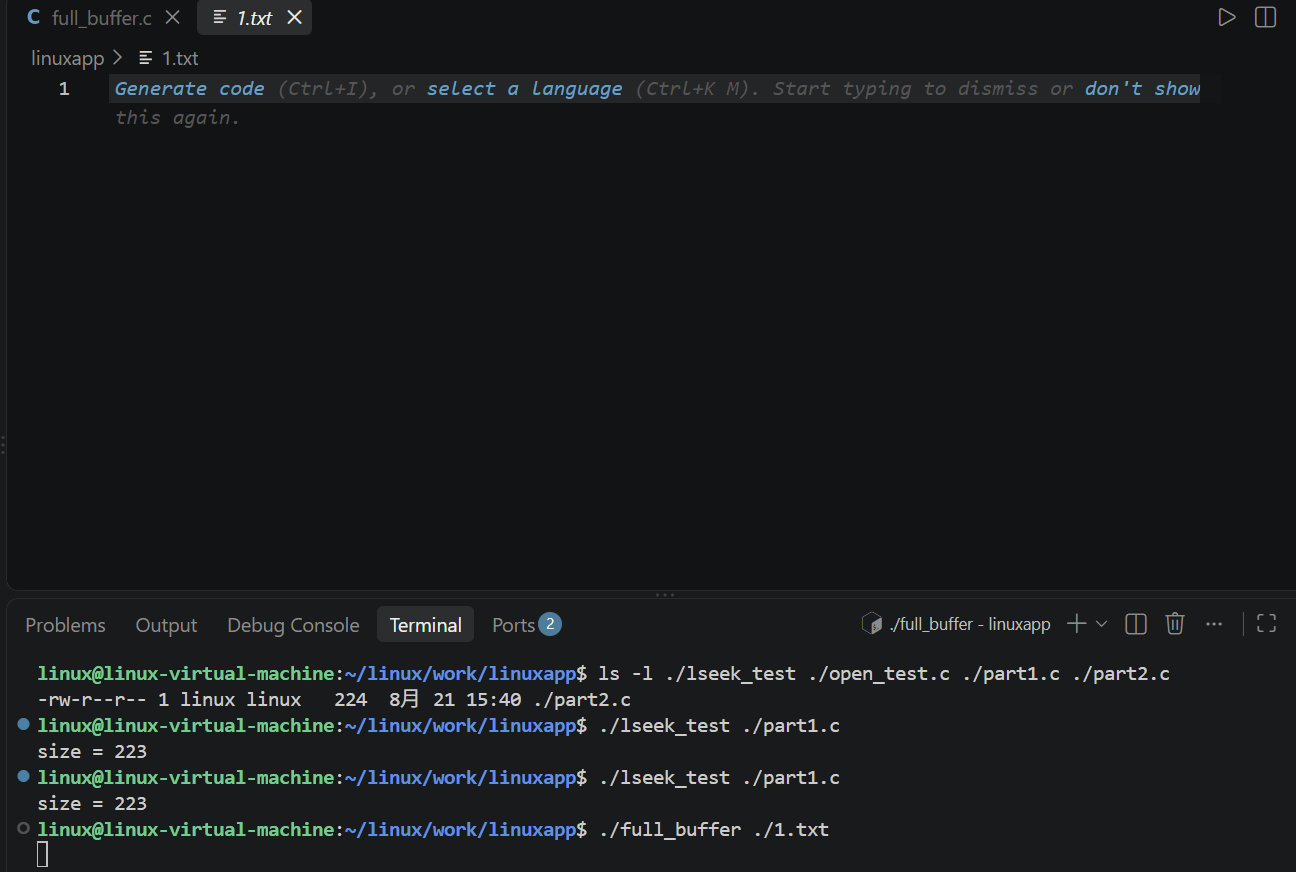
- 标准IO的读写默认有一个缓存, 这个缓存大小是4096
- 当填满I/O缓存后才进行实际I/O操作,或者满足一定条件后,系统通过调用malloc来获得所需要的缓冲区域,默认值4096。
刷新(fflush):标准I/O的写操作。
当缓冲区满了,或者满足一定的条件后,就会执行刷新操作。
4、测试全缓存的大小
cpp
#include <stdio.h>
#include <sys/types.h>
#include <sys/stat.h>
#include <fcntl.h>

int main(int argc, char const* argv[])
{
    if(argc != 2)
    {
        printf("Usage: %s filename\n", argv[0]);
        return -1;
    }

    FILE* fp = fopen(argv[1], "r+");//只读写方式打开文件, 文件不存在, 报错
    if(fp == NULL)
    {
        perror("fopen");
        return -1;
    }

    int i = 0;
    char buf[100];
    int ret = 0;
    while(1)
    {
        i++;
        sprintf(buf, "i = %08d", i);
        ret = fwrite(buf, sizeof(char), 10, fp);
        if(ret < 0)
        {
            perror("fwrite");
            return -1;
        }
        usleep(1000*50);//50ms
    }
    return 0;
}

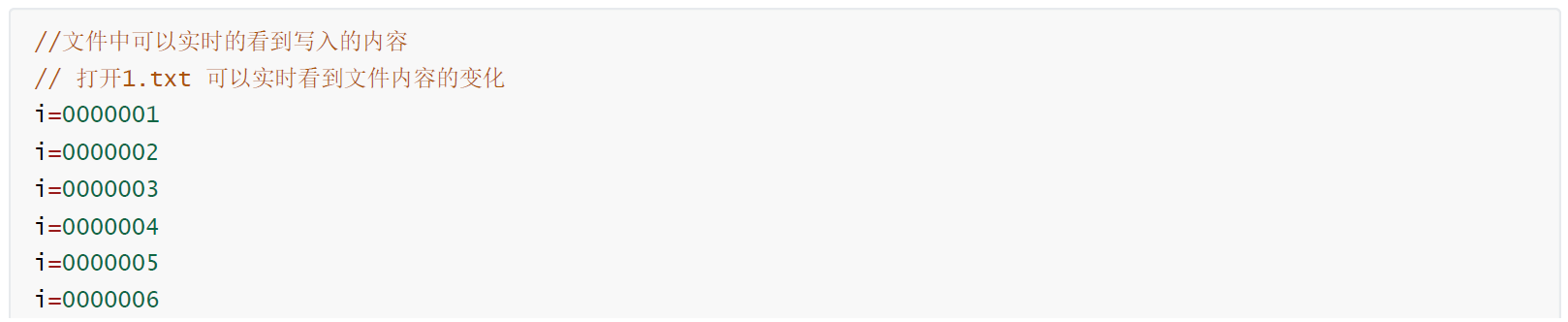
5、实例测试缓存的概念
把标准IO更换成文件IO , 因为文件IO就是无缓存的。

6、强制刷新缓存 fflush
cpp
int fflush(FILE *stream);函数功能:强制刷新(同步)一个实际的操作(读或则写的操作)
函数参数:stream: 要同步的文件
函数返回值:成功返回,返回 0;失败返回,错误时返回EOF,并设置errno,Otherwise, EOF is returned and errno is set to indicate the error.
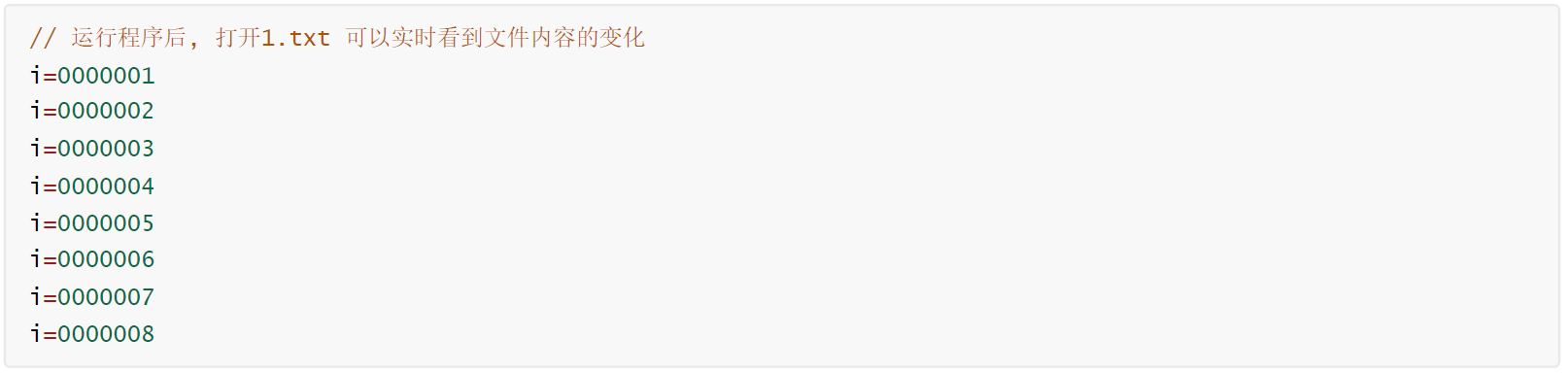
实时刷新写数据
7、行缓存
- 行缓存的默认大小为1024字节
- 当在输入和输出中遇到新行符('\n')时,进行I/O操作。
- 当流遇到一个终端时,典型的行缓存。
- 对于标准IO来说,stdin 和stdout 就是行缓存
- 对于文件IO来说, 0 和1 就是行缓存
- 行缓存也可以使用fflush进行强制刷新
测试标准输出stdout或者1的输出情况
cpp
#include <stdio.h>

int main(int argc, char *argv[])
{
    int i = 0;
    char buf[100];
    int ret = 0;
    while(1)
    {
        i++;
        sprintf(buf, "i=%08d", i);
        ret = fwrite(buf, sizeof(char), 10, stdout);//标准输出缓冲区是行缓冲,所以每次写入10个字符节
        if(ret<0)
        {
            perror("fwrite");
            break;
        }
        //fflush(stdout);//刷新标准输出缓冲区,确保数据写入终端
        //printf("\n");//手动换行,确保数据立即写入终端
        usleep(1000*100);
    }
    return 0;
}
刷新 IO的两种办法,fflush(stdout); // 实时同步数据到标准输出,输出时加上'\n'
8、exit与_exit函数
- exit函数退出程序并刷新行缓存和全缓存
- _exit函数退出程序并不做任何刷新操作
cpp
#include <stdio.h>
#include <stdlib.h>
#include <unistd.h>
int main(int argc, char const *argv[])
{
    // 1. 通过标准输出, 输出数据,缓存区没有满, 不输出
    printf("hello world!!");

    // 2. 强制刷新行缓存 fflush
    //fflush(stdout);

    // 3. 使用'\n' 来刷新缓存
    //printf("\n");

    // 4. 函数正常返回, 也会进行行缓存和全缓存的刷新
    // return 0;

    // 5. exit 程序退出时, 也会进行行缓存和全缓存的刷新
    //exit(0);

    // 6. _exit 程序退出时, 不进行任何操作,不刷新任何缓存
    _exit(0);
    return 0;
}
使用标准IO实现,编程读写一个文件test.txt,每隔1秒向文件中写入一行数据,类似这样:
cpp
#include <stdio.h>
#include <time.h>
#include <unistd.h>

int main(int argc, char *argv[])
{
    FILE* fp = fopen("test.txt", "a+");
    if(fp == NULL)
    {
        perror("fopen");
        return -1;
    }

    char time_str[64]={0};
    int lineNo = 0;

    //计算文件内有多少行
    char buf[1024]={0};
    while(fgets(buf, 1024, fp)!=NULL)
    {
        lineNo++;
    }


    while(1)
    {
        time_t t = time(NULL);
        strftime(time_str, sizeof(time_str), "%Y-%m-%d %H:%M:%S", localtime(&t));
        fprintf(fp, "%d, %s\n", lineNo++, time_str);
        fflush(fp);
        sleep(1);
    }

    return 0;
}
使用fdopen函数把文件IO转成标准IO,再去使用fgets函数。
cpp
#include <stdio.h>
#include <sys/types.h>
#include <sys/stat.h>
#include <fcntl.h>
#include <time.h>
#include <unistd.h>

int main(int argc, char *argv[])
{
    int fd = open("test.txt", O_RDWR|O_CREAT|O_APPEND, 0644);
    if(fd == -1)
    {
        perror("open");
        return -1;
    }

    char time_str[128]={0};
    int lineNo = 0;

    FILE* fp = fdopen(fd, "r+");
    //计算文件内有多少行
    char buf[1024]={0};
    while(fgets(buf, 1024, fp)!=NULL)
    {
        lineNo++;
    }


    while(1)
    {
        time_t t = time(NULL);
        strftime(time_str, sizeof(time_str), "%Y-%m-%d %H:%M:%S", localtime(&t));
        sprintf(buf, "%d, %s\n", lineNo++, time_str);
        ssize_t ret = write(fd, buf, strlen(buf));
        if(ret == -1)
        {
            perror("write");
            return -1;
        }
        sleep(1);
    }

    return 0;
}
9、fopen a+ 方式打开的细节
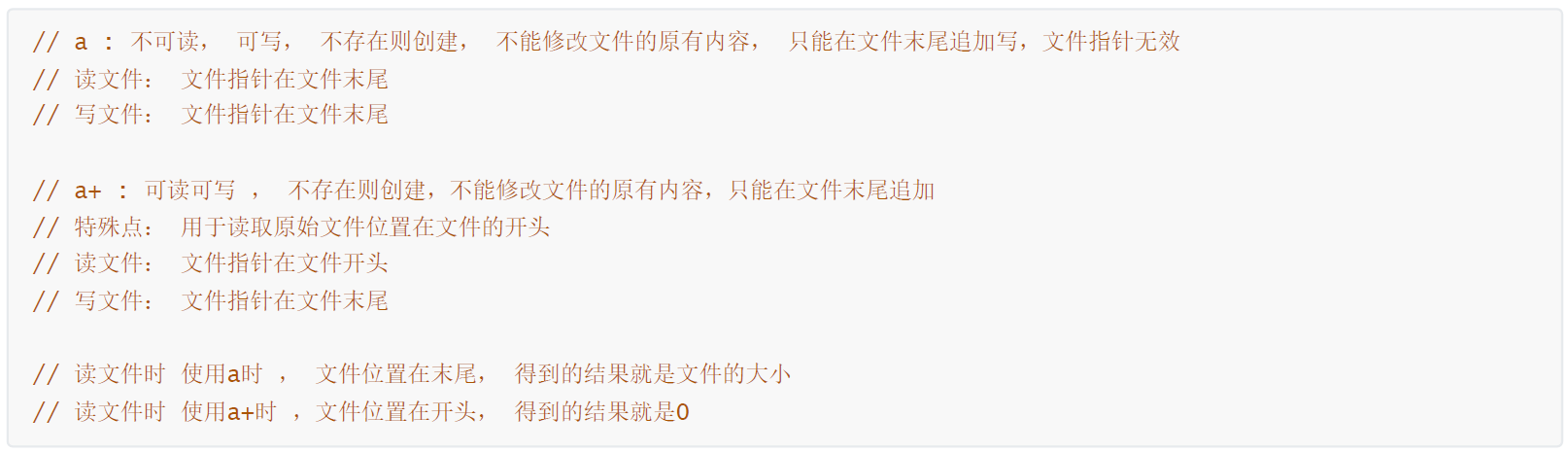
打开文件都是向文件添加数据,就是以a+方式打开,用ftell函数直接得到当前位置,如果不为0,则说明文件不为空;但调试发现打开文件后用ftell函数得到的当前位置值为零?
cpp
#include <stdio.h>
#include <stdlib.h>
int main(int argc, char const *argv[])
{
    FILE *fp;
    if (argc != 2) // 01-fopen filename
    {
        printf("错误:运行程序时请带入参数(./app filename)\n");
        exit(-1);
    }
    // argv[0] = ./01-fopen
    // argv[1] = filename

    // fp = fopen(argv[1],"a+") ; // 可读可写方式打开文件,文件不存在会自动创建文件,文件存在则在文件末尾追加内容
    fp = fopen(argv[1], "a"); // 可读可写方式打开文件,文件不存在会自动创建文件,文件存在则在文件末尾追加内容
    if (fp == NULL)
    {
        perror("fopen");
        exit(-1);
    }
    // a : 不可读, 可写, 不存在则创建, 不能修改文件的原有内容, 只能在文件末尾追加写,文件指针无效
    // 读文件: 文件指针在文件末尾
    // 写文件: 文件指针在文件末尾

    // a+ : 可读可写 , 不存在则创建,不能修改文件的原有内容,只能在文件末尾追加
    // 特殊点: 用于读取原始文件位置在文件的开头
    // 读文件: 文件指针在文件开头
    // 写文件: 文件指针在文件末尾

    // 读文件时 使用a时 , 文件位置在末尾, 得到的结果就是文件的大小
    // 读文件时 使用a+时 ,文件位置在开头, 得到的结果就是0

    long file_pos = ftell(fp);
    printf("filesize:%ld\n", file_pos);
    fclose(fp);

    return 0;
}
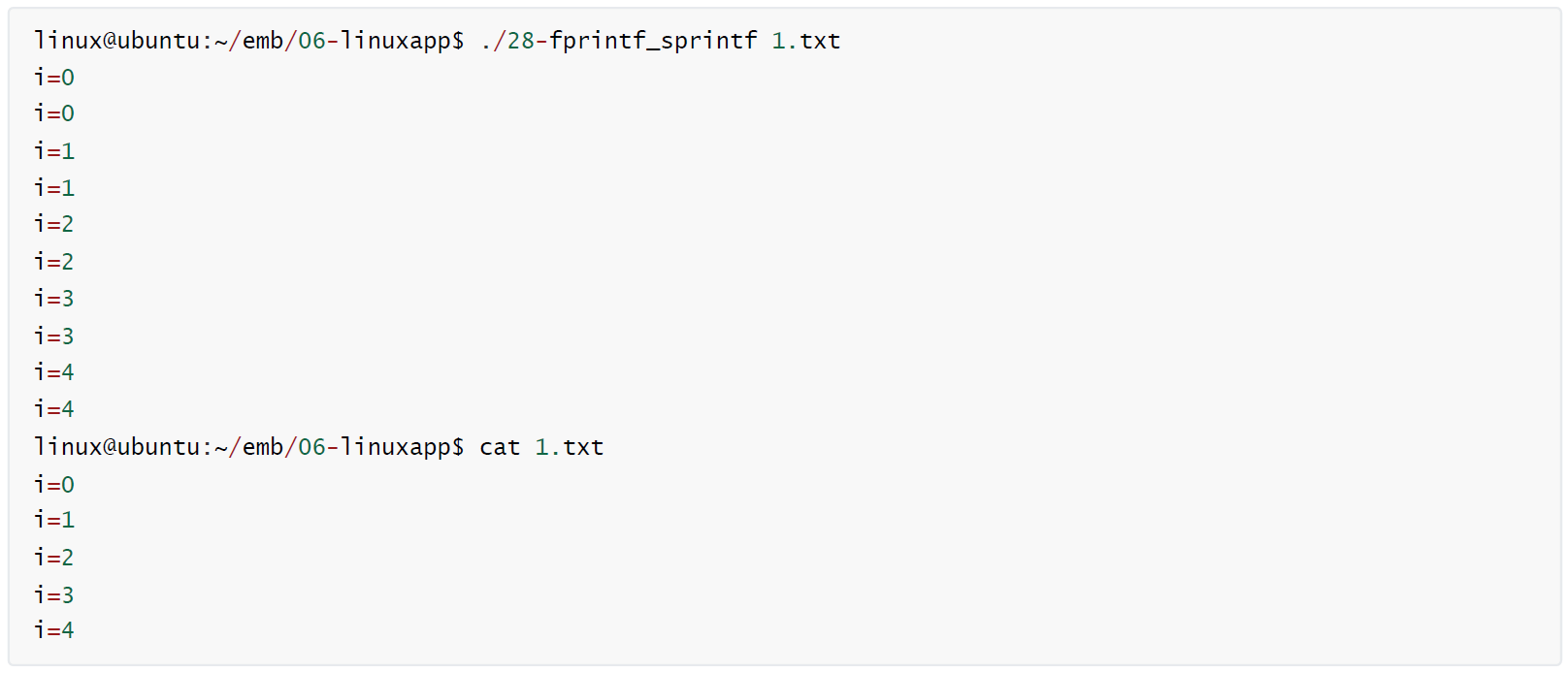
10、sprintf 格式输出转换
cpp
int sprintf(char *str, const char *format, ...);函数功能:把格式字符串输出到指定的内存中
函数参数:str,要把指定格式的字符串保保存的位置;format,格式字符串, 用法和printf一致;...,可变参数, 和printf函数的参数一致。
函数返回值:成功返回,输出的字节数;失败返回,错误时返回负数,If an output error is encountered, a negative value is returned.
11、fprintf 格式输出转换
cpp
int fprintf(FILE *stream, const char *format, ...);函数功能:把格式字符串输出到流(标准IO的文件)中,把指定格式的字符串写入到文件内
函数参数:stream,要写入的流(标准IO的文件);format,格式字符串, 用法和printf一致;...,可变参数, 和printf函数的参数一致。
函数返回值:成功返回,输出的字节数;失败返回,错误时返回负数,If an output error is encountered, a negative value is returned.