显示四个门的位置
bash
 <!-- ==================== 4 个穿越门(开口2.4m) ==================== -->

    <!-- 门1:红色,位置(4,0,2.5),朝向90° -->
    <model name='gate_red'>
      <static>1</static>
      <link name='post_left'>
        <visual name='visual'>
          <geometry><cylinder><radius>0.05</radius><length>2.4</length></cylinder></geometry>
          <material><ambient>1 0 0 1</ambient><diffuse>1 0 0 1</diffuse></material>
        </visual>
        <collision name='collision'>
          <geometry><cylinder><radius>0.05</radius><length>2.4</length></cylinder></geometry>
        </collision>
        <pose>-1.2 0 0 0 0 0</pose>
      </link>
      <link name='post_right'>
        <visual name='visual'>
          <geometry><cylinder><radius>0.05</radius><length>2.4</length></cylinder></geometry>
          <material><ambient>1 0 0 1</ambient><diffuse>1 0 0 1</diffuse></material>
        </visual>
        <collision name='collision'>
          <geometry><cylinder><radius>0.05</radius><length>2.4</length></cylinder></geometry>
        </collision>
        <pose>1.2 0 0 0 0 0</pose>
      </link>
      <link name='top_bar'>
        <visual name='visual'>
          <geometry><cylinder><radius>0.05</radius><length>2.4</length></cylinder></geometry>
          <material><ambient>1 0 0 1</ambient><diffuse>1 0 0 1</diffuse></material>
        </visual>
        <collision name='collision'>
          <geometry><cylinder><radius>0.05</radius><length>2.4</length></cylinder></geometry>
        </collision>
        <pose>0 0 1.2 0 1.5708 0</pose>
      </link>
      <pose>4 0 2.5 0 0 1.5708</pose>
    </model>

    <!-- 门2:绿色,位置(0,4,2.8),朝向180° -->
    <model name='gate_green'>
      <static>1</static>
      <link name='post_left'>
        <visual name='visual'>
          <geometry><cylinder><radius>0.05</radius><length>2.4</length></cylinder></geometry>
          <material><ambient>0 1 0 1</ambient><diffuse>0 1 0 1</diffuse></material>
        </visual>
        <collision name='collision'>
          <geometry><cylinder><radius>0.05</radius><length>2.4</length></cylinder></geometry>
        </collision>
        <pose>-1.2 0 0 0 0 0</pose>
      </link>
      <link name='post_right'>
        <visual name='visual'>
          <geometry><cylinder><radius>0.05</radius><length>2.4</length></cylinder></geometry>
          <material><ambient>0 1 0 1</ambient><diffuse>0 1 0 1</diffuse></material>
        </visual>
        <collision name='collision'>
          <geometry><cylinder><radius>0.05</radius><length>2.4</length></cylinder></geometry>
        </collision>
        <pose>1.2 0 0 0 0 0</pose>
      </link>
      <link name='top_bar'>
        <visual name='visual'>
          <geometry><cylinder><radius>0.05</radius><length>2.4</length></cylinder></geometry>
          <material><ambient>0 1 0 1</ambient><diffuse>0 1 0 1</diffuse></material>
        </visual>
        <collision name='collision'>
          <geometry><cylinder><radius>0.05</radius><length>2.4</length></cylinder></geometry>
        </collision>
        <pose>0 0 1.2 0 1.5708 0</pose>
      </link>
      <pose>0 4 2.8 0 0 3.1416</pose>
    </model>

    <!-- 门3:蓝色,位置(-4,0,3.0),朝向-90° -->
    <model name='gate_blue'>
      <static>1</static>
      <link name='post_left'>
        <visual name='visual'>
          <geometry><cylinder><radius>0.05</radius><length>2.4</length></cylinder></geometry>
          <material><ambient>0 0 1 1</ambient><diffuse>0 0 1 1</diffuse></material>
        </visual>
        <collision name='collision'>
          <geometry><cylinder><radius>0.05</radius><length>2.4</length></cylinder></geometry>
        </collision>
        <pose>-1.2 0 0 0 0 0</pose>
      </link>
      <link name='post_right'>
        <visual name='visual'>
          <geometry><cylinder><radius>0.05</radius><length>2.4</length></cylinder></geometry>
          <material><ambient>0 0 1 1</ambient><diffuse>0 0 1 1</diffuse></material>
        </visual>
        <collision name='collision'>
          <geometry><cylinder><radius>0.05</radius><length>2.4</length></cylinder></geometry>
        </collision>
        <pose>1.2 0 0 0 0 0</pose>
      </link>
      <link name='top_bar'>
        <visual name='visual'>
          <geometry><cylinder><radius>0.05</radius><length>2.4</length></cylinder></geometry>
          <material><ambient>0 0 1 1</ambient><diffuse>0 0 1 1</diffuse></material>
        </visual>
        <collision name='collision'>
          <geometry><cylinder><radius>0.05</radius><length>2.4</length></cylinder></geometry>
        </collision>
        <pose>0 0 1.2 0 1.5708 0</pose>
      </link>
      <pose>-4 0 3.0 0 0 -1.5708</pose>
    </model>

    <!-- 门4:橙色,位置(0,-4,2.6),朝向0° -->
    <model name='gate_orange'>
      <static>1</static>
      <link name='post_left'>
        <visual name='visual'>
          <geometry><cylinder><radius>0.05</radius><length>2.4</length></cylinder></geometry>
          <material><ambient>1 0.5 0 1</ambient><diffuse>1 0.5 0 1</diffuse></material>
        </visual>
        <collision name='collision'>
          <geometry><cylinder><radius>0.05</radius><length>2.4</length></cylinder></geometry>
        </collision>
        <pose>-1.2 0 0 0 0 0</pose>
      </link>
      <link name='post_right'>
        <visual name='visual'>
          <geometry><cylinder><radius>0.05</radius><length>2.4</length></cylinder></geometry>
          <material><ambient>1 0.5 0 1</ambient><diffuse>1 0.5 0 1</diffuse></material>
        </visual>
        <collision name='collision'>
          <geometry><cylinder><radius>0.05</radius><length>2.4</length></cylinder></geometry>
        </collision>
        <pose>1.2 0 0 0 0 0</pose>
      </link>
      <link name='top_bar'>
        <visual name='visual'>
          <geometry><cylinder><radius>0.05</radius><length>2.4</length></cylinder></geometry>
          <material><ambient>1 0.5 0 1</ambient><diffuse>1 0.5 0 1</diffuse></material>
        </visual>
        <collision name='collision'>
          <geometry><cylinder><radius>0.05</radius><length>2.4</length></cylinder></geometry>
        </collision>
        <pose>0 0 1.2 0 1.5708 0</pose>
      </link>
      <pose>0 -4 2.6 0 0 0</pose>
    </model>

    <!-- ==================== 门结束 ==================== -->
2.写发布多点导航程序
python
#include <ros/ros.h>
#include <geometry_msgs/PoseStamped.h>
#include <mavros_msgs/CommandBool.h>
#include <mavros_msgs/SetMode.h>
#include <mavros_msgs/State.h>
#include <vector>

mavros_msgs::State current_state;
void state_cb(const mavros_msgs::State::ConstPtr& msg){
    current_state = *msg;
}

// 航点结构
struct WP { double x, y, z; };

int main(int argc, char **argv)
{
    ros::init(argc, argv, "offb_node");
    ros::NodeHandle nh;

    ros::Subscriber state_sub = nh.subscribe<mavros_msgs::State>
            ("mavros/state", 10, state_cb);
    ros::Publisher local_pos_pub = nh.advertise<geometry_msgs::PoseStamped>
            ("mavros/setpoint_position/local", 10);
    ros::ServiceClient arming_client = nh.serviceClient<mavros_msgs::CommandBool>
            ("mavros/cmd/arming");
    ros::ServiceClient set_mode_client = nh.serviceClient<mavros_msgs::SetMode>
            ("mavros/set_mode");

    ros::Rate rate(20.0);

    // 等飞控连接
    while(ros::ok() && !current_state.connected){
        ros::spinOnce();
        rate.sleep();
    }

    // ============ 航点序列(风车式穿门)============
    // 每组3个点:接近点 → 门心(穿过) → 退出点
    std::vector<WP> wps = {
        {6, 0, 2.5},     // 0  红门东侧接近
        {4, 0, 2.5},     // 1  红门心(沿X穿过)
        {2, 0, 2.5},     // 2  红门西侧退出
        {0, 6, 2.8},     // 3  绿门北侧接近
        {0, 4, 2.8},     // 4  绿门心(沿Y穿过)
        {0, 2, 2.8},     // 5  绿门南侧退出
        {-6, 0, 3.0},    // 6  蓝门西侧接近
        {-4, 0, 3.0},    // 7  蓝门心(沿X穿过)
        {-2, 0, 3.0},    // 8  蓝门东侧退出
        {0, -6, 2.6},    // 9  橙门南侧接近
        {0, -4, 2.6},    // 10 橙门心(沿Y穿过)
        {0, -2, 2.6}     // 11 橙门北侧退出
    };

    geometry_msgs::PoseStamped pose;
    pose.pose.position.x = 0;
    pose.pose.position.y = 0;
    pose.pose.position.z = 2.0;      // 起飞高度

    // 预热:先发 100 个 setpoint
    for(int i = 100; ros::ok() && i > 0; --i){
        local_pos_pub.publish(pose);
        ros::spinOnce();
        rate.sleep();
    }

    mavros_msgs::SetMode offb_set_mode;
    offb_set_mode.request.custom_mode = "OFFBOARD";
    mavros_msgs::SetMode land_set_mode;
    land_set_mode.request.custom_mode = "AUTO.LAND";
    mavros_msgs::CommandBool arm_cmd;
    arm_cmd.request.value = true;

    ros::Time last_request = ros::Time::now();
    int wp_index = 0;
    ros::Time last_wp = ros::Time::now();
    bool cruise_started = false;      // 是否已开始巡航
    bool land_sent = false;           // 是否已发降落指令

    while(ros::ok()){
        // ① 切 offboard 模式
        if( current_state.mode != "OFFBOARD" &&
            (ros::Time::now() - last_request > ros::Duration(2.0))){
            if( set_mode_client.call(offb_set_mode) &&
                offb_set_mode.response.mode_sent){
                ROS_INFO("Offboard enabled");
            }
            last_request = ros::Time::now();
        }
        // ② 解锁
        else if( !current_state.armed &&
            (ros::Time::now() - last_request > ros::Duration(2.0))){
            if( arming_client.call(arm_cmd) &&
                arm_cmd.response.success){
                ROS_INFO("Vehicle armed");
            }
            last_request = ros::Time::now();
        }

        // ③ 解锁+offboard 都成功后,才开始巡航
        if(current_state.armed && current_state.mode == "OFFBOARD" && !cruise_started){
            cruise_started = true;
            last_wp = ros::Time::now();
            ROS_INFO("Start cruise");
        }

        // ④ 每 5 秒切一个航点
        if(cruise_started && wp_index < (int)wps.size()){
            if(ros::Time::now() - last_wp > ros::Duration(5.0)){
                pose.pose.position.x = wps[wp_index].x;
                pose.pose.position.y = wps[wp_index].y;
                pose.pose.position.z = wps[wp_index].z;

                // 判断是否为门心,打印对应门
                if(wp_index == 1)  ROS_INFO("========== Gate1 (Red)   passed ==========");
                else if(wp_index == 4)  ROS_INFO("========== Gate2 (Green) passed ==========");
                else if(wp_index == 7)  ROS_INFO("========== Gate3 (Blue)  passed ==========");
                else if(wp_index == 10) ROS_INFO("========== Gate4 (Orange) passed ==========");
                else ROS_INFO("WP %d: (%.1f, %.1f, %.1f)", wp_index,
                            wps[wp_index].x, wps[wp_index].y, wps[wp_index].z);

                wp_index++;
                last_wp = ros::Time::now();
            }
        }


        // ⑤ 航点飞完后降落
        if(cruise_started && wp_index >= (int)wps.size() && !land_sent){
            if(ros::Time::now() - last_wp > ros::Duration(3.0)){
                if( set_mode_client.call(land_set_mode) &&
                    land_set_mode.response.mode_sent){
                    ROS_INFO("Landing");
                }
                land_sent = true;
                last_wp = ros::Time::now();
            }
        }

        local_pos_pub.publish(pose);
        ros::spinOnce();
        rate.sleep();
    }
    return 0;
}
3.订阅RVIZ话题的程序
python
#include <ros/ros.h>
#include <geometry_msgs/PoseStamped.h>
#include <visualization_msgs/Marker.h>
#include <cmath>
#include <vector>

ros::Publisher marker_pub;
std::vector<geometry_msgs::PoseStamped> pts;
std::vector<std_msgs::ColorRGBA> cols;
std_msgs::ColorRGBA current_color;   // 当前门颜色

// 造颜色
std_msgs::ColorRGBA makeColor(double r, double g, double b)
{
    std_msgs::ColorRGBA c;
    c.r = r; c.g = g; c.b = b; c.a = 1.0;
    return c;
}

double dist(const geometry_msgs::Point& a, const geometry_msgs::Point& b)
{
    return sqrt(pow(a.x-b.x,2) + pow(a.y-b.y,2) + pow(a.z-b.z,2));
}

// 根据 setpoint 判断当前门(按区域划分)
void setpoint_cb(const geometry_msgs::PoseStamped::ConstPtr& msg)
{
    double x = msg->pose.position.x;
    double y = msg->pose.position.y;
    if(x > 1.5)            current_color = makeColor(1.0, 0.0, 0.0);   // 红门
    else if(y > 1.5)       current_color = makeColor(0.0, 1.0, 0.0);   // 绿门
    else if(x < -1.5)      current_color = makeColor(0.0, 0.0, 1.0);   // 蓝门
    else if(y < -1.5)      current_color = makeColor(1.0, 0.5, 0.0);   // 橙门
    // 否则保持原色(起飞/降落段)
}

void pose_cb(const geometry_msgs::PoseStamped::ConstPtr& msg)
{
    if(pts.empty() || dist(msg->pose.position, pts.back().pose.position) > 0.1)
    {
        pts.push_back(*msg);
        cols.push_back(current_color);   // 记录该点对应的门颜色

        visualization_msgs::Marker m;
        m.header.frame_id = "map";
        m.header.stamp = ros::Time::now();
        m.ns = "gate_traj";
        m.id = 0;
        m.type = visualization_msgs::Marker::LINE_STRIP;
        m.action = visualization_msgs::Marker::ADD;
        m.scale.x = 0.12;                // 粗线

        for(size_t i = 0; i < pts.size(); i++){
            m.points.push_back(pts[i].pose.position);
            m.colors.push_back(cols[i]);
        }
        marker_pub.publish(m);
    }
}

int main(int argc, char** argv)
{
    ros::init(argc, argv, "traj_gate_color");
    ros::NodeHandle nh;

    current_color = makeColor(0.5, 0.5, 0.5);   // 默认灰色(起飞前)

    ros::Subscriber pose_sub = nh.subscribe<geometry_msgs::PoseStamped>(
        "/mavros/local_position/pose", 10, pose_cb);
    ros::Subscriber sp_sub = nh.subscribe<geometry_msgs::PoseStamped>(
        "/mavros/setpoint_position/local", 10, setpoint_cb);

    marker_pub = nh.advertise<visualization_msgs::Marker>("/gate_trajectory", 10);

    ros::spin();
    return 0;
}
记得在Cmake.list里面写
bash
add_executable(traj_gradient src/traj_gradient.cpp)
target_link_libraries(traj_gradient ${catkin_LIBRARIES})
回到catkin_ws开始编译
1终端
roslaunch px4 mav(TAB)
2终端
source devel/setup.bash
rosrun drone_planner traj_gradient
3.终端
rviz
bash
Add → 选 Marker
把 Marker 的 Topic 改成 /trajectory_gradient
Fixed Frame 保持 map
4.终端
rosrun drone_planner drone_try_gate
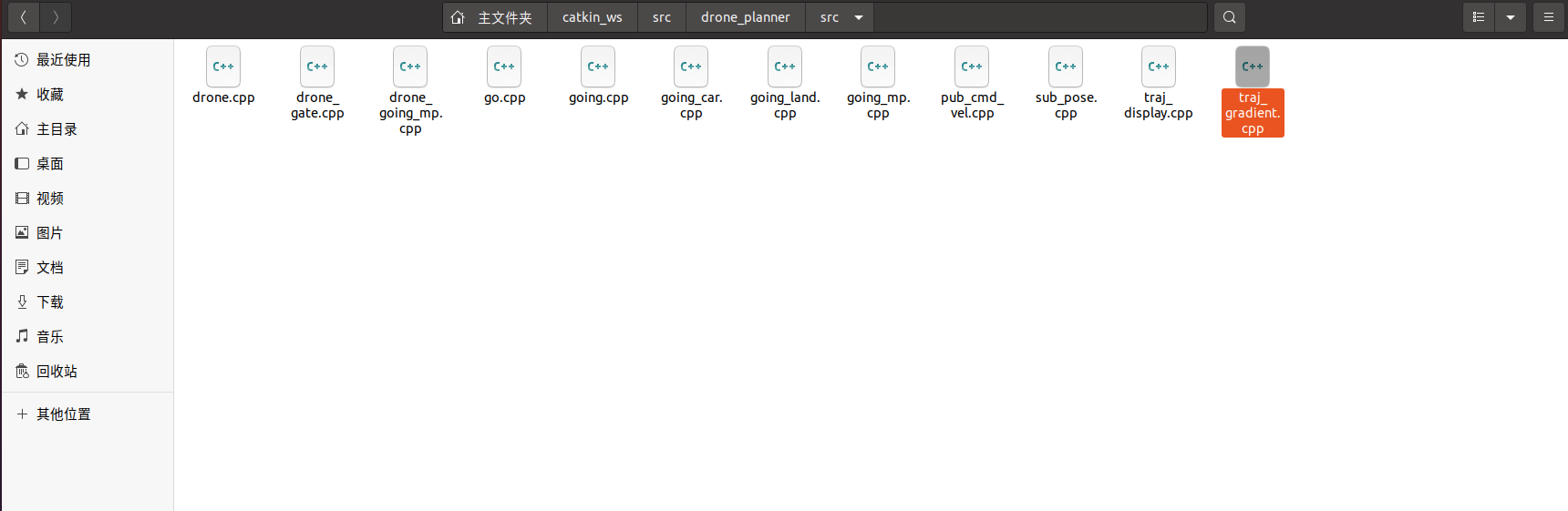
这样就可以了
总体思路:门world rviz订阅程序, 发布多点导航的程序,编译,打开rviz配置,即可