PostgreSQL 完全指南:特性对比 + 安装部署 + 配置管理 + psql 实战 + pgAdmin 图形化
📖 阅读时间 :约 30 ~ 45 分钟
🎯 适合人群 :数据库初学者、后端开发工程师、运维工程师、DBA、从 MySQL 迁移到 PostgreSQL 的开发者
📝 本文字数 :约 2 万字 | 含 150+ 实战 SQL 语句与配置
🏷️ 推荐标签 :
PostgreSQLPG关系型数据库开源数据库psqlpgAdmin数据库安装SQLDBA运维
📋 文章摘要
PostgreSQL 是目前功能最强大的开源关系型数据库系统,被誉为"世界上最先进的开源数据库",以其丰富的功能、卓越的复杂查询性能和高度的可扩展性著称。本文以 PostgreSQL 18 版本为基础,系统讲解从入门到实战的完整知识体系:
- 基础篇:PostgreSQL 介绍、数据库排名、与 MySQL 深度对比(核心定位、功能、性能、并发锁、扩展性、运维成本)、各版本特性矩阵
- 安装篇:CentOS 二进制安装、官方源安装 PostgreSQL 18、pg_ctl 命令管理、初始化实例、服务管理
- 配置篇:配置文件详解、数据库结构组织、核心术语、模板数据库、模式 Schema、访问控制配置、远程连接
- 操作篇:psql 工具使用、显示格式设置、数据库创建删除、模式管理、表管理、CRUD 操作、索引管理、表空间、系统信息查看
- 图形化篇:pgAdmin 介绍与安装使用
全文包含完整的 SQL 语句、配置文件、实验步骤和验证方法,所有命令均可直接复制执行。
📌 本文核心收获:读完本文,你将掌握 PostgreSQL 从安装部署到日常运维的完整能力,能够独立完成 PostgreSQL 数据库搭建、SQL 开发和图形化管理。
📑 目录
- [一、PostgreSQL 基础与特性](#一、PostgreSQL 基础与特性)
- [1.1 PostgreSQL 介绍](#1.1 PostgreSQL 介绍)
- [1.2 数据库排名](#1.2 数据库排名)
- [1.3 PostgreSQL 与 MySQL 对比](#1.3 PostgreSQL 与 MySQL 对比)
- [1.4 各种数据库性能比较](#1.4 各种数据库性能比较)
- [1.5 PostgreSQL 各版本特性矩阵](#1.5 PostgreSQL 各版本特性矩阵)
- [二、PostgreSQL 安装与服务管理](#二、PostgreSQL 安装与服务管理)
- [2.1 CentOS 安装 PostgreSQL](#2.1 CentOS 安装 PostgreSQL)
- [2.2 pg_ctl 命令管理 PostgreSQL](#2.2 pg_ctl 命令管理 PostgreSQL)
- 三、配置文件与数据库概念
- [3.1 配置文件介绍](#3.1 配置文件介绍)
- [3.2 数据库相关概念](#3.2 数据库相关概念)
- [3.3 psql 工具介绍和基本用法](#3.3 psql 工具介绍和基本用法)
- [3.4 连接管理](#3.4 连接管理)
- [四、PostgreSQL 常用操作](#四、PostgreSQL 常用操作)
- [4.1 查看 psql 帮助](#4.1 查看 psql 帮助)
- [4.2 设置显示信息的格式](#4.2 设置显示信息的格式)
- [4.3 数据库的创建和删除](#4.3 数据库的创建和删除)
- [4.4 管理和查看模式](#4.4 管理和查看模式)
- [4.5 查看和连接数据库](#4.5 查看和连接数据库)
- [4.6 管理表](#4.6 管理表)
- [4.7 查看表和表信息](#4.7 查看表和表信息)
- [4.8 表的 CRUD](#4.8 表的 CRUD)
- [4.9 索引管理](#4.9 索引管理)
- [4.10 表空间](#4.10 表空间)
- [4.11 查看系统信息](#4.11 查看系统信息)
- [五、图形化工具 pgAdmin](#五、图形化工具 pgAdmin)
- [5.1 pgAdmin 介绍](#5.1 pgAdmin 介绍)
- [5.2 安装 pgAdmin](#5.2 安装 pgAdmin)
- 六、总结与要点回顾
前言:为什么选择 PostgreSQL?
在开源关系型数据库领域,MySQL 和 PostgreSQL 是两大主流选择。如果说 MySQL 以"简单易用、生态丰富"赢得了互联网应用的青睐,那么 PostgreSQL 则以"功能强大、标准兼容、复杂查询性能卓越"成为了企业级应用和数据分析场景的首选。
PostgreSQL 的核心优势在于:
- 功能最强大:支持复杂查询、窗口函数、CTE、JSON、全文检索、地理空间等高级特性
- 标准兼容性好:高度遵循 SQL 标准,支持大量高级 SQL 特性
- 复杂查询性能强:优化器强大,在多表 JOIN、聚合、分析查询方面表现优异
- 高度可扩展:支持自定义数据类型、函数、操作符、索引方法
- 并发控制优秀:MVCC 实现成熟,读写不阻塞
- 开源免费:PostgreSQL 许可证,无企业版锁定,社区活跃
📌 学习路径建议:本文按照「基础特性 → 安装部署 → 配置管理 → psql 操作 → 图形化工具」的顺序编排,建议初学者按顺序学习,有 MySQL 经验的开发者可重点关注「PostgreSQL 与 MySQL 对比」章节。

官方首页:PostgreSQL: The world's most advanced open source database
官方软件下载页:PostgreSQL: Downloads
1.1 PostgreSQL介绍
PostgreSQL是当前功能最强大的开源的关系型数据库系统,支持跨平台的多种操作系统,基于C语言开发。通常简称为PG或PGSQL。
PostgreSQL宣称是世界上最先进的开源数据库。PostgreSQL的狂热者认为它的性能缺Oracle不分上下,而且没有高成本的负担。
PostgreSQL拥有看悠久的历史,可以追搠到1985年的加州大学伯克利分校的项目POSTGRES,是1977年的由数据库科学家MichaelStonebraker领导的lngres项目的行生品,为了专注于数据库理论的研究,在版本4.2时伯克利正式终止了POSTGRES项目。
1994年,来自中国香港的两名伯克利的研究生Andrew Yu和JollyChen向POSTGRES中增加了现在SQL语言的解释器,将Postgres改名为Postgres95,并将其源代码发布到互联网上,成为一个开源的数据库管理系统。
1996年,Postgres95名称已经不合时宜,被更改为PostgresQL,表示它支持查询语言标准,同时版本号也重新从6.0开始。自从版本6.0之后,出现了很多后续发行版本。
PostgreSQL是100%社区驱动的开源项自,由全球范围内干人以上的社区责献者共同维护。PostgreSQL提供了一个完整功能的瓶本,而不像MySQL那样提供多个不同的瓶本,如社区版、商业版及企业版。
PostgreSQL的开源协议采用自由的BSD,MTT类型,这种开源协议允许任何人在保留版权声明的情况下使用,夏制,修改或者分享代码。
可靠性是PostgreSQL最优先关注的特性。普遍认为PostgreSQL坚如磐石并且设计精密,能够支持事务处理和关键任务应用。PostgreSQL提供一流的文档服务,包括全面的免费在线手册,以及旧版本手册的存档。社区的支持非常出色,并且有独立厂商提供商业支持。
数据一致性和完整性也是PostgeSQL的高度优先事项。PostgreSQL是完全符合ACID原则(原子性、一致性、隔离性,持久性)的数据库:PostgreSQL对数据库访问提供强大的安全控制,不仅能够利用企业安全工具,如:Kerberos和OpenSSL等,还可以根据自己的业务规则自定义核对方法,以确保数据的质量。数据库
管理员最喜欢的功能是时间点恢复(point-in-timerecovery简称PITR)期能,它具有灵活性,高可用性特征,能够打造快速故障的热备份服务器,以及快照和恢复到特定时间点等。但这还不是全部,该项目提供了很多方法来管理PostgreSQL,使PostgreSQL具有高可用性、负载均衡和同步功能,因此可以利用这些功能来满足特定需求
PostgreSQL开源许可
bash
https://www.postgresql.org/about/licence/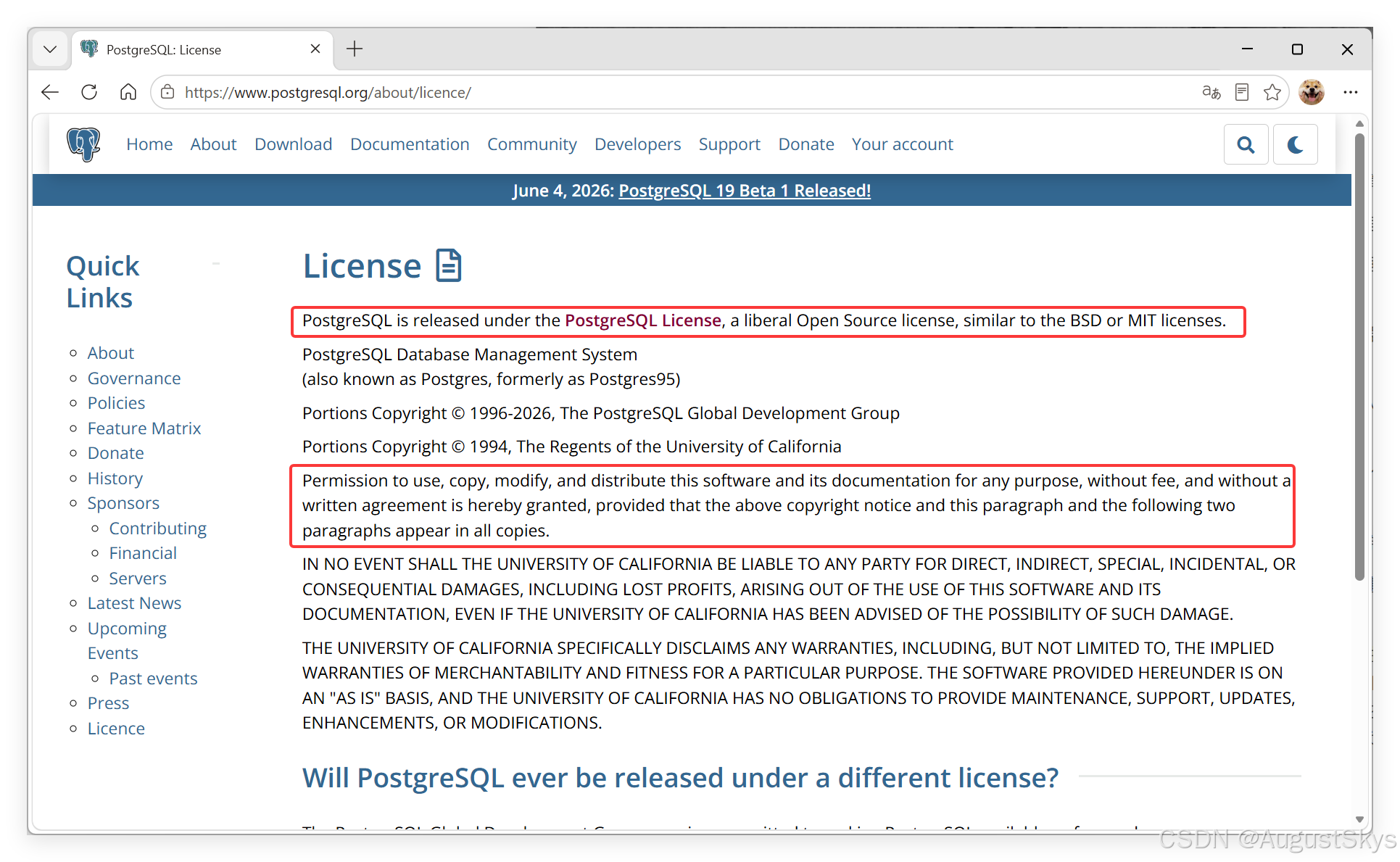
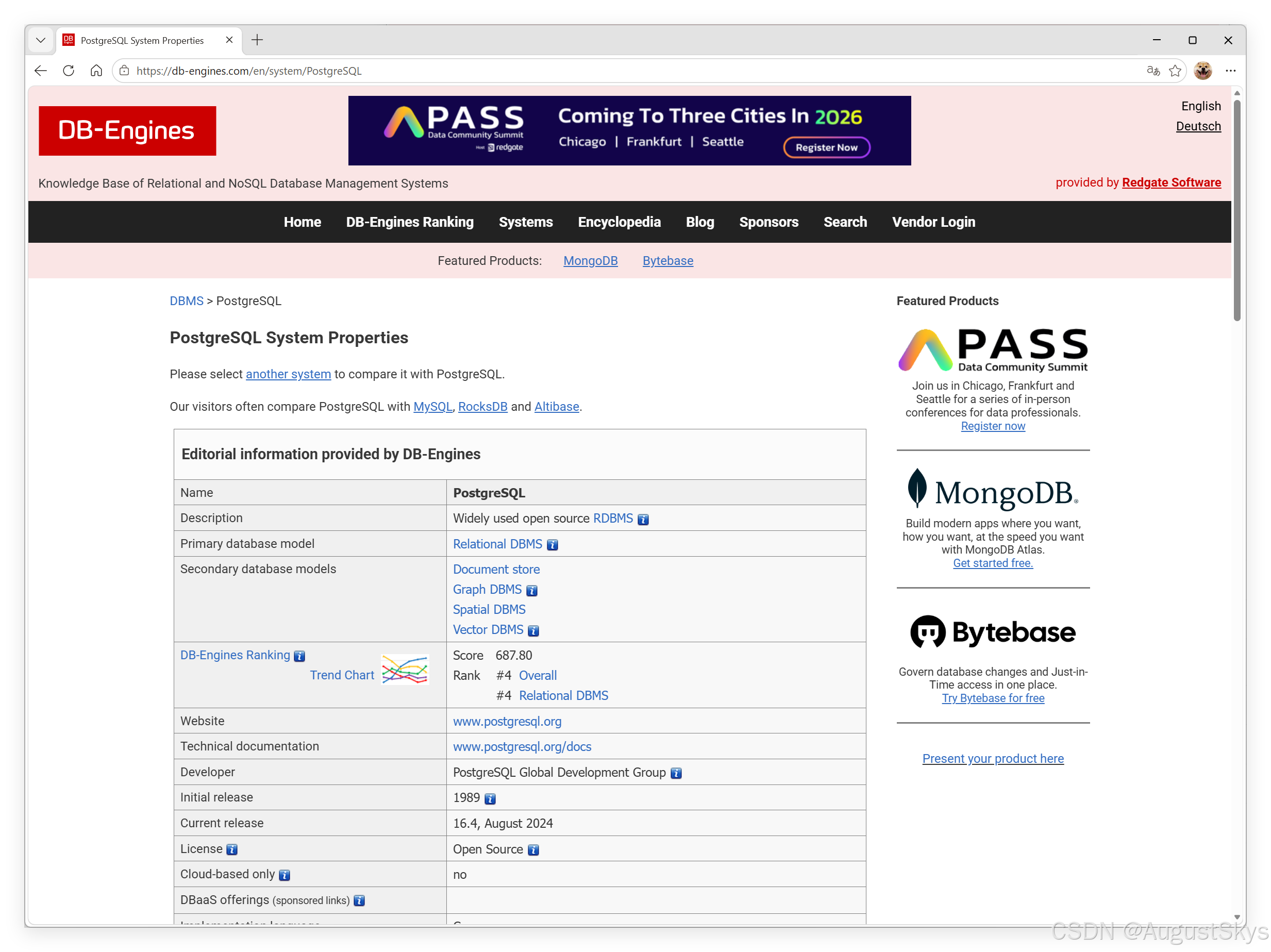
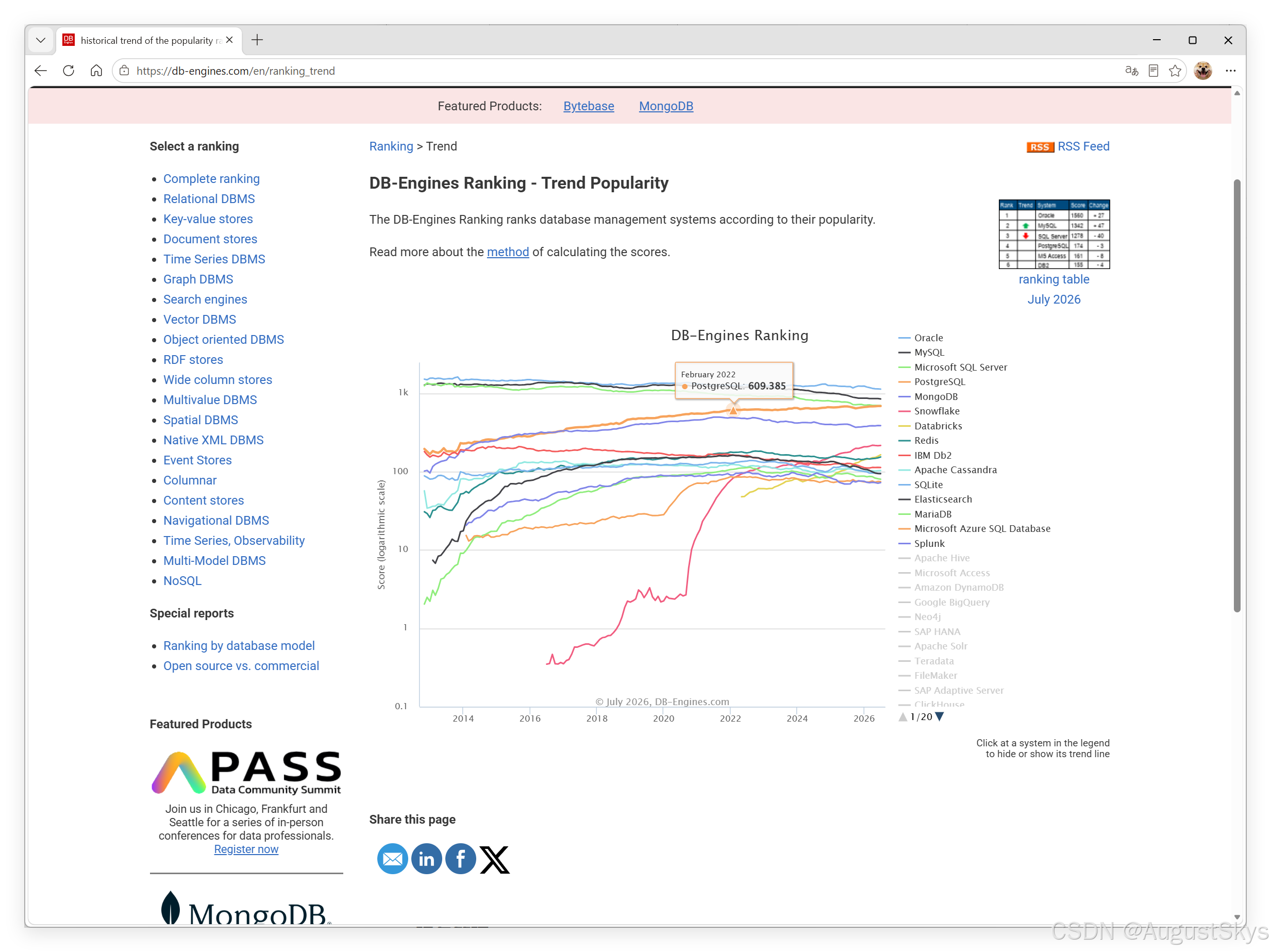
1.2数据库排名
bash
https://db-engines.com/en/ranking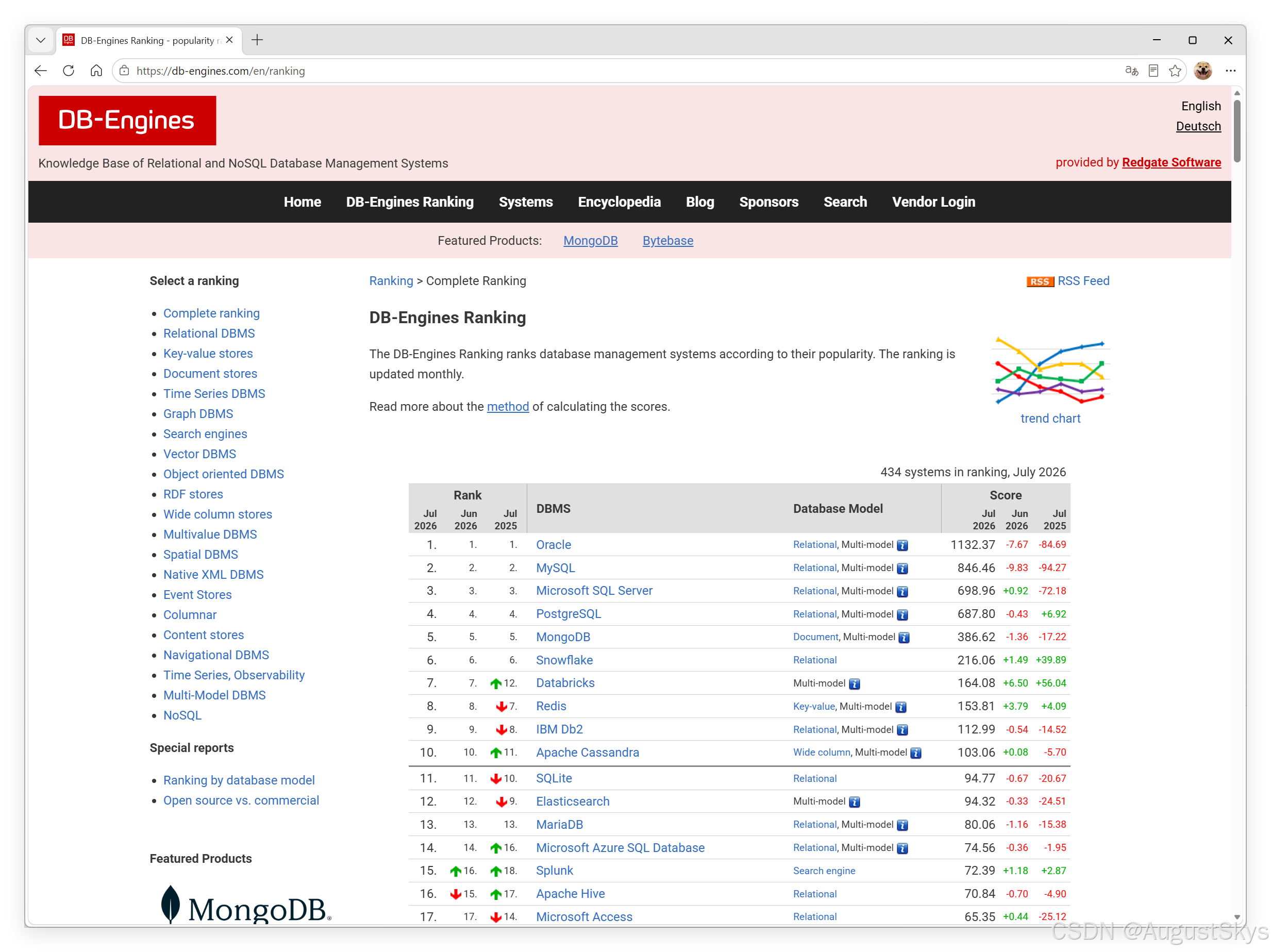
1.3 PostgresQL与MySQL对比
一、核心定位与设计理念
MySQL
- 主打易用、轻量、读写快、运维简单,互联网中小业务、建站、APP 后端主流
- 架构偏简单高效,优先牺牲部分高级特性换取速度
- 社区庞大,生态工具、云厂商支持全面(阿里云、腾讯云、AWS 等)
- 主流存储引擎:InnoDB(事务)、MyISAM(无事务,已淘汰)
PostgreSQL(PG)
- 标准企业级全功能关系型数据库,严格遵循 SQL 标准,学术出身,功能完整度极高
- 设计优先数据完整性、复杂查询、扩展能力、高级 SQL 特性
- 适合复杂业务、数据分析、GIS、金融、政企、多类型混合数据场景
- 单存储引擎(内置统一存储层),无引擎切换成本
二、核心功能对比表
| 对比维度 | MySQL(InnoDB) | PostgreSQL |
|---|---|---|
| SQL 标准兼容 | 部分兼容,存在大量私有语法,很多标准特性缺失 | 高度兼容 SQL:2003/2016,几乎完整支持标准语法 |
| 事务 / ACID | 完整支持,MVCC | 完整支持 MVCC,隔离级别更丰富 |
| 事务隔离级别 | 读未提交、读已提交、可重复读(默认)、串行化 | 多一级:可序列化快照隔离 (Snapshot),无幻读问题 |
| 数据类型 | 基础类型为主,扩展弱 | 极丰富:数组、JSONB、地理 GIS、范围类型、自定义类型、UUID、IP、树形 ltree |
| JSON 支持 | JSON/JSON5,索引性能一般 | JSONB(二进制 json,支持 GIN/GIST 高效索引,原生 JSON 操作强) |
| 窗口函数 | 8.0 后支持,功能有限 | 完整全套窗口函数,支持复杂分析 |
| CTE 递归 | 8.0 支持递归 CTE | 原生完善递归 CTE,树形层级查询极强 |
| 存储过程 / 函数 | 语法简陋,仅支持 SQL / 简单逻辑 | 支持 PL/pgSQL、Python、Java、JS 等多语言存储过程 |
| 自定义扩展 | 扩展生态少 | 海量开源扩展:pg_stat_statements、pg_cron、pg_vector、pg_graphql、TimescaleDB 时序库 |
| 全文检索 | 内置简易,能力弱,依赖 ES | 原生高性能全文检索,支持分词、权重、模糊匹配 |
| 地理空间 GIS | 简单 Point,弱,需第三方插件 | 内置完整 PostGIS,专业 GIS 数据库标准,地图 / 轨迹首选 |
| 并行查询 | 有限并行,仅简单查询 | 完善并行:聚合、JOIN、扫描、分区全部可并行 |
| 分区表 | 分区类型少,性能一般,限制多 | 范围 / 列表 / 哈希 / 复合分区,分区裁剪高效,支持分区触发器 |
| 约束完整性 | 外键性能差,大量外键拖慢写入 | 外键、检查约束、排他约束强,性能损耗低 |
| 向量数据库 | 无原生向量,依赖第三方 | 原生向量类型 vector,pg_vector 扩展做 AI 向量检索 |
| 多版本并发 MVCC | 回滚日志 undo,事务 ID 复用,长事务易膨胀 | 元组多版本,vacuum 清理,长事务影响可控 |
三、性能差异
1. 简单 CRUD、高并发写入(互联网短事务)
- MySQL 优势:轻量、内存开销更小,简单单表插入 / 更新 / 查询吞吐量更高
- 适合:高并发短请求、商品订单简单表、小程序、CMS 网站
2. 复杂查询、多表 JOIN、聚合、报表、大数据量分析
- PostgreSQL 碾压:优化器更智能,支持并行、哈希 JOIN、完善统计信息
- 千万级多表关联、分组统计、子查询、递归树形数据 PG 速度远快 MySQL
3. 读写混合、大量复杂约束 / 外键
PG 性能衰减更小,InnoDB 外键多的时候写入会明显卡顿
4. 大数据批量导入
PG copy 批量加载性能远超 MySQL load data
四、并发与锁机制
- MySQL InnoDB
- 行锁基于索引,无索引会降级表锁
- 锁粒度粗,更新范围大极易触发表级意向锁冲突
- 默认可重复读隔离,存在幻读问题
- PostgreSQL
- MVCC 无共享锁,读写完全不阻塞
- 支持行级、页级、表级多种锁,粒度精细
- 快照隔离彻底解决幻读,适合高并发读写混合场景
五、扩展性
MySQL
- 横向扩展成熟:分库分表(Sharding-JDBC、MyCat)
- 主从复制简单,读写分离方案普及
- 垂直扩展上限低,复杂单库上亿数据容易瓶颈
PostgreSQL
- 垂直扩展能力极强
- 自定义数据类型、操作符、索引方法、聚合函数
- 插件化架构,不用改内核就能新增功能(时序、向量、图数据库)
- 复制:流复制、逻辑复制、多副本、级联复制
- 分库分表生态不如 MySQL 成熟,但 Citus 扩展可实现分布式 PG 集群
六、运维与成本
MySQL
- 学习门槛低,DBA 人才多,排错资料遍地
- 资源占用低,低配服务器就能跑
- 备份、监控、迁移工具生态极其完善
- 缺点:版本间语法差异大,升级易踩坑
PostgreSQL
- 功能复杂,学习曲线陡峭,资深 DBA 相对少
- 内存配置要求更高,大数据场景需要更大内存
- 版本升级平滑,SQL 标准统一,升级改动小
- 自带监控、日志、性能诊断工具完善
七、适用场景推荐
✅ 优先选 MySQL
- 中小型互联网业务,简单 CRUD、高并发短事务(电商订单、小程序、CMS、博客)
- 团队 MySQL 技术栈成熟,人手充足
- 需要快速分库分表水平扩容
- 硬件资源有限,低配服务器部署
- 仅存储结构化简单数据,无复杂查询、分析需求
✅ 优先选 PostgreSQL
- 复杂业务系统:ERP、金融、政务、制造,强数据一致性、多外键约束
- 报表、BI、数据分析、多表复杂 JOIN、批量统计
- 存储混合数据:JSON 业务配置、地理轨迹 GIS、数组、树形结构
- AI 向量检索、时序数据(搭配 TimescaleDB)、图查询
- 需要递归查询、树形组织(菜单、组织架构、层级审批)
- 对 SQL 标准、数据完整性要求极高,不接受数据库自动隐式类型转换等不规范行为
八、总结一句话
- MySQL:轻量化、高吞吐简单业务首选,生态成熟易上手,适合互联网高并发短事务
- PostgreSQL:全能企业级数据库,SQL 标准完整、复杂查询 / 多类型数据 / GIS / 向量能力拉满,适合重业务、分析、混合数据场景
1.4各种数据库性能比较
性能对比简表
| 负载场景 | 最优 | 中等 | 短板选手 |
|---|---|---|---|
| 简单单表高并发读写 | MySQL | PG、SQLServer | Oracle 单机 |
| 多表复杂 JOIN、报表 | PostgreSQL | Oracle | MySQL |
| 批量导入 / 大批量插入 | PostgreSQL(COPY) | MySQL | SQL Server |
| 海量分布式事务 | OceanBase | Oracle RAC | MySQL 分库分表 |
| JSON/JSONB 检索、数组索引 | PostgreSQL | MySQL | SQL Server |
| GIS、树形递归查询 | PostgreSQL | Oracle | MySQL |
1.5 PostgreSQL各版本的特性矩阵
bash
https://www.postgresql.org/about/featurematrix/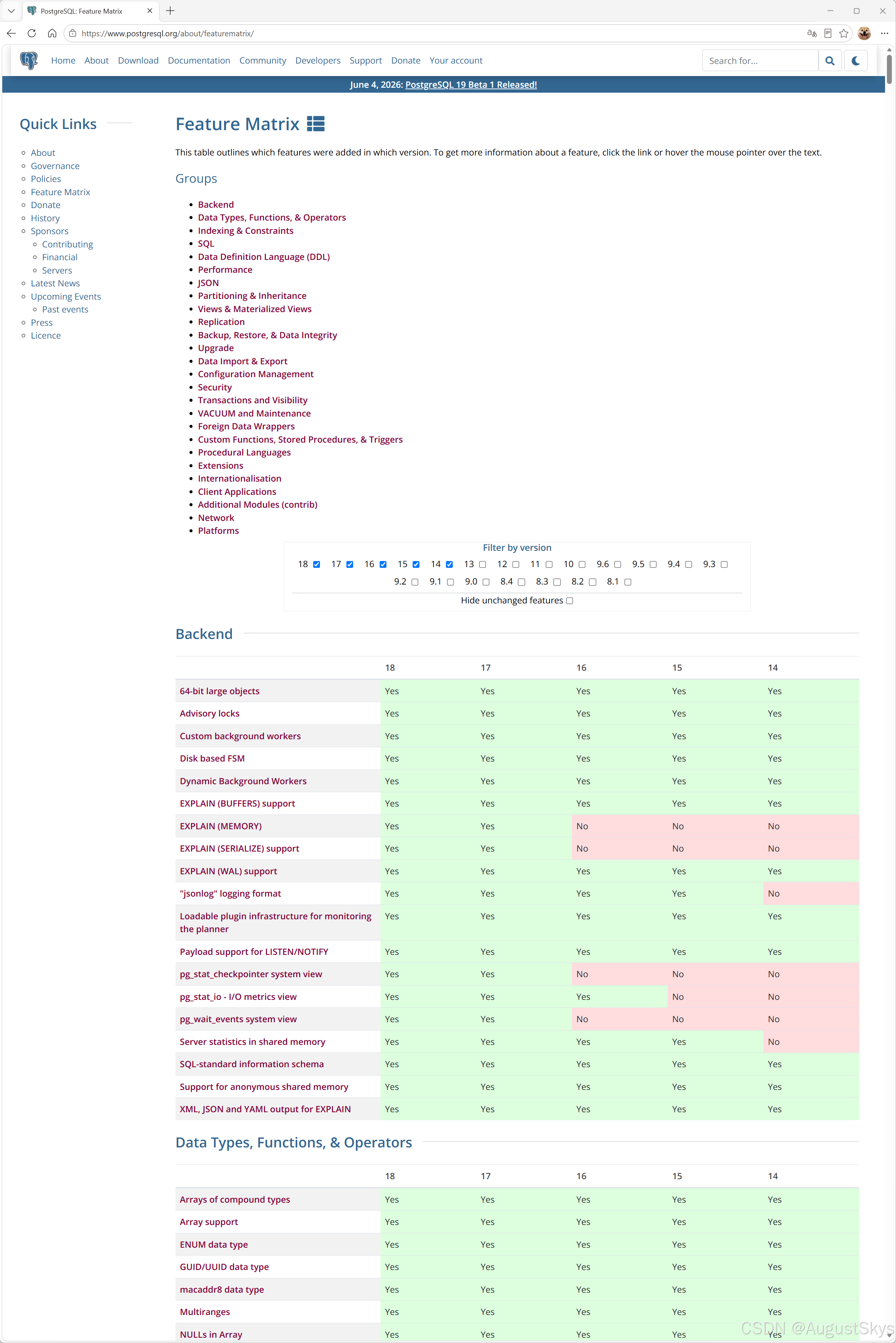
安装方法分为两种:
- 二进制安装包进行安装
各个Linux的发行版本中,很多都内置了PostgreSQL的二进制安装包,但内置的版本可能较旧。对于二进制 包安装的方法是通过不同发行版本的Linux下的包 管理器进行的,如在RHEL系统相关版本下用yum 命令,在Debian或Ubuntu下使用apt 命令
- 源码编译安装
使用源码编译安装相对更灵活,用户可以有更多的选择,可以选择较新的版本、配置不同的编译选项,编译 出用户需要的功能。
官方安装文档:
bash
https://www.postgresql.org/download/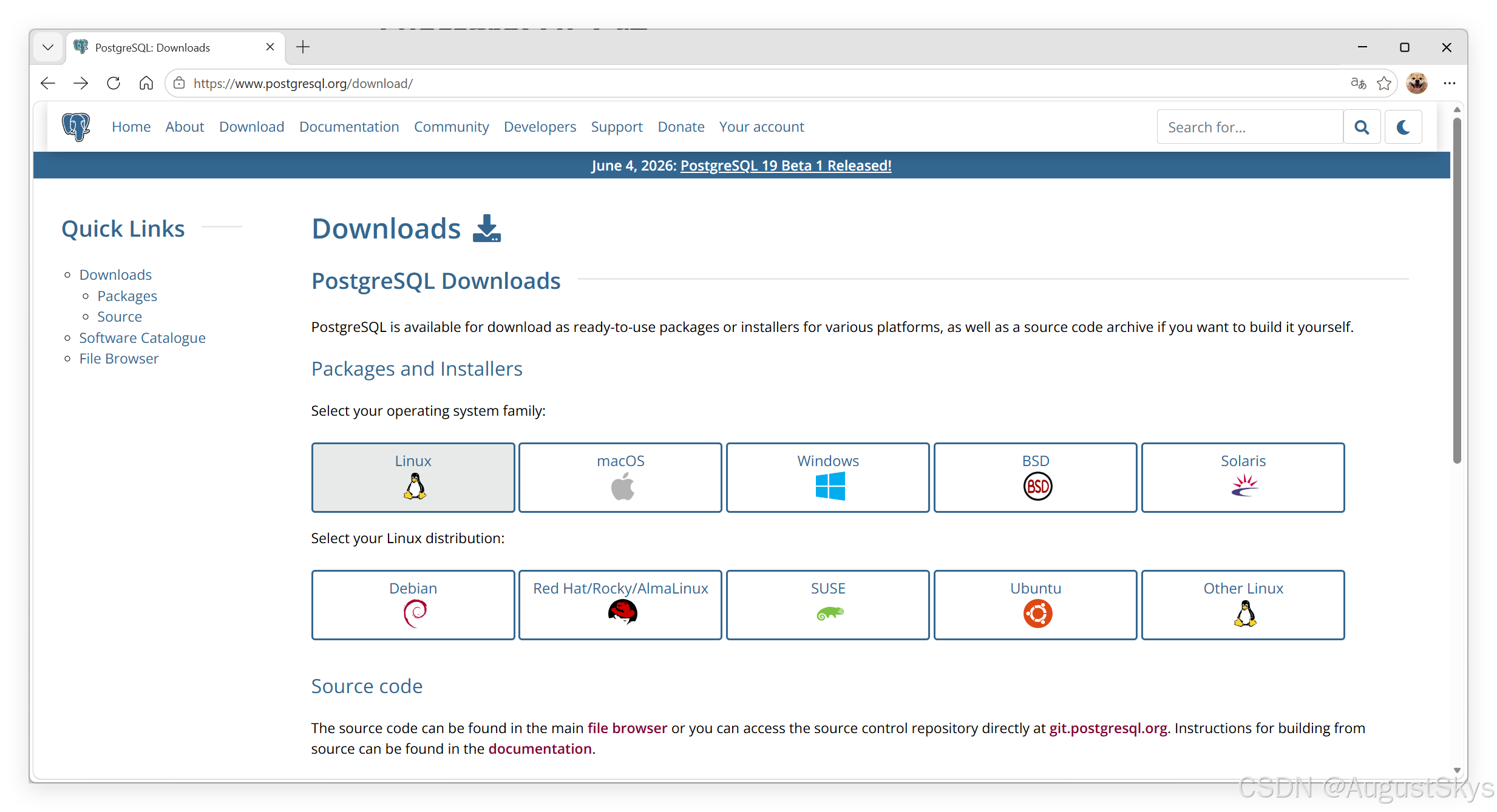
2.1CentO安装 PostgreSQL
如今,大多数常见操作系统都提供PostgreSQL二进制软件包。如果有可用的二进制软件包,对于该操作系统的用户来说,这是安装PostgreSQL的推荐方式。只有开发PostgreSQL或其扩展的人员,才建议从源码构建。
PostgreSQL支持各种操作系统,并提供相关二进制包包的安装方法
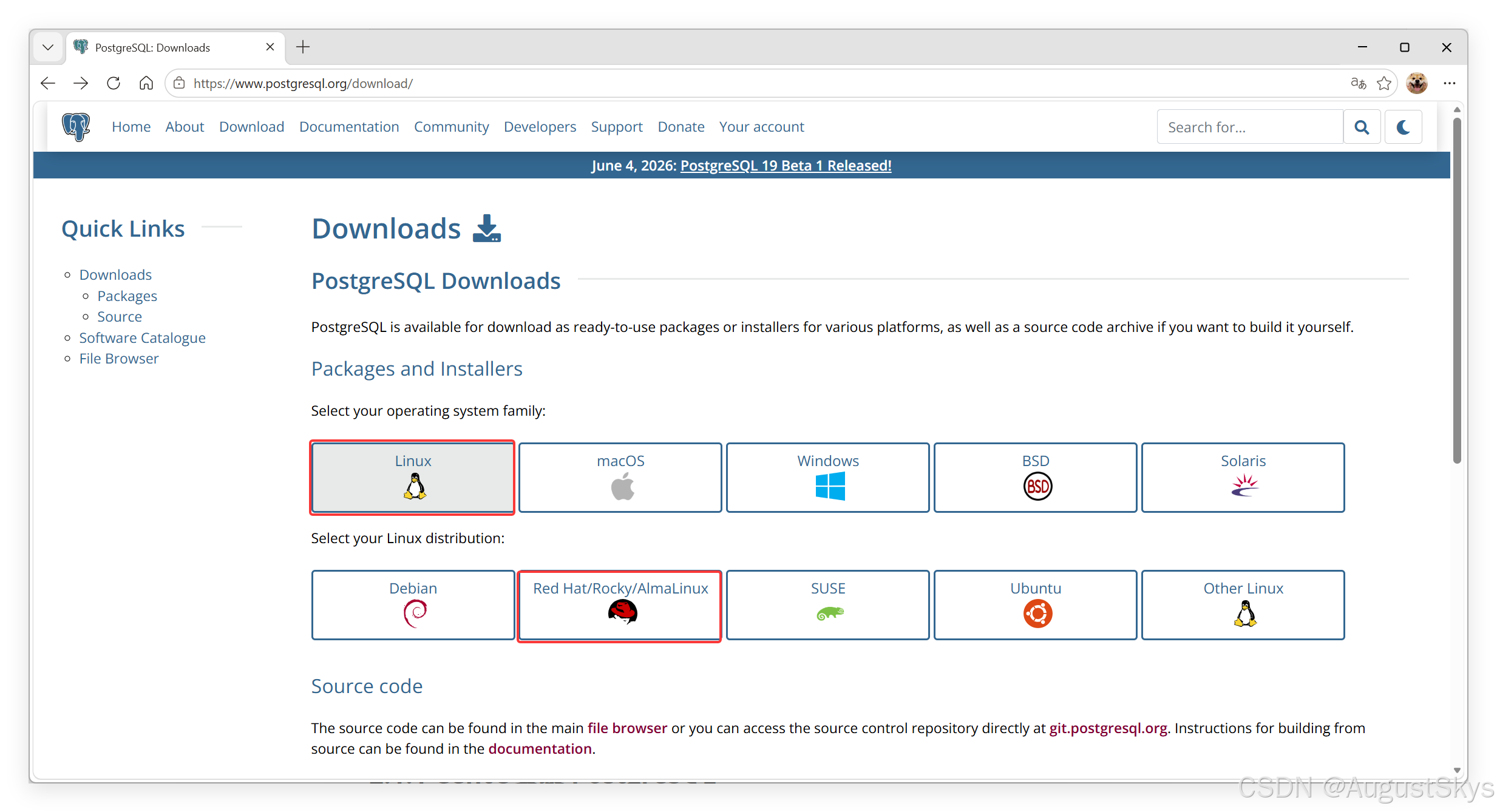
bash
https://www.postgresql.org/download/linux/redhat/2.1.1 2进制安装
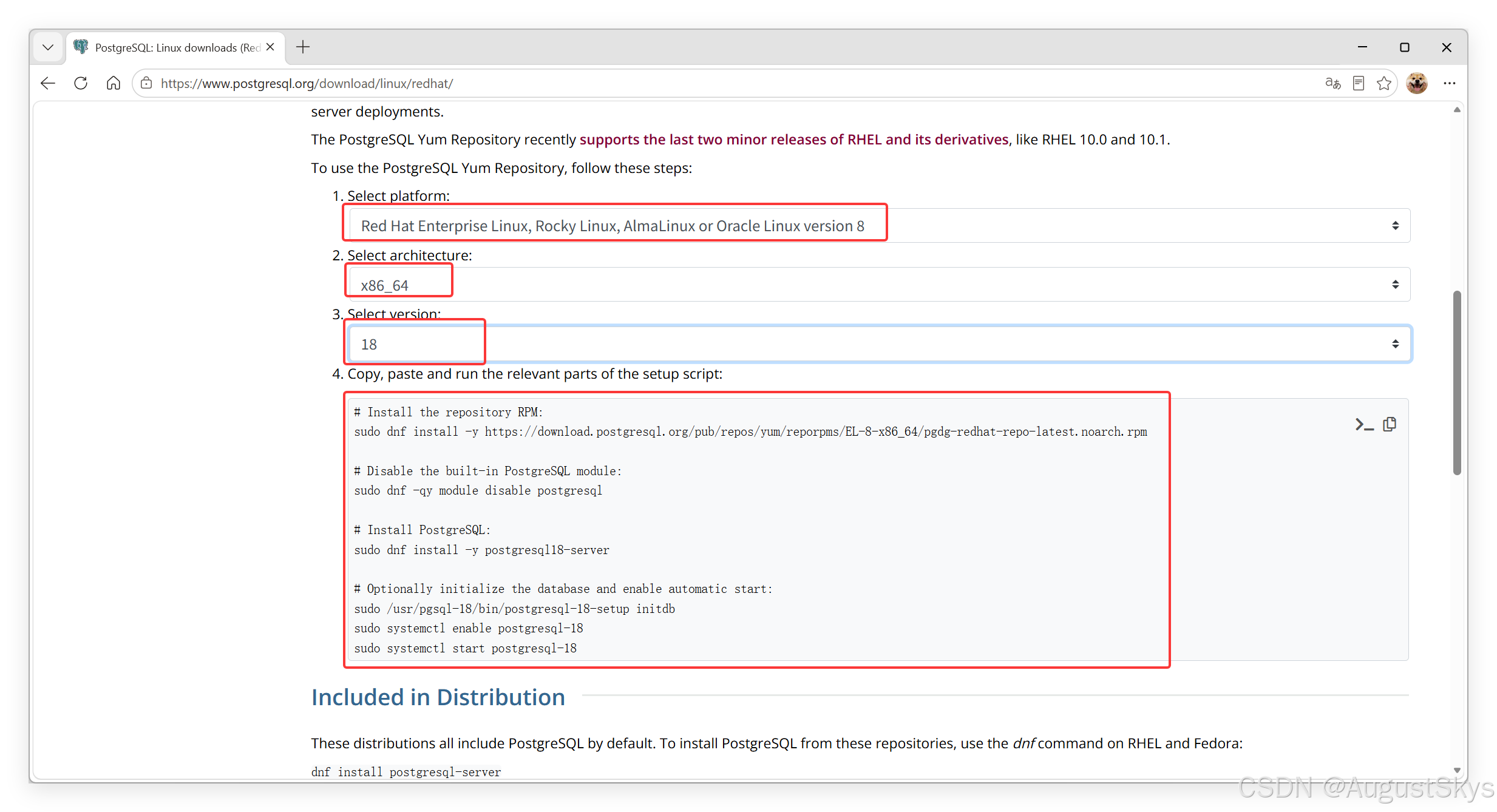
2.1.2 Centos Stream8利用官方源安装PostgreSQL-18
bash
dnf install -y https://download.postgresql.org/pub/repos/yum/reporpms/EL-8-x86_64/pgdg-redhat-repo-latest.noarch.rpm

dnf -qy module disable postgresql

dnf install -y postgresql18-server

/usr/pgsql-18/bin/postgresql-18-setup initdb

systemctl enable postgresql-18
systemctl start postgresql-18

[root@localhost ~]# sudo -u postgres psql -c "SELECT VERSION();"
                                                 version
---------------------------------------------------------------------------------------------------------
 PostgreSQL 18.4 on x86_64-pc-linux-gnu, compiled by gcc (GCC) 8.5.0 20210514 (Red Hat 8.5.0-28), 64-bit
(1 row)

[root@localhost ~]# su - postgres
[postgres@localhost ~]$ psql
psql (18.4)
Type "help" for help.

postgres=# help
You are using psql, the command-line interface to PostgreSQL.
Type:  \copyright for distribution terms
       \h for help with SQL commands
       \? for help with psql commands
       \g or terminate with semicolon to execute query
       \q to quit
postgres=#
范例:Centos Stream8利用系统源安装PostgreSQL-10
bash
[root@localhost ~]# yum install postgresql-server


[root@localhost ~]# systemctl start postgresql.service
Job for postgresql.service failed because the control process exited with error code.
See "systemctl status postgresql.service" and "journalctl -xe" for details.

[root@localhost ~]# tail /var/log/messages
Jul 13 20:57:01 localhost systemd[1]: postgresql.service: Failed with result 'exit-code'.
Jul 13 20:57:01 localhost systemd[1]: Failed to start PostgreSQL database server.
Jul 13 20:57:15 localhost systemd[1]: Starting PostgreSQL database server...
Jul 13 20:57:15 localhost postgresql-check-db-dir[11068]: Directory "/var/lib/pgsql/data" is missing or empty.
Jul 13 20:57:15 localhost postgresql-check-db-dir[11068]: Use "/usr/bin/postgresql-setup --initdb"
Jul 13 20:57:15 localhost postgresql-check-db-dir[11068]: to initialize the database cluster.
Jul 13 20:57:15 localhost postgresql-check-db-dir[11068]: See /usr/share/doc/postgresql/README.rpm-dist for more information.
Jul 13 20:57:15 localhost systemd[1]: postgresql.service: Control process exited, code=exited status=1
Jul 13 20:57:15 localhost systemd[1]: postgresql.service: Failed with result 'exit-code'.
Jul 13 20:57:15 localhost systemd[1]: Failed to start PostgreSQL database server.

[root@localhost ~]# ls /var/lib/pgsql/data/

[root@localhost ~]# /usr/bin/postgresql-setup --initdb
 * Initializing database in '/var/lib/pgsql/data'
 * Initialized, logs are in /var/lib/pgsql/initdb_postgresql.log
[root@localhost ~]# ls /var/lib/pgsql/data/
base    pg_commit_ts  pg_ident.conf  pg_notify    pg_snapshots  pg_subtrans  PG_VERSION  postgresql.auto.conf
global  pg_dynshmem   pg_logical     pg_replslot  pg_stat       pg_tblspc    pg_wal      postgresql.conf
log     pg_hba.conf   pg_multixact   pg_serial    pg_stat_tmp   pg_twophase  pg_xact

[root@localhost ~]# systemctl start postgresql.service
[root@localhost ~]# systemctl enable postgresql.service

[root@localhost ~]# sudo -u postgres psql -c "SELECT VERSION();"
could not change directory to "/root": Permission denied
                                                   version
--------------------------------------------------------------------------------------------------------------
 PostgreSQL 10.23 on x86_64-redhat-linux-gnu, compiled by gcc (GCC) 8.5.0 20210514 (Red Hat 8.5.0-20), 64-bit
(1 row)
2.2 pg_ctl 命令管理 PostgreSQL
pg_ctl是一个实用的命令行工具,有以下常见功能:
- 初始化PostgreSQL数据库实例
- 启动、终止或重启PostgresQL数据库服务。
- 查看PostgreSQL数据库服务的状态
- 让数据库实例重新读取配置文件。允许给一个指定的PostgreSQL进程发送信号
- 控制standby服务器为可读写
- 在Windows平台下允许为数据库实例注册或取消一个系统服务
pc_ctl命令格式
bash
[root@localhost ~]# echo PATH=$PATH:/usr/pgsql-18/bin/ >> /etc/profile
[root@localhost ~]# source /etc/profile

[root@localhost ~]# su - postgres

[postgres@localhost ~]$ pg_ctl --help
pg_ctl is a utility to initialize, start, stop, or control a PostgreSQL server.

Usage:
  pg_ctl init[db]   [-D DATADIR] [-s] [-o OPTIONS]
  pg_ctl start      [-D DATADIR] [-l FILENAME] [-W] [-t SECS] [-s]
                    [-o OPTIONS] [-p PATH] [-c]
  pg_ctl stop       [-D DATADIR] [-m SHUTDOWN-MODE] [-W] [-t SECS] [-s]
  pg_ctl restart    [-D DATADIR] [-m SHUTDOWN-MODE] [-W] [-t SECS] [-s]
                    [-o OPTIONS] [-c]
  pg_ctl reload     [-D DATADIR] [-s]
  pg_ctl status     [-D DATADIR]
  pg_ctl promote    [-D DATADIR] [-W] [-t SECS] [-s]
  pg_ctl logrotate  [-D DATADIR] [-s]
  pg_ctl kill       SIGNALNAME PID

Common options:
  -D, --pgdata=DATADIR   location of the database storage area
  -s, --silent           only print errors, no informational messages
  -t, --timeout=SECS     seconds to wait when using -w option
  -V, --version          output version information, then exit
  -w, --wait             wait until operation completes (default)
  -W, --no-wait          do not wait until operation completes
  -?, --help             show this help, then exit
If the -D option is omitted, the environment variable PGDATA is used.

Options for start or restart:
  -c, --core-files       allow postgres to produce core files
  -l, --log=FILENAME     write (or append) server log to FILENAME
  -o, --options=OPTIONS  command line options to pass to postgres
                         (PostgreSQL server executable) or initdb
  -p PATH-TO-POSTGRES    normally not necessary

Options for stop or restart:
  -m, --mode=MODE        MODE can be "smart", "fast", or "immediate"

Shutdown modes are:
  smart       quit after all clients have disconnected
  fast        quit directly, with proper shutdown (default)
  immediate   quit without complete shutdown; will lead to recovery on restart

Allowed signal names for kill:
  ABRT HUP INT KILL QUIT TERM USR1 USR2

Report bugs to <pgsql-bugs@lists.postgresql.org>.
PostgreSQL home page: <https://www.postgresql.org/>
2.2.1初始化实例
初始化PostgreSQL数据库实例的命令如下:
bash
[root@localhost ~]# su - postgres

initdb [OPTION]... [DATADIR]
pg_ctl init[db]   [-D DATADIR] [-s] [-o OPTIONS]

#pg_ctl命令调用initdb命令创建了一个新的PostgresQL数据库实例,参数说明如下。
-s #只打印错误和警告信息,不打印提示性信息。
-D DATADIR#指定数据库实例的数据目录。如果没有指定DATADIR,使用环境变量PGDATA指定的路径
-o options#为直接传递给initdb命令的参数
范列:创建新的数据库实例实例
bash
[postgres@localhost ~]$ pg_ctl init -D /var/lib/pgsql/18/data2
The files belonging to this database system will be owned by user "postgres".
This user must also own the server process.

The database cluster will be initialized with locale "en_US.UTF-8".
The default database encoding has accordingly been set to "UTF8".
The default text search configuration will be set to "english".

Data page checksums are enabled.

creating directory /var/lib/pgsql/18/data2 ... ok
creating subdirectories ... ok
selecting dynamic shared memory implementation ... posix
selecting default "max_connections" ... 100
selecting default "shared_buffers" ... 128MB
selecting default time zone ... Asia/Shanghai
creating configuration files ... ok
running bootstrap script ... ok
performing post-bootstrap initialization ... ok
syncing data to disk ... ok

initdb: warning: enabling "trust" authentication for local connections
initdb: hint: You can change this by editing pg_hba.conf or using the option -A, or --auth-local and --auth-host, the next time you run initdb.

Success. You can now start the database server using:

    /usr/pgsql-18/bin/pg_ctl -D /var/lib/pgsql/18/data2 -l logfile start

[postgres@localhost ~]$ ls /var/lib/pgsql/18/
backups  data  data2  initdb.log
[postgres@localhost ~]$ ls /var/lib/pgsql/18/data2
base          pg_dynshmem    pg_logical    pg_replslot   pg_stat      pg_tblspc    pg_wal                postgresql.conf
global        pg_hba.conf    pg_multixact  pg_serial     pg_stat_tmp  pg_twophase  pg_xact
pg_commit_ts  pg_ident.conf  pg_notify     pg_snapshots  pg_subtrans  PG_VERSION   postgresql.auto.conf
2.2.2 服务管理
2.2.2.1查看服务状态
查询数据库实例状态的命令如下:
bash
pg_ctl status [-D DATADIR]范例:
bash
[postgres@localhost ~]$ pg_ctl status
pg_ctl: server is running (PID: 1253)
/usr/pgsql-18/bin/postgres "-D" "/var/lib/pgsql/18/data/"
[postgres@localhost ~]$ pg_ctl status -D /var/lib/pgsql/18/data2
pg_ctl: no server running
2.2.2.2启动服务
启动PostgreSQL服务的命令:
bash
pg_ctl start      [-D DATADIR] [-l FILENAME] [-W] [-t SECS] [-s]

#参数说明如下。
start #启动数据库实例
-w #等待启动完成
-t #等待启动完成的等待秒数,默认为60秒
-s #只打印错误和警告信息,不打印提示性信息
-D datadir #指定数据库实例的数据目录
-l #服务器日志输出附加在"fi1ename"文件上,如果该文件不存在则创建它
-o options #声明要直接传递给postgres的选项,具体可见postgres命令的帮助
-p path#指定postgres可执行文件的位置。默认情况下postgres可执行文件来自和pg_ctl相同的目录,不必使用该选项。除非要进行一些不同寻常的操作,或者产生了postgres执行文件找不到的错误
-c #提高服务器的软限制(ulimit-c),尝试允许数据库实例在有异常时产生一个coredump文件,以便于问题定位和故障分析
范例:
bash
[postgres@localhost ~]$ pg_ctl start -D /var/lib/pgsql/18/data2
waiting for server to start....2026-07-14 21:23:43.140 CST [2042] LOG:  redirecting log output to logging collector process
2026-07-14 21:23:43.140 CST [2042] HINT:  Future log output will appear in directory "log".
 stopped waiting
pg_ctl: could not start server
Examine the log output.

[postgres@localhost ~]$ cat /var/lib/pgsql/18/data2/log/postgresql-Tue.log
2026-07-14 21:24:01.326 CST [2048] LOG:  could not bind IPv6 address "::1": Address already in use
2026-07-14 21:24:01.326 CST [2048] HINT:  Is another postmaster already running on port 5432? If not, wait a few seconds and retry.
2026-07-14 21:24:01.326 CST [2048] LOG:  could not bind IPv4 address "127.0.0.1": Address already in use
2026-07-14 21:24:01.326 CST [2048] HINT:  Is another postmaster already running on port 5432? If not, wait a few seconds and retry.
2026-07-14 21:24:01.326 CST [2048] WARNING:  could not create listen socket for "localhost"
2026-07-14 21:24:01.326 CST [2048] FATAL:  could not create any TCP/IP sockets
2026-07-14 21:24:01.326 CST [2048] LOG:  database system is shut down

[postgres@localhost ~]$ vi /var/lib/pgsql/18/data2/postgresql.conf
64 port = 5433

[postgres@localhost ~]$ pg_ctl start -D /var/lib/pgsql/18/data2
waiting for server to start....2026-07-14 21:33:19.585 CST [2098] LOG:  redirecting log output to logging collector process
2026-07-14 21:33:19.585 CST [2098] HINT:  Future log output will appear in directory "log".
 done
server started

[postgres@localhost ~]$ pg_ctl status -D /var/lib/pgsql/18/data2
pg_ctl: server is running (PID: 1973)
/usr/pgsql-18/bin/postgres "-D" "/var/lib/pgsql/18/data2"
2.2.2.3 停止服务
停止PostgreSQL数据库命令如下:
bash
pg_ctl stop       [-D DATADIR] [-m SHUTDOWN-MODE] [-W] [-t SECS] [-s]
-W #不等待数据库停下来,命令就返回。
-m #指定停止的模式。前面已叙述过停止的几种模式了。
范例:
bash
[postgres@localhost ~]$ pg_ctl stop -D /var/lib/pgsql/18/data2
waiting for server to shut down.... done
server stopped
[postgres@localhost ~]$ pg_ctl status -D /var/lib/pgsql/18/data2
pg_ctl: no server running
2.2.2.4重启服务
重启PostgreSQL数据库的命令如下:
bash
pg_ctl restart [-D DATADIR] [-m SHUTDOWN-MODE] [-W] [-t SECS] [-s]范例:
bash
[postgres@localhost ~]$ pg_ctl restart -D /var/lib/pgsql/18/data2
pg_ctl: PID file "/var/lib/pgsql/18/data2/postmaster.pid" does not exist
Is server running?
trying to start server anyway
waiting for server to start....2026-07-14 21:41:53.033 CST [2140] LOG:  redirecting log output to logging collector process
2026-07-14 21:41:53.033 CST [2140] HINT:  Future log output will appear in directory "log".
 done
server started
[postgres@localhost ~]$ pg_ctl status -D /var/lib/pgsql/18/data2
pg_ctl: server is running (PID: 2140)
/usr/pgsql-18/bin/postgres "-D" "/var/lib/pgsql/18/data2"
2.2.2.5 加载配置
在配置文件中改变参数后,需要使用上面这条命令使参数生效
bash
pg_ctl reload     [-D DATADIR] [-s]

postgres=# select pg_reload_conf();

#注意:加载配置操作只针对一些配置的修改生效,有些配置需要重新启动服务才能生效
范例:
bash
[postgres@localhost ~]$ pg_ctl reload -D /var/lib/pgsql/18/data2
server signaled

[postgres@localhost ~]$ vi /var/lib/pgsql/18/data2/postgresql.conf
60 listen_addresses = '*'

[postgres@localhost ~]$ pg_ctl reload -D /var/lib/pgsql/18/data2
server signaled
[postgres@localhost ~]$ ss -nlt | grep 5433
LISTEN 0      200        127.0.0.1:5433      0.0.0.0:*
LISTEN 0      200            [::1]:5433         [::]:*

[postgres@localhost ~]$ pg_ctl restart -D /var/lib/pgsql/18/data2
waiting for server to shut down.... done
server stopped
waiting for server to start....2026-07-14 21:50:32.529 CST [2189] LOG:  redirecting log output to logging collector process
2026-07-14 21:50:32.529 CST [2189] HINT:  Future log output will appear in directory "log".
 done
server started
[postgres@localhost ~]$ ss -nlt | grep 5433
LISTEN 0      200          0.0.0.0:5433      0.0.0.0:*
LISTEN 0      200             [::]:5433         [::]:*
[postgres@localhost ~]$
3.1配置文件介绍
PostgreSQL使用环境变量PGDATA指向的目录做为数据存放的目录。这个目录是在安装时指定的,所以在安装时需要指定一个合适的目录作为数据目录的根目录,而且,每一个PG数据库实例都需要有这样的一个目录。此数据目录的初始化是使用命令initdb来完成的。
初始化完成后,PGDATA数据目录下就会生成三个配置文件。
bash
postgresql.conf    #数据库实例的主配置文件,基本上所有的配置参数都在此文件中。
pg_hba.conf      #认证配置文件,配置了允许哪些IP的主机访问数据库,认证的方法是什么等信息。
pg_ident.conf   #认证方式ident的用户映射文件。
3.2数据库相关概念
3.2.1数据库的结构组织
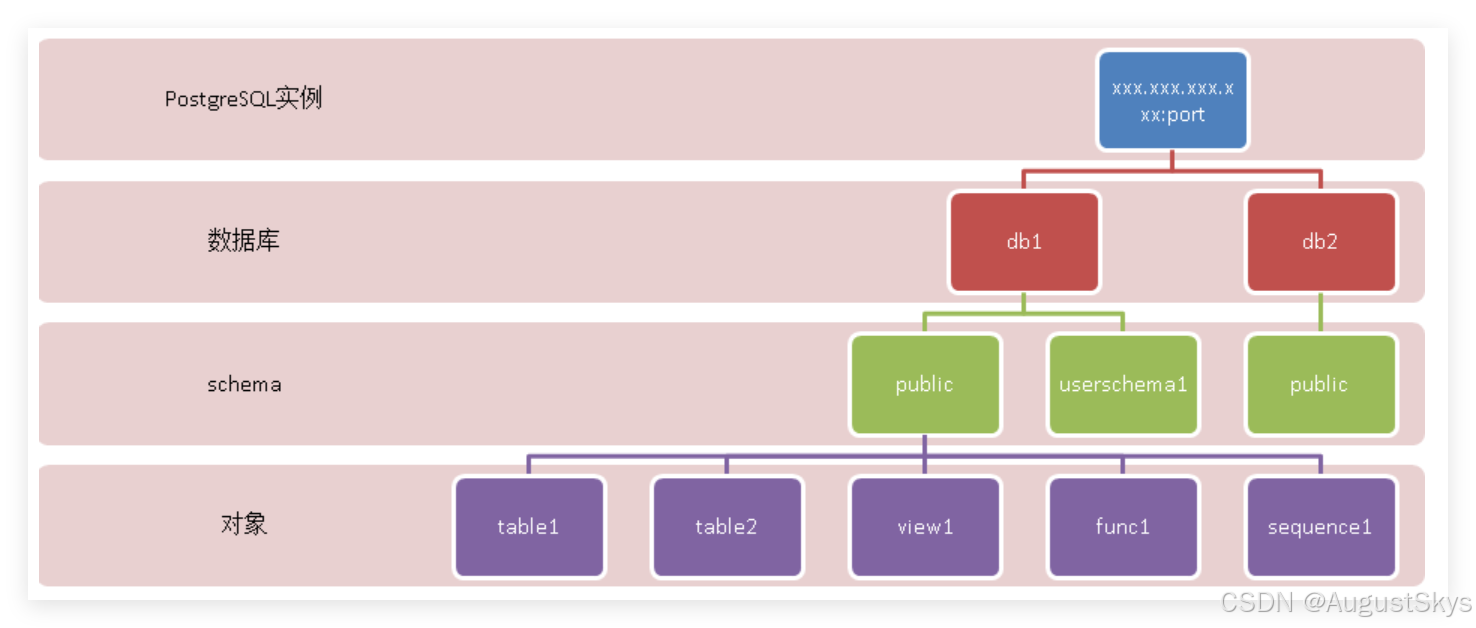
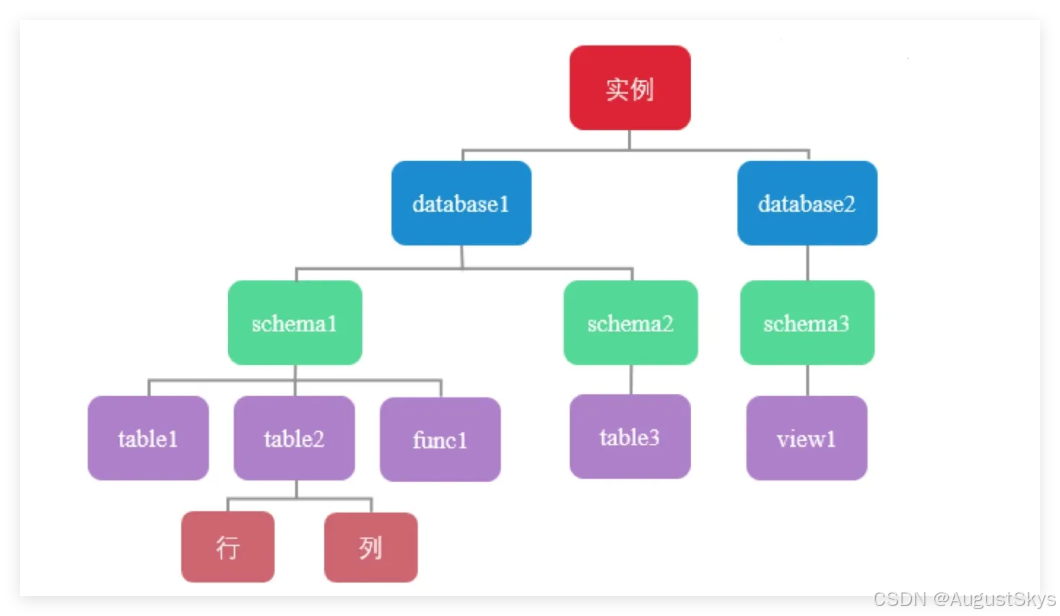
在一个PostgreSQL数据库系统中,数据的组织结构可以分为以下五层:
- 实例:一个PostgreSQL对应一个安装的数据目录$PGDATA,即一个instance实例
- 数据库:一个PostgreSQL数据库服务下可以管理多个数据库,当应用连接到一个数据库时,一般只能访问这个数据库中的数据,而不能访问其他数据库中的内容
- 默认情况下初始实例只有三个数据库:postgres、template0、template1
- 模式:一个数据库可以创建多个不同的名称空间即Schema,用于分隔不同的业务数据
- 表和索引:一个数据库可以有多个表和索引。在PostgreSQL中表的术语称为Relation,而在其他数据库中通常叫Table
- 行和列:每张表中有很多列和行数据。在PostgreSQL中行的术语一般为"Tuple",而在其他数据库中则叫"Row"。
3.2.2 PostgreSQL中的术语
PostgreSQL有一些术语与其他数据库中不一样,了解了这些术语的意思,就能更好地看懂PostgreSQL中的文档。
与其他数据库不同的术语如下。
- Relation:表示表table或索引index,具体表示的是Table还是Index需要看具体情况
- Tuple:表示表中的行,在其他数据库中使用Row来表示
- Segment:每个表和索引都单独对应一个文件.即为segment,如果文件大小超过1GB,会创建多个相同名称但后缀不同的文件
- Page:表示在磁盘中的数据块。在文件中以块为单位存放数据,默认值为8KB,最大可以为32KB
- Buffer:表示在内存中的数据块。
3.2.3模版数据库template0 和 template1
template1和template0是PostgreSQL的模板数据库。所谓模板数据库就是创建新database时,PostgreSQL会基于模板数据库制作一份副本,其中会包含所有的数据库设置和数据文件。
PostgreSQL安装好以后会默认附带两个模板数据库:默认模板库为template1和template1。
默认模板库为template1,也可以指定template0
比如:create database db1 template template0
不要对templateo模板数据库进行任何修改,因为这是原始的干净模板
如果其它模板数据库被搞坏了,基于这个数据库做一个副本就可以了。
如果希望定制自己的模板数据库,那么请基于template1进行修改,或者自己另外创建一个模板数据库再修改。
template1和template0的区别主要有两点:
1、template1可以连接,template0不可以连接。
2、使用template1模板库建库时不可指定新的encoding和locale,而template0可以。
注意:template0和template1都不能被删除。
3.2.4模式 schema
模式schema是数据库中的一个概念,可以将其理解为一个命名空间。不同的模式下可以有相同名称的表、函数等对象且互相不冲突。提出模式的概念是为了便于管理,只要有权限,每个模式(schema)的对象可以互相调用。
在PostgreSQL中,一个数据库包含一个或多个模式,一个模式中又包含了表、函数及操作符等数据库对象。
在PostgreSQL中,不能同时访问不同数据库中的对象,当要访问另一个数据库中的表或其他对象时,需要重新连接到这个新的数据库,而模式没有此限制。一个用户在连接到一个数据库后,就可以同时访问这个数据库中多个模式的对象。
通常情况下,创建和访问表的时候都不用指定模式,实际上这时访问的都是public模式。每当我们创建一个新的数据库时,PostgreSQL都会自动创建一个名为public的模式。当登录到该数据库时,如果没有特殊的指定,都是以该模式public操作各种数据对象的。
我们需要使用模式有以下几个主要原因:
- 允许多个用户在使用同一个数据库时彼此互不干扰。
- 把数据库对象放在不同的模式下,然后组织成逻辑组,让它们更便于管理。
- 第三方的应用可以放在不同的模式中,这样就不会和其他对象的名字冲突了。
bash
#创建模弐
create schema schema_name;

#删除模式
drop schema schema_name;

#查看模式
\dn
要访问指定模式中的对象,需要先指定一个包含模式名及表名的名字,模式和表之间用一个"点"分开,
如下:
bash
schema_name.table_name3.3psql工具介绍和基本用法
psql是PostgreSQL中的一个命令行交互式客户端工具,类似MySQL的mysql和Oracle中的命令行工具sqIplus,它允许你交互地输入SQL或命令,然后把它们发出给PostgreSQL服务器,再显示SQL或命令的结果。而且,输入的内容还可以来自于一个文件。此外,它还提供了一些命令和多种类似shell的特性来实现书写脚本,从而实现对大量任务的自动化工作。
虽然也可以使用PostgreSQL中图形化的客户端工具(如pgadmin)来实现上述功能。但如果掌握了psql的使用方法,将会体会到它的方便之处。因为psql是一个字符界面的工具,没有图形化工具使用上的一些限制。psql与pgAdminl之间的关系类似于vi与某些图形化工具的关系。
psql的历史命令与补全的功能
- 可以使用上下键把以前使用过的命令或SQL语句调出来
- 连续按两个tab键表示把命令补全或给出提示输入
psql 命令格式
bash
psql-h <hostname or ip> -p<端口> [数据库名称] -U [用户名称]

-h  #指定要连接的数据库主机名或IP地址,默认localsocket登录(由配置项unix_socket_directories指定)

-p #指定连接的数据库端口
#最后两个参数是数据库名和用户名

#这些连接参数也可以用环境变量指定,比如:
export PGDATABASE=testdb
export PGHOST=192.168.108.200
export PGPORT=5432
export PGUSER=postgres

#然后运行psql即可,其效果与运行psql -h 192.168.108.200 -p 5432 testdb postgres相同。
范例:psql本地登录PGSQL
bash
[root@localhost ~]# su - postgres

[postgres@localhost ~]$ psql
psql (18.4)
Type "help" for help.

postgres=#
范例:远程登录
bash
#注意:默认PostgreSQL不支持远程登录,需要修改配置和授权才可以
#如果不指定he11odb数据库,默认连接和用户名同名的数据库
[postgres@localhost ~]$ psql -h 192.168.108.200 -p 5432 hellodb postgres
范例:psql命令中直接执行SQL
bash
[postgres@localhost ~]$ psql -d postgres -c "select current_time"
    current_time
--------------------
 17:08:25.507614+08
(1 row)
范例:psql命令中执行文件中的SQL
bash
[postgres@localhost ~]$ vim test.sql
select current_time;
\du

[postgres@localhost ~]$ psql
psql (18.4)
Type "help" for help.

postgres=# \i test.sql
    current_time
--------------------
 17:12:25.837359+08
(1 row)

                             List of roles
 Role name |                         Attributes
-----------+------------------------------------------------------------
 postgres  | Superuser, Create role, Create DB, Replication, Bypass RLS
3.4连接管理
3.4.1访问控制配置文件介绍
在PostgreSQL中,带有一个网络防火墙的功能的文件pg_hba.conf可以控制允许设置哪些IP的机器访问数据库服务器。
HBA的意思是host-based authentication,也就是基于主机的认证,即实现PostgreSQL防火墙功能
initdb初始化数据目录时,会生成一个默认的pg_hba.conf文件。
pg_hba.conf文件的格式由很多记录组成,每条记录占一行。
以#开头的行为注释及空白行会被忽略。
一条记录由若干个空格或由制表符分隔的字段组成,如果字段用引号包围,那么它可以包含空白。
每条记录声明一种连接类型、一个客户端IP地址范围(如果和连接类型相关)、一个数据库名、一个用户名字,以及对匹配这些参数的连接所使用的认证方法。
第一条匹配连接类型、客户端地址、连接请求的数据库名和用户名的记录将用于执行认证。如果选择了一条记录而且认证失败,那么将不再考虑后面的记录;如果没有匹配的记录,访问将被拒绝。即从上向下匹配,一旦匹配则不会再向下检查
每条记录可以是下面五种格式之一:
bash
pg_hba.conf文件为pg实例的防火墙配置文件。配置文件格式分为5部分:
bash
TYPE DATABASE USER ADDRESS METHOD- 第1个字段只能是下面的取值。
- local:这条记录匹配通过UNIX域套接字的连接认证。没有这种类型的记录,就不允许有UNIX域套接字的连接。当pSql后面不指定主机名或IP地址时,即用UNIX域套接字的方式连接数据库。
- host:这条记录匹配通过TCP/IP进行的连接。包括了SSL和非SS的连接。
- hostssI:这条记录匹配使用TCP/IP的SSL连接。必须是使用SSL加密的连接,且要使用这个选项,编译服务器时必须打开SSL支持,启动服务器时必须打开SSL配置选项。
- hostnossl:这条记录与hostssI相反,它只匹配那些在TCP/IP上不使用SSL的连接请求。
- 第2个字段用于设置一个数据库名称,如果设置为al,表示可以匹配任何数据库,注意:如果设置为replication时比较特殊,表示允许流复制连接,而不是允许连接到一个名为"replication"的数据库上。
- 第3个字段用于设置一个用户的名称,如果设置为all,表示可以匹配任何用户。
- 第4个字段<ip/masklen>表示允许哪些IP地址来访问此服务器,如192.168.1.10/32表示只允许192.168.1.10这台主机访问数据库,192.168.1.0/24表示IP地址前缀为192.168.1.X的主机都允许访问数据库服务器。
- 第5个字段表示验证方法,PostgreSQL支持的认证配置方式很多,最常用的认证方法是trust、reject、md5和ident方法。
bash
#METHOD有如下值可选
md5:执行SCRAM-SHA-256或MD5身份验证加密密码来验证,是推荐使用的安全验证的方法
peer:从操作系统获取客户端的操作系统用户名,并检查它是否与请求的数据库用户名匹配。这仅适用于本地socket连接。
trust:允许无条件连接,允许任何PostgresQL用户身份登录,而无需密码或任何其他身份验证。
reject:拒绝任何条件连接,这对于从组中"过滤掉"某些主机非常有用。
sCram-sha-256:执行SCRAM-SHA-256身份验证以验证用户的密码。
password:要提供未加密的密码以进行身份验证。由于密码是通过网络以明文形式发送的,因此不建议使用
gss:使用GSSAPI对用户进行身份验证,这仅适用于TCP/IP连接。
sspi:使用sSPI对用户进行身份验证,这仅适用于windows。
ident:允许客户端上的特定操作系统用户连接到数据库。这种认证方式的使用场景是,客户端是主机上的某个操作系统用户,已经通过了操作系统的身份认证,是数据库服务器可以信任的用户,不需要在数据库层面再次检测身份。比如,如果配置了这种认证方式(配置中允许的用户名为dba)、这时在操作系统用户dba下,就能以数据库用户dba的身份连接到数据库。服务器为了确定接收到的连接请求确实是客户端机器上的dba用户发起的,而不是这台机器上其他用户发起的假冒请求,会向客户端机器上的ident服务发起请求,让ident服务查看此TCP连接是否是dba用户发起的,如果不是,说明是假冒,则认证失败。如果客户端通过本地连接到服务器,因为客户端与服务器在一台机器上,数据库服务器可以直接检查客户端用户的操作系统用户身份,就不需要向ident服务发送请求进行判断了。
1dap:使用LDAP服务器进行身份验证。
radius:使用RADIUS服务器进行身份验证。
cert:使用ssL客户端证书进行身份验证。
pam:使用操作系统提供的可插入身份验证模块(PAM)服务进行身份验证。
bsd:使用操作系统提供的BSD身份验证服务进行身份验证。
范例:
bash
#如果一台机器只给数据库使用,而没有其他用途,则可以在pg_hba.conf中加上下面一行配置:
local all all trust
#该配置表示在这台机器上,任何操作系统的用户都可以使用任何数据库用户(包括数据库超级用户)连接到数据库而不需要任何密码。因为这台主机只供数据库使用,可以把不用的操作系统用户都禁止掉,以保证安全性。

#如果数据库中有一个用户"dba",操作系统中也有一个用户"dba"
#在操作系统"dba"用户下连接数据库不需要密码验证的设置方法:
local all dba ident

#如果想在数据库主机上使用密码验证,可以使用下面的配置项:
local all all md5

#如果想让其他主机的连接都使用md5密码验证,则使用如下配置:
host all all 0.0.0.0/0 md5

#允许用户通过10.0.0.0/24的远程主机进行md5验证登录
host    all             all             10.0.0.0/24             md5

#允许用户test通过任意远程主机进行md5验证登录test数据库
host    all             test            0.0.0.0/24              md5
3.4.2打开远程连接
默认安装完的PG只能监听local,如果需要远程连接,需要监听对外提供服务的IP地址。
范例:实现远程连接
bash
#修改用户postgres密码
[postgres@localhost ~]$ psql
psql (18.4)
Type "help" for help.

postgres=# alter user postgres with password '123456';


#查看监听地址和端口,默认为127.0.0.1:5432
[postgres@localhost ~]$ ss -ntl
State             Recv-Q            Send-Q                       Local Address:Port                       Peer Address:Port           Process
LISTEN            0                 128                                0.0.0.0:22                              0.0.0.0:*
LISTEN            0                 200                              127.0.0.1:5432                            0.0.0.0:*

[postgres@localhost ~]$ vim /var/lib/pgsql/18/data/postgresql.conf
60 listen_addresses = '*'          #修改此行中的localhost为*,或者修改为0.0.0.0

#最后面加一行
[root@localhost ~]# vim /var/lib/pgsql/18/data/pg_hba.conf
123 host    all             all             0.0.0.0/0               md5

#重启服务生效
[postgres@localhost ~]$ /usr/pgsql-18/bin/pg_ctl restart -mf

#查看监听地址和端口
[postgres@localhost ~]$ ss -ntl
State             Recv-Q            Send-Q                       Local Address:Port                       Peer Address:Port           Process
LISTEN            0                 128                                0.0.0.0:22                              0.0.0.0:*
测试:使用笔记本测试
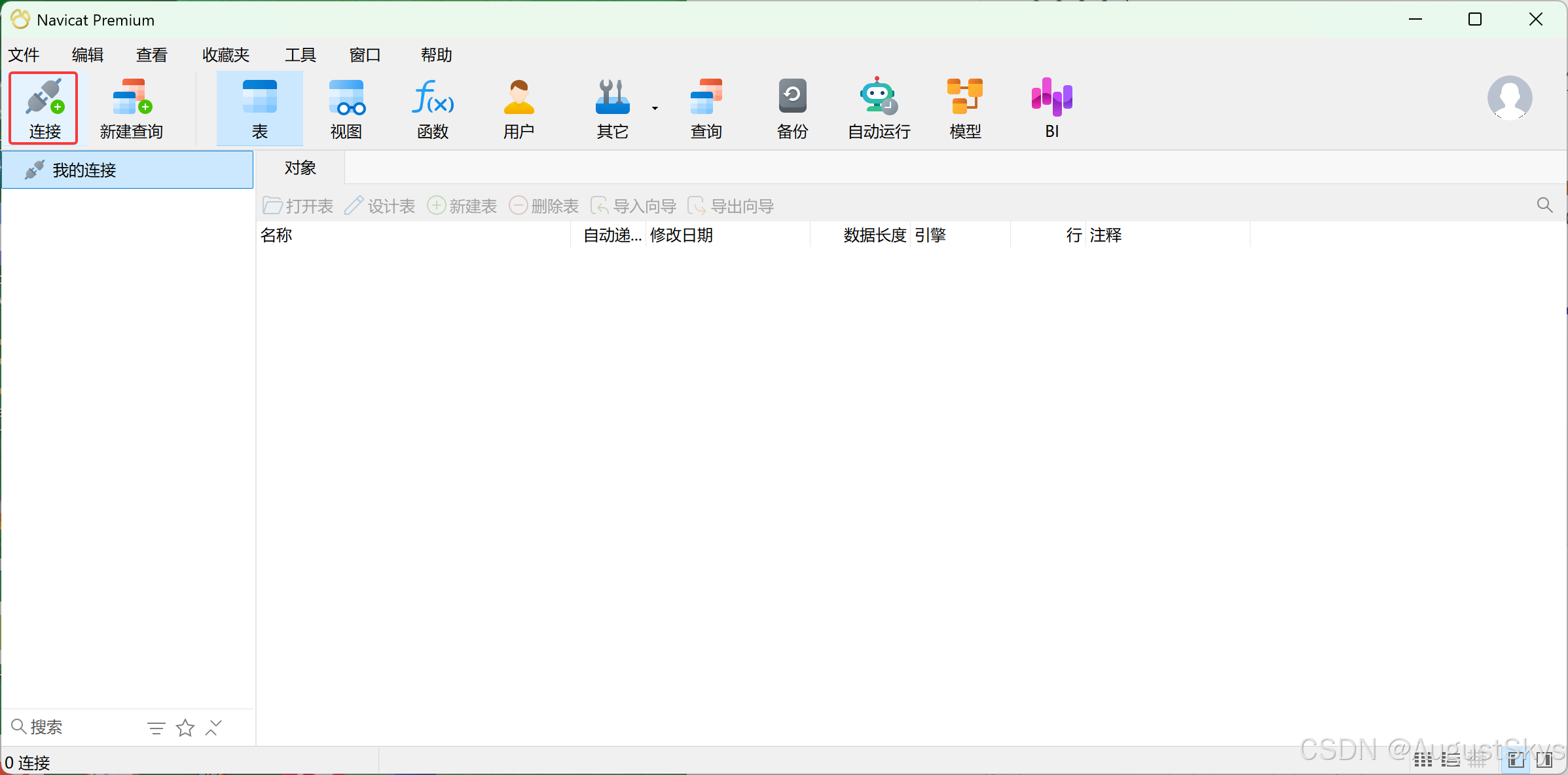
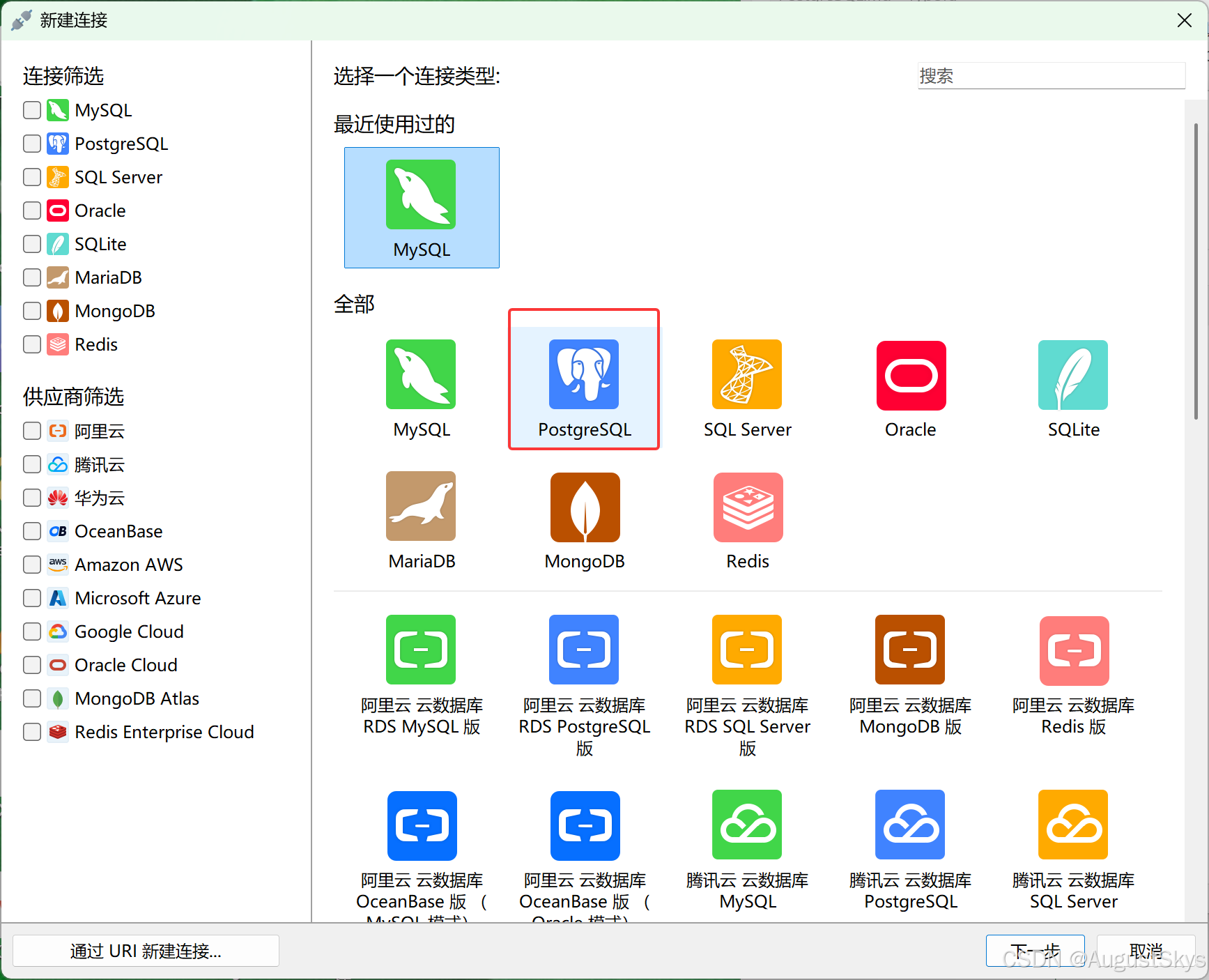
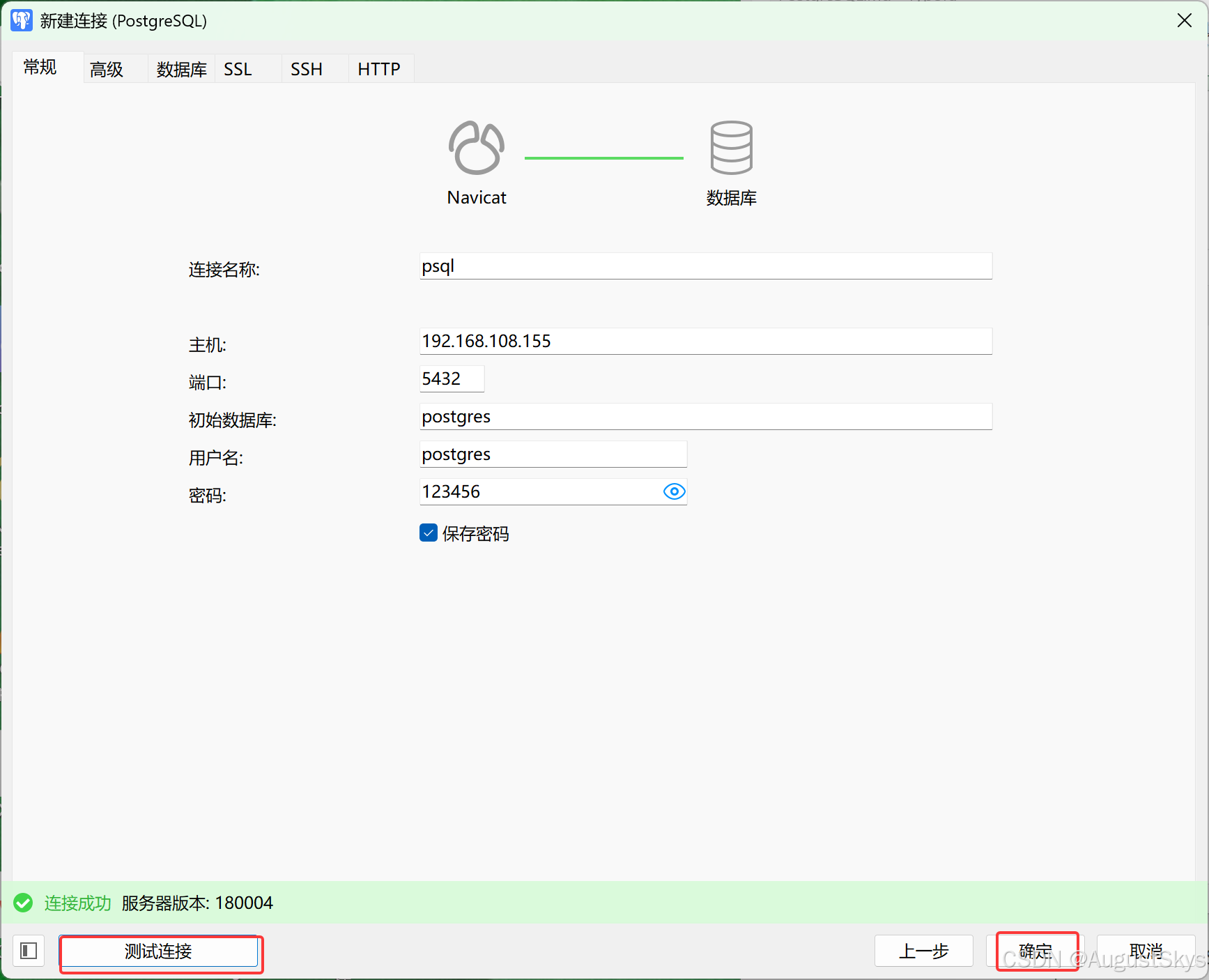
3.5常用操作
3.5.1查看psql帮助
bash
#列出psql帮助用法
help

#列出以\开头的命令,即psql的命令
\?

#列出所有SQL命令的帮助,注意:SQL语句必须以;结束
\h

#查看指定SQL的帮助
\h create database
\help create user
范例:
bash
postgres=# help
You are using psql, the command-line interface to PostgreSQL.
Type:  \copyright for distribution terms
       \h for help with SQL commands
       \? for help with psql commands
       \g or terminate with semicolon to execute query
       \q to quit

postgres=# \?
General
  \copyright             show PostgreSQL usage and distribution terms
  \crosstabview [COLUMNS] execute query and display results in crosstab
  \errverbose            show most recent error message at maximum verbosity
  \g [FILE] or ;         execute query (and send results to file or |pipe)
  \gexec                 execute query, then execute each value in its result
  \gset [PREFIX]         execute query and store results in psql variables
  \gx [FILE]             as \g, but forces expanded output mode
  \q                     quit psql
  \watch [SEC]           execute query every SEC seconds

postgres=# \h
Available help:
  ABORT                            CLUSTER                          CREATE VIEW                      DROP USER MAPPING
  ALTER AGGREGATE                  COMMENT                          DEALLOCATE                       DROP VIEW
  ALTER COLLATION                  COMMIT                           DECLARE                          END
  ALTER CONVERSION                 COMMIT PREPARED                  DELETE                           EXECUTE

postgres=# \h create user
Command:     CREATE USER
Description: define a new database role
Syntax:
CREATE USER name [ [ WITH ] option [ ... ] ]

where option can be:

      SUPERUSER | NOSUPERUSER
    | CREATEDB | NOCREATEDB
    | CREATEROLE | NOCREATEROLE
    | INHERIT | NOINHERIT
    | LOGIN | NOLOGIN
    | REPLICATION | NOREPLICATION
    | BYPASSRLS | NOBYPASSRLS
    | CONNECTION LIMIT connlimit
    | [ ENCRYPTED ] PASSWORD 'password'
    | VALID UNTIL 'timestamp'
    | IN ROLE role_name [, ...]
    | IN GROUP role_name [, ...]
    | ROLE role_name [, ...]
    | ADMIN role_name [, ...]
    | USER role_name [, ...]
    | SYSID uid
3.5.2设置显示信息的格式
bash
#后续查询将坚着显示,类似于MySQL中的\G
\x

#开启命令执行时长提示
\timing on

#显示详细的信息,可以打印出报出问题的源代码位置
\set VERBOSITY verbose
范例:
bash
postgres=# \x
Expanded display is on.
postgres=# \l
List of databases
-[ RECORD 1 ]-----+----------------------
Name              | postgres
Owner             | postgres
Encoding          | UTF8
Collate           | en_US.UTF-8
Ctype             | en_US.UTF-8
Access privileges |
-[ RECORD 2 ]-----+----------------------
Name              | template0
Owner             | postgres
Encoding          | UTF8
Collate           | en_US.UTF-8
Ctype             | en_US.UTF-8
Access privileges | =c/postgres          +
                  | postgres=CTc/postgres
-[ RECORD 3 ]-----+----------------------
Name              | template1
Owner             | postgres
Encoding          | UTF8
Collate           | en_US.UTF-8
Ctype             | en_US.UTF-8
Access privileges | =c/postgres          +
                  | postgres=CTc/postgres

postgres=# select pg_sleep(3);
-[ RECORD 1 ]
pg_sleep |
范例:
bash
postgres=# \timing on
Timing is on.
postgres=# select pg_sleep(3);
-[ RECORD 1 ]
pg_sleep |

Time: 3004.184 ms (00:03.004)
范例:查看出错对应的源代码位置
bash
postgres=# \set VERBOSITY verbose

postgres=# select gao;
ERROR:  42703: column "gao" does not exist
LINE 1: select gao;
               ^
LOCATION:  errorMissingColumn, parse_relation.c:3827
#说明:错误对应的是parse_relation.c文件中的3827行中errorMissingColumn函数
3.5.3数据库的创建和删除
创建数据库可以使用SQL语句create database实现,也可以利用createdb命令创建数据库
createdb是一个SQL命令CREATE DATABASE的封装。
createdb命令语法格式如下:
bash
[postgres@localhost ~]$ createdb --help
createdb creates a PostgreSQL database.

Usage:
  createdb [OPTION]... [DBNAME] [DESCRIPTION]

Options:
  -D, --tablespace=TABLESPACE  default tablespace for the database   #指定数据库默认表空间
  -e, --echo                   show the commands being sent to the server   #将createdb生成的命令发送到服务端
  -E, --encoding=ENCODING      encoding for the database                  #指定数据库编码
  -l, --locale=LOCALE          locale settings for the database          #指定数据库的语言环境
      --lc-collate=LOCALE      LC_COLLATE setting for the database
      --lc-ctype=LOCALE        LC_CTYPE setting for the database
      --builtin-locale=LOCALE  builtin locale setting for the database
      --icu-locale=LOCALE      ICU locale setting for the database
      --icu-rules=RULES        ICU rules setting for the database
      --locale-provider={builtin|libc|icu}
                               locale provider for the database's default collation
  -O, --owner=OWNER            database user to own the new database
  -S, --strategy=STRATEGY      database creation strategy wal_log or file_copy
  -T, --template=TEMPLATE      template database to copy              #指定创建此数据库的模板
  -V, --version                output version information, then exit
  -?, --help                   show this help, then exit         # 显示createdb命令的帮助信息

Connection options:
  -h, --host=HOSTNAME          database server host or socket directory   #指定服务器的主机明
  -p, --port=PORT              database server port    #指定服务器监听的端口
  -U, --username=USERNAME      user name to connect as     #连接数据库的用户名
  -w, --no-password            never prompt for password    #忽略输入密码
  -W, --password               force password prompt          #连接是强制要求输入密码
  --maintenance-db=DBNAME      alternate maintenance database

By default, a database with the same name as the current user is created.

Report bugs to <pgsql-bugs@lists.postgresql.org>.
PostgreSQL home page: <https://www.postgresql.org/>
删除数据库可以使用SQL语句dropdatabase实现
范例:创建数据库
bash
#方法1
[postgres@localhost ~]$ createdb -h localhost -p 5432 -U postgres testdb
Password:123456

#方法2
[postgres@localhost ~]$ psql
psql (18.4)
Type "help" for help.

postgres=# create database testdb;
范例:删除数据库
bash
[postgres@localhost ~]$ psql
psql (18.4)
Type "help" for help.

postgres=# drop database testdb;
DROP DATABASE
范例:查看数据库存放目录的路径
bash
postgres=# select oid,datname from pg_database;
 oid |  datname
-----+-----------
   5 | postgres
   1 | template1
   4 | template0
(3 rows)

[postgres@localhost ~]$ ls /var/lib/pgsql/18/data/base/
1  4  5
3.5.4管理和查看模式
一个数据库包含一个或多个已命名的模式,模式又包含表。模式还可以包含其它对象,包括数据类型、函数、操作符等。同一个对象名可以在不同的模式里使用而不会导致冲突;比如,schema1和schema2都可以包含一个名为test的表
bash
#创建模式语法
create schema schema_name;

#删除模式语法
drop schema schema_name;

#列出所有schema
postgres=# \dn
      List of schemas
  Name  |       Owner
--------+-------------------
 public | pg_database_owner
(1 row)

postgres=# create schema sch;
CREATE SCHEMA

postgres=# \dn
      List of schemas
  Name  |       Owner
--------+-------------------
 public | pg_database_owner
 sch    | postgres
(2 rows)

postgres=# create table t1(id int);
CREATE TABLE
postgres=# create table t1(id int);
ERROR:  relation "t1" already exists

postgres=# create table sch.t1(id int);
CREATE TABLE

postgres=# \dt
          List of tables
 Schema | Name | Type  |  Owner
--------+------+-------+----------
 public | t1   | table | postgres
(1 row)


postgres=# \dt sch.t1
          List of tables
 Schema | Name | Type  |  Owner
--------+------+-------+----------
 sch    | t1   | table | postgres
(1 row)
3.5.5查看和连接数据库
bash
postgres-# \l
                                                     List of databases
   Name    |  Owner   | Encoding | Locale Provider |   Collate   |    Ctype    | Locale | ICU Rules |   Access privileges
-----------+----------+----------+-----------------+-------------+-------------+--------+-----------+-----------------------
 postgres  | postgres | UTF8     | libc            | en_US.UTF-8 | en_US.UTF-8 |        |           |
 template0 | postgres | UTF8     | libc            | en_US.UTF-8 | en_US.UTF-8 |        |           | =c/postgres          +
           |          |          |                 |             |             |        |           | postgres=CTc/postgres
 template1 | postgres | UTF8     | libc            | en_US.UTF-8 | en_US.UTF-8 |        |           | =c/postgres          +
           |          |          |                 |             |             |        |           | postgres=CTc/postgres
(3 rows)

postgres=# create database testdb;
CREATE DATABASE
postgres=# \l
                                                     List of databases
   Name    |  Owner   | Encoding | Locale Provider |   Collate   |    Ctype    | Locale | ICU Rules |   Access privileges
-----------+----------+----------+-----------------+-------------+-------------+--------+-----------+-----------------------
 postgres  | postgres | UTF8     | libc            | en_US.UTF-8 | en_US.UTF-8 |        |           |
 template0 | postgres | UTF8     | libc            | en_US.UTF-8 | en_US.UTF-8 |        |           | =c/postgres          +
           |          |          |                 |             |             |        |           | postgres=CTc/postgres
 template1 | postgres | UTF8     | libc            | en_US.UTF-8 | en_US.UTF-8 |        |           | =c/postgres          +
           |          |          |                 |             |             |        |           | postgres=CTc/postgres
 `testdb`    | postgres | UTF8     | libc            | en_US.UTF-8 | en_US.UTF-8 |        |           |
(4 rows)

postgres=# \l+
                                                                                       List of databases
   Name    |  Owner   | Encoding | Locale Provider |   Collate   |    Ctype    | Locale | ICU Rules |   Access privileges   |  Size   | Tablespace |                Desc
ription
-----------+----------+----------+-----------------+-------------+-------------+--------+-----------+-----------------------+---------+------------+--------------------
------------------------
 postgres  | postgres | UTF8     | libc            | en_US.UTF-8 | en_US.UTF-8 |        |           |                       | 7646 kB | pg_default | default administrat
ive connection database
 template0 | postgres | UTF8     | libc            | en_US.UTF-8 | en_US.UTF-8 |        |           | =c/postgres          +| 7489 kB | pg_default | unmodifiable empty
database
           |          |          |                 |             |             |        |           | postgres=CTc/postgres |         |            |
 template1 | postgres | UTF8     | libc            | en_US.UTF-8 | en_US.UTF-8 |        |           | =c/postgres          +| 7718 kB | pg_default | default template fo
r new databases
           |          |          |                 |             |             |        |           | postgres=CTc/postgres |         |            |
 testdb    | postgres | UTF8     | libc            | en_US.UTF-8 | en_US.UTF-8 |        |           |                       | 7561 kB | pg_default |
(4 rows)

postgres-# \c
You are now connected to database "postgres" as user "postgres".

postgres=# \c testdb
You are now connected to database "testdb" as user "postgres".

testdb=# \conninfo
         Connection Information
      Parameter       |      Value
----------------------+-----------------
 Database             | testdb
 Client User          | postgres
 Socket Directory     | /run/postgresql
 Server Port          | 5432
 Options              |
 Protocol Version     | 3.0
 Password Used        | false
 GSSAPI Authenticated | false
 Backend PID          | 1972
 SSL Connection       | false
 Superuser            | on
 Hot Standby          | off
(12 rows)
3.5.6 管理表
PostgreSQL支持多种数据类型实现表结构的创建
范例:查看支持数据类型
bash
testdb=# select typname from pg_type;
                typname
----------------------------------------
 bool
 bytea
 char
 name
 int8
 int2
 int2vector
 int4
 regproc
 text
 oid
 tid
 xid
 cid
 oidvector
 pg_type
 pg_attribute
 pg_proc
 pg_class
 json
 xml
......
(621 rows)
范例:管理表
bash
testdb=# \c testdb
You are now connected to database "testdb" as user "postgres".

testdb=# create table tb1 (id serial primary key,name text);
CREATE TABLE

testdb=# insert into tb1 (name) select (md5(random()::text)) from generate_series (2,10);
INSERT 0 9

testdb=# select * from tb1;
 id |               name
----+----------------------------------
  1 | 4534485a0d2517117a8848ad869b15bb
  2 | b206a46cd9beca36fdad1dd651723d65
  3 | a7126c510f91184d694d8e3f06bd0c3a
  4 | 1b5e08e3046cea04f2157caec1594724
  5 | 99d882abb4823d4fdd5d7f9081382532
  6 | 3d5cc2b18c8aacf0170e674ed20cb249
  7 | 5f8909d5ce6241f4fe01734bd140f044
  8 | de397cee8c6746b7b61f1956e5597a52
  9 | ec41e0a9c28e51af59c1ace7635b9471
(9 rows)


#PostgreSQL中插入100万条记录观察世间
testdb=# \timing on
Timing is on.

testdb=# insert into tb1 (name) select (md5(random()::text)) from generate_series (1,1000000);
INSERT 0 1000000
Time: 13892.772 ms (00:13.893)   #13秒

testdb=# create table tb2 (like tb1);
CREATE TABLE

testdb=# \d tb2
                Table "public.tb2"
 Column |  Type   | Collation | Nullable | Default
--------+---------+-----------+----------+---------
 id     | integer |           | not null |
 name   | text    |           |          |

testdb=# select * from tb2;
 id | name
----+------
(0 rows)

Time: 1.141 ms
testdb=# drop table tb2;
DROP TABLE
3.5.7查看表和表信息
bash
#列出所有表,视图,序列
testdb=# \d
             List of relations
 Schema |    Name    |   Type   |  Owner
--------+------------+----------+----------
 public | tb1        | table    | postgres
 public | tb1_id_seq | sequence | postgres
(2 rows)

#列出public的schema中所有的表名,相当于show tables;
testdb=# \dt
          List of tables
 Schema | Name | Type  |  Owner
--------+------+-------+----------
 public | tb1  | table | postgres
(1 row)

#查看tb1的表信息
testdb=# \dt tb1
          List of tables
 Schema | Name | Type  |  Owner
--------+------+-------+----------
 public | tb1  | table | postgres
(1 row)

#支持通配符*和?,以下显示所有t开头的表
testdb=# \dt t*
          List of tables
 Schema | Name | Type  |  Owner
--------+------+-------+----------
 public | tb1  | table | postgres
(1 row)

#列出sch模式的表结构
testdb=# create schema sch;
testdb=# create table sch.t1(id int);

testdb=# \dt sch.*
          List of tables
 Schema | Name | Type  |  Owner
--------+------+-------+----------
 sch    | t1   | table | postgres
(1 row)

#查看t1的表结构,相当于desc
testdb=# \d tb1
                            Table "public.tb1"
 Column |  Type   | Collation | Nullable |             Default
--------+---------+-----------+----------+---------------------------------
 id     | integer |           | not null | nextval('tb1_id_seq'::regclass)
 name   | text    |           |          |
Indexes:
    "tb1_pkey" PRIMARY KEY, btree (id)

#列出所有表信息,包括大小
testdb=# \dt+
                                    List of tables
 Schema | Name | Type  |  Owner   | Persistence | Access method | Size  | Description
--------+------+-------+----------+-------------+---------------+-------+-------------
 public | tb1  | table | postgres | permanent   | heap          | 65 MB |
(1 row)

#列出tb1表信息
testdb=# \dt tb1
          List of tables
 Schema | Name | Type  |  Owner
--------+------+-------+----------
 public | tb1  | table | postgres
(1 row)

testdb=# \dt+ tb1
                                    List of tables
 Schema | Name | Type  |  Owner   | Persistence | Access method | Size  | Description
--------+------+-------+----------+-------------+---------------+-------+-------------
 public | tb1  | table | postgres | permanent   | heap          | 65 MB |
(1 row)

#查看所有表
testdb=# select * from pg_tables;
     schemaname     |        tablename         | tableowner | tablespace | hasindexes | hasrules | hastriggers | rowsecurity
--------------------+--------------------------+------------+------------+------------+----------+-------------+-------------
 pg_catalog         | pg_statistic             | postgres   |            | t          | f        | f           | f
 pg_catalog         | pg_type                  | postgres   |            | t          | f        | f           | f
 public             | tb1                      | postgres   |            | t          | f        | f           | f
 pg_catalog         | pg_foreign_table         | postgres   |            | t          | f        | f           | f
 pg_catalog         | pg_authid                | postgres   | pg_global  | t          | f        | f           | f
 sch                | t1                       | postgres   |            | f          | f        | f           | f
 pg_catalog         | pg_statistic_ext_data    | postgres   |            | t          | f        | f           | f
 pg_catalog         | pg_user_mapping          | postgres   |            | t          | f        | f           | f
......

#查看表大小
testdb=# select pg_total_relation_size('tb1');
 pg_total_relation_size
------------------------
               90816512
(1 row)

testdb=# select pg_total_relation_size('tb1')/1024/1024||'MB';
 ?column?
----------
 86MB
(1 row)
范例:查看表对应的文件路径
bash
postgres=# \c testdb
You are now connected to database "testdb" as user "postgres".
testdb=# select oid,datname from pg_database where datname = 'testdb';
  oid  | datname
-------+---------
 16402 | testdb
(1 row)

testdb=# select relid from pg_stat_all_tables where relname='t1';
 relid
-------
 16431
(1 row)

testdb=# \q

[postgres@localhost ~]$ ll /var/lib/pgsql/18/data/base/16402/16431
-rw------- 1 postgres postgres 0 Jul 26 11:14 /var/lib/pgsql/18/data/base/16402/16431
3.5.8表的CRUD
SQL的CRUD,即 Insert,update,delete,select四条语句范例:
bash
postgres=# \c testdb;
You are now connected to database "testdb" as user "postgres".
testdb=# drop table tb1;
DROP TABLE

testdb=# create table tb1 (id serial,name varchar(10));
CREATE TABLE

testdb=# \dt
          List of tables
 Schema | Name | Type  |  Owner
--------+------+-------+----------
 public | tb1  | table | postgres
(1 row)

testdb=# \d tb1;
                                   Table "public.tb1"
 Column |         Type          | Collation | Nullable |             Default
--------+-----------------------+-----------+----------+---------------------------------
 id     | integer               |           | not null | nextval('tb1_id_seq'::regclass)
 name   | character varying(10) |           |          |


testdb=# insert into tb1(name)values('gao');
INSERT 0 1
testdb=# insert into tb1(name)values('zhang');
INSERT 0 1
#验证插入的数据
testdb=# select * from tb1;
 id | name
----+-------
  1 | gao
  2 | zhang

testdb=# update tb1 set name='ma' where id=2;
UPDATE 1
#验证改了没
testdb=# select * from tb1;
 id | name
----+------
  1 | gao
  2 | ma
(2 rows)

testdb=# delete from tb1 where id=2;
DELETE 1
#验证删除了没
testdb=# select * from tb1;
 id | name
----+------
  1 | gao
(1 row)


#清空表
testdb=# truncate tb1;
TRUNCATE TABLE
testdb=# truncate table tb1;
TRUNCATE TABLE
testdb=# select * from tb1;
 id | name
----+------
(0 rows)
3.5.9索引管理
范例:创建和删除索引
bash
testdb=# drop table tb1;

testdb=# create table tb1(id int,info text,crt_time timestamp);
CREATE TABLE

testdb=# insert into tb1 select generate_series(1,1000000),md5(random()::text),clock_timestamp();
INSERT 0 1000000

testdb=# select * from tb1 limit 3;
 id |               info               |          crt_time
----+----------------------------------+----------------------------
  1 | 67d6285a42ba94dedd86048a0008683d | 2026-07-26 20:34:26.141821
  2 | c59be31fca89ae637ed6ce4cff13e141 | 2026-07-26 20:34:26.142127
  3 | 60bfbd9412a4b788901d70edff428255 | 2026-07-26 20:34:26.142133
(3 rows)

testdb=# create index idx_tb1_id on tb1(id);
CREATE INDEX


testdb=# \d tb1
                           Table "public.tb1"
  Column  |            Type             | Collation | Nullable | Default
----------+-----------------------------+-----------+----------+---------
 id       | integer                     |           |          |
 info     | text                        |           |          |
 crt_time | timestamp without time zone |           |          |
Indexes:
    "idx_tb1_id" btree (id)

#删除索引
testdb=# drop index idx_tb1_id;
DROP INDEX

testdb=# \d tb1
                           Table "public.tb1"
  Column  |            Type             | Collation | Nullable | Default
----------+-----------------------------+-----------+----------+---------
 id       | integer                     |           |          |
 info     | text                        |           |          |
 crt_time | timestamp without time zone |           |          |
范例:使用索引
bash
#打开时间
testdb=# \timing on
Timing is on.

testdb=# create index idx_tb1_id on tb1(id);

testdb=# explain analyze select * from tb1 where id = 99999;
                                                     QUERY PLAN
--------------------------------------------------------------------------------------------------------------------
 Index Scan using idx_tb1_id on tb1  (cost=0.42..8.44 rows=1 width=45) (actual time=0.030..0.032 rows=1.00 loops=1)
   Index Cond: (id = 99999)
   Index Searches: 1
   Buffers: shared hit=4
 Planning Time: 0.099 ms
 Execution Time: 0.054 ms
(6 rows)

Time: 0.777 ms


#查询条件不是索引列
testdb=# explain analyze select * from tb1 where info ='67d6285a42ba94dedd86048a0008683d';
                                                      QUERY PLAN
----------------------------------------------------------------------------------------------------------------------
 Gather  (cost=1000.00..15554.43 rows=1 width=45) (actual time=0.283..31.611 rows=1.00 loops=1)
   Workers Planned: 2
   Workers Launched: 2
   Buffers: shared hit=9346
   ->  Parallel Seq Scan on tb1  (cost=0.00..14554.33 rows=1 width=45) (actual time=15.751..25.377 rows=0.33 loops=3)
         Filter: (info = '67d6285a42ba94dedd86048a0008683d'::text)
         Rows Removed by Filter: 333333
         Buffers: shared hit=9346
 Planning Time: 0.079 ms
 Execution Time: 31.634 ms
(10 rows)

Time: 32.308 ms

#关闭索引
testdb=# set enable_indexscan=off;
SET
Time: 0.487 ms
testdb=# set enable_bitmapscan=off;
SET
Time: 0.363 ms

testdb=# explain analyze select * from tb1 where id = 99999;
                                                      QUERY PLAN
----------------------------------------------------------------------------------------------------------------------
 Gather  (cost=1000.00..15554.43 rows=1 width=45) (actual time=18.017..20.143 rows=1.00 loops=1)
   Workers Planned: 2
   Workers Launched: 2
   Buffers: shared hit=9346
   ->  Parallel Seq Scan on tb1  (cost=0.00..14554.33 rows=1 width=45) (actual time=10.684..15.061 rows=0.33 loops=3)
         Filter: (id = 99999)
         Rows Removed by Filter: 333333
         Buffers: shared hit=9346
 Planning Time: 0.087 ms
 Execution Time: 20.167 ms
(10 rows)

Time: 21.092 ms
3.5.10表空间
bash
#列出所有表空间,实际上PostgresQL中的表空间就是对应一个目录,放在这个表空间的表,就是把表的数据文件放到这个表空间下。
testdb=# \db
       List of tablespaces
    Name    |  Owner   | Location
------------+----------+----------
 pg_default | postgres |
 pg_global  | postgres |
(2 rows)

testdb=# select * from tb1;
   id    |               info               |          crt_time
---------+----------------------------------+----------------------------
       1 | 67d6285a42ba94dedd86048a0008683d | 2026-07-26 20:34:26.141821
       2 | c59be31fca89ae637ed6ce4cff13e141 | 2026-07-26 20:34:26.142127
       3 | 60bfbd9412a4b788901d70edff428255 | 2026-07-26 20:34:26.142133
       4 | 9b20c15670378a9a52e44e57bbcccc3a | 2026-07-26 20:34:26.142142
......

testdb=# copy tb1 to '/tmp/tb1.txt';
COPY 1000000
Time: 299.741 ms

[postgres@localhost ~]$ cat /tmp/tb1.txt | wc -l
1000000
范例:表空间pg_tblspc目录
bash
[postgres@localhost ~]$ mkdir ts1

testdb=# create tablespace ts1 location '/var/lib/pgsql/ts1';
CREATE TABLESPACE
testdb=# \db
            List of tablespaces
    Name    |  Owner   |      Location
------------+----------+--------------------
 pg_default | postgres |
 pg_global  | postgres |
 ts1        | postgres | /var/lib/pgsql/ts1
(3 rows)

[postgres@localhost ~]$ readlink /var/lib/pgsql/18/data/pg_tblspc/32781
/var/lib/pgsql/ts1
3.5.11查看系统信息
可以通过系统函数查看系统信息,也可以通过show/set查看和修改配置
bash
testdb=# select version();
                                                 version
---------------------------------------------------------------------------------------------------------
 PostgreSQL 18.4 on x86_64-pc-linux-gnu, compiled by gcc (GCC) 8.5.0 20210514 (Red Hat 8.5.0-28), 64-bit
(1 row)

#查看数据库启动时间
testdb=# select pg_postmaster_start_time();
   pg_postmaster_start_time
-------------------------------
 2026-07-26 20:26:47.209345+08
(1 row)

#查看加载配置文件时间
[postgres@localhost ~]$ pg_ctl reload
server signaled
[postgres@localhost ~]$ psql
psql (18.4)
Type "help" for help.

postgres=# select pg_conf_load_time();
       pg_conf_load_time
-------------------------------
 2026-07-26 21:30:34.496232+08
(1 row)

#查看时区和时间
postgres=# show timezone;
   TimeZone
---------------
 Asia/Shanghai
(1 row)

#临时修改时区
postgres=# set timezone='Asia/Shanghai';
SET

#永久修改时区
[postgres@localhost ~]$ vim /var/lib/pgsql/18/data/postgresql.conf
783 timezone = 'Asia/Shanghai'
[postgres@localhost ~]$ pg_ctl reload
server signaled
[postgres@localhost ~]$ psql
psql (18.4)
Type "help" for help.

postgres=# select now();
              now
-------------------------------
 2026-07-26 21:34:15.716666+08
(1 row)

#查看当前用户
postgres=# select user;
   user
----------
 postgres
(1 row)

postgres=# select current_user;
 current_user
--------------
 postgres
(1 row)

postgres=# select session_user;
 session_user
--------------
 postgres
(1 row)

#查看当前数据库
postgres=# \c testdb
You are now connected to database "testdb" as user "postgres".
testdb=# select current_database();
 current_database
------------------
 testdb
(1 row)

#查看指定的当前参数配置
testdb=# show port;
 port
------
 5432
(1 row)

testdb=# show archive_mode;
 archive_mode
--------------
 off
(1 row)
bash
#查看参数
SHOW NAME;
SHOW ALL;

postgres=# show all;
                    name                     |                setting                 |
         description
---------------------------------------------+----------------------------------------+-------------------------------------------------------
------------------------------------------------------------------------------------
 allow_alter_system                          | on                                     | Allows running the ALTER SYSTEM command.
 allow_in_place_tablespaces                  | off                                    | Allows tablespaces directly inside pg_tblspc, for test
ing.
 allow_system_table_mods                     | off                                    | Allows modifications of the structure of system tables
.
 application_name                            | psql                                   | Sets the application name to be reported in statistics
 and logs.
 archive_cleanup_command                     |                                        | Sets the shell command that will be executed at every
restart point.
 archive_command                             | (disabled)                             | Sets the shell command that will be called to archive
a WAL file.

#修改配置
postgres=# set maintenance_work_mem to '128MB';
SET
postgres=# show maintenance_work_mem;
 maintenance_work_mem
----------------------
 128MB
(1 row)
范例:explain可以查看SQL执行的计划
explain:只输出执行计划,不会真实执行 SQL;
explain analyze:真实执行语句,拿到真实时间与 buffer 统计。
bash
#explain可以查看SQL执行的计划
postgres=# explain select * from t1;
                      QUERY PLAN
------------------------------------------------------
 Seq Scan on t1  (cost=0.00..35.50 rows=2550 width=4)
(1 row)

postgres=# explain analyze select * from t1;
                                            QUERY PLAN
---------------------------------------------------------------------------------------------------
 Seq Scan on t1  (cost=0.00..35.50 rows=2550 width=4) (actual time=0.008..0.008 rows=0.00 loops=1)
 Planning Time: 0.045 ms
 Execution Time: 0.022 ms
(3 rows)

postgres=# explain analyze verbose select * from t1;
                                                QUERY PLAN
----------------------------------------------------------------------------------------------------------
 Seq Scan on public.t1  (cost=0.00..35.50 rows=2550 width=4) (actual time=0.009..0.009 rows=0.00 loops=1)
   Output: id
 Planning Time: 0.045 ms
 Execution Time: 0.027 ms
(4 rows)
3.6安装使用图形化工具pgadmin
3.6.1 pgadmin 介绍
pgAdmin是一个免费的开源图形数据库管理工具,用于管理PostgreSQL和行生的关系数据库,如EnterpriseDB的EDB Advanced Server。pgAdmin可以以两种模式安装:服务器模式和桌面模式。服务器模式下的pgAdmin可以部署在不同的Web服务器中,如:Apache,Nginx等
pgAdmin是一个在PostgreSQL许可下发布的免费软件项目。该软件可从PostgreSQL镜像网络以源代码和二进制格式获得。因为从源代码编译比较繁琐,建议尽可能使用安装二进制包。
pgAdmin 4是对 pgAdmin 的完全重写,使用 Python和Javascript/jQuery构建
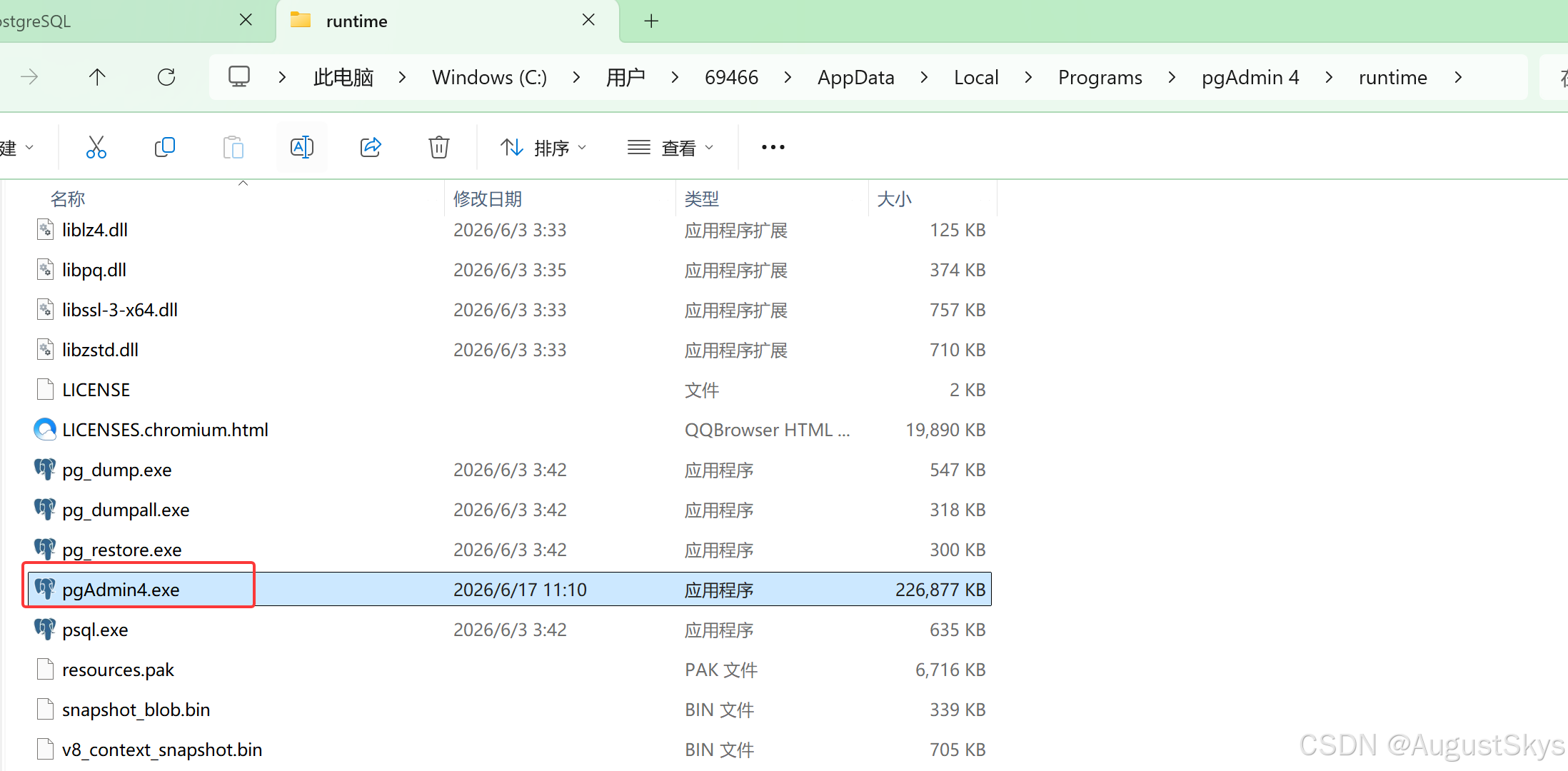
3.6.2安装pgadmin
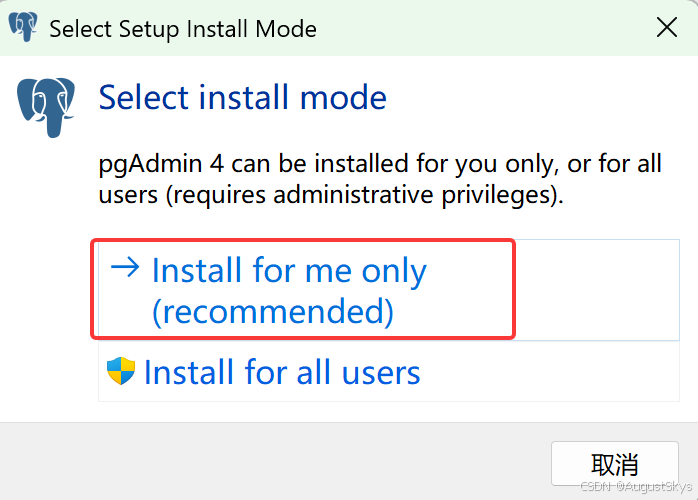
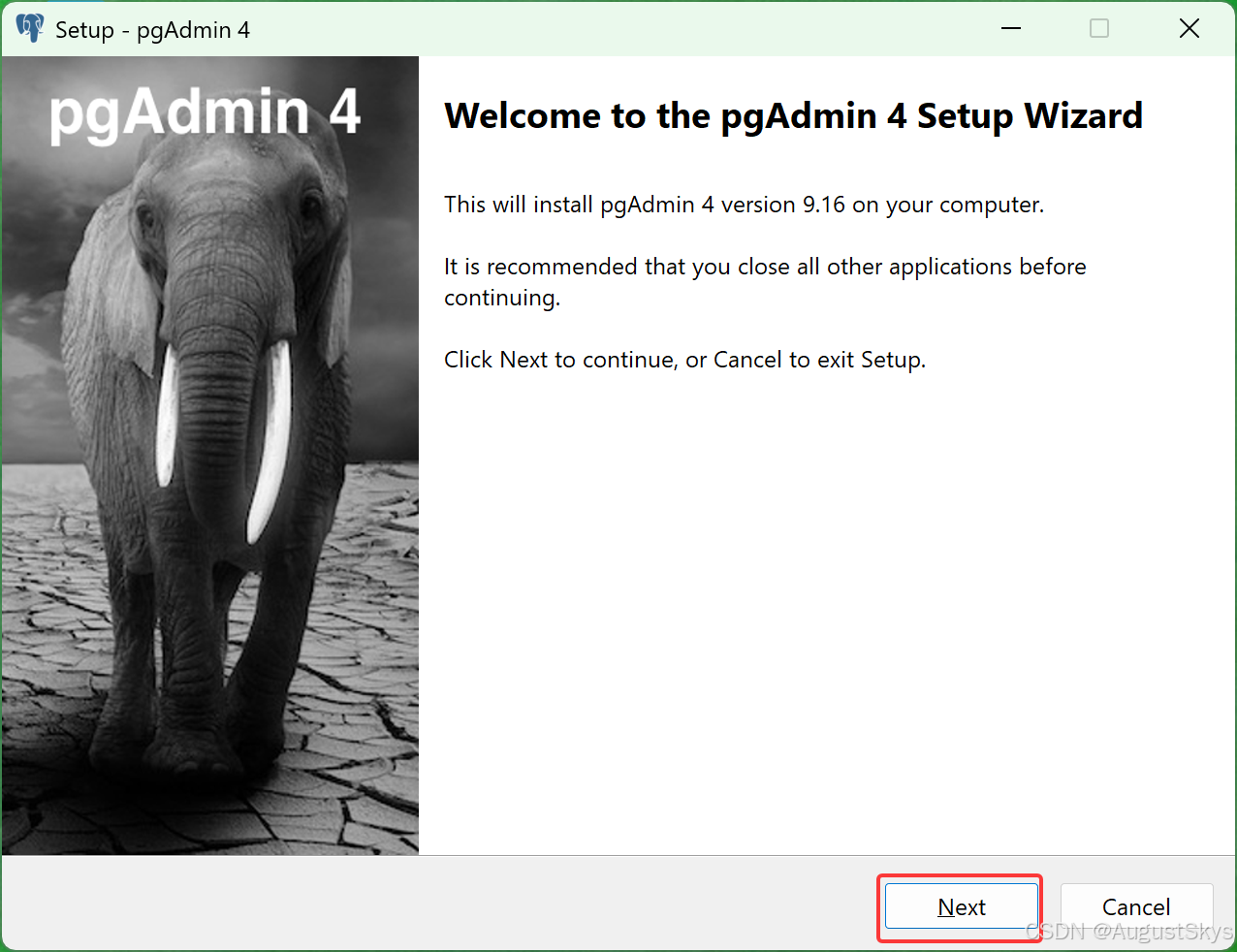
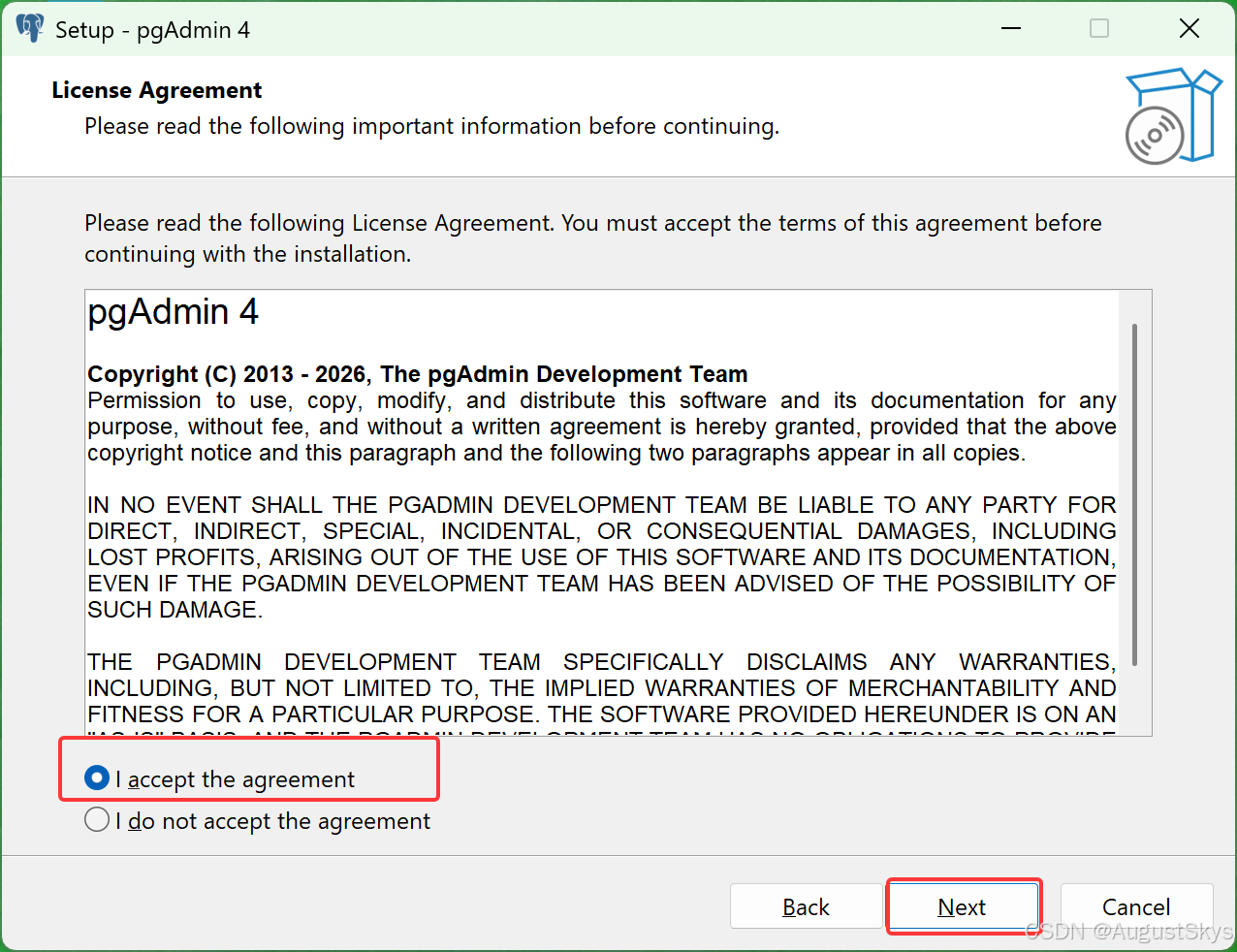
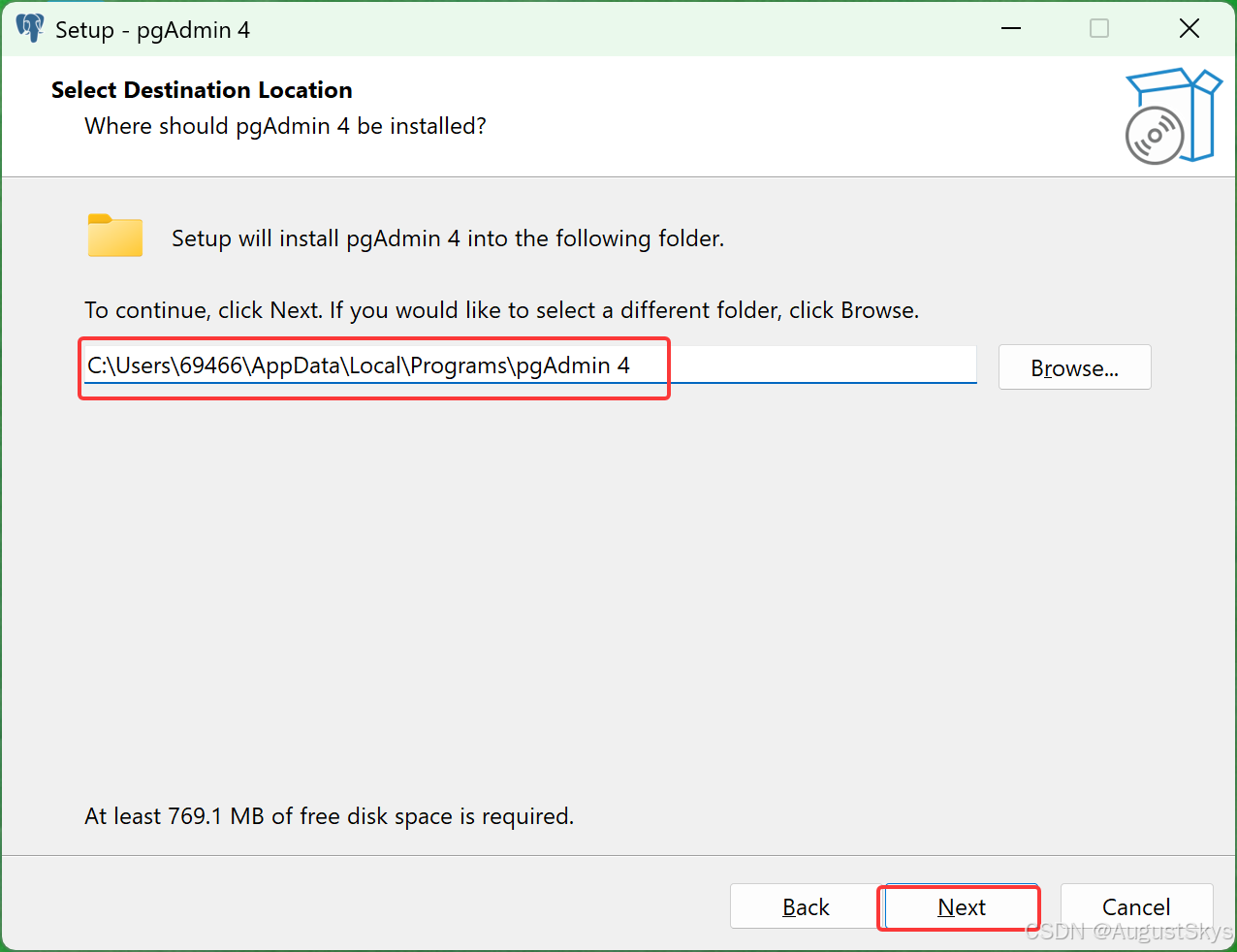
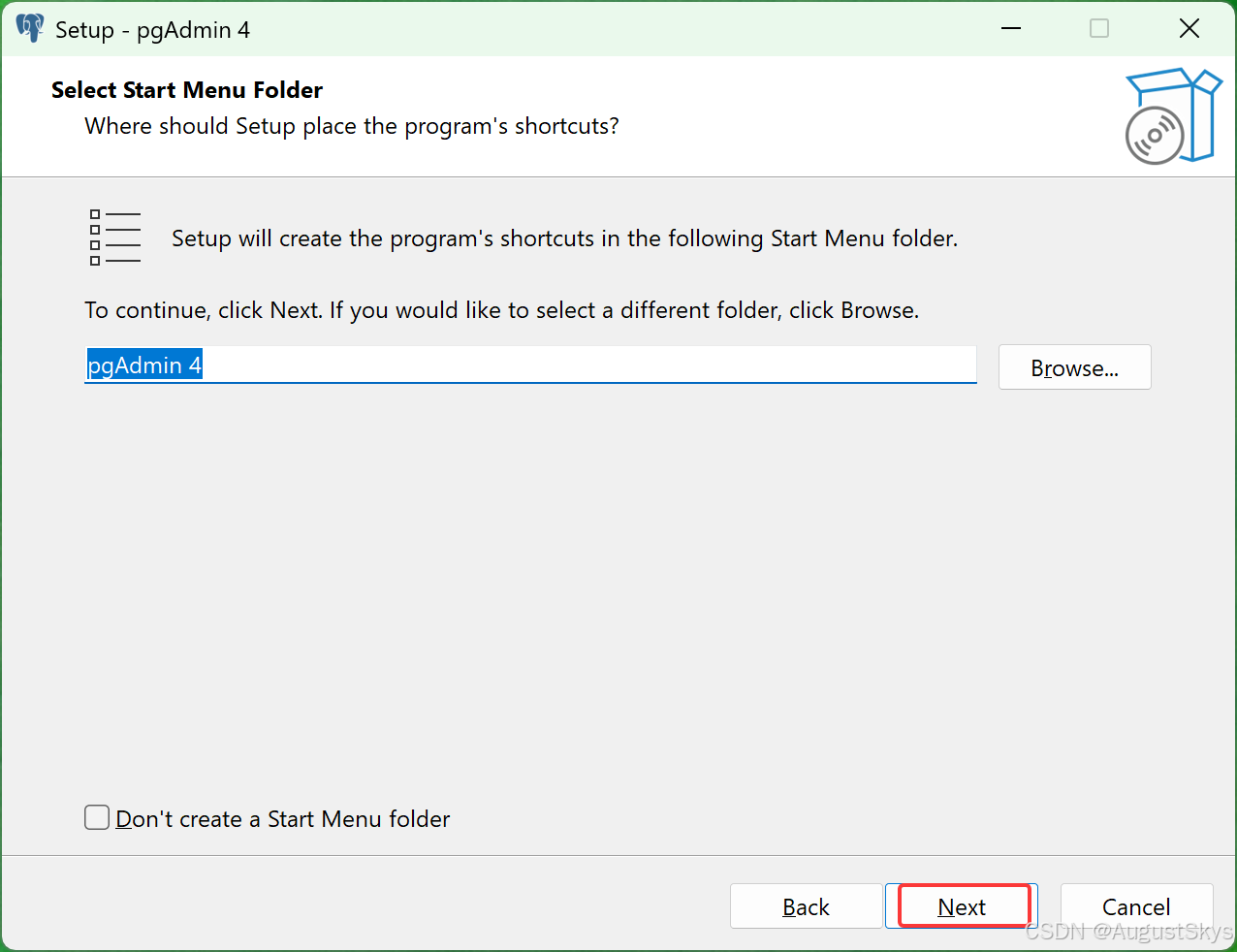
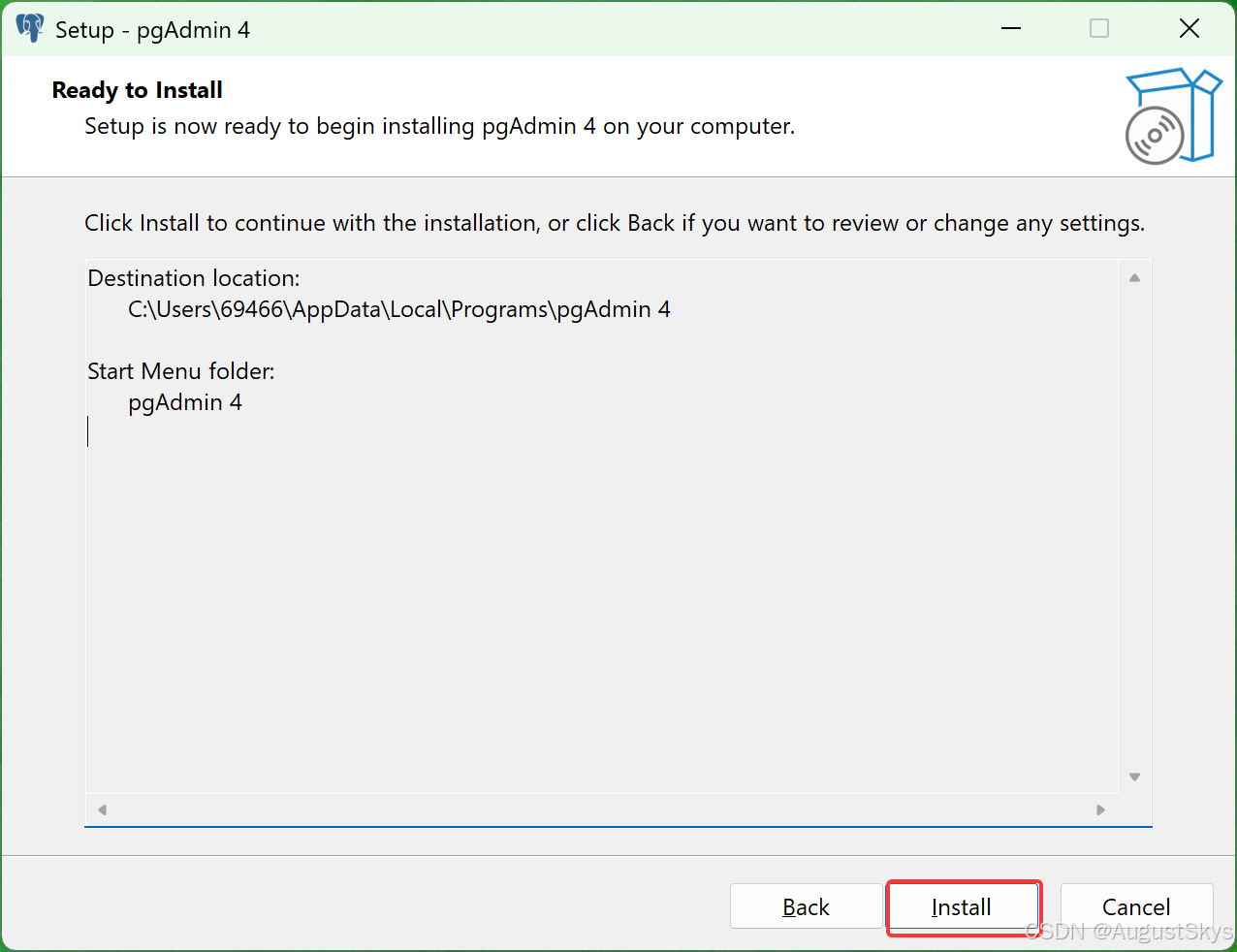
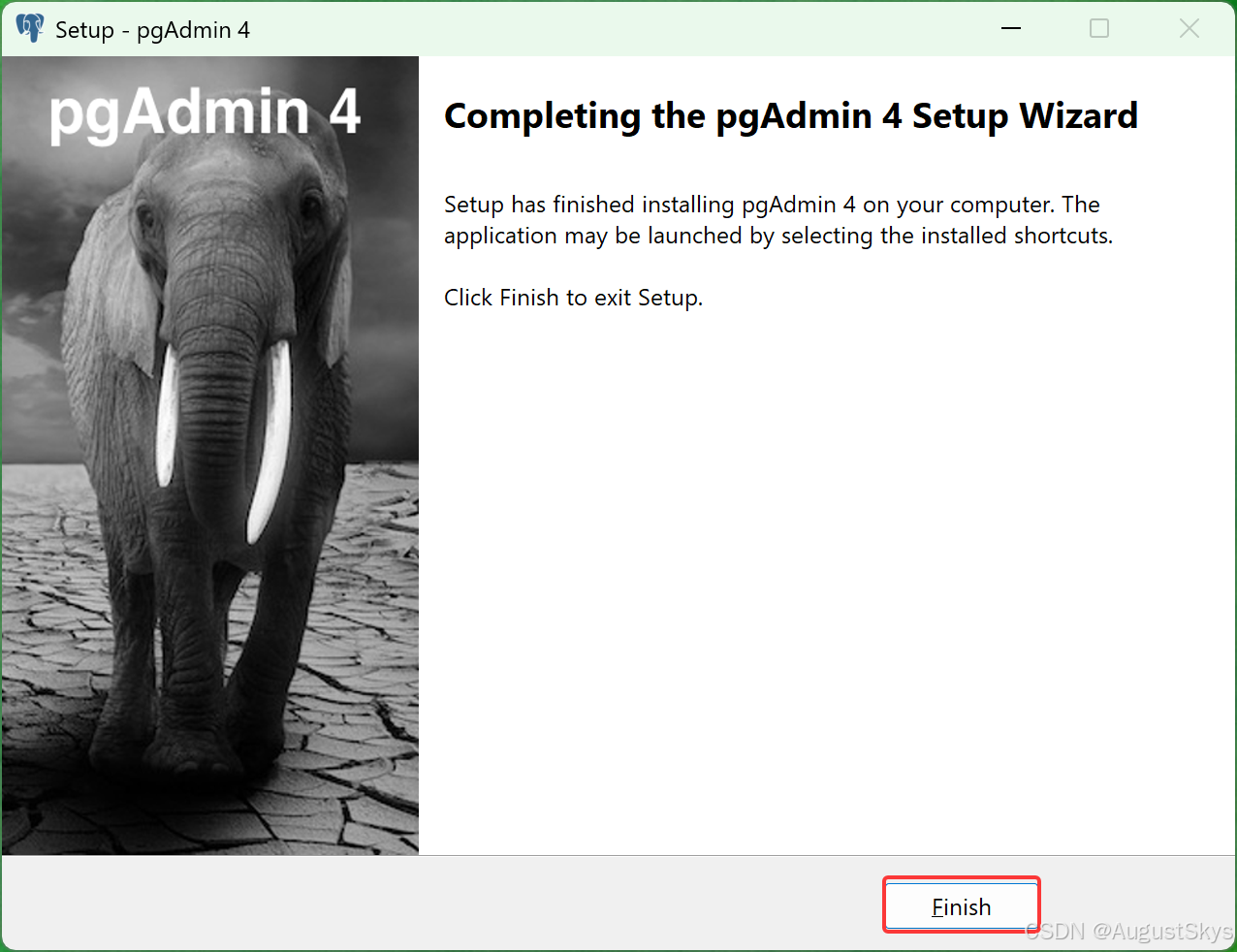
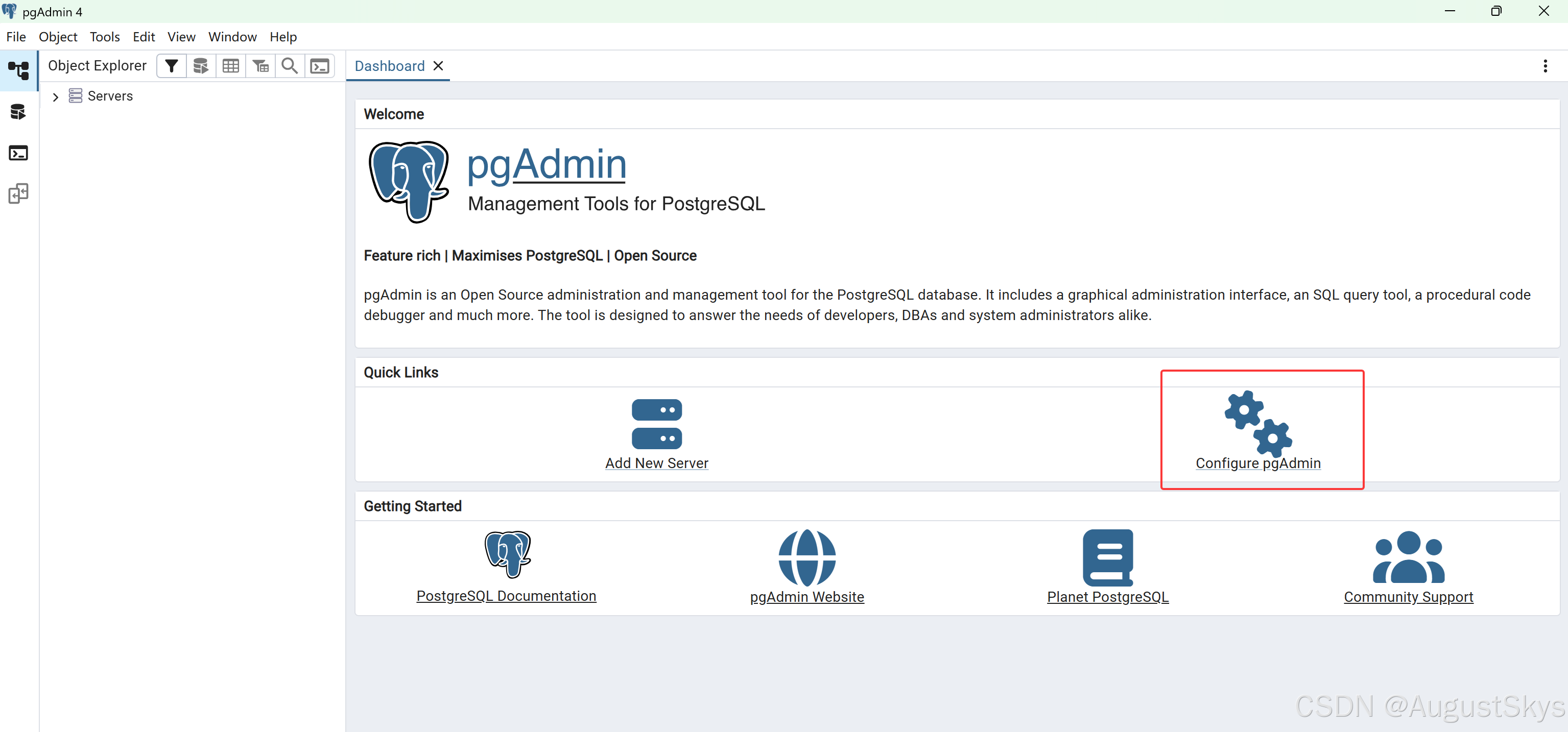
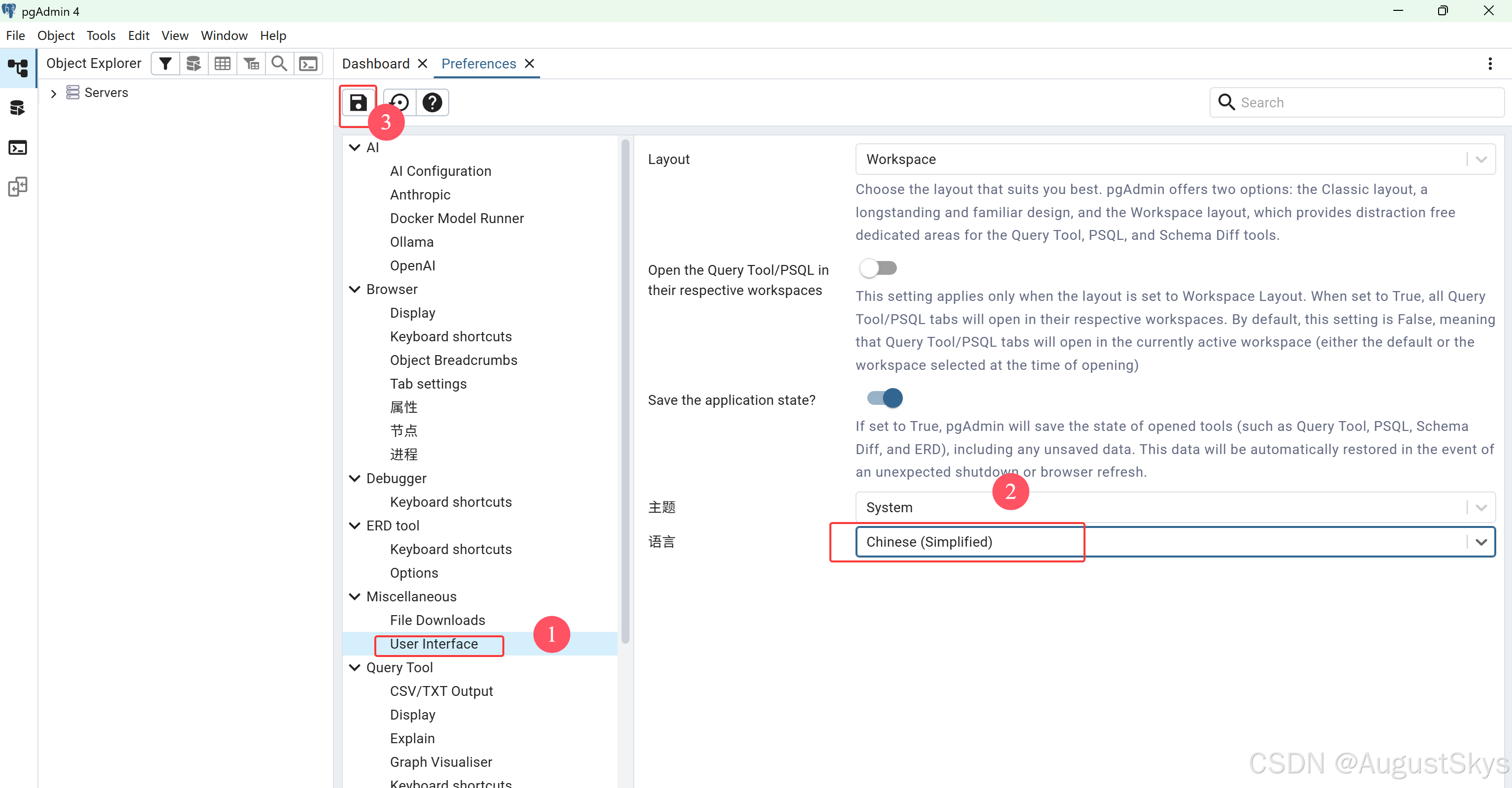
配置中文
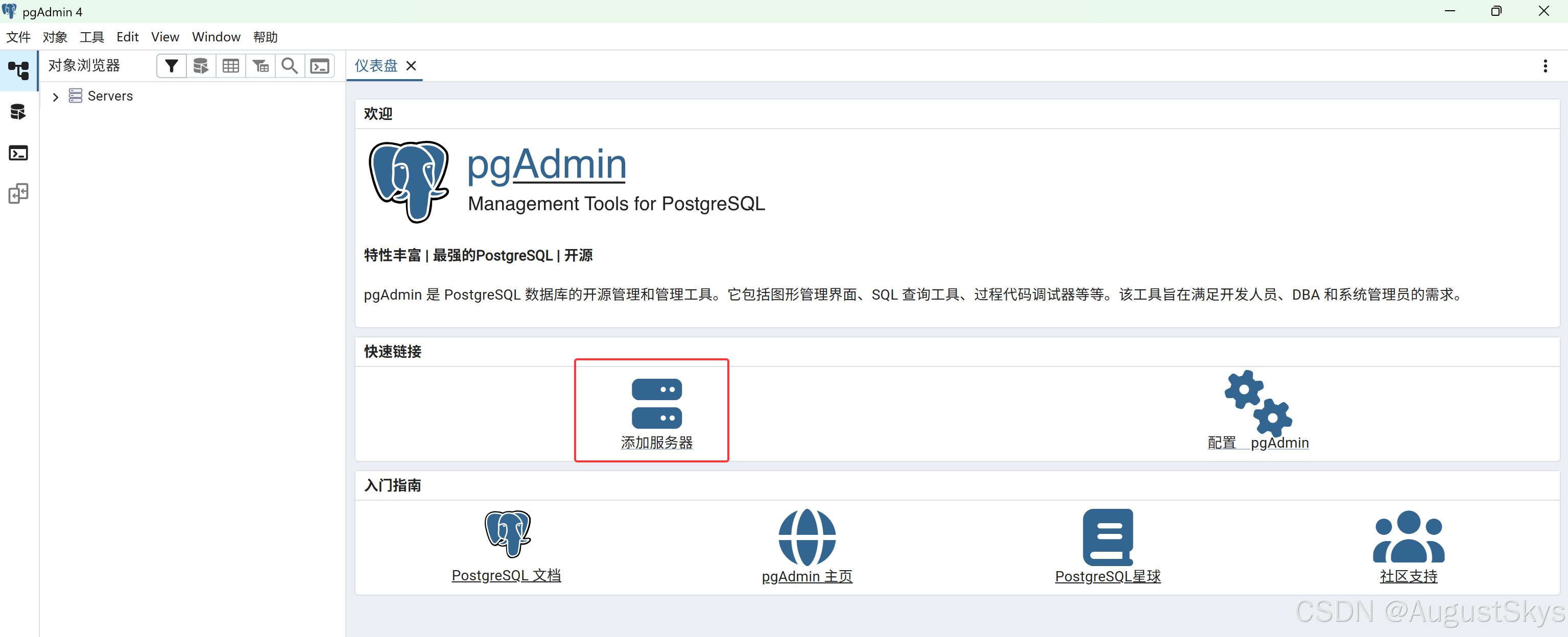
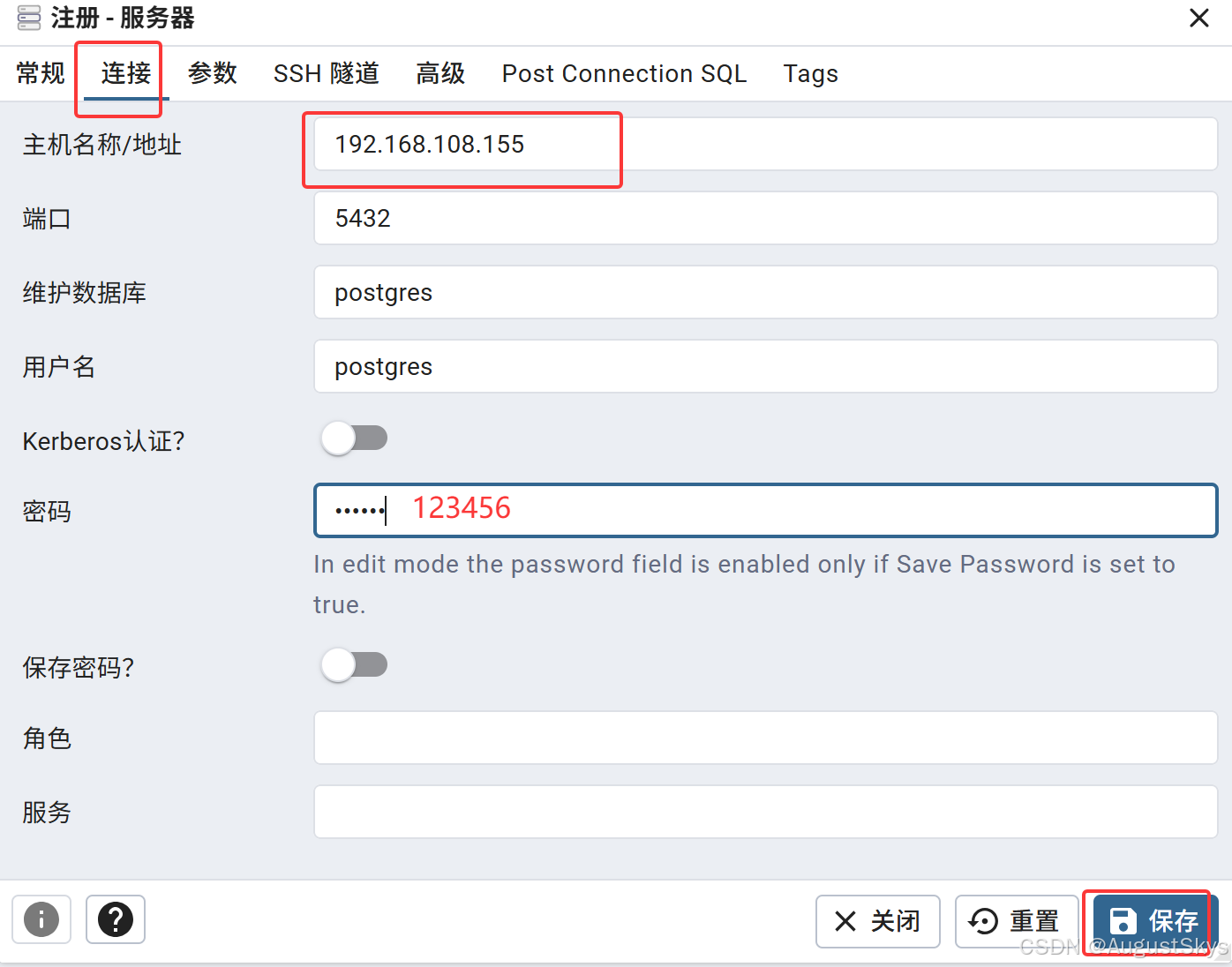
连接pgsql
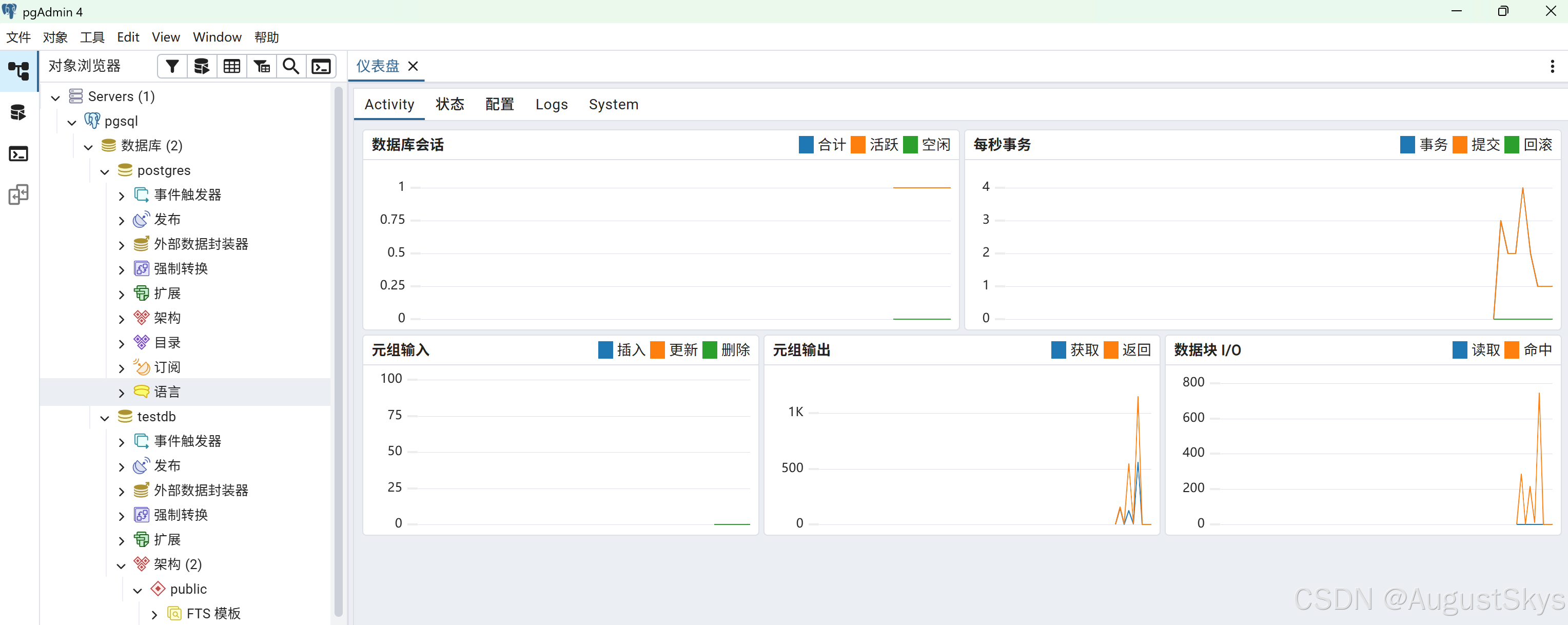
连接成功
六、总结与要点回顾
本文回顾
本文系统讲解了 PostgreSQL 从入门到实战的完整知识体系,涵盖五大模块:
- 基础与特性:PostgreSQL 介绍、数据库排名、与 MySQL 深度对比(核心定位、功能对比、性能差异、并发锁机制、扩展性、运维成本、适用场景)、各版本特性矩阵
- 安装与服务管理:CentOS 二进制安装、官方源安装 PostgreSQL 18、pg_ctl 命令管理、初始化实例、服务启停管理
- 配置与数据库概念:配置文件详解、数据库结构组织、核心术语、模板数据库 template0/template1、模式 Schema、访问控制配置 pg_hba.conf、远程连接配置
- 常用操作:psql 工具使用、显示格式设置、数据库创建删除、模式管理、表管理、CRUD 操作、索引管理、表空间、系统信息查看
- 图形化工具:pgAdmin 介绍与安装使用
核心要点回顾
📌 PostgreSQL vs MySQL 核心差异速查表:
维度 PostgreSQL MySQL 定位 功能强大的企业级数据库 轻量级互联网数据库 SQL 标准 高度兼容,支持大量高级特性 部分兼容,侧重常用功能 复杂查询 优化器强大,多表 JOIN/聚合性能好 简单查询快,复杂查询较弱 并发控制 MVCC 成熟,读写不阻塞 InnoDB MVCC,读写部分阻塞 数据类型 丰富(JSON、数组、范围、几何等) 基础类型为主 扩展性 自定义类型/函数/索引,扩展能力强 扩展能力有限 适用场景 企业应用、数据分析、GIS、复杂业务 互联网应用、简单 CRUD
📌 PostgreSQL 核心概念:
- Cluster(集群):一个 PostgreSQL 实例管理的所有数据库集合
- Database(数据库):逻辑隔离单位,一个 Cluster 可包含多个 Database
- Schema(模式):数据库内的命名空间,用于组织表和其他对象
- Table(表):存储数据的基本单位,属于某个 Schema
- Tablespace(表空间):指定表的物理存储位置
- 模板数据库:template0(干净模板)、template1(默认模板,可修改)
📌 psql 常用命令速查:
命令 作用 \l列出所有数据库 \c <db>连接到指定数据库 \dn列出所有模式 \dt列出当前模式的所有表 \d <table>查看表结构 \di列出所有索引 \du列出所有用户/角色 \df列出所有函数 \dv列出所有视图 \q退出 psql \x切换扩展显示模式 \timing显示 SQL 执行时间
📌 配置文件说明:
postgresql.conf:主配置文件,监听地址、端口、内存、连接数等
pg_hba.conf:客户端认证配置,控制谁可以从哪里连接、使用什么认证方式
pg_ident.conf:用户映射配置,将系统用户映射为数据库用户
修改配置后需执行
pg_ctl reload或重启服务生效
📌 访问控制配置(pg_hba.conf)格式:TYPE DATABASE USER ADDRESS METHOD
host all all 0.0.0.0/0 md5
TYPE:local(本地套接字)、host(TCP/IP)、hostssl(SSL 加密)
METHOD:trust(免密)、md5(密码)、scram-sha-256(强密码)、peer(系统用户)
学习建议
- 初学者:先掌握安装部署和 psql 基本操作,再学习 SQL 语法和配置管理
- MySQL 迁移用户:重点关注数据类型差异、SQL 语法差异、配置文件差异、自增列(SERIAL vs AUTO_INCREMENT)
- 开发人员:深入学习高级 SQL(窗口函数、CTE、JSON 操作)、索引优化、事务隔离级别
- 运维/DBA:重点学习性能调优、备份恢复、高可用(流复制、Patroni)、监控告警
📝 版本说明:本文基于 PostgreSQL 18 版本编写,部分命令和配置在旧版本中可能略有差异。生产环境建议使用最新稳定版(LTS),并参考官方文档。PostgreSQL 每年 9 月发布一个大版本,建议关注版本升级计划。
🌟 如果本文对你有帮助,欢迎点赞、收藏、关注!有任何问题欢迎在评论区交流。