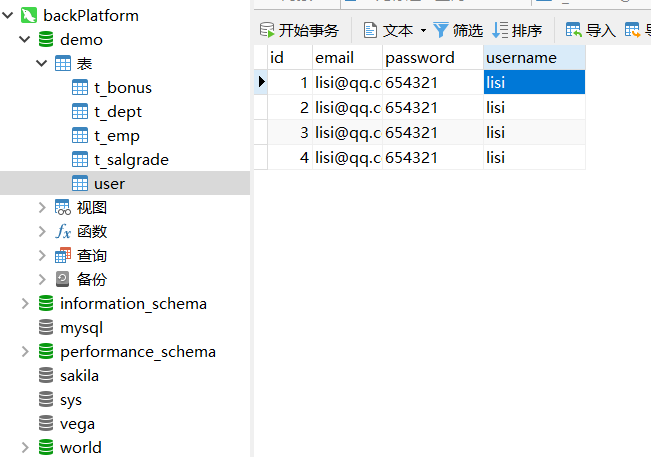
通过官网快速生成一下
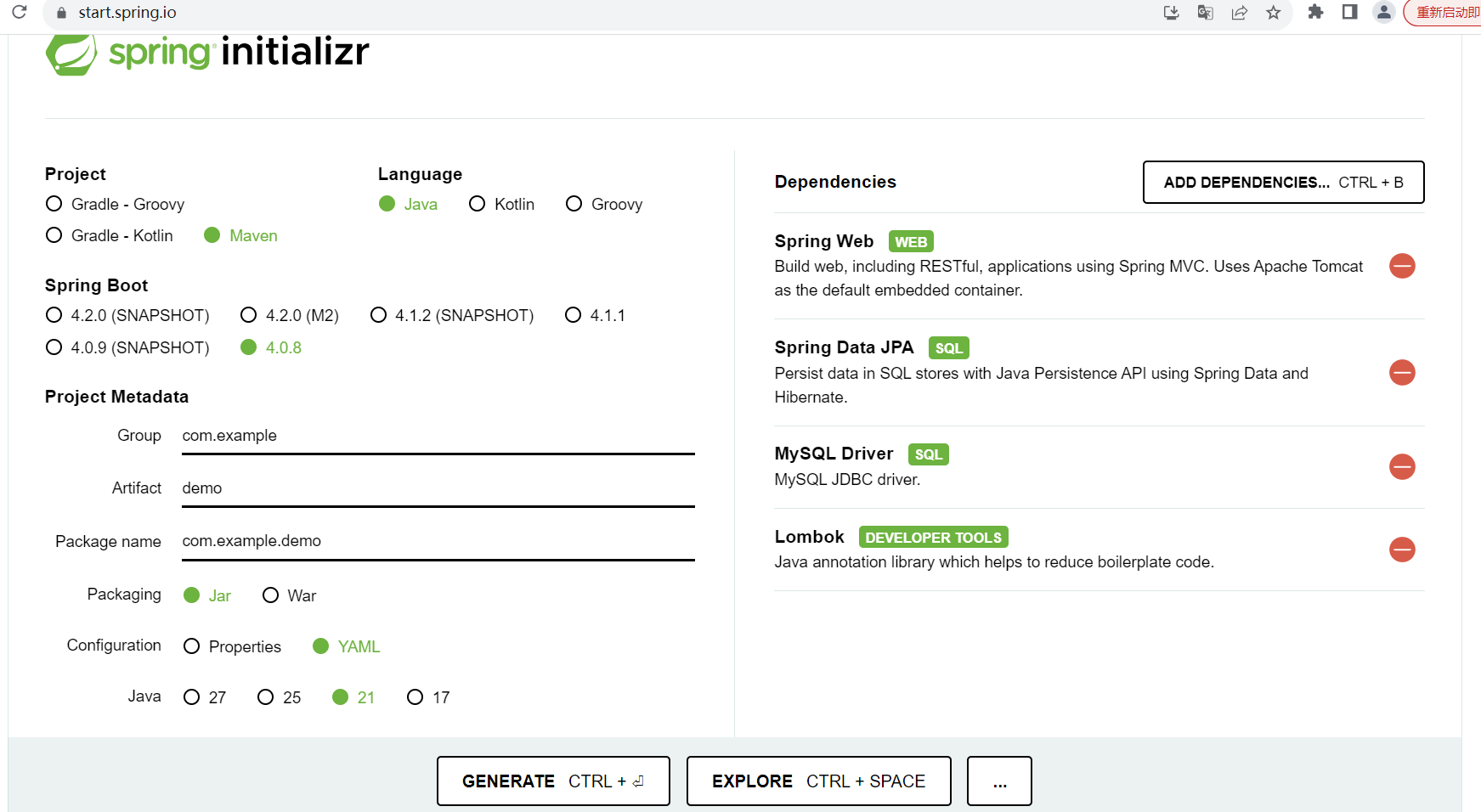
我这边选了21,后面出现问题
- Project:Maven
- Language:Java
- Spring Boot:3.4.x(你用 JDK 17)
- Group:com.example
- Artifact:demo3
- Dependencies:Spring Web、Spring Data JPA、MySQL Driver、Lombok
点 Generate → 下载 zip → 解压 → IDEA Open 打开就行。
application.yaml
java
server:
  port: 8080

spring:
  datasource:
    url: jdbc:mysql://localhost:3306/demo?useSSL=false&serverTimezone=Asia/Shanghai&characterEncoding=UTF-8
    username: root
    password: 123456
    driver-class-name: com.mysql.cj.jdbc.Driver
    hikari:
      maximum-pool-size: 10
      minimum-idle: 2
      connection-timeout: 30000

  jpa:
    hibernate:
      ddl-auto: update   # 学习/开发用 update,生产用 none
    show-sql: true
    properties:
      hibernate:
        format_sql: true
    open-in-view: false
pom.xml
java
<?xml version="1.0" encoding="UTF-8"?>
<project xmlns="http://maven.apache.org/POM/4.0.0" xmlns:xsi="http://www.w3.org/2001/XMLSchema-instance"
	xsi:schemaLocation="http://maven.apache.org/POM/4.0.0 https://maven.apache.org/xsd/maven-4.0.0.xsd">
	<modelVersion>4.0.0</modelVersion>
	<parent>
		<groupId>org.springframework.boot</groupId>
		<artifactId>spring-boot-starter-parent</artifactId>
		<version>4.0.8</version>
		<relativePath/> <!-- lookup parent from repository -->
	</parent>
	<groupId>com.example</groupId>
	<artifactId>demo3</artifactId>
	<version>0.0.1-SNAPSHOT</version>
	<name/>
	<description/>
	<url/>
	<licenses>
		<license/>
	</licenses>
	<developers>
		<developer/>
	</developers>
	<scm>
		<connection/>
		<developerConnection/>
		<tag/>
		<url/>
	</scm>
	<properties>
		<java.version>17</java.version>
	</properties>
	<dependencies>
		<dependency>
			<groupId>org.springframework.boot</groupId>
			<artifactId>spring-boot-starter-data-jpa</artifactId>
		</dependency>
		<dependency>
			<groupId>org.springframework.boot</groupId>
			<artifactId>spring-boot-starter-webmvc</artifactId>
		</dependency>

		<dependency>
			<groupId>org.springframework.boot</groupId>
			<artifactId>spring-boot-devtools</artifactId>
			<scope>runtime</scope>
			<optional>true</optional>
		</dependency>
		<dependency>
			<groupId>com.mysql</groupId>
			<artifactId>mysql-connector-j</artifactId>
			<scope>runtime</scope>
		</dependency>
		<dependency>
			<groupId>org.projectlombok</groupId>
			<artifactId>lombok</artifactId>
			<optional>true</optional>
		</dependency>
		<dependency>
			<groupId>org.springframework.boot</groupId>
			<artifactId>spring-boot-starter-data-jpa-test</artifactId>
			<scope>test</scope>
		</dependency>
		<dependency>
			<groupId>org.springframework.boot</groupId>
			<artifactId>spring-boot-starter-webmvc-test</artifactId>
			<scope>test</scope>
		</dependency>
	</dependencies>

	<build>
		<plugins>
			<plugin>
				<groupId>org.springframework.boot</groupId>
				<artifactId>spring-boot-maven-plugin</artifactId>
			</plugin>
			<plugin>
				<groupId>org.apache.maven.plugins</groupId>
				<artifactId>maven-compiler-plugin</artifactId>
				<executions>
					<execution>
						<id>default-compile</id>
						<phase>compile</phase>
						<goals>
							<goal>compile</goal>
						</goals>
						<configuration>
							<annotationProcessorPaths>
								<path>
									<groupId>org.projectlombok</groupId>
									<artifactId>lombok</artifactId>
								</path>
							</annotationProcessorPaths>
						</configuration>
					</execution>
					<execution>
						<id>default-testCompile</id>
						<phase>test-compile</phase>
						<goals>
							<goal>testCompile</goal>
						</goals>
						<configuration>
							<annotationProcessorPaths>
								<path>
									<groupId>org.projectlombok</groupId>
									<artifactId>lombok</artifactId>
								</path>
							</annotationProcessorPaths>
						</configuration>
					</execution>
				</executions>
			</plugin>
		</plugins>
	</build>

</project>
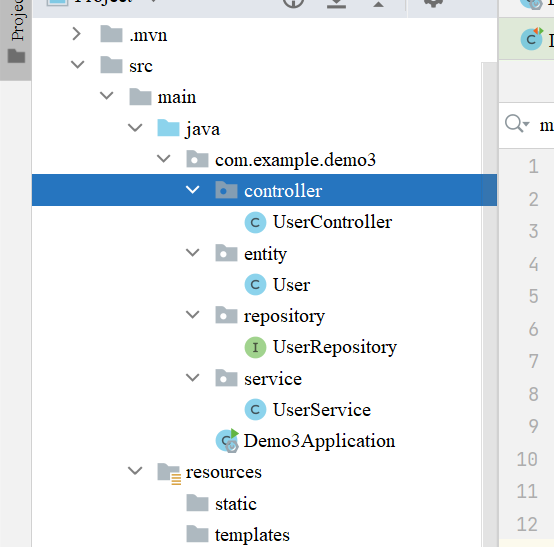
创建对应文件来跑接口
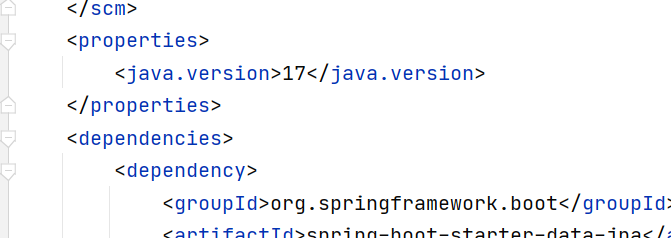
运行的时候出现报错,把21改回17
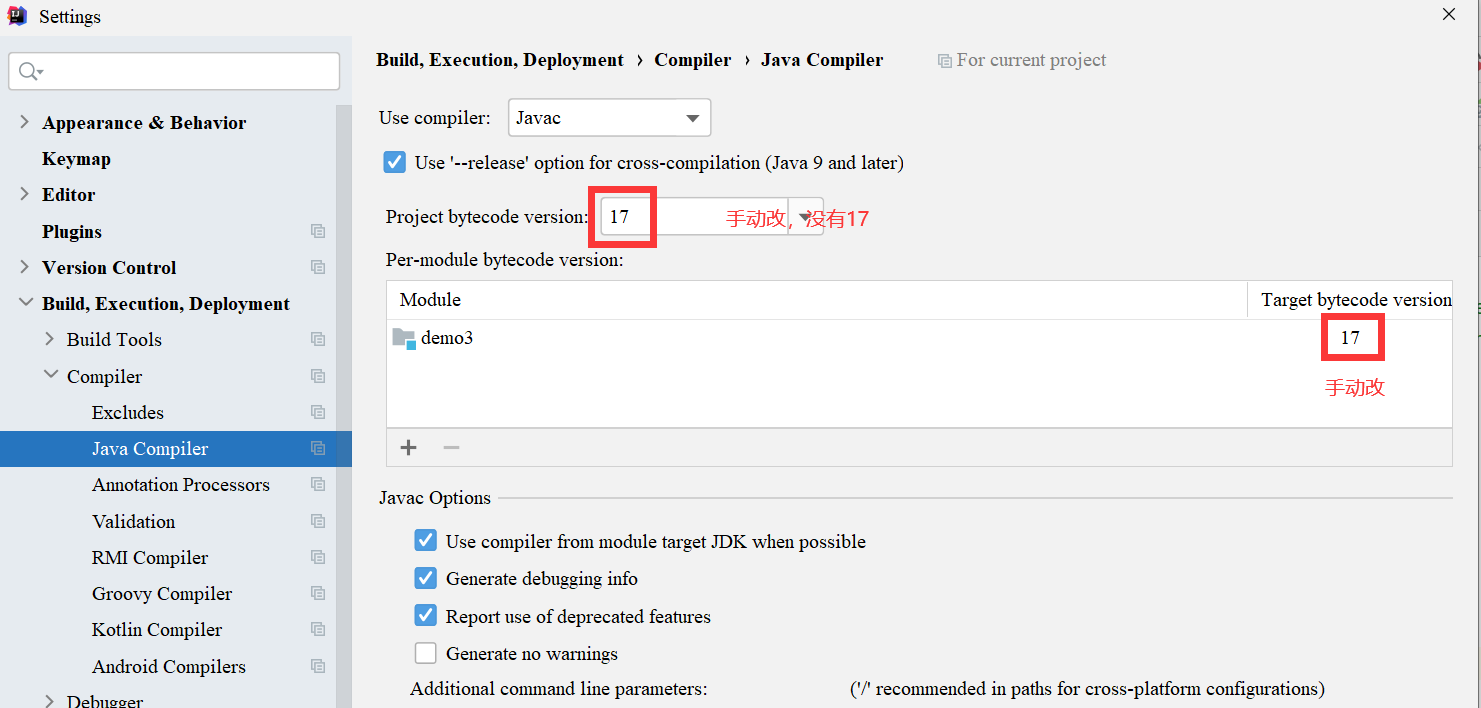
pom.xml里面也要改
postman里面调用一下
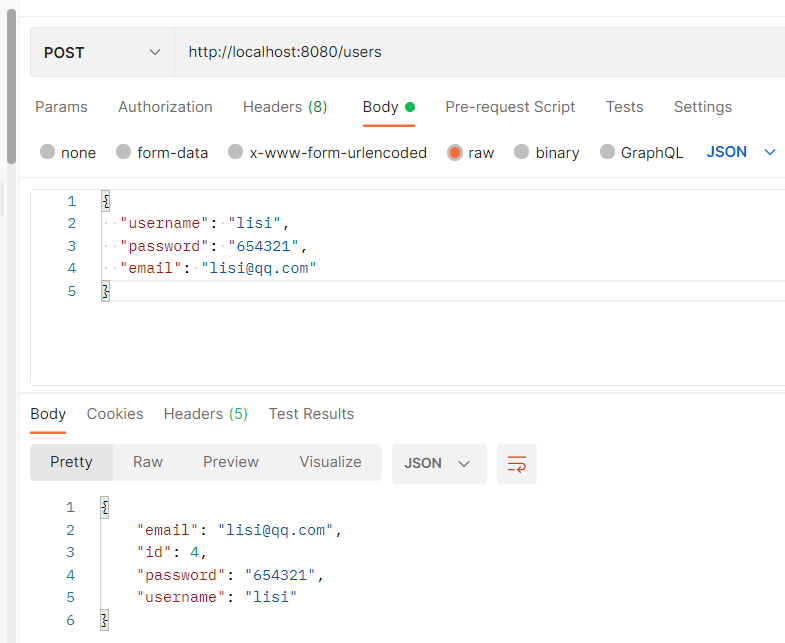
Navicat连接mySql,通过postman调用,这里面很快就插入了