各位开发者好,这里是 Raspberry Pi。
在边缘计算和嵌入式开发中,将自然语言处理(NLP)与物理硬件控制结合通常需要依赖云端 API 或是笨重的本地硬件加速器。今天,我们和大家分享一种极度轻量化的端侧解决方案:由 Cactus Compute 开发的 Needle 2 模型。
打破硬件限制:纯 CPU 运行
Needle 2 是一个专门针对函数调用(Function-Calling)微调的大语言模型,体积仅有 14MB。最核心的突破在于,它可以在 Raspberry Pi 5 上完全依赖 CPU 离线运行,无需搭配任何专用的 AI HAT 或 NPU。
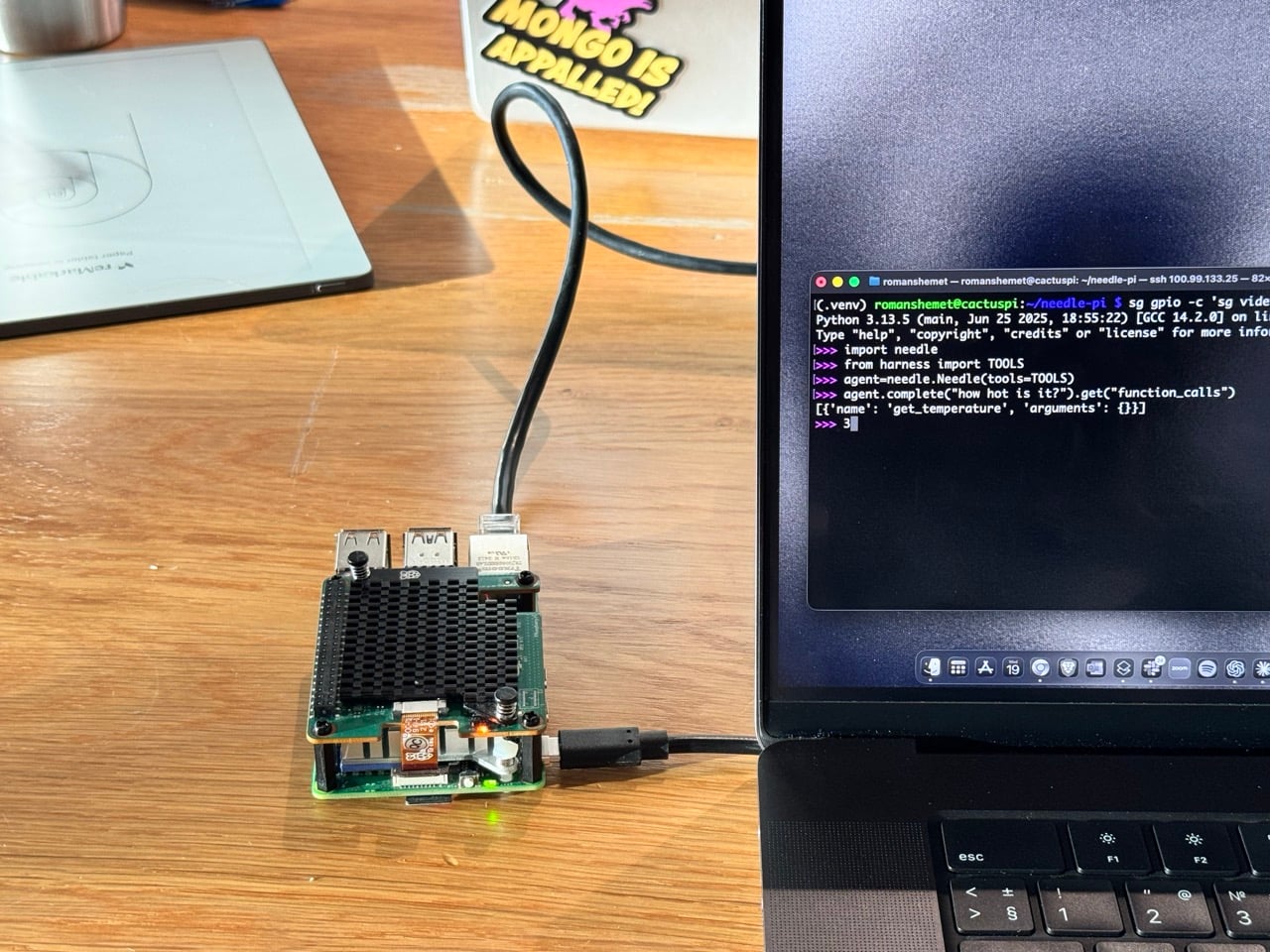
极简的开发体验与代码示例
在配置上,整个环境搭建非常简单:
python3 -m venv needle-env
source needle-env/bin/activate
python -m pip install cactus-needle
首次下载后,Needle 即可在本地运行,无需云 API 或网络连接。此示例无需任何额外硬件。
import needle

from pathlib import Path

import subprocess

notes_path = Path("needle-notes.txt")该类Needle接受使用 `@Deked` 装饰器的函数@needle.tool。该装饰器使用每个函数的名称、文档字符串和类型注解来构建其工具模式。在save_note下面的示例中,`@Deked` 注解告诉 Needle,`function`text必须是一个字符串。
模型会在底层分析出结构化的 JSON,精准选择需要调用的函数并自动填充参数:
@needle.tool

def save_note(text: str):

    """Append a note to a local text file."""

    with notes_path.open("a", encoding="utf-8") as notes:

        notes.write(text + "\n")

    return {"text": text, "path": str(notes_path)}

@needle.tool

def get_temperature():

    """Return the current CPU temperature of this Raspberry Pi in Celsius."""

    out = subprocess.check_output(["vcgencmd", "measure_temp"], text=True)

    return {"temperature_c": float(out.split("=")[1].split("'")[0])}

agent = needle.Needle(tools=[save_note, get_temperature])

response = agent.run("Save a note that says the cooler is working.")run()在模型内部,首先生成以下工具选择(为清晰起见,输出已进行裁剪)
{

  "type": "call",

  "function_calls": [

    {

      "name": "save_note",

      "arguments": { "text": "the cooler is working" }

    }

  ]

}run()执行该函数并将其返回值包含在response["results"]
[

  {

    "text": "the cooler is working",

    "path": "needle-notes.txt"

  }

]在本次运行中,初始complete()内部run()选择了该函数,并在 107 毫秒内生成了它的参数。
我们还可以问:
agent.reset()

response = agent.run("How hot is this Raspberry Pi?")
针头呼叫:
{

  "type": "call",

  "function_calls": [

    {"name": "get_temperature", "arguments": {}}

  ]

}run()执行读取操作vcgencmd并将读取结果包含在其结果中:
{ "temperature_c": 49.9 }我们还声明了 `init` set_led(on)、blink_led(times)`init` 和 `init`,并take_photo()通过rpicam-still`init` 来测试工具选择。`Needle` 会选择工具;普通的 Python 代码决定接下来会发生什么。类似地,你可以使用 `init` 来修饰任何具有清晰名称、类型注解和描述的 Python 函数@needle.tool。
Needle 的搜索范围刻意缩小。例如,询问"法国的首都是什么?"它会{ "function_calls": [] }在 92 毫秒内返回结果,因为我们提供的所有工具都无法回答这个问题。对于一个动作模型来说,拒绝不相关的请求才是正确的反应。
Needle 的原生会话大小约为 28MB。在这个 Python 演示中,包括解释器在内的整个进程最大占用空间在 43MB 到 46.4MB 之间。
这些示例运行于 Raspberry Pi 5(8GB 内存)、Raspberry Pi OS(仅 CPU 运行,cactus-needle 版本 2.0.7)上。"预填充" 和**"解码"计数器** 是 Needle 的会话计数器。 "耗时 complete()"列中的每个延迟值都是所选 Python 函数运行之前,单次调用的实际耗时。
如果您已经编写了 GPIO Zero 函数,您可以对其进行修饰并传入。其他应用程序逻辑也同样适用。此外,Needle 还可以在笔记本电脑上针对特定工具集进行本地微调。
您可以在huggingface.co/Cactus-Compute/needle2和github.com/cactus-compute/needle找到权重和代码。两者都以 Apache 2.0 许可发布。