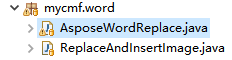
主要程序代码:
package mycmf.word;

import java.awt.image.BufferedImage;

import java.io.File;
import java.io.FileInputStream;
import java.io.FileNotFoundException;
import java.io.FileOutputStream;
import java.io.IOException;
import java.io.InputStream;
import java.util.ArrayList;
import java.util.HashMap;
import java.util.List;
import java.util.Map;
import java.util.regex.Pattern;

import javax.imageio.ImageIO;
import com.aspose.words.Document;
import com.aspose.words.FontSettings;
import com.aspose.words.License;
import com.aspose.words.SaveFormat;

import com.aspose.words.Body;
import com.aspose.words.Bookmark;
import com.aspose.words.BookmarkCollection;
import com.aspose.words.CompositeNode;
import com.aspose.words.Document;
import com.aspose.words.DocumentBuilder;
import com.aspose.words.ImportFormatMode;
import com.aspose.words.Node;
import com.aspose.words.NodeCollection;
import com.aspose.words.NodeImporter;
import com.aspose.words.NodeType;
import com.aspose.words.Orientation;
import com.aspose.words.PaperSize;
import com.aspose.words.Paragraph;
import com.aspose.words.Section;

import mycmf.office.AsposeWordIns;

import com.aspose.words.Range;

//aspose-words-18.10-jdk16.jar

public class AsposeWordReplace {

	public static void main(String[] args)
	{
		try
		{
			new AsposeWordReplace().replaceTest();
			new AsposeWordReplace().insTest();
		}
		catch (Exception e)
		{
			e.printStackTrace();
		}
	}

	//测试字符串替换为字符
	//测试字符串替换为图片
	public void replaceTest() {
		Map<String, String> params = new HashMap<String, String>();
		params.put("{$编号$}", "BH-2020-01-20");
		params.put("{$pic1$}", "$pic:D:/temp/wordTestAspose/111.jpg");
		DocReplace("D:/temp/wordTestAspose/main.docx", "D:/temp/wordTestAspose/_main字符替换后.docx", params);
		//DocReplace("D:/test/poi替换源.doc", "D:/test/aspose替换后.doc", params);
	}

	//测试将指定字符替换为另一个文件
	public void insTest() throws Exception {
		//AsposeWordIns DOC = new AsposeWordIns();
    	//在文档指定符号处插入另一个文件。keyy为自定义符号。标记必须独占一行。
    	DocInsert("{$插入第三章$}" ,"D:/temp/wordTestAspose/main.docx","D:/temp/wordTestAspose/main第三章.docx","D:/temp/wordTestAspose/_main3.docx", true);
    	//最后面一行追加,最后一行不要有字,有个换行符就行
    	//DocInsert("" ,"D:/temp/rep/000.docx","D:/temp/rep/2024.docx","D:/temp/rep/生成的0003.docx", true);
    	updateDir("D:/temp/wordTestAspose/_main3.docx" , "D:/temp/wordTestAspose/_main3更新目录后.docx");
	}


	/**
	 * aspose word 替换文字/图片。
	 * @param url  原文件路径
	 * @param saveurl 保存路径
	 * @param params {key:value,"$年份$":"2020","$签字1$":"$pic:d/qz1.jpg"} key 为要被替换的字符串,value 为替换为的字符串,替换为图片,则value为$pic:+图片路径
	 * @return
	 */
	public  boolean DocReplace(String url,String saveurl,Map<String, String> params){
		if (!getLicenseDoc()) {
			return false;
		}
		File file = new File(url);
		if(!file.exists()){
			return false;
		}
		try {
			Document doc = new Document(url);
			Range range = doc.getRange();
			for(String key:params.keySet()){
				String value = params.get(key);
				if(value.startsWith("$pic:")){
				    value = value.substring(5);
				    Pattern pattern = Pattern.compile(Pattern.quote(key));
				    range.replace(pattern, new mycmf.word.ReplaceAndInsertImage(value), false);
				}else{
				    range.replace(key, value, true, false);
				}
			}
			doc.save(saveurl);

		} catch (Exception e) {
			e.printStackTrace();
			return false;
		}
		return true;
	}


	public void wordInsTest() throws Exception {
		// 验证License 若不验证则转化出的pdf文档会有水印产生
		if (!getLicenseDoc()) { System.out.println("Aspose_word_License Err!");		}
		try{
			//主文档
			Document mainDocument = new Document("d:/temp/main.docx");
			//需要进行追加的文档
			Document addDocument = new Document("d:/temp/add.docx");
			//第四个参数是书签名,需要和步骤1在大word文档中定义的书签名对上
			appendDocument(mainDocument, addDocument, true, "shuqian1");
			System.out.println("成功!");
			//将最终合并完成后的文档对象保存到文件中
			mainDocument.save("d:/temp/result.docx");
		}
		catch (Exception e)
		{
			e.printStackTrace();
		}
	}

	//文档目录更新(插入内容后页码更新)
	//inWord=d:/1.docx
	//outWord=d:/2.docx
	public void updateDir(String inWord,String outWord) throws Exception {

		// Load the Word document
		Document doc = null;
		try {
			//doc = new Document("Word.docx");
			doc = new Document(inWord);
		} catch (Exception e) {
			// TODO Auto-generated catch block
			e.printStackTrace();
		}
		// Update table of content
		doc.updateFields();
		// Save the updated document
		doc.save(outWord);
	}


    //在文档指定符号处插入另一个文件。keyy为自定义符号。标记必须独占一行。
	public void DocInsert(String keyy ,String mainWord,String AddWord,String outWord,boolean isPortrait)    {
		   if (!getLicenseDoc()) { System.out.println("Aspose_word_License Err!");		}
		   try{
		    Document doc = new Document(mainWord); // 加载要处理的文档
		    //需要进行追加的文档
			Document addDocument = new Document(AddWord);
			DocumentBuilder Builder = new DocumentBuilder(doc);
			Range range = doc.getRange();
	        NodeCollection runs = doc.getChildNodes(NodeType.PARAGRAPH, true); //获取所有节点
	        int dell = 0 ;
	        for (int i = 0; i < runs.getCount(); i++) {
	            Paragraph r = (Paragraph) runs.get(i);
	            String text = r.getRange().getText();//获取段落文本
	            //System.out.println(i+":"+text);
	            if(keyy!=null && keyy.length()>0) {
		            if(text.length()>=keyy.length() && text.indexOf(keyy)>=0) {
		                //指定段落
		                Builder.moveTo(r);
		                Builder.getPageSetup().setPaperSize(PaperSize.A4);
		                if (isPortrait)
						{
							Builder.getPageSetup().setOrientation(Orientation.PORTRAIT);
						}
						else
						{
							Builder.getPageSetup().setOrientation(Orientation.LANDSCAPE);
						}
		                //range.replace(keyy, "" , true, false); //替换标记为空
		                Node insertAfterNode = Builder.getCurrentParagraph().getPreviousSibling();
		                insertDocumentAfterNode(insertAfterNode, doc , addDocument);
		                r.remove();//删除标记所在行
		                break;
		            }
	            }
	            //最后面插入
	            if((keyy==null || keyy.length()<1) && i==(runs.getCount()-1)) {
	               Builder.moveTo(r);
	               Builder.getPageSetup().setPaperSize(PaperSize.A4);
	               if (isPortrait)
					{
						Builder.getPageSetup().setOrientation(Orientation.PORTRAIT);
					}
					else
					{
						Builder.getPageSetup().setOrientation(Orientation.LANDSCAPE);
					}
	                Node insertAfterNode = Builder.getCurrentParagraph().getPreviousSibling();
	                insertDocumentAfterNode(insertAfterNode, doc , addDocument);
	                break;
	            }
	        }
	        //doc.updateFields();
	        doc.save(outWord);//新文件地址
		   }catch (Exception e)
			{
				e.printStackTrace();
			}

	}


	//遍历word文件每一行
	//找到文档包含某些字符的行,在后面添加文字
	public void DocAll(String inWord,String outWord) throws Exception   {
		if (!getLicenseDoc()) { System.out.println("Aspose_word_License Err!");		}
		Document doc = new Document(inWord); // 加载要处理的文档
		DocumentBuilder Builder = new DocumentBuilder(doc);
		Paragraph currentParagraph = Builder.getCurrentParagraph();
		int cc=0;
		for (int i = 0; i <= 10000; i++) {
		    Node nextSibling = currentParagraph.getNextSibling();
		    cc++;
		    if (nextSibling == null) {
		        break;
		    }
		    String text1 = nextSibling.getText().trim();
		    System.out.println(cc+":"+text1);
		    if(text1.length()>10 && text1.indexOf("44444444444")>=0) {
		    	Builder.moveTo(nextSibling);
		    	Builder.writeln("BBBBBBBBB - ");
		    	Builder.write("AAAAAAAAAAAAAAAAA");
		    }
		    if(text1.length()>10 && text1.indexOf("XXXXXXX")>=0) {
		    	Builder.moveTo(nextSibling);
		    	Builder.writeln("中华人民共和国 - ");
		    	Builder.write("测试");
		    }
		    currentParagraph = (Paragraph) nextSibling;
		}
        doc.save(outWord);
	}


	/**
	 * @Description 文档拼接
	 * @param mainDoc 主文档
	 * @param addDoc 要拼接的文档
	 * @param isPortrait 是否横向拼接
	 * @param bookmark 书签名称,将add文档拼接到主文档哪个位置
	 */
	public static void appendDocument(Document mainDoc, Document addDoc, boolean isPortrait, String bookmark)
	{
		DocumentBuilder builder = null;
		try
		{
			builder = new DocumentBuilder(mainDoc);
			BookmarkCollection bms = mainDoc.getRange().getBookmarks();
			Bookmark bm = bms.get(bookmark);
			if (bm != null)
			{
				builder.moveToBookmark(bookmark, true, false);
				builder.writeln();
				builder.getPageSetup().setPaperSize(PaperSize.A4);
				if (isPortrait)
				{
					builder.getPageSetup().setOrientation(Orientation.PORTRAIT);
				}
				else
				{
					builder.getPageSetup().setOrientation(Orientation.LANDSCAPE);
				}
				Node insertAfterNode = builder.getCurrentParagraph().getPreviousSibling();
				insertDocumentAfterNode(insertAfterNode, mainDoc, addDoc);
			}
		}
		catch (Exception e)
		{
			e.printStackTrace();
		}
	}

	/**
	 * @Description
	 * @param insertAfterNode 插入的位置
	 * @param mainDoc 主文档
	 * @param srcDoc 要拼接进去的文档
	 * @Return void
	 */
	@SuppressWarnings("rawtypes")
	private static void insertDocumentAfterNode(Node insertAfterNode, Document mainDoc, Document srcDoc) throws Exception
	{
		if (insertAfterNode.getNodeType() != 8 && insertAfterNode.getNodeType() != 5)
		{
			throw new Exception("The destination node should be either a paragraph or table.");
		}
		else
		{
			CompositeNode dstStory = insertAfterNode.getParentNode();
			Body body = srcDoc.getLastSection().getBody();
			while (null != body.getLastParagraph() && !body.getLastParagraph().hasChildNodes())
			{
				srcDoc.getLastSection().getBody().getLastParagraph().remove();
			}

			NodeImporter importer = new NodeImporter(srcDoc, mainDoc, ImportFormatMode.KEEP_SOURCE_FORMATTING);
			int sectCount = srcDoc.getSections().getCount();

			for (int sectIndex = 0; sectIndex < sectCount; ++sectIndex)
			{
				Section srcSection = srcDoc.getSections().get(sectIndex);
				int nodeCount = srcSection.getBody().getChildNodes().getCount();
				for (int nodeIndex = 0; nodeIndex < nodeCount; ++nodeIndex)
				{
					Node srcNode = srcSection.getBody().getChildNodes().get(nodeIndex);
					Node newNode = importer.importNode(srcNode, true);
					dstStory.insertAfter(newNode, insertAfterNode);
					insertAfterNode = newNode;
				}
			}
		}
	}

    public String basDir(){
        String str = "";
        try{
        	str = getClass().getProtectionDomain().getCodeSource().getLocation().getPath().substring(1);
        } catch (Exception e) { }
        if(str.indexOf("WEB-INF")>0){ str =  str.substring(0, (str.indexOf("WEB-INF")-1)  ); }
        if(str.indexOf(":")<5 && str.indexOf(":")>0){
           //win系统
        }else{
           //unix系统
           if(str.indexOf("/")>1){  str = "/" + str ; }
        }
	    return str ;
    }

	/**
	 * word签名
	 * */
	public boolean getLicenseDoc( ) {
		boolean result = false;
		com.aspose.words.License aposeLic = new com.aspose.words.License();
		String BSD = basDir();
		//System.out.println("LicenseDoc:" + BSD);
		try {
			//InputStream is  = AsposeWord.class.getClassLoader().getResourceAsStream("license.xml");
			// license.xml应放在..\WebRoot\WEB-INF\classes路径下
			File file = new File(BSD+"/WEB-INF/Aspose_license.xml");
			InputStream is  =  new FileInputStream(file);
			aposeLic.setLicense(is);
			result = true;
			is.close();
		} catch (Exception e) {
			e.printStackTrace();
		}
		return result;
	}

}
图片插入:
package mycmf.word;

import com.aspose.words.Document;
import com.aspose.words.Node;
import com.aspose.words.DocumentBuilder;
import com.aspose.words.IReplacingCallback;
import com.aspose.words.ReplaceAction;
import com.aspose.words.ReplacingArgs;

public class ReplaceAndInsertImage implements IReplacingCallback{
	public String url;
	public ReplaceAndInsertImage(String url){
        this.url = url;
    }
	@Override
	public int replacing(ReplacingArgs e) throws Exception {
		//获取当前节点
         Node node = e.getMatchNode();
        //获取当前文档
        Document document =  (Document) node.getDocument();
        DocumentBuilder builder = new DocumentBuilder(document);
        //将光标移动到指定节点
        builder.moveTo(node);
        //插入图片
        builder.insertImage(url);
        return ReplaceAction.REPLACE;
	}
}