字段:
1.什么是字段
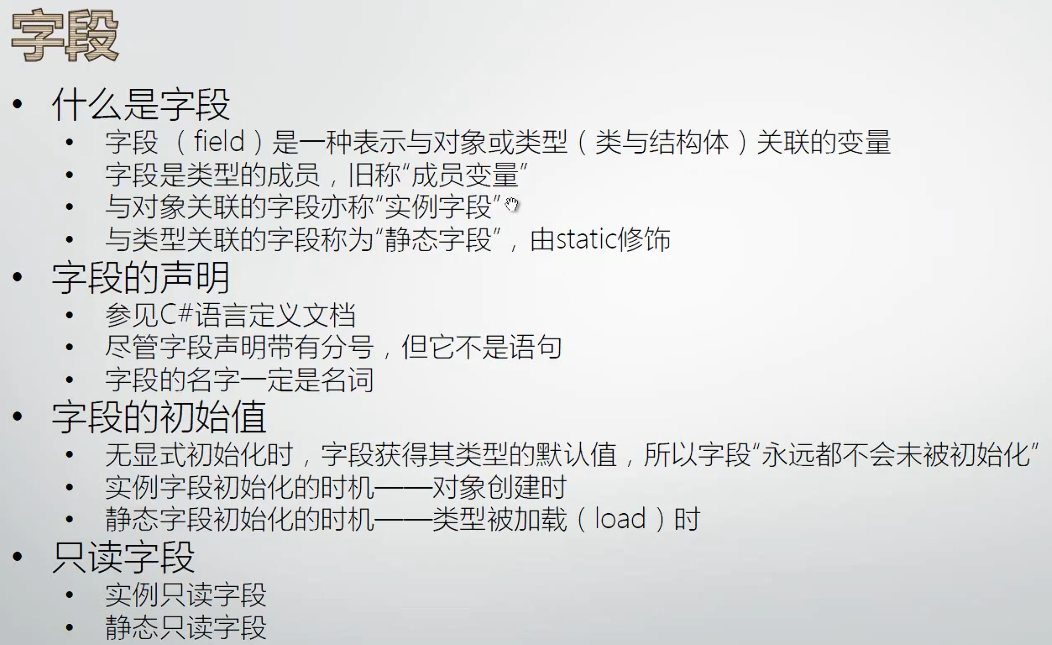
字段本质是变量,变量的作用是存储数据,字段是为一个对象/类型存储数据,多个字段组合起来表达一个对象/类型当前的状态。
实例字段表示实例对象当前的状态,隶属于实例
静态字段表示类型当前的状态,隶属于类型,static修饰
-
有 static → 属于类
-
没 static → 属于实例
这个说法只对成员(字段、方法、属性)成立。
cs
class Program
{
    static void Main(string[] args)
    {
        List<Student> stuList = new  List<Student>();
        for(int i=0;i<100;i++)
        {
            Student stu=new Student();
            stu.Age=22;
            stu.Score=i;
            stuList.Add(stu);
        }

        int totalAge=0;
        int totalScore=0;
        foreach(var stu in stuList)
        {
            totalAge+=stu.Age;
            totalScore+=stu.Score;
        }

        Student.AverageAge=totalAge/Student.Amount;
        Student.AverageScore=totalScore/Student.Amount;

        Student.ReportAmount();
        Student.ReportAverageAge();
        Student.ReportAverageScore();
    }
}

class Student
{
    //实例字段
    public int Age;
    public int Score;

    //静态字段(static修饰)
    public static int AverageAge;
    public static int AverageScore;
    public static int Amount;

    public Student()
    {
        Student.Amount++; //每个Student实例创建时,总数+1
    }

    public static void ReportAverageAge()
    {
        Console.WriteLine(Student.AverageAge);
    }

    public static void ReportAverageScore()
    {
        Console.WriteLine(Student.AverageScore);
    }

    public static void ReportAmount()
    {
        Console.WriteLine(Student.Amount);
    }
}
2.字段的声明
*字段是类型的成员,所以要在类体里声明;不要写到函数体里,那就成了局部变量;
字段声明没有放在函数体里,所以不是语句;
*为了能从类的外面访问类的字段,要用public将其标记为公开的;
3.字段的初始值
提倡:声明字段的时候就给字段赋上初始值,不赋初始值会获得默认初始值(字段数据类型的默认值)
*字段在声明时初始化和放在构造函数(构造器)里初始化是完全等价的,但是推荐前者,因为这样字段的初始值就不受可能会变化的构造函数的影响;
cs
class Student
{   实例字段
    public int Age=0;

          ||

    public Student()
    {
        this.Age=0;
    }
    =============================
    静态字段
    public static int AverageAge=100;

         ||

    static Student()
    {
        Student.AverageAge=100;
    }
}
*构造器有实例构造器和静态构造器,前者每创建一个实例就执行一次,后者只在加载这个数据类型的时候执行一次,永远只执行一次;
*构造函数的一个功能是给字段初始值;实例字段在对象创建、实例构造函数执行时初始化;静态字段在类型被加载、静态构造函数执行时初始化;
*ctor+2下tab,可以快速插入实例构造函数;
cs
实例构造器
class Student
{
    public Student(){}
}

静态构造器
class Student
{
    static Student(){}
}
4.只读字段
修饰符:
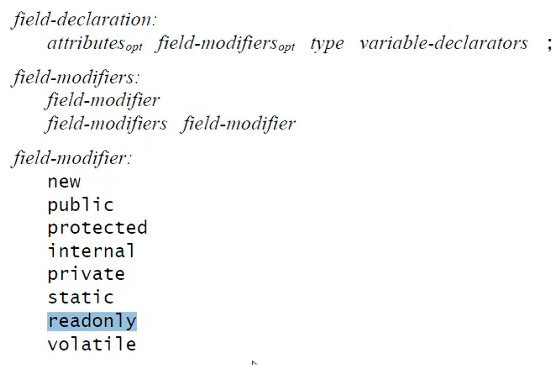
*只读字段(readonly)只有一次机会给它赋值,只能在类中初始化(申明时初始化或在构造函数中初始化,两者等价),但是不能在类外面给它赋值;
cs
实例只读字段
class Program
{
    static void Main(sring[] args)
    {
        Student stu1=new Student(1);
        Console.WriteLine(stu1.ID);
        // × stu1.ID=2;
    }
}

class Student
{
    public rendonly int ID;

    public Student(int id)
    {
        this.ID = id;
    }
}
cs
静态只读字段
class Program
{
    static void Main(string[] args)
    {

    }
}

struct Color
{
    public int Red;
    public int Green;
    public int Blue;
}

class Brush
{
    public static readonly Color DefaultColor = new Color(){Red=0,Green=0,Blue=0};
                                        ||
    public static readonly Color DefaultColor;
    static Brush()
    {
        Brush.DefaultColor = new Color(){Red=0,Green=0,Blue=0};
    }
}
属性:
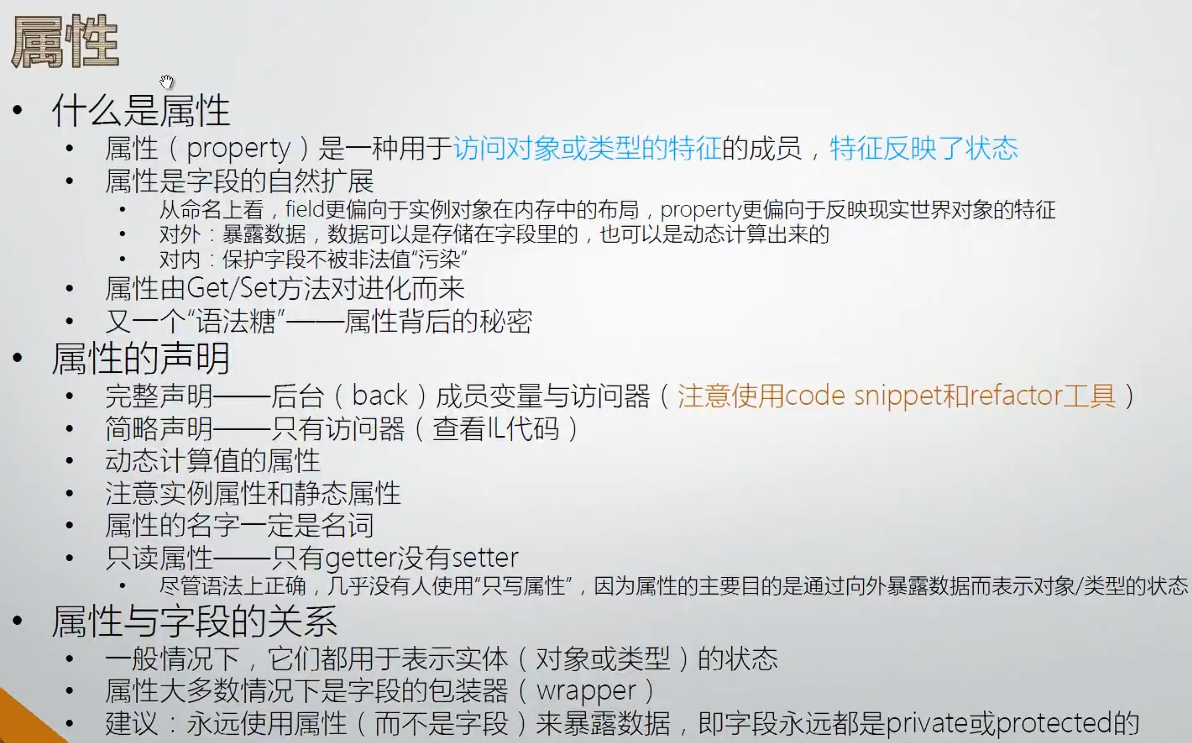
1.什么是属性
cs
class Program
{
    static void Main(string[] args)
    {
        try
        {
            Student stu1 = new Student();
            stu1.Age=200;

            Student stu2 = new Student();
            stu2.Age=200;

            Student stu3 = new Student();
            stu3.Age=200;

            int avgAge=(stu1.Age+stu2.Age+stu3.Age)/3;
            Console.WriteLine(avgAge);
        }
        catch(Exception ex)
        {
            Console.WriteLine(ex.Message);
        }

    }
}

class Student
{
    public int Age  //公开的用帕斯卡命名法
    {
        get
        {
            return this.Age;
        }
        set
        {
            if(value>0&&value<120) //value为上下文关键字
            {
                this.Age=value;
            }
            else
            {
                thorw new Exception("Age value has error!");
            }
        }
    }

}
2.属性的声明:
*属性以static修饰时,其包装的字段也必须是static;
(1)完整声明:propfull+按2下tab键;依次按tab键跳转到下一个可修改处
cs
class Program
{
    static void Main(string[] args)
    {
        try
        {
            Student.Amount = -100;
            Console.WriteLine(Student.Amount);
        }
        catch(Exception ex)
        {
            Console.WriteLine(ex.Message);
        }
    }

}

class Student
{   //实例属性
    private int age;
    public int Age
    {
        get
        {
            return age;
        }
        set
        {
            if (value >= 0 && value <= 120)
            {
                age = value;
            }
            else
            {
                throw new Exception("Age value has error!");
            }
        }
    }

    //静态属性
    private static int amount;
    public static int Amount
    {
        get
        {
            return amount;
        }
        set
        {
            if (value >= 0)
            {
                amount = value;
            }
            else
            {
                throw new Exception("Amount must greater than 0.");
            }
        }
    }


}
(2)简略声明:prop+按2下tab键;与公有字段一样,不受保护,但写起来非常简单,一般用来传递数据的
cs
class Student
{
    public int MyProperty { get; set; }
}
(3)另外的方法:将光标移到字段位置,选择工具栏编辑→重构→封装字段,或者快捷键按ctrl+R+E;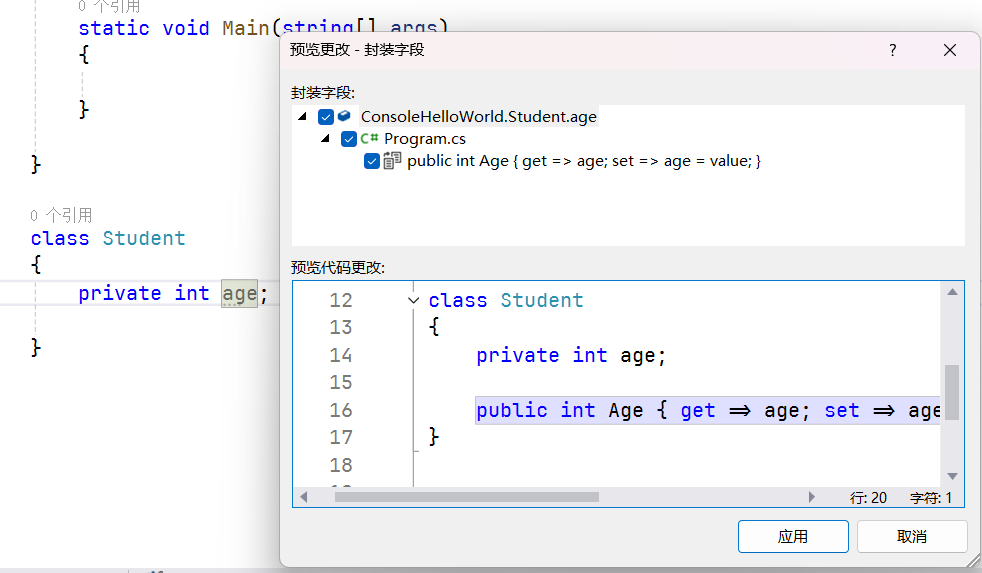
只读属性:只有get
cs
class Student
{
    //不能对其进行赋值
    private int age;

    public int Age
    {
        get{return age;}
    }
}
还有一种只能在Student类中赋值,外界不可访问:
cs
class Student
{

    private int age;

    public int Age
    {
        get{return age;}
        private set{age=value;}
    }

    public void SomeMethod()
    {
        this.Age=20;
    }
}
索引器
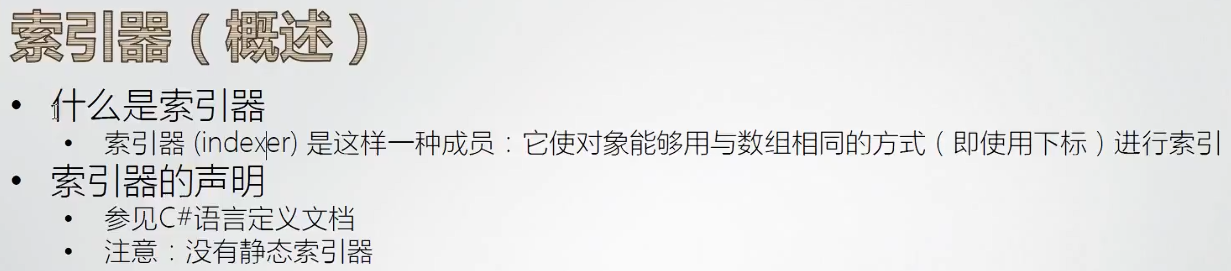
一般情况用在集合里面,检索集合
int?是可空int类型
常量
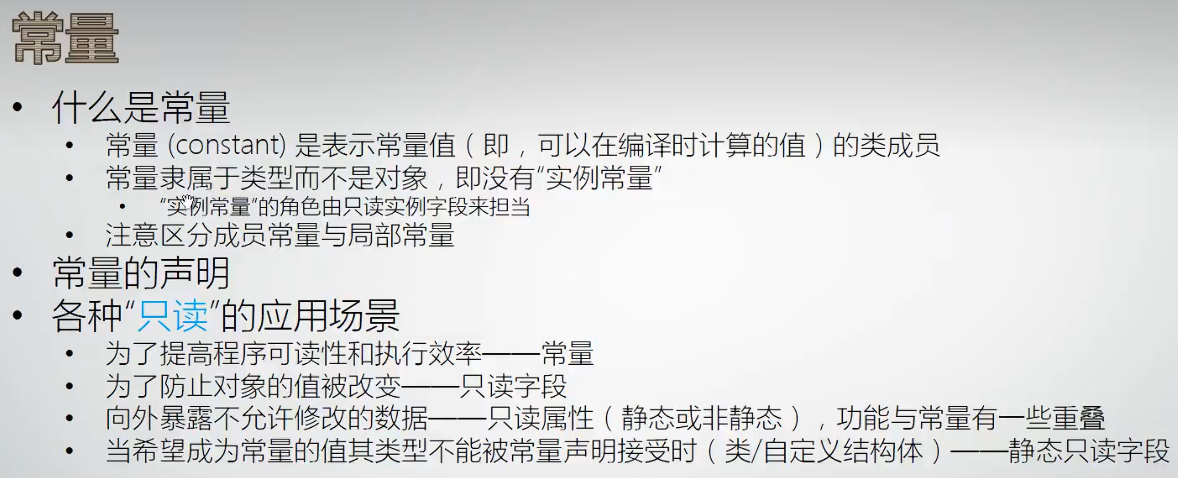
*常量的数据类型只能是基本数据类型,例如int,double等,不能用类类型或自定义结构体类型;
*常量是在编译时就用常量的字面值替换了标识符,而静态只读属性,要在程序执行时,需要访问内存,从内存中获取值,所以常量的性能比静态只读属性高;
cs
class Program
{
    static void Main(string[] args)
    {
        Console.WriteLine(WASPEC.WebsiteURL);
    }
}

class WASPEC
{
    public const string WebsiteURL="http://www.waspec.org";
}
成员常量:类型的成员
局部常量:参与组成方法体中的算法