SonarQube平台搭建
一、项目搭建的必要条件
-
SonarQube 8.9.10 previous LTS 依据公司现有服务目前的Jdk版本1.8,需要选择一个适用的长期支持版本,我在这里选用的是SonarQube 8.9.10 previous LTS。下载地址:Download Previous SonarQube Versions | Sonar
-
PostgreSQL 12
根据官方文档要求版本是9.6- 13,我们采用12。下载地址:EDB: Open-Source, Enterprise Postgres Database Management 注意:Must be configured to use UTF-8 charset
-
JDK11
下载地址:JDK下载 - 编程宝库
二、搭建SonarQube
-
安装教程见官网:Install the server
-
修改sonar.properties
sonar.jdbc.username=sonar
sonar.jdbc.password=sonar
sonar.jdbc.url=jdbc:postgresql://localhost/sonar?currentSchema=public sonar.web.port=9090 -
插件汉化 方式一:登录SonarQube平台,在配置-->应用市场-->搜索Chinese Pack进行安装 方式二:下载对应jar包,放在<SONARQUBE_HOME>/extensions/plugins里面 插件市场地址:SonarQube™ Plugins Index ;针对与java的pmd-p3c插件地址:GitHub - caowenliang/sonar-pmd-p3c: sonarQube 整合 阿里p3c
三、ScanSonarScanner配置
-
下载地址:SonarScanner
-
配置环境变量:
vi /etc/profile
#SonarScanner
export Sonar_Home=/opt/SonarScanner/
export PATH=Sonar_Home/bin:PATH
source /etc/profile -
修改 配置sonar-scanner.properties:
#----- Default SonarQube server
sonar.host.url=http://localhost:9090
#----- Default source code encoding
sonar.sourceEncoding=UTF-8
四、集成Jenkins
-
下载ScanSonarScanner插件(插件市场搜索SonarScanner for Jenkins),重启Jenkins
-
服务配置:Manage Jenkins > Configure System>SonarQube servers
-
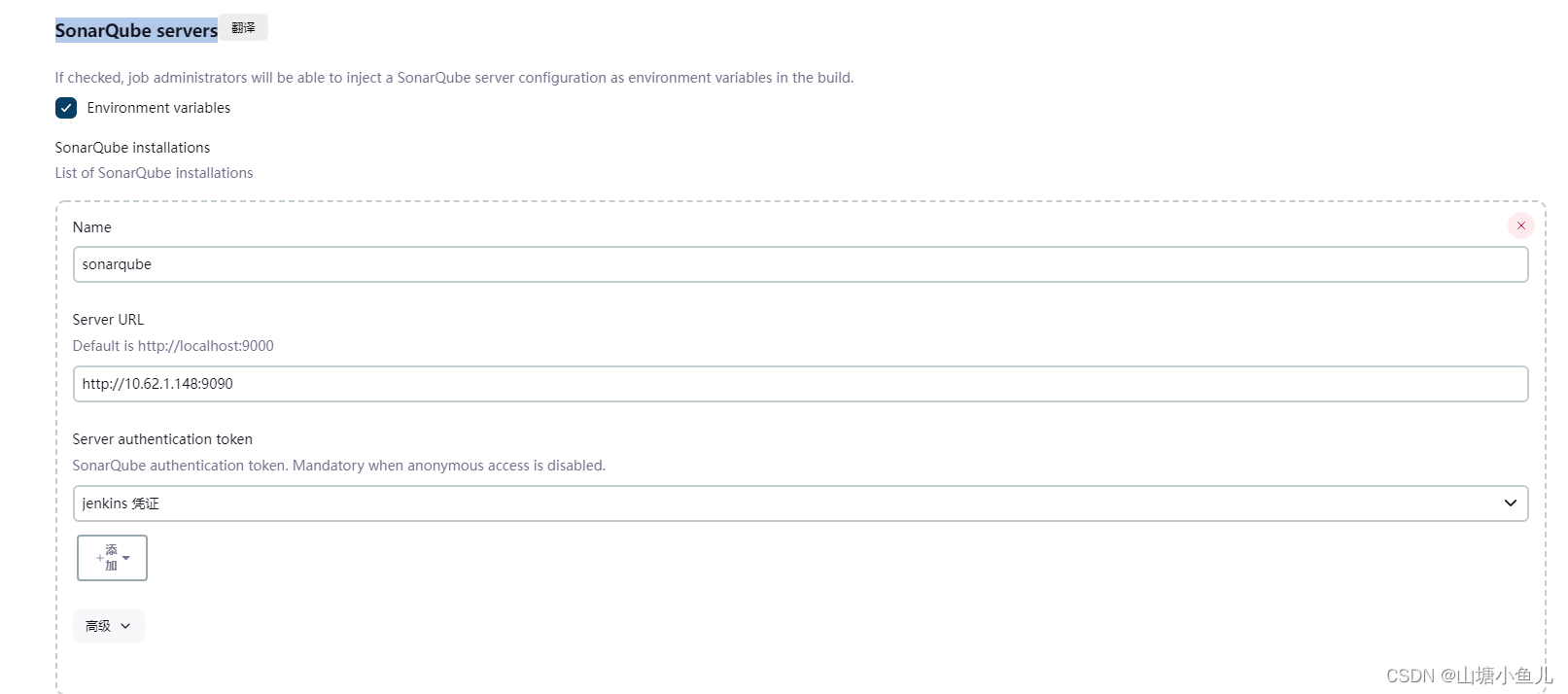
-
客户端配置:Manage Jenkins > Tools>SonarQube Scanner
-
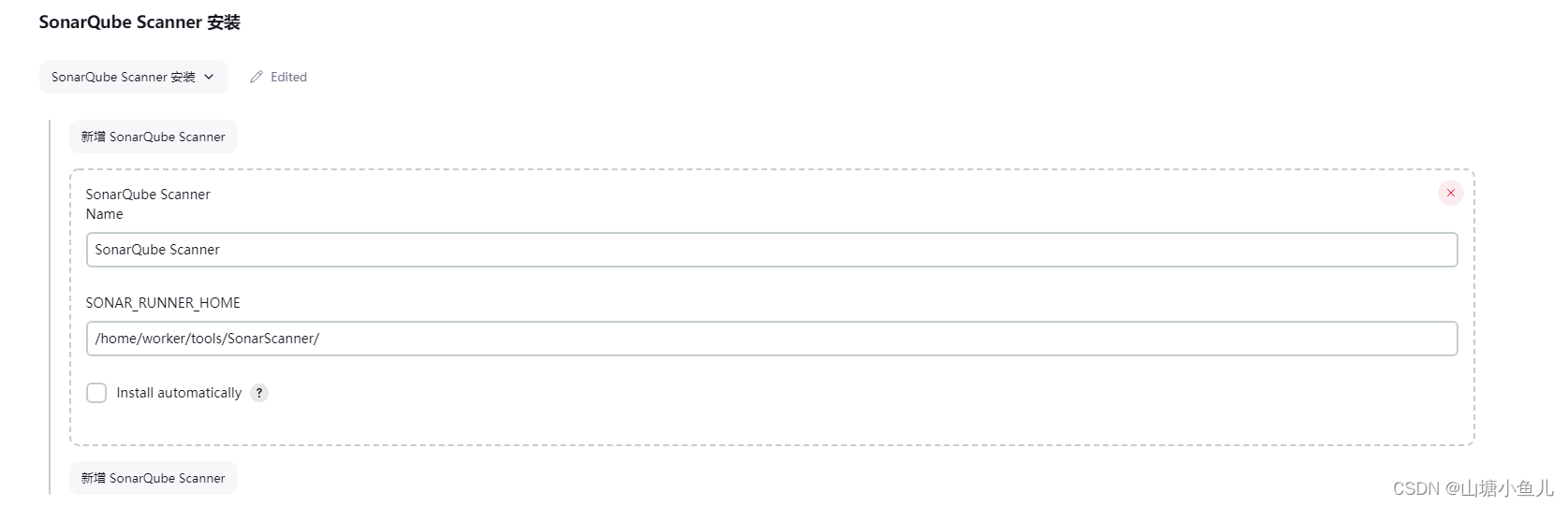
-
构建配置:Configure>Build Steps
-
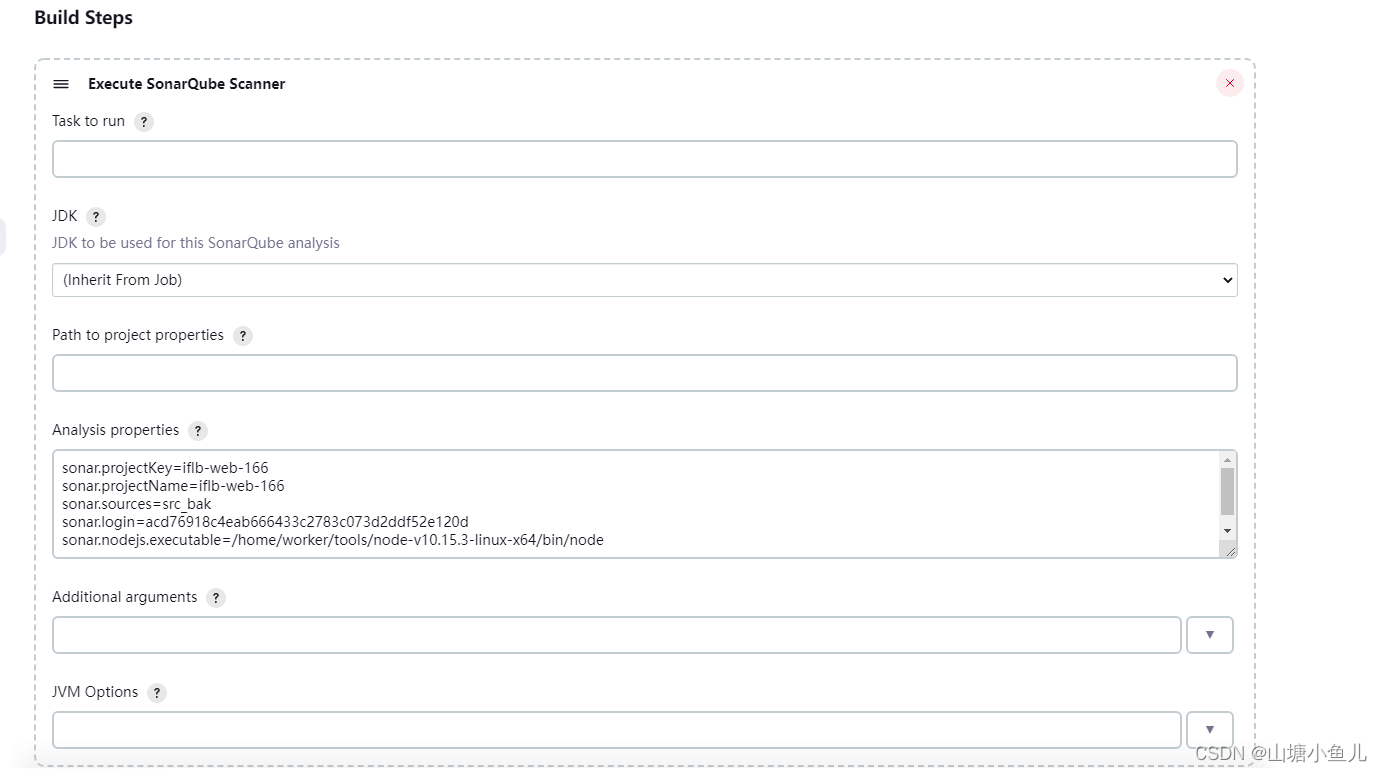
-
Analysis properties 参数内容解释:
#projectKey:项目唯一标识 projectName:项目名称 二个名字一样即可
sonar.projectKey=iflb-web-166
sonar.projectName=iflb-web-166
#分析的路径 相对路径在jenkins是相对于workspace来说的
sonar.sources=src_bak
#登录sonarqube凭证
sonar.login=acd76918c4eab666433c2783c073d2ddf52e120d
sonar.nodejs.executable=/home/worker/tools/node-v10.15.3-linux-x64/bin/node
#Java编译后的文件目录
sonar.java.binaries=target/classes
#只解析java语言
sonar.language=java