一、pytest介绍
pytest介绍 - unittest\nose
pytest:基于unittest之上的单元测试框架
自动发现测试模块和测试方法
断言使用assert+表达式即可
可以设置测试会话级、模块级、类级、函数级的fixtures 数据准备 + 清理工作
unittest:setUp、teardown、setUpClass、tearDownClass
共享前置后置 -- conftest.py
有丰富的插件库,目前在900个以上 allure
二、安装命令
pip install pytest
安装html报告的插件
pip install pytest-html
pytest插件地址
http://plugincompat.herokuapp.com/
pytest之mark功能
pytest - 收集测试用例
pytest收集测试用例的规则
默认从当前目录中搜集测试用例,即在哪个目录下运行pytest命令,则从哪个目录当中搜索
三、搜索规则
符合命名规则 test_*.py 或者 *_test.py的文件
以test开头的函数名
以Test开头的测试类(没有__init__函数)当中,以test_开头的函数
对测试用例打标签。在运行测试用例的时候,可根据标签名来过滤要运行的用例
四、使用方法
注册标签名
在测试用例/测试前面加上:@pytest.mark.已注册的标记名
注册方式
创建pytest.ini文件,在文件中按如下形式添加标签名:
pytest markers= slow:marks tests as slow(deselect with '-m "not slow"') serial
注:冒号之后是可选的描述信息
在conftest.py文件当中,通过hook注册
def pytest_configure(config): config.addinivalue_line("markers","smoke1:标记只运行冒烟用例") config.addinivalue_line("markers","demo1:示例运行")
给用例打标记
方式1
打标记范围:测试用例、测试类、模块文件
在测试用例/测试类前面加上:@pytest.mark.标记名
@pytest.mark.slow
可在一个用例上打多个标签,多次使用@pytest.mark.标记名即可
@pytest.mark.slow
@pytest.mark.serial
方式2
打标记范围:测试用例、测试类、模块文件
在测试类里,使用以下申明(测试类下,所有用例都被打上该标签)
class TestClass(object): pytestmark = pytest.mark.已注册标签名 pytestmark = pytest.mark.标签1, pytest.mark.标签2 # 多标签模式
在模块文件里,同理(py文件下,所有测试函数和测试类里的测试函数,都有该标签)
import pytest pytestmark = pytest.mark.已注册标签名 pytestmark = pytest.mark.标签1, pytest.mark.标签2 # 多标签模式
pytest之命令行运行用例
安装后,pytest.exe在python安装目录的Scripts目录下,因为配置了环境变量后,可以之间运行pytest
脚本里面是,效果通命令行
import pytest if name == 'main': pytest.main()
只运行某个标记
pytest -m slow
pytest -m slow -s -v # 详细输出
pytest之fixture功能
pytest之fixture参数化 - 多运行、pytest层级覆盖。测试用例与其同级或者在其子目录
共享前置后置 -- conftest.py
文件名不可更改,不需要引入就可以使用其中的fixture
一个函数:前置+后置
yield分隔前置后置
设置作用域:中间的夹的是什么,默认"function"
@pytest.fixture def init_driver(): # 前置 pass # 分隔线 yield 返回值写在这 # 后置 pass
调用fixture的三种方式
在测试用例中直接调用它
将fixture的函数名作为测试用例的参数
如果fixture有返回值,那么测试用例中的fixture函数名字就接收返回值
eg
def test_xxx(self,myfixture): myfixture.find_element_by_xpath("xxx") # 函数名代表了fixture的返回值,即driver
用fixture装饰器调用fixture
在测试用例/测试类前面加上@pytest.mark.usefixtures("fixture函数名字")
ps:定义conftest.py文件,在此文件中可定义多个fixture,pytest会自动搜索此文件
@pytest.mark.usefixtures("init_driver") class TestLogin: @pytest.mark.slow def test_login_success(self, init_driver): init_driver1. #返回值直接用,这里返回元组
用autos调用fixture
在定义fixture时,有一个参数是autouse,默认设置为False
当默认为False,就可以选择用上面两种方式来试用fixture
当设置为True时,在一个session内的所有test都会自动调用这个fixture(权限大,责任也大,所以用该功能时也要谨慎小心)
五、pytest之参数化
在测试用例的前面加上
@pytest.mark.parametrize("参数名",列表数据)
参数名:用来接收每一项数据,并作为测试用例的参数
列表数据:一组测试数据
@pytest.mark.parametrize("参数1,参数2",(数据1,数据2),(数据1,数据2))
示例
@pytest.mark.parametrize("aa,b,c", (1, 3, 4), (10, 35, 45), (22.22, 22.22, 44.44)) def test_add(self, a, b, c): res = a + b assert res == c
组合参数化:多组参数,依次组合
使用多个@pytest.mark.parametrize
示例
@pytest.mark.parametrize("x",1,2) @pytest.mark.parametrize("y",2,3) def test_foo(x,y): pass
用例有四个1,2/1,3/2,2/2,3 笛卡尔积
pytest之重运行
pytest提供了失败重试机制
插件名称rerunfailures
安装方法
pip install pytest-rerunfailures
使用方式
命令行参数形式
命令:pytest --reruns 重试次数
比如:pytest --reruns 2 表示:运行失败的用例可以重新运行2次
命令:pytest --reruns 重试次数 --reruns-delay 次数之间的延时设置(单位:秒)
pytest --reruns 2 --reruns-delay5
表示失败的用例可以重新运行2次,第一次和第二次的间隔时间为5秒钟
pytest之html测试报告
需要安装pytest-html插件
pytest可以生成多种样式的结果
生成JunitXML格式的测试报告,命令
--junitxml=path
生成result log格式的测试报告,命令
--resultlog=report\log.txt
生成html格式的测试报告,命令
--html=report\test_one_func.html(相对路径)
import pytest if name == 'main': pytest.main("--reruns", "3", "--reruns-delay", "5", "-m", "fail", "--html=Reports\\report.html", "--junitxml=Reports\\report.xml")
pytest之allure测试报告
安装allure
下载allure.zip
下载地址
alure-github:GitHub - allure-framework/allure2: Allure Report is a flexible, lightweight multi-language test reporting tool. It provides clear graphical reports and allows everyone involved in the development process to extract the maximum of information from the everyday testing process
解压到本地目录,配置allure.bat的环境变量ALLURE_HOME
在命令行中运行allure,确认环境变量配置成功
pytest插件安装
pip install allure-pytest
pytest生成allure测试报告的命令参数
--alluredir=/XXX/my_allure_results
查看allure的测试报告命令
allure serve allure报告目录 相对/绝对
eg:allure serve D:\reports\allure
pytest之jenkins集成
安装插件Allure Jenkins Plugin
配置工具路径D:\allure-2.13.5
配置时构建后操作生成allure报告,选择allure report并配置路径(相对)
六、分布式
master/slave模式
分担jenkins服务器的压力,任务分配到其它执行机来执行
master:jenkins服务器
slave:执行机(奴隶机),执行master分配的任务,并返回任务的进度和结果
master
管理节点
分配任务
slave
反馈状态
反馈任务进度
反馈任务结果
master/slave
slave向master注册
slave的状态,空闲/忙碌
slave的能力,可并行执行任务
七、配置
节点管理新建节点
全局设置--代理--选择"随机选取"
节点管理新建节点
名字 - 可以唯一指定
执行器数量 - 可以同时执行的任务数
远程工作目录 - 执行机的目录,会自动在该目录下创建workspace,并建相应的job目录
标签 - 可以指定一组中随机一个执行
用法 - 指定
启动方式 - Launch agent by connecting it to the master(利用java web连接)
可用性 - 尽可能使用
节点属性
可以设置执行机的环境变量和工具
连接
连接处下载slave-agent.jnlp直接在执行机运行
可以安装为系统服务,这样的化可以静默执行
连接后就可以运行了
或者在命令行中启动节点
可以执行了
最后感谢每一个认真阅读我文章的人,礼尚往来总是要有的,虽然不是什么很值钱的东西,如果你用得到的话可以直接拿走:
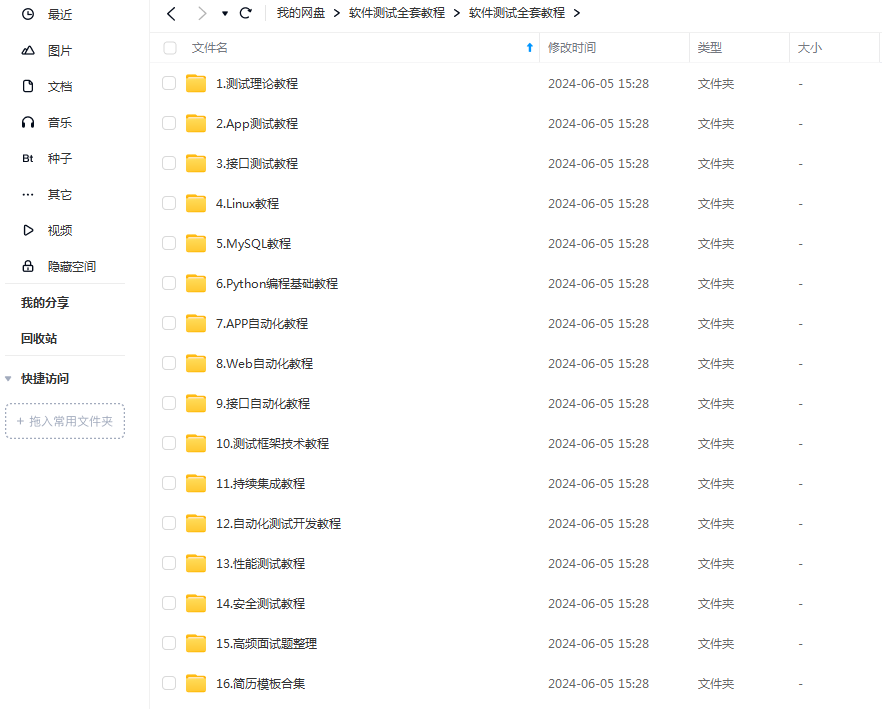
这些资料,对于【软件测试】的朋友来说应该是最全面最完整的备战仓库,这个仓库也陪伴上万个测试工程师们走过最艰难的路程,希望也能帮助到你!
