目录
[1. 引言](#1. 引言)
[2. 环境准备](#2. 环境准备)
[3. 数据库设置](#3. 数据库设置)
[4. Flask 应用基本配置](#4. Flask 应用基本配置)
[5. 实现用户注册](#5. 实现用户注册)
[6. 实现用户登录](#6. 实现用户登录)
[7. 路由配置](#7. 路由配置)
[8. 创建前端页面](#8. 创建前端页面)
[9. 结论](#9. 结论)
1. 引言
在这篇文章中,我们将使用 Flask 框架创建一个简单的登录和注册系统。Flask 是一个轻量级的 Python Web 框架,适合快速开发 Web 应用。
2. 环境准备
-
安装 Flask:可以通过 pip 安装 Flask 和相关依赖:
pip install Flask以下是具体配置
python
from flask import Flask, render_template, request, render_template_string, redirect, url_for
from flask_mysqldb import MySQL
from werkzeug.security import generate_password_hash, check_password_hash
from config import Config # 导入配置文件-

-
创建项目结构:
pythonflask_demologin/ ├── app.py ├── config.py ├── templates/ │ ├── login.html │ ├── res.html │ └── index.html └── static/ └── css/ └── img/
3. 数据库设置
- 使用 MySQL :
-
创建数据库及用户表。
CREATE DATABASE demologin;
USE demologin;CREATE TABLE users (
id INT AUTO_INCREMENT PRIMARY KEY,
username VARCHAR(100) NOT NULL UNIQUE,
password VARCHAR(255) NOT NULL
);
-
4. Flask 应用基本配置
-
config.py 文件配置数据库连接:
class Config:
MYSQL_HOST = 'localhost'
MYSQL_USER = 'root'  # 替换为你的 MySQL 用户名
MYSQL_PASSWORD = 'root'  # 替换为你的 MySQL 密码
MYSQL_DB = 'demologin' # 替换为你的 数据库名称
5. 实现用户注册
-
在 app.py 中创建注册路由 :
python@app.route('/register', methods=['POST']) def register(): name = request.form.get('username') pwd = request.form.get('password') if not name or not pwd: return render_template_string("用户名和密码不能为空,<a href='/'>返回登录</a>"), 400 cur = mysql.connection.cursor() cur.execute("SELECT * FROM users WHERE username = %s", (name,)) user = cur.fetchone() if user: return render_template_string("用户名已存在,<a href='/'>返回登录</a>"), 400 hashed_pwd = generate_password_hash(pwd) cur.execute("INSERT INTO users (username, password) VALUES (%s, %s)", (name, hashed_pwd)) mysql.connection.commit() cur.close() return render_template_string("注册成功,<a href='/'>返回登录</a>"), 201
6. 实现用户登录
-
在 app.py 中创建登录路由 :
@app.route('/login', methods=['POST'])
def login():
    name = request.form.get('username')
    pwd = request.form.get('password')

    if not name or not pwd:
        return render_template_string("用户名和密码不能为空,<a href='/'>返回注册</a>"), 400

    cur = mysql.connection.cursor()
    cur.execute("SELECT * FROM users WHERE username = %s", (name,))
    user = cur.fetchone()

    if user and check_password_hash(user[2], pwd):  # user[2] 是密码字段
        return redirect(url_for('home'))  # 登录成功,重定向到主页
    else:
        return "用户名或密码错误", 401
7. 路由配置
-
设置首页和重定向 :
@app.route('/') def home(): return render_template('index.html') # 渲染主页模板-
设置登录页面和注册页面和重定向:
@app.route('/')
def Index_login(): # put application's code here
return render_template('login.html')@app.route('/res')
def Index_res(): # put application's code here
return render_template('res.html')
-
8. 创建前端页面
-
login.html 和 res.html 的简单示例:
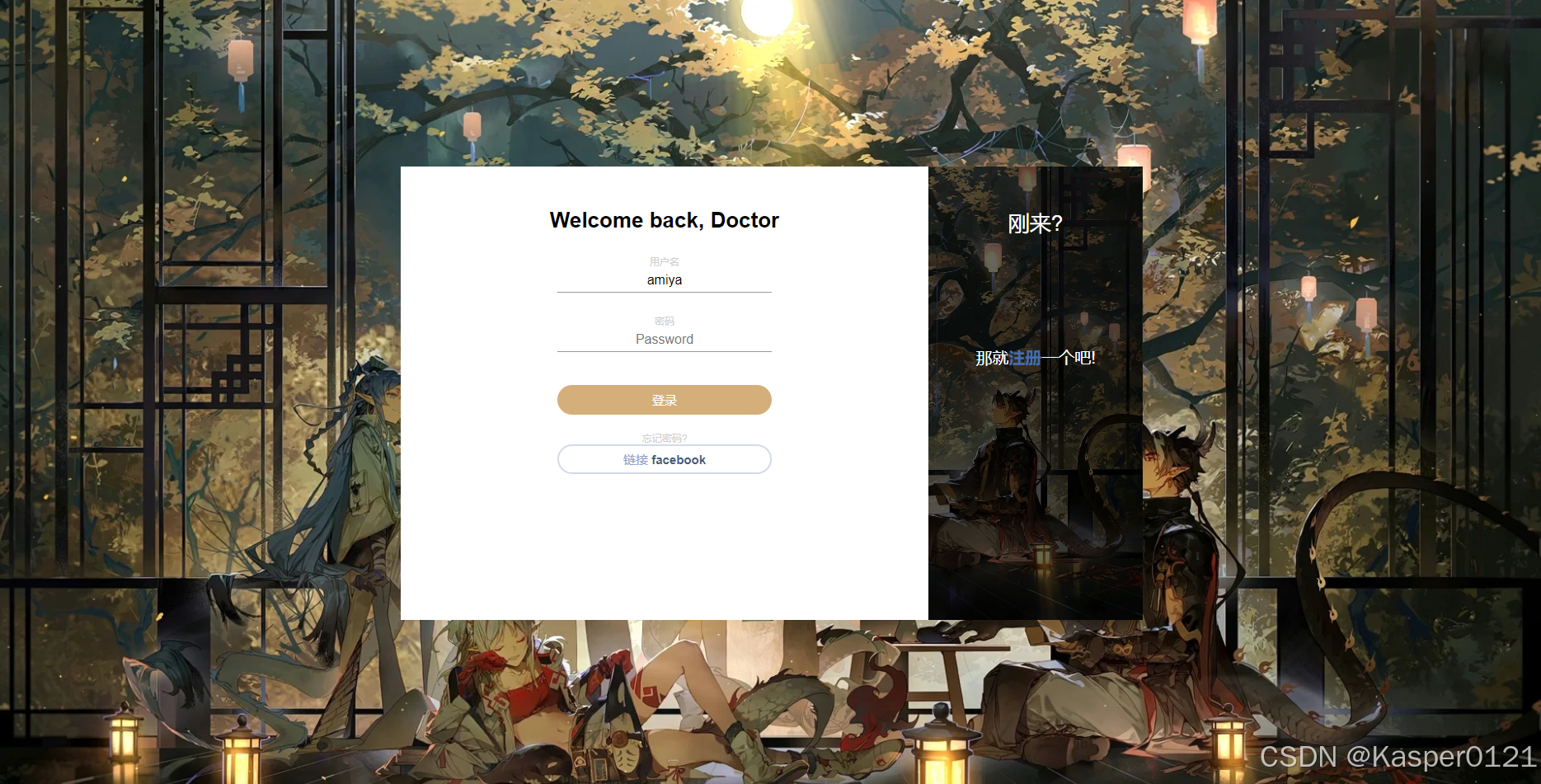
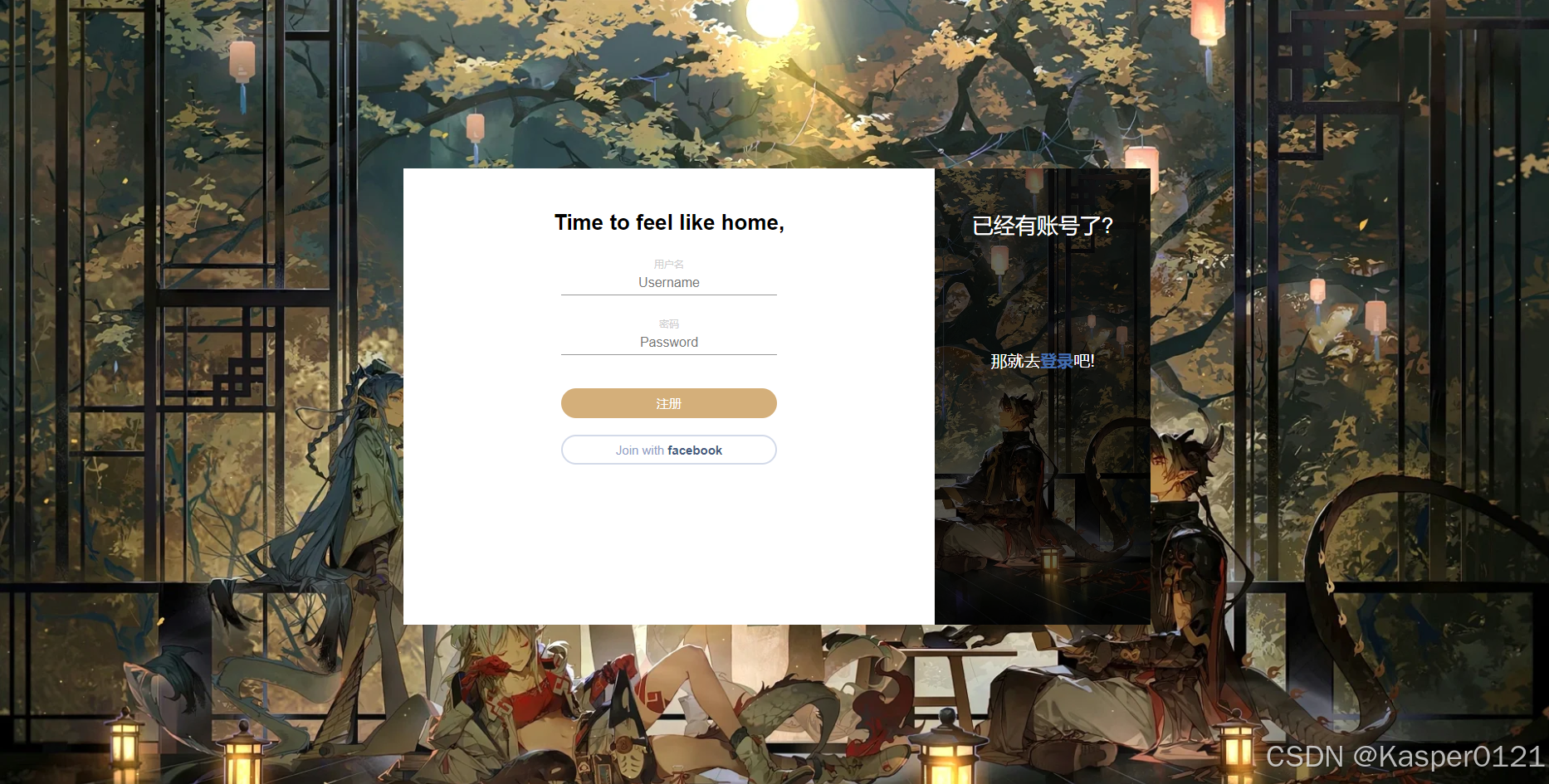
python<!-- login.html --> <div class="cont-parent"> <div class="cont"> <div class="form sign-in"> <h2>Welcome back, Doctor</h2> <form action="/login" method="post"> <label> <span>用户名</span> <input type="text" name="username" placeholder="Username" required/> </label> <label> <span>密码</span> <input type="password" name="password" placeholder="Password" required/> </label> <button type="submit" class="submit">登录</button> </form> <p class="forgot-pass">忘记密码?</p> <button type="button" class="fb-btn">链接 <span>facebook</span></button> </div> <div class="sub-cont"> <div class="img"> <div class="img__text m--up"> <h2>刚来?</h2> <p>那就<a href="/res">注册</a>一个吧!</p> </div> </div> </div> </div> </div> <!-- res.html --> <div class="cont-parent"> <div class="cont"> <div class="form sign-in"> <h2>Time to feel like home,</h2> <form action="/register" method="post"> <label> <span>用户名</span> <input type="text" name="username" placeholder="Username" required/> </label> <label> <span>密码</span> <input type="password" name="password" placeholder="Password" required/> </label> <button type="submit" class="submit">注册</button> </form> <button type="button" class="fb-btn">Join with <span>facebook</span></button> </div> <div class="sub-cont"> <div class="img"> <div class="img__text m--up"> <h2>已经有账号了?</h2> <p>那就去<a href="/">登录</a>吧!</p> </div> </div> </div> </div> </div>
9. 结论
通过本文,我们实现了一个基本的登录和注册功能。
以下是实现的效果图(前端靠大家自由发挥,提供的html代码进作为参考)