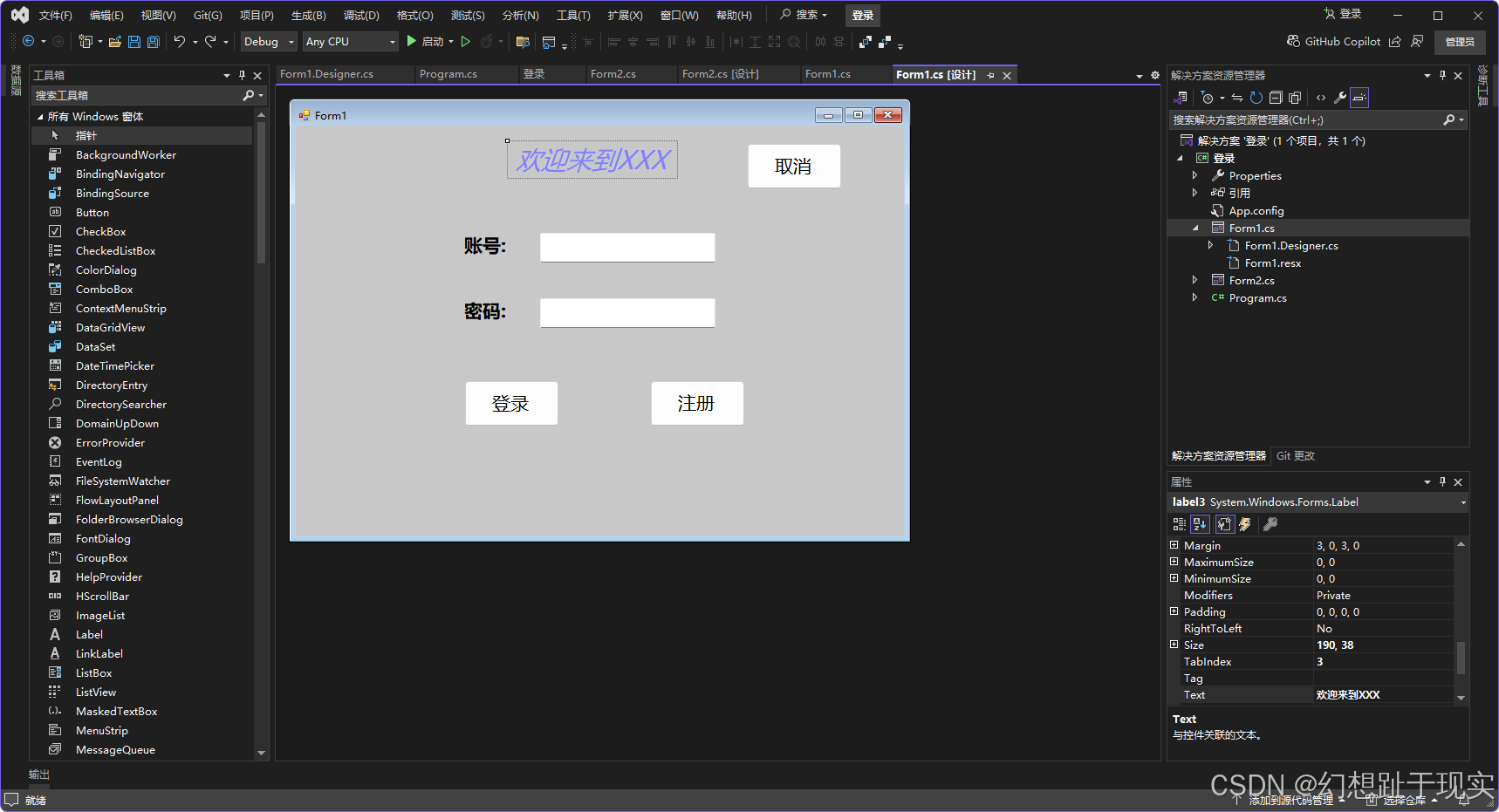
cs
using System;
using System.Collections;
using System.Collections.Generic;
using System.ComponentModel;
using System.Data;
using System.Drawing;
using System.Linq;
using System.Text;
using System.Threading.Tasks;
using System.Windows.Forms;

namespace 登录
{
    public partial class Form1 : Form
    {
        public Form1()
        {
            InitializeComponent();

        }
        public ArrayList UserName=new ArrayList();
        public ArrayList Password=new ArrayList();
        private void button2_Click(object sender, EventArgs e)
        {
            if(textBox1.Text == "")
            {
                label4.Text = "账号不能为空";
                label4.ForeColor = Color.Red;
                return;
            }
            if(textBox2.Text =="")
            {
                label4.Text = "";
                label5.Text = "密码不能为空";
                label5.ForeColor = Color.Red;
                return;
            }
            label5.Text = "";
            bool IsEdit=false;
            for(int i = 0; i < UserName.Count; i++)
            {
                if((string)UserName[i] ==textBox1.Text)
                {
                    IsEdit = true;
                    break;
                }
            }
            if(IsEdit)
            {
                MessageBox.Show("账号已注册");

            }
            else
            {
                MessageBox.Show("账号注册成功");
                UserName.Add(textBox1.Text);
                Password.Add(textBox2.Text);
                //textBox1.Clear();
                //textBox2.Clear();
            }
        }

        private void button1_Click(object sender, EventArgs e)
        {
            bool isSiccess = false;
            for (int i = 0; i < UserName.Count; i++)
            {

                if (textBox1.Text.Equals(UserName[i]) && textBox2.Text.Equals(Password[i]))
                {
                    isSiccess = true;
                    break;
                }
            }
            if (isSiccess)
            {
                    Form2 form2 = new Form2();
                    form2.Show();
                    this.Hide();

            }
            else
            {
                MessageBox.Show("账号或密码错误");
            }
        }

        private void button3_Click(object sender, EventArgs e)
        {
            this.Close();
        }

        private void textBox1_KeyDown(object sender, KeyEventArgs e)
        {

            if (e.KeyCode == Keys.Enter)
            {
                this.textBox2.Focus();
            }
        }

        private void textBox2_KeyPress(object sender, KeyPressEventArgs e)
        {
            if(e.KeyChar==(char)Keys.Enter)
            {
                this.button1_Click(sender, e);
            }
        }
    }
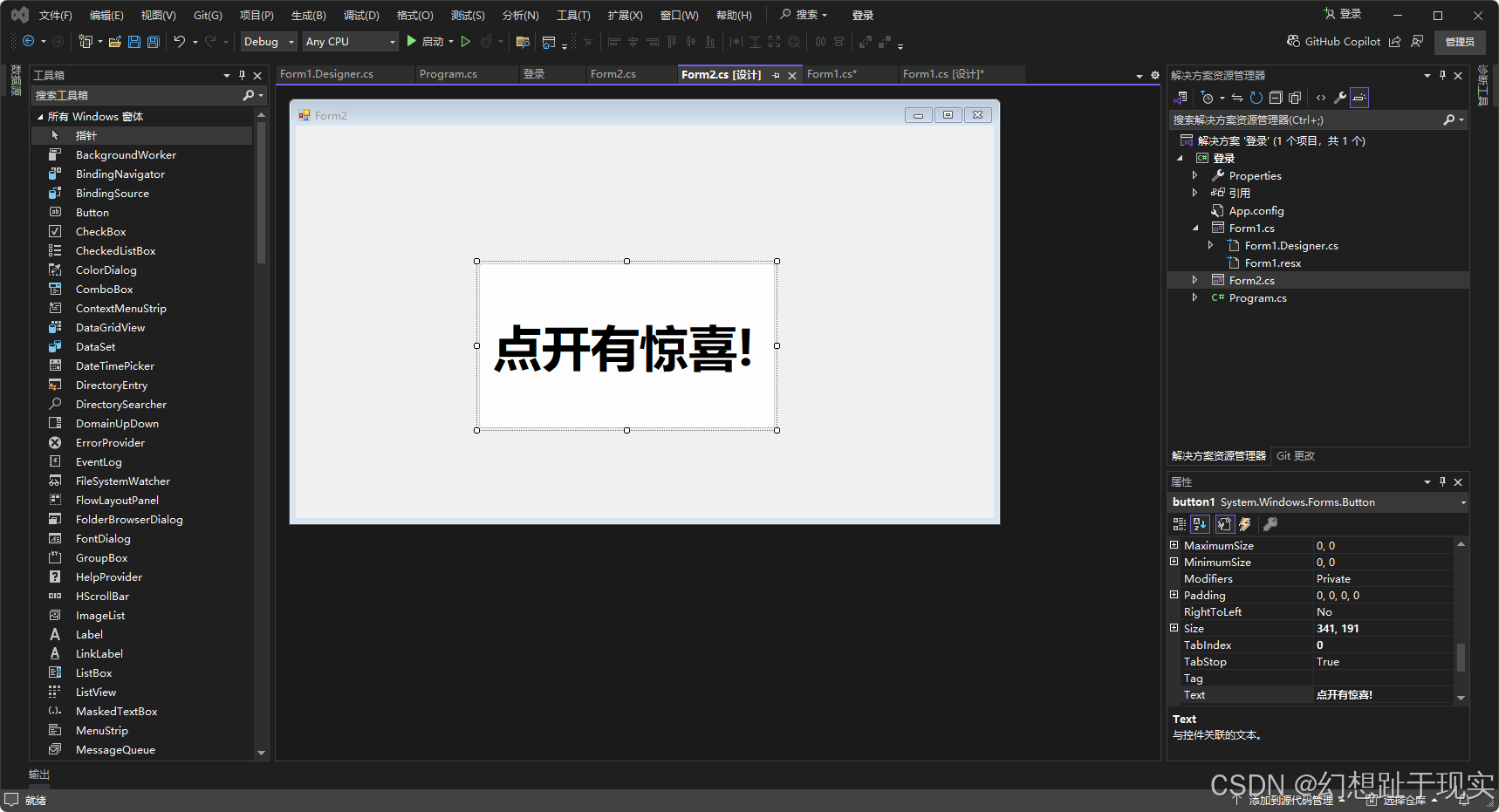
}
cs
using System;
using System.Collections.Generic;
using System.ComponentModel;
using System.Data;
using System.Drawing;
using System.Linq;
using System.Text;
using System.Threading.Tasks;
using System.Windows.Forms;

namespace 登录
{
    public partial class Form2 : Form
    {
        public Form2()
        {
            InitializeComponent();


        }


        private void button1_Click(object sender, EventArgs e)
        {
            Label label = new Label();
            label.Text = "Suprise!";
            label.Font = new Font("微软雅黑", 70);
            label.ForeColor = Color.Red;
            label.Location = new Point(180, 200);
            label.AutoSize = true;
            label.ImageAlign = ContentAlignment.MiddleCenter;
            this.Controls.Add(label);
            button1.Visible = false;
        }
    }
}