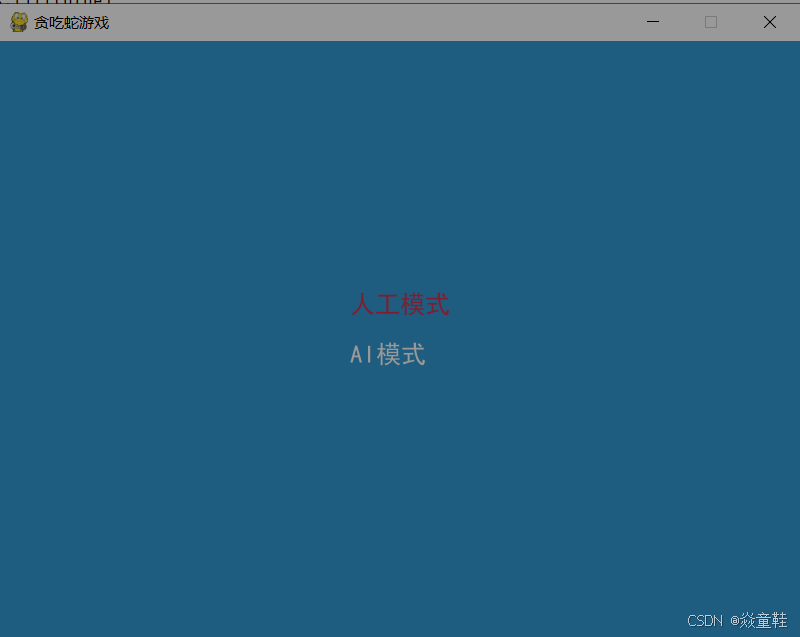
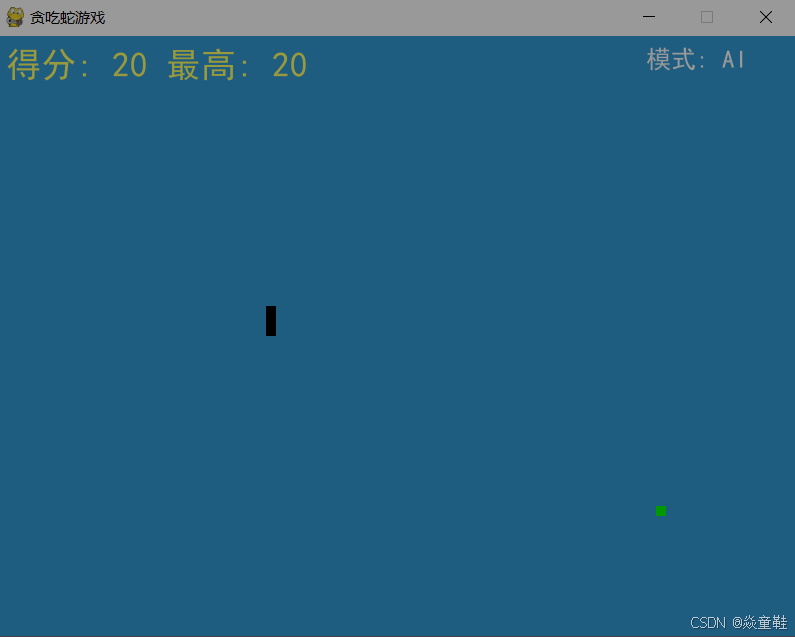
在本教程中,我们将探索如何使用Python与Pygame库构建一个经典的贪吃蛇游戏。我们不仅会涵盖游戏的基本逻辑,还会介绍一些更高级的功能,如AI模式、暂停功能以及记录最高分等。无论你是编程新手还是有经验的开发者,这篇指南都将为你提供有价值的信息。
准备工作
首先,确保你已经安装了Python和Pygame库。可以通过以下命令安装Pygame:
pip install pygame
游戏设计与实现
1. 初始化设置
我们首先需要导入必要的库,并初始化Pygame。同时,定义一些基本的颜色和游戏窗口尺寸。
import pygame
import random
import heapq
import json

pygame.init()
font_style = pygame.font.Font("simhei.ttf", 25)
score_font = pygame.font.Font("simhei.ttf", 35)

# 定义颜色
white = (255, 255, 255)
yellow = (255, 255, 102)
black = (0, 0, 0)
red = (213, 50, 80)
green = (0, 255, 0)
blue = (50, 153, 213)

dis_width = 800
dis_height = 600
dis = pygame.display.set_mode((dis_width, dis_height))
pygame.display.set_caption('贪吃蛇游戏')
2. 游戏状态管理
GameState类用于管理游戏的状态,包括得分、最高分、游戏模式(手动或AI)等。
class GameState:
    def __init__(self):
        self.high_score = 0
        self.current_score = 0
        self.game_mode = "human"
        self.load_high_score()
        self.paused = False

    # 其他方法...
3. 路径寻找算法 - A*搜索
为了给AI模式提供路径规划能力,我们实现了A*算法。该算法帮助AI找到从蛇头到食物的最佳路径。
class AStarNode:
    def __init__(self, position, parent=None):
        self.position = position
        self.parent = parent
        self.g = 0
        self.h = 0
        self.f = 0

    def __lt__(self, other):
        return self.f < other.f
4. 主循环
游戏的核心部分是主循环,它负责处理用户输入、更新游戏状态、检测碰撞等。
def game_loop(game_state):
    # 游戏逻辑...
5. AI模式与暂停功能
通过引入AI模式和暂停功能,增加了游戏的趣味性和复杂性。玩家可以选择手动操作或者让电脑自动玩。
if game_state.game_mode == "ai" and not game_state.paused:
    # AI控制逻辑...
elif event.key == pygame.K_SPACE:
    game_state.paused = not game_state.paused
6.完整代码
import pygame
import random
import heapq
import json

pygame.init()
# simhei.ttf 在与脚本相同的目录下
font_style = pygame.font.Font("simhei.ttf", 25)  # 使用黑体字体,大小为25
score_font = pygame.font.Font("simhei.ttf", 35)  # 使用黑体字体,大小为35

# 定义颜色
white = (255, 255, 255)
yellow = (255, 255, 102)
black = (0, 0, 0)
red = (213, 50, 80)
green = (0, 255, 0)
blue = (50, 153, 213)

# 游戏窗口大小
dis_width = 800
dis_height = 600

dis = pygame.display.set_mode((dis_width, dis_height))
pygame.display.set_caption('贪吃蛇游戏')

clock = pygame.time.Clock()
snake_block = 10
snake_speed = 15

# 记录文件
HIGH_SCORE_FILE = "snake_score.json"


class GameState:
    def __init__(self):
        self.high_score = 0
        self.current_score = 0
        self.game_mode = "human"  # human/ai
        self.load_high_score()
        self.paused = False  # 新增暂停状态

    def load_high_score(self):
        try:
            with open(HIGH_SCORE_FILE, 'r') as f:
                data = json.load(f)
                self.high_score = data.get('high_score', 0)
        except:
            self.high_score = 0

    def save_high_score(self):
        with open(HIGH_SCORE_FILE, 'w') as f:
            json.dump({'high_score': self.high_score}, f)

    def update_score(self, points):
        self.current_score += points
        if self.current_score > self.high_score:
            self.high_score = self.current_score


class AStarNode:
    def __init__(self, position, parent=None):
        self.position = position
        self.parent = parent
        self.g = 0
        self.h = 0
        self.f = 0

    def __lt__(self, other):
        return self.f < other.f


def get_menu_selection():
    selected = 0
    options = ["人工模式", "AI模式"]
    while True:
        dis.fill(blue)
        y_pos = dis_height // 2 - 50
        for i, option in enumerate(options):
            color = red if i == selected else white
            text = font_style.render(option, True, color)
            dis.blit(text, [dis_width // 2 - 50, y_pos])
            y_pos += 50

        pygame.display.update()

        for event in pygame.event.get():
            if event.type == pygame.KEYDOWN:
                if event.key == pygame.K_DOWN:
                    selected = (selected + 1) % 2
                elif event.key == pygame.K_UP:
                    selected = (selected - 1) % 2
                elif event.key == pygame.K_RETURN:
                    return "human" if selected == 0 else "ai"
            elif event.type == pygame.QUIT:
                pygame.quit()
                quit()


def find_path(start, end, obstacles):
    start_node = AStarNode(start)
    end_node = AStarNode(end)

    open_list = []
    closed_list = set()

    heapq.heappush(open_list, start_node)

    while open_list:
        current_node = heapq.heappop(open_list)
        closed_list.add(current_node.position)

        if current_node.position == end_node.position:
            path = []
            current = current_node
            while current is not None:
                path.append(current.position)
                current = current.parent
            return path[::-1]

        for direction in [(0, snake_block), (0, -snake_block),
                          (snake_block, 0), (-snake_block, 0)]:
            node_position = (
                current_node.position[0] + direction[0],
                current_node.position[1] + direction[1]
            )

            if (node_position in closed_list or
                    node_position in obstacles or
                    node_position[0] < 0 or node_position[0] >= dis_width or
                    node_position[1] < 0 or node_position[1] >= dis_height):
                continue

            new_node = AStarNode(node_position, current_node)
            new_node.g = current_node.g + snake_block
            new_node.h = abs(end[0] - node_position[0]) + abs(end[1] - node_position[1])
            new_node.f = new_node.g + new_node.h

            heapq.heappush(open_list, new_node)

    return None


def game_loop(game_state):
    game_over = False
    game_close = False

    x1 = dis_width / 2
    y1 = dis_height / 2

    x1_change = 0
    y1_change = 0

    snake_list = []
    length_of_snake = 1

    foodx = round(random.randrange(0, dis_width - snake_block) / 10.0) * 10.0
    foody = round(random.randrange(0, dis_height - snake_block) / 10.0) * 10.0

    ai_path = []
    last_direction = None

    while not game_over:
        current_head = (x1, y1)
        obstacles = set(tuple(segment) for segment in snake_list[:-1])

        if game_state.game_mode == "ai" and not game_state.paused:
            if not ai_path or current_head != ai_path[-1]:
                path = find_path(current_head, (foodx, foody), obstacles)
                if path and len(path) > 1:  # 确保有路径且路径长度大于1
                    ai_path = path
                    next_pos = ai_path[1]  # 取下一个位置而不是当前位置
                    x1_change = next_pos[0] - current_head[0]
                    y1_change = next_pos[1] - current_head[1]
                else:
                    # 如果没有找到路径,尝试随机移动
                    possible_directions = [(0, snake_block), (0, -snake_block),
                                         (snake_block, 0), (-snake_block, 0)]
                    random.shuffle(possible_directions)
                    for direction in possible_directions:
                        new_pos = (current_head[0] + direction[0], current_head[1] + direction[1])
                        if (new_pos not in obstacles and
                            0 <= new_pos[0] < dis_width and
                            0 <= new_pos[1] < dis_height):
                            x1_change, y1_change = direction
                            break

        while game_close:
            dis.fill(blue)
            game_state.save_high_score()

            msg = score_font.render(f"得分: {game_state.current_score} 最高记录: {game_state.high_score}", True, yellow)
            dis.blit(msg, [dis_width / 2 - 150, dis_height / 2 - 50])

            msg = font_style.render("按C重新开始 按Q退出", True, white)
            dis.blit(msg, [dis_width / 2 - 100, dis_height / 2 + 50])

            pygame.display.update()

            for event in pygame.event.get():
                if event.type == pygame.KEYDOWN:
                    if event.key == pygame.K_q:
                        game_over = True
                        game_close = False
                    if event.key == pygame.K_c:
                        game_loop(game_state)

        for event in pygame.event.get():
            if event.type == pygame.QUIT:
                game_over = True
            if event.type == pygame.KEYDOWN:
                if event.key == pygame.K_SPACE:
                    game_state.paused = not game_state.paused  # 切换暂停状态
                if game_state.game_mode == "human" and not game_state.paused:
                    if event.key == pygame.K_LEFT and x1_change == 0:
                        x1_change = -snake_block
                        y1_change = 0
                    elif event.key == pygame.K_RIGHT and x1_change == 0:
                        x1_change = snake_block
                        y1_change = 0
                    elif event.key == pygame.K_UP and y1_change == 0:
                        y1_change = -snake_block
                        x1_change = 0
                    elif event.key == pygame.K_DOWN and y1_change == 0:
                        y1_change = snake_block
                        x1_change = 0

        if game_state.paused:
            # 显示暂停信息
            pause_text = score_font.render("游戏暂停", True, red)
            dis.blit(pause_text, [dis_width / 2 - 70, dis_height / 2 - 20])
            pygame.display.update()
            clock.tick(snake_speed)
            continue

        # 边界检测 - 碰到边界游戏结束
        if x1 >= dis_width or x1 < 0 or y1 >= dis_height or y1 < 0:
            game_close = True

        # 更新蛇的位置
        x1 += x1_change
        y1 += y1_change

        dis.fill(blue)
        pygame.draw.rect(dis, green, [foodx, foody, snake_block, snake_block])

        snake_head = [x1, y1]
        snake_list.append(snake_head)

        if len(snake_list) > length_of_snake:
            del snake_list[0]

        # 碰撞检测
        for segment in snake_list[:-1]:
            if segment == snake_head:
                game_close = True

        # 绘制蛇身
        our_snake(snake_block, snake_list)

        # 显示分数
        score_text = score_font.render(f"得分: {game_state.current_score} 最高: {game_state.high_score}", True, yellow)
        dis.blit(score_text, [10, 10])

        # 显示模式
        mode_text = font_style.render(f"模式: {'人工' if game_state.game_mode == 'human' else 'AI'}", True, white)
        dis.blit(mode_text, [dis_width - 150, 10])

        pygame.display.update()

        # 吃食物逻辑
        if x1 == foodx and y1 == foody:
            foodx = round(random.randrange(0, dis_width - snake_block) / 10.0) * 10.0
            foody = round(random.randrange(0, dis_height - snake_block) / 10.0) * 10.0
            length_of_snake += 1
            game_state.update_score(10)

        clock.tick(snake_speed)

    pygame.quit()
    quit()


def our_snake(snake_block, snake_list):
    for x in snake_list:
        pygame.draw.rect(dis, black, [x[0], x[1], snake_block, snake_block])


if __name__ == "__main__":
    game_state = GameState()
    game_state.game_mode = get_menu_selection()
    game_loop(game_state)
7.最终效果