node.js 邮箱验证服务器搭建
安装node.js
网址:https://nodejs.org/en 直接安装
搭建环境
-
创建文件夹

- 进入cmd界面

- 进入cmd界面
-
创建node.js初始项目
bashnpm init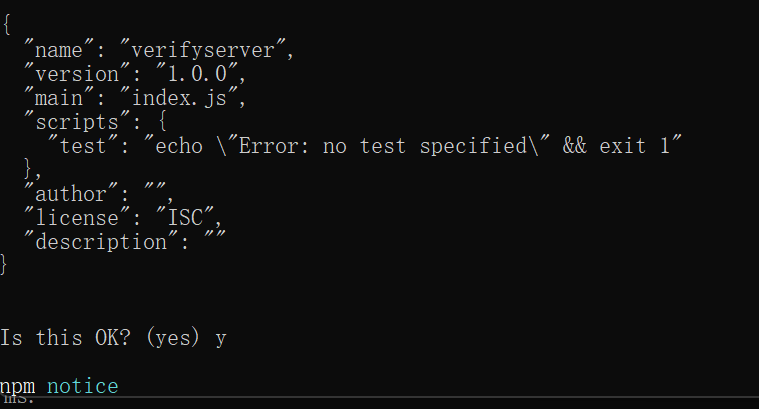
-
安装所需依赖库
bash# 安装grpc-js包 npm install @grpc/grpc-js # 接着安装proto-loader用来动态解析proto文件 npm install @grpc/proto-loader # 安装email处理的库 npm install nodemailer npm install uuid
邮箱验证服务器实现
-
创建proto文件
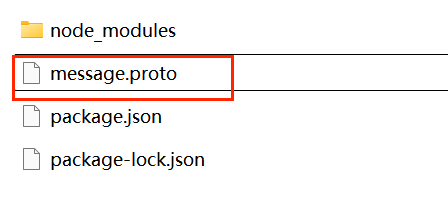
内容如下:
bashsyntax = "proto3"; package message; service VerifyService { rpc GetVerifyCode (GetVerifyReq) returns (GetVerifyRsp) {} } message GetVerifyReq { string email = 1; } message GetVerifyRsp { int32 error = 1; string email = 2; string code = 3; } -
创建proto.js
bashconst path = require('path') const grpc = require('@grpc/grpc-js') const protoLoader = require('@grpc/proto-loader') const PROTO_PATH = path.join(__dirname, 'message.proto') const packageDefinition = protoLoader.loadSync(PROTO_PATH, { keepCase: true, longs: String, enums: String, defaults: true, oneofs: true }) const protoDescriptor = grpc.loadPackageDefinition(packageDefinition) const message_proto = protoDescriptor.message module.exports = message_proto -
邮箱设置smtp服务 (网易邮箱为例)
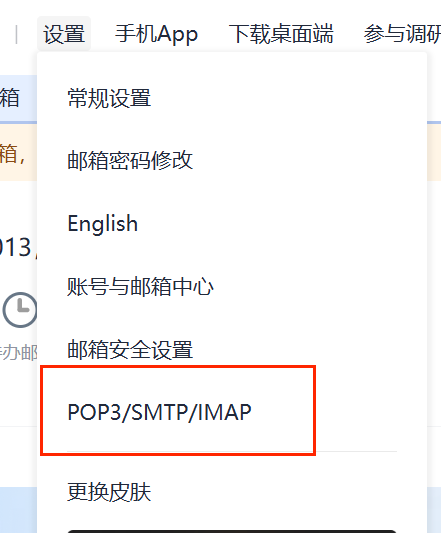
需记住授权密码:MU46MS2XiUgw4ytS
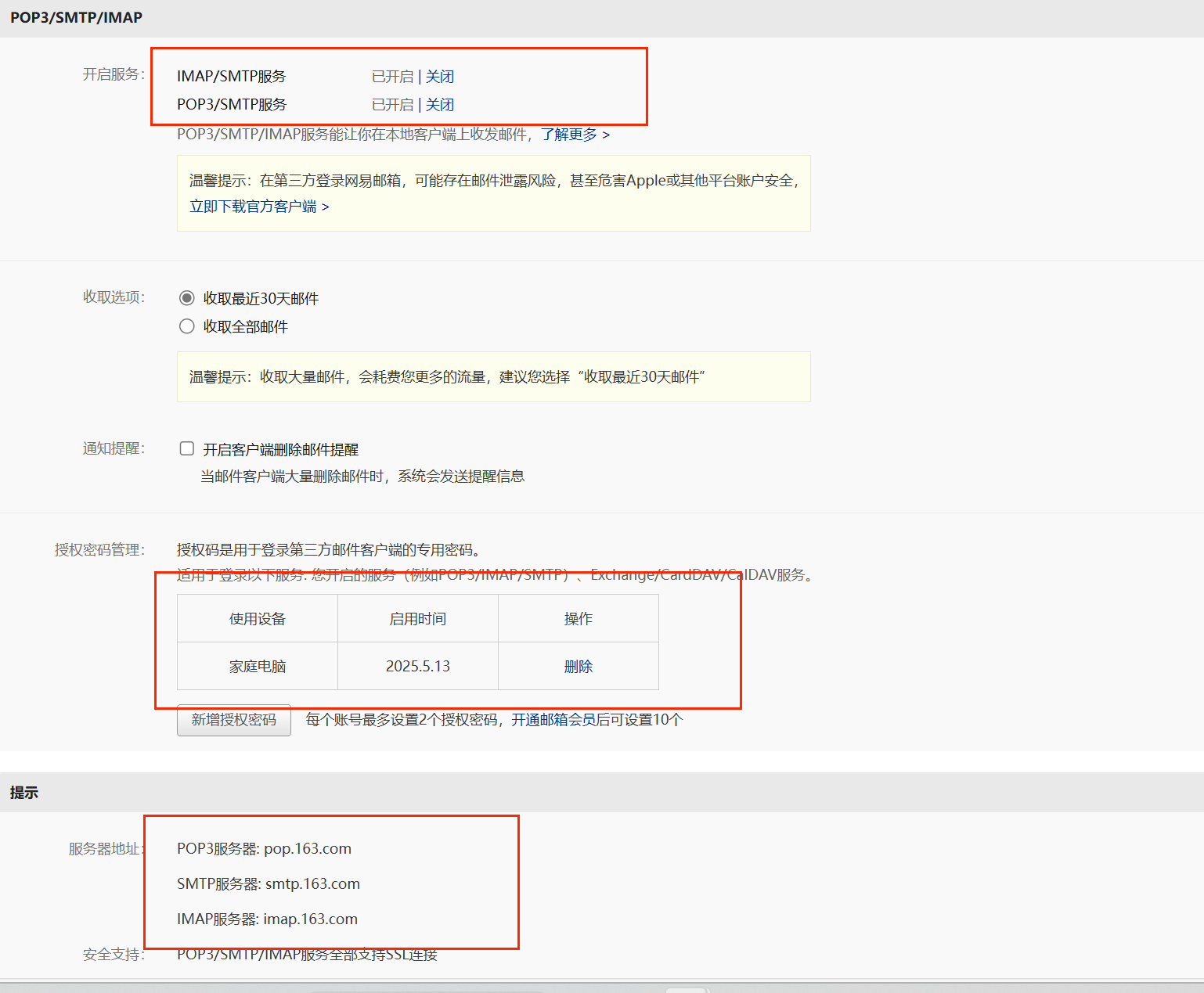
-
创建config.json文件读取配置
user 邮箱地址,pass授权码
bash{ "email": { "user": "ckun20191013@163.com", "pass": "MU46MS2XiUgw4ytS" }, "mysql": { "host": "localhost", "user": "root", "password": "123456", "database": "test" }, "redis": { "host": "localhost", "port": "6379", "password": "123456" } } -
创建const.js文件定义全局变量和常量
bashlet code_prefix = "code_"; const Errors = { Success : 0, RedisErr : 1, Exception : 2, }; module.exports = {code_prefix,Errors} -
创建config.js用来读取配置
bashconst fs = require('fs'); let config = JSON.parse(fs.readFileSync('config.json', 'utf8')); let email_user = config.email.user; let email_pass = config.email.pass; let mysql_host = config.mysql.host; let mysql_port = config.mysql.port; let redis_host = config.redis.host; let redis_port = config.redis.port; let redis_passwd = config.redis.passwd; let code_prefix = "code_"; module.exports = {email_pass, email_user, mysql_host, mysql_port,redis_host, redis_port, redis_passwd, code_prefix} -
创建email.js文件封装发邮件的模块
bashconst nodemailer = require('nodemailer'); const config_module = require("./config") /** * 创建发送邮件的代理 */ let transport = nodemailer.createTransport({ host: 'smtp.163.com', port: 465, secure: true, auth: { user: config_module.email_user, // 发送方邮箱地址 pass: config_module.email_pass // 邮箱授权码或者密码 } }); /** * 发送邮件的函数 * @param {*} mailOptions_ 发送邮件的参数 * @returns */ function SendMail(mailOptions_){ return new Promise(function(resolve, reject){ transport.sendMail(mailOptions_, function(error, info){ if (error) { console.log(error); reject(error); } else { console.log('邮件已成功发送:' + info.response); resolve(info.response) } }); }) } module.exports.SendMail = SendMail -
创建server.js文件,用来启动grpc server
bash
const grpc = require('@grpc/grpc-js')
const message_proto = require('./proto')
const emailModule = require("./email")
const const_module = require("./const")
const { v4: uuidv4 } = require('uuid');


async function GetVerifyCode(call, callback) {
    console.log("email is ", call.request.email)
    try{
        uniqueId = uuidv4();
        console.log("uniqueId is ", uniqueId)
        let text_str =  '您的验证码为'+ uniqueId +'请三分钟内完成注册'
        //发送邮件
        let mailOptions = {
            from: 'ckun20191013@163.com',
            to: call.request.email,
            subject: '验证码',
            text: text_str,
        };
        let send_res = await emailModule.SendMail(mailOptions);
        console.log("send res is ", send_res)
        callback(null, { email:  call.request.email,
            error:const_module.Errors.Success
        });
    }catch(error){
        console.log("catch error is ", error)
        callback(null, { email:  call.request.email,
            error:const_module.Errors.Exception
        });
    }
}
function main() {
    var server = new grpc.Server()
    server.addService(message_proto.VerifyService.service, { GetVerifyCode: GetVerifyCode })
    server.bindAsync('0.0.0.0:40041', grpc.ServerCredentials.createInsecure(), () => {
        server.start()
        console.log('grpc server started')
    })
}
main()-
更改package.json
bash{ "name": "verifyserver", "version": "1.0.0", "main": "server.js", "scripts": { "server": "node server.js" }, "author": "", "license": "ISC", "description": "", "dependencies": { "@grpc/grpc-js": "^1.13.3", "@grpc/proto-loader": "^0.7.15", "nodemailer": "^7.0.3" } } -
cmd 输入 npm run server
