Taro系列中一直没有跨端的绘图工具,小程序端支持canvas但是不支持svg,RN端有 react-native-svg 支持svg,但是没有很好原生的canvas插件,社区的canvas都是基于WebView实现的,或者skia,这个插件的书写方式和canvas有较大的差异
所以开发了这个兼容小程序、H5和React Native 的Svg组件,来实现跨端绘图
前言
在小程序上面,是不支持直接编写svg代码的,但是有间接的方式让他支持,就是使用Image渲染svg,或者使用css的背景图渲染一个svg,但是这样写有一定的局限性,例如要支持动画、组件事件,将svg保存到本地等都无法实现
所以我选择了使用Canvas来模拟开发svg的相关组件支持,在RN端则是使用现在已经有的 react-native-svg 这个插件,因此我们只需要在小程序和H5端模拟 react-native-svg 组件的功能,组件属性及其功能完全按照 react-native-svg 规范进行开发
当前组件属性支持
Svg中有大量的组件,用来绘制各种图形或者图片
已经支持的组件
- Svg
widthheightviewBoxpreserveAspectRatio - Rect
xywidthheight - Circle
cxcyr - Ellipse
cxcyrxry - Line
x1y1x2y2 - Image
xywidthheightpreserveAspectRatio - Text
xydxdyfontSizefontWeightfontFamilytextAnchorfontStyle - TSpan
xydxdyfontSizefontWeightfontFamilytextAnchorfontStyle - Polyline
points - Polygon
points - Path
d - Defs
- Use
hrefxy - G
- LinearGradient
x1y1x2y2 - RadialGradient
cxcyrxryfxfy - Stop
offsetstopColorstopOpacity - ClipPath
支持的公共属性
- id
- style
- opacity
- fill
- fillOpacity
- stroke
- strokeWidth
- strokeOpacity
- strokeLinecap
- strokeLinejoin
- strokeDasharray
- strokeDashoffset
- origin
- originX
- originY
- translate
- translateX
- translateY
- rotation
- clipPath
- scale
- scaleX
- scaleY
- skew
- skewX
- skewY
- transform (如果要使用变换动画,需要使用这个属性实现,其他变换属性RN端不支持动画)
动画支持
因为选择了 react-native-svg 作为开发参考,因此在动画支持方面,也参照了RN的相关API Animated 和 Easing
下面是一个循环动画的使用示例
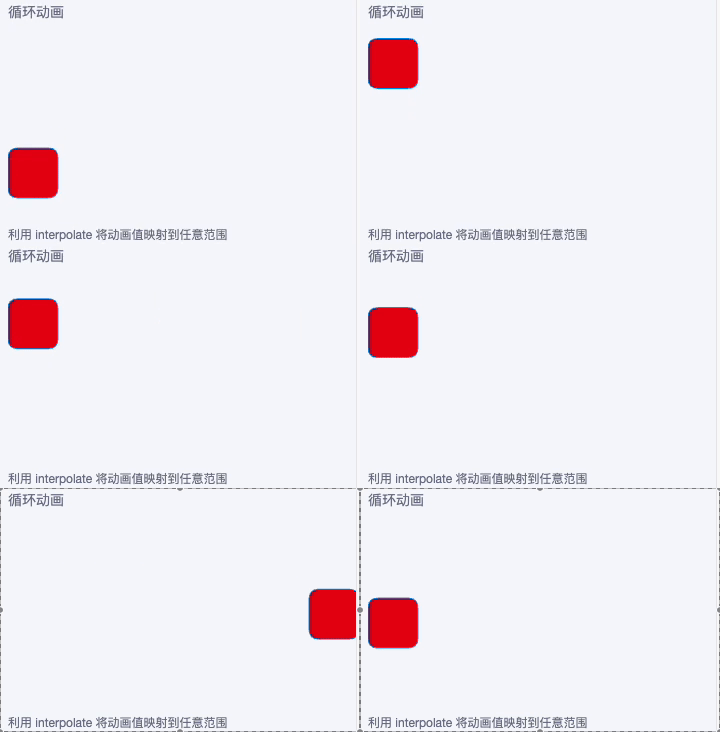
jsx
import {
  Svg, Rect,
  Animated, Easing
} from '@/duxui/components/Svg'
import { useEffect, useRef } from 'react'

const AnimatedRect = Animated.createAnimatedComponent(Rect)

const Loop = () => {

  const primary = duxappTheme.primaryColor
  const secondary = duxappTheme.secondaryColor

  const x = useRef(new Animated.Value(0)).current

  const size = 50

  useEffect(() => {
    setTimeout(() => {
      Animated.loop(
        Animated.timing(x, {
          toValue: 4,
          duration: 3000,
          easing: Easing.bounce,
          useNativeDriver: false
        })
      ).start()
    }, 500)
  }, [x])

  const width = pxNum(702)
  const height = pxNum(360)
  return <GroupList.Item title='循环动画' desc='利用 interpolate 将动画值映射到任意范围'>
    <Svg width={width} height={height}>
      <AnimatedRect
        x={x.interpolate({
          inputRange: [0, 1, 2, 3, 4],
          outputRange: [0, width - size, width - size, 0, 0]
        })}
        y={x.interpolate({
          inputRange: [0, 1, 2, 3, 4],
          outputRange: [0, 0, height - size, height - size, 0]
        })}
        width={size}
        height={size}
        rx={10} ry={10} stroke={secondary} fill={primary}
      />
    </Svg>
  </GroupList.Item>
}
组件事件
为何实现组件事件,模拟 React Native 的 PanResponder API,在小程序和H5端实现了相关的功能
大多数组件都支持以下触摸事件
- onPress
- onPressIn
- onPressOut
- onLongPress
下面两个示例,一个展示点击事件,一个事件结合动画实现拖拽效果
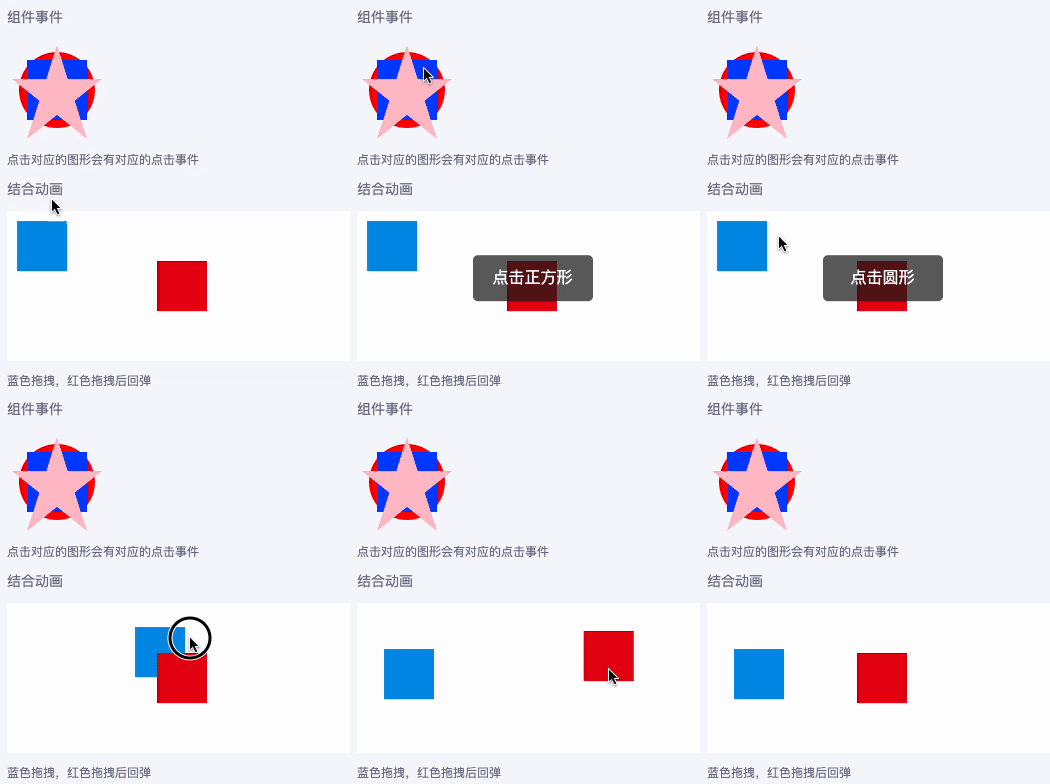
事件示例
下面的代码我们能看到点击不同的组件将获得对应组件的事件,这三个形状是有覆盖关系的
jsx
const Event = () => {

  return <GroupList.Item title='组件事件' desc='点击对应的图形会有对应的点击事件'>
    <Svg width={100} height={100}>
      <Circle
        cx='50%'
        cy='50%'
        r='38%'
        fill='red'
        onPress={() => toast('点击圆形')}
      />
      <Rect
        x='20%'
        y='20%'
        width='60%'
        height='60%'
        fill='blue'
        onPress={() => toast('点击正方形')}
      />
      <Path
        d='M50,5L20,99L95,39L5,39L80,99z'
        fill='pink'
        onPress={() => toast('点击五角星')}
      />
    </Svg>
  </GroupList.Item>
}
结合动画
jsx
const TouchEvent = () => {
  const primary = duxappTheme.primaryColor
  const secondary = duxappTheme.secondaryColor

  const movePan = useRef(new Animated.ValueXY({ x: 10, y: 10 }, { useNativeDriver: false })).current

  const moveEvent = useRef(PanResponder.create({
    onMoveShouldSetPanResponder: () => true,
    onPanResponderGrant: () => {
      movePan.setOffset({
        x: movePan.x._value,
        y: movePan.y._value
      })
    },
    onPanResponderMove: (e, gestureState) => {
      movePan.setValue({ x: gestureState.dx, y: gestureState.dy })
    },
    onPanResponderRelease: () => {
      movePan.flattenOffset()
    }
  })).current

  const moveOriginPan = useRef(new Animated.ValueXY({ x: 150, y: 50 }, { useNativeDriver: true })).current

  const moveOriginEvent = useRef(PanResponder.create({
    onMoveShouldSetPanResponder: () => true,
    onPanResponderMove: (e, gestureState) => {
      moveOriginPan.setValue({ x: gestureState.dx + 150, y: gestureState.dy + 50 })
    },
    onPanResponderRelease: () => {
      Animated.timing(moveOriginPan, {
        toValue: { x: 150, y: 50 },
        duration: 600,
        easing: Easing.bounce,
        useNativeDriver: true
      }).start()
    }
  })).current

  return <GroupList.Item title='结合动画' desc='蓝色拖拽,红色拖拽后回弹'>
    <Svg width={pxNum(702)} height={pxNum(300)}>
      <Rect width={pxNum(702)} height={pxNum(300)} fill='#fff' />
      <RectAnimated
        width={50}
        height={50}
        fill={secondary}
        {...moveEvent.panHandlers}
        x={movePan.x}
        y={movePan.y}
      />
      <RectAnimated
        width={50}
        height={50}
        fill={primary}
        {...moveOriginEvent.panHandlers}
        x={moveOriginPan.x}
        y={moveOriginPan.y}
      // translateX={moveOriginPan.x}
      // translateY={moveOriginPan.y}
      />
    </Svg>
  </GroupList.Item>
}
转换为图片
为了方便导入为图片,还封装了一个 SvgToImage 组件,专门将Svg导出为图片方便下一步的处理,请前往文档查看具体的使用方法
继续
Svg相关功能是duxui库中提供的一个组件,详情请查看duxui文档
当前UI库中的二维码(QRCode)、签名(Sign) 组件都是使用这个Svg组件来实现的
如果你对这个项目有兴趣,可以查看文档,继续了解详情
Svg文档:http://duxapp.com/docs/duxui/svg
框架文档:http://duxapp.com
GitHub:https://github.com/duxapp