目录
一、项目介绍
项目使用vue3+vite+element-plus+pinia+router+axios等搭建,每个页面已经完成了对后端api请求的编码,各种交互已经写好,同时通过pinia实现数据同步与通讯,在此基础上实现页面历史导航栏功能,增加了支持多层级顶级菜单联动左侧菜单,左侧菜单由顶部菜单控制,导航栏实现对顶级菜单和左侧菜单的样式同步。
其中菜单可支持动态配置,菜单icon也支持组件化动态配置,这大大提高了框架的灵活度和便捷性。
项目同时采用组件来布局整个框架,左侧+顶部+导航栏+具体页面功能展示容器。
element-plus官方文档:
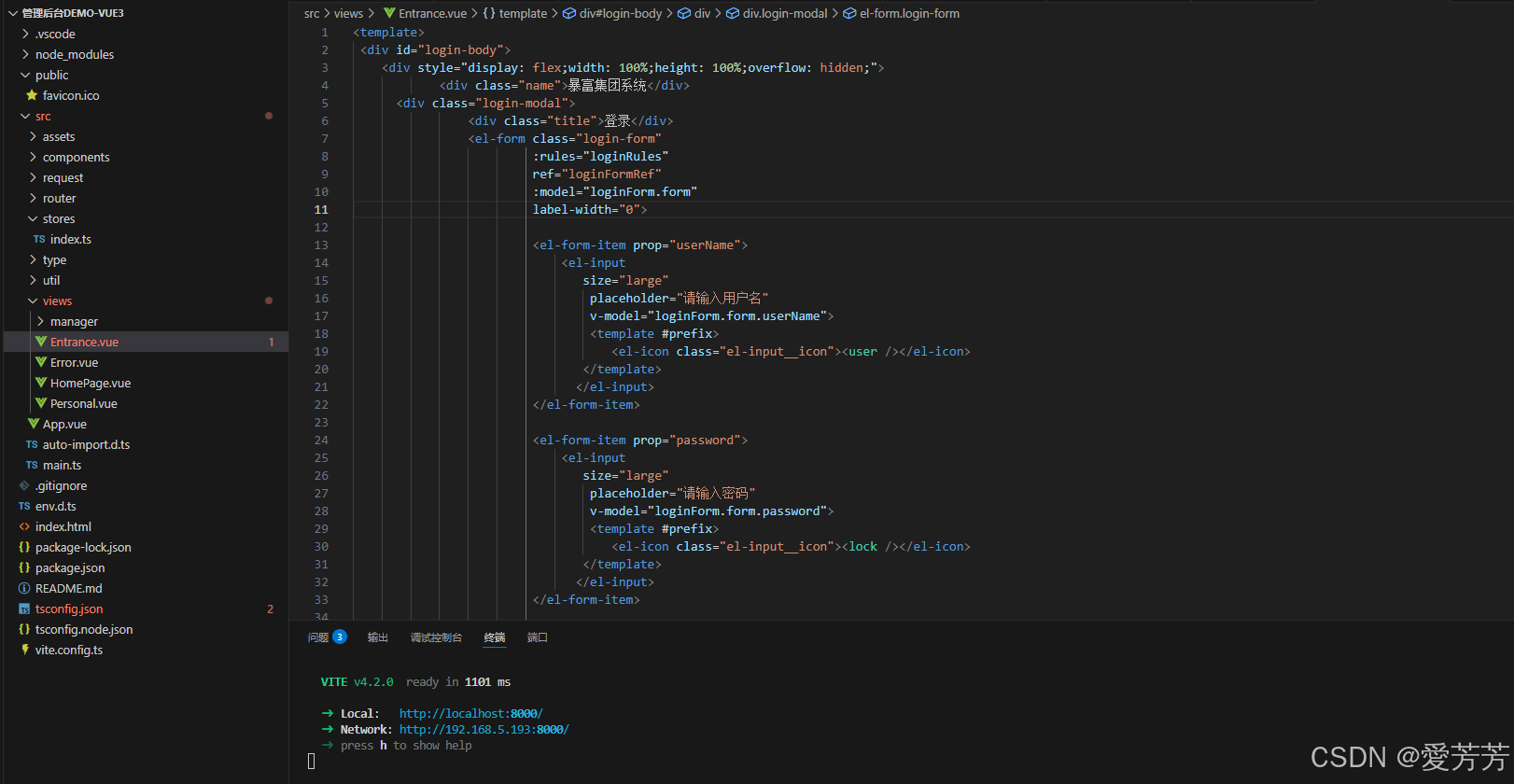
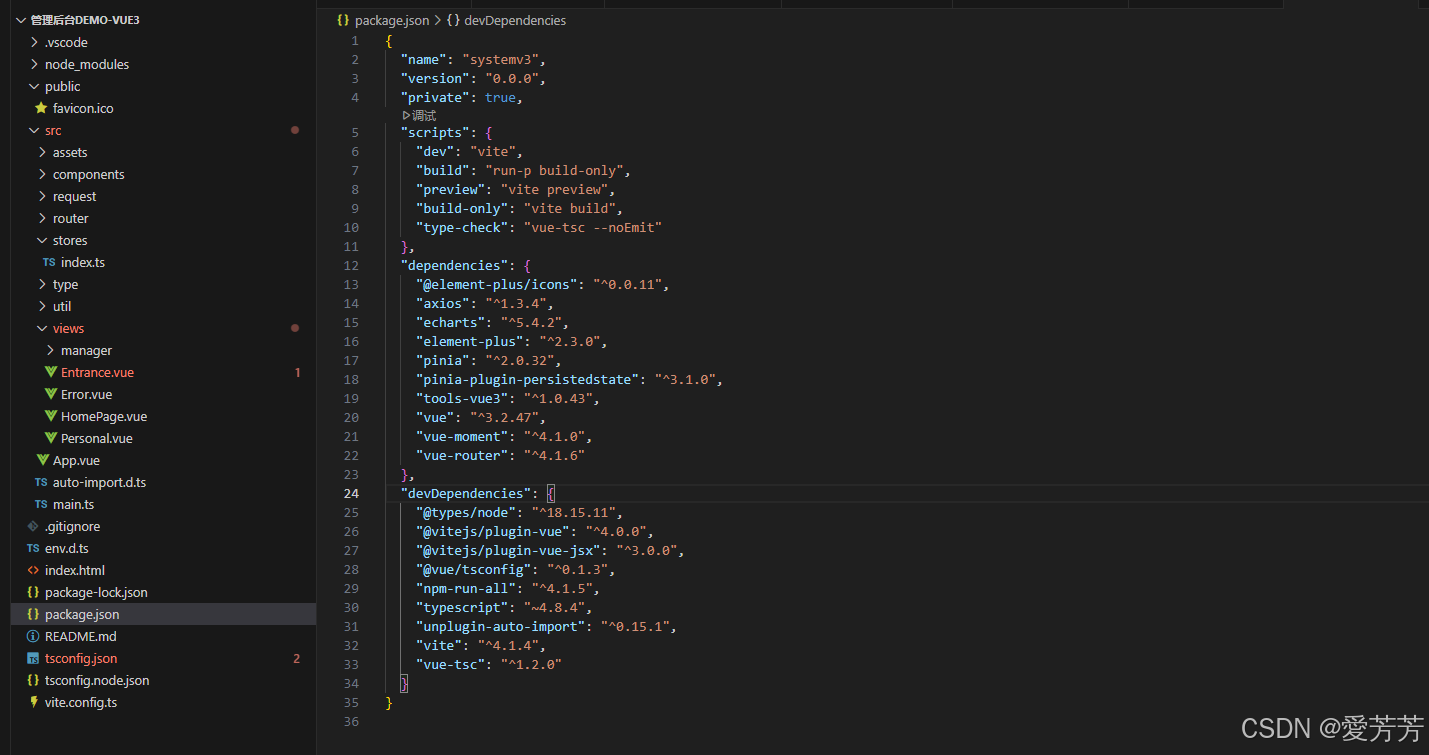
二、项目结构
1.vscode的项目截图
2.项目依赖
三、项目截图
1.登录页
输入账密登录,登录成功,跳转首页。

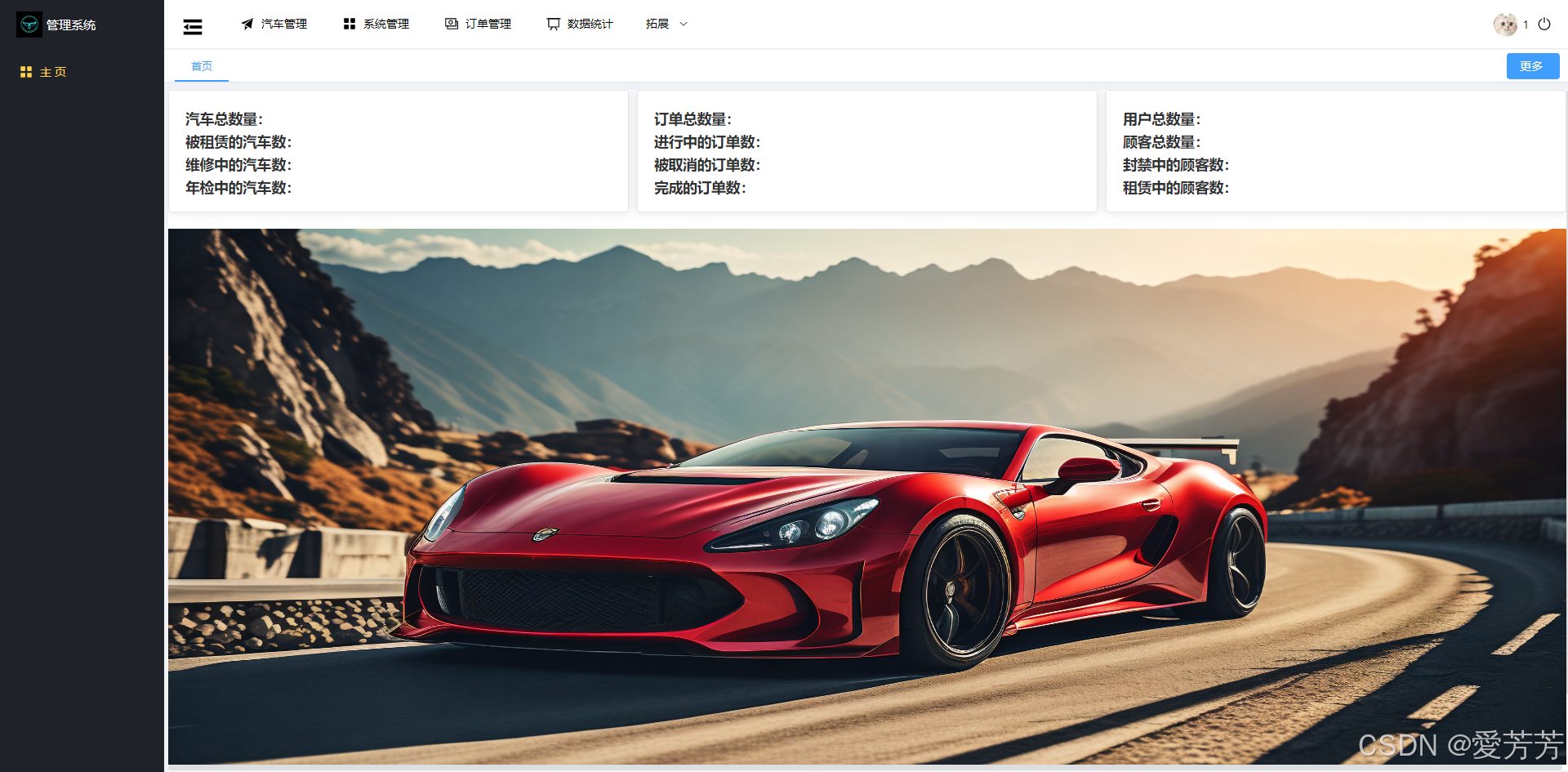
2.首页
首页的导航栏是默认的,不可取消。
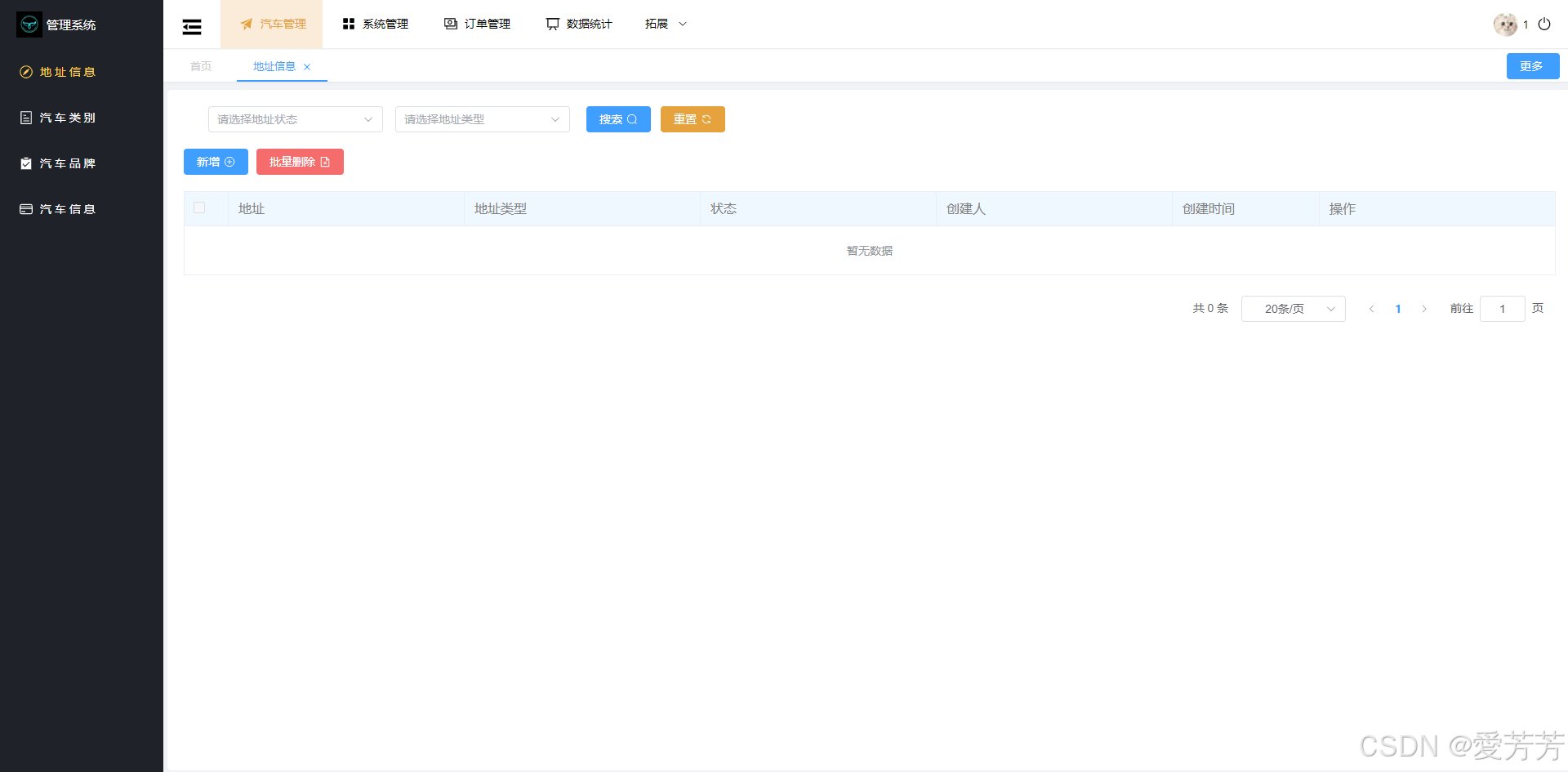
3.汽车管理
选择顶部菜单,左侧菜单对应展示,同时历史导航栏增加当前页面。
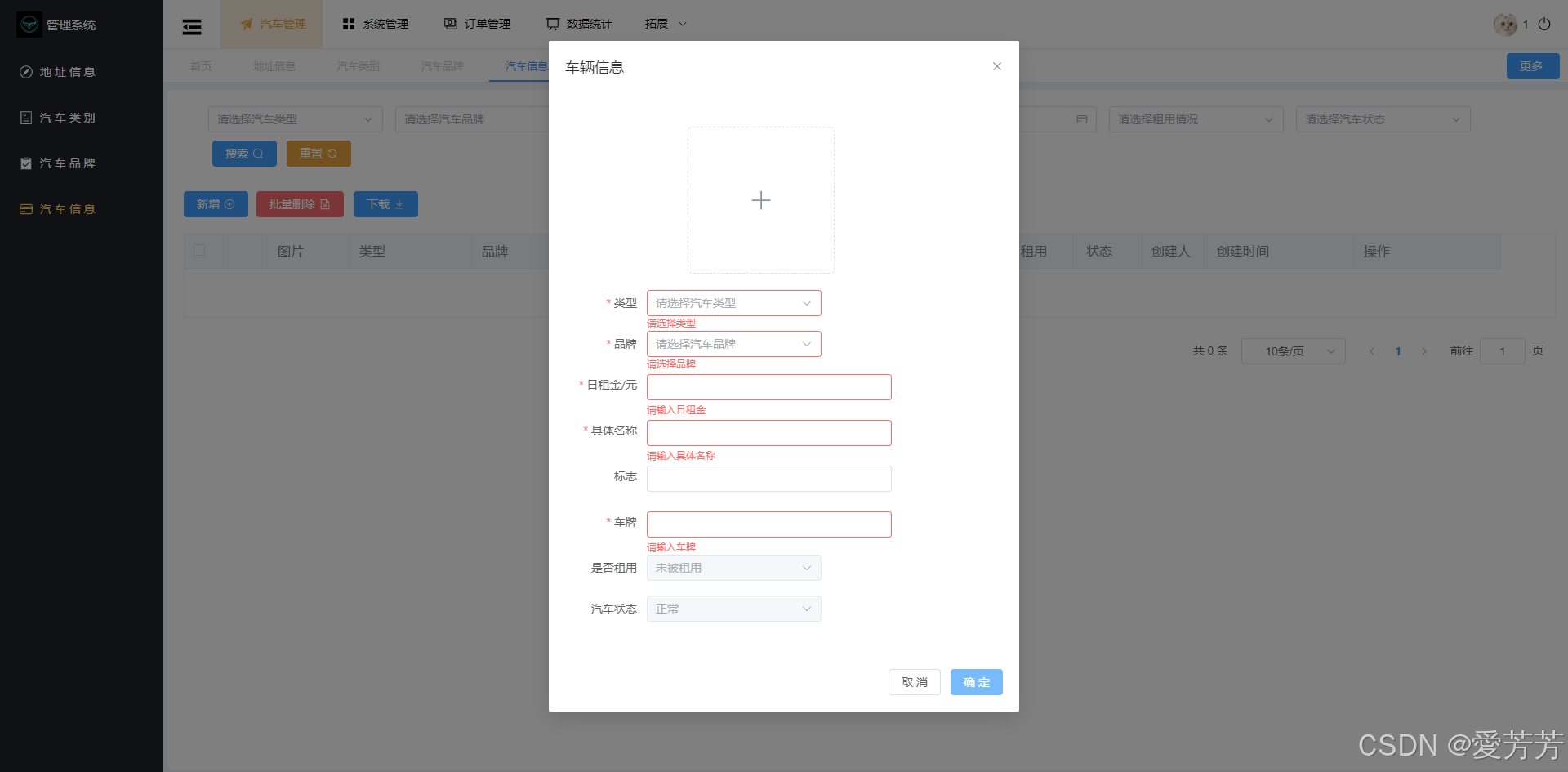
4.汽车信息
各种脚本校验都通过vue3实现,文件上传等,其他页面类似
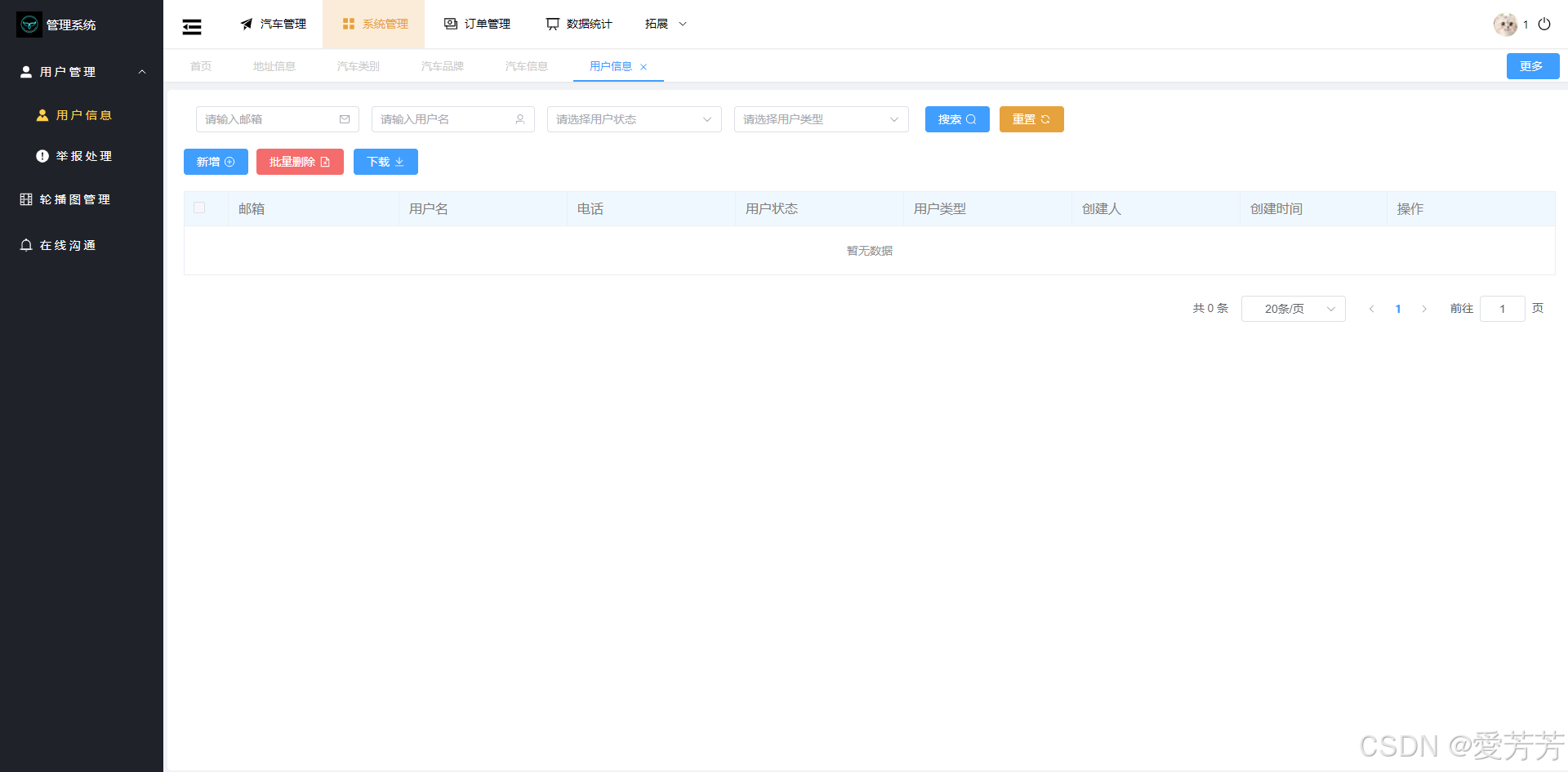
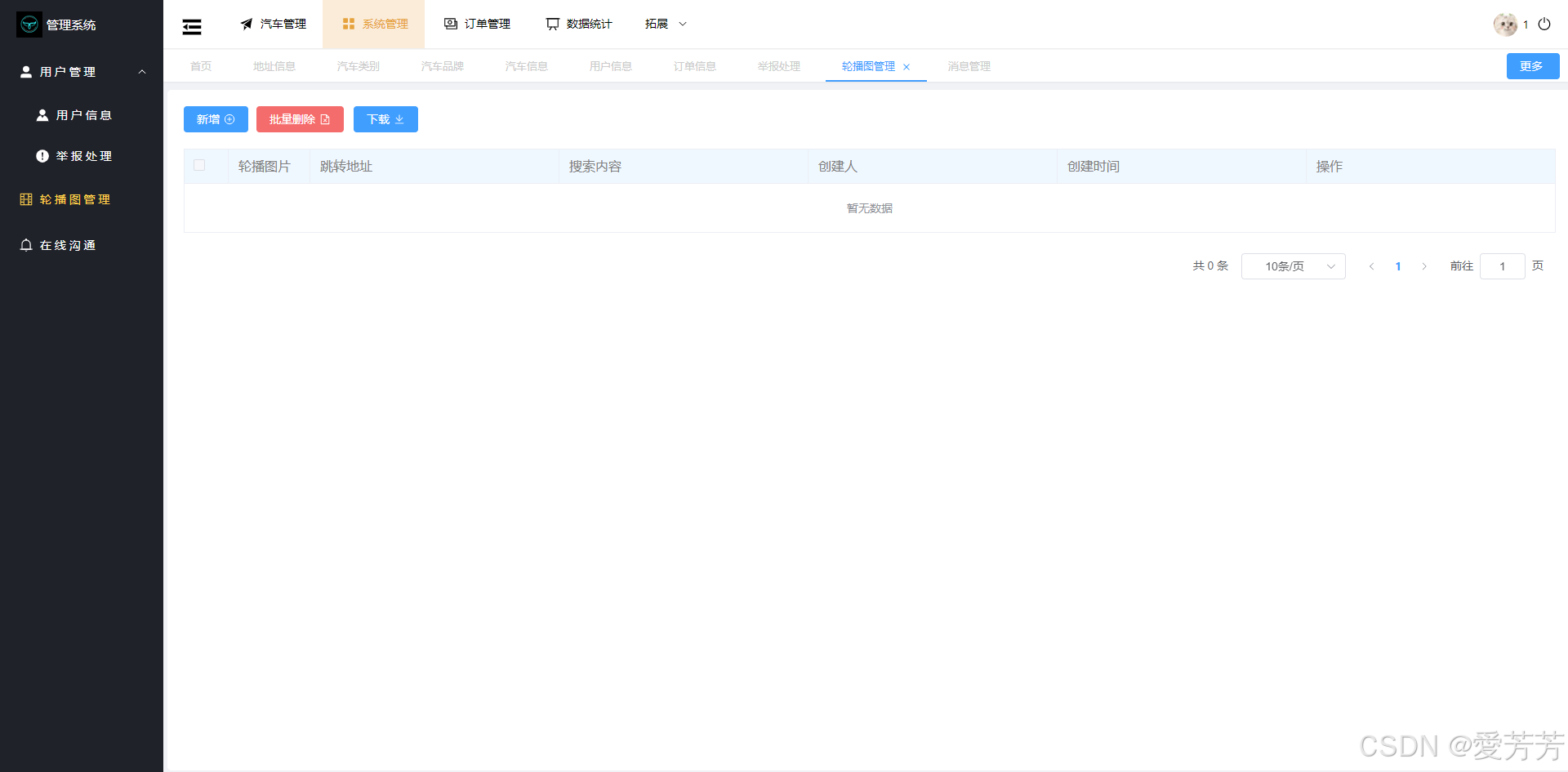
5.系统管理
系统管理主要作为管理员日常使用的功能,可归纳在此。
6.订单管理
订单管理可作为一个主要的功能模块,可单独分离出来,方便管理。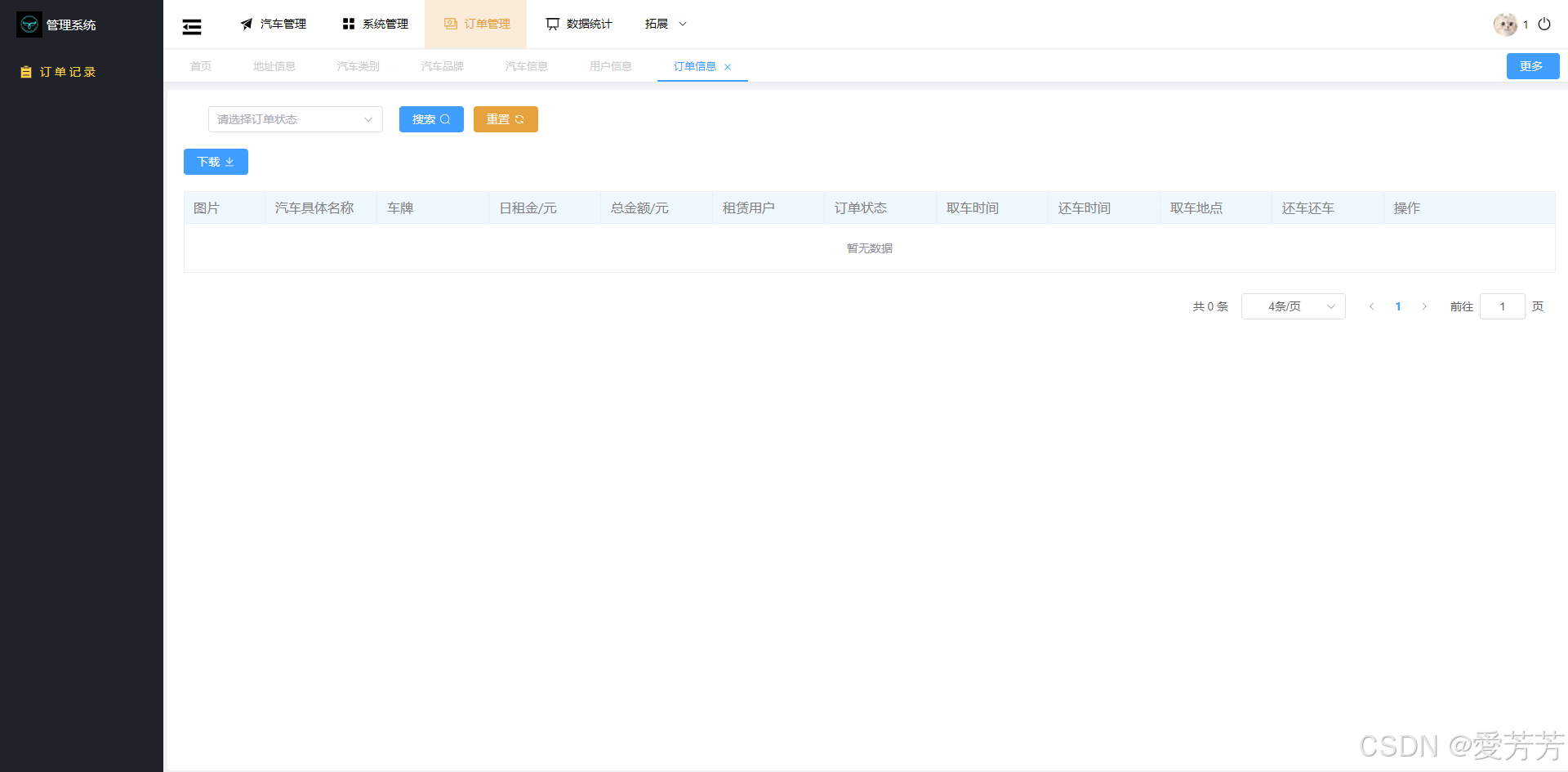
7.数据统计
数据统计,一般管理系统都会有此类似模块,可单独归为一个菜单专门管理。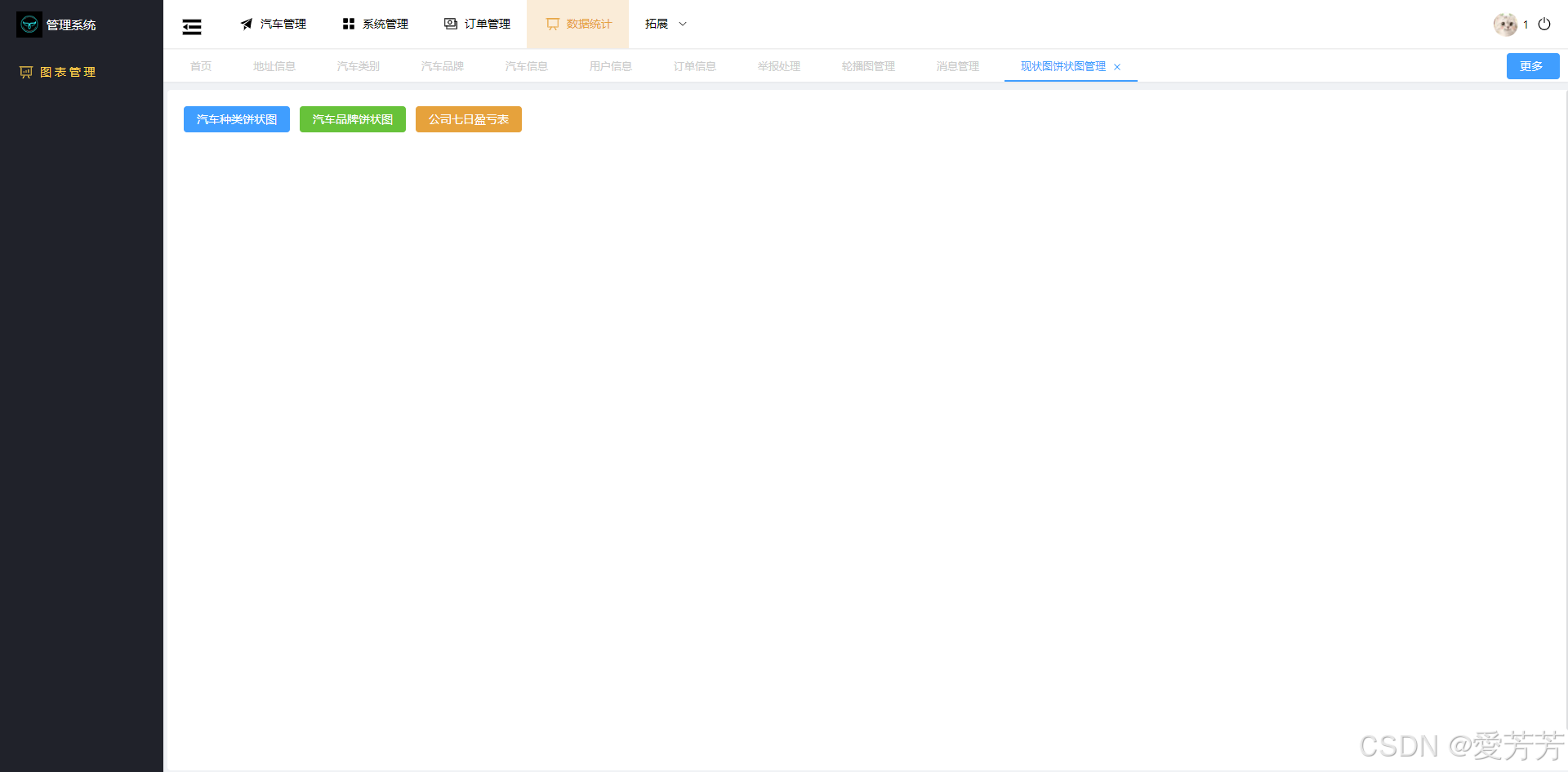
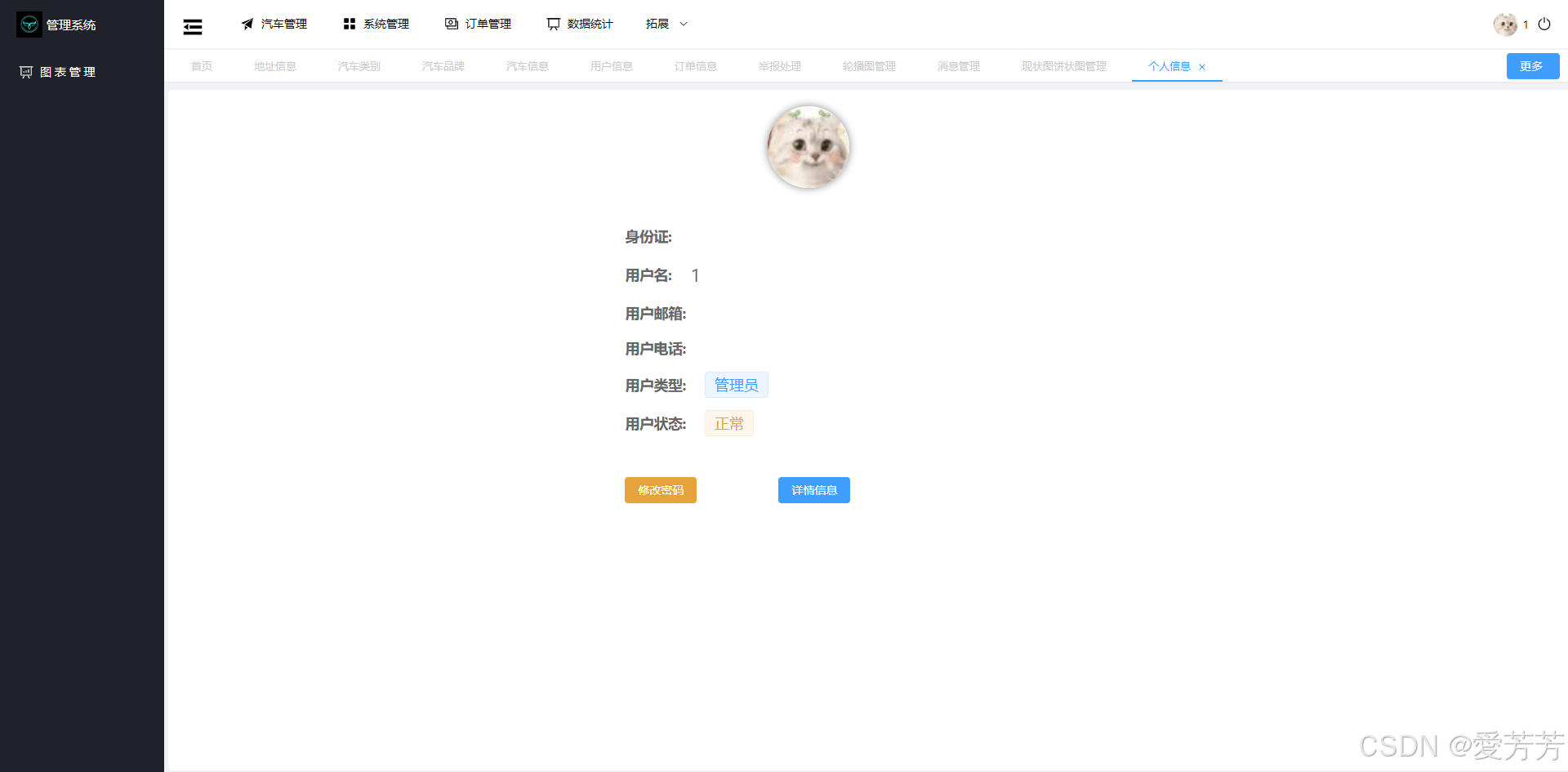
8.个人中心
可进行个人信息修改和密码修改。
四、源码分析
1.数据存储与同步
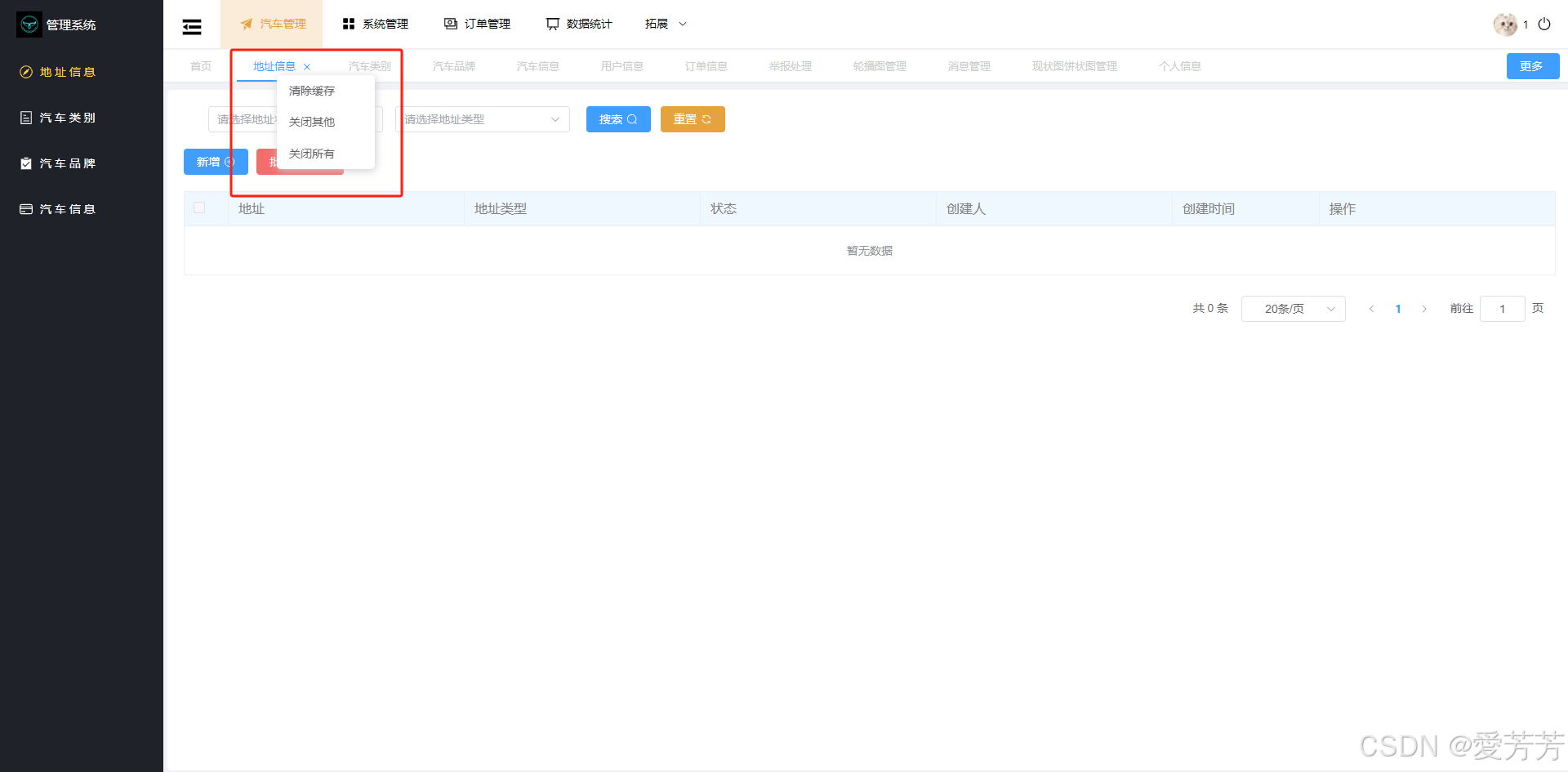
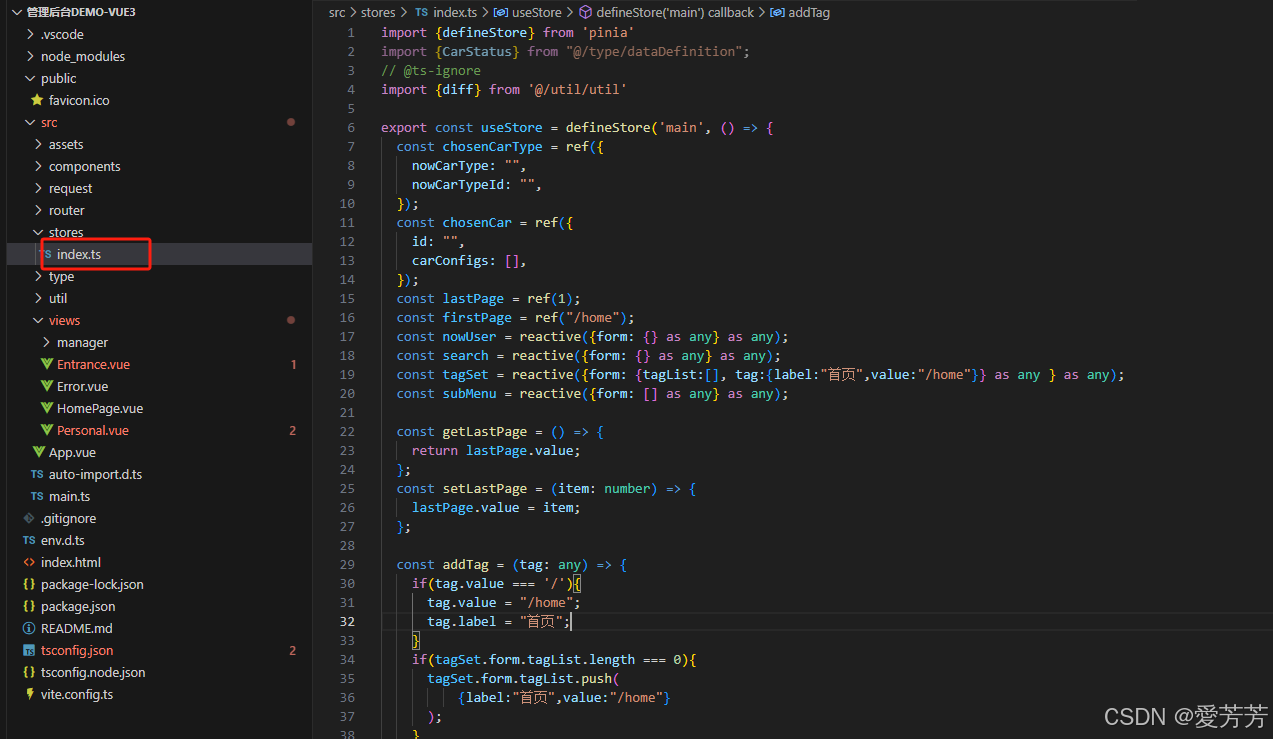
主要包含用户登录信息和历史导航栏等数据的存储与同步。历史导航栏的增删改查都有对应的方法,用户登录后,信息也会暂寄存于此,即变量:nowUser
javascript
import {defineStore} from 'pinia'
import {CarStatus} from "@/type/dataDefinition";
// @ts-ignore
import {diff} from '@/util/util'

export const useStore = defineStore('main', () => {
  const chosenCarType = ref({
    nowCarType: "",
    nowCarTypeId: "",
  });
  const chosenCar = ref({
    id: "",
    carConfigs: [],
  });
  const lastPage = ref(1);
  const firstPage = ref("/home");
  const nowUser = reactive({form: {} as any} as any);
  const search = reactive({form: {} as any} as any);
  const tagSet = reactive({form: {tagList:[], tag:{label:"首页",value:"/home"}} as any } as any);
  const subMenu = reactive({form: [] as any} as any);

  const getLastPage = () => {
    return lastPage.value;
  };
  const setLastPage = (item: number) => {
    lastPage.value = item;
  };

  const addTag = (tag: any) => {
    if(tag.value === '/'){
      tag.value = "/home";
      tag.label = "首页";
    }
    if(tagSet.form.tagList.length === 0){
      tagSet.form.tagList.push(
          {label:"首页",value:"/home"}
      );
    }
    tagSet.form.tag = tag;
    if (tagSet.form.tagList.some((ele:any)  => diff(ele, tag))) return;
    let saveTag = {};
    Object.assign(saveTag, tag);
    tagSet.form.tagList.push(saveTag);
  };

  const delTag = (tag:any)=>{
    tagSet.form.tagList = tagSet.form.tagList.filter((item:any) => {
      return !diff(item, tag) || item.value === firstPage.value;
    });
  };
  const delOtherTag = ()=>{
    tagSet.form.tagList = tagSet.form.tagList.filter((item:any) => {
      if (item.value === tagSet.form.tag.value) {
        return true;
      } else if (item.value === firstPage.value) {
        return true;
      }
    });
  };
  const delAllTag = ()=>{
    tagSet.form.tagList = tagSet.form.tagList.filter((item:any) => {
      if (item.value === firstPage.value) {
        return true;
      }
    });
  };
  const clearTag = ()=>{
    tagSet.form.tagList = [];
  };
  return {chosenCarType, chosenCar, lastPage,firstPage, subMenu, getLastPage, setLastPage, nowUser, search,tagSet,addTag,delTag,delOtherTag,delAllTag,clearTag};
}, {
  persist: true,
})
2.汽车信息
html
<template>
  <div class="contain-box">
    <div style="margin: 20px 35px;display: inline-block;">
      <el-select v-model="searchForm.carTypeId" placeholder="请选择汽车类型" style="margin-left: 15px" clearable>
        <el-option v-for="item in carTypeList" :key="item.id" :label="item.type" :value="item.id"></el-option>
      </el-select>
      <el-select v-model="searchForm.carNameId" placeholder="请选择汽车品牌" style="margin-left: 15px" clearable>
        <el-option v-for="item in carNameList" :key="item.id" :label="item.name" :value="item.id"></el-option>
      </el-select>
      <el-input
          style="width: 200px; margin-left: 15px"
          :suffix-icon="CollectionTag"
          placeholder="请输入具体名称"
          v-model="searchForm.carSpecificName"
      ></el-input>
      <el-input
          style="width: 200px; margin-left: 15px"
          :suffix-icon="TakeawayBox"
          placeholder="请输入标志"
          v-model="searchForm.carTag"
      ></el-input>
      <el-input
          style="width: 200px; margin-left: 15px"
          :suffix-icon="CreditCard"
          placeholder="请输入车牌"
          v-model="searchForm.licensePlate"
      ></el-input>
      <el-select v-model="searchForm.rented" placeholder="请选择租用情况" style="margin-left: 15px" clearable>
        <el-option label="已租用" value="true"></el-option>
        <el-option label="未被租用" value="false"></el-option>
      </el-select>
      <el-select v-model="searchForm.statusLabel" placeholder="请选择汽车状态" style="margin-left: 15px" clearable>
        <el-option label="正常" value="Normal"></el-option>
        <el-option label="维修中" value="Maintenance"></el-option>
        <el-option label="年检中" value="Annual_Inspection"></el-option>
      </el-select>
      <div style="margin-left: 20px;margin-top: 10px;">
        <el-button type="primary" @click="search">搜索<el-icon class="el-icon--right"><Search /></el-icon></el-button>
        <el-button type="warning" @click="reset">重置<el-icon class="el-icon--right"><Refresh /></el-icon></el-button>
      </div>
    </div>
    <div style="margin: 10px 20px">
      <el-button type="primary" @click="preInsert"
      >新增<el-icon class="el-icon--right"><CirclePlus /></el-icon></el-button>
      <el-popconfirm
          confirm-button-text="确定"
          cancel-button-text="取消"
          icon-color="red"
          title="是否确定删除?"
          @confirm="del(hasSelected)"
      >
        <template #reference>
          <el-button type="danger" slot="reference" style="margin-left: 10px"
          >批量删除<el-icon class="el-icon--right"><DocumentDelete /></el-icon></el-button>
        </template>
      </el-popconfirm>
      <el-button type="primary" @click="exp"
      >下载<el-icon class="el-icon--right"><Download /></el-icon></el-button>
    </div>
    <div style="margin: 20px">
      <el-table :data="tableData"
                stripe
                border
                @selection-change="handleSelectionChange"
                :header-cell-style="{backgroundColor: 'aliceblue', fontSize: '16px', color: 'grey'}"
                @expand-change="getCarConfigList"
                row-key="id"
                :expand-row-keys="expands"
      >
        <el-table-column type="selection" width="55" />
        <el-table-column type="expand">
          <template #default="scope">
            <div>
              <div style="margin: 0 300px">
                <el-tag
                    class="mx-1"
                    :key="item"
                    v-for="item in scope.row.carConfigs"
                    closable
                    :disable-transitions="false"
                    @close="handleClose(scope.row.carConfigs, item)"
                    style="margin: 10px 50px" type="warning"
                >
                  {{item.detail}}
                </el-tag>
                <el-input
                    v-if="inputVisible"
                    ref="InputRef"
                    v-model="inputValue"
                    class="ml-1 w-20"
                    size="small"
                    @keyup.enter="handleInputConfirm(scope.row.carConfigs)"
                    @blur="handleInputConfirm(scope.row.carConfigs)"
                    style="width: 115px"
                />
                <el-button v-else size="small" @click="showInput" style="width: 115px">
                  添加一个汽车配置
                </el-button>
              </div>
            </div>
          </template>
        </el-table-column>
        <el-table-column prop="url" label="图片" width="100">
          <template #default="scope">
            <el-image
                    :preview-src-list="(scope.row.url?scope.row.url.split(','):[])"
                :src="scope.row.url"
                style="width: 80px; height: 80px; margin: 5px; cursor: pointer"
                alt=""
            />
          </template>
        </el-table-column>
        <el-table-column prop="carType" label="类型" width="150" />
        <el-table-column prop="carName" label="品牌" width="150" />
        <el-table-column prop="carSpecificName" label="具体名称" width="150" />
        <el-table-column prop="carTag" label="标志" width="120" />
        <el-table-column prop="licensePlate" label="车牌" width="120" />
        <el-table-column prop="dailyRent" label="日租金/元" width="120" />
        <el-table-column prop="rented" label="租用" width="80" >
          <template #default="scope">
            <el-switch v-model="scope.row.rented" disabled/>
          </template>
        </el-table-column>
        <el-table-column prop="statusLabel" label="状态" width="80" />
        <el-table-column prop="createBy" label="创建人" width="80" />
        <el-table-column prop="createTime" label="创建时间" width="180" :formatter="dateFormat" />
        <el-table-column prop="operation" label="操作" width="180">
          <template #default="scope">
            <el-button type="text" @click="preEdit(scope.row)"
            >编辑<el-icon class="el-icon--right"><Edit /></el-icon></el-button>
            <el-popconfirm
                confirm-button-text="确定"
                cancel-button-text="取消"
                icon-color="red"
                title="是否确定删除?"
                @confirm="del([scope.row])"
            >
              <template #reference>
                <el-button
                    type="text"
                    style="margin-left: 10px;color: red;"
                >删除<el-icon class="el-icon--right"><Delete /></el-icon></el-button>
              </template>
            </el-popconfirm>
          </template>
        </el-table-column>
      </el-table>
    </div>
    <div class="demo-pagination-block" style="margin: 5px 35px; float: right">
      <el-pagination
          v-model:current-page="currentPage"
          v-model:page-size="pageSize"
          :page-sizes="[10, 20, 50]"
          layout="total, sizes, prev, pager, next, jumper"
          :total="total"
          @size-change="handleSizeChange"
          @current-change="handleCurrentChange"
      />
    </div>

    <el-dialog
        title="车辆信息"
        v-model="dialogVisible"
        width="30%"
        top="50px"
    >
      <el-upload
          class="avatar-uploader"
          action="http://localhost:8090/image/upload"
          :show-file-list="false"
          :on-success="handleAvatarSuccess"
          :before-upload="beforeAvatarUpload"
          style="margin: 20px 150px"
      >
        <img v-if="newOrEditForm.form.url" :src="newOrEditForm.form.url" class="avatar" alt="" />
        <el-icon v-else class="avatar-uploader-icon"><Plus /></el-icon>
      </el-upload>
      <el-form :rules="rules" :model="newOrEditForm.form" label-width="100px" ref="ruleFormRef">
        <el-form-item label="类型" prop="carTypeId">
          <el-select v-model="newOrEditForm.form.carTypeId" placeholder="请选择汽车类型" clearable>
            <el-option v-for="item in carTypeList" :key="item.id" :label="item.type" :value="item.id"></el-option>
          </el-select>
        </el-form-item>
        <el-form-item label="品牌" prop="carNameId">
          <el-select v-model="newOrEditForm.form.carNameId" placeholder="请选择汽车品牌" clearable>
            <el-option v-for="item in carNameList" :key="item.id" :label="item.name" :value="item.id"></el-option>
          </el-select>
        </el-form-item>
        <el-form-item label="日租金/元" prop="dailyRent">
          <el-input
              style="width: 300px; margin: 3px 0"
              v-model="newOrEditForm.form.dailyRent"
              autocomplete="off"
          ></el-input>
        </el-form-item>
        <el-form-item label="具体名称" prop="carSpecificName">
          <el-input
              style="width: 300px; margin: 3px 0"
              v-model="newOrEditForm.form.carSpecificName"
              autocomplete="off"
          ></el-input>
        </el-form-item>
        <el-form-item label="标志" prop="catTag">
          <el-input
              style="width: 300px; margin: 3px 0"
              v-model="newOrEditForm.form.carTag"
              autocomplete="off"
          ></el-input>
        </el-form-item>
        <el-form-item label="车牌" prop="licensePlate">
          <el-input
              style="width: 300px; margin: 3px 0"
              v-model="newOrEditForm.form.licensePlate"
              autocomplete="off"
          ></el-input>
        </el-form-item>
        <el-form-item label="是否租用" prop="rented">
          <el-select v-model="newOrEditForm.form.rented" placeholder="请选择租用情况" clearable disabled>
            <el-option label="已租用" :value="true"></el-option>
            <el-option label="未被租用" :value="false"></el-option>
          </el-select>
        </el-form-item>
        <el-form-item label="汽车状态" prop="status">
          <el-select v-model="newOrEditForm.form.status" placeholder="请选择汽车状态" clearable disabled>
            <el-option label="正常" value="Normal"></el-option>
            <el-option label="维修中" value="Maintenance"></el-option>
            <el-option label="年检中" value="Annual_Inspection"></el-option>
          </el-select>
        </el-form-item>
      </el-form>
      <template #footer>
        <div class="dialog-footer">
          <el-button @click="dialogCancel">取 消</el-button>
          <el-button type="primary" @click="submitNewOrEdit(ruleFormRef)">确 定</el-button>
        </div>
      </template>
    </el-dialog>
  </div>
</template>

<script lang="ts" setup>
import {CirclePlus, Delete, DocumentDelete, Download, Edit, Refresh, Search, CreditCard, CollectionTag, TakeawayBox, Plus} from "@element-plus/icons";
import request from "@/request/request";
import moment from "moment";
import type {FormInstance, FormRules, UploadProps} from 'element-plus';
import {ElInput, ElMessage} from "element-plus";
import {CarStatus} from "@/type/dataDefinition";

const searchItem = () => ({
  carTypeId: "",
  carNameId: "",
  carSpecificName: "",
  carTag: "",
  licensePlate: "",
  rented: "",
  status: CarStatus.Wrong,
  statusLabel: "",
})

const newOrEditItem = () => ({
  form: {
    carTypeId: "",
    carNameId: "",
    imageId: "",
    dailyRent: "",
    carSpecificName: "",
    carTag: "",
    licensePlate: "",
    rented: false,
    status: "",
    statusLabel: "",
    url: "",
  }
})

const rules = reactive<FormRules>({
  carTypeId: [
    {
      required: true,
      message: '请选择类型',
      trigger: 'change',
    },
  ],
  carNameId: [
    {
      required: true,
      message: '请选择品牌',
      trigger: 'change',
    },
  ],
  dailyRent: [
    {
      required: true,
      message: '请输入日租金',
      trigger: 'change',
    },
  ],
  carSpecificName: [
    {
      required: true,
      message: '请输入具体名称',
      trigger: 'change',
    },
  ],
  licensePlate: [
    {
      required: true,
      message: '请输入车牌',
      trigger: 'change',
    },
  ],
})

const ruleFormRef = ref<FormInstance>()
const dialogVisible = ref(false);
const currentPage = ref(1);
const pageSize = ref(10);
const total = ref(0);
const tableData = ref([]);
const searchForm = reactive(searchItem());
const newOrEditForm = reactive(newOrEditItem());
const isEdit = ref(false);
const hasSelected = ref([]);
const carTypeList = ref([]);
const carNameList = ref([]);
const expands = ref([] as any);
const inputValue = ref('');
const inputVisible = ref(false)
const InputRef = ref<InstanceType<typeof ElInput>>()

//  表格切换每页展示数据数
const handleSizeChange = (size: number) => {
  pageSize.value = size;
  getData();
}

//  表格切换到第几页
const handleCurrentChange = (current: number) => {
  currentPage.value = current;
  getData();
}

//  时间格式化
const dateFormat = (e: any) => {
  return moment(e.createTime).format("YYYY-MM-DD HH:mm:ss");
}

//  控制添加汽车配置的按钮与输入框转换
const showInput = () => {
  inputVisible.value = true;
  nextTick(() => {
    InputRef.value!.input!.focus()
  })
}

//  汽车配置的添加
const handleInputConfirm = (carConfigs: any) => {
  if (inputValue.value) {
    let insertConfigForm = {
      carId: expands.value[0],
      detail: inputValue.value,
    };
    request.post("/carConfig/insertOne", insertConfigForm).then((res: any) => {
      if (res.code === 200) {
        ElMessage.success("添加汽车配置成功");
        carConfigs.push(res.data);
      } else {
        ElMessage.error(res.msg);
      }
      inputVisible.value = false
      inputValue.value = ""
    });
  }
  inputVisible.value = false
  inputValue.value = ""
}

//  汽车配置的删除
const handleClose = (carConfigs: any, item: any) => {
  request.post("/carConfig/deleteOne", item).then((res: any) => {
    if (res.code === 200) {
      ElMessage.success("删除汽车配置成功");
      carConfigs.splice(carConfigs.indexOf(item), 1)
    } else {
      ElMessage.error(res.msg);
    }
  });
}

//  获取单个汽车的配置信息,且每次只能打开一项
const getCarConfigList = (row: any) => {
  if (row.id === expands.value[0]) {
    expands.value = [];
    return;
  }

  expands.value = [];
  expands.value.push(row.id);
  if (!row.carConfigs) {
    request.get("/carConfig/getCarConfigList", {
      params: {
        carId: row.id
      }
    }).then((res: any) => {
      if (res.code === 200) {
        row.carConfigs = res.data
      } else {
        ElMessage.error(res.msg);
      }
    })
  }
}

//  图片上传成功后赋值
const handleAvatarSuccess: UploadProps['onSuccess'] = (res, row) => {
  if (res.code === 200) {
    newOrEditForm.form.url = res.data.url;
    newOrEditForm.form.imageId = res.data.id;
  } else {
    ElMessage.error(res.msg);
  }
}

//  图片上传条件
const beforeAvatarUpload: UploadProps['beforeUpload'] = (rawFile) => {
  let types = ["image/jpg", "image/jpeg", "image/png"];
  if (!types.includes(rawFile.type)) {
    ElMessage.error("上传头像图片只能是 JPG 格式或 PNG 格式!");
    return false;
  } else if (rawFile.size / 1024 / 1024 > 10) {
    ElMessage.error("上传头像图片大小不能超过 10MB!");
    return false;
  }
  return true;
}

//  条件搜索
const search = () => {
  searchForm.status = searchForm.statusLabel as CarStatus;
  if (searchForm.statusLabel === "") {
    searchForm.status = CarStatus.Wrong;
  }
  getData();
}

//  重置条件
const reset = () => {
  Object.assign(searchForm, searchItem());
  getData();
}


//  新建前
const preInsert = () => {
  isEdit.value = false;
  Object.assign(newOrEditForm, newOrEditItem());
  newOrEditForm.form.rented = false;
  newOrEditForm.form.status = "Normal";
  dialogVisible.value = true;
}

  //  清空表
  const clearForm = (formEl: FormInstance | undefined) => {
    if (!formEl) {
      return;
    }
    formEl.resetFields();
  }

//  编辑前
const preEdit = (row: any) => {
  isEdit.value = true;
  newOrEditForm.form = JSON.parse(JSON.stringify(row));
  dialogVisible.value = true;
}

//  提交表单
  const submitNewOrEdit = async (formEl: FormInstance | undefined) => {
    if (!formEl) return
    await formEl.validate((valid, fields) => {
      if (valid) {
        if (isEdit.value) {
          request.post("/car/chgCar", newOrEditForm.form).then((res: any) => {
            if (res.code === 200) {
              ElMessage.success("修改成功");
              dialogCancel();
            } else {
              ElMessage.error(res.msg);
            }
            getData();
          });
        } else {
          request.post("/car/insertOne", newOrEditForm.form).then((res: any) => {
            if (res.code === 200) {
              ElMessage.success("添加成功");
              dialogCancel();
            } else {
              ElMessage.error(res.msg);
            }
            getData();
          });
        }
      } else {
        console.log('error submit!', fields)
      }
    })
  }

//  关闭新建或编辑弹窗
const dialogCancel = () => {
  clearForm(ruleFormRef.value);
  dialogVisible.value = false;
}

//  删除
const del = (ids: []) => {
  ids = ids.filter((e: any) => {
    // @ts-ignore
    return e.rented === false && CarStatus[e.status] === CarStatus.Normal
  }) as [];
  if (ids.length === 0) {
    ElMessage.error("未有空闲车辆");
    return;
  }
  ids = ids.map((e: any) => {
    return e.id;
  }) as [];

  request.post("/car/delMore", ids).then((res: any) => {
    if (res.code === 200) {
      ElMessage.success("删除空闲车辆成功");
    } else {
      ElMessage.error(res.msg);
    }
    dialogCancel();
    getData();
  });
}

//  多选
const handleSelectionChange = (row: any) => {
  hasSelected.value = row;
}

//  获取carType 所有汽车类型列表
const getCarTypeList = () => {
  request.get("/carType/getCarTypeList").then((res: any) => {
    if (res.code === 200) {
      carTypeList.value = res.data;
    } else {
      ElMessage.error("汽车类型获取失败,请联系管理员!");
    }
  })
}
getCarTypeList();

//  获取carName 所有汽车品牌列表
const getCarNameList = () => {
  request.get("/carName/getCarNameList").then((res: any) => {
    if (res.code === 200) {
      carNameList.value = res.data;
    } else {
      ElMessage.error("汽车品牌获取失败,请联系管理员!");
    }
  })
}
getCarNameList();

//  获取数据
const getData = () =>  {
  request.get("/car/getPages", {
    params: {
      ...searchForm,
      current: currentPage.value,
      size: pageSize.value
    }
  }).then((res: any) => {
    if (res.code === 200) {
      tableData.value = res.data.page?.records;
      total.value = res.data.page?.total;
      tableData.value.forEach((e: any) => {
        // @ts-ignore
        e.statusLabel = CarStatus[e.status];
      });
    } else {
      ElMessage.error(res.msg);
    }
  })
}
getData();
</script>

<style>
.layout-container-demo .el-main {
  padding: 0;
}
.layout-container-demo .toolbar {
  display: inline-flex;
  align-items: center;
  justify-content: center;
  height: 100%;
  right: 20px;
}

.avatar-uploader .avatar {
  width: 178px;
  height: 178px;
  display: block;
}
.avatar-uploader .el-upload {
  border: 1px dashed var(--el-border-color);
  border-radius: 6px;
  cursor: pointer;
  position: relative;
  overflow: hidden;
  transition: var(--el-transition-duration-fast);
}

.avatar-uploader .el-upload:hover {
  border-color: var(--el-color-primary);
}

.el-icon.avatar-uploader-icon {
  font-size: 28px;
  color: #8c939d;
  width: 178px;
  height: 178px;
  text-align: center;
}
</style>
3.框架布局
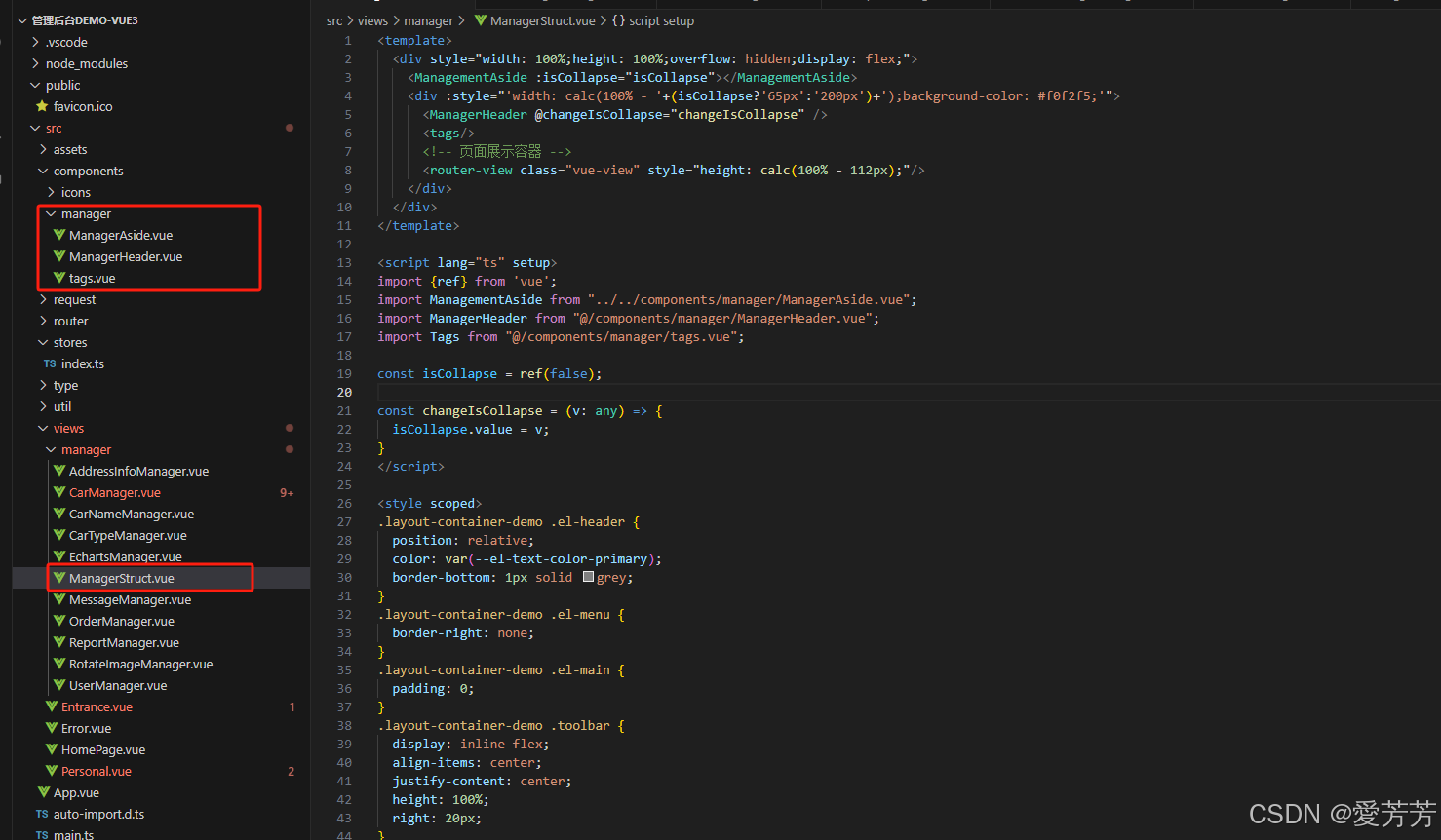
html
<template>
  <div style="width: 100%;height: 100%;overflow: hidden;display: flex;">
    <ManagementAside :isCollapse="isCollapse"></ManagementAside>
    <div :style="'width: calc(100% - '+(isCollapse?'65px':'200px')+');background-color: #f0f2f5;'">
      <ManagerHeader @changeIsCollapse="changeIsCollapse" />
      <tags/>
      <!-- 页面展示容器 -->
      <router-view class="vue-view" style="height: calc(100% - 112px);"/>
    </div>
  </div>
</template>

<script lang="ts" setup>
import {ref} from 'vue';
import ManagementAside from "../../components/manager/ManagerAside.vue";
import ManagerHeader from "@/components/manager/ManagerHeader.vue";
import Tags from "@/components/manager/tags.vue";

const isCollapse = ref(false);

const changeIsCollapse = (v: any) => {
  isCollapse.value = v;
}
</script>

<style scoped>
.layout-container-demo .el-header {
  position: relative;
  color: var(--el-text-color-primary);
  border-bottom: 1px solid grey;
}
.layout-container-demo .el-menu {
  border-right: none;
}
.layout-container-demo .el-main {
  padding: 0;
}
.layout-container-demo .toolbar {
  display: inline-flex;
  align-items: center;
  justify-content: center;
  height: 100%;
  right: 20px;
}
.el-menu-vertical-demo:not(.el-menu--collapse) {
  width: 200px;
  min-height: 400px;
}
  .managerStruct{
    width: 100%;
    min-height: 100%;
  }
</style>
五、总结
项目页面完整,后续可能将不断升级,完善其他页面。
关注作者,及时了解更多好项目!
更多优质项目请看作者主页!
获取源码或如需帮助,可通过博客后面名片+作者即可!