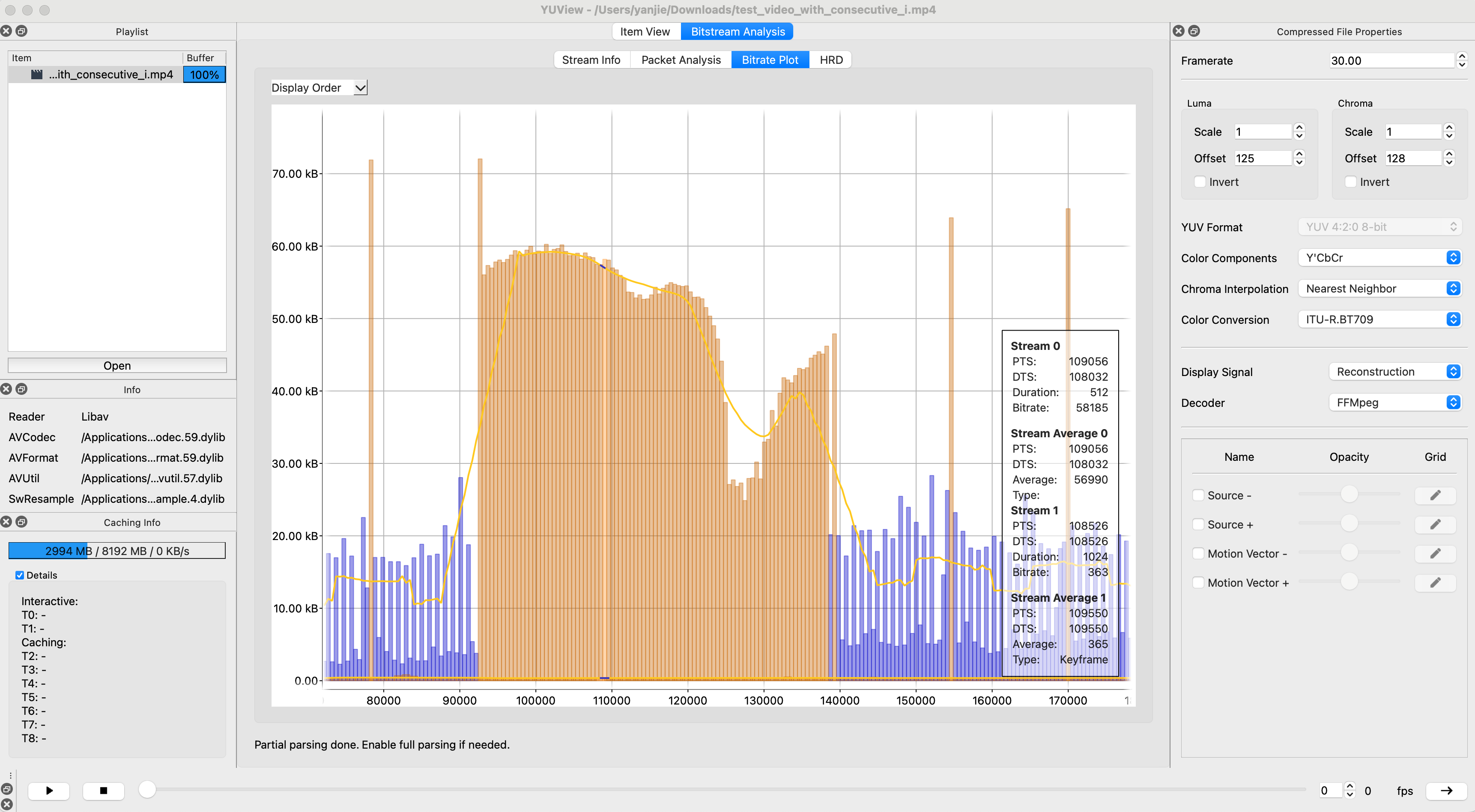
做音视频的有一个神器工具YUView,具体使用和它的功能可以看:https://zhuanlan.zhihu.com/p/558580168, 这个作者讲得很清楚,但是官方只提供了intel的版本,arm版本要自己编,且依赖低版本的ffmpeg。
操作过程:
bash
# 0. 删除高版本ffmpeg,准备老版本ffmpeg和qt
brew uninstall ffmpeg
brew install ffmpeg@5
brew install qt

# 1. 编译YUView
git clone git@github.com:IENT/YUView.git
cd YUView
mkdir build && cd build
qmake ../YUView.pro
make -j8

# 2. 产物在 build/YUViewApp 路径下,需要自己手动移动到/Application里
# 3. 根据github issue中某位大佬的提示:https://github.com/IENT/YUView/issues/524#issuecomment-1663561629 把brew安装的ffmpeg中的lib库移动到YUViewApp的包下面
mkdir /Applications/YUView.app/Contents/MacOS/ffmpeg
# 这里我的brew安装路径是/opt/homebrew/opt/ffmpeg@5,依情况自己选
cp -r /opt/homebrew/opt/ffmpeg@5/lib/* /Applications/YUView.app/Contents/MacOS/ffmpeg
好了,愉快玩耍吧: