Python 第二阶段 - 爬虫入门
🎯 今日目标
- 理解什么是 Web 爬虫、其应用场景
- 掌握如何使用 requests 库向网页发送请求
- 初步了解网页 HTML 结构(为解析做准备)
📘 学习内容详解
-
🕷️ 什么是爬虫?
定义:
网络爬虫(Web Crawler)是一种自动访问网页并提取数据的程序。
常见用途:
- 爬取图书/商品信息、电影/剧集评分等
- 抓取招聘/房产数据进行数据分析
- 自动化内容归档、信息监控、数据备份
-
🛠️ 使用 requests 库发起网络请求
bashpip install requests基本用法:
pythonimport requests url = "https://example.com" response = requests.get(url) print("状态码:", response.status_code) print("网页内容:", response.text[:500]) # 预览前500字符常用参数:
pythonrequests.get(url, params={'key': 'value'}, headers={'User-Agent': '...'}) # 示例: headers = {'User-Agent': 'Mozilla/5.0'} response = requests.get("https://httpbin.org/get", headers=headers) -
🌐 初识 HTML 结构
网站返回的文本通常是 HTML,结构如下:
html<html> <head> <title>标题</title> </head> <body> <h1>主标题</h1> <p class="info">这是段落</p> </body> </html>我们后续会用工具(如 BeautifulSoup)提取这些标签中的内容。
💡 今日练习任务
-
使用 requests 获取以下网址内容:
- https://httpbin.org/get
- https://www.baidu.com (添加 headers 模拟浏览器)
-
打印网页的状态码、响应头和部分内容。
-
额外挑战:试着获取你感兴趣的网站首页源码,比如:
- 豆瓣(https://movie.douban.com/)
- 简书、知乎、B站等
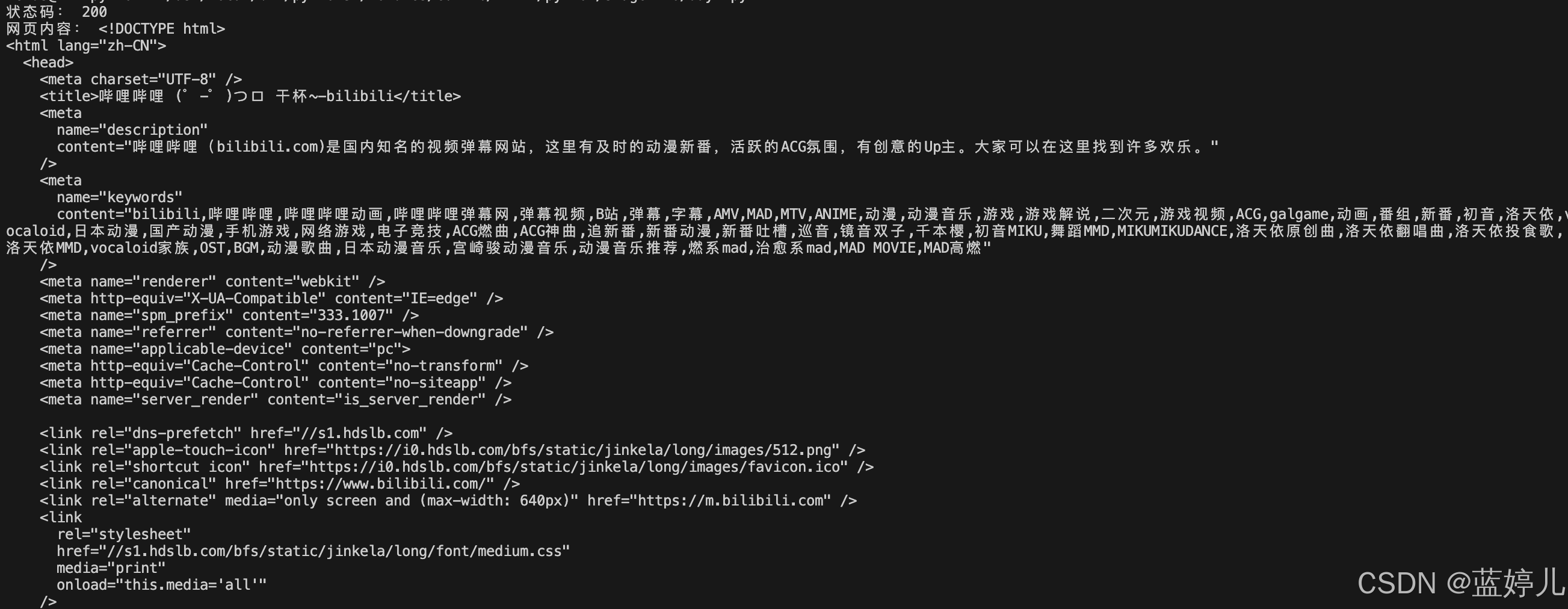
python# url = "https://movie.douban.com/" # url = "https://www.jianshu.com" # url = "https://www.zhihu.com" url = "https://www.bilibili.com" headers = { 'Accept': 'application/json, text/plain, */*', 'Host': 'www.bilibili.com', 'User-Agent': 'Mozilla/5.0 (Macintosh; Intel Mac OS X 10_15_7) AppleWebKit/537.36 (KHTML, like Gecko) Chrome/137.0.0.0 Safari/537.36 Edg/137.0.0.0' } response = requests.get(url, headers=headers) print("状态码:", response.status_code) print("网页内容:", response.text)B站:
📝 今日总结
- 学会了使用 requests 获取网页内容
- 初步了解网页 HTML 构成
- 知道了真实网站可能需要加 headers(伪装为浏览器)