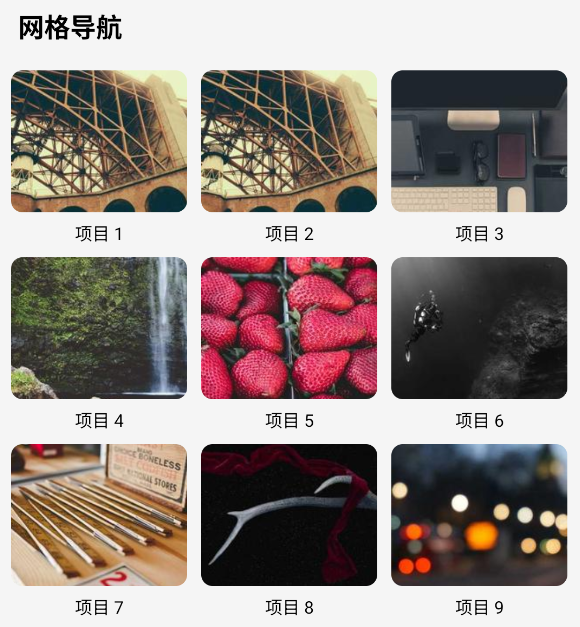
import React from "react";
import {
  FlatList,
  Image,
  SafeAreaView,
  StyleSheet,
  Text,
  View,
} from "react-native";
interface GridItem {
  id: string;
  title: string;
  imageUrl: string;
}
// 网格布局数据
const gridData = Array.from({ length: 30 }, (_, i) => ({
  id: `grid-${i}`,
  title: `项目 ${i + 1}`,
  imageUrl: `https://picsum.photos/seed/${i}/200/200`,
}));
const GridFlatList = () => {
  // 渲染网格列表项
  const renderGridItem = ({ item }: { item: GridItem }) => (
    <View style={styles.gridItem}>
      <Image
        source={{ uri: item.imageUrl }}
        style={styles.gridImage}
        resizeMode="cover"
      />
      <Text style={styles.gridTitle}>{item.title}</Text>
    </View>
  );
  return (
    <SafeAreaView style={styles.container}>
      <View style={styles.section}>
        <Text style={styles.sectionTitle}>网格导航</Text>
        <FlatList
          data={gridData}
          renderItem={renderGridItem}
          keyExtractor={(item) => item.id}
          numColumns={3}
          contentContainerStyle={styles.gridContent}
        />
      </View>
    </SafeAreaView>
  );
};
const styles = StyleSheet.create({
  container: {
    flex: 1,
    backgroundColor: "#f5f5f5",
  },
  section: {
    marginBottom: 20,
  },
  sectionTitle: {
    fontSize: 18,
    fontWeight: "bold",
    padding: 15,
  },
  iconText: {
    fontSize: 24,
    marginBottom: 5,
  },
  gridContent: {
    paddingHorizontal: 5,
  },
  gridItem: {
    width: "33.33%",
    padding: 5,
  },
  gridImage: {
    width: "100%",
    height: 100,
    borderRadius: 8,
  },
  gridTitle: {
    fontSize: 12,
    textAlign: "center",
    marginTop: 5,
  },
});
export default GridFlatList;