vue3中推荐使用:deep进行样式覆盖与穿透
javascript
<template>
	<uni-easyinput v-model="value" placeholder="请输入内容"></uni-easyinput>
</template>

<script lang="ts" setup>
	import { ref } from 'vue'
	const value = ref('')
</script>

<style lang="scss" scoped>
	:deep(.uni-easyinput__content-input){
		border: 1px solid red;
	}
</style>
对于/deep/ 是vue2中的样式穿透方案,现已弃用(于vue3中将不会生效)
对于::v-deep是vue3早期的样式穿透方案,现已弃用(但是会生效只是警告而已)
对于uni-ui的样式覆盖注意
直接将类名放置在标签上,将导致样式覆盖无法生效。如:
javascript
<template>
	<uni-easyinput class="uni-input-outer" v-model="value" placeholder="请输入特殊样式框内容"></uni-easyinput>
</template>

<script lang="ts" setup>
	import { ref } from 'vue'
	const value = ref('')
</script>

<style lang="scss" scoped>
.uni-input-outer {
	:deep(.uni-easyinput__content-input){
		border: 1px solid red;
	}
}
</style>
我们通常希望给标签加上类名用于样式隔绝,专门覆盖某一个输入框的样式。但直接在uni-ui上的标签上加样式时,会出现覆盖样式不生效。此时的解决方案是在外层加个view标签包裹即可(注: 在组件中覆盖样式也不生效,需要把样式写在page页面的style里面或全局样式里面。尝试用全局方式或创建样式文件并使用@import ''引入的方式管理这些覆盖样式)。
示例如:
index.vue
javascript
<template>
	<view class="uni-input-outer">
		<uni-easyinput v-model="value" placeholder="请输入特殊样式框内容"></uni-easyinput>
	</view>
</template>
<script lang="ts" setup>
	import { ref } from 'vue'
	const value = ref('')
</script>
<style lang="scss" scoped>
.uni-input-outer {
	:deep(.uni-easyinput__content-input){
		border: 1px solid red;
	}
}
</style>
亦或者
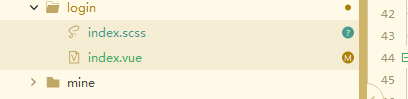
index.vue
javascript
<template>
	<view class="uni-input-outer">
		<uni-easyinput v-model="value" placeholder="请输入特殊样式框内容"></uni-easyinput>
	</view>
</template>
<script lang="ts" setup>
	import { ref } from 'vue'
	const value = ref('')
</script>
<style lang="scss" scoped>
	@import './index.scss';
</style>
index.scss
javascript
.uni-input-outer {
	:deep(.uni-easyinput__content-input){
		border: 1px solid red;
	}
}