在解决完我们的
- 环境与依赖 (requirements.txt)
- 配置管理 (config/setting.py)
- HTTP 请求封装 (utils/requests_helper.py)
- 数据加载器 (utils/data_loader.py 和 data/)
- 测试框架基础 (pytest.ini, conftest.py
我们现在来完成最后一步的工作!
API 响应解析与断言 (utils/api_parser.py, utils/api_assertion.py)与CI/CD的集成
API断言中
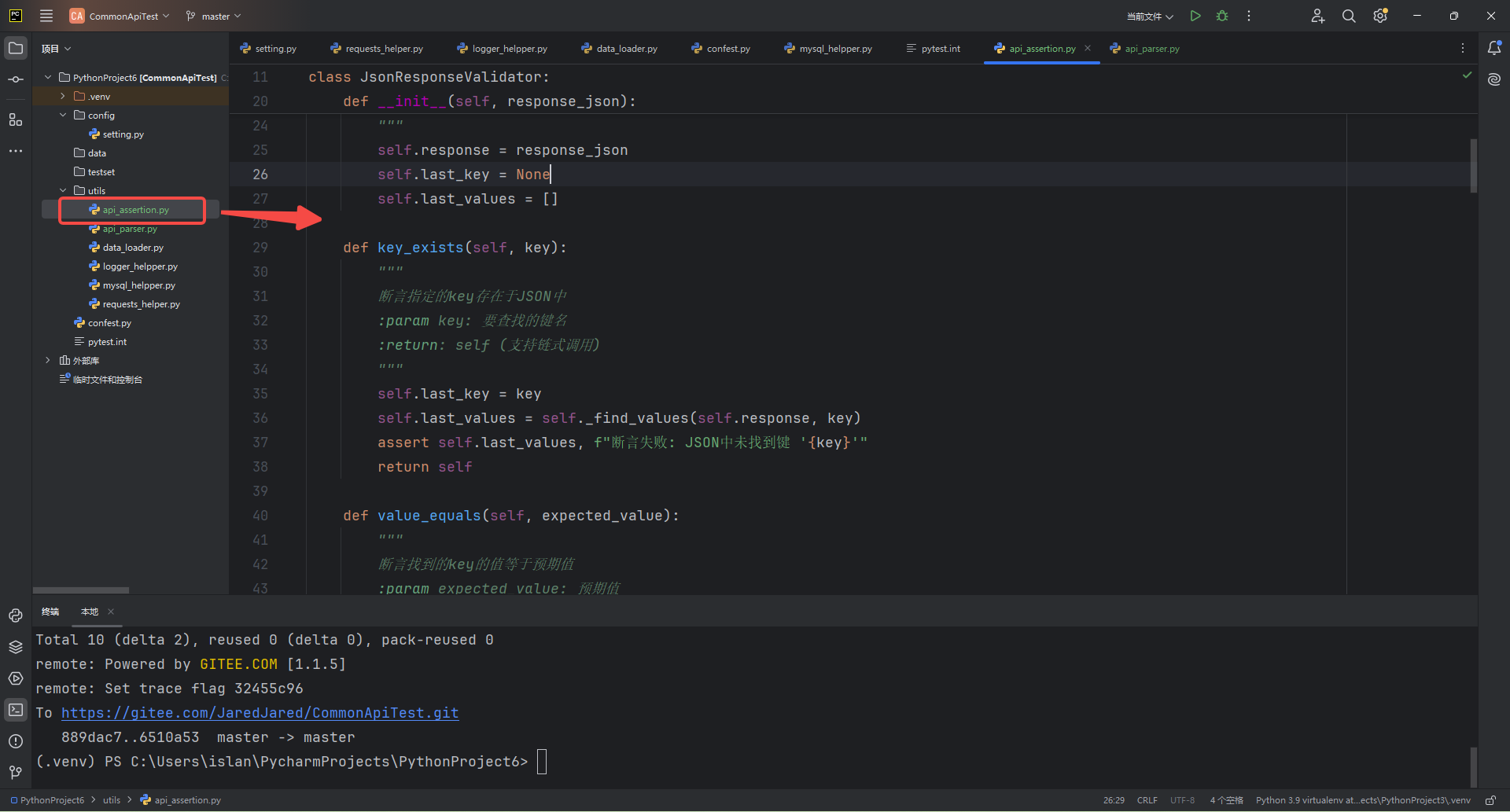
api_asserti.py(断言类)->专门用于对 API 返回的 JSON 响应进行各种断言验证
# /usr/bin/python3
# coding=utf-8

import sys

sys.path.append("..")
sys.path.append(".")
sys.dont_write_bytecode = True


class JsonResponseValidator:
    """
    JSON响应断言类
    功能:
    1. 检查JSON中是否存在指定key
    2. 检查指定key的值是否符合预期
    3. 支持嵌套JSON结构和数组遍历
    """

    def __init__(self, response_json):
        """
        初始化断言类
        :param response_json: 要验证的JSON数据(dict/list)
        """
        self.response = response_json
        self.last_key = None
        self.last_values = []

    def key_exists(self, key):
        """
        断言指定的key存在于JSON中
        :param key: 要查找的键名
        :return: self (支持链式调用)
        """
        self.last_key = key
        self.last_values = self._find_values(self.response, key)
        assert self.last_values, f"断言失败: JSON中未找到键 '{key}'"
        return self

    def value_equals(self, expected_value):
        """
        断言找到的key的值等于预期值
        :param expected_value: 预期值
        :return: self (支持链式调用)
        """
        assert self.last_key is not None, "必须先调用key_exists()方法"
        assert expected_value in self.last_values, (
            f"断言失败: 键 '{self.last_key}' 的值不等于预期值\n"
            f"预期: {expected_value}\n"
            f"实际找到的值: {self.last_values}"
        )
        return self

    def value_contains(self, expected_part):
        """
        断言找到的key的值包含预期字符串(部分匹配)
        :param expected_part: 预期包含的字符串
        :return: self (支持链式调用)
        """
        assert self.last_key is not None, "必须先调用key_exists()方法"
        found = any(str(expected_part) in str(val) for val in self.last_values)
        assert found, (
            f"断言失败: 键 '{self.last_key}' 的值不包含预期内容\n"
            f"预期包含: {expected_part}\n"
            f"实际找到的值: {self.last_values}"
        )
        return self

    def value_not_contains(self, unexpected_part):
        """
        断言所有找到的值不包含指定内容
        """
        assert self.last_key is not None, "必须先调用key_exists()方法"
        invalid = [v for v in self.last_values if str(unexpected_part) in str(v)]
        assert not invalid, f"值不应包含{unexpected_part},但发现{len(invalid)}个违规值"
        return self

    def value_not_null(self):
        """
        断言找到的key的值不为空
        :return: self (支持链式调用)
        """
        assert self.last_key is not None, "必须先调用key_exists()方法"
        null_values = [val for val in self.last_values if val in (None, "", [], {})]
        assert not null_values, (
            f"断言失败: 键 '{self.last_key}' 存在空值\n"
            f"找到的空值数量: {len(null_values)}/{len(self.last_values)}\n"
            f"所有空值: {null_values}"
        )
        return self

    def value_is_null(self):
        """
        断言找到的key的值为空
        :return: self (支持链式调用)
        """
        assert self.last_key is not None, "必须先调用key_exists()方法"
        invalid_values = [val for val in self.last_values if val not in (None, "", [], {})]
        assert not invalid_values, (
            f"断言失败: 键 '{self.last_key}' 存在非空值\n"
            f"找到的非空值数量: {len(invalid_values)}/{len(self.last_values)}\n"
            f"所有非空值: {invalid_values}"
        )
        return self

    def value_is_true(self):
        """
        断言所有找到的值为True(严格校验布尔类型)
        """
        assert self.last_key is not None, "必须先调用key_exists()方法"
        invalid = [v for v in self.last_values if not isinstance(v, bool) or v != True]
        assert not invalid, f"值应全为True,但发现{len(invalid)}个非True值"
        return self

    def value_is_false(self):
        """
        断言所有找到的值为False(严格校验布尔类型)
        """
        assert self.last_key is not None, "必须先调用key_exists()方法"
        invalid = [v for v in self.last_values if not isinstance(v, bool) or v != False]
        assert not invalid, f"值应全为False,但发现{len(invalid)}个非False值"
        return self

    def value_greater_than(self, ref_value):
        """
        断言找到的key的值大于
        :return: self (支持链式调用)
        """
        assert self.last_key is not None, "必须先调用key_exists()方法"
        # 找出所有不大于参考值的无效值
        invalid_values = [val for val in self.last_values if val <= ref_value]
        # 如果存在无效值则断言失败
        assert not invalid_values, (
            f"断言失败: 键 '{self.last_key}' 存在不大于 {ref_value} 的值\n"
            f"不符合数量: {len(invalid_values)}/{len(self.last_values)}\n"
            f"无效值列表: {invalid_values}"
        )
        return self

    def value_less_than(self, ref_value):
        """
        断言找到的key的值小于指定参考值
        :param ref_value: 要比较的参考值(所有找到的值必须小于该值)
        :return: self (支持链式调用)
        """
        assert self.last_key is not None, "必须先调用key_exists()方法"
        # 找出所有不小于参考值的无效值
        invalid_values = [val for val in self.last_values if val >= ref_value]
        # 如果存在无效值则断言失败
        assert not invalid_values, (
            f"断言失败: 键 '{self.last_key}' 存在不小于 {ref_value} 的值\n"
            f"不符合数量: {len(invalid_values)}/{len(self.last_values)}\n"
            f"无效值列表: {invalid_values}"
        )
        return self

    def _find_values(self, data, search_key):
        """
        递归查找JSON中所有匹配的键值
        :param data: 要搜索的数据(dict/list)
        :param search_key: 要查找的键
        :return: 找到的值列表
        """
        results = []

        if isinstance(data, dict):
            for key, value in data.items():
                if key == search_key:
                    results.append(value)
                # 递归搜索嵌套结构
                if isinstance(value, (dict, list)):
                    results.extend(self._find_values(value, search_key))

        elif isinstance(data, list):
            for item in data:
                if isinstance(item, (dict, list)):
                    results.extend(self._find_values(item, search_key))

        return results

    def get_first_value(self):
        """
        获取找到的第一个值
        :return: 第一个匹配的值
        """
        assert self.last_values, "没有找到任何值"
        self.last_values = [self.last_values[0]]
        return self

    def get_all_values(self):
        """
        获取找到的所有值
        :return: 所有匹配的值列表
        """
        return self.last_values
简单的说,它封装了这数十种方法:
key_exists---断言指定的key存在于JSON中
value_equals---断言找到的key的值等于预期值
value_contains---断言找到的key的值包含预期字符串(部分匹配)
value_not_contains---断言所有找到的值不包含指定内容
value_not_null---断言找到的key的值不为空
value_is_null---断言找到的key的值为空
value_is_true---断言所有找到的值为True
value_is_false---断言所有找到的值为False(严格校验布尔类型)
value_greater_than---断言找到的key的值大于
value_less_than---断言找到的key的值小于指定参考值
_find_values---递归查找JSON中所有匹配的键值
get_first_value---获取找到的第一个值
get_all_values---获取找到的所有值
api_parser.py(测试脚本)
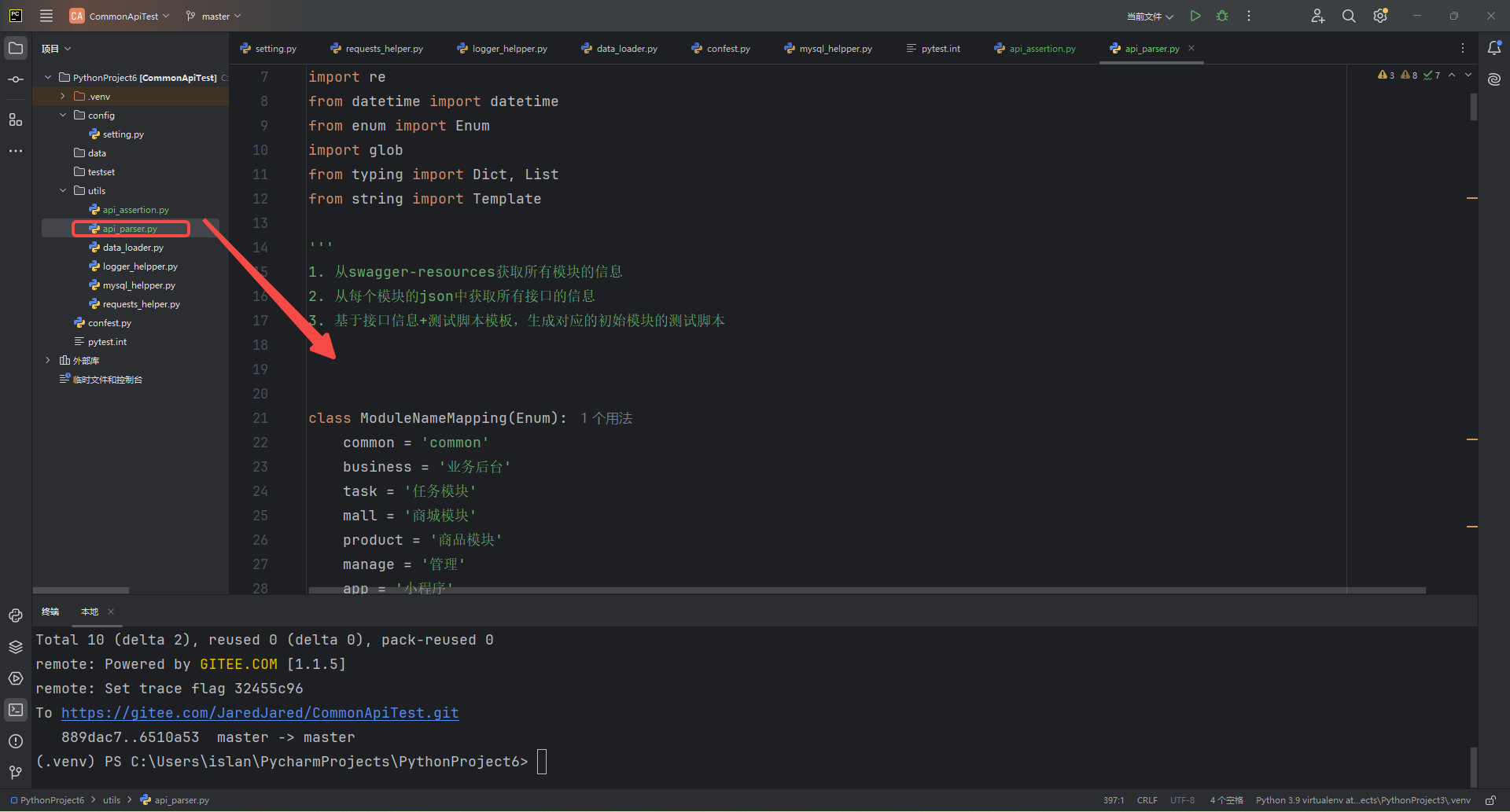
# /usr/bin/env python3
# coding=utf-8

import requests
import json
import os
import re
from datetime import datetime
from enum import Enum
import glob
from typing import Dict, List
from string import Template

'''
1. 从swagger-resources获取所有模块的信息
2. 从每个模块的json中获取所有接口的信息
3. 基于接口信息+测试脚本模板,生成对应的初始模块的测试脚本
'''


class ModuleNameMapping(Enum):
    common = 'common'
    business = '业务后台'
    task = '任务模块'
    mall = '商城模块'
    product = '商品模块'
    manage = '管理'
    app = '小程序'


def get_swagger_resource_path(domain: str) -> dict:
    """请求指定URL并返回JSON响应结果"""
    headers = {
        "User-Agent": "Mozilla/5.0 (Windows NT 10.0; Win64; x64) AppleWebKit/537.36 (KHTML, like Gecko) Chrome/125.0.0.0 Safari/537.36"
    }

    url = domain + "/swagger-resources"
    try:
        response = requests.get(url, headers=headers, timeout=10)
        response.raise_for_status()  # 自动处理HTTP错误状态码
        return {
            "status_code": response.status_code,
            "success": True,
            "data": response.json()
        }
    except requests.exceptions.RequestException as e:
        return {
            "status_code": getattr(e.response, 'status_code', 500),
            "success": False,
            "error": f"请求失败: {str(e)}"
        }
    except json.JSONDecodeError:
        return {
            "status_code": 500,
            "success": False,
            "error": "响应内容不是有效的JSON格式"
        }


def get_swagger_module_json(domain: str, module_info: dict):
    """请求指定URL并返回JSON响应结果"""
    headers = {
        "User-Agent": "Mozilla/5.0 (Windows NT 10.0; Win64; x64) AppleWebKit/537.36 (KHTML, like Gecko) Chrome/125.0.0.0 Safari/537.36"
    }
    api = module_info.get("url")
    api_name = module_info.get("name")
    url = domain + api
    try:
        response = requests.get(url, headers=headers, timeout=10)
        response.raise_for_status()  # 自动处理HTTP错误状态码
        return {
            "status_code": response.status_code,
            "success": True,
            "data": response.json()
        }
    except requests.exceptions.RequestException as e:
        return {
            "status_code": getattr(e.response, 'status_code', 500),
            "success": False,
            "error": f"请求失败: {str(e)}"
        }
    except json.JSONDecodeError:
        return {
            "status_code": 500,
            "success": False,
            "error": "响应内容不是有效的JSON格式"
        }


def extract_component_by_name(json_file: str, origin_schema_name: str) -> Dict:
    """从OpenAPI格式的JSON文件中提取指定名称的组件"""
    with open(json_file, 'r', encoding='utf-8') as f:
        spec = json.load(f)

    # 从origin_schema_name中提取实际需要的schema名称
    exp_schema_name = origin_schema_name.split('/')[-1]

    # 遍历所有组件,查找指定名称的组件
    components = spec.get('components', {})
    schemas = components.get('schemas', {})
    if exp_schema_name in schemas.keys():
        schema_properties = schemas[exp_schema_name].get('properties', {})
        # print(schema_properties)
        return schema_properties


def extract_endpoints(json_file: str) -> List[Dict]:
    """从OpenAPI格式的JSON文件中提取接口信息"""

    with open(json_file, 'r', encoding='utf-8') as f:
        spec = json.load(f)

    endpoints = []

    # 遍历所有接口路径
    for path, methods in spec.get('paths', {}).items():
        # 遍历每个HTTP方法
        for method, details in methods.items():
            endpoint = {
                'name': details.get('summary', 'Unknown API'),
                'path': path,
                'method': method.upper(),
                'requestBody': [],
                'parameters': [],
                'responses': []
            }

            # 提取请求参数
            for param in details.get('parameters', []):
                endpoint['parameters'].append({
                    'name': param.get('name'),
                    'in': param.get('in'),  # path/query/header/cookie
                    'required': param.get('required', False),
                    'description': param.get('description')
                })

            # 提取Body参数
            if 'requestBody' in details.keys():
                request_body = details['requestBody']
                if 'content' in request_body.keys():
                    content = request_body['content']
                    for content_type, schema in content.items():
                        if 'schema' in schema.keys():
                            # 读取schema的ref信息,如果不存在则可能报错
                            target_schema_name = schema['schema'].get('$ref', '')
                            endpoint['requestBody'] = extract_component_by_name(json_file, target_schema_name)

            # 提取响应信息
            for status_code, response in details.get('responses', {}).items():
                endpoint['responses'].append({
                    'status': status_code,
                    'description': response.get('description'),
                    'content_type': list(response.get('content', {}).keys())
                })

            endpoints.append(endpoint)

    return endpoints


def generate_pytest_script(module_name: str, endpoints: List[Dict]) -> str:
    """生成pytest测试脚本"""
    test_template = Template('''"""
基于Swagger Doc, 通过解析内容生成的接口测试脚本 - $module_name
生成时间:${timestamp}
"""
#/usr/bin/python3
# coding=utf-8

import json
import pytest
from utils.api_assertion import JsonResponseValidator
from utils.data_loader import load_yaml_testdata

class Test${module_name}:
    """${module_name}接口测试类"""

    $test_cases
    ''')

    case_template = Template('''
    @pytest.mark.$case_tag  # 新增标签标记
    def test_${case_name}(self, api_client, case_data=None, **kwargs):
        """$api_name"""
        api_url='$url'
        method = '$method'
        params = None
        data = None

        if case_data:
            params = case_data.get("params", None)
            data = case_data.get("data", None)

        if method.lower() == 'post':
            data = json.dumps(data)

        # 发送接口请求
        response = api_client.send_request(
            method=method,
            endpoint=api_url,
            params=params,
            data=data
        )

        # 断言
        validator = JsonResponseValidator(response.json())
        if case_data:
            for assertion in case_data["assertions"]:
                if "value_equals" in assertion:
                    validator.key_exists(assertion["key"]).value_equals(assertion["value_equals"])
                elif "value_contains" in assertion:
                    validator.key_exists(assertion["key"]).value_contains(assertion["value_contains"])

        else:
            validator.key_exists("code").value_equals(200)
        # ... 其他断言
''')

    cases = []
    for endpoint in endpoints:
        # 处理URL路径参数
        api_path = endpoint['path']

        # 构造模板数据
        case_data = {
            'case_tag': module_name,  # 新增标签字段
            'case_name': api_path.lstrip('/').replace('/', '_').replace('-', '_'),
            'api_name': endpoint.get('name'),
            'method': endpoint.get('method'),
            'url': api_path,
            'request_body': endpoint.get('requestBody'),
            'params': endpoint.get('parameters'),
            'data': endpoint.get('requestBody', {}),  # 添加data字段的默认值
        }
        cases.append(case_template.substitute(case_data))

    return test_template.substitute(
        module_name=module_name,
        timestamp=datetime.now().strftime("%Y-%m-%d %H:%M:%S"),
        test_cases='\n'.join(cases)
    )


def generate_module_script(module_name: str, endpoints: List[Dict]) -> str:
    """将swagger api转换成python module, 并实现业务串联"""
    test_template = Template('''
"""
自动生成的接口文件 - $module_name
生成时间:${timestamp}
"""
import sys
sys.path.append(".")
sys.path.append("..")
sys.donot_write_bytecode = True

from utils.api_client import APIRequest
from typing import Any, Dict

$test_cases
    ''')

    case_template = Template('''
def ${func_name}(api_client: APIRequest, method='${method}',params=None, payload=None, **kwargs):
    """${api_summary}"""
    url = "${raw_path}"

    # 发送请求
    response = api_client.send_request(
        method=method,
        api_url=url,
        params = params,
        data = payload
    )

    return response
''')

    cases = []
    for endpoint in endpoints:
        # 解析路径参数(如 /users/{id})
        path_params = re.findall(r'\{(\w+)\}', endpoint['path'])
        raw_path = endpoint['path']

        # 生成方法参数和请求参数映射
        param_sections = []
        request_mappings = []
        path_format_args = []

        # 1. 处理路径参数
        if path_params:
            for p in path_params:
                param_sections.append(f"{p}: str")
                path_format_args.append(f"{p}={p}")
            param_sections.append("")  # 参数换行分隔

        # 2. 处理查询参数 (修正此处逻辑)
        query_params = [p for p in endpoint['parameters'] if p['in'] == 'query']
        query_params_section = "**params: Dict[str, Any]" if query_params else ""
        if query_params:
            param_sections.append(query_params_section)
            request_mappings.append("'params': params")

        # 3. 处理请求体
        body_param_section = "payload: Dict[str, Any]" if endpoint['requestBody'] else ""
        if endpoint['requestBody']:
            param_sections.append(body_param_section)
            request_mappings.append("'json': payload")

        # 构造模板数据(确保包含所有模板变量)
        case_data = {
            'func_name': raw_path.lstrip('/').replace('/', '_'),
            'api_summary': endpoint.get('name', '未知接口'),
            'method': endpoint['method'].lower(),
            'raw_path': raw_path,
            'path_params': ",\n    ".join(param_sections),
            'query_params': query_params_section,  # 确保变量存在
            'body_param': body_param_section,  # 确保变量存在
            'path_format_args': ", ".join(path_format_args),
            'request_params_body': ",\n        ".join(request_mappings),
            'request_arguments': ",\n        ".join(request_mappings)
        }
        cases.append(case_template.substitute(case_data))

    return test_template.substitute(
        module_name=module_name,
        timestamp=datetime.now().strftime("%Y-%m-%d %H:%M:%S"),
        test_cases='\n'.join(cases)
    )


def generate_swagger_api_json_file_entry(domain: str, project_root_path: str):
    result = get_swagger_resource_path(domain)
    if result['success']:
        module_list = result['data']
        # 创建存储所有接口的列表
        all_endpoints = []

        for module_info in module_list:
            # 添加模块信息打印
            print(f"\n正在获取模块: {module_info['name']} ({module_info['url']})")
            module_name = [item.name for item in ModuleNameMapping if item.value == module_info['name']][0]

            module_result = get_swagger_module_json(domain, module_info)
            if module_result['success']:
                # 将获取的API文档保存为临时文件
                temp_file = f"swagger_{module_name}.json"
                api_doc_file = os.path.join(project_root_path, 'api_docs', temp_file)
                print(api_doc_file)
                with open(api_doc_file, 'w', encoding='utf-8') as f:
                    json.dump(module_result['data'], f, ensure_ascii=False)

            else:
                print(f"模块 {module_info['name']} 请求失败: {module_result['error']}")

    else:
        print("请求异常:", result['error'])


def generate_api_script_file_by_name(project_root_path: str, type_name: str):
    # 在文件保存后添加生成测试脚本的逻辑
    output_file = None
    api_docs_dir = os.path.join(project_root_path, 'api_docs')
    module_folder = 'testset' if type_name == 'tests' else 'modules'
    module_dir = os.path.join(project_root_path, module_folder)
    os.makedirs(module_dir, exist_ok=True)

    # 遍历所有临时文件
    for temp_file in glob.glob(os.path.join(api_docs_dir, 'swagger_*.json')):
        module_name = os.path.basename(temp_file).split('_', 1)[1].split('.')[0]

        # 提取接口信息
        endpoints = extract_endpoints(temp_file)

        # 生成测试脚本
        if module_folder == 'testset':
            script_content = generate_pytest_script(module_name, endpoints)
            output_file = os.path.join(module_dir, f'test_{module_name}_api.py')
        else:
            script_content = generate_module_script(module_name, endpoints)
            output_file = os.path.join(module_dir, f'{module_name}_api.py')

        # 保存测试文件
        with open(output_file, 'w', encoding='utf-8') as f:
            f.write(script_content)

        print(f"已生成测试脚本: {output_file}")


if __name__ == "__main__":
    domain = 'https:whatisyourweb.com/api/'
    project_root_path = 'whatisyourpath'
    # generate_swagger_api_json_file_entry(domain, project_root_path)
    generate_api_script_file_by_name(project_root_path, 'tests')
    # json_file = os.path.join(project_root_path, 'api_docs', 'swagger_mall.json')
# extract_endpoints(json_file)如上所述
1. 从swagger-resources获取所有模块的信息
2. 从每个模块的json中获取所有接口的信息
3. 基于接口信息+测试脚本模板,生成对应的初始模块的测试脚本当然,简单来说
`get_swagger_resource_path ` :请求 Swagger API 的 /swagger-resources 接口,获取所有模块的资源路径信息。
`get_swagger_module_json ` :根据模块资源路径,请求并获取特定 Swagger 模块的详细 JSON 文档。
`extract_component_by_name ` :从 OpenAPI 格式的 JSON 文件中,根据组件名称提取其详细定义(通常用于解析请求体或响应体的结构)。
`extract_endpoints ` :从 OpenAPI 格式的 JSON 文件中解析出所有 API 接口的详细信息,包括路径、方法、参数、请求体和响应。
`generate_pytest_script ` :根据提取的 API 接口信息,生成符合 Pytest 框架的测试脚本内容。
`generate_module_script ` :根据提取的 API 接口信息,生成 Python 模块文件,封装 API 调用逻辑。
`generate_swagger_api_json_file_entry ` :作为入口函数,通过请求 Swagger API 获取所有模块的 JSON 文档,并将其保存到本地的 api_docs 文件夹中。
`generate_api_script_file_by_name` :遍历本地保存的 Swagger JSON 文件,提取接口信息,并根据指定类型( tests 或 modules )生成相应的测试脚本或 API 模块文件。
它能够读取 Swagger API 文档,然后自动生成测试用例文件或者封装好的 API 调用模块,极大地提高了测试开发的效率。
我们也能在上面看到,我们的接口文件应该怎么写
class Test${module_name}:
    """${module_name}接口测试类"""

    $test_cases
    ''')

    case_template = Template('''
    @pytest.mark.$case_tag  # 新增标签标记
    def test_${case_name}(self, api_client, case_data=None, **kwargs):
        """$api_name"""
        api_url='$url'
        method = '$method'
        params = None
        data = None

        if case_data:
            params = case_data.get("params", None)
            data = case_data.get("data", None)

        if method.lower() == 'post':
            data = json.dumps(data)

        # 发送接口请求
        response = api_client.send_request(
            method=method,
            endpoint=api_url,
            params=params,
            data=data
        )

        # 断言
        validator = JsonResponseValidator(response.json())
        if case_data:
            for assertion in case_data["assertions"]:
                if "value_equals" in assertion:
                    validator.key_exists(assertion["key"]).value_equals(assertion["value_equals"])
                elif "value_contains" in assertion:
                    validator.key_exists(assertion["key"]).value_contains(assertion["value_contains"])

        else:
            validator.key_exists("code").value_equals(200)
        # ... 其他断言
''')
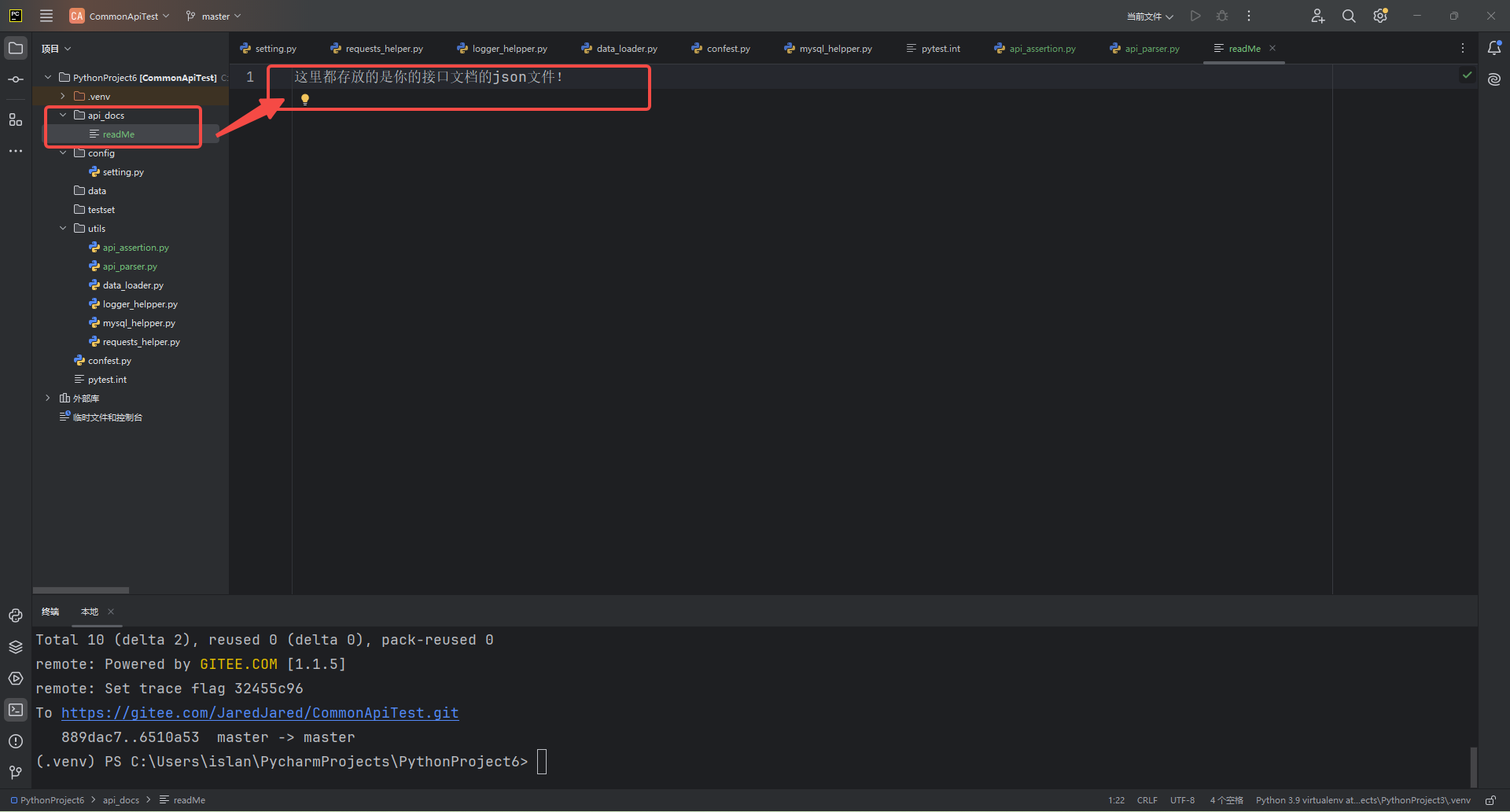
同样的,这个api_docs也因业务而异!。
基于此,基本的框架整体就搭建完毕了,它拥有一套完整的测试体系
这一整套逻辑是:
首先, 准备环境 ,安装 requirements.txt 中列出的所有依赖。
接着, 配置基础信息 ,在 `setting.py` 中定义 API 的基本 URL、环境等。
然后, 构建核心工具 ,包括封装 HTTP 请求的 `requests_helper.py ` 、加载测试数据的 `data_loader.py ` 、处理 JSON 响应断言的 `api_assertion.py ` 和记录日志的 `logger_helper.py` 。
在此基础上,利用 `api_parser.py ` 自动化生成测试骨架 ,它会解析 api_docs 文件夹中的 Swagger/OpenAPI 文档,生成 testset/ 或 modules/ 目录下的测试脚本。
最后, 配置 Pytest 运行机制 ,通过 `confest.py ` 定义共享的测试夹具和钩子,并在 `pytest.ini` 中设置测试发现规则和运行参数,从而实现高效、自动化的接口测试。
CI/CD
Allure的HTML报告这两项我在后面番外篇再给你们出