AI学习:SPIN -win-安装SPIN-工具过程 SPIN win 电脑安装=accoda 环境-第四篇:代码修复)
- 1-概述
-
- (1)概述
- (2)操作流程-解决问题
-
- [1-重新进入环境:问题1:ImportError: cannot import name 'rotation_matrix_to_angle_axis' from 'utils.geometry'](#1-重新进入环境:问题1:ImportError: cannot import name 'rotation_matrix_to_angle_axis' from 'utils.geometry')
-
- 2)-解决方式-解决方式)
- [2-问题:_pickle.UnpicklingError: Weights only load failed. 。。。。error: Unsupported operand 73](#2-问题:_pickle.UnpicklingError: Weights only load failed. 。。。。error: Unsupported operand 73)
-
- 1)-修复方案-修复方案)
- [3-问题:TypeError: crop() missing 2 required positional arguments: 'scale' and 'res'](#3-问题:TypeError: crop() missing 2 required positional arguments: 'scale' and 'res')
-
- 1)-修复方案-修复方案)
- [4-问题:TypeError: 'int' object is not subscriptable](#4-问题:TypeError: 'int' object is not subscriptable)
-
- 1)-修复方案-修复方案)
- [5-问题:AttributeError: scipy.misc is deprecated and has no attribute imresize](#5-问题:AttributeError: scipy.misc is deprecated and has no attribute imresize)
-
- 1)-修复方案-修复方案)
- [6-问题:ValueError: too many values to unpack (expected 4)](#6-问题:ValueError: too many values to unpack (expected 4))
-
- 1)-修复方案-修复方案)
- [7-问题:RuntimeError: Input type (torch.cuda.DoubleTensor) and weight type (torch.cuda.FloatTensor) should be the same](#7-问题:RuntimeError: Input type (torch.cuda.DoubleTensor) and weight type (torch.cuda.FloatTensor) should be the same)
-
- 1)-修复方案-修复方案)
- [8-问题: RuntimeError: einsum(): subscript i has size 300 for operand](#8-问题: RuntimeError: einsum(): subscript i has size 300 for operand)
-
- 1)-修复方案-修复方案)
- (3)总结
1-概述
(1)概述
上篇已经说了,最近学习AI,看到了SPIN这个工具,可以将图片转换位3D模型,我们继续来尝试,并且将问题记录。
前篇文章:AI学习:SPIN -win-安装SPIN-工具过程 SPIN win 电脑安装=accoda 环境-第三篇:解决报错
我们之前布置了环境,之后往后遇到很多问题,今天来继续操作。
(2)操作流程-解决问题
1-重新进入环境:问题1:ImportError: cannot import name 'rotation_matrix_to_angle_axis' from 'utils.geometry'
bash
ImportError: cannot import name 'rotation_matrix_to_angle_axis' from 'utils.geometry'在 SPIN 的 utils/geometry.py 里并没有这个函数;你打印出来的可用函数只有:
bash
['quat_to_rotmat', 'rot6d_to_rotmat']也就是说,你在 demo_norender.py 的这行:
bash
from utils.geometry import rotation_matrix_to_angle_axis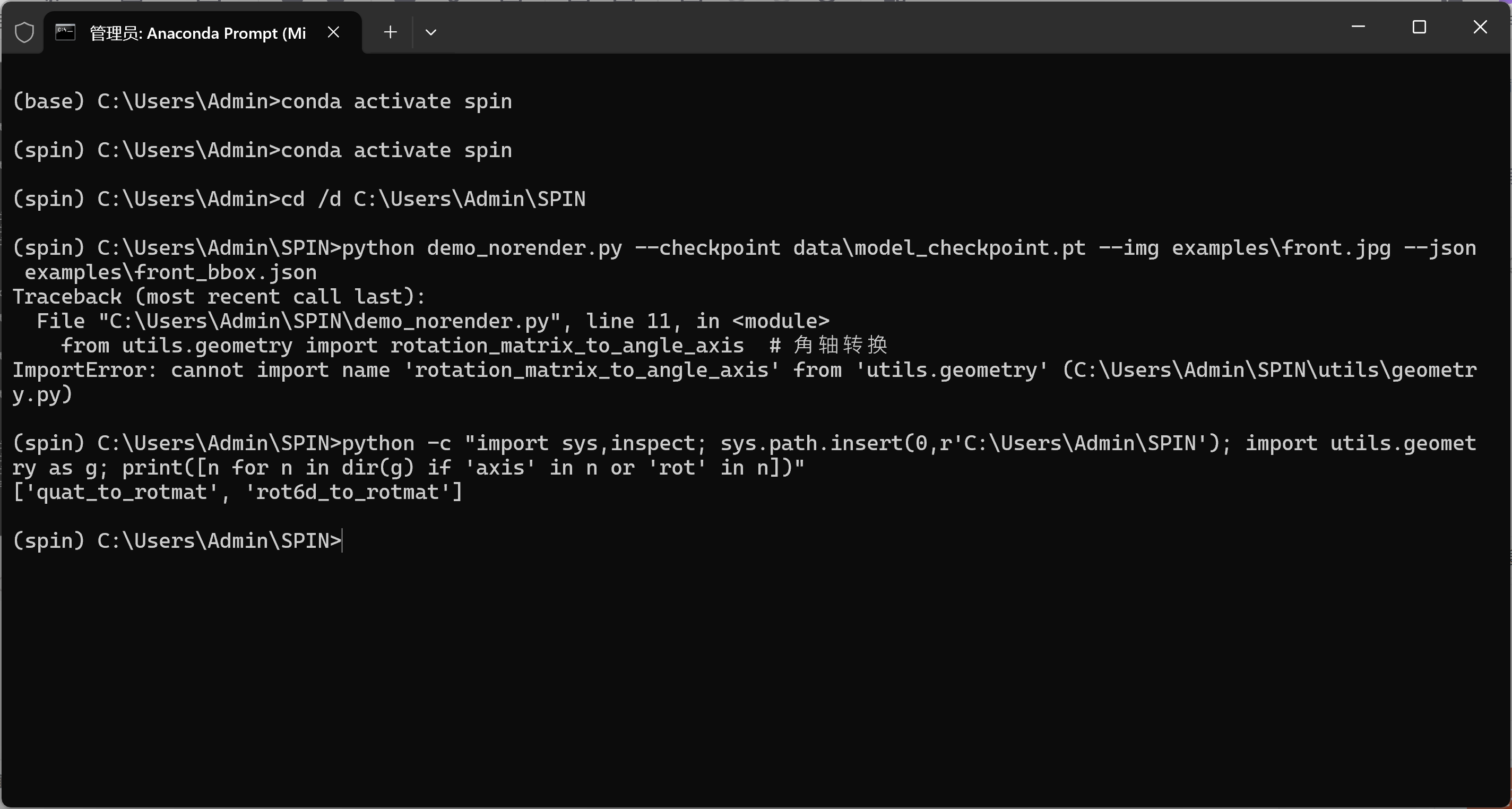
2)-解决方式
尝试解决:
bash
# from utils.geometry import rotation_matrix_to_angle_axis # ❌ 删除这行在文件顶部加一个小工具函数(放在 imports 下面即可):
bash
import torch
import torch.nn.functional as F

def rotmat_to_axis_angle(R: torch.Tensor) -> torch.Tensor:
    """
    R: (..., 3, 3) rotation matrices
    return: (..., 3) axis-angle (Rodrigues) vectors
    """
    # clamp trace -> acos domain
    trace = R[..., 0, 0] + R[..., 1, 1] + R[..., 2, 2]
    cos_theta = (trace - 1.0) * 0.5
    cos_theta = torch.clamp(cos_theta, -1.0 + 1e-6, 1.0 - 1e-6)
    theta = torch.acos(cos_theta)

    rx = R[..., 2, 1] - R[..., 1, 2]
    ry = R[..., 0, 2] - R[..., 2, 0]
    rz = R[..., 1, 0] - R[..., 0, 1]
    axis = torch.stack([rx, ry, rz], dim=-1)
    axis = F.normalize(axis, dim=-1)

    aa = axis * theta.unsqueeze(-1)  # (...,3)
    # 角度极小时设为 0,避免数值噪声
    aa = torch.where(theta.unsqueeze(-1) < 1e-8, torch.zeros_like(aa), aa)
    return aa
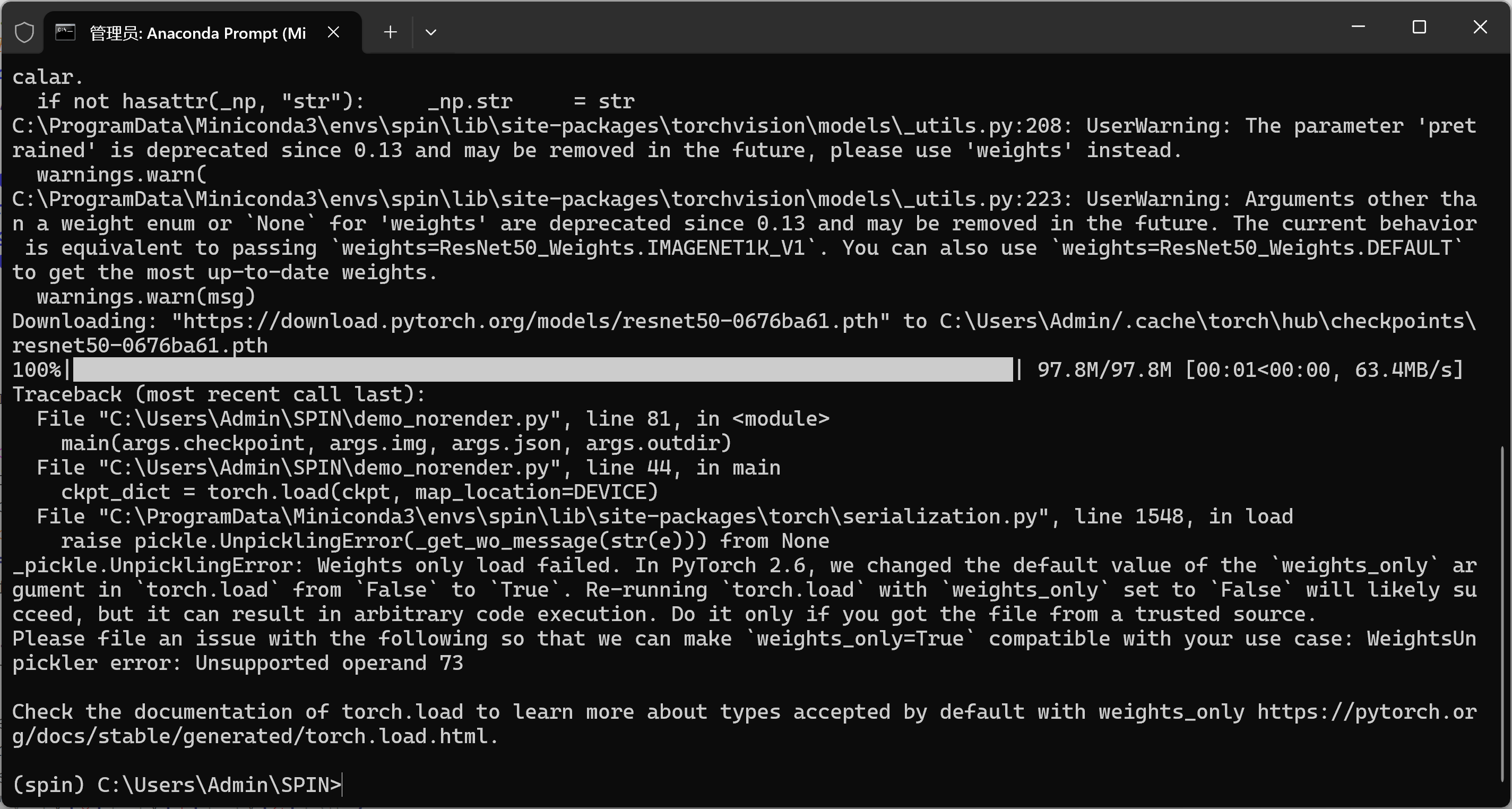
2-问题:_pickle.UnpicklingError: Weights only load failed. 。。。。error: Unsupported operand 73
bash
_pickle.UnpicklingError: Weights only load failed.
In PyTorch 2.6, the default value of the `weights_only` arg in `torch.load`
changed to True. Re-running `torch.load` with `weights_only=False` will likely succeed.
pickle error: Unsupported operand 73
当前用的是 PyTorch 2.6,torch.load() 的默认参数 weights_only=True 会阻止用 pickle 反序列化老版本保存的 .pt 文件(SPIN 的 model_checkpoint.pt 就是老格式)。
按提示把 weights_only=False 传进去即可。
1)-修复方案
打开 demo_norender.py,找到加载 checkpoint 的那行(你日志里是第 44 行左右):
bash
ckpt_dict = torch.load(ckpt, map_location=DEVICE)改成:
bash
import pickle  # 文件顶部确保有
ckpt_dict = torch.load(ckpt, map_location=DEVICE, weights_only=False, pickle_module=pickle)
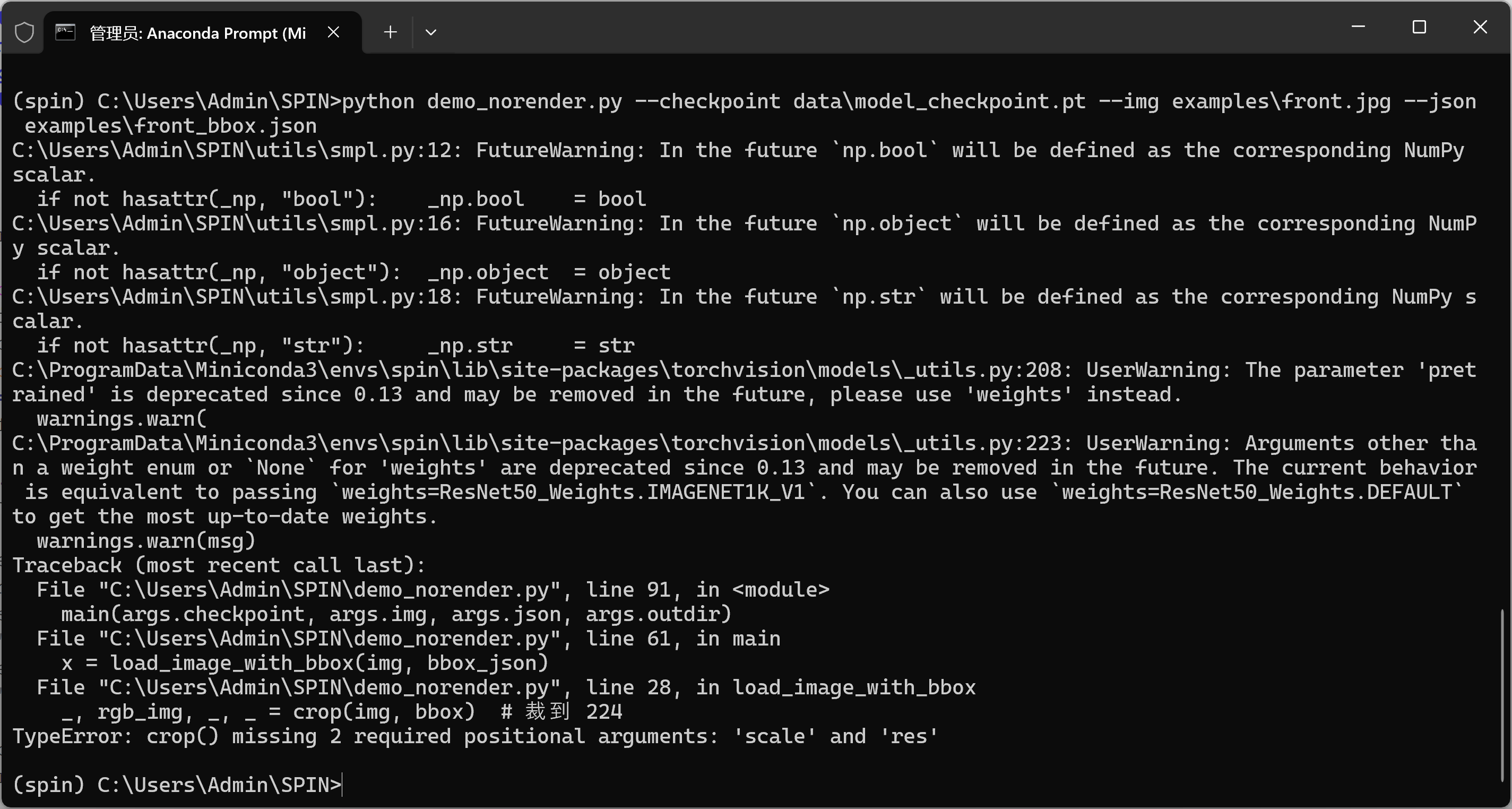
3-问题:TypeError: crop() missing 2 required positional arguments: 'scale' and 'res'
1)-修复方案
修改demo_norender.py
找到这一行(大约第 28 行):
bash
_, rgb_img, _, = crop(img, bbox) # 裁到 224改成
bash
# bbox.json 通常包含中心坐标 (center_x, center_y) 和缩放比例 scale
# 从 JSON 中读取这些值
center = bbox['center']
scale = bbox['scale']
res = 224  # 输出分辨率

_, rgb_img, _, = crop(img, center, scale, res)
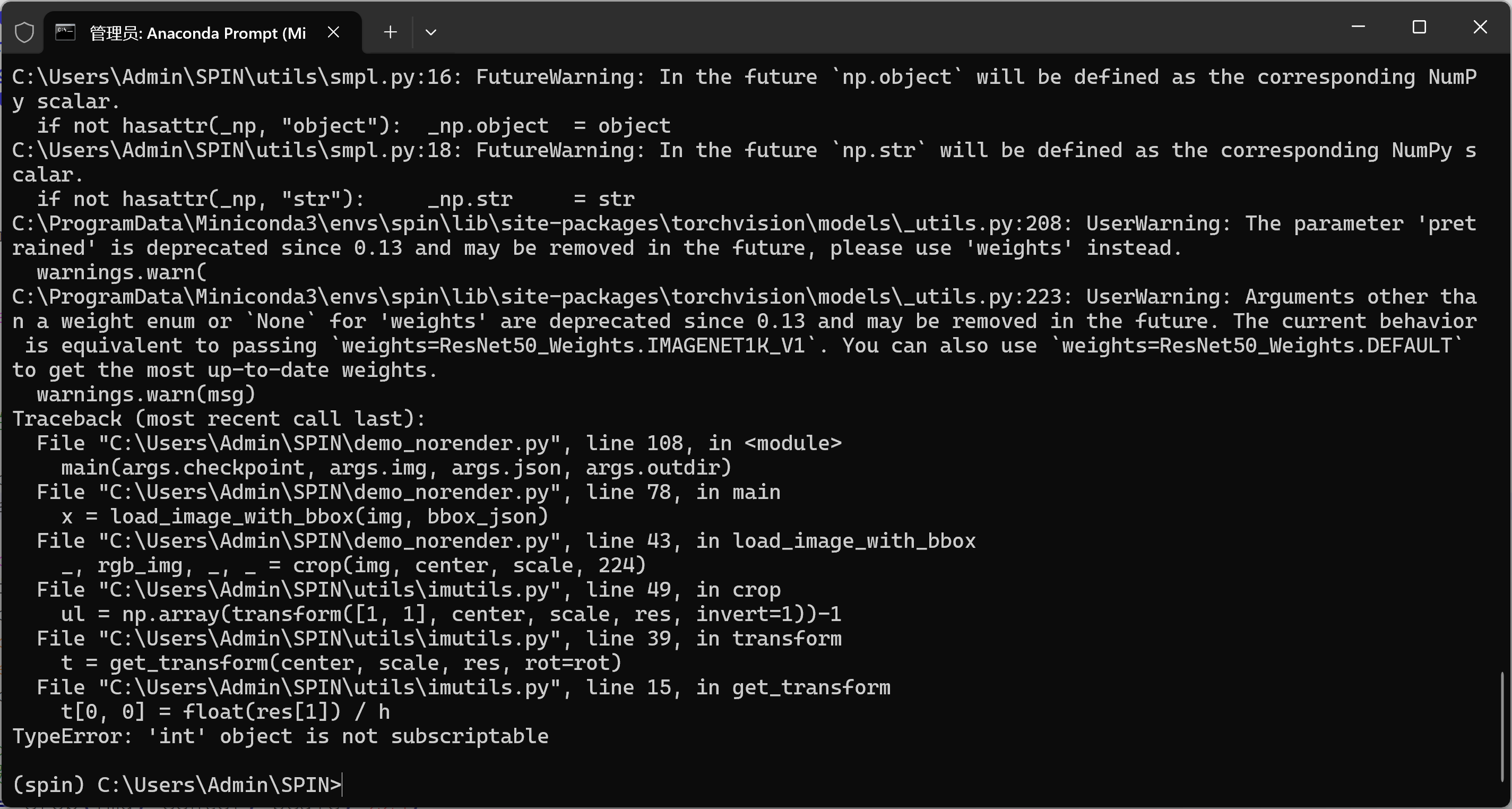
4-问题:TypeError: 'int' object is not subscriptable
bash
TypeError: 'int' object is not subscriptable
... in get_transform
t[0, 0] = float(res[1]) / ...
说明 utils/imutils.py:get_transform(center, scale, res, ...) 里面把 res 当作二维 (w, h) 使用,而在 demo_norender.py 里把 res 传成了单个整数 224,所以索引 res1 报错。
1)-修复方案
读取 bbox、裁剪那段改成下面这个版本(确保 res 是 (224, 224),center/scale 是 float):
bash
import json, numpy as np
import cv2
from torchvision import transforms
from utils.imutils import crop

DEVICE = 'cuda' if torch.cuda.is_available() else 'cpu'

def load_image_with_bbox(img_path, bbox_json):
    # 读图并转为 RGB
    img = cv2.imread(img_path)[:, :, ::-1]

    with open(bbox_json, 'r', encoding='utf-8') as f:
        box = json.load(f)

    # 兼容两种格式:1) {center:[x,y], scale:s};2) {x,y,w,h}
    if 'center' in box and 'scale' in box:
        center = np.array(box['center'], dtype=np.float32)
        scale = float(box['scale'])
    else:
        x = float(box['x']); y = float(box['y'])
        w = float(box['w']); h = float(box['h'])
        center = np.array([x + w / 2.0, y + h / 2.0], dtype=np.float32)
        # SPIN 里 scale 是相对 200 的缩放
        scale = max(w, h) / 200.0

    # 注意:res 必须是 (w, h) 二元数组/元组,不能是单个 int
    res = np.array([224, 224], dtype=np.float32)

    # 按 SPIN 的接口:crop(img, center, scale, res)
    _, rgb_img, _, = crop(img, center, scale, res)

    normalize = transforms.Normalize(mean=[0.485, 0.456, 0.406],
                                     std=[0.229, 0.224, 0.225])
    to_t = transforms.Compose([transforms.ToTensor(), normalize])
    return to_t(rgb_img).unsqueeze(0).to(DEVICE)
执行指令
bash
python demo_norender.py --checkpoint data\model_checkpoint.pt --img examples\front.jpg --json examples\front_bbox.json5-问题:AttributeError: scipy.misc is deprecated and has no attribute imresize
bash
AttributeError: scipy.misc is deprecated and has no attribute imresize这说明 imutils.py 里在用老旧的 scipy.misc.imresize()(在 scipy>=1.3 中被删除了)。
环境中是新版 SciPy,所以这一行彻底失效。
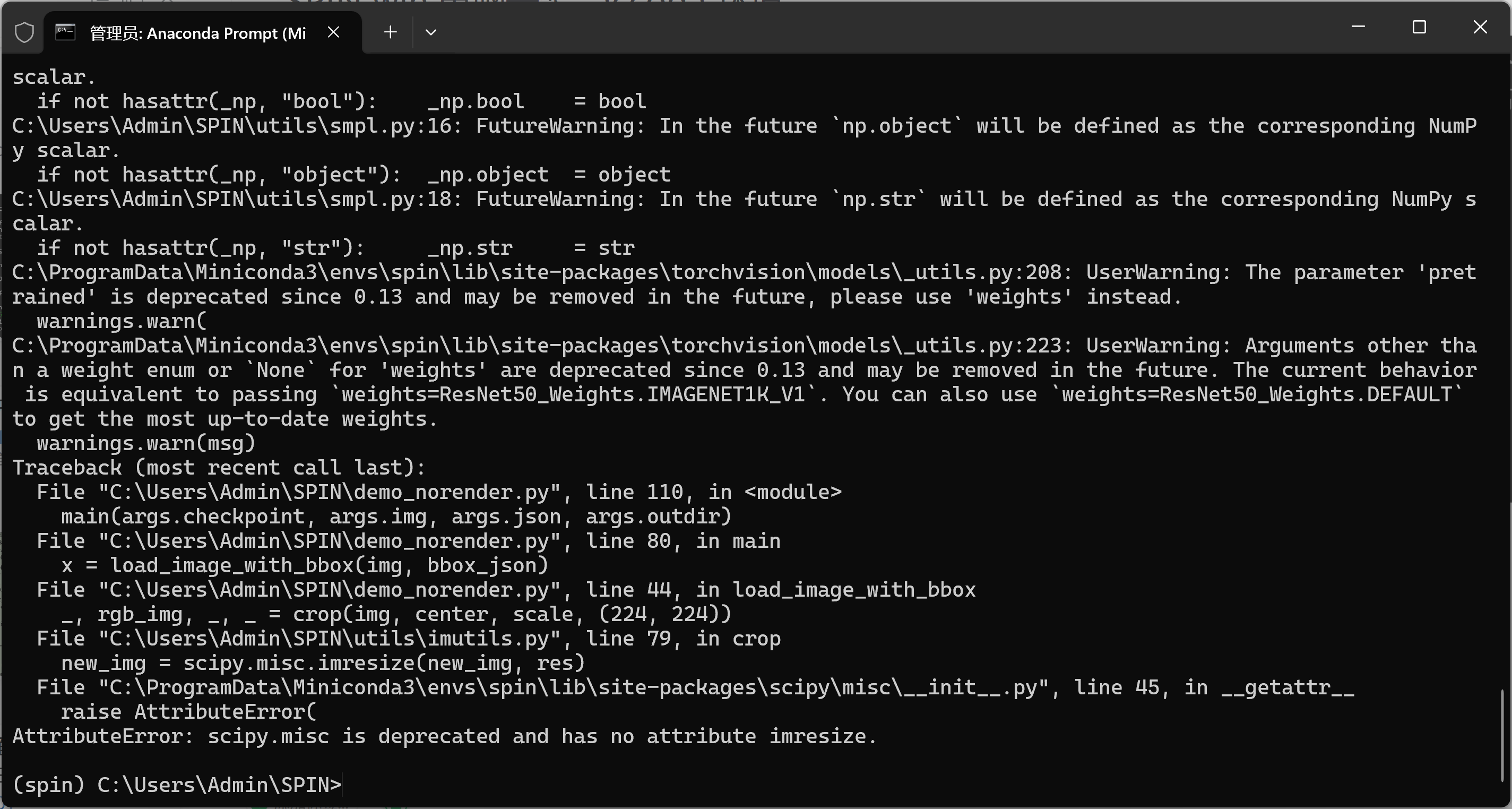
1)-修复方案
bash
new_img = scipy.misc.imresize(new_img, res)替换方案
注意:OpenCV 的 resize() 参数是 (width, height),所以顺序不能反。
如果之前定义了 res = 224, 224,这里 (res0, res1) 就正好匹配。
bash
import cv2

new_img = cv2.resize(new_img, (int(res[0]), int(res[1])), interpolation=cv2.INTER_LINEAR)
6-问题:ValueError: too many values to unpack (expected 4)
bash
ValueError: too many values to unpack (expected 4)
... in load_image_with_bbox
_, rgb_img, _, = crop(img, center, scale, (224, 224))
意思是:utils/imutils.py 里的 crop() 返回的值个数比 4 个还多,而这行代码只准备了解包成 4 个变量,所以报 "too many values"。
不同版本的 SPIN / 自改过的 imutils.crop 返回值个数不一致:有的返回 (ul, br, rgb_img, trans),有的还会多返回 rot、trans_inv 等。因此最稳妥的写法是只取你真正需要的那个 裁剪后的 RGB 图,其余用"星号收集"。
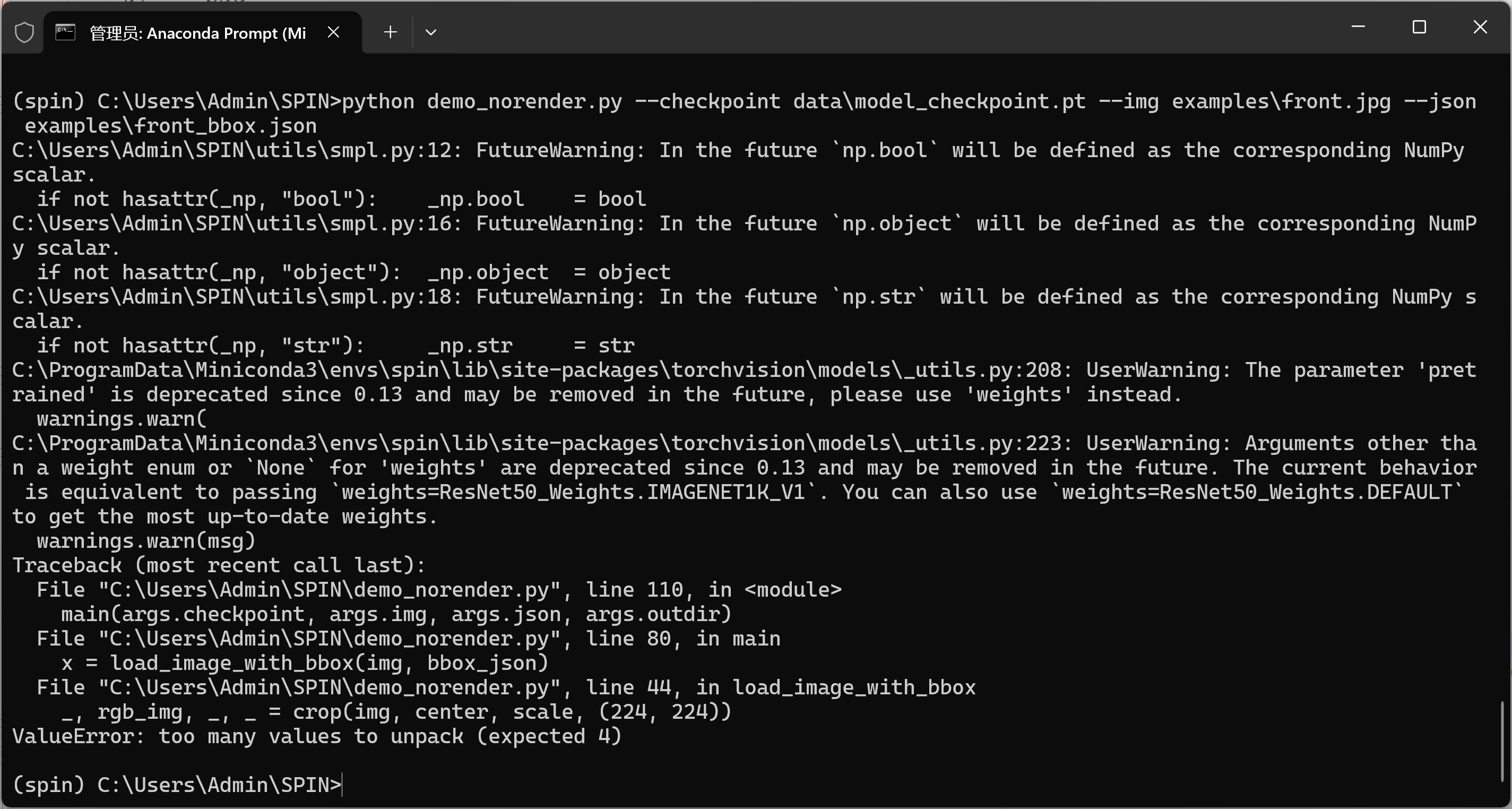
1)-修复方案
用星号接收多余返回值
bash
# 原来:
# _, rgb_img, _, = crop(img, center, scale, (224, 224))

# 改成:
_, rgb_img, *rest = crop(img, center, scale, (224, 224))
7-问题:RuntimeError: Input type (torch.cuda.DoubleTensor) and weight type (torch.cuda.FloatTensor) should be the same
bash
RuntimeError: Input type (torch.cuda.DoubleTensor) and weight type (torch.cuda.FloatTensor) should be the same喂给模型的张量是 double(float64),而模型权重是 float32。卷积要求两者 dtype 一致。
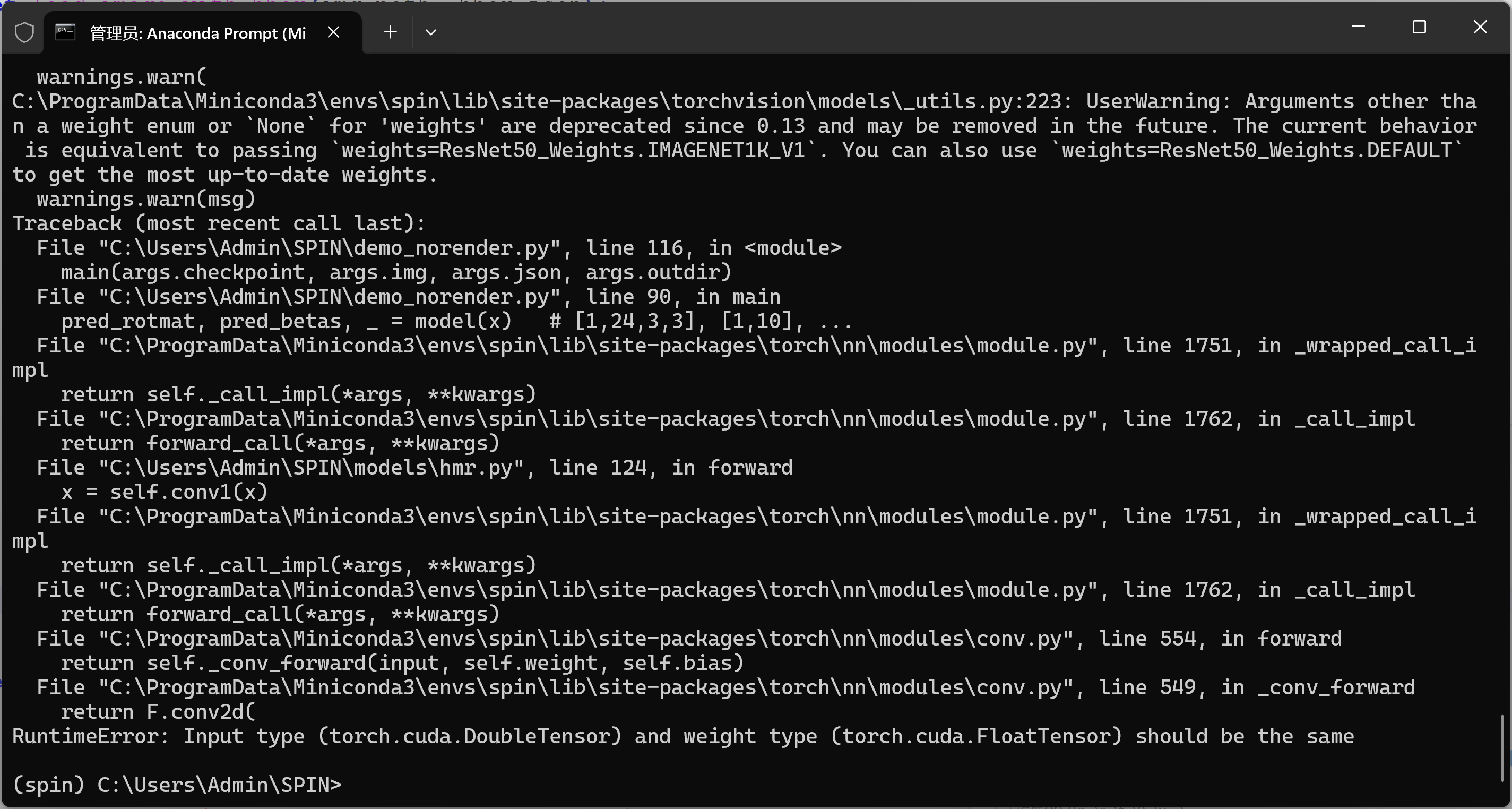
1)-修复方案
bash
# x 是你 load_image_with_bbox 返回的输入
x = load_image_with_bbox(img, bbox_json)

# 关键:统一 dtype 和 device
x = x.to(device=DEVICE, dtype=torch.float32)

# (可选)确保模型也在 fp32
model = model.to(torch.float32)

with torch.no_grad():
    pred_rotmat, pred_betas, pred_camera = model(x)
8-问题: RuntimeError: einsum(): subscript i has size 300 for operand
bash
RuntimeError: einsum(): subscript i has size 300 for operand 1 which does not broadcast with previously seen size 10
... in smplx/lbs.py -> blend_shapes
... v_shaped = v_template + blend_shapes(betas, shapedirs)
这说明 传给 SMPL 的 betas 向量长度是 300,而 当前 SMPL 模型只带 10 个 shape 基(shapedirs..., 10)。二者不匹配,于是 einsum 广播失败。
在 SPIN 中,正确的 betas 维度应该是 10(形如 B, 10)。现在的 pred_betas 是 B, 300(多半是用了 smplx 的实现或模型输出头和目标不一致)。
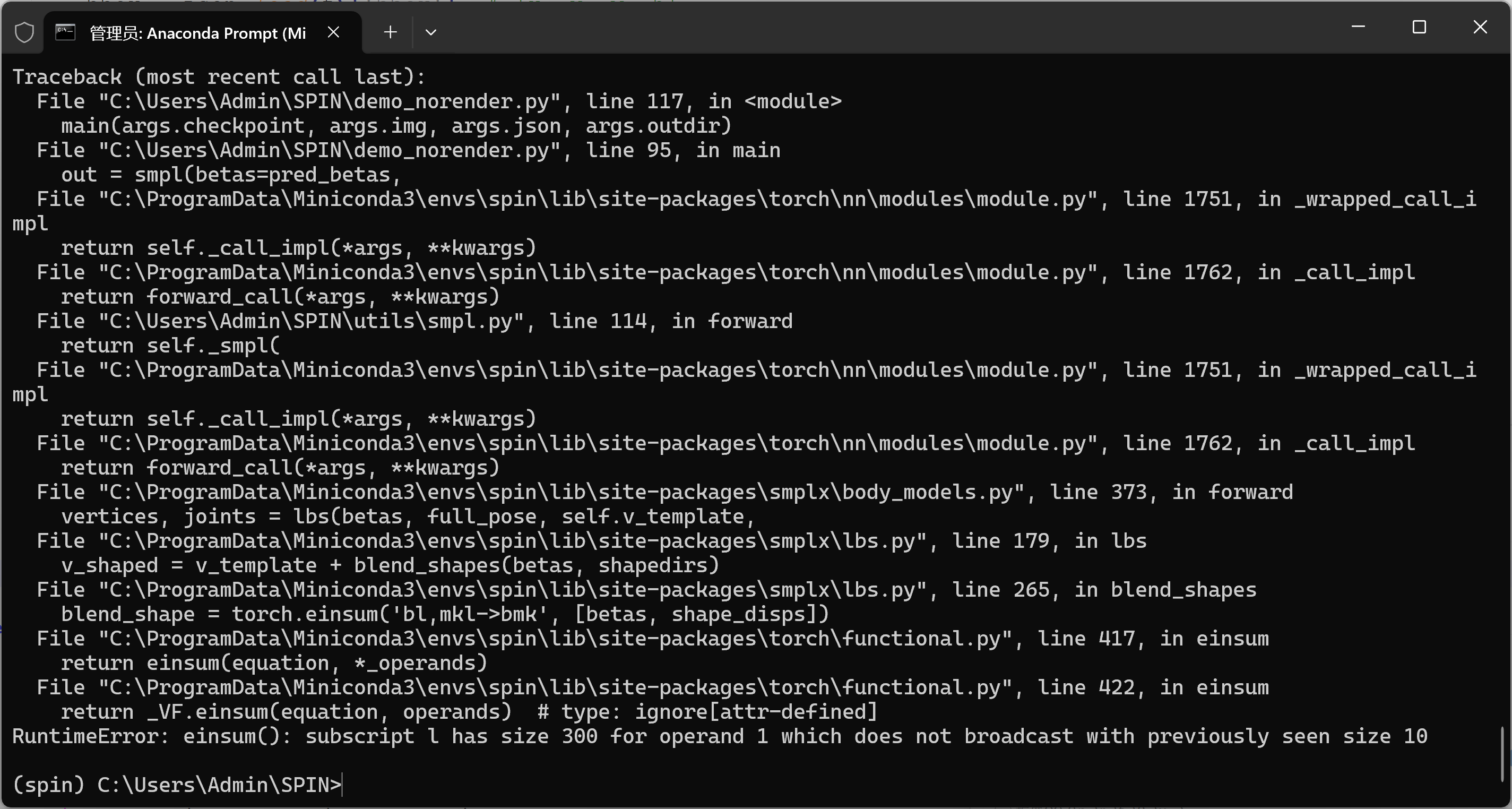
1)-修复方案
拿到模型输出后,把 betas 截到前 10 维 再喂给 SMPL:
bash
with torch.no_grad():
    pred_rotmat, pred_betas, pred_cam = model(x.float())

print("pred_betas.shape before:", tuple(pred_betas.shape))
pred_betas = pred_betas[:, :10].contiguous()   # 只保留前 10 维
print("pred_betas.shape after:", tuple(pred_betas.shape))

# 保证 dtype/device 一致
pred_betas = pred_betas.to(dtype=torch.float32, device=DEVICE)

out = smpl(betas=pred_betas)  # 这里就不会再和 shapedirs(10) 冲突了
(3)总结
问题还是太多了,这也是最折磨人地方,准备再分开写吧。