QT联合halcon12在vs2019开发图像处理
示范如何把图像中矩形单个抠出来,优先在Hdevelop处理
参考:
https://txwtech.blog.csdn.net/article/details/150425073
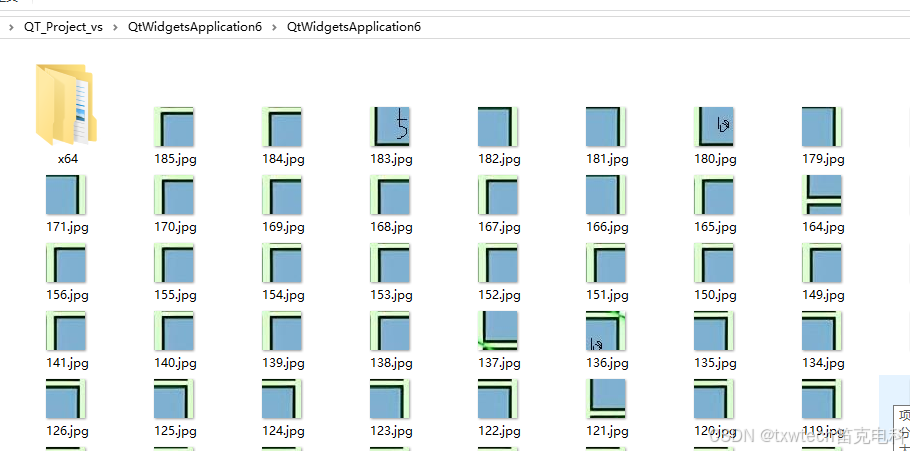
处理完成后
halcon代码如下:
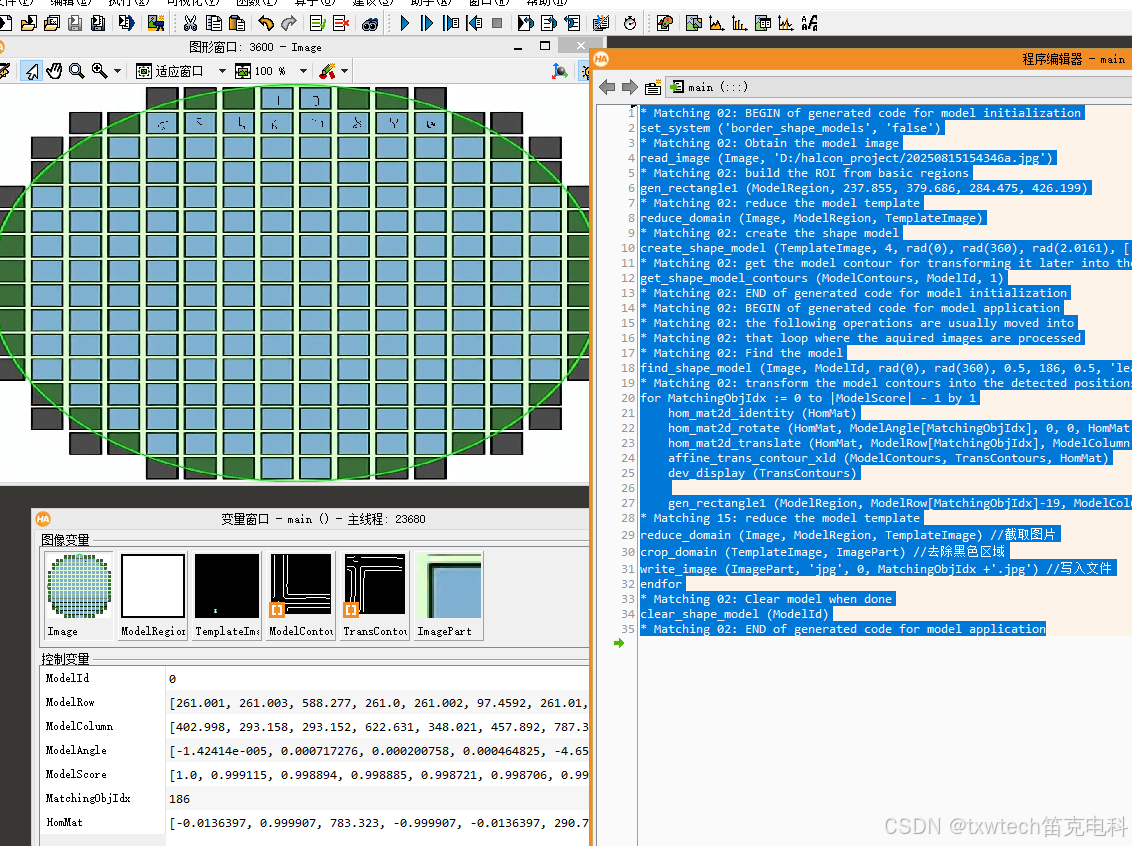
* Matching 02: BEGIN of generated code for model initialization
set_system ('border_shape_models', 'false')
* Matching 02: Obtain the model image
read_image (Image, 'D:/halcon_project/20250815154346a.jpg')
* Matching 02: build the ROI from basic regions
gen_rectangle1 (ModelRegion, 237.855, 379.686, 284.475, 426.199)
* Matching 02: reduce the model template
reduce_domain (Image, ModelRegion, TemplateImage)
* Matching 02: create the shape model
create_shape_model (TemplateImage, 4, rad(0), rad(360), rad(2.0161), ['none','no_pregeneration'], 'use_polarity', [10,14,4], 4, ModelId)
* Matching 02: get the model contour for transforming it later into the image
get_shape_model_contours (ModelContours, ModelId, 1)
* Matching 02: END of generated code for model initialization
* Matching 02: BEGIN of generated code for model application
* Matching 02: the following operations are usually moved into
* Matching 02: that loop where the aquired images are processed
* Matching 02: Find the model
find_shape_model (Image, ModelId, rad(0), rad(360), 0.5, 186, 0.5, 'least_squares', [4,1], 0.75, ModelRow, ModelColumn, ModelAngle, ModelScore)
* Matching 02: transform the model contours into the detected positions
for MatchingObjIdx := 0 to |ModelScore| - 1 by 1
    hom_mat2d_identity (HomMat)
    hom_mat2d_rotate (HomMat, ModelAngle[MatchingObjIdx], 0, 0, HomMat)
    hom_mat2d_translate (HomMat, ModelRow[MatchingObjIdx], ModelColumn[MatchingObjIdx], HomMat)
    affine_trans_contour_xld (ModelContours, TransContours, HomMat)
    dev_display (TransContours)

    gen_rectangle1 (ModelRegion, ModelRow[MatchingObjIdx]-19, ModelColumn[MatchingObjIdx]-19, ModelRow[MatchingObjIdx]+19, ModelColumn[MatchingObjIdx]+19)
* Matching 15: reduce the model template
reduce_domain (Image, ModelRegion, TemplateImage) //截取图片
crop_domain (TemplateImage, ImagePart) //去除黑色区域
write_image (ImagePart, 'jpg', 0, MatchingObjIdx +'.jpg') //写入文件
endfor
* Matching 02: Clear model when done
clear_shape_model (ModelId)
* Matching 02: END of generated code for model application
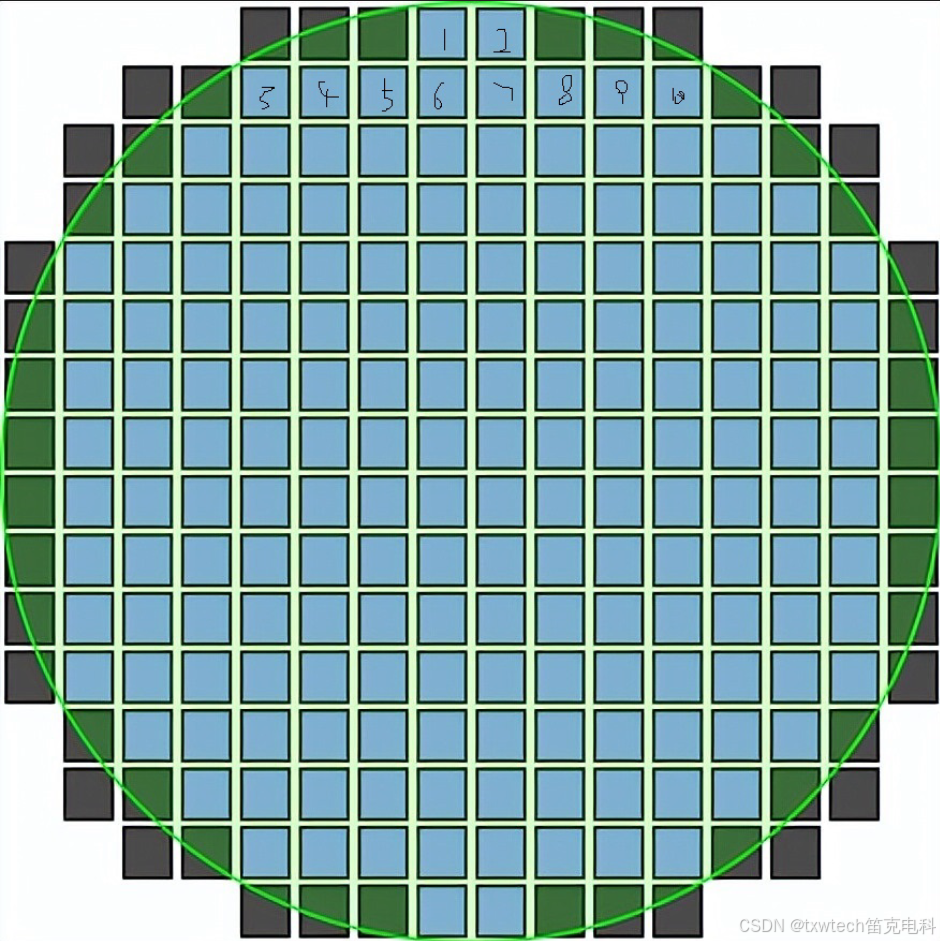
练习图片:
导出c++代码
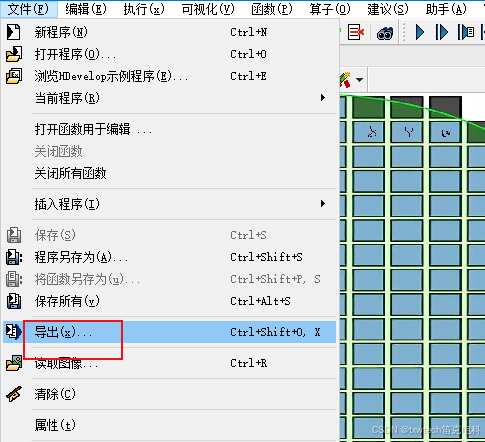
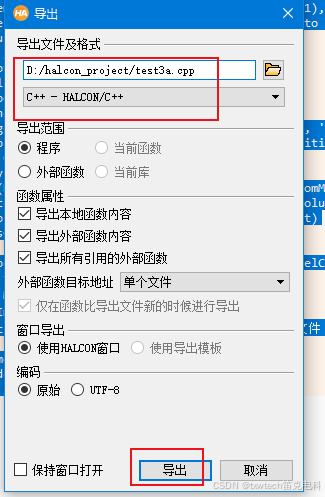
生成了test3a.cpp
打开test3a.cpp,复制void action()里面所有内容
粘贴到vs2019 qt项目的cpp文件里面
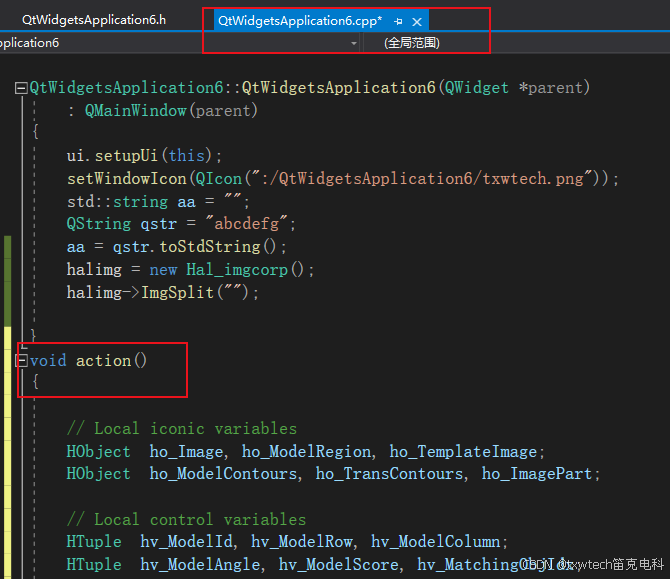
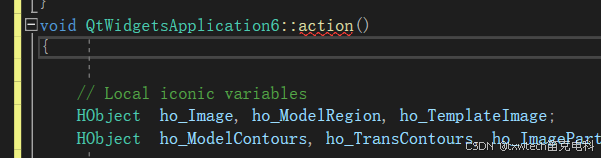
修改void action()为:void QtWidgetsApplication6::action()
头文件添加:
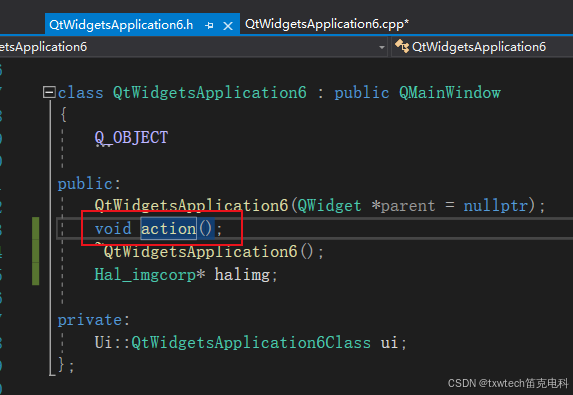
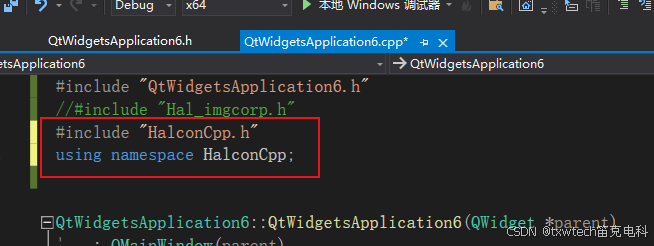
cpp文件添加:
#include "HalconCpp.h"
using namespace HalconCpp;
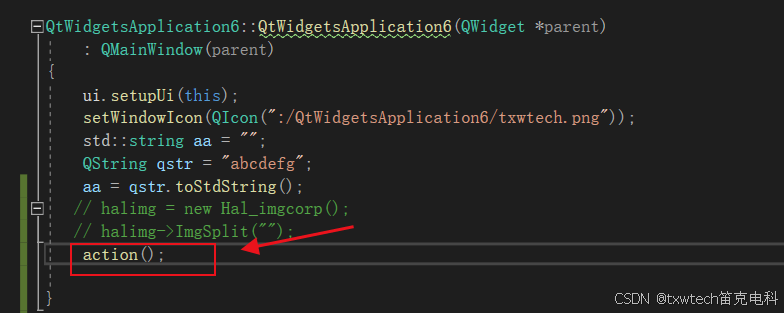
函数放在程序启动时运行:
添加action()
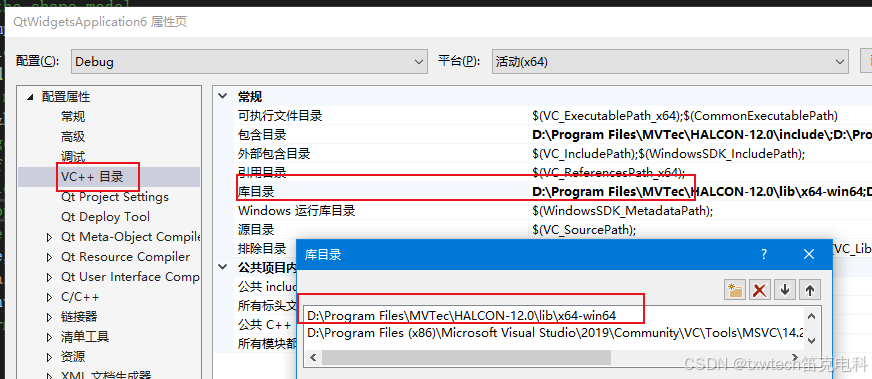
项目-》属性,包含halcon12安装目录(找到自己安装的位置,复制路径)
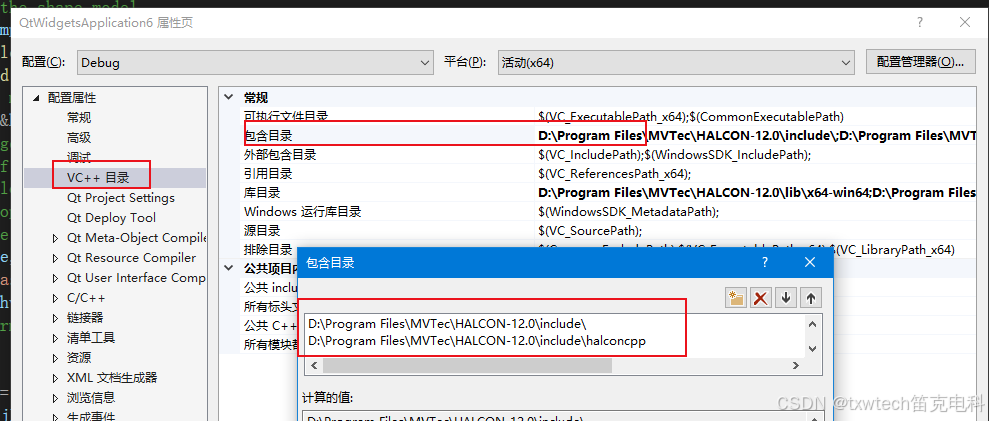
包含对应的库目录
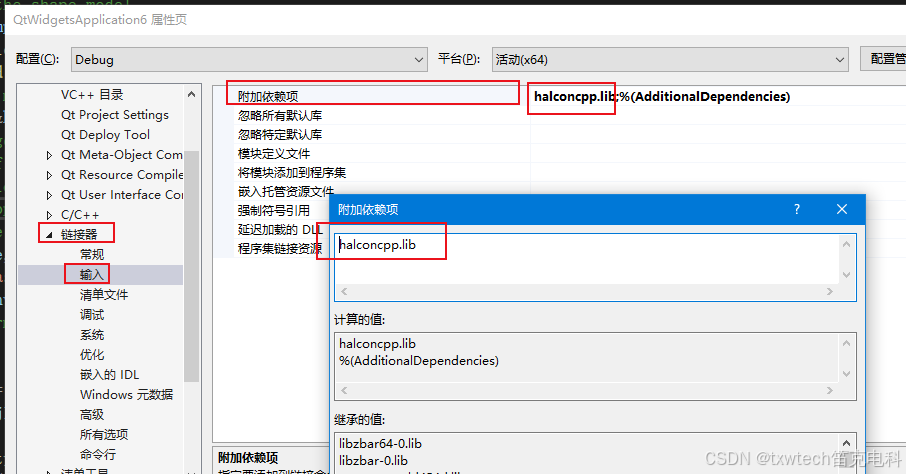
链接器-》输入,添加halconcpp.lib
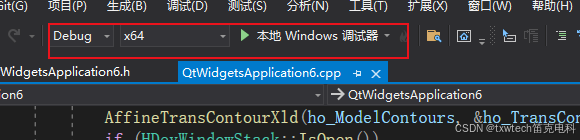
选择x64
编译生成后,点击本地调试器查看效果