0. 环境
-
ubuntu18台式机
-
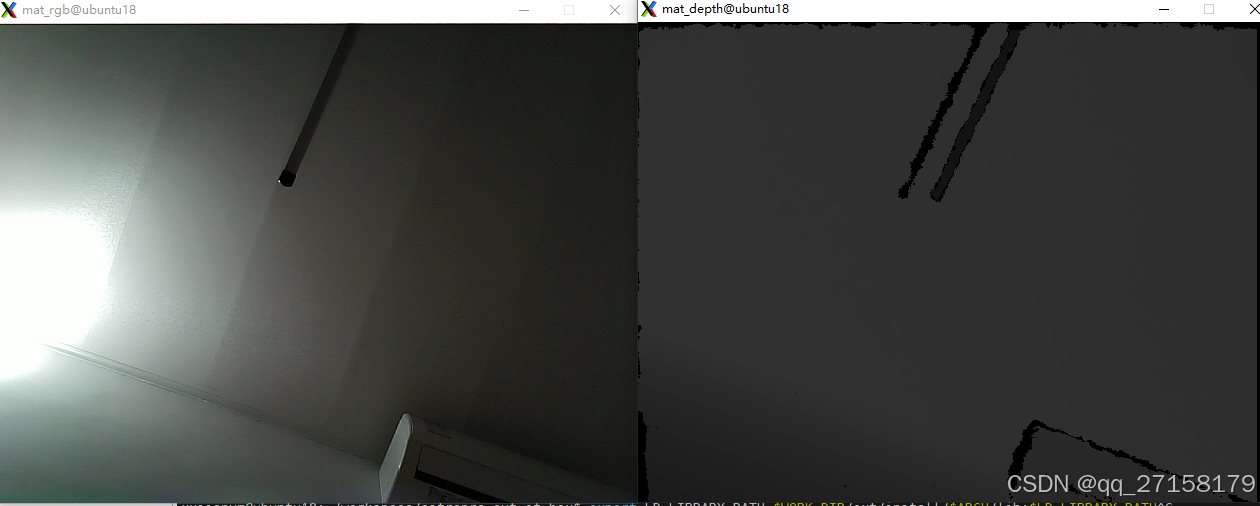
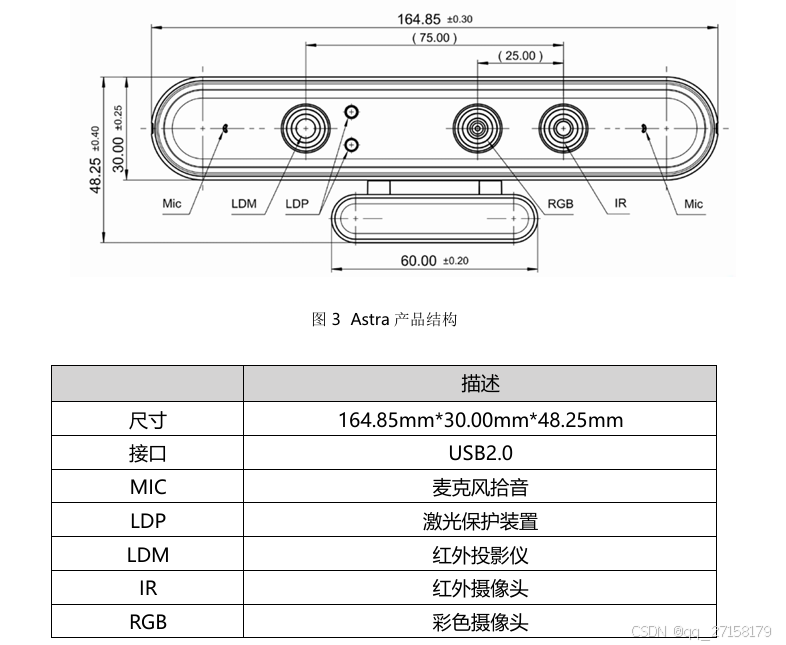
奥比中光 Orbbec Astra Pro 单目结构光摄像头
-
opencv 3.4.20 + OpenNI_2.3.0.66
1. Astra Pro出厂测试
1.1 获取sdk
官网资料
https://www.orbbec.com.cn/index/Download2025/info.html?cate=121\&id=1
链接到
https://github.com/orbbec/OpenNI_SDK/tree/main
sdk
https://dl.orbbec3d.com/dist/openni2/OpenNI_2.3.0.66.zip
https://3dclub.orbbec3d.com/t/universal-download-thread-for-astra-series-cameras/622/12
把
OpenNI_2.3.0.66.zip
拷贝到
astrapro_out_of_box\ext
1.2 环境变量
cd ~/workspace/astrapro_out_of_box
export WORK_DIR=$PWD
export ARCH="x64"

export C_COMPILER="gcc"
export CXX_COMPILER="g++"
export AR="ar"

echo $WORK_DIR
echo $ARCH
echo $C_COMPILER
echo $CXX_COMPILER
echo $AR
1.3 解压并切换目录
cd $WORK_DIR
cd ext/
unzip -d OpenNI_2.3.0.66 OpenNI_2.3.0.66.zip
cd OpenNI_2.3.0.66/Linux/OpenNI-Linux-x64-2.3.0.66
1.4 安装脚本
chmod +x install.sh
sudo ./install.sh
1.5 环境变量
source OpenNIDevEnvironment1.6 测试demo:Samples/SimpleViewer
cd $WORK_DIR
cd ext/
cd OpenNI_2.3.0.66/Linux/OpenNI-Linux-x64-2.3.0.66
cd  Samples/SimpleViewer
1.6.1 依赖
sudo apt-get install freeglut3-dev1.6.2 编译
make -j41.6.3 运行测试
cd Bin/x64-Release/
sudo ./SimpleViewer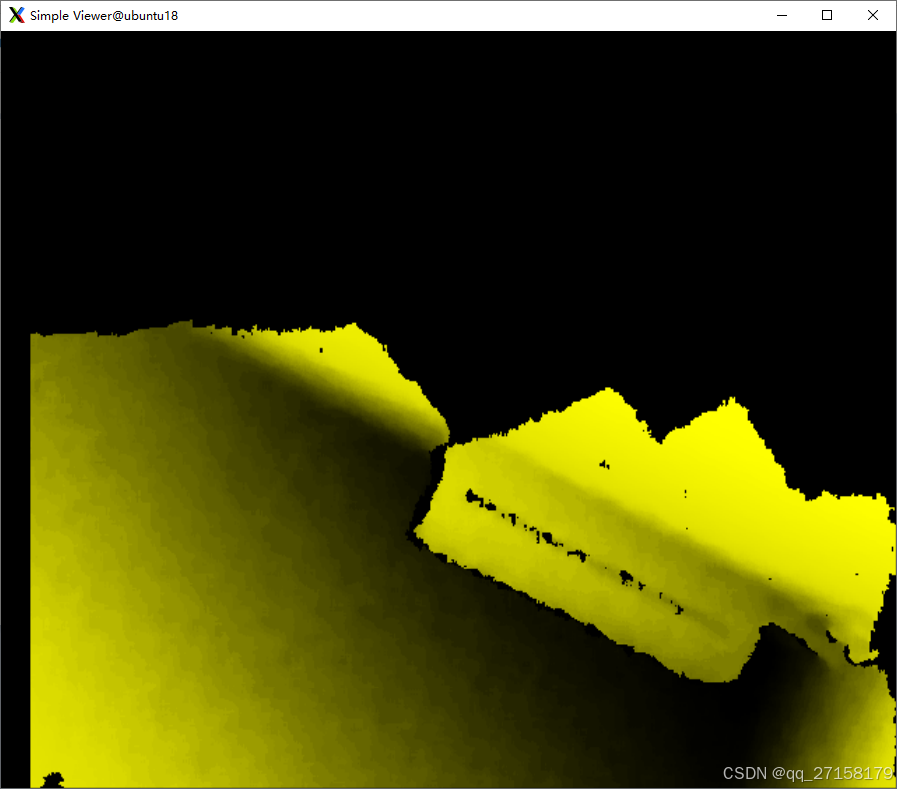
2. opencv与rgb图像
2.0 opencv说明
opencv,不用加openni,opencv4的官网文档说openni可以支持astra,但是测试不通过。打不开IR摄像头。Astra Pro的RGB是UVC协议,不用SDK。
2.1 准备源码
下载了
opencv-3.4.20.tar.gz
放在
~/workspace/astrapro_out_of_box/ext
解压
cd /home/xxjianvm/workspace/astrapro_out_of_box/ext
tar -zvxf opencv-3.4.20.tar.gz
2.2 安装依赖
sudo apt-get install -y build-essential
sudo apt-get install -y cmake git libgtk2.0-dev pkg-config libavcodec-dev libavformat-dev libswscale-dev
2.3 环境变量
cd ~/workspace/astrapro_out_of_box
export WORK_DIR=$PWD
export ARCH="x64"

export C_COMPILER="gcc"
export CXX_COMPILER="g++"
export AR="ar"
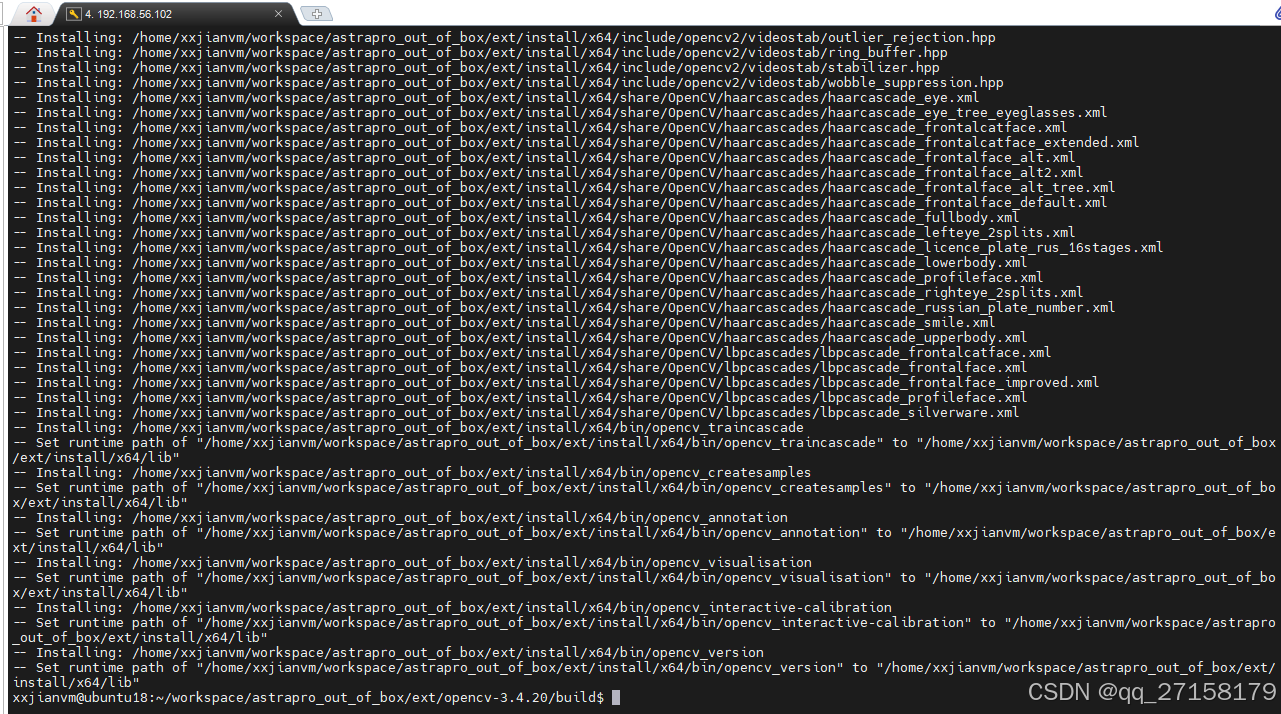
2.4 命令行从源码编译安装
把以下内容粘贴到终端中即可。
cd $WORK_DIR
cd ext/
mkdir -p install && mkdir -p install/$ARCH && mkdir -p install/$ARCH/lib && mkdir -p install/$ARCH/include
rm -rf opencv-3.4.20
tar -zvxf opencv-3.4.20.tar.gz  && cd opencv-3.4.20
rm -rf build
mkdir build && cd build
cmake  -DCMAKE_C_COMPILER=$C_COMPILER -DCMAKE_CXX_COMPILER=$CXX_COMPILER \
-DCMAKE_BUILD_TYPE=RELEASE \
-DCMAKE_INSTALL_PREFIX=$WORK_DIR/ext/install/$ARCH \
-DBUILD_DOCS=OFF \
-DBUILD_EXAMPLES=OFF \
-DBUILD_TESTS=OFF \
-DBUILD_PERF_TESTS=OFF \
-DSOFTFP=OFF \
-DCMAKE_C_FLAGS="-L$WORK_DIR/ext/install/$ARCH/lib" ..
make -j8
make install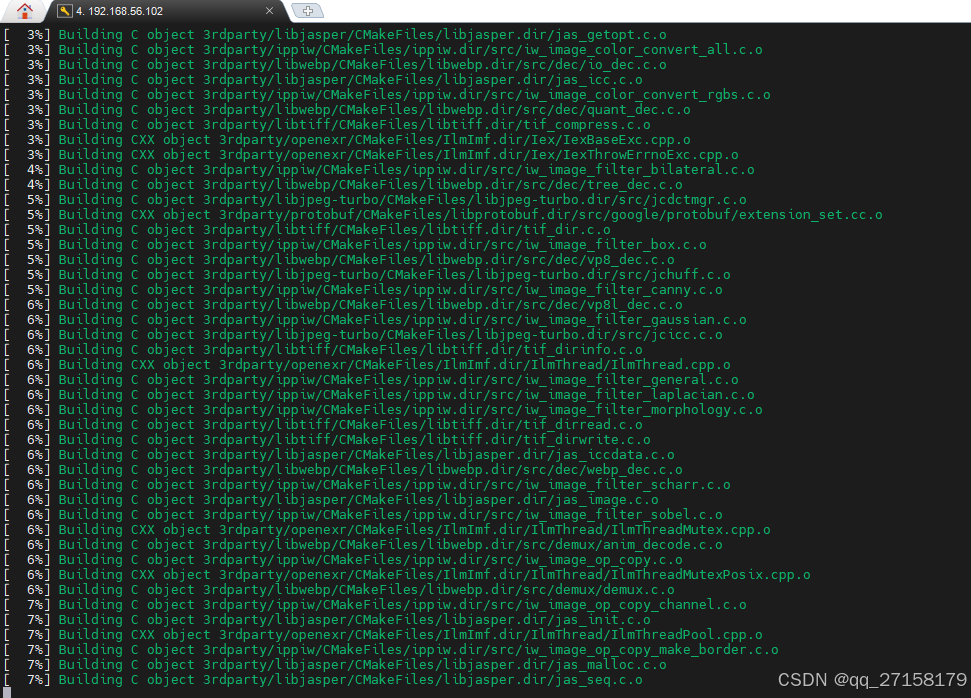
2.5 demo_rgb
把demo_rgb.cpp放到~/workspace/astrapro_out_of_box/demo文件夹中。
2.5.1 demo_rgb.cpp内容
#include <opencv2/opencv.hpp>
#include <iostream>
using namespace cv;
using namespace std;
int main() {
   VideoCapture cap(0); // Open default camera
   if (!cap.isOpened()) {
       cout << "Failed to open camera!" << endl;
       return -1;
   }
   namedWindow("Camera", WINDOW_NORMAL);
   while (true) {
       Mat frame;
       cap.read(frame); // Capture a frame
       if (frame.empty()) {
           cout << "Failed to read frame!" << endl;
           break;
       }
       imshow("Camera", frame); // Display the frame
       if (waitKey(1) == 'q') break; // Exit on 'q'
   }
   cap.release();
   destroyAllWindows();
   return 0;
}
2.5.2 编译可执行程序
cd ~/workspace/astrapro_out_of_box
export WORK_DIR=$PWD
export ARCH="x64"

export C_COMPILER="gcc"
export CXX_COMPILER="g++"
export AR="ar"

echo $WORK_DIR
echo $ARCH
echo $C_COMPILER
echo $CXX_COMPILER
echo $AR


# 编译可执行程序
$CXX_COMPILER -o demo_rgb demo/demo_rgb.cpp -Iext/install/$ARCH/include -L$WORK_DIR/ext/install/$ARCH/lib  -lopencv_core -lopencv_highgui -lopencv_imgproc -lopencv_imgcodecs -lopencv_photo -lopencv_videoio -lopencv_video
2.5.3 运行
cd ~/workspace/astrapro_out_of_box
export WORK_DIR=$PWD
export ARCH="x64"
export LD_LIBRARY_PATH=$WORK_DIR/ext/install/$ARCH/lib:$LD_LIBRARY_PATH
./demo_rgb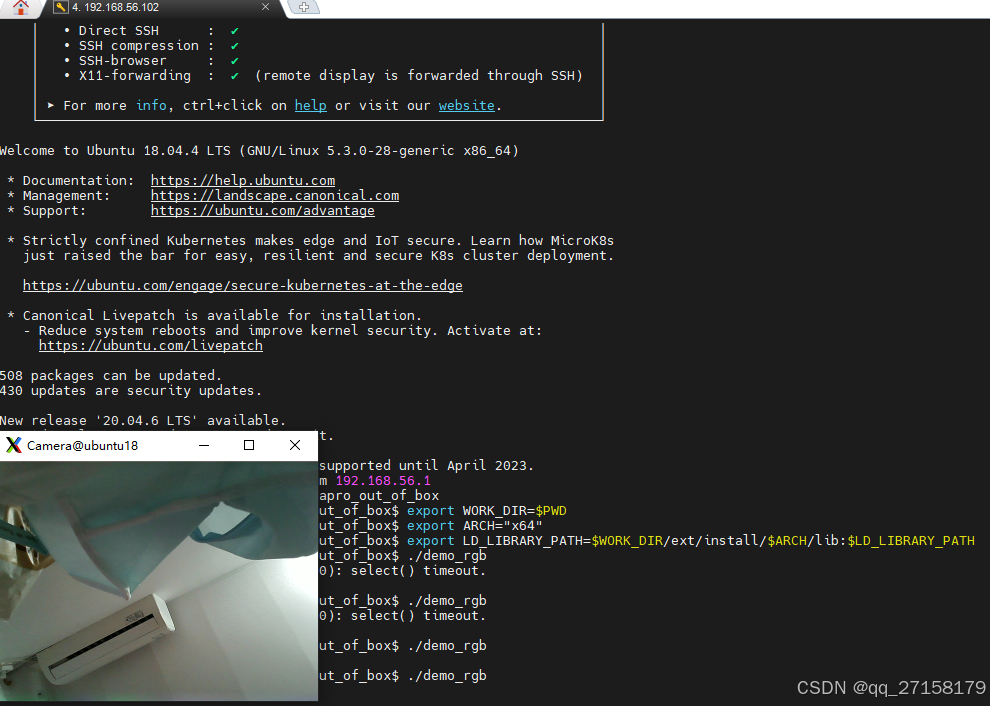
3. openni读取depth图像并转opencv的mat格式
3.1 把sdk安装到自定义目录
cd ~/workspace/astrapro_out_of_box
export WORK_DIR=$PWD
export ARCH="x64"

cd $WORK_DIR
cd ext
mkdir -p install && mkdir -p install/$ARCH && mkdir -p install/$ARCH/lib && mkdir -p install/$ARCH/include
rm -rf OpenNI_2.3.0.66
unzip -d OpenNI_2.3.0.66 OpenNI_2.3.0.66.zip
cp OpenNI_2.3.0.66/Linux/OpenNI-Linux-$ARCH-2.3.0.66/Include/* install/$ARCH/include/ -r
cp OpenNI_2.3.0.66/Linux/OpenNI-Linux-$ARCH-2.3.0.66/Redist/* install/$ARCH/lib/ -r
echo "[sdk OK]"
3.2 demo_depth.cpp
#include <iostream>
#include <OpenNI.h>
#include <opencv2/opencv.hpp>

openni::VideoStream**		m_streams;

int main(int argc, char** argv)
{
	openni::Status rc = openni::STATUS_OK;

	openni::Device device;
	openni::VideoStream streamDepth;
	const char* deviceURI = openni::ANY_DEVICE;
	if (argc > 1) {
		deviceURI = argv[1];
	}

	rc = openni::OpenNI::initialize();

	printf("After initialization:\n%s\n", openni::OpenNI::getExtendedError());

	rc = device.open(deviceURI);
	if (rc != openni::STATUS_OK) {
		printf("SimpleViewer: Device open failed:\n%s\n", openni::OpenNI::getExtendedError());
		openni::OpenNI::shutdown();
		return 1;
	}

	rc = streamDepth.create(device, openni::SENSOR_DEPTH);
	if (rc == openni::STATUS_OK) {
		rc = streamDepth.start();
		if (rc != openni::STATUS_OK) {
			printf("SimpleViewer: Couldn't start depth stream:\n%s\n", openni::OpenNI::getExtendedError());
			streamDepth.destroy();
		}
	} else {
		printf("SimpleViewer: Couldn't find depth stream:\n%s\n", openni::OpenNI::getExtendedError());
	}

	openni::VideoMode depthVideoMode;
	int			m_width;
	int			m_height;
	if (!streamDepth.isValid()) {
		printf("SimpleViewer: No valid streams. Exiting\n");
		openni::OpenNI::shutdown();
		return 2;
	} else {
		depthVideoMode = streamDepth.getVideoMode();
		m_width = depthVideoMode.getResolutionX();
		m_height = depthVideoMode.getResolutionY();
	}


	m_streams = new openni::VideoStream*[1];
	m_streams[0] = &streamDepth;

	int iMaxDepth = streamDepth.getMaxPixelValue();
	openni::VideoFrameRef frameDepth;
	for( int i = 0; i < 100; ++ i ) {
		int changedIndex;
		openni::Status rc = openni::OpenNI::waitForAnyStream(m_streams, 1, &changedIndex);
		if (rc != openni::STATUS_OK) {
			printf("Wait failed\n");
			continue;
		}
		streamDepth.readFrame( &frameDepth );

		const cv::Mat mImageDepth( frameDepth.getHeight(), frameDepth.getWidth(), CV_16UC1, (void*)frameDepth.getData());
		cv::Mat mScaledDepth;
		mImageDepth.convertTo( mScaledDepth, CV_8U, 255.0 / iMaxDepth );
		cv::imshow("Depth", mScaledDepth);

		if (cv::waitKey(30) == 'q') {
			break;
		}
	}

	streamDepth.destroy();
	device.close();
	openni::OpenNI::shutdown();

}
3.3 编译可执行程序
cd ~/workspace/astrapro_out_of_box
export WORK_DIR=$PWD
export ARCH="x64"
$CXX_COMPILER -o demo_depth demo/demo_depth.cpp -Iext/install/$ARCH/include -Lext/install/$ARCH/lib  -lOpenNI2 -lopencv_core -lopencv_highgui -lopencv_imgproc -lopencv_imgcodecs -lopencv_photo -lopencv_videoio -lopencv_video
3.4 运行
export WORK_DIR=$PWD
export ARCH="x64"
export LD_LIBRARY_PATH=$OPENNI2_REDIST:$WORK_DIR/ext/install/$ARCH/lib:$LD_LIBRARY_PATH
./demo_depth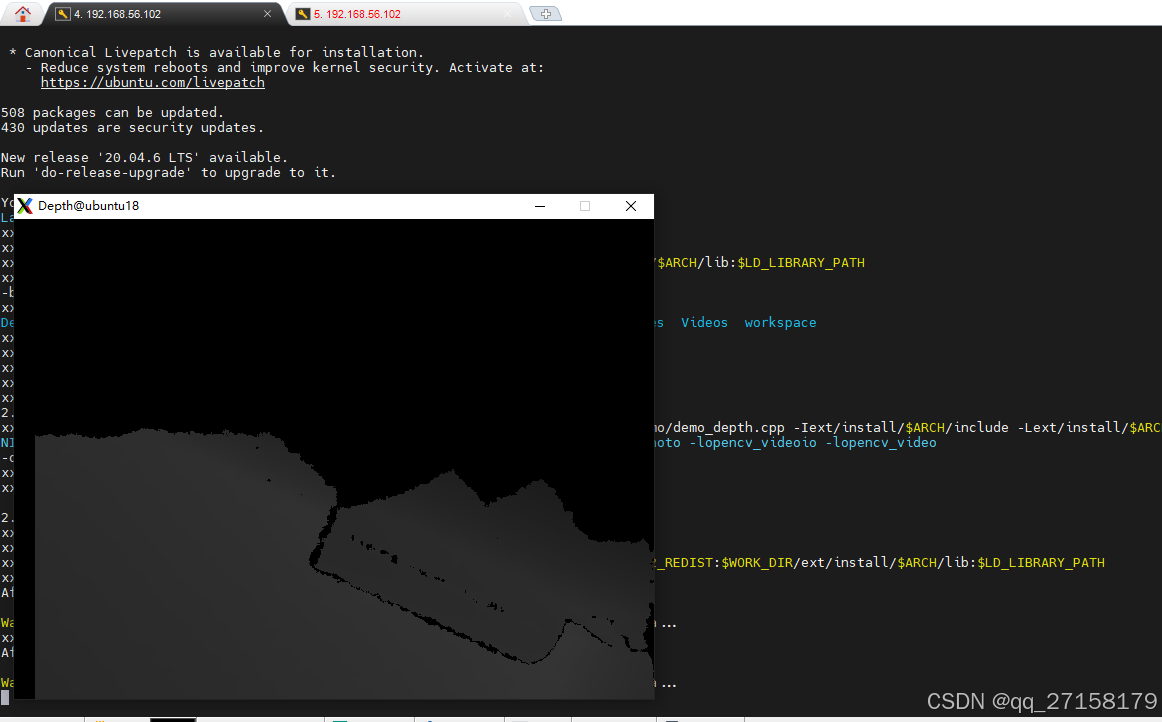
4. 驱动
4.1 m_device.cpp
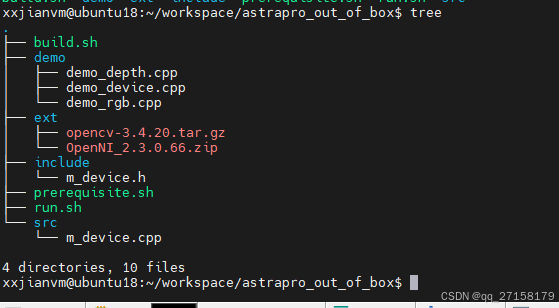
把m_device.cpp放到 ~/workspace/astrapro_out_of_box/src
//
// Created by qjfen on 2024/1/19.
//

#include "stdio.h"
#include <cstring>              // memset
#include <iostream>             // std::cout
#include "m_device.h"

#include <opencv2/opencv.hpp>
#include <OpenNI.h>

int handle;
cv::VideoCapture g_RgbCap;
openni::VideoStream**		m_streams;
openni::Device device;
openni::VideoStream streamDepth;
const char* deviceURI = openni::ANY_DEVICE;

#define SAMPLE_READ_WAIT_TIMEOUT 2000 //2000ms


m_device::m_device()
{
	//ctor
}

m_device::~m_device()
{
	//dtor
}
m_device& m_device::getInstance()
{
	static m_device instance;
	return instance;
}
int m_device::init(int handle_index)
{

	int ret;
	handle = handle_index;

	openni::Status rc = openni::STATUS_OK;
	rc = openni::OpenNI::initialize();
	printf("After initialization:\n%s\n", openni::OpenNI::getExtendedError());

	return 0;
}
int m_device::open()
{

	int ret;
	g_RgbCap = cv::VideoCapture(0);
	if (!g_RgbCap.isOpened()) {
		std::cout << "Failed to open camera!" << std::endl;
		return -1;
	}

	openni::Status rc = openni::STATUS_OK;
	rc = device.open(deviceURI);
	if (rc != openni::STATUS_OK) {
		printf("SimpleViewer: Device open failed:\n%s\n", openni::OpenNI::getExtendedError());
		openni::OpenNI::shutdown();
		return 1;
	}
	rc = streamDepth.create(device, openni::SENSOR_DEPTH);
	if (rc == openni::STATUS_OK) {
		rc = streamDepth.start();
		if (rc != openni::STATUS_OK) {
			printf("SimpleViewer: Couldn't start depth stream:\n%s\n", openni::OpenNI::getExtendedError());
			streamDepth.destroy();
		}
	} else {
		printf("SimpleViewer: Couldn't find depth stream:\n%s\n", openni::OpenNI::getExtendedError());
	}
	openni::VideoMode depthVideoMode;
	int			m_width;
	int			m_height;
	if (!streamDepth.isValid()) {
		printf("SimpleViewer: No valid streams. Exiting\n");
		openni::OpenNI::shutdown();
		return 2;
	} else {
		depthVideoMode = streamDepth.getVideoMode();
		m_width = depthVideoMode.getResolutionX();
		m_height = depthVideoMode.getResolutionY();
	}
	m_streams = new openni::VideoStream*[1];
	m_streams[0] = &streamDepth;

	return 0;
}
int m_device::close()
{
	int ret;

	g_RgbCap.release();

	streamDepth.stop();
	streamDepth.destroy();
	device.close();
	openni::OpenNI::shutdown();
	return 0;
}
int m_device::recvFrame(cv::Mat* mat_rgb, cv::Mat* mat_depth)
{

	cv::Mat frameRgb;
	g_RgbCap.read(frameRgb); // Capture a frame
	if (frameRgb.empty()) {
		std::cout << "Failed to read frame!" << std::endl;
		return -1;
	}
	*mat_rgb = frameRgb.clone();


	openni::VideoFrameRef frameDepth;
	int changedIndex;
	openni::Status rc = openni::OpenNI::waitForAnyStream(m_streams, 1, &changedIndex, SAMPLE_READ_WAIT_TIMEOUT);
	if (rc != openni::STATUS_OK) {
		printf("Wait failed\r\n");
		return -1;
	}
	rc = streamDepth.readFrame( &frameDepth );
	if (rc != openni::STATUS_OK) {
		printf("Read failed!\r\n");
		return -1;
	}

	int iMaxDepth = streamDepth.getMaxPixelValue();
	const cv::Mat mImageDepth( frameDepth.getHeight(), frameDepth.getWidth(), CV_16UC1, (void*)frameDepth.getData());
	cv::Mat mScaledDepth;
	mImageDepth.convertTo( mScaledDepth, CV_8U, 255.0 / iMaxDepth );

	cv::Mat flipped_horizontal;
	cv::flip(mScaledDepth, flipped_horizontal, 1);

	*mat_depth = flipped_horizontal.clone();


	return 0;
}
4.2 m_device.h
把m_device.h放到 ~/workspace/astrapro_out_of_box/include/
#ifndef __M_DEVICE_H
#define __M_DEVICE_H

#define device_inst            m_device::getInstance()


#include "stdint.h"                 // uint32_t

#include <opencv2/opencv.hpp>

class m_device {

public:
    m_device();
    virtual ~m_device();
    static m_device& getInstance();

    int init(int handle_index);
	int open();
    int close();
	int recvFrame(cv::Mat* mat_rgb, cv::Mat* mat_depth);

protected:

private:
};


#endif //__M_DEVICE_H
4.3 demo_device.cpp
把demo_device.cpp放到 ~/workspace/astrapro_out_of_box/demo
#include <stdio.h>
#include <unistd.h>         // usleep

#include "m_device.h"

int main(void)
{
	printf("[main]device_inst.init...\r\n");
	device_inst.init(0);
	printf("[main]device_inst.open...\r\n");
	device_inst.open();

	printf("[main]device_inst.recvFrame...\r\n");
	cv::Mat mat_rgb, mat_depth;
	int ret;
	while(1) {
		ret = device_inst.recvFrame(&mat_rgb, &mat_depth);
		if (ret>=0) {
			if (mat_rgb.empty()) {
				printf("Failed to read frame! \r\n");
				continue;
			}
			if (mat_depth.empty()) {
				printf("Failed to read frame! \r\n");
				continue;
			}
			imshow("mat_rgb", mat_rgb);
			imshow("mat_depth", mat_depth);
			if (cv::waitKey(1) == 'q') break; // Exit on 'q'
		}

	}
	printf("[main]device_inst.close...\r\n");
	device_inst.close();

//	cv::imwrite("mat_rgb.png", mat_rgb);
//	cv::imwrite("mat_depth.png", mat_depth);

//	cv::imshow("mat_rgb", mat_rgb);
//	cv::imshow("mat_depth", mat_depth);
//	cv::waitKey(0);
	cv::destroyAllWindows();

	return 0;
}
4.4 编译
4.4.1 目录结构
4.4.2 环境变量
# 环境变量
cd ~/workspace/astrapro_out_of_box
export WORK_DIR=$PWD
export ARCH="x64"

export C_COMPILER="gcc"
export CXX_COMPILER="g++"
export AR="ar"
4.4.3 用户源码编译出库
# 用户源码编译出库
$CXX_COMPILER -c src/*.cpp -Iinclude -Iext/install/$ARCH/include -Lext/install/$ARCH/lib
$AR -r libastra.a *.o
rm *.o
4.4.4 编译可执行程序
# 编译可执行程序
$CXX_COMPILER -o demo_device demo/demo_device.cpp -Iext/install/$ARCH/include -Iinclude -L. -Lext/install/$ARCH/lib  -lastra -lopencv_core -lopencv_highgui -lopencv_imgproc -lopencv_imgcodecs -lopencv_photo -lopencv_videoio -lopencv_video  -lOpenNI2
4.4.5 运行
# 运行
export WORK_DIR=$PWD
export ARCH="x64"
export LD_LIBRARY_PATH=$WORK_DIR/ext/install/$ARCH/lib:$LD_LIBRARY_PATH
./demo_device