添加依赖
xml
        <!--飞书推送-->
        <dependency>
            <groupId>com.larksuite.oapi</groupId>
            <artifactId>oapi-sdk</artifactId>
            <version>2.4.22</version>
        </dependency>
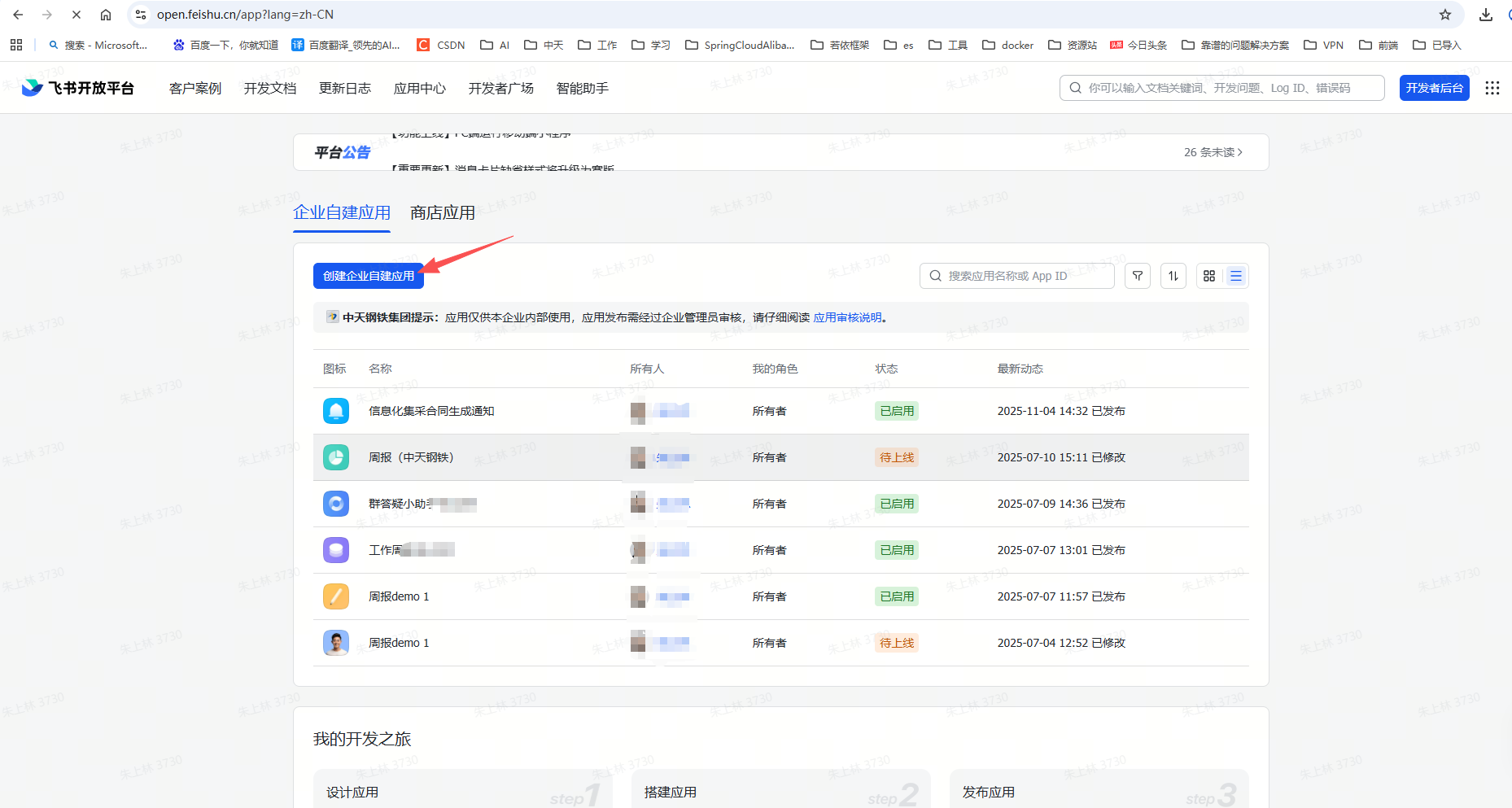
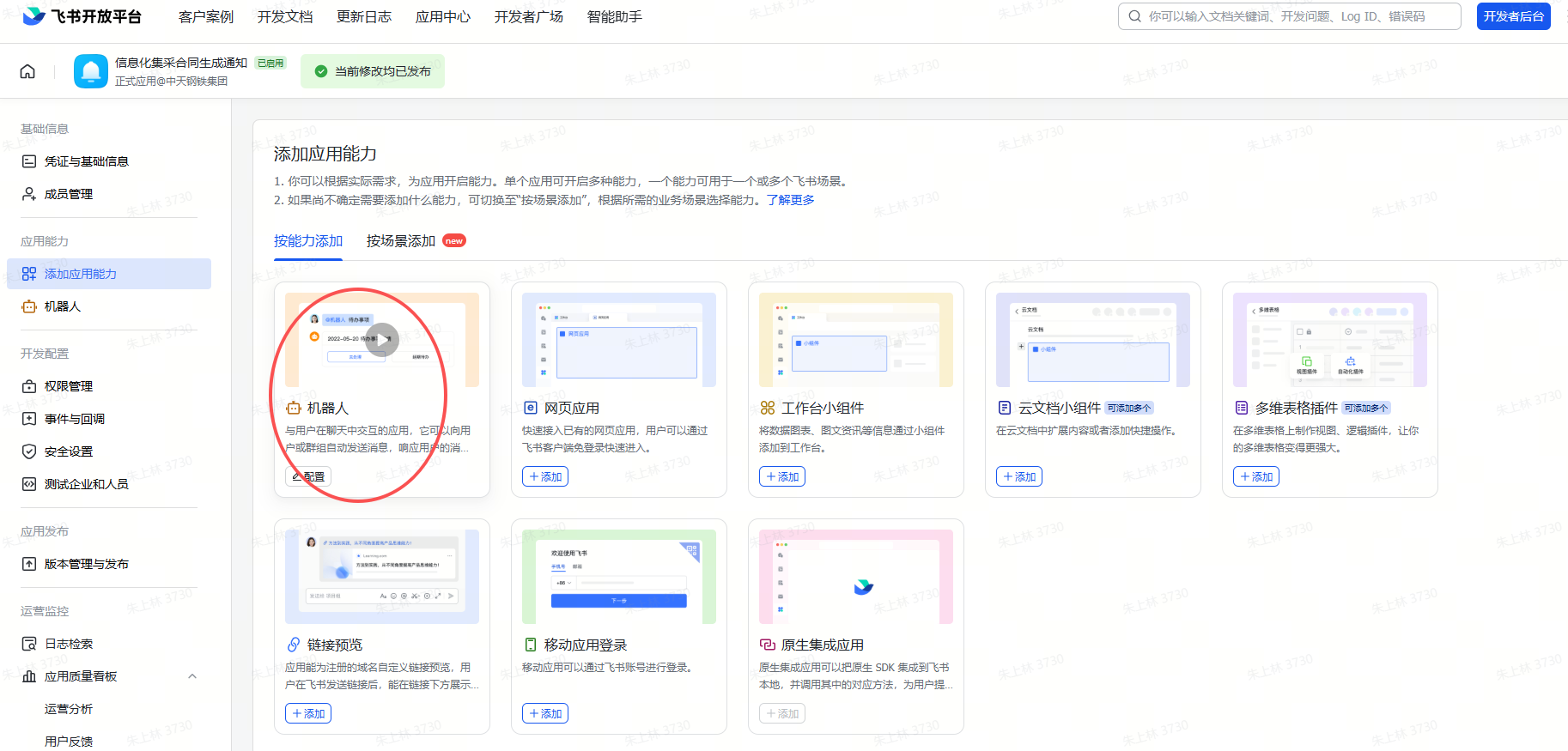
创建应用,添加机器人
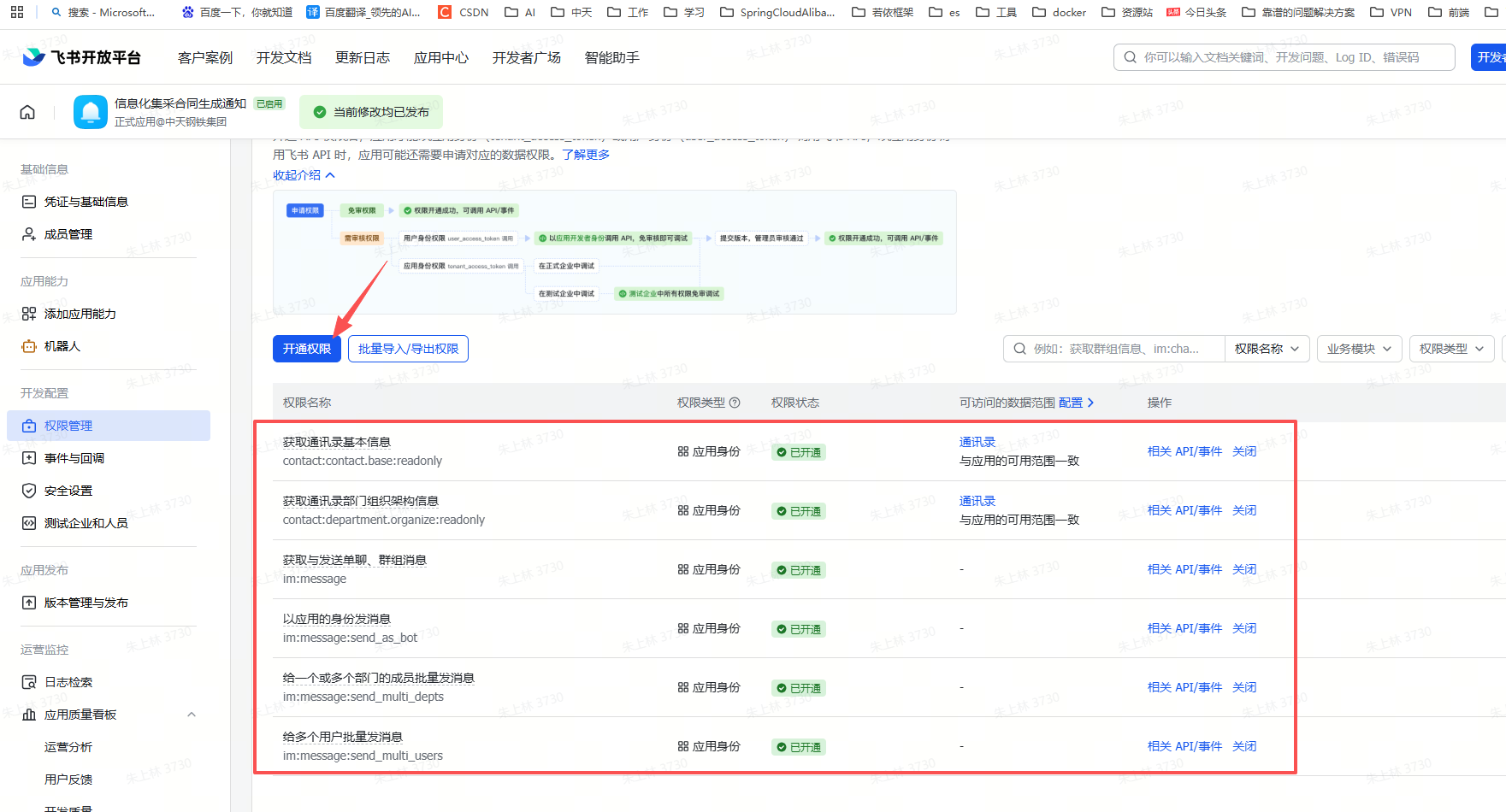
开通权限
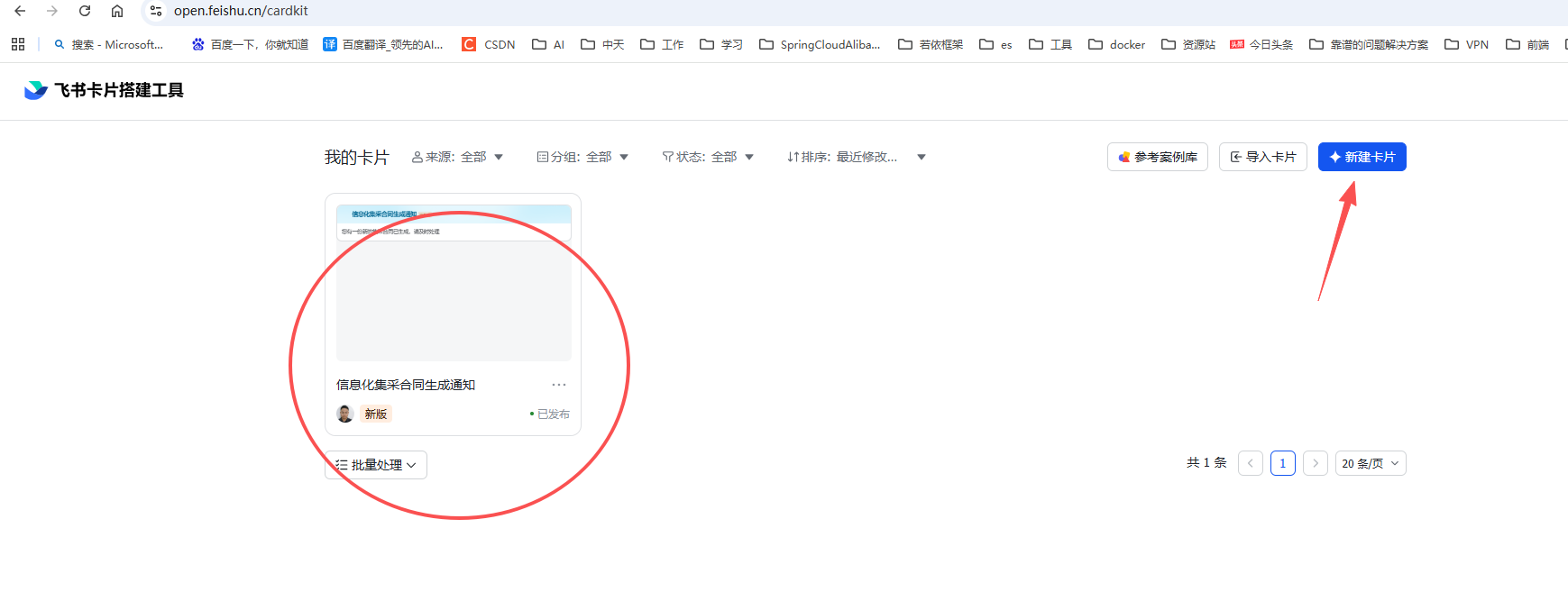
制作卡片
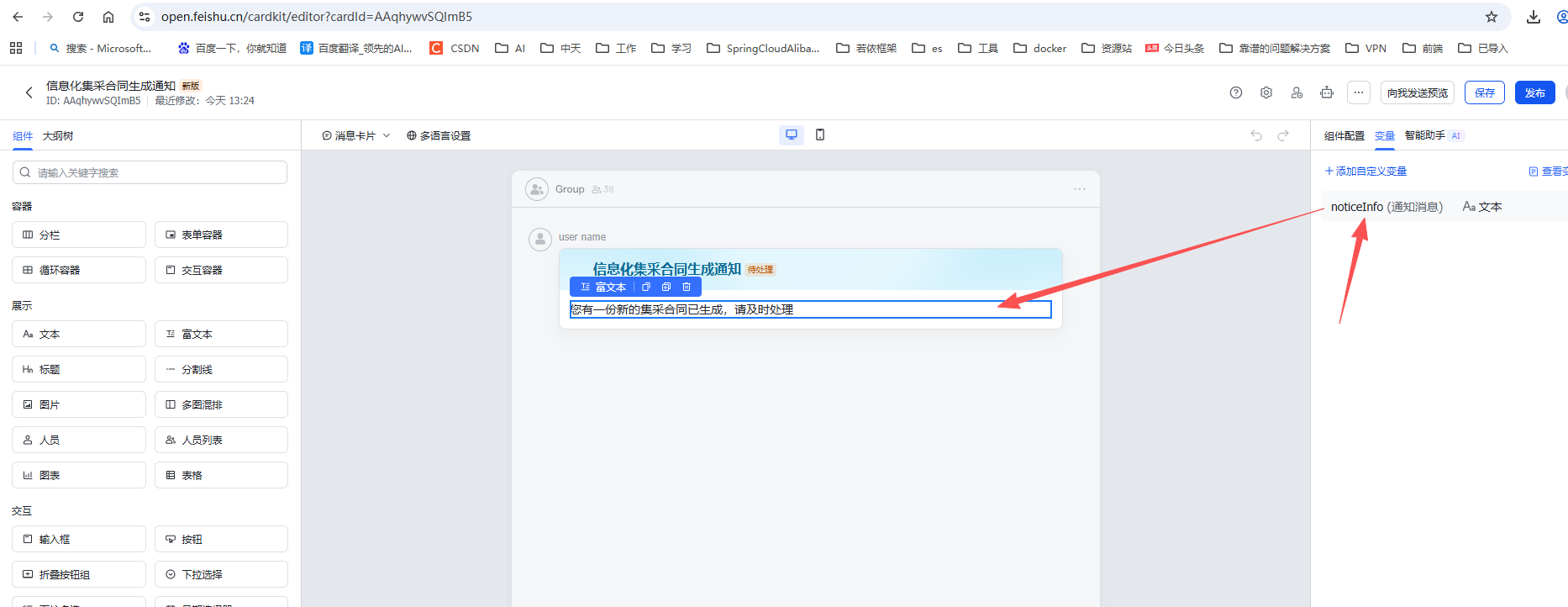
这里配置了一个变量,用来接收具体的消息内容
Java代码
java
					//飞书推送消息
					List<String> targetUserIds = new ArrayList<>();//接收消息的open_id
					targetUserIds.add(iDictValue.getDictValue("jcNotice",underTakeId));
					String content = balanceUser+" 平衡的集中采购合同号("+poNo+"),已经生成,请及时处理!";
					feishuUserService.batchPushMessage(targetUserIds, content);
java
import com.google.gson.JsonArray;
import com.google.gson.JsonObject;
import com.google.gson.JsonParser;
import com.lark.oapi.Client;
import com.lark.oapi.core.response.RawResponse;
import com.lark.oapi.core.token.AccessTokenType;
import com.lark.oapi.core.utils.Jsons;
import com.lark.oapi.service.im.v1.model.CreateMessageReq;
import com.lark.oapi.service.im.v1.model.CreateMessageReqBody;
import com.lark.oapi.service.im.v1.model.CreateMessageResp;
import lombok.extern.slf4j.Slf4j;
import org.springframework.beans.factory.annotation.Value;
import org.springframework.stereotype.Service;
import java.nio.charset.StandardCharsets;
import java.util.List;

@Service
@Slf4j
public class FeishuUserServiceImpl implements IFeishuUserService{

	@Value("${feishu.app-id}")
	private String appId;

	@Value("${feishu.app-secret}")
	private String appSecret;


	//飞书消息推送
	public void pushMessage(String openId, String content) throws Exception {
		// 构建client
		Client client = Client.newBuilder(appId, appSecret).build();

		// 创建请求对象
		CreateMessageReq req = CreateMessageReq.newBuilder()
			.receiveIdType("open_id")
			.createMessageReqBody(CreateMessageReqBody.newBuilder()
				.receiveId(openId)
				.msgType("text")
				.content("{\"text\":\"" + content + "\"}")
				.build())
			.build();

		// 发起请求
		CreateMessageResp resp = client.im().v1().message().create(req);

		// 处理服务端错误
		if(!resp.success()) {
			log.error(String.format("code:%s,msg:%s,reqId:%s, resp:%s",
				resp.getCode(), resp.getMsg(), resp.getRequestId(), Jsons.createGSON(true, false).toJson(JsonParser.parseString(new String(resp.getRawResponse().getBody(), StandardCharsets.UTF_8)))));
			return;
		}

		// 业务数据处理
		log.info(Jsons.DEFAULT.toJson(resp.getData()));
	}

	//批量推送
	@Override
	public void batchPushMessage(List<String> openIds, String content) {
		// 构建client
		Client client = Client.newBuilder(appId, appSecret).build();

		// 检查参数有效性
		if (openIds == null || openIds.isEmpty()) {
			return;
		}

		if (content == null || content.trim().isEmpty()) {
			return;
		}

		try {
			// 构建接收者ID列表
			JsonArray ids = new JsonArray();
			for (String openId : openIds) {
				ids.add(openId);
			}

			// 构建消息内容
			JsonObject contentObj = new JsonObject();
			contentObj.addProperty("type", "template");
			JsonObject cardData = new JsonObject();
			cardData.addProperty("template_id", "AAqhywvSQImB5");//卡片ID
			JsonObject tampVar = new JsonObject();
			tampVar.addProperty("noticeInfo", content);//消息变量
			cardData.add("template_variable", tampVar);
			contentObj.add("data", cardData);

			// 构建请求体
			JsonObject body = new JsonObject();
			body.addProperty("msg_type", "interactive");
			body.add("open_ids", ids);
			body.add("card", contentObj);

			// 发送请求
			RawResponse rawResponse = client.post(
				"/open-apis/message/v4/batch_send/",
				body,
				AccessTokenType.Tenant
			);

			// 解析响应
			if (rawResponse.getStatusCode() == 200) {
				log.info("批量推送消息成功");
			} else {
				log.error("批量推送消息失败");
			}
		} catch (Exception e) {
			log.error("批量推送消息异常", e);
		}
	}
}
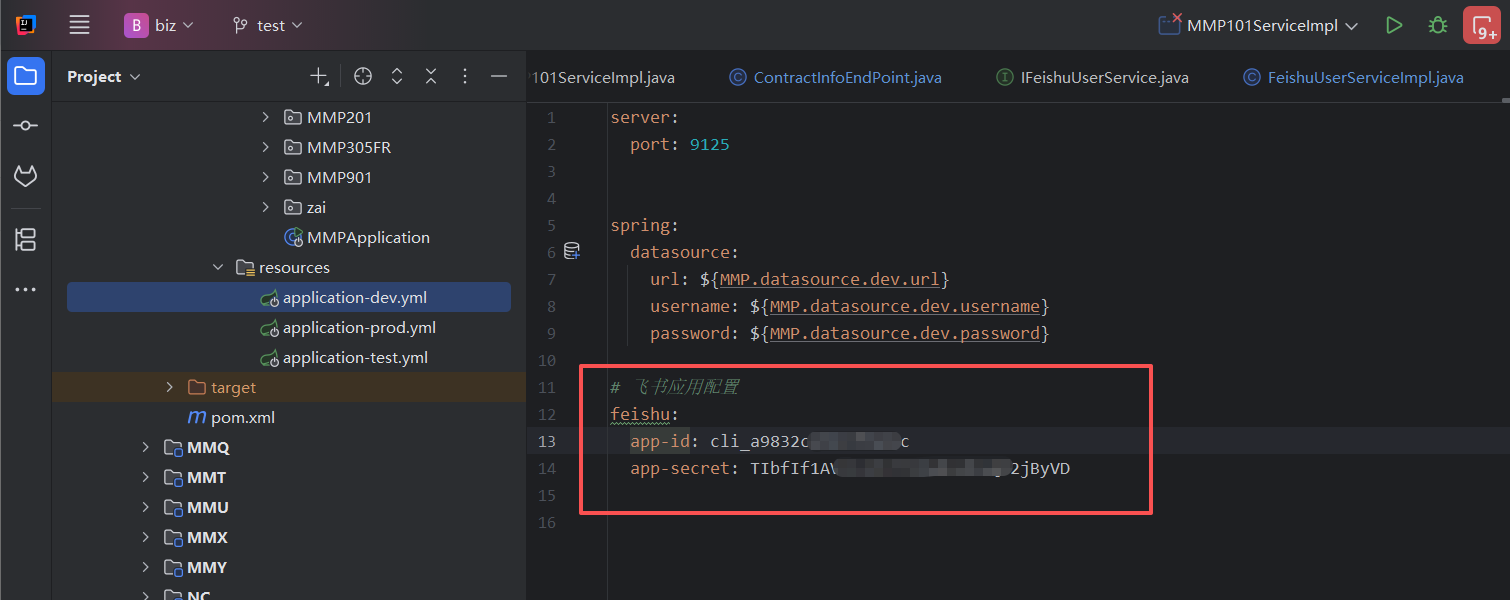
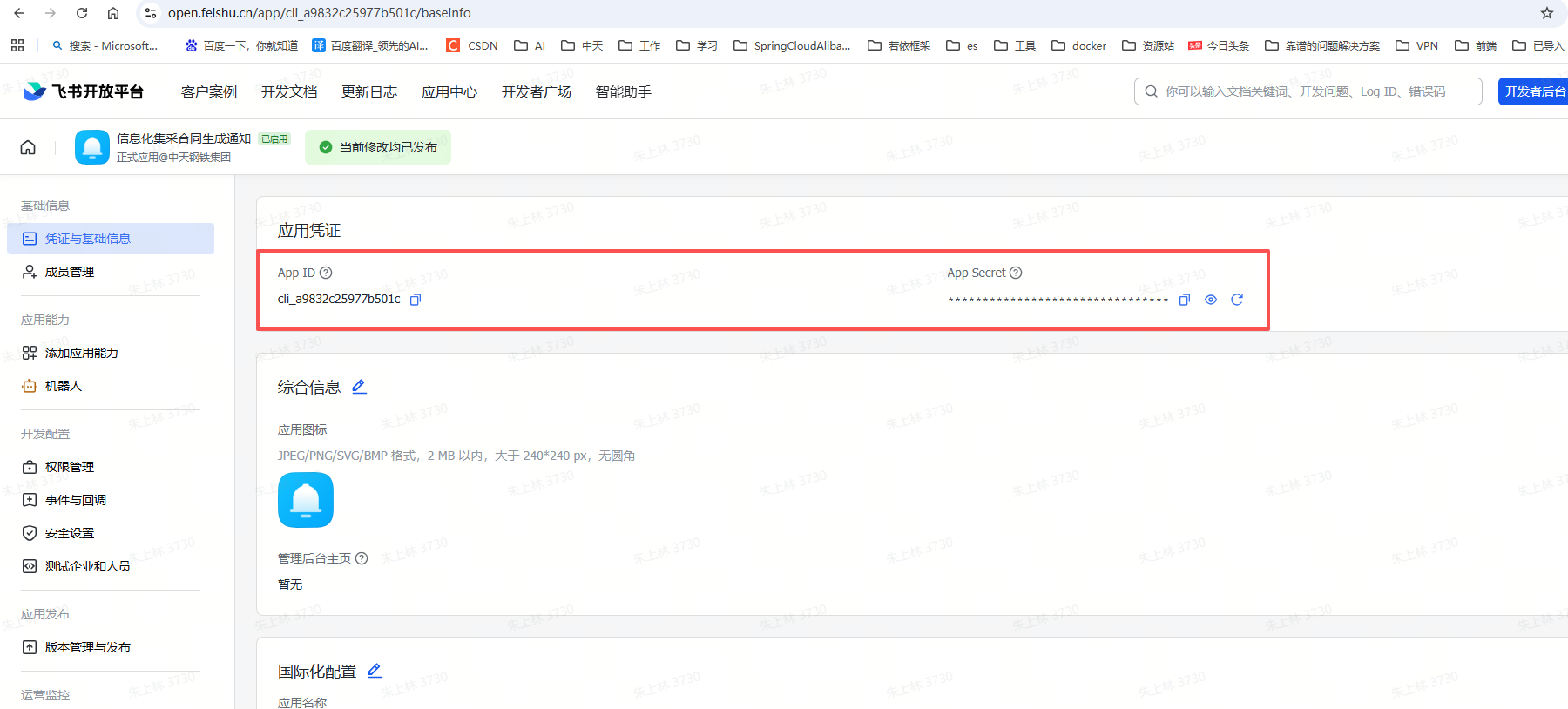
配置文件就是飞书中的应用凭证
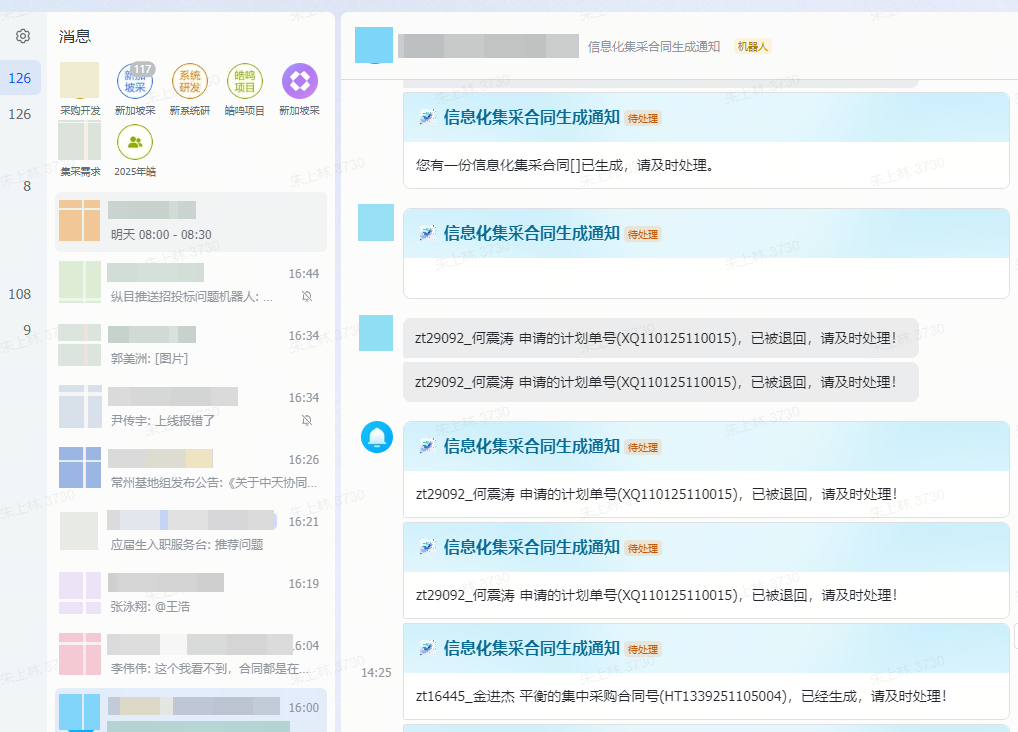
最后效果