在SwiftUI中,如果一个没有固定尺寸的视图放进ScrollView,父视图没有给它明确的尺寸约束,它的高度将被计算为 0。
在显示Lottie动画时,发现计划显示的Lottie动画在Xcode预览中正常显示,但是在模拟器和真机中无法显示。

视图代码:
php
LottieView(filename: "EmptyBanklet", isPlaying: true, playCount: 0, isReversed: false)
    .frame(maxHeight: 180)
    .frame(maxWidth: 500)
经过和其他可以显示的Lottie动画对比,并没有发现问题。
但是给该视图添加固定的frame后,Lottie动画可以正常显示:
php
LottieView(filename: "EmptyBanklet", isPlaying: true, playCount: 0, isReversed: false)
    .frame(height: 100)
    .frame(maxHeight: 180)
    .frame(maxWidth: 500)
排查过程
起初判定原因是,我设置了忽略安全区域和填充样式的背景,导致图片在顶部显示。但当我设置整个视图为纯色背景时,仍然没有看到竖向填充的背景色。
php
LottieView(filename: "EmptyBanklet", isPlaying: true, playCount: 0, isReversed: false)
    .frame(maxHeight: 180)
    .frame(maxWidth: 500)
    .background(Color.red)  // 检查视图
接着,我尝试使用Geometry获取视图的高度:
php
GeometryReader { geo in
    LottieView(filename: "EmptyBanklet", isPlaying: true, playCount: 0, isReversed: false)
        .frame(maxHeight: 180)
        .frame(maxWidth: 500)
        .onAppear {
            print("SwiftUI 给 LottieView 的尺寸:", geo.size)
        }
}
Xcode输出:
scss
SwiftUI 给 LottieView 的尺寸: (300.0, 10.0)这表示SwiftUI给视图很小的高度,并且可以在视图中看到很小的LottieView动画。
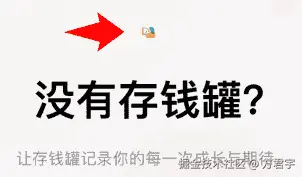
当我删除GeometryReader后,LottieView再次消失。因此,开始怀疑LottieView动画过小导致的问题。
在LottieView代码中调试并打印UIKit尺寸:
javascript
DispatchQueue.main.asyncAfter(deadline: .now() + 0.1) {
    print("UIKit Lottie frame:", animationView.frame)
}
Xcode输出:
objectivec
UIKit Lottie frame: (0.0, 0.0, 300.0, 0.0)这表示视图的高度为0,因此看不到LottieView动画。
但是这个问题,在欢迎视图和设置视图的LottieView中并不能复现,因为欢迎视图和设置视图中的LottieView都是正常显示的,也就是说这个问题在这个视图中。
我通过排查法,将Lottie视图依次放在父视图中。经过层层排查,发现当LottieView视图放到ScrollView中后,视图塌陷(高度变为0)。
解决方案
因为这里的主要问题在于,ScrollView中的LottieView视图高度变成了0。
可以设置一个固定的高度,让LottieView视图显示出来:
php
LottieView(filename: "EmptyBanklet", isPlaying: true, playCount: 0, isReversed: false)
    .frame(maxHeight: 100)
    .frame(maxHeight: 180)
    .frame(maxWidth: 500)
还有一个解决方案,那就是我想到类似的问题比较像Image图片,Image图片也是需要拉伸显示。
可以设置LottieView视图为 .scaledToFit(),这个方法可以在不设置固定高度的情况下,显示完整的视图大小。
php
LottieView(filename: "EmptyBanklet", isPlaying: true, playCount: 0, isReversed: false)
    .scaledToFit()
    .frame(maxHeight: 180)
    .frame(maxWidth: 500)
因此,使用 .scaledToFit() 方法的方案更合适,可以解决ScrollView中视图塌陷(高度为0)的问题。