项目目标:
熟悉QT网络编程中UDP编程
技术栈与环境:
开发语言: C++ GUI框架: Qt 6.9.0 开发环境: Qt Creator 16.0.1
编译器: MinGW 64-bit 系统平台:Windows 11
最终效果展示:
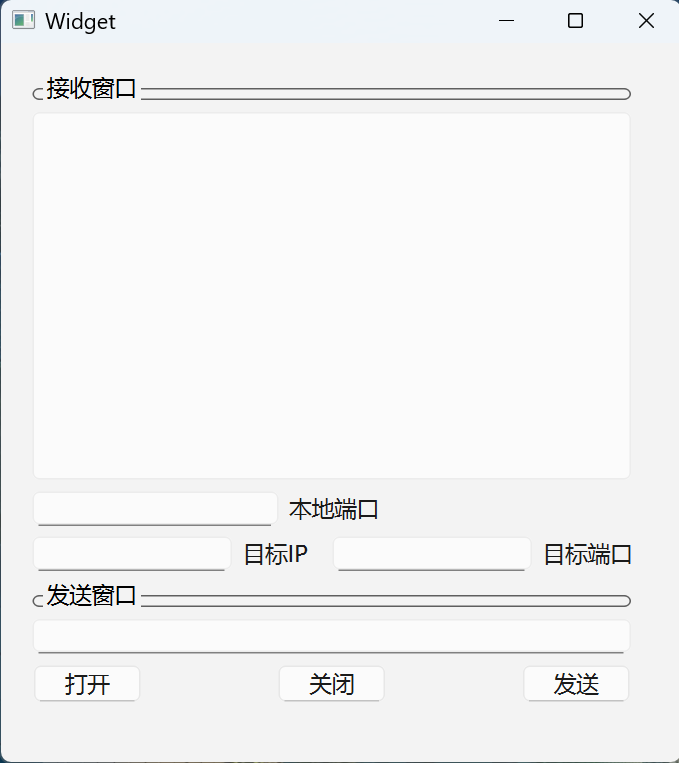
功能描述:
udp不分客户端和服务器。做一个发消息的窗口。用网络调试助手测试。
UI布局:
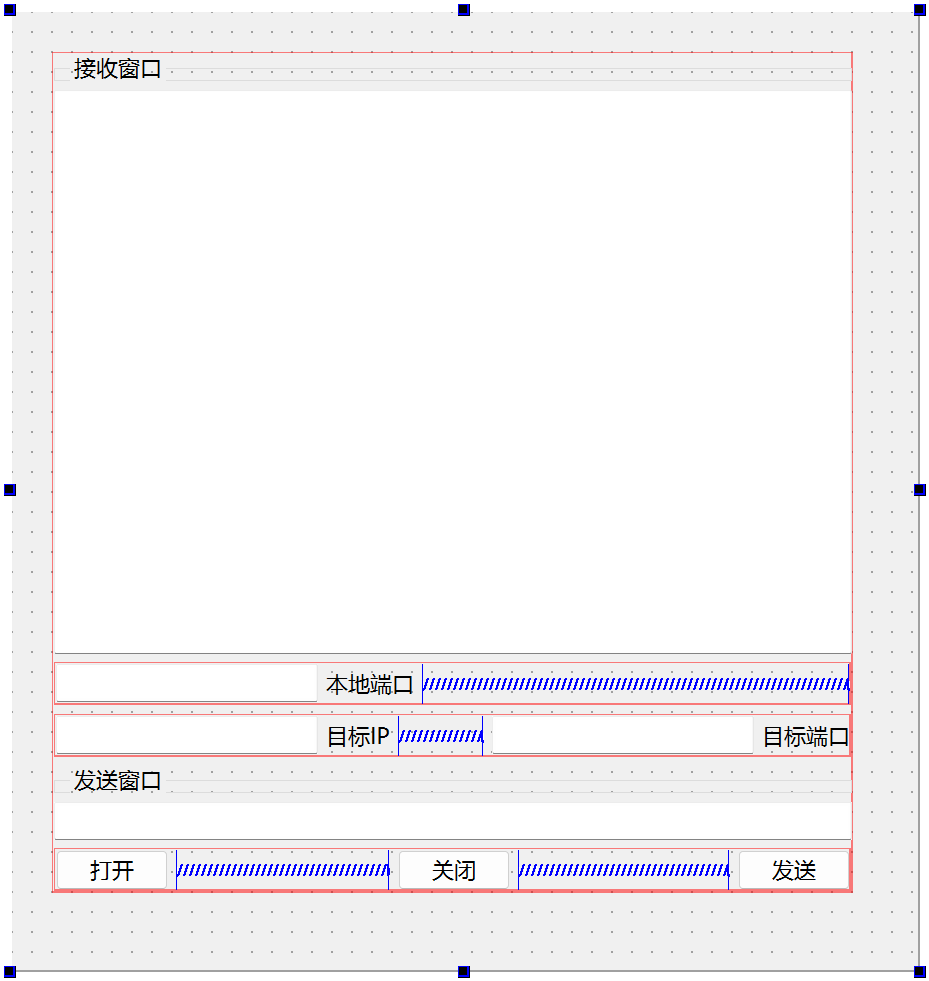
实现:
同样需要使用到Qt的网络模块network,记得在.pro文件里加上。
需要使用的库:
#include <QUdpSocket>
窗体类增加成员:
QUdpSocket *udpSocket;
需要使用的类的方法:
1、QUdpSocket的方法QUdpSocket:new一个实例
2、udpSocket->bind:绑定主机地址对象(QHostAddress)和端口号(quint16)
3、udpSocket->hasPendingDatagrams():Returns true if at least one datagram is waiting to be read; otherwise returns false.
4、udpSocket->pendingDatagramSize():
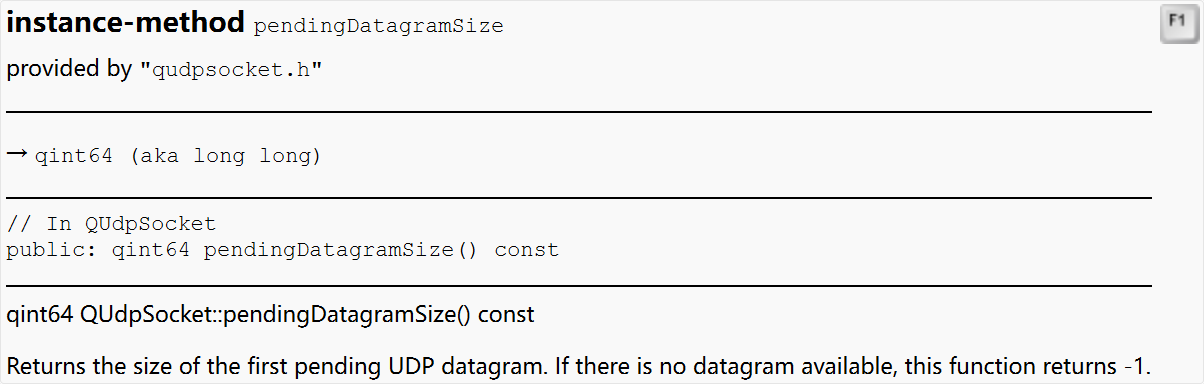
5、 udpSocket->readDatagram:
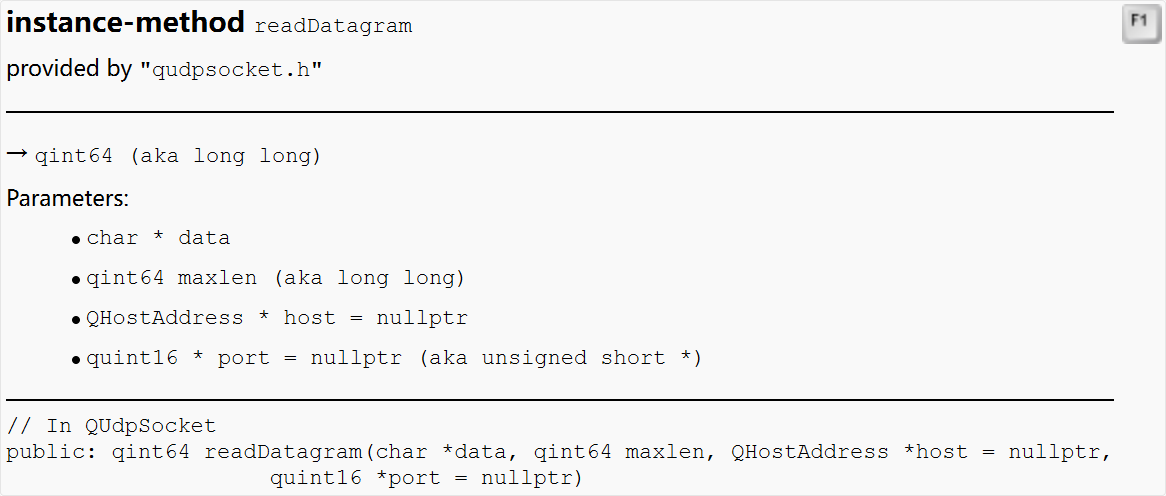
注意到这里的readDatagram函数与TCP编程中的readAll函数多了四个参数。
也能发现UDP传递消息和TCP传递消息机制上的不同。^_^
6、udpSocket->close()
7、setAddress:把QString类型转成QHostAddress类型的
8、writeDatagram:
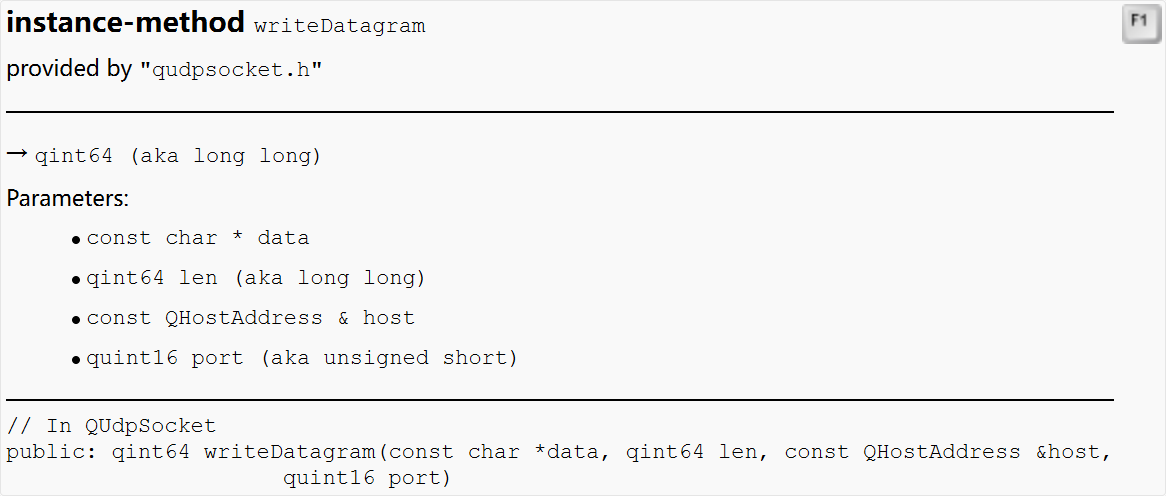
注意到这里的writeDatagram函数与TCP编程中的write函数多了后三个参数。
也能发现UDP传递消息和TCP传递消息机制上的不同。^_^
功能实现方法:
点击打开按钮后 通信双方连接-》连接成功的信号(readyRead)触发 读取数据 的自定义槽函数:
For UDP sockets, after binding, the signal QUdpSocket::readyRead() is emitted whenever a UDP datagram arrives on the specified address and port. Thus, this function is useful to write UDP servers.
读取数据的槽函数将新数据显示到ui的接收窗口。
关闭按钮的函数调close关闭套接字。
点击发送按钮:将要发送的数据写到套接字里
cpp
#include "widget.h"
#include "ui_widget.h"

Widget::Widget(QWidget *parent)
    : QWidget(parent)
    , ui(new Ui::Widget)
{
    ui->setupUi(this);

    udpSocket = new QUdpSocket(this); //最好写上this:这样当父对象被删除时,子对象也自动被删去

}

Widget::~Widget()
{
    delete ui;
}

//点击打开按钮后 通信双方连接-》连接成功的信号触发 准备读取 的自定义槽函数
void Widget::on_OpenBt_clicked()
{
    QHostAddress targetAddress(ui->TargetIpEdit->text());   // 从目标IP输入框获取文本并创建主机地址对象
    quint16 targetPort = ui->TargetPortEdit->text().toUShort(); // 更安全的转换
    udpSocket->bind( targetAddress, targetPort);
    //这里不用这个:[virtual] void QAbstractSocket::connectToHost(const QString &hostName, quint16 port, QIODeviceBase::OpenMode openMode = ReadWrite, QAbstractSocket::NetworkLayerProtocol protocol = AnyIPProtocol)
    //而用:[virtual] bool QAbstractSocket::bind(const QHostAddress &address, quint16 port = 0, QAbstractSocket::BindMode mode = DefaultForPlatform)
    connect(udpSocket, &QUdpSocket::readyRead, this, &Widget::readyRead_slot);
    //For UDP sockets, after binding, the signal QUdpSocket::readyRead() is emitted whenever a UDP datagram arrives on the specified address and port. Thus, this function is useful to write UDP servers.
}

//有新数据到达缓冲区?UDP通信有缓冲区吗 产生的信号触发的槽函数:将新数据显示到ui的接收窗口
void Widget::readyRead_slot()
{
    /*
    QString buf;
    buf = udpSocket->readAll();
    ui->ReceiveTextEdit->appendPlainText(buf);
    UDP不这样接收数据
    */
    while(udpSocket->hasPendingDatagrams())  //Returns true if at least one datagram is waiting to be read; otherwise returns false.
    {
        QByteArray array;

        array.resize(udpSocket->pendingDatagramSize());

        udpSocket->readDatagram(array.data(),array.size());

        QString buf;

        buf = array.data();

        ui->ReceiveTextEdit->appendPlainText(buf);
    }

}


void Widget::on_CloseBt_clicked()
{
    udpSocket->close();
}

//点击发送按钮:将要发送的数据写到套接字里
void Widget::on_SendBt_clicked()
{
    /*
    udpSocket->write(ui->SendEdit->text().toLocal8Bit().data());
    */

    quint16 port = ui->TargetPortEdit->text().toUInt();

    QString sendbuff;

    QHostAddress address;
    address.setAddress(ui->TargetIpEdit->text());  //把目标IP转成QHostAddress类型的

    sendbuff = ui->SendEdit->text();

    udpSocket->writeDatagram(sendbuff.toLocal8Bit().data(),sendbuff.length(),address,port);

}
收获总结:
通过这个项目,我掌握了Qt的Tcp服务器类QTcpServer和Tcp套接字类QTcpSocket的使用。
从读取数据的槽函数调用read() 或 readAll() 读取数据,以及发送按钮的函数调用tcpSocket->write()中,我进一步理解了套接字这个概念。