- 开发语言:Python
- 框架:django
- Python版本:python3.8
- 数据库:mysql 5.7
- 数据库工具:Navicat12
- 开发软件:PyCharm
系统展示
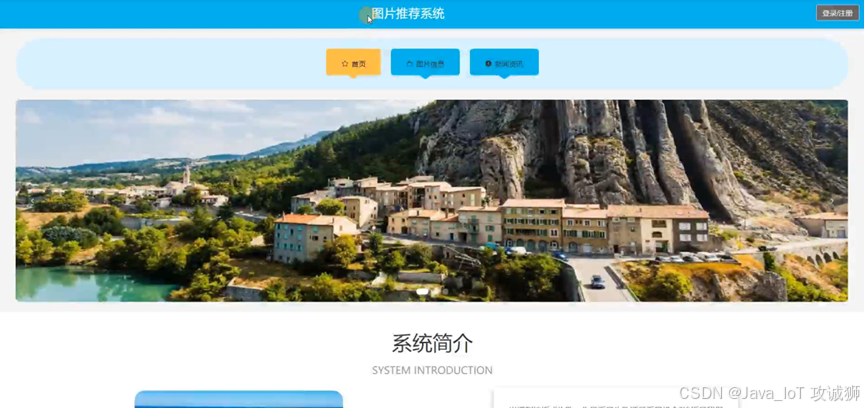
系统首页
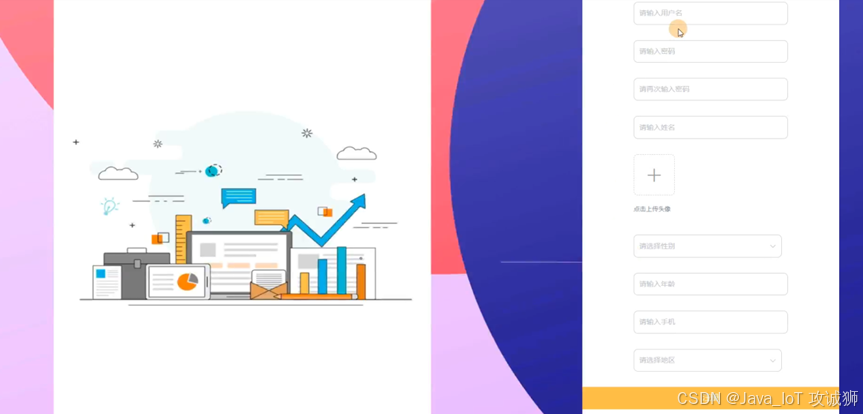
用户注册
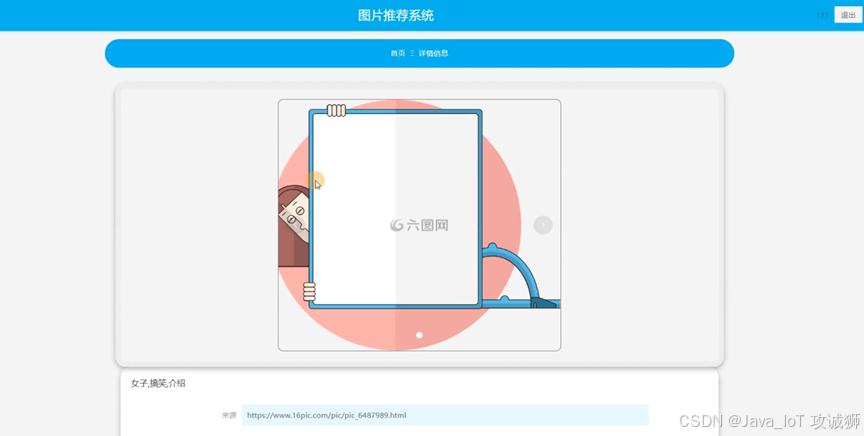
图片信息
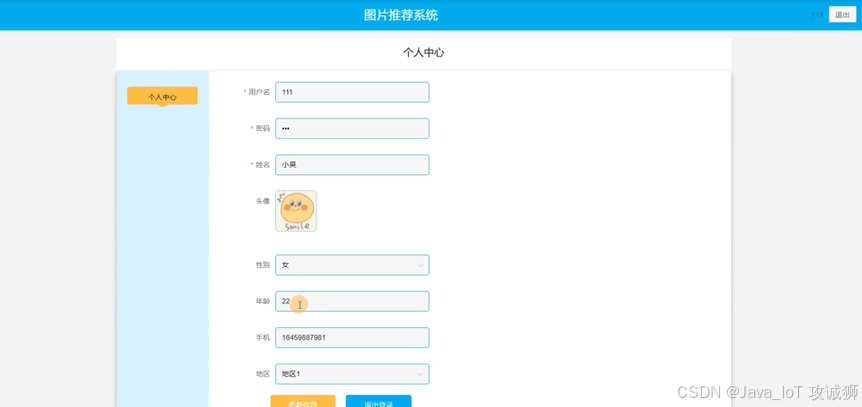
个人中心
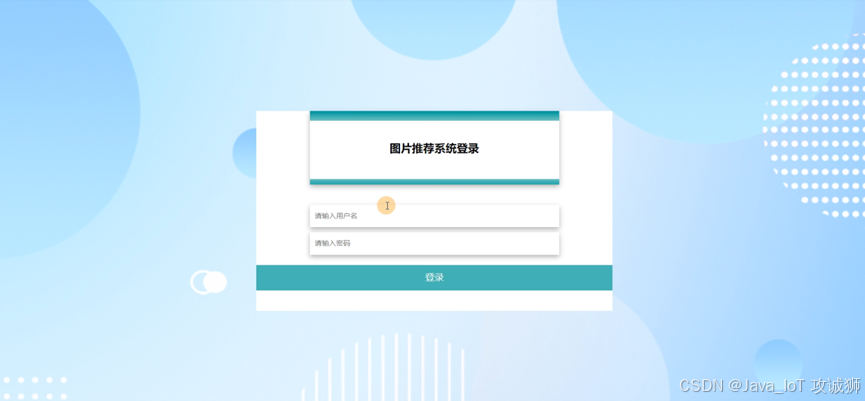
管理员登录
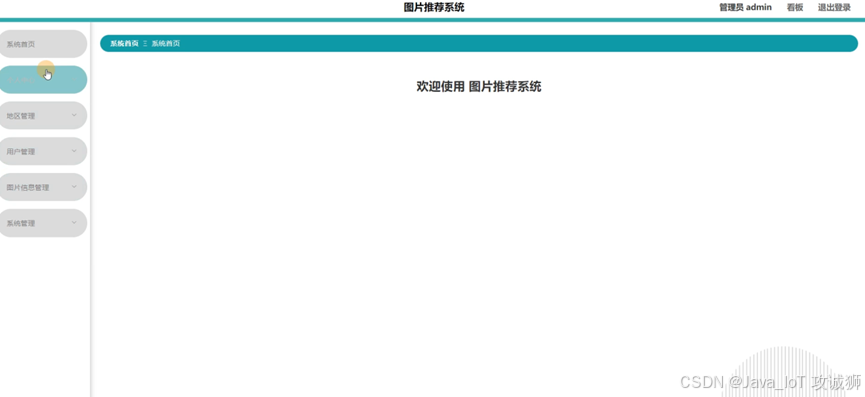
管理员功能界面
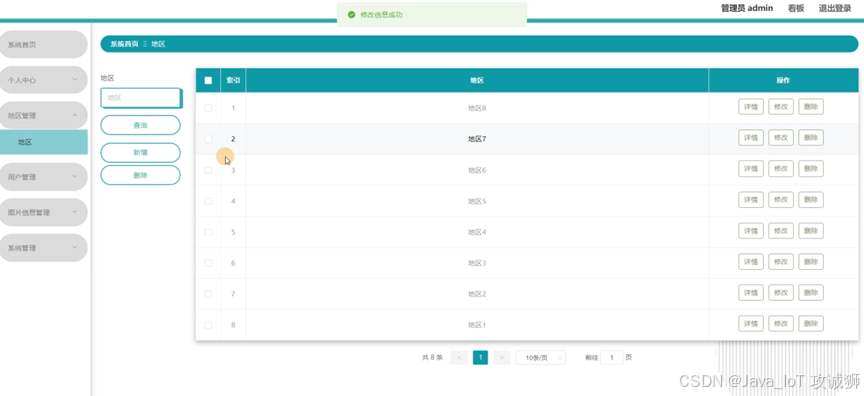
地区管理
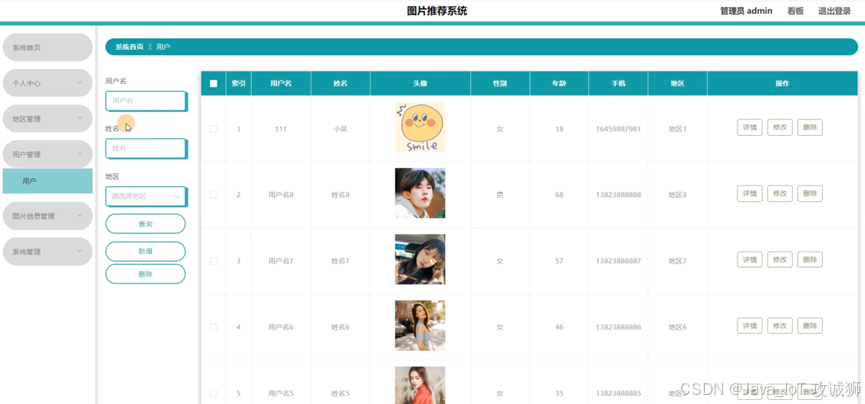
用户管理
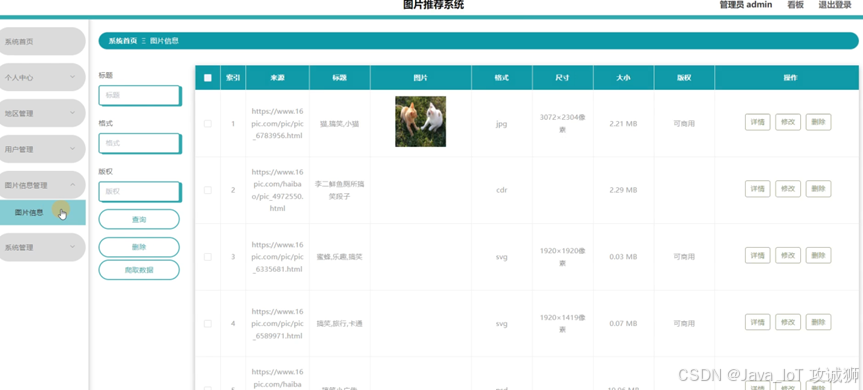
图片信息管理
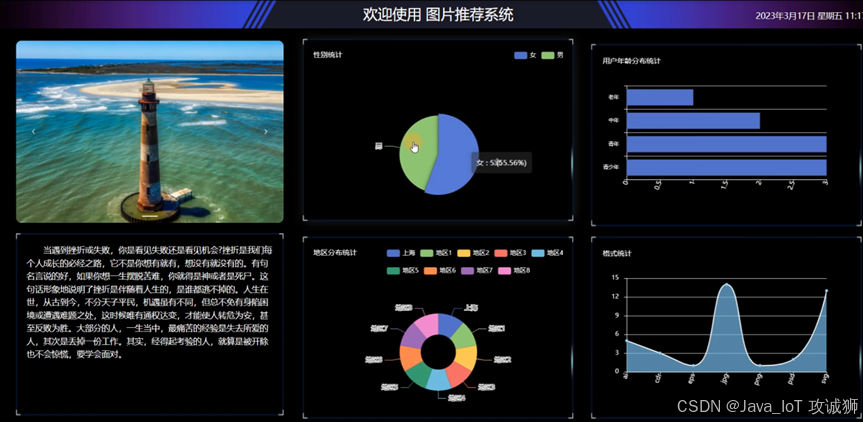
看板展示
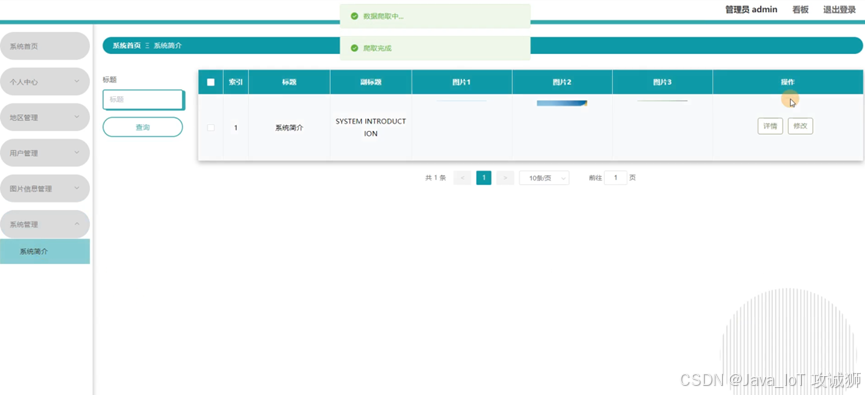
系统管理
摘要
互联网的兴起从本质上改变了整个社会对信息的管理方式,国内各大市场从上个世纪90年代互联网兴起之时,就产生了通过网络进行系统管理的想法。但是由于在互联网上的信誉难以认证、网络的法规政策不健全等一系列的原因,限制了网上信息管理发展的步伐。进入21世纪以后,随着整个社会的发展、进步,制约网上交流的各个瓶颈问题逐一被击破,比如QQ、微信等各大平台也纷纷的加入到洪潮之中。
图片推荐系统是在的数据存储主要通过MySQL。用户在使用应用时产生的数据通过Python语言传递给数据库。通过此方式促进图片推荐信息流动和数据传输效率,提供一个内容丰富、功能多样、易于操作的平台。述了数据库的设计,系统的详细设计部分主要论述了几个主要模块的详细设计过程。
研究背景
计算机技术出现之前人们使用的管理方法已无法满足现代人们的需求,即人工来完成图片推荐的管理,这种方法存在着工作效率低以及保密性差,易出错等问题,同时还会生成大量的文本和数据,在检索数据时极大不便。而此次设计的图片推荐系统,拥有对信息的快速检索、保存了大量的图片推荐信息,具有信息系统保存的稳定性高和维护成本低等优点,对图片推荐管理的工作效率也能提高。它不仅可以提高管理人员的工作效率,减少工作人员的负担,也可以使图片推荐工作的质量得到保障,提高管理水平。
关键技术
Python是解释型的脚本语言,在运行过程中,把程序转换为字节码和机器语言,说明性语言的程序在运行之前不必进行编译,而是一个专用的解释器,当被执行时,它都会被翻译,与之对应的还有编译性语言。
同时,这也是一种用于电脑编程的跨平台语言,这是一门将编译、交互和面向对象相结合的脚本语言(script language)。
Django用Python编写,属于开源Web应用程序框架。采用(模型M、视图V和模板t)的框架模式。该框架以比利时吉普赛爵士吉他手詹戈·莱因哈特命名。该架构的主要组件如下:
1.用于创建模型的对象关系映射。
2.最终目标是为用户设计一个完美的管理界面。
3.是目前最流行的URL设计解决方案。
4.模板语言对设计师来说是最友好的。
5.缓存系统。
Vue是一款流行的开源JavaScript框架,用于构建用户界面和单页面应用程序。Vue的核心库只关注视图层,易于上手并且可以与其他库或现有项目轻松整合。
MYSQL数据库运行速度快,安全性能也很高,而且对使用的平台没有任何的限制,所以被广泛应运到系统的开发中。MySQL是一个开源和多线程的关系管理数据库系统,MySQL是开放源代码的数据库,具有跨平台性。
B/S(浏览器/服务器)结构是目前主流的网络化的结构模式,它能够把系统核心功能集中在服务器上面,可以帮助系统开发人员简化操作,便于维护和使用。
系统分析
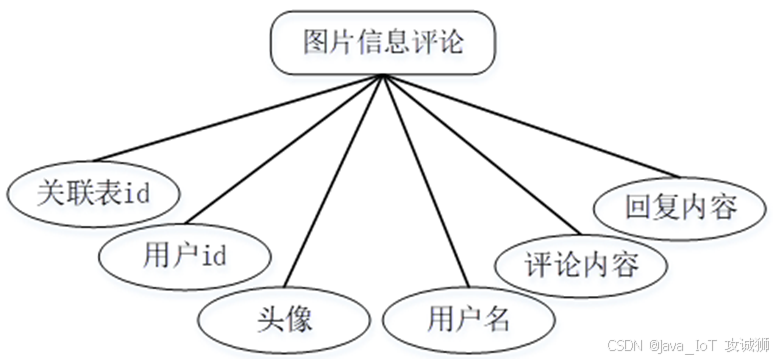
对系统的可行性分析以及对所有功能需求进行详细的分析,来查看该系统是否具有开发的可能。
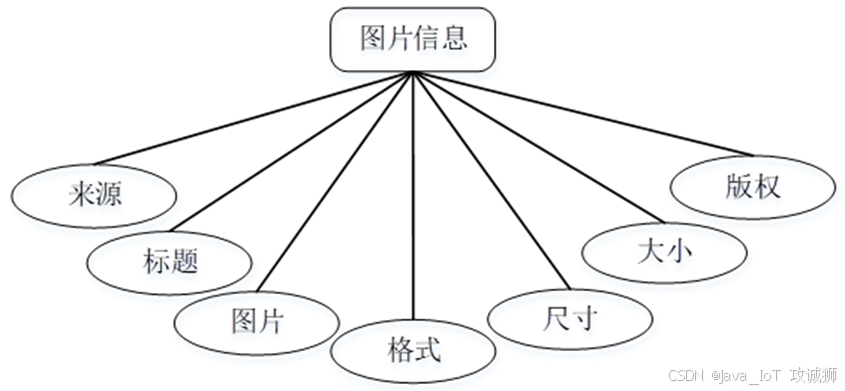
系统设计
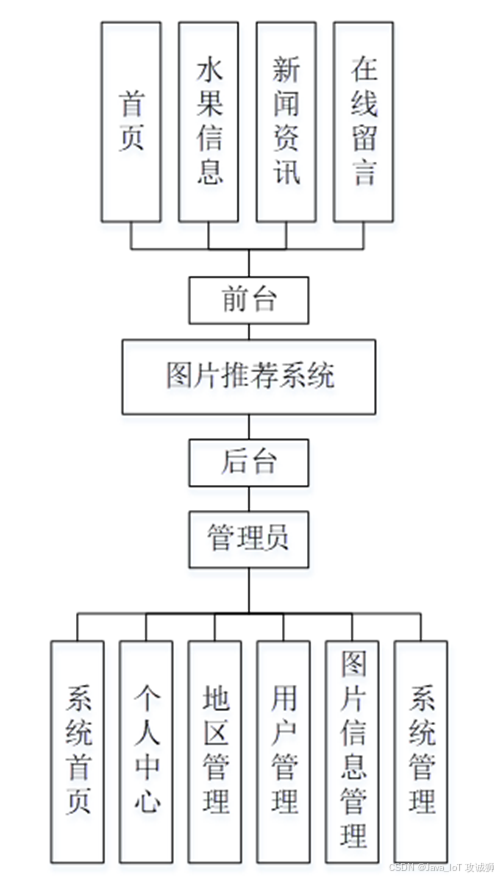
功能模块设计和数据库设计这两部分内容都有专门的表格和图片表示。
系统实现
当人们打开系统的网址后,首先看到的就是首页界面。在这里,人们能够看到系统的导航条,通过导航条导航进入各功能展示页面进行操作。在个人中心通过填写个人详细信息进行更新信息操作。管理员进入主页面,主要功能包括对系统首页、个人中心、地区管理、用户管理、图片信息管理、系统管理等进行操作。
代码实现
html
<template>
<div>
	<div :style='{"width":"1200px","padding":"20px","margin":"10px auto","borderRadius":"27px","background":"#03b7ec"}' class="breadcrumb-preview">
		<el-breadcrumb :separator="'Ξ'" :style='{"fontSize":"14px","lineHeight":"1","justifyContent":"center","display":"flex"}'>
			<el-breadcrumb-item>首页</el-breadcrumb-item>
			<el-breadcrumb-item v-for="(item, index) in breadcrumbItem" :key="index">{{item.name}}</el-breadcrumb-item>
		</el-breadcrumb>
	</div>

	<div class="list-preview" :style='{"width":"1200px","margin":"10px auto","position":"relative","flexWrap":"wrap","display":"flex"}'>


    <el-form :inline="true" :model="formSearch" class="list-form-pv" :style='{"padding":"10px","margin":"10px 0 20px","alignItems":"center","flexWrap":"wrap","display":"flex","width":"100%","height":"auto","order":"2"}'>
      <el-form-item :style='{"margin":"5px 10px"}'>
	    <div class="lable" v-if="true" :style='{"width":"auto","padding":"0 10px","lineHeight":"42px","display":"inline-block"}'>标题</div>
        <el-input v-model="formSearch.biaoti" placeholder="标题" clearable></el-input>
      </el-form-item>
      <el-form-item :style='{"margin":"5px 10px"}'>
	    <div class="lable" v-if="true" :style='{"width":"auto","padding":"0 10px","lineHeight":"42px","display":"inline-block"}'>格式</div>
        <el-input v-model="formSearch.geshi" placeholder="格式" clearable></el-input>
      </el-form-item>
      <el-form-item :style='{"margin":"5px 10px"}'>
	    <div class="lable" v-if="true" :style='{"width":"auto","padding":"0 10px","lineHeight":"42px","display":"inline-block"}'>版权</div>
        <el-input v-model="formSearch.banquan" placeholder="版权" clearable></el-input>
      </el-form-item>
	  <el-button v-if=" true " :style='{"cursor":"pointer","border":"0","padding":"0px 15px","margin":"0 10px 0 0","outline":"none","color":"#fff","borderRadius":"4px","background":"rgba(46, 97, 225, 1)","width":"auto","fontSize":"14px","lineHeight":"42px","height":"42px"}' type="primary" @click="getList(1, curFenlei)"><i v-if="true" :style='{"color":"#fff","margin":"0 10px 0 0","fontSize":"14px"}' class="el-icon-search"></i>查询</el-button>
	  <el-button v-if="isAuth('tupianxinxi','新增')" :style='{"cursor":"pointer","border":"0","padding":"0px 15px","margin":"0 10px 0 0","outline":"none","color":"#fff","borderRadius":"4px","background":"#00b9ea","width":"auto","fontSize":"14px","lineHeight":"42px","height":"42px"}' type="primary" @click="add('/index/tupianxinxiAdd')"><i v-if="true" :style='{"color":"#fff","margin":"0 10px 0 0","fontSize":"14px"}' class="el-icon-circle-plus-outline"></i>添加</el-button>
    </el-form>

	<div class="list" :style='{"width":"950px","margin":"0 0 10px","flex":"1","order":"4"}'>
		<!-- 样式一 -->
		<div class="list1 index-pv1" :style='{"width":"100%","padding":"0 10px","flex":"1","height":"auto"}'>
			<div :style='{"boxShadow":"0px 4px 10px 0px rgba(0,0,0,0.302)","padding":"10px","margin":"10px 1%","textAlign":"center","background":"#fff","display":"inline-block","width":"23%","position":"relative","height":"auto"}' v-for="(item, index) in dataList" :key="index" @click="toDetail(item)" class="list-item animation-box">
				<img :style='{"width":"100%","objectFit":"cover","display":"block","height":"275px"}' v-if="item.tupian && item.tupian.substr(0,4)=='http'" :src="item.tupian" class="image" />
				<img :style='{"width":"100%","objectFit":"cover","display":"block","height":"275px"}' v-else :src="baseUrl + (item.tupian?item.tupian.split(',')[0]:'')" class="image" />
				<div v-if="item.price" :style='{"padding":"0 10px","lineHeight":"30px","fontSize":"14px","color":"red"}' class="price"><span :style='{"fontSize":"12px"}'>¥</span>{{item.price}}</div>
				<div :style='{"padding":"0 10px","lineHeight":"30px","fontSize":"14px","color":"rgba(0, 0, 0, 1)"}' class="name ">{{item.biaoti}}</div>
			</div>
		</div>

		<!-- 样式二 -->
	</div>


	<el-pagination
	  background
	  class="pagination"
	  :pager-count="7"
	  :page-size="pageSize"
	  :page-sizes="pageSizes"
	  prev-text="<"
	  next-text=">"
	  :hide-on-single-page="true"
	  :layout='["total","prev","pager","next","sizes","jumper"].join()'
	  :total="total"
	  :style='{"padding":"0","margin":"20px auto","whiteSpace":"nowrap","color":"#333","textAlign":"center","width":"1200px","fontWeight":"500"}'
	  @current-change="curChange"
	  @prev-click="prevClick"
	  @next-click="nextClick"
	></el-pagination>

  </div>
</div>
</template>

<script>
  export default {
    //数据集合
    data() {
      return {
	    layouts: '',
		swiperIndex: -1,
        baseUrl: '',
        breadcrumbItem: [
          {
            name: '图片信息'
          }
        ],
        formSearch: {
          biaoti: '',
          geshi: '',
          banquan: '',
        },
        fenlei: [],
        dataList: [],
        total: 1,
        pageSize:  10,
		pageSizes: [10,20,30,50],
        totalPage: 1,
        curFenlei: '全部',
        isPlain: false,
        indexQueryCondition: '',
        timeRange: []
      }
    },
    created() {
      this.indexQueryCondition = this.$route.query.indexQueryCondition ? this.$route.query.indexQueryCondition : '';
      this.baseUrl = this.$config.baseUrl;
      this.getFenlei();
      this.getList(1, '全部');
    },
    //方法集合
    methods: {
      add(path) {
        this.$router.push({path: path});
      },
      getFenlei() {
      },
      getList(page, fenlei, ref = '') {
        let params = {page, limit: this.pageSize};
        let searchWhere = {};
        if (this.formSearch.biaoti != '') searchWhere.biaoti = '%' + this.formSearch.biaoti + '%';
        if (this.formSearch.geshi != '') searchWhere.geshi = '%' + this.formSearch.geshi + '%';
        if (this.formSearch.banquan != '') searchWhere.banquan = '%' + this.formSearch.banquan + '%';
        this.$http.get('tupianxinxi/list', {params: Object.assign(params, searchWhere)}).then(res => {
          if (res.data.code == 0) {
            this.dataList = res.data.data.list;
            this.total = res.data.data.total;
            this.pageSize = res.data.data.pageSize;
            this.totalPage = res.data.data.totalPage;

			this.pageSizes = [this.pageSize, this.pageSize*2, this.pageSize*3, this.pageSize*5];
          }
        });
      },
      curChange(page) {
        this.getList(page);
      },
      prevClick(page) {
        this.getList(page);
      },
      nextClick(page) {
        this.getList(page);
      },
      toDetail(item) {
        this.$router.push({path: '/index/tupianxinxiDetail', query: {detailObj: JSON.stringify(item)}});
      },
    }
  }
</script>

<style rel="stylesheet/scss" lang="scss" scoped>
	.list-preview .list-form-pv .el-input {
		width: auto;
	}

	.breadcrumb-preview .el-breadcrumb /deep/ .el-breadcrumb__separator {
		margin: 0 9px;
		color: #fff;
		font-weight: 500;
	}

	.breadcrumb-preview .el-breadcrumb /deep/ .el-breadcrumb__inner a {
		color: #fff;
		display: inline-block;
	}

	.breadcrumb-preview .el-breadcrumb /deep/ .el-breadcrumb__inner {
		color: #fff;
		display: inline-block;
	}

	.category-1 .item {
		cursor: pointer;
		border-radius: 4px;
		margin: 0 10px 0 0;
		background-size: 100% 100%;
		color: #000;
		background: #efefef;
		width: 90px;
		font-size: 14px;
		line-height: 40px;
		background-image: url(http://codegen.caihongy.cn/20221023/35857a97d2674d73a8e11bc19c3a1f1b.png);
		text-align: center;
	}

	.category-1 .item:hover {
		cursor: pointer;
		border-radius: 4px;
		margin: 0 10px 0 0;
		background-size: 100% 100%;
		color: #000;
		background: #daf2ff;
		width: 90px;
		font-size: 14px;
		line-height: 40px;
		background-image: url(http://codegen.caihongy.cn/20221023/d95ee3c6ef834960887b0a9b8248ad66.png);
		text-align: center;
	}

	.category-1 .item.active {
		cursor: pointer;
		border-radius: 4px;
		margin: 0 10px 0 0;
		background-size: 100% 100%;
		color: #000;
		background: #daf2ff;
		width: 90px;
		font-size: 14px;
		line-height: 40px;
		background-image: url(http://codegen.caihongy.cn/20221023/d95ee3c6ef834960887b0a9b8248ad66.png);
		text-align: center;
	}

	.category-2 .item {
		cursor: pointer;
		border-radius: 4px;
		margin: 0 0 10px 0;
		color: #999;
		background: #efefef;
		width: 100%;
		font-size: 14px;
		line-height: 36px;
		text-align: center;
	}

	.category-2 .item:hover {
		cursor: pointer;
		border-radius: 4px;
		margin: 0 0 10px 0;
		color: #999;
		background: #efefef;
		width: 100%;
		font-size: 14px;
		line-height: 36px;
		text-align: center;
	}

	.category-2 .item.active {
		cursor: pointer;
		border-radius: 4px;
		margin: 0 0 10px 0;
		color: #999;
		background: #efefef;
		width: 100%;
		font-size: 14px;
		line-height: 36px;
		text-align: center;
	}

	.list-form-pv .el-input /deep/ .el-input__inner {
		border: 2px solid #2E61E1;
		border-radius: 8px;
		padding: 0 10px;
		margin: 0;
		outline: none;
		color: #333;
		width: 140px;
		font-size: 14px;
		line-height: 42px;
		height: 42px;
	}

	.list-form-pv .el-select /deep/ .el-input__inner {
		border: 2px solid #2E61E1;
		border-radius: 8px;
		padding: 0 10px;
		margin: 0;
		outline: none;
		color: #333;
		width: 140px;
		font-size: 14px;
		line-height: 42px;
		height: 42px;
	}

	.list-form-pv .el-date-editor /deep/ .el-input__inner {
		border: 2px solid #2E61E1;
		border-radius: 8px;
		padding: 0 30px;
		margin: 0;
		outline: none;
		color: #333;
		width: 140px;
		font-size: 14px;
		line-height: 42px;
		height: 42px;
	}

	.list .index-pv1 .animation-box {
		transform: rotate(0deg) scale(1) skew(0deg, 0deg) translate3d(0px, 0px, 0px);
		z-index: initial;
	}

	.list .index-pv1 .animation-box:hover {
		transform: scale(1.05) skew(0deg, 0deg) translate3d(0px, 0px, 0px);
		-webkit-perspective: 1000px;
		perspective: 1000px;
		transition: 0.3s;
		z-index: 1;
	}

	.list .index-pv1 .animation-box img {
		transform: rotate(0deg) scale(1) skew(0deg, 0deg) translate3d(0px, 0px, 0px);
	}

	.list .index-pv1 .animation-box img:hover {
		transform: skew(0deg, 0deg) translate3d(0px, 0px, 0px);
		-webkit-perspective: 1000px;
		perspective: 1000px;
		transition: 0.3s;
	}

	.el-pagination /deep/ .el-pagination__total {
		margin: 0 10px 0 0;
		color: #666;
		font-weight: 400;
		display: inline-block;
		vertical-align: top;
		font-size: 13px;
		line-height: 28px;
		height: 28px;
	}

	.el-pagination /deep/ .btn-prev {
		border: none;
		border-radius: 2px;
		padding: 0;
		margin: 0 5px;
		color: #666;
		background: #f4f4f5;
		display: inline-block;
		vertical-align: top;
		font-size: 13px;
		line-height: 28px;
		min-width: 35px;
		height: 28px;
	}

	.el-pagination /deep/ .btn-next {
		border: none;
		border-radius: 2px;
		padding: 0;
		margin: 0 5px;
		color: #666;
		background: #f4f4f5;
		display: inline-block;
		vertical-align: top;
		font-size: 13px;
		line-height: 28px;
		min-width: 35px;
		height: 28px;
	}

	.el-pagination /deep/ .btn-prev:disabled {
		border: none;
		cursor: not-allowed;
		border-radius: 2px;
		padding: 0;
		margin: 0 5px;
		color: #C0C4CC;
		background: #f4f4f5;
		display: inline-block;
		vertical-align: top;
		font-size: 13px;
		line-height: 28px;
		height: 28px;
	}

	.el-pagination /deep/ .btn-next:disabled {
		border: none;
		cursor: not-allowed;
		border-radius: 2px;
		padding: 0;
		margin: 0 5px;
		color: #C0C4CC;
		background: #f4f4f5;
		display: inline-block;
		vertical-align: top;
		font-size: 13px;
		line-height: 28px;
		height: 28px;
	}

	.el-pagination /deep/ .el-pager {
		padding: 0;
		margin: 0;
		display: inline-block;
		vertical-align: top;
	}

	.el-pagination /deep/ .el-pager .number {
		cursor: pointer;
		padding: 0 4px;
		margin: 0 5px;
		color: #666;
		display: inline-block;
		vertical-align: top;
		font-size: 13px;
		line-height: 28px;
		border-radius: 2px;
		background: #f4f4f5;
		text-align: center;
		min-width: 30px;
		height: 28px;
	}

	.el-pagination /deep/ .el-pager .number:hover {
		cursor: pointer;
		padding: 0 4px;
		margin: 0 5px;
		color: #fcbe4b;
		display: inline-block;
		vertical-align: top;
		font-size: 13px;
		line-height: 28px;
		border-radius: 2px;
		background: #f4f4f5;
		text-align: center;
		min-width: 30px;
		height: 28px;
	}

	.el-pagination /deep/ .el-pager .number.active {
		cursor: default;
		padding: 0 4px;
		margin: 0 5px;
		color: #FFF;
		display: inline-block;
		vertical-align: top;
		font-size: 13px;
		line-height: 28px;
		border-radius: 2px;
		background: #fcbe4b;
		text-align: center;
		min-width: 30px;
		height: 28px;
	}

	.el-pagination /deep/ .el-pagination__sizes {
		display: inline-block;
		vertical-align: top;
		font-size: 13px;
		line-height: 28px;
		height: 28px;
	}

	.el-pagination /deep/ .el-pagination__sizes .el-input {
		margin: 0 5px;
		width: 100px;
		position: relative;
	}

	.el-pagination /deep/ .el-pagination__sizes .el-input .el-input__inner {
		border: 1px solid #DCDFE6;
		cursor: pointer;
		padding: 0 25px 0 8px;
		color: #606266;
		display: inline-block;
		font-size: 13px;
		line-height: 28px;
		border-radius: 3px;
		outline: 0;
		background: #FFF;
		width: 100%;
		text-align: center;
		height: 28px;
	}

	.el-pagination /deep/ .el-pagination__sizes .el-input span.el-input__suffix {
		top: 0;
		position: absolute;
		right: 0;
		height: 100%;
	}

	.el-pagination /deep/ .el-pagination__sizes .el-input .el-input__suffix .el-select__caret {
		cursor: pointer;
		color: #C0C4CC;
		width: 25px;
		font-size: 14px;
		line-height: 28px;
		text-align: center;
	}

	.el-pagination /deep/ .el-pagination__jump {
		margin: 0 0 0 24px;
		color: #606266;
		display: inline-block;
		vertical-align: top;
		font-size: 13px;
		line-height: 28px;
		height: 28px;
	}

	.el-pagination /deep/ .el-pagination__jump .el-input {
		border-radius: 3px;
		padding: 0 2px;
		margin: 0 2px;
		display: inline-block;
		width: 50px;
		font-size: 14px;
		line-height: 18px;
		position: relative;
		text-align: center;
		height: 28px;
	}

	.el-pagination /deep/ .el-pagination__jump .el-input .el-input__inner {
		border: 1px solid #DCDFE6;
		cursor: pointer;
		padding: 0 3px;
		color: #606266;
		display: inline-block;
		font-size: 14px;
		line-height: 28px;
		border-radius: 3px;
		outline: 0;
		background: #FFF;
		width: 100%;
		text-align: center;
		height: 28px;
	}
</style>
系统测试
系统测试是为向用户提供被测试产品或服务的质量信息而进行的检查。系统测试还可以为系统提供客观和独立的评估,使操作人员能够理解和实现潜在的问题。系统测试包括软件组件或系统组件的执行,以评估一个或多个系统属性。通常,这些属性表明被测试的组件或系统满足系统的预期开发需求,在各种预期时间内正确响应各种系统输入,在可接受的时间内执行其功能,具有足够的可用性,并能够满足分析和设计的要求。在所需的环境中运行,并实现用户期望的整体结果。经过一系列严格的功能测试,找出系统功能中潜在的问题,保证系统的正常运行。
结论
当前互联网飞速发展,与之有关的行业也在飞速匹配变革当中,社会中其实并不缺乏有关图片推荐方面的网上管理系统,但缺少真正简便好用,使人一看就明白的好系统,而图片推荐系统正是竭力朝着这个方向所努力的系统,努力优化,站在使用者的角度思考该如何更为便捷的开发项目。在本次毕业设计实践中遇到了不少的困难,也收获了很多的知识,许多从前不知道的方面和不确定的知识都在本项目中得到了实践验证。