满足以下要求:
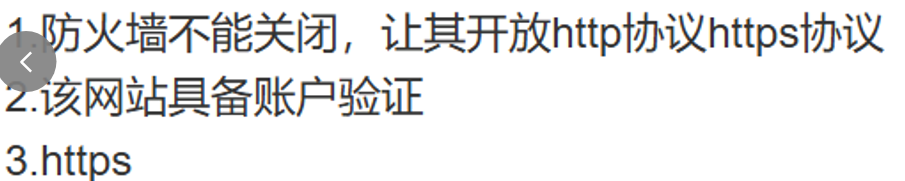
在 RHEL 9 上搭建 Nginx HTTPS 服务
防火墙开放 HTTP 和 HTTPS 协议(不能关闭防火墙)
网站具备账户验证(需要用户名和密码访问)
使用 HTTPS(SSL/TLS 加密)
操作流程:
1.安装Nginx
sql
#安装nginx

sudo dnf install nginx -y

#启动并启用 Nginx 服务

sudo systemctl start nginx
sudo systemctl enable nginx

#验证 Nginx 安装

sudo systemctl status nginx

#访问 http://您的服务器IP应看到 Nginx 默认页面。
2.配置防火墙(用的是iptables,因为firewalld总是报错)
2.1 禁用firewalld
sql
# 停止 firewalld 服务
sudo systemctl stop firewalld

# 禁用 firewalld 开机自启
sudo systemctl disable firewalld

# 屏蔽 firewalld 服务(防止意外启动)
sudo systemctl mask firewalld
2.2 安装并配置iptables
sql
# 安装 iptables-services
sudo dnf install iptables-services -y

# 启用 iptables 服务
sudo systemctl enable iptables

# 启动 iptables 服务
sudo systemctl start iptables

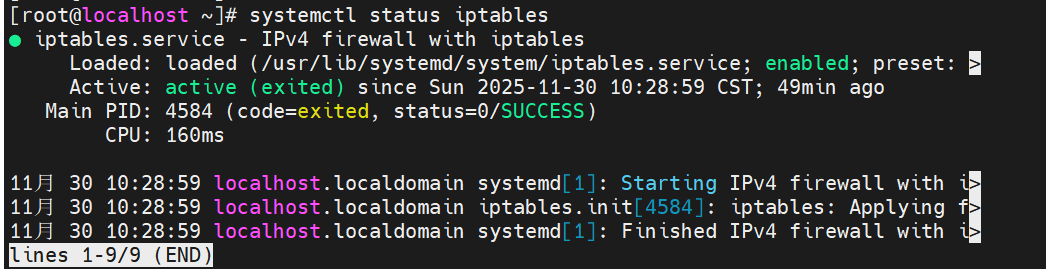
# 检查 iptables 状态
sudo systemctl status iptables
2.3 配置 iptables 防火墙规则
sql
# 清空现有规则(谨慎操作)
sudo iptables -F
sudo iptables -X
sudo iptables -Z

# 设置默认策略
sudo iptables -P INPUT DROP
sudo iptables -P FORWARD DROP
sudo iptables -P OUTPUT ACCEPT

# 允许回环接口
sudo iptables -A INPUT -i lo -j ACCEPT

# 允许已建立的连接和相关的连接
sudo iptables -A INPUT -m state --state ESTABLISHED,RELATED -j ACCEPT

# 允许 SSH 连接(22端口)
sudo iptables -A INPUT -p tcp --dport 22 -j ACCEPT

# 允许 HTTP 连接(80端口)
sudo iptables -A INPUT -p tcp --dport 80 -j ACCEPT

# 允许 HTTPS 连接(443端口)
sudo iptables -A INPUT -p tcp --dport 443 -j ACCEPT

# 保存 iptables 规则
sudo service iptables save

# 查看配置的规则
sudo iptables -L -n
3.生成SSL证书
sql
# 创建 SSL 目录
sudo mkdir -p /etc/ssl/private
sudo mkdir -p /etc/ssl/certs

# 生成自签名 SSL 证书
sudo openssl req -x509 -nodes -days 365 -newkey rsa:2048 \
    -keyout /etc/ssl/private/nginx-selfsigned.key \
    -out /etc/ssl/certs/nginx-selfsigned.crt \
    -subj "/C=CN/ST=Beijing/L=Beijing/O=Test/CN=192.168.22.128"

# 设置证书权限
sudo chmod 600 /etc/ssl/private/nginx-selfsigned.key
sudo chmod 644 /etc/ssl/certs/nginx-selfsigned.crt
4.配置Nginx HTTPS
sql
# 创建 SSL 配置文件
sudo tee /etc/nginx/nginx.conf << 'EOF'
server {
    listen 80;
    server_name 192.168.22.128;
    return 301 https://$server_name$request_uri;
}

server {
    listen 443 ssl;
    server_name 192.168.22.128;

    ssl_certificate /etc/ssl/certs/nginx-selfsigned.crt;
    ssl_certificate_key /etc/ssl/private/nginx-selfsigned.key;

    ssl_protocols TLSv1.2 TLSv1.3;

    root /usr/share/nginx/html;
    index index.html;

    location / {
        auth_basic "Restricted Area";
        auth_basic_user_file /etc/nginx/.htpasswd;
        try_files $uri $uri/ =404;
    }
}
EOF
sql
# 测试 Nginx 配置语法
sudo nginx -t

# 重新加载 Nginx 配置
sudo systemctl reload nginx
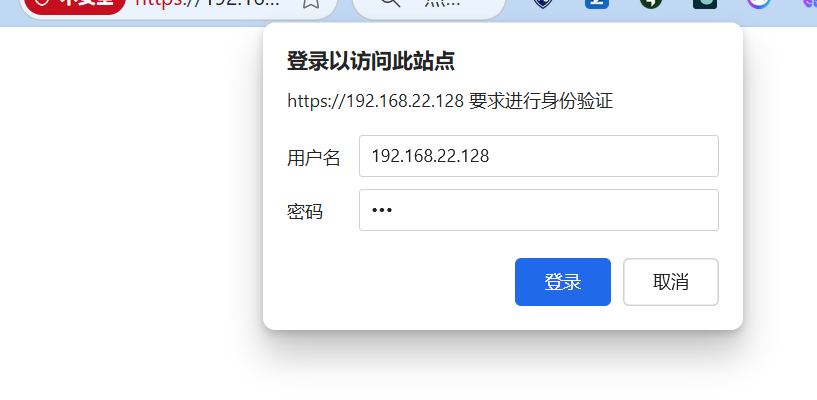
5.设置网站基本认证
sql
# 安装认证工具
sudo dnf install httpd-tools -y

# 创建认证文件(设置用户名和密码)
sudo htpasswd -c /etc/nginx/.htpasswd admin

# 设置认证文件权限
sudo chown nginx:nginx /etc/nginx/.htpasswd
sudo chmod 600 /etc/nginx/.htpasswd
6.最终验证和测试
6.1 创建测试页面
sql
sudo tee /usr/share/nginx/html/index.html << 'EOF'
<!DOCTYPE html>
<html>
<head>
    <title>Nginx HTTPS 测试成功</title>
    <meta charset="utf-8">
</head>
<body>
    <h1>🎉 配置成功!</h1>
    <h2>服务器 IP: 192.168.22.128</h2>
    <p>Nginx HTTPS + 基本认证已正常工作</p>
    <ul>
        <li>✅ 防火墙已配置(iptables)</li>
        <li>✅ HTTPS SSL/TLS 加密已启用</li>
        <li>✅ 用户认证已启用</li>
        <li>✅ HTTP 自动跳转 HTTPS</li>
    </ul>
</body>
</html>
EOF
6.2 验证
检查服务状态
sql
# 检查 Nginx 状态
sudo systemctl status nginx

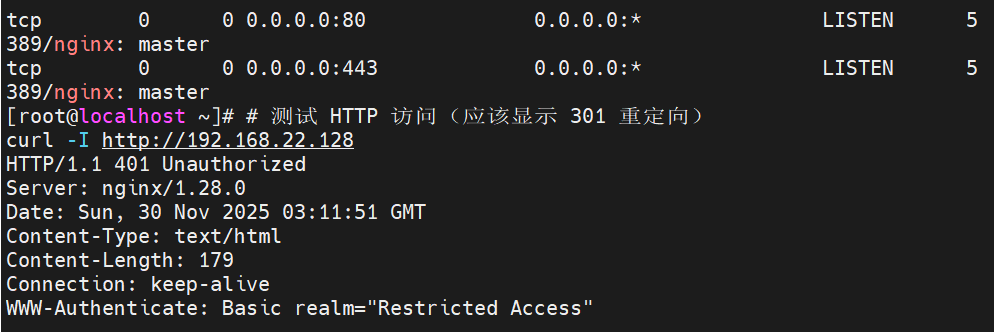
# 检查端口监听(应该看到 80 和 443 端口)
sudo ss -tulnp | grep nginx

# 检查 iptables 规则
sudo iptables -L -n
测试访问
sql
# 测试 HTTP 访问(应该重定向到 HTTPS)
curl -I http://192.168.22.128

# 测试 HTTPS 访问(忽略证书验证)
curl -k -I https://192.168.22.128

# 测试带认证的访问
curl -k -u admin:password123 https://192.168.22.128
6.3 验收截图
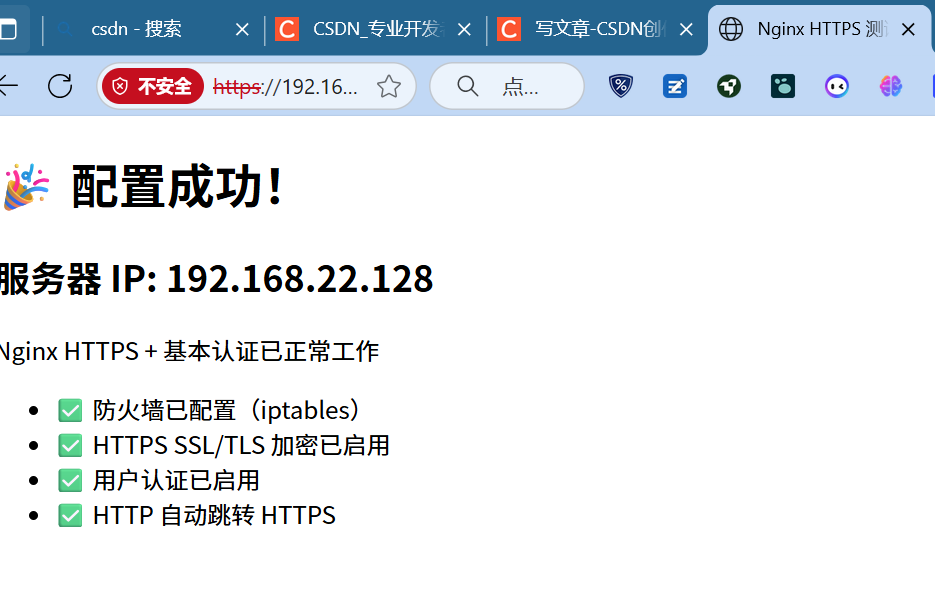
✅ 防火墙开放 HTTP/HTTPS - iptables 已配置
✅ 网站账户验证 - 基本认证已启用
✅ HTTPS SSL/TLS 加密 - 443 端口 SSL 已正常工作
✅ 不关闭防火墙 - iptables 正常运行